clock CADILLAC ESCALADE 2013 3.G User Guide
[x] Cancel search | Manufacturer: CADILLAC, Model Year: 2013, Model line: ESCALADE, Model: CADILLAC ESCALADE 2013 3.GPages: 532, PDF Size: 7.69 MB
Page 206 of 532
Black plate (24,1)Cadillac Escalade/Escalade ESV Owner Manual - 2013 - CRC 2nd Edition - 10/
9/12
7-24 Infotainment System
w(Tuning Knob):
1. Turn counterclockwise one notch to go to the start of the current
chapter/track, turn it again to go
to the previous chapter/track.
2. Turn clockwise to go to the next chapter/track.
Care of Your CDs and DVDs
Sound quality can be reduced due
to disc quality, recording method,
quality of the music recorded, and
how the disc has been handled.
Handle discs carefully and store
them in their original cases or other
protective cases away from direct
sunlight and dust. If the bottom
surface of a disc is damaged, the
disc may not play properly or at all.
Do not touch the bottom surface of
a disc while handling it; this could
damage the surface. Pick up discs
by grasping the outer edges or the
edge of the hole and the outer edge.
If the bottom surface of a disc is
dirty, take a soft lint free cloth,
or dampen a clean soft cloth in a mild neutral detergent solution
mixed with water, and clean it. Wipe
the disc from the center to the
outer edge.
Notice:
If a label is added to a CD
or DVD, or more than one CD or
DVD is inserted into the slot at a
time, or an attempt is made to
play scratched or damaged CDs
or DVDs, the player could be
damaged. While using the CD or
DVD player, use only CDs or
DVDs in good condition without
any label, load one CD or DVD at
a time, and keep the player and
the loading slot free of foreign
materials, liquids, and debris.
Do not add any label to a CD or
DVD, it could get caught in the
player. If a CD or DVD is recorded
on a personal computer and a
description label is needed, try
labeling the top of the recorded CD
or DVD with a soft marker.
CD/DVD Messages
If Disc Read Error appears on the
display and/or the CD/DVD comes
out, it could be for one of the
following reasons:
.If a CD was inserted with an
invalid or unknown format.
.If a DVD is not from a correct
region.
.It is very hot. When the
temperature returns to normal,
the CD should play.
.You are driving on a very rough
road. When the road becomes
smoother, the CD/DVD
should play.
.The CD/DVD is dirty, scratched,
wet, or upside down.
.The air is very humid. If so, wait
about an hour and try again.
.There may have been a problem
while burning the CD/DVD.
.The label may be caught in the
CD/DVD player.
Page 211 of 532
Black plate (29,1)Cadillac Escalade/Escalade ESV Owner Manual - 2013 - CRC 2nd Edition - 10/
9/12
Infotainment System 7-29
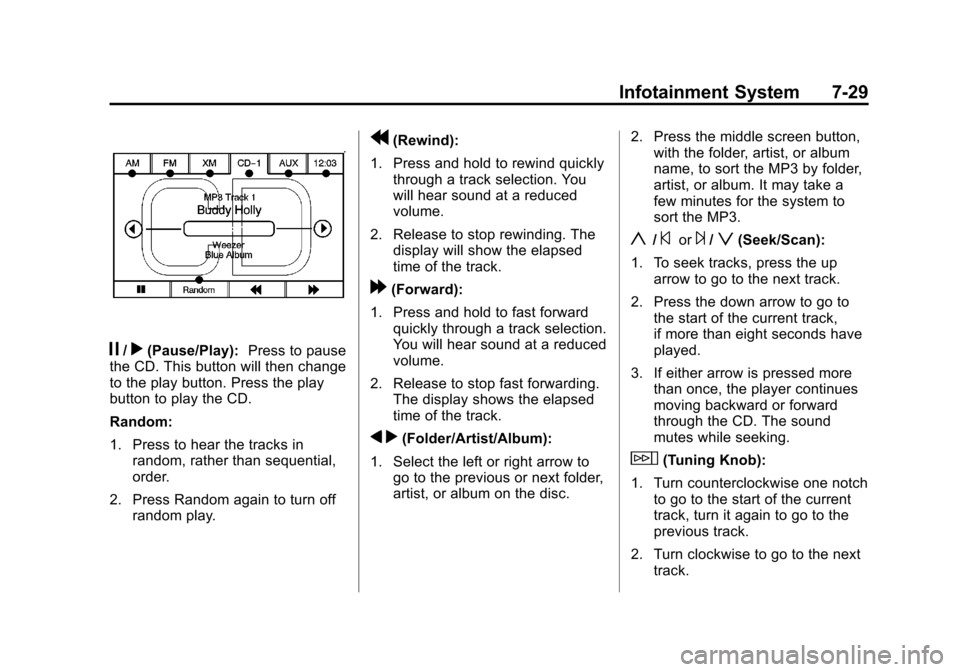
j/r(Pause/Play):Press to pause
the CD. This button will then change
to the play button. Press the play
button to play the CD.
Random:
1. Press to hear the tracks in random, rather than sequential,
order.
2. Press Random again to turn off random play.
r(Rewind):
1. Press and hold to rewind quickly through a track selection. You
will hear sound at a reduced
volume.
2. Release to stop rewinding. The display will show the elapsed
time of the track.
[(Forward):
1. Press and hold to fast forward quickly through a track selection.
You will hear sound at a reduced
volume.
2. Release to stop fast forwarding. The display shows the elapsed
time of the track.
q r(Folder/Artist/Album):
1. Select the left or right arrow to go to the previous or next folder,
artist, or album on the disc. 2. Press the middle screen button,
with the folder, artist, or album
name, to sort the MP3 by folder,
artist, or album. It may take a
few minutes for the system to
sort the MP3.
y/©or¨/z(Seek/Scan):
1. To seek tracks, press the up arrow to go to the next track.
2. Press the down arrow to go to the start of the current track,
if more than eight seconds have
played.
3. If either arrow is pressed more than once, the player continues
moving backward or forward
through the CD. The sound
mutes while seeking.
w(Tuning Knob):
1. Turn counterclockwise one notch to go to the start of the current
track, turn it again to go to the
previous track.
2. Turn clockwise to go to the next track.
Page 278 of 532
Black plate (96,1)Cadillac Escalade/Escalade ESV Owner Manual - 2013 - CRC 2nd Edition - 10/
9/12
7-96 Infotainment System
Night:Press to make the map
background darker.
Day: Press to make the map
background brighter.
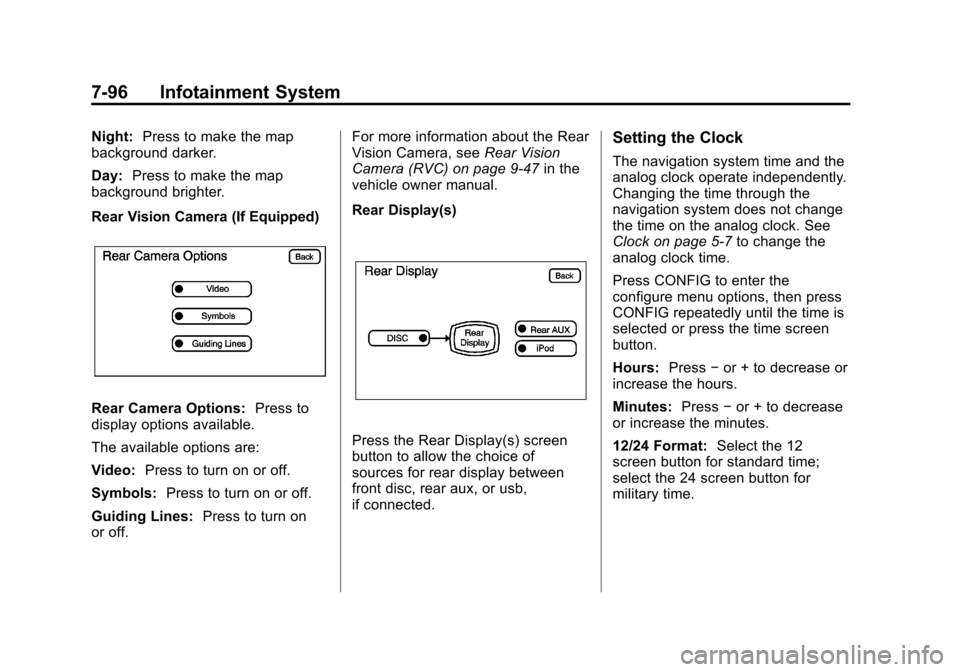
Rear Vision Camera (If Equipped)
Rear Camera Options: Press to
display options available.
The available options are:
Video: Press to turn on or off.
Symbols: Press to turn on or off.
Guiding Lines: Press to turn on
or off. For more information about the Rear
Vision Camera, see
Rear Vision
Camera (RVC) on page 9‑47 in the
vehicle owner manual.
Rear Display(s)
Press the Rear Display(s) screen
button to allow the choice of
sources for rear display between
front disc, rear aux, or usb,
if connected.
Setting the Clock
The navigation system time and the
analog clock operate independently.
Changing the time through the
navigation system does not change
the time on the analog clock. See
Clock on page 5‑7 to change the
analog clock time.
Press CONFIG to enter the
configure menu options, then press
CONFIG repeatedly until the time is
selected or press the time screen
button.
Hours: Press−or + to decrease or
increase the hours.
Minutes: Press−or + to decrease
or increase the minutes.
12/24 Format: Select the 12
screen button for standard time;
select the 24 screen button for
military time.
Page 294 of 532
Black plate (2,1)Cadillac Escalade/Escalade ESV Owner Manual - 2013 - CRC 2nd Edition - 10/
9/12
8-2 Climate Controls
Off:Press the driver side
temperature knob to turn the climate
control system off. Outside air still
enters the vehicle, and is directed to
the floor. This direction can be
changed by pressing the mode
button. The temperature can also be
adjusted using either temperature
knob. Press the up or down arrows
on the fan switch, the defrost button,
the AUTO button, driver side
temperature knob, or the air
conditioning button to turn the
system on when it is off.
Driver and Passenger Side
Temperature Knob
The driver and passenger side
temperature knobs are used to
adjust the temperature of the air
coming through the system on the
driver or passenger side of the
vehicle. The temperature can be
adjusted even if the system is
turned off. This is possible since
outside air always flows through the
system as the vehicle is moving forward unless it is set to
recirculation mode. See
“Recirculation”
later in this section.
Turn the knob clockwise or
counterclockwise to increase or
decrease the cabin temperature.
The display will show the
temperature setting increasing or
decreasing.
Set the passenger temperature
setting to match the driver
temperature setting by pressing the
passenger temperature knob.
When in defrost mode the
passenger temperature setting
cannot be changed.
Automatic Operation
AUTO (Automatic): When
automatic operation is active the
system will control the inside
temperature, the air delivery, and
the fan speed. Use the steps below to place the
entire system in automatic mode:
1. Press the AUTO button.
When AUTO is selected, the
display will change to show the
current temperature(s) and
AUTO come on the display. The
current delivery mode and fan
speed will also be displayed for
approximately 5 seconds.
When AUTO is selected, the air
conditioning operation and air
inlet will be automatically
controlled. The air conditioning
compressor will run when the
outside temperature is over
about 4°C (40°F). The air inlet
will normally be set to outside
air. If it is hot outside, the air
inlet may automatically switch to
recirculate inside air to help
quickly cool down the vehicle.
The light on the button comes on
in recirculation.
Page 355 of 532
Black plate (55,1)Cadillac Escalade/Escalade ESV Owner Manual - 2013 - CRC 2nd Edition - 10/
9/12
Driving and Operating 9-55
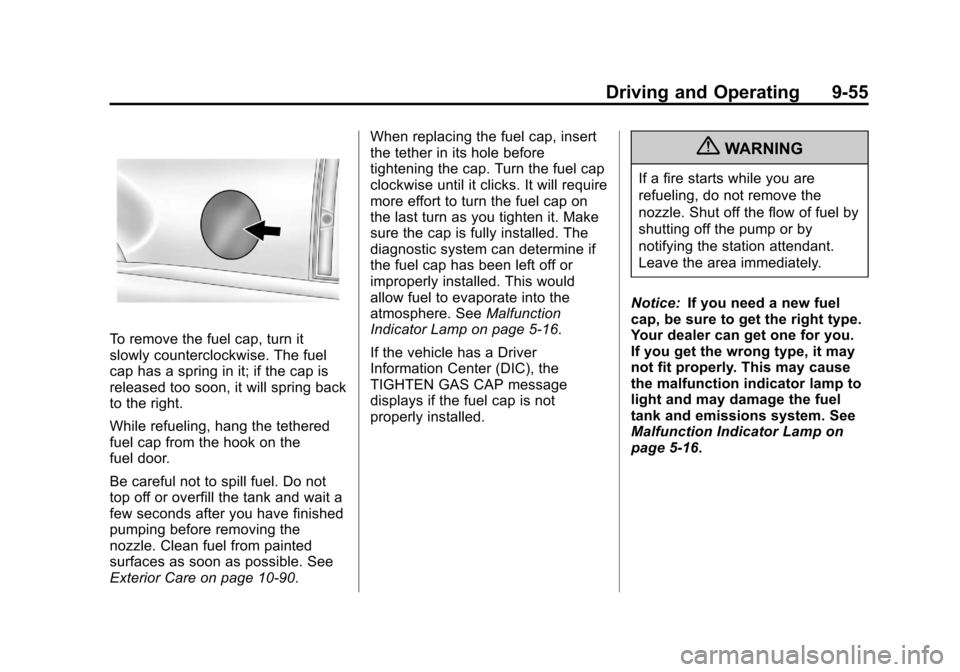
To remove the fuel cap, turn it
slowly counterclockwise. The fuel
cap has a spring in it; if the cap is
released too soon, it will spring back
to the right.
While refueling, hang the tethered
fuel cap from the hook on the
fuel door.
Be careful not to spill fuel. Do not
top off or overfill the tank and wait a
few seconds after you have finished
pumping before removing the
nozzle. Clean fuel from painted
surfaces as soon as possible. See
Exterior Care on page 10‑90.When replacing the fuel cap, insert
the tether in its hole before
tightening the cap. Turn the fuel cap
clockwise until it clicks. It will require
more effort to turn the fuel cap on
the last turn as you tighten it. Make
sure the cap is fully installed. The
diagnostic system can determine if
the fuel cap has been left off or
improperly installed. This would
allow fuel to evaporate into the
atmosphere. See
Malfunction
Indicator Lamp on page 5‑16.
If the vehicle has a Driver
Information Center (DIC), the
TIGHTEN GAS CAP message
displays if the fuel cap is not
properly installed.
{WARNING
If a fire starts while you are
refueling, do not remove the
nozzle. Shut off the flow of fuel by
shutting off the pump or by
notifying the station attendant.
Leave the area immediately.
Notice: If you need a new fuel
cap, be sure to get the right type.
Your dealer can get one for you.
If you get the wrong type, it may
not fit properly. This may cause
the malfunction indicator lamp to
light and may damage the fuel
tank and emissions system. See
Malfunction Indicator Lamp on
page 5‑16.
Page 364 of 532
Black plate (64,1)Cadillac Escalade/Escalade ESV Owner Manual - 2013 - CRC 2nd Edition - 10/
9/12
9-64 Driving and Operating
Hitch Cover (without Dual
Exhaust)
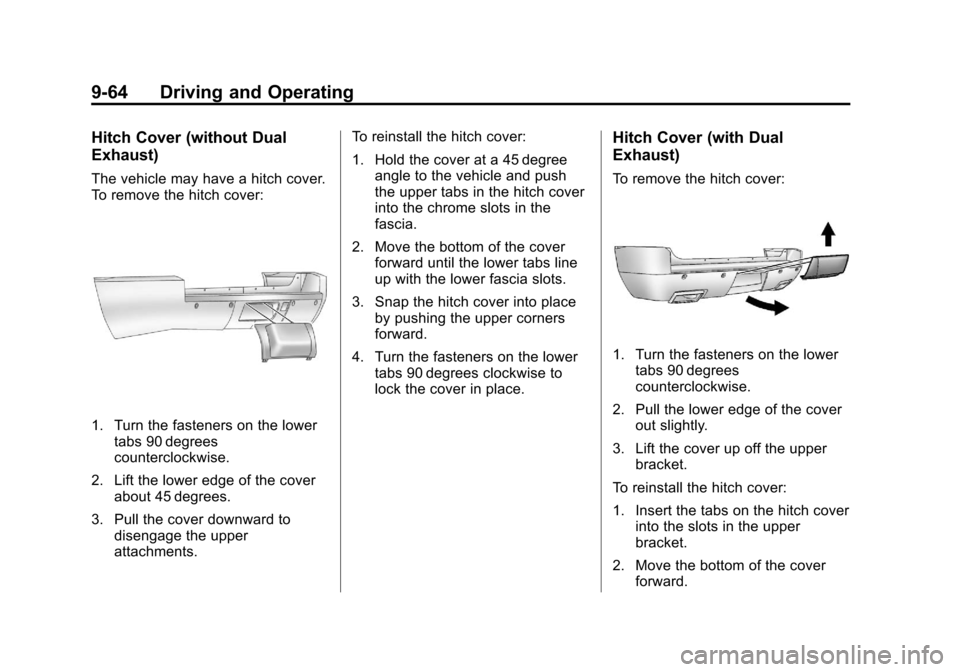
The vehicle may have a hitch cover.
To remove the hitch cover:
1. Turn the fasteners on the lowertabs 90 degrees
counterclockwise.
2. Lift the lower edge of the cover about 45 degrees.
3. Pull the cover downward to disengage the upper
attachments. To reinstall the hitch cover:
1. Hold the cover at a 45 degree
angle to the vehicle and push
the upper tabs in the hitch cover
into the chrome slots in the
fascia.
2. Move the bottom of the cover forward until the lower tabs line
up with the lower fascia slots.
3. Snap the hitch cover into place by pushing the upper corners
forward.
4. Turn the fasteners on the lower tabs 90 degrees clockwise to
lock the cover in place.
Hitch Cover (with Dual
Exhaust)
To remove the hitch cover:
1. Turn the fasteners on the lowertabs 90 degrees
counterclockwise.
2. Pull the lower edge of the cover out slightly.
3. Lift the cover up off the upper bracket.
To reinstall the hitch cover:
1. Insert the tabs on the hitch cover into the slots in the upper
bracket.
2. Move the bottom of the cover forward.
Page 365 of 532
Black plate (65,1)Cadillac Escalade/Escalade ESV Owner Manual - 2013 - CRC 2nd Edition - 10/
9/12
Driving and Operating 9-65
3. Turn the fasteners on the lowertabs 90 degrees clockwise to
lock the cover in place.
Safety Chains
Always attach chains between the
vehicle and the trailer. Cross the
safety chains under the tongue of
the trailer to help prevent the tongue
from contacting the road if it
becomes separated from the hitch.
Instructions about safety chains
may be provided by the hitch
manufacturer or by the trailer
manufacturer. Safety chains should
be attached to holes on the trailer
hitch platform. Always leave just
enough slack so the combination
can turn. Never allow safety chains
to drag on the ground.
Trailer Brakes
A loaded trailer that weighs more
than 900 kg (2,000 lbs) needs to
have its own brake system that is
adequate for the weight of the
trailer. Be sure to read and follow the instructions for the trailer brakes
so they are installed, adjusted and
maintained properly.
Do not tap into the vehicle's
hydraulic system.
Trailer Wiring Harness
Heavy-Duty Trailer Wiring Harness
Package
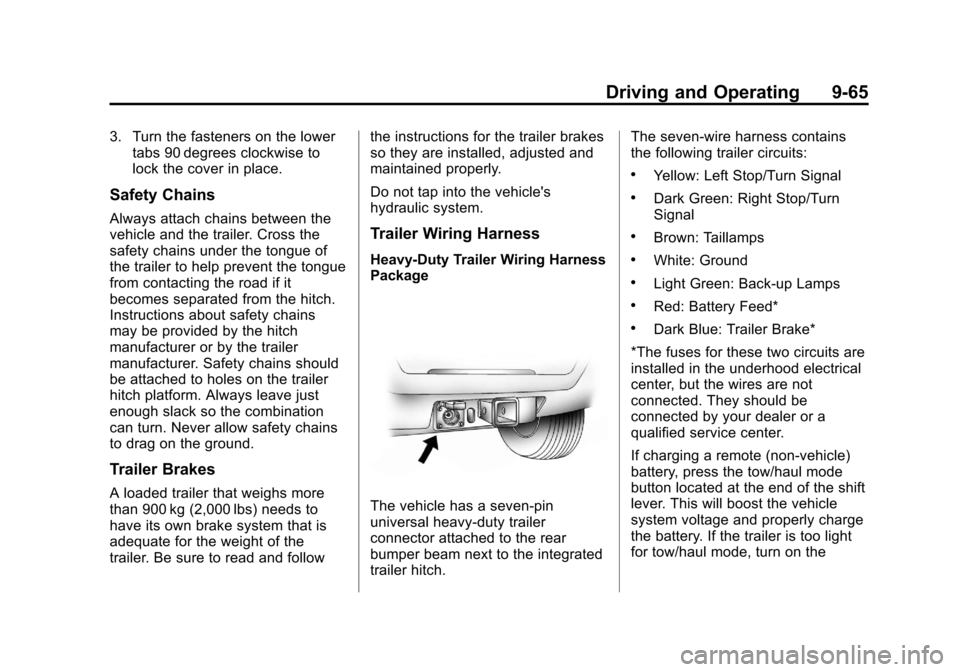
The vehicle has a seven-pin
universal heavy-duty trailer
connector attached to the rear
bumper beam next to the integrated
trailer hitch.The seven-wire harness contains
the following trailer circuits:
.Yellow: Left Stop/Turn Signal
.Dark Green: Right Stop/Turn
Signal
.Brown: Taillamps
.White: Ground
.Light Green: Back-up Lamps
.Red: Battery Feed*
.Dark Blue: Trailer Brake*
*The fuses for these two circuits are
installed in the underhood electrical
center, but the wires are not
connected. They should be
connected by your dealer or a
qualified service center.
If charging a remote (non-vehicle)
battery, press the tow/haul mode
button located at the end of the shift
lever. This will boost the vehicle
system voltage and properly charge
the battery. If the trailer is too light
for tow/haul mode, turn on the
Page 385 of 532
Black plate (17,1)Cadillac Escalade/Escalade ESV Owner Manual - 2013 - CRC 2nd Edition - 10/
9/12
Vehicle Care 10-17
{WARNING
Steam and scalding liquids from a
hot cooling system can blow out
and burn you badly. Never turn
the cap when the cooling system,
including the surge tank pressure
cap, is hot. Wait for the cooling
system and surge tank pressure
cap to cool.
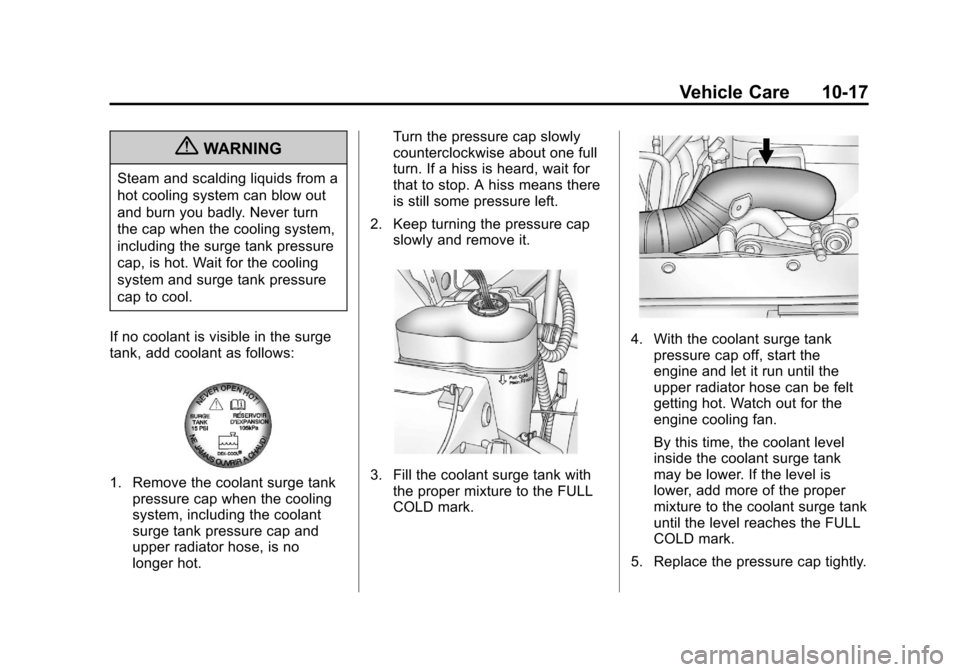
If no coolant is visible in the surge
tank, add coolant as follows:
1. Remove the coolant surge tank pressure cap when the cooling
system, including the coolant
surge tank pressure cap and
upper radiator hose, is no
longer hot. Turn the pressure cap slowly
counterclockwise about one full
turn. If a hiss is heard, wait for
that to stop. A hiss means there
is still some pressure left.
2. Keep turning the pressure cap slowly and remove it.3. Fill the coolant surge tank withthe proper mixture to the FULL
COLD mark.
4. With the coolant surge tankpressure cap off, start the
engine and let it run until the
upper radiator hose can be felt
getting hot. Watch out for the
engine cooling fan.
By this time, the coolant level
inside the coolant surge tank
may be lower. If the level is
lower, add more of the proper
mixture to the coolant surge tank
until the level reaches the FULL
COLD mark.
5. Replace the pressure cap tightly.
Page 399 of 532
Black plate (31,1)Cadillac Escalade/Escalade ESV Owner Manual - 2013 - CRC 2nd Edition - 10/
9/12
Vehicle Care 10-31
notice that the beam is a slightly
different shade than it was originally.
This is normal.
LED Lighting
This vehicle has several LED lamps.
For replacement of any LED lighting
assembly, contact your dealer.
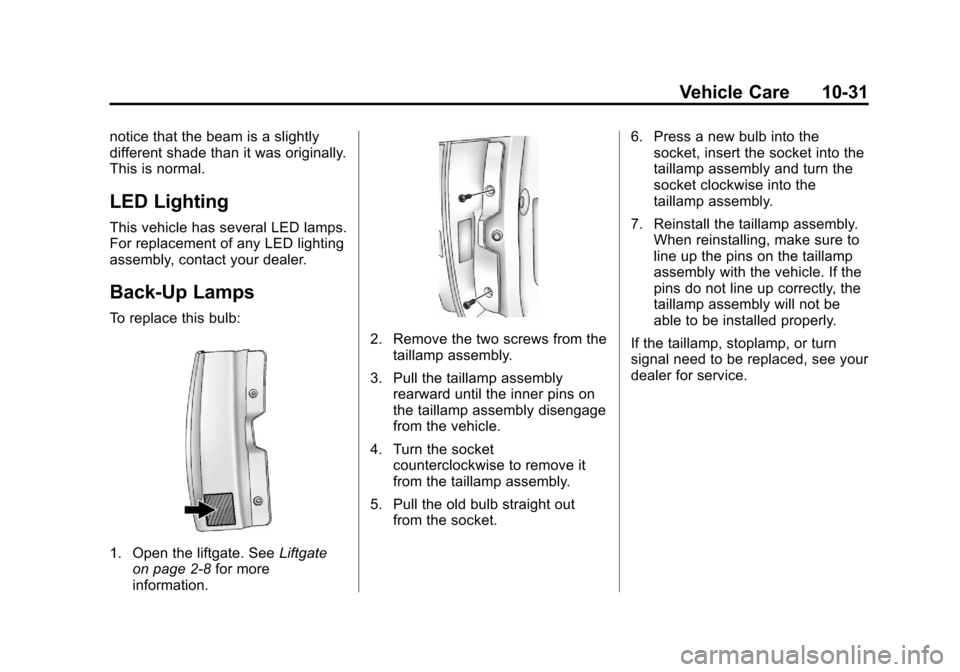
Back-Up Lamps
To replace this bulb:
1. Open the liftgate. SeeLiftgate
on page 2‑8 for more
information.
2. Remove the two screws from the taillamp assembly.
3. Pull the taillamp assembly rearward until the inner pins on
the taillamp assembly disengage
from the vehicle.
4. Turn the socket counterclockwise to remove it
from the taillamp assembly.
5. Pull the old bulb straight out from the socket. 6. Press a new bulb into the
socket, insert the socket into the
taillamp assembly and turn the
socket clockwise into the
taillamp assembly.
7. Reinstall the taillamp assembly. When reinstalling, make sure to
line up the pins on the taillamp
assembly with the vehicle. If the
pins do not line up correctly, the
taillamp assembly will not be
able to be installed properly.
If the taillamp, stoplamp, or turn
signal need to be replaced, see your
dealer for service.
Page 400 of 532
Black plate (32,1)Cadillac Escalade/Escalade ESV Owner Manual - 2013 - CRC 2nd Edition - 10/
9/12
10-32 Vehicle Care
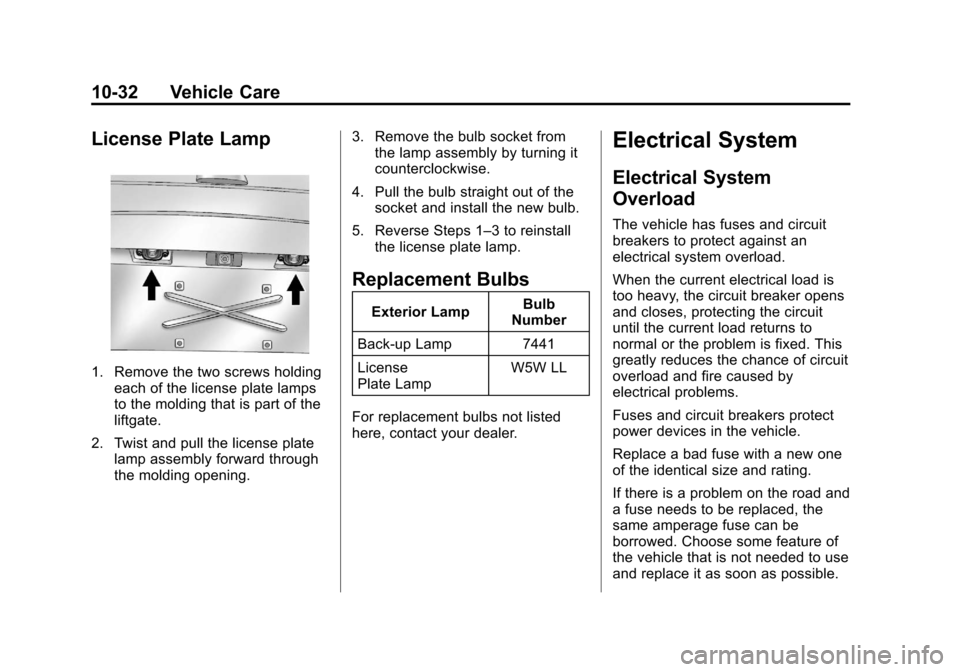
License Plate Lamp
1. Remove the two screws holdingeach of the license plate lamps
to the molding that is part of the
liftgate.
2. Twist and pull the license plate lamp assembly forward through
the molding opening. 3. Remove the bulb socket from
the lamp assembly by turning it
counterclockwise.
4. Pull the bulb straight out of the socket and install the new bulb.
5. Reverse Steps 1–3 to reinstall the license plate lamp.
Replacement Bulbs
Exterior Lamp Bulb
Number
Back-up Lamp 7441
License
Plate Lamp W5W LL
For replacement bulbs not listed
here, contact your dealer.
Electrical System
Electrical System
Overload
The vehicle has fuses and circuit
breakers to protect against an
electrical system overload.
When the current electrical load is
too heavy, the circuit breaker opens
and closes, protecting the circuit
until the current load returns to
normal or the problem is fixed. This
greatly reduces the chance of circuit
overload and fire caused by
electrical problems.
Fuses and circuit breakers protect
power devices in the vehicle.
Replace a bad fuse with a new one
of the identical size and rating.
If there is a problem on the road and
a fuse needs to be replaced, the
same amperage fuse can be
borrowed. Choose some feature of
the vehicle that is not needed to use
and replace it as soon as possible.