radio CADILLAC ESCALADE 2013 3.G User Guide
[x] Cancel search | Manufacturer: CADILLAC, Model Year: 2013, Model line: ESCALADE, Model: CADILLAC ESCALADE 2013 3.GPages: 532, PDF Size: 7.69 MB
Page 136 of 532
Black plate (16,1)Cadillac Escalade/Escalade ESV Owner Manual - 2013 - CRC 2nd Edition - 10/
9/12
5-16 Instruments and Controls
Charging System Light
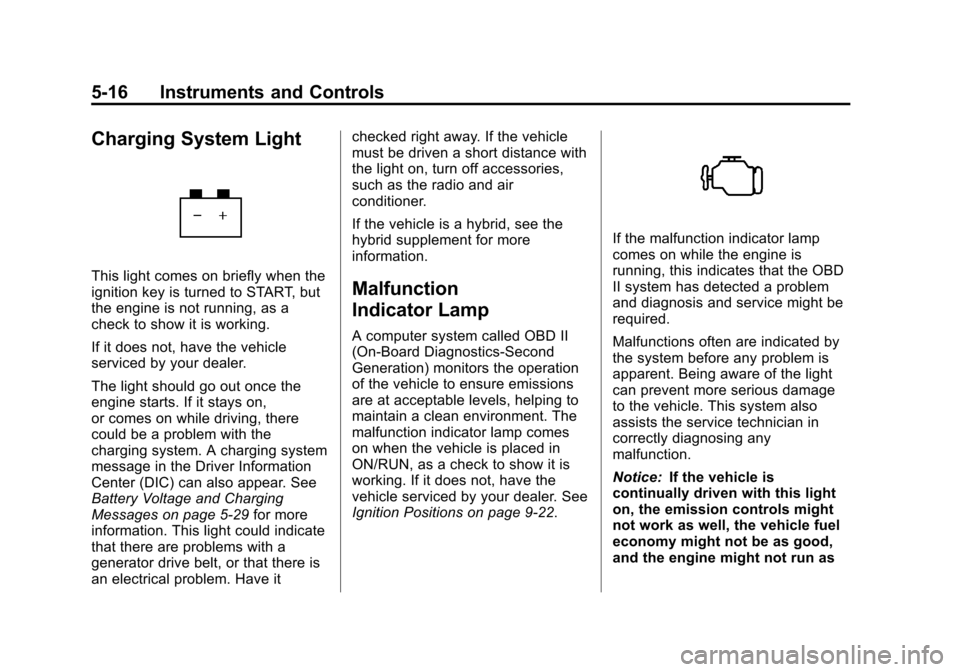
This light comes on briefly when the
ignition key is turned to START, but
the engine is not running, as a
check to show it is working.
If it does not, have the vehicle
serviced by your dealer.
The light should go out once the
engine starts. If it stays on,
or comes on while driving, there
could be a problem with the
charging system. A charging system
message in the Driver Information
Center (DIC) can also appear. See
Battery Voltage and Charging
Messages on page 5‑29for more
information. This light could indicate
that there are problems with a
generator drive belt, or that there is
an electrical problem. Have it checked right away. If the vehicle
must be driven a short distance with
the light on, turn off accessories,
such as the radio and air
conditioner.
If the vehicle is a hybrid, see the
hybrid supplement for more
information.Malfunction
Indicator Lamp
A computer system called OBD II
(On-Board Diagnostics-Second
Generation) monitors the operation
of the vehicle to ensure emissions
are at acceptable levels, helping to
maintain a clean environment. The
malfunction indicator lamp comes
on when the vehicle is placed in
ON/RUN, as a check to show it is
working. If it does not, have the
vehicle serviced by your dealer. See
Ignition Positions on page 9‑22.
If the malfunction indicator lamp
comes on while the engine is
running, this indicates that the OBD
II system has detected a problem
and diagnosis and service might be
required.
Malfunctions often are indicated by
the system before any problem is
apparent. Being aware of the light
can prevent more serious damage
to the vehicle. This system also
assists the service technician in
correctly diagnosing any
malfunction.
Notice:
If the vehicle is
continually driven with this light
on, the emission controls might
not work as well, the vehicle fuel
economy might not be as good,
and the engine might not run as
Page 166 of 532
Black plate (46,1)Cadillac Escalade/Escalade ESV Owner Manual - 2013 - CRC 2nd Edition - 10/
9/12
5-46 Instruments and Controls
DO NOT RESTORE:The
customization features will not be
set to their factory default settings.
To select a setting, press the set/
reset button while the desired
setting is displayed on the DIC.
EXIT FEATURE SETTINGS
This feature allows you to exit the
feature settings menu.
Press the customization button until
PRESS
VTO EXIT FEATURE
SETTINGS appears in the DIC
display. Press the set/reset button
once to exit the menu.
If you do not exit, pressing the
customization button again will
return you to the beginning of the
feature settings menu.
Exiting the Feature
Settings Menu
The feature settings menu will be
exited when any of the following
occurs:
.The vehicle is no longer in
ON/RUN.
.The trip/fuel or vehicle
information DIC buttons are
pressed.
.The end of the feature settings
menu is reached and exited.
.A 40-second time period has
elapsed with no selection made.
Universal Remote
System
See Radio Frequency Statement on
page 13‑21 for information
regarding Part 15 of the Federal
Communications Commission (FCC)
rules and Industry Canada
Standards RSS-GEN/210/220/310.
Universal Remote System
Programming
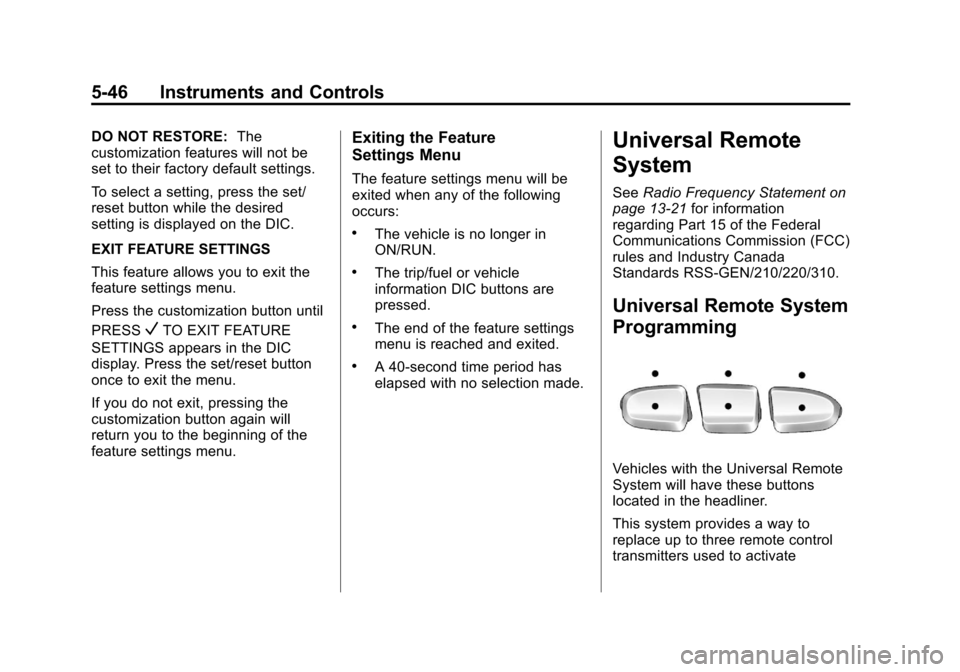
Vehicles with the Universal Remote
System will have these buttons
located in the headliner.
This system provides a way to
replace up to three remote control
transmitters used to activate
Page 178 of 532
Black plate (6,1)Cadillac Escalade/Escalade ESV Owner Manual - 2013 - CRC 2nd Edition - 10/
9/12
6-6 Lighting
Automatic Headlamp
System
When it is dark enough outside, the
automatic headlamp system turns
on the headlamps at the normal
brightness, along with the taillamps,
sidemarker, parking lamps, and the
instrument panel lights. The radio
lights will also be dim.
To turn off the automatic headlamp
system, turn the exterior lamps
control to
Pand then release it.
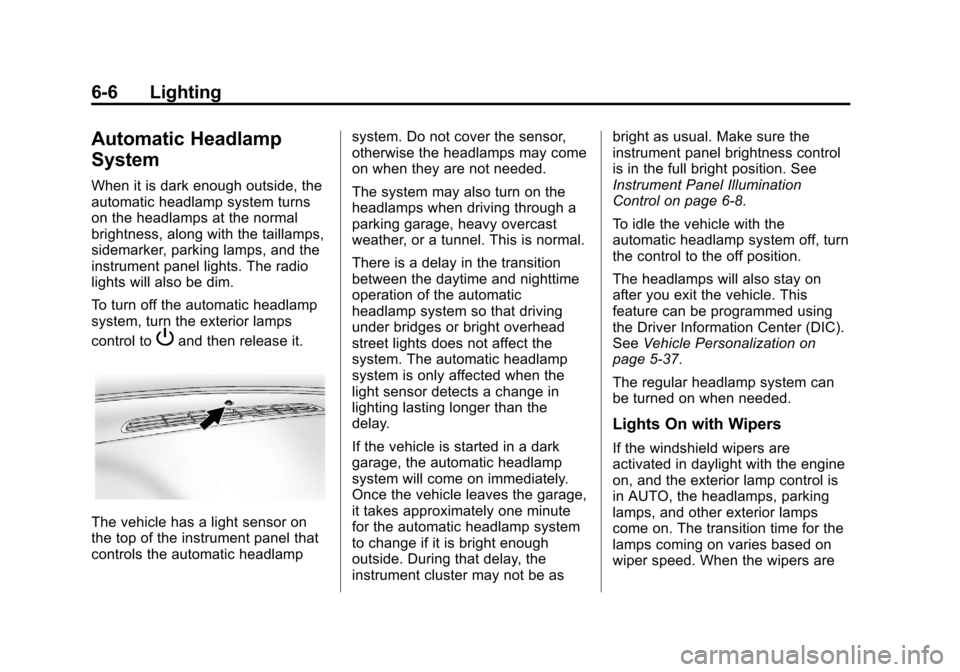
The vehicle has a light sensor on
the top of the instrument panel that
controls the automatic headlampsystem. Do not cover the sensor,
otherwise the headlamps may come
on when they are not needed.
The system may also turn on the
headlamps when driving through a
parking garage, heavy overcast
weather, or a tunnel. This is normal.
There is a delay in the transition
between the daytime and nighttime
operation of the automatic
headlamp system so that driving
under bridges or bright overhead
street lights does not affect the
system. The automatic headlamp
system is only affected when the
light sensor detects a change in
lighting lasting longer than the
delay.
If the vehicle is started in a dark
garage, the automatic headlamp
system will come on immediately.
Once the vehicle leaves the garage,
it takes approximately one minute
for the automatic headlamp system
to change if it is bright enough
outside. During that delay, the
instrument cluster may not be asbright as usual. Make sure the
instrument panel brightness control
is in the full bright position. See
Instrument Panel Illumination
Control on page 6‑8.
To idle the vehicle with the
automatic headlamp system off, turn
the control to the off position.
The headlamps will also stay on
after you exit the vehicle. This
feature can be programmed using
the Driver Information Center (DIC).
See
Vehicle Personalization on
page 5‑37.
The regular headlamp system can
be turned on when needed.
Lights On with Wipers
If the windshield wipers are
activated in daylight with the engine
on, and the exterior lamp control is
in AUTO, the headlamps, parking
lamps, and other exterior lamps
come on. The transition time for the
lamps coming on varies based on
wiper speed. When the wipers are
Page 183 of 532
Black plate (1,1)Cadillac Escalade/Escalade ESV Owner Manual - 2013 - CRC 2nd Edition - 10/
9/12
Infotainment System 7-1
Infotainment
System
Introduction
Infotainment . . . . . . . . . . . . . . . . . . . 7-2
Theft-Deterrent Feature . . . . . . . 7-3
Overview . . . . . . . . . . . . . . . . . . . . . . 7-4
Radio
AM-FM Radio . . . . . . . . . . . . . . . . . 7-9
Satellite Radio . . . . . . . . . . . . . . . 7-15
Radio Reception . . . . . . . . . . . . . 7-16
Rear Side WindowAntenna . . . . . . . . . . . . . . . . . . . . 7-17
Satellite Radio Antenna . . . . . . 7-18
Audio Players
CD/DVD Player . . . . . . . . . . . . . . 7-18
MP3 . . . . . . . . . . . . . . . . . . . . . . . . . 7-27
Auxiliary Devices . . . . . . . . . . . . 7-30
Rear Seat Infotainment
Rear Seat Entertainment (RSE) System
(Headrest DVD) . . . . . . . . . . . . 7-31
Rear Seat Entertainment (RSE) System
(Overhead) . . . . . . . . . . . . . . . . . 7-50
Rear Seat Audio (RSA) System . . . . . . . . . . . . . . . . . . . . . 7-60
Navigation
Using the NavigationSystem . . . . . . . . . . . . . . . . . . . . . 7-62
Maps . . . . . . . . . . . . . . . . . . . . . . . . 7-64 Navigation Symbols . . . . . . . . . 7-65
Destination . . . . . . . . . . . . . . . . . . 7-70
Configure Menu . . . . . . . . . . . . . 7-84
Global Positioning
System (GPS) . . . . . . . . . . . . . . 7-97
Vehicle Positioning . . . . . . . . . . 7-97
Problems with Route Guidance . . . . . . . . . . . . . . . . . . . 7-98
If the System Needs Service . . . . . . . . . . . . . . . . . . . . . 7-99
Map Data Updates . . . . . . . . . . . 7-99
Database Coverage Explanations . . . . . . . . . . . . . . 7-100
Voice Recognition
Voice Recognition . . . . . . . . . . 7-100
Phone
Bluetooth . . . . . . . . . . . . . . . . . . . 7-103
Page 185 of 532
Black plate (3,1)Cadillac Escalade/Escalade ESV Owner Manual - 2013 - CRC 2nd Edition - 10/
9/12
Infotainment System 7-3
Always be alert and obey traffic and
roadway laws and instructions,
regardless of the guidance from the
navigation system. Because the
navigation system uses street map
information that does not include all
traffic restrictions or the latest road
changes, it may suggest using a
road that is now closed for
construction or a turn that is
prohibited by signs at the
intersection. Always evaluate
whether following the system's
directions is safe and legal for the
current conditions.
When the navigation system is
turned on, a screen may appear
with information that must be read
and acknowledged before accessing
some navigation features.After acknowledging the start up
information, the NAV (Navigation)
and DEST (Destination) functions
are accessible. Information can now
be entered or deleted, and other
functions accessed. See
instructions later in this section.
Every 50 times the vehicle is started
and the navigation system is turned
on, the Caution screen appears.
After reading the caution, select OK
to load the map DVD information.
If OK is not selected, all control
buttons except for NAV (Navigation)
and DEST (Destination) can be
accessed.
When getting started, set your
preferences or delete information in
the navigation system using various
options.Theft-Deterrent Feature
TheftLock®is designed to
discourage theft of the vehicle's
radio by learning a portion of the
Vehicle Identification Number (VIN).
The radio does not operate if it is
stolen or moved to a different
vehicle.
Page 187 of 532
Black plate (5,1)Cadillac Escalade/Escalade ESV Owner Manual - 2013 - CRC 2nd Edition - 10/
9/12
Infotainment System 7-5
Q. AUDIO
R. FAV (Favorite)
S.
5(Phone)
T.
e(Sound)
U. CONFIG (Configure)
V. DEST (Destination)
W. RPT (Repeat)
X. NAV (Navigation)
Language —English/Metric
To change the language of the
navigation screens or to change the
navigation screens from English or
metric, see Driver Information
Center (DIC) on page 5‑23 for more
information.
Deleting Personal Information
This navigation system can record
and store personal information such
as names and addresses. Delete
this information when selling your
vehicle or returning a leased
vehicle. See “Edit Address Book —
Edit/View” underConfigure Menu on
page 7‑84 for deleting information
from the address book.
Limit Features While Driving
The navigation system may have
this feature.
Touch the Limit Features While
Driving screen button to turn the
ability to limit functions on and off
while driving. When this screen
button is highlighted, the following
functions are limited while driving:
.Music Navigator Scrolling
.Radio Category Scrolling
.Navigation Menu Scrolling and
some functions See
“Category” underAM-FM Radio
on page 7‑9 for more information.
See “From Map” underDestination
on page 7‑70 for more information.
Some functions will remain limited
regardless of the setting.
Storing Radio Station Presets
To set preset radio stations, do the
following:
1. Press
Oto turn the system on.
2. Press AUDIO and select the desired band (AM, FM, or XM (if
equipped)).
3. Use the
w(tuning) knob,y/
©, or¨/z(Seek) arrows to
tune to the desired station.
4. Press and hold one of the five preset screen buttons, at the
bottom of the screen, until a
beep is heard.
5. Repeat the steps for each preset.
Page 188 of 532
Black plate (6,1)Cadillac Escalade/Escalade ESV Owner Manual - 2013 - CRC 2nd Edition - 10/
9/12
7-6 Infotainment System
See“Storing Radio Station Presets”
under AM-FM Radio on page 7‑9 for
more information.
Setting the Clock
The navigation system time and the
analog clock operate independently.
Changing the time through the
navigation system does not change
the time on the analog clock. See
Clock on page 5‑7 to change the
analog clock time.
To set the time for the navigation
system:
1. Press CONFIG to enter the configure menu options, then
press CONFIG again, repeatedly
until the time is selected or touch
the time screen button.
2. Press the Hours and Minutes −
and + to decrease or to increase
the time.
See “Setting the Clock” under
Configure Menu on page 7‑84 for
more information.
Entering an Address and Point
of Interest, and Storing Preset
Destinations
Entering an Address
Enter a destination by inputting the
city name first:
1. Press
Oto turn the system on.
2. A caution may appear. Press OK to proceed.
3. Press DEST.
4. Press
2(Address Entry).
5. Select the state/province screen button, if needed, to change the
current state or province. A list
of all of the available states and
provinces appear. Select the
state or province.
6. Once a state or province has been selected the City name
category is automatically
selected for entry. If five or fewer names are
available, a list displays. If more
than five are available, the List
screen button displays a
number. This number represents
the number of available cities.
Press this button to view the list
and select a city.
7. Once a city has been selected the Street name category is
automatically selected for entry.
If five or fewer streets are
available for the selected city,
the system displays the list of
streets. If more than five streets
are available the system
displays the alpha keyboard.
Start entering the street name.
If five or fewer names are
available, a list displays. If more
than five are available, the List
screen button displays a
number. This button represents
the number of available streets.
Select this button to view the list
and select a street.
Page 191 of 532
Black plate (9,1)Cadillac Escalade/Escalade ESV Owner Manual - 2013 - CRC 2nd Edition - 10/
9/12
Infotainment System 7-9
Radio
AM-FM Radio
Notice:Before adding any sound
equipment to the vehicle, such as
an audio system, CD player, CB
radio, mobile telephone,
or two-way radio, make sure that
it can be added by checking with
your dealer. Also, check federal
rules covering mobile radio and
telephone units. If sound
equipment can be added, it is
very important to do it properly.
Added sound equipment can
interfere with the operation of the
vehicle's engine, radio, or other
systems, and even damage them.
The vehicle's systems can
interfere with the operation of
sound equipment that has been
added.
Notice: The chime signals related
to safety belts, parking brake, and
other functions of the vehicle
operate through the navigation
system. If that equipment is replaced or additional equipment
is added to the vehicle, the
chimes may not work. Make sure
that replacement or additional
equipment is compatible with the
vehicle before installing it. See
“Accessories and Modifications”
in the vehicle's owner manual.
Playing the Radio
O/n(Power/Volume):
1. Press to turn the audio system on and off.
2. Turn to increase or to decrease the volume.
3. Press and hold for more than two seconds to turn off the
navigation system, the Rear
Seat Entertainment (RSE) video
screen, and Rear Seat Audio
(RSA). If the vehicle has not
been turned off, press this knob
to turn RSE and RSA back on
and to continue playback of the
last active source.
w(Tuning Knob): Turn to go to
the next or previous frequency or
disc track or chapter. See CD/DVD
Player on page 7‑18 orMP3 on
page 7‑27 for more information.
AUDIO: Press to display the audio
screen. Press to switch between
AM, FM, or XM, if equipped, Disc,
or AUX (Auxiliary), or press the
screen button. See CD/DVD Player
on page 7‑18, MP3 on page 7‑27,
and Auxiliary Devices on page 7‑30
for more information.
Page 193 of 532
Black plate (11,1)Cadillac Escalade/Escalade ESV Owner Manual - 2013 - CRC 2nd Edition - 10/
9/12
Infotainment System 7-11
categories. The station information
appears on the display. See“Radio
Menu” in this section to add and
remove XM categories from the
category list. Removed categories
do not appear on the category list
screen or when the right and left
arrow category screen buttons
are used.
FM lists may also contain a
category to select if stations in the
broadcast area support Radio Data
Systems (RDS).
2Refresh List: Press to refresh
the list of AM or FM stations.
When viewing a map screen, the
name of the station or channel
displays.
y/©or¨/z(Seek/Scan):
1. To seek stations, press the up or down arrows to go to the next or
previous station. 2. To scan stations, press and hold
either arrow for more than
two seconds. The radio goes to
a station, plays for a few
seconds, then goes to the next
station.
3. To stop scanning, press either arrow again.
Press the AUDIO button on the
faceplate to display the audio
screen. Press again to switch
between the audio sources. Select
XM (if equipped).
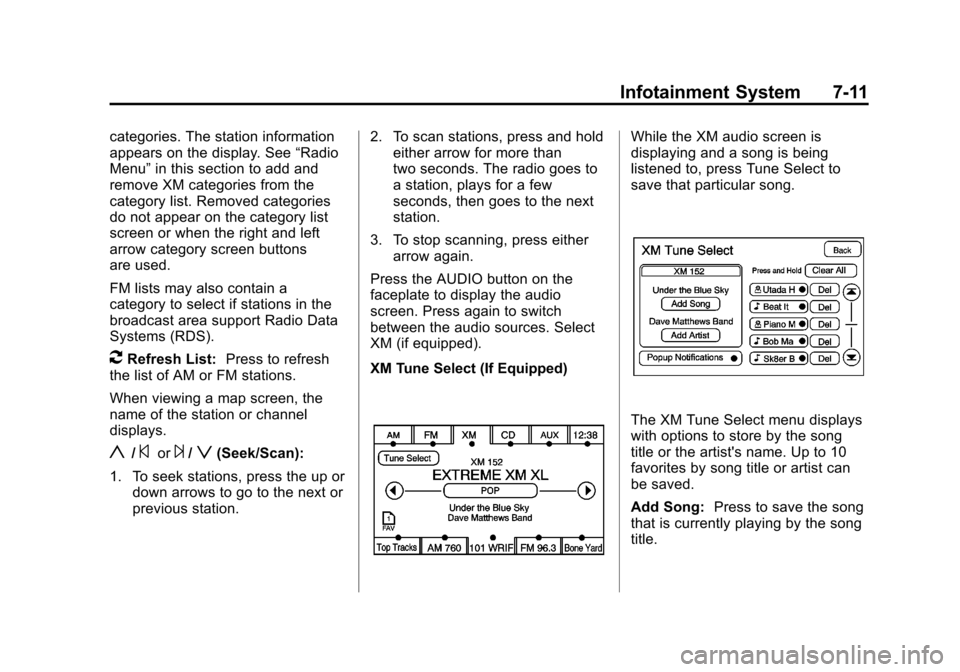
XM Tune Select (If Equipped)
While the XM audio screen is
displaying and a song is being
listened to, press Tune Select to
save that particular song.
The XM Tune Select menu displays
with options to store by the song
title or the artist's name. Up to 10
favorites by song title or artist can
be saved.
Add Song: Press to save the song
that is currently playing by the song
title.
Page 194 of 532
Black plate (12,1)Cadillac Escalade/Escalade ESV Owner Manual - 2013 - CRC 2nd Edition - 10/
9/12
7-12 Infotainment System
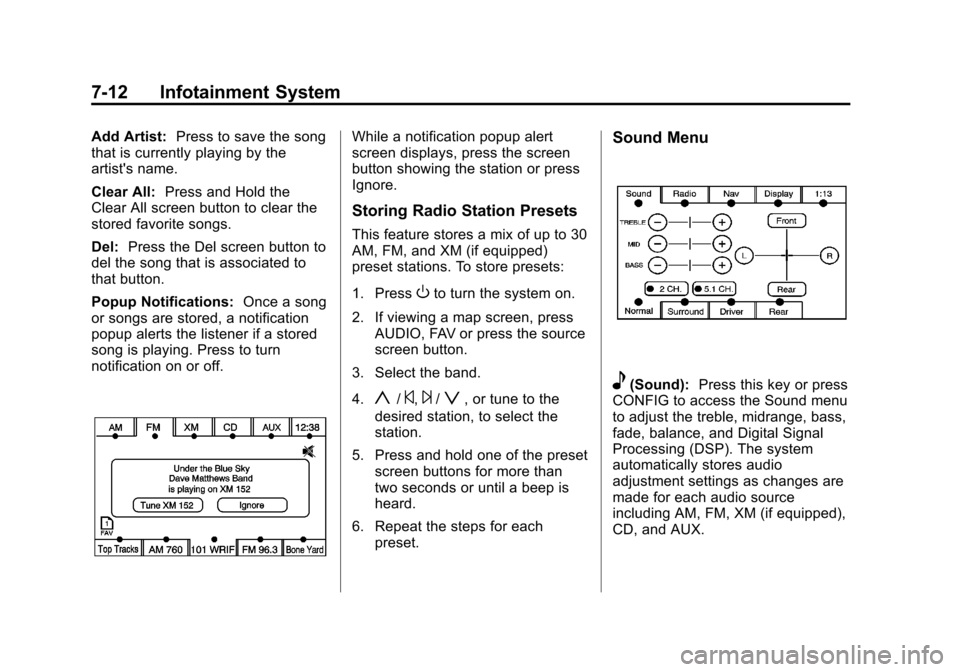
Add Artist:Press to save the song
that is currently playing by the
artist's name.
Clear All: Press and Hold the
Clear All screen button to clear the
stored favorite songs.
Del: Press the Del screen button to
del the song that is associated to
that button.
Popup Notifications: Once a song
or songs are stored, a notification
popup alerts the listener if a stored
song is playing. Press to turn
notification on or off.While a notification popup alert
screen displays, press the screen
button showing the station or press
Ignore.
Storing Radio Station Presets
This feature stores a mix of up to 30
AM, FM, and XM (if equipped)
preset stations. To store presets:
1. Press
Oto turn the system on.
2. If viewing a map screen, press AUDIO, FAV or press the source
screen button.
3. Select the band.
4.
y/©,¨/z, or tune to the
desired station, to select the
station.
5. Press and hold one of the preset screen buttons for more than
two seconds or until a beep is
heard.
6. Repeat the steps for each preset.
Sound Menu
e(Sound): Press this key or press
CONFIG to access the Sound menu
to adjust the treble, midrange, bass,
fade, balance, and Digital Signal
Processing (DSP). The system
automatically stores audio
adjustment settings as changes are
made for each audio source
including AM, FM, XM (if equipped),
CD, and AUX.