battery replacement CADILLAC ESCALADE 2013 3.G Owners Manual
[x] Cancel search | Manufacturer: CADILLAC, Model Year: 2013, Model line: ESCALADE, Model: CADILLAC ESCALADE 2013 3.GPages: 532, PDF Size: 7.69 MB
Page 32 of 532
Black plate (2,1)Cadillac Escalade/Escalade ESV Owner Manual - 2013 - CRC 2nd Edition - 10/
9/12
2-2 Keys, Doors, and Windows
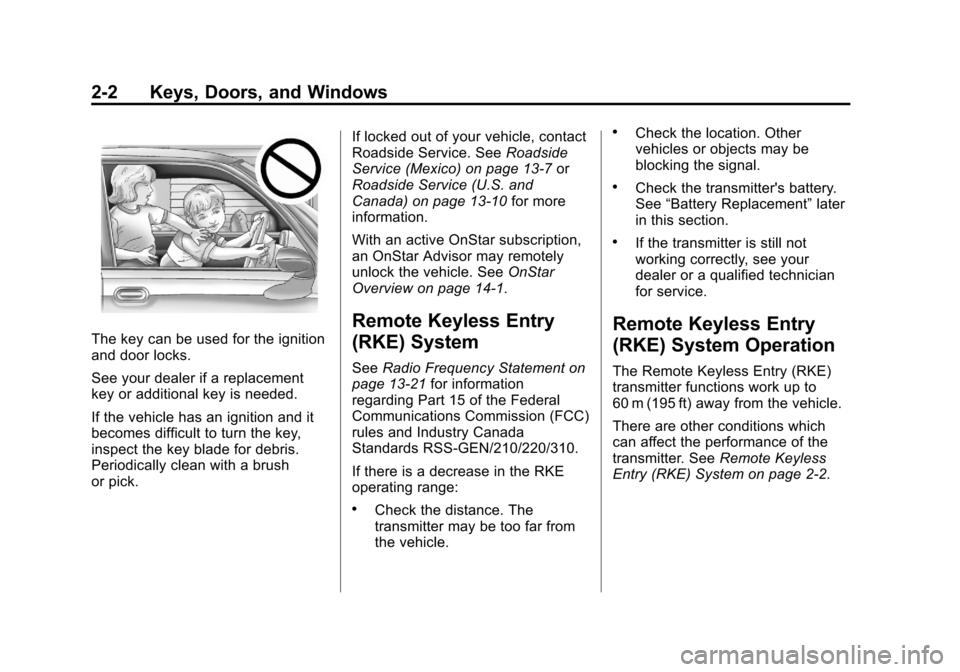
The key can be used for the ignition
and door locks.
See your dealer if a replacement
key or additional key is needed.
If the vehicle has an ignition and it
becomes difficult to turn the key,
inspect the key blade for debris.
Periodically clean with a brush
or pick.If locked out of your vehicle, contact
Roadside Service. See
Roadside
Service (Mexico) on page 13‑7 or
Roadside Service (U.S. and
Canada) on page 13‑10 for more
information.
With an active OnStar subscription,
an OnStar Advisor may remotely
unlock the vehicle. See OnStar
Overview on page 14‑1.
Remote Keyless Entry
(RKE) System
See Radio Frequency Statement on
page 13‑21 for information
regarding Part 15 of the Federal
Communications Commission (FCC)
rules and Industry Canada
Standards RSS-GEN/210/220/310.
If there is a decrease in the RKE
operating range:
.Check the distance. The
transmitter may be too far from
the vehicle.
.Check the location. Other
vehicles or objects may be
blocking the signal.
.Check the transmitter's battery.
See “Battery Replacement” later
in this section.
.If the transmitter is still not
working correctly, see your
dealer or a qualified technician
for service.
Remote Keyless Entry
(RKE) System Operation
The Remote Keyless Entry (RKE)
transmitter functions work up to
60 m (195 ft) away from the vehicle.
There are other conditions which
can affect the performance of the
transmitter. See Remote Keyless
Entry (RKE) System on page 2‑2.
Page 34 of 532
Black plate (4,1)Cadillac Escalade/Escalade ESV Owner Manual - 2013 - CRC 2nd Edition - 10/
9/12
2-4 Keys, Doors, and Windows
Press and holdLfor
three seconds to activate the panic
alarm. The turn signal lamps flash
and the horn sounds repeatedly for
30 seconds. The alarm turns off
when the ignition is moved to ON/
RUN or
Lis pressed again. The
ignition must be in LOCK/OFF for
the panic alarm to work.
The vehicle comes with
two transmitters. Each transmitter
will have a number on top of it,
“1” or“2”. These numbers
correspond to the driver of the
vehicle. For example, the memory
seat position for driver 1 will be
recalled when using the transmitter
labeled “1”, if enabled through the
DIC. See Memory Seats on
page 3‑5 for more information.
Programming Transmitters to
the Vehicle
Only RKE transmitters programmed
to this vehicle will work. If a
transmitter is lost or stolen, a
replacement can be purchased and programmed through your dealer.
When the replacement transmitter is
programmed to this vehicle, all
remaining transmitters must also be
reprogrammed. Any lost or stolen
transmitters will no longer work
once the new transmitter is
programmed. Each vehicle can
have up to eight transmitters
programmed to it. See your dealer
to have transmitters programmed to
the vehicle.
Battery Replacement
Replace the battery if the REPLACE
BATTERY IN REMOTE KEY
message displays in the DIC. See
“REPLACE BATTERY IN REMOTE
KEY”
under Key and Lock
Messages on page 5‑32 for
additional information.
Notice: When replacing the
battery, do not touch any of the
circuitry on the transmitter. Static
from your body could damage the
transmitter.
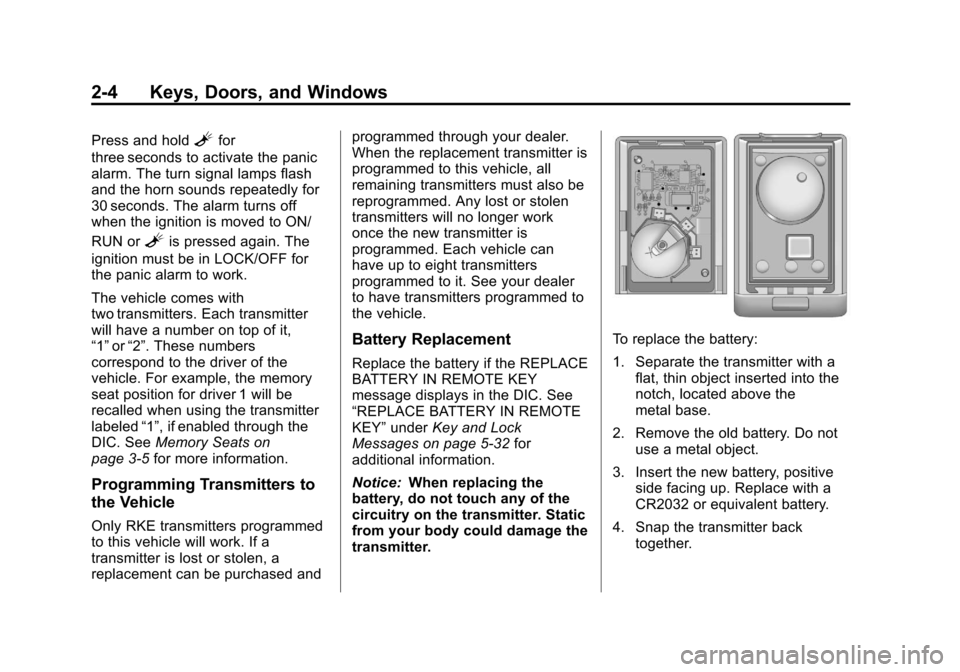
To replace the battery:
1. Separate the transmitter with a flat, thin object inserted into the
notch, located above the
metal base.
2. Remove the old battery. Do not use a metal object.
3. Insert the new battery, positive side facing up. Replace with a
CR2032 or equivalent battery.
4. Snap the transmitter back together.
Page 152 of 532
Black plate (32,1)Cadillac Escalade/Escalade ESV Owner Manual - 2013 - CRC 2nd Edition - 10/
9/12
5-32 Instruments and Controls
stays on, the vehicle should be
taken to your dealer for service as
soon as possible.
Fuel System Messages
FUEL LEVEL LOW
This message displays and a chime
sounds if the fuel level is low. Refuel
as soon as possible. SeeFuel
Gauge on page 5‑12 andFuel on
page 9‑51 for more information.
TIGHTEN GAS CAP
This message may display along
with the check engine light on the
instrument cluster if the fuel cap is
not tightened properly. See
Malfunction Indicator Lamp on
page 5‑16. Reinstall the fuel cap
fully. SeeFilling the Tank on
page 9‑54. The diagnostic system
can determine if the fuel cap has
been left off or improperly installed.
A loose or missing fuel cap allows
fuel to evaporate into the atmosphere. A few driving trips with
the cap properly installed should
turn this light and message off.
Key and Lock Messages
REPLACE BATTERY IN
REMOTE KEY
This message displays if a Remote
Keyless Entry (RKE) transmitter
battery is low. The battery needs to
be replaced in the transmitter. See
“Battery Replacement”
under
Remote Keyless Entry (RKE)
System Operation on page 2‑2.
Lamp Messages
SERVICE LEFT HEADLAMP
ASSEMBLY
On some models, this message will
be displayed when the left
headlamp is out and needs to be
serviced. See LED Lighting on
page 10‑31 for more information.
SERVICE RIGHT HEADLAMP
ASSEMBLY
On some models, this message will
be displayed when the right
headlamp is out and needs to be
serviced. See LED Lighting on
page 10‑31 for more information.
TURN SIGNAL ON
This message displays and a chime
sounds if a turn signal is left on for
1.2 km (0.75 mi). Move the turn
signal/multifunction lever to the off
position.
Object Detection System
Messages
PARKING ASSIST BLOCKED
SEE OWNERS MANUAL
This message displays if there is
something interfering with the park
assist system. See Ultrasonic
Parking Assist on page 9‑44 for
more information.
Page 227 of 532
Black plate (45,1)Cadillac Escalade/Escalade ESV Owner Manual - 2013 - CRC 2nd Edition - 10/
9/12
Infotainment System 7-45
OFF/ON (Power):Turn the power
switch located on the earpiece to
turn the wireless headphones on or
off. Each headphone has a light to
indicate ON. If the light does not
come on, the batteries may need to
be replaced. See “Battery
Replacement” underRear Seat
Entertainment (RSE) System
(Headrest DVD) on page 7‑31 or
Rear Seat Entertainment (RSE)
System (Overhead) on page 7‑50
for more information.
The headphones shut off
automatically if the RSE system is
turned off or if the headphones are
out of range of the transmitter for
more than three minutes.
VOL
0(Volume): Use to adjust
the volume on the headphones.
Notice: Do not store the
headphones in heat or direct
sunlight. This could damage the
headphones and repairs will not
be covered by the warranty.
Storage in extreme cold can weaken the batteries. Keep the
headphones stored in a cool, dry
place.
Remote Control
To use the remote control, aim at
the remote sensor located on top
center of the video display screen
and press the desired button.
Objects blocking the line-of-sight
can affect the function of the remote
control. Direct or very bright light
can affect the ability of the
transmitter to receive signals from
the remote control. If the remote
control does not seem to be
working, the batteries might need to
be replaced. See
“Battery
Replacement” following this section.
The remote control provided with
the Headrest DVD RSE system, is
not a universal remote control and
will not control other equipment.
Notice: Storing the remote
control in a hot area or in direct
sunlight can damage it, and the
repairs will not be covered by the warranty. Storage in extreme cold
can weaken the batteries. Keep
the remote control stored in a
cool, dry place.
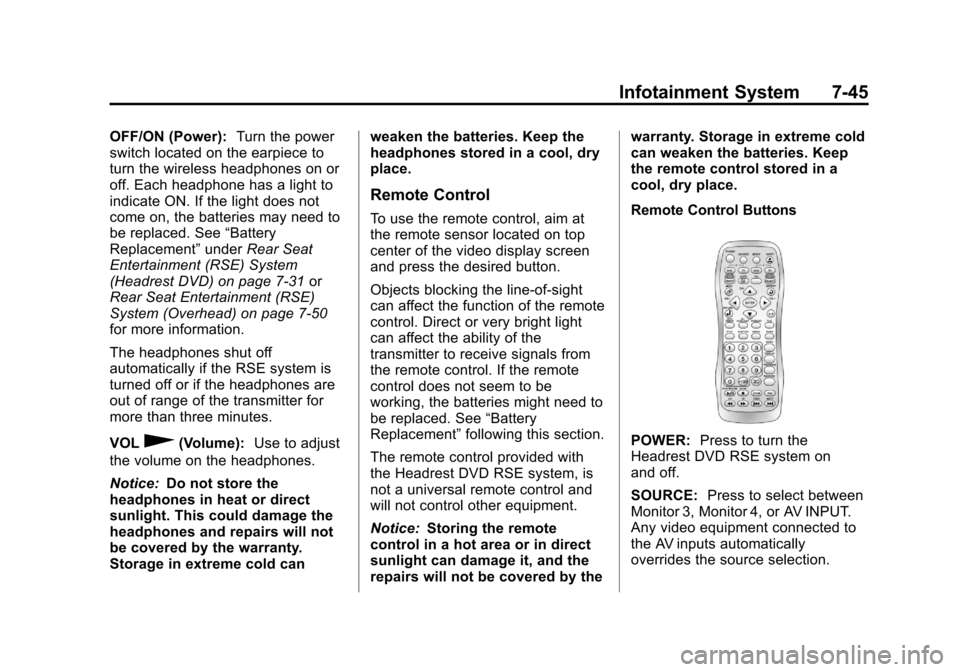
Remote Control Buttons
POWER:
Press to turn the
Headrest DVD RSE system on
and off.
SOURCE: Press to select between
Monitor 3, Monitor 4, or AV INPUT.
Any video equipment connected to
the AV inputs automatically
overrides the source selection.
Page 230 of 532
Black plate (48,1)Cadillac Escalade/Escalade ESV Owner Manual - 2013 - CRC 2nd Edition - 10/
9/12
7-48 Infotainment System
STOPc:Press to stop playback
of a disc.
.To resume disc playback,
press PLAY.
.To start playback from the
beginning of the disc, press
STOP, STOP, then PLAY .
ZOOM: Press to either enlarge the
viewed image by 2X, 3X, and 4X,
or reduce the image by 1/2X, 1/3X,
and 1/4X.
PBC (Playback Control): Press to
turn video CD playback control on
or off.
FR
r(Fast Reverse): Press to
fast reverse the disc. Press multiple
times to choose between 2X, 4X,
8X, 16X, and 32X speeds.
FF
[(Fast Forward): Press to
fast forward the disc. Press multiple
times to choose between 2X, 4X,
8X, 16X, and 32X speeds. PREV
g(Previous):
Press to
play the previous chapter or track.
To return to previous chapters or
tracks one at a time, press and
release multiple times until the
desired chapter or track is reached.
NEXT
l: Press to play the next
chapter or track. To go to the next
chapter or track one at a time, press
and release multiple times until the
desired chapter or track is reached.
Battery Replacement
To change batteries in the remote
control:
1. Turn the remote control face down.
2. Press down on the ridged area of the battery cover and slide
it off.
3. Install two AAA batteries into the battery compartment.
4. Slide the cover back on until it clicks. If the remote control is to be stored
for a long period of time, remove the
batteries and keep it in a cool, dry
place.
Playing Audio CD
When an audio CD is playing, the
display shows the current track and
the amount of time that track has
been playing, the total amount of
time on the disc, and the current
time running on the disc.
DISPLAY:
Press to choose from
the following display options:
1. Press DISPLAY once and Single Elapsed appears along with the
current track playing and the
length of time for that track.
2. Press DISPLAY twice and Single Remain appears along with the
current track playing and the
amount of time left on the track.
3. Press DISPLAY three times and Total Elapsed appears along
with the current track playing
and the total time that has
played on the CD.
Page 234 of 532
Black plate (52,1)Cadillac Escalade/Escalade ESV Owner Manual - 2013 - CRC 2nd Edition - 10/
9/12
7-52 Infotainment System
listen to the radio, CDs, DVDs,
MP3s, DVD-As, or any auxiliary
source connected to A/V jacks or
the auxiliary input jack, if the vehicle
has this feature. The wireless
headphones have a power button,
channel 1 or 2 switch, and a volume
control.
If the vehicle has a third row video
screen display, it has two additional
headphones.
Push the power button to turn on
the headphones. An indicator light
located on the headphones comes
on. If the light comes on, but there
is intermittent sound and/or static on
the headphones, or if the indicator
light does not come on, the batteries
might need to be replaced. See
“Battery Replacement”later in this
section for more information. Switch
the headphones to Off when not
in use.
Infrared transmitters are located at
the rear of the overhead console.
The headphones shut off
automatically to save the battery power if the RSE system and RSA
are shut off, or if the headphones
are out of range of the transmitters
for more than three minutes. If you
move too far forward or step out of
the vehicle, the headphones lose
the audio signal.
To adjust the volume on the
headphones, use the volume control
located on the right side.
For optimal audio performance, the
headphones must be worn correctly.
Headphones should be worn with
the headband over the top of the
head for best audio reception. The
symbol L (Left) appears on the
outside bottom edge of the ear cup
and should be positioned on the left
ear. The symbol R (Right) appears
on the outside bottom edge of the
ear cup and should be positioned on
the right ear.
Notice:
Do not store the
headphones in heat or direct
sunlight. This could damage the
headphones and repairs will not
be covered by the warranty. Storage in extreme cold can
weaken the batteries. Keep the
headphones stored in a cool, dry
place.
If the foam ear pads attached to the
headphones become worn or
damaged, the pads can be replaced
separately from the headphone set.
To purchase replacement ear pads,
call 1-888-293-3332, then prompt
zero (0), or contact your dealer.
Battery Replacement
To change the batteries on the
headphones:
1. Turn the screw to loosen the
battery door located on the left
side of the headphones. Slide
the battery door open.
2. Replace the two batteries in the compartment. Make sure that
they are installed correctly, using
the diagram on the inside of the
battery compartment.
3. Replace the battery door and tighten the door screw.
Page 237 of 532
Black plate (55,1)Cadillac Escalade/Escalade ESV Owner Manual - 2013 - CRC 2nd Edition - 10/
9/12
Infotainment System 7-55
Remote Control
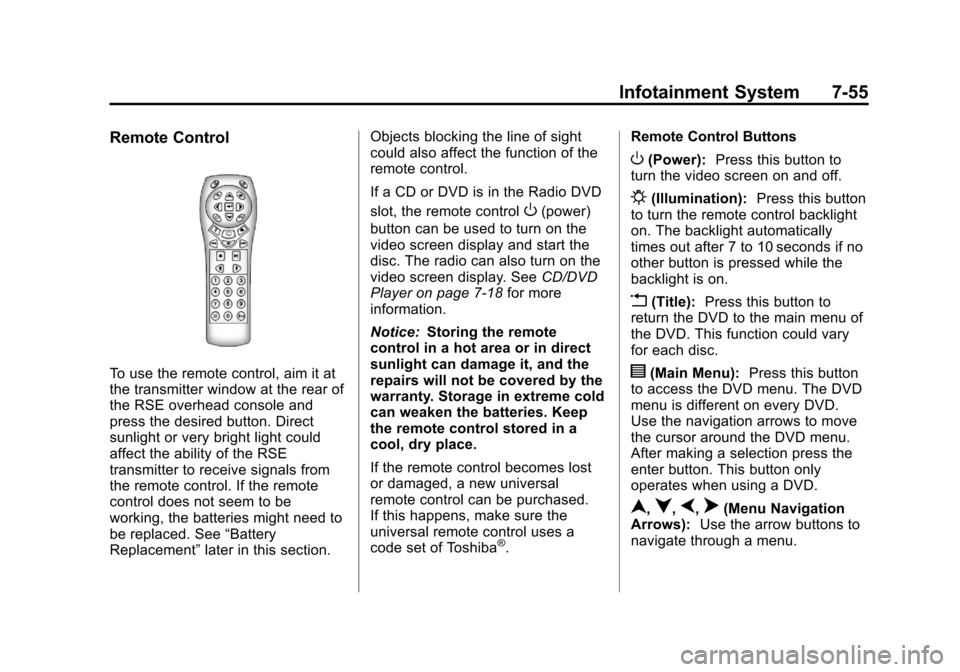
To use the remote control, aim it at
the transmitter window at the rear of
the RSE overhead console and
press the desired button. Direct
sunlight or very bright light could
affect the ability of the RSE
transmitter to receive signals from
the remote control. If the remote
control does not seem to be
working, the batteries might need to
be replaced. See“Battery
Replacement” later in this section. Objects blocking the line of sight
could also affect the function of the
remote control.
If a CD or DVD is in the Radio DVD
slot, the remote control
O(power)
button can be used to turn on the
video screen display and start the
disc. The radio can also turn on the
video screen display. See CD/DVD
Player on page 7‑18 for more
information.
Notice: Storing the remote
control in a hot area or in direct
sunlight can damage it, and the
repairs will not be covered by the
warranty. Storage in extreme cold
can weaken the batteries. Keep
the remote control stored in a
cool, dry place.
If the remote control becomes lost
or damaged, a new universal
remote control can be purchased.
If this happens, make sure the
universal remote control uses a
code set of Toshiba
®. Remote Control Buttons
O(Power):
Press this button to
turn the video screen on and off.
P(Illumination): Press this button
to turn the remote control backlight
on. The backlight automatically
times out after 7 to 10 seconds if no
other button is pressed while the
backlight is on.
v(Title): Press this button to
return the DVD to the main menu of
the DVD. This function could vary
for each disc.
y(Main Menu): Press this button
to access the DVD menu. The DVD
menu is different on every DVD.
Use the navigation arrows to move
the cursor around the DVD menu.
After making a selection press the
enter button. This button only
operates when using a DVD.
n,q,p,o(Menu Navigation
Arrows): Use the arrow buttons to
navigate through a menu.
Page 239 of 532
Black plate (57,1)Cadillac Escalade/Escalade ESV Owner Manual - 2013 - CRC 2nd Edition - 10/
9/12
Infotainment System 7-57
{(Subtitles):Press this button to
turn on or off subtitles and to move
through subtitle options when a
DVD is playing. The format and
content of this function vary for
each disc.
AUX (Auxiliary): Press this button
to switch the system between the
DVD player and an auxiliary source.
If the vehicle has a third row video
screen, the AUX button controls the
source display on the second row
video screen, and the third row
video screen as described in the
table below:
Aux
Button Press Second
Row
Screen Third Row
Screen
Default
State (No Press) DVD
Media DVD
Media
First
Press Aux Video
Source Aux Video
Source
Second Press DVD
Media Aux Video
Source Aux
Button Press Second
Row
Screen Third Row
Screen
Third
Press Aux Video
Source DVD
Media
Fourth Press Return to
DefaultState Return to
DefaultState
2(Camera): Press this button to
change camera angles on DVDs
that have this feature while a DVD is
playing. The format and content of
this function vary for each disc.
1 through 0 (Numeric Keypad):
The numeric keypad provides the
capability of direct chapter or track
number selection.
\(Clear): Press this button within
three seconds after entering a
numeric selection, to clear all
numerical inputs.
}10 (Double Digit Entries): Press
this button to select chapter or track
numbers greater than nine. Press
this button before entering the
number.
Battery Replacement
To change the remote control
batteries:
1. Slide the rear cover back on the remote control.
2. Replace the two batteries in the compartment. Make sure they
are installed correctly using the
diagram on the inside of the
remote control.
3. Replace the battery cover.
If the remote control is to be stored
for a long period of time, remove the
batteries and keep them in a cool,
dry place.
Page 369 of 532
Black plate (1,1)Cadillac Escalade/Escalade ESV Owner Manual - 2013 - CRC 2nd Edition - 10/
9/12
Vehicle Care 10-1
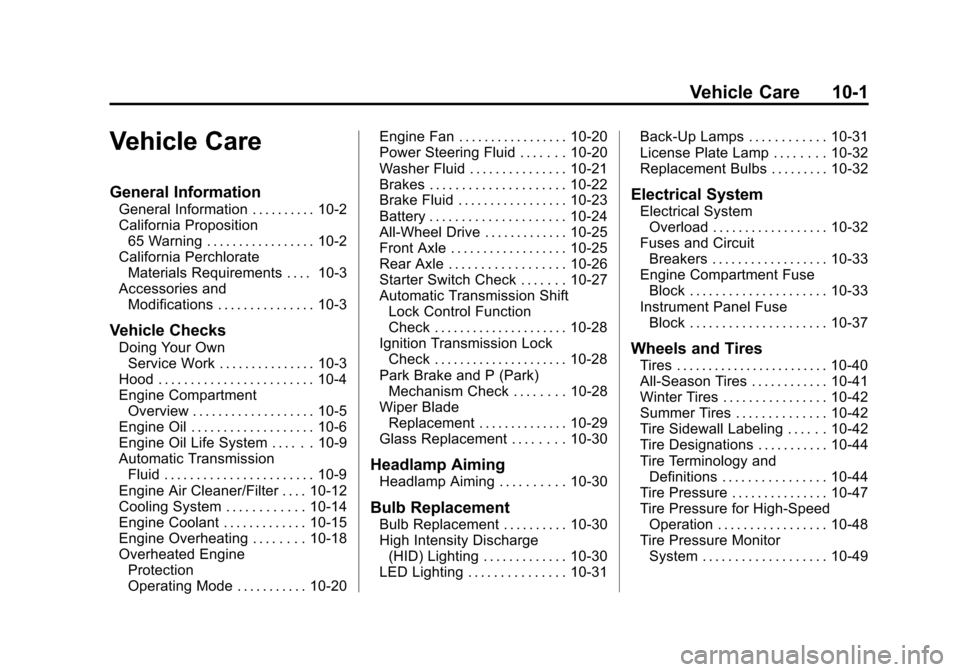
Vehicle Care
General Information
General Information . . . . . . . . . . 10-2
California Proposition65 Warning . . . . . . . . . . . . . . . . . 10-2
California Perchlorate Materials Requirements . . . . 10-3
Accessories and Modifications . . . . . . . . . . . . . . . 10-3
Vehicle Checks
Doing Your OwnService Work . . . . . . . . . . . . . . . 10-3
Hood . . . . . . . . . . . . . . . . . . . . . . . . 10-4
Engine Compartment Overview . . . . . . . . . . . . . . . . . . . 10-5
Engine Oil . . . . . . . . . . . . . . . . . . . 10-6
Engine Oil Life System . . . . . . 10-9
Automatic Transmission Fluid . . . . . . . . . . . . . . . . . . . . . . . 10-9
Engine Air Cleaner/Filter . . . . 10-12
Cooling System . . . . . . . . . . . . 10-14
Engine Coolant . . . . . . . . . . . . . 10-15
Engine Overheating . . . . . . . . 10-18
Overheated Engine Protection
Operating Mode . . . . . . . . . . . 10-20 Engine Fan . . . . . . . . . . . . . . . . . 10-20
Power Steering Fluid . . . . . . . 10-20
Washer Fluid . . . . . . . . . . . . . . . 10-21
Brakes . . . . . . . . . . . . . . . . . . . . . 10-22
Brake Fluid . . . . . . . . . . . . . . . . . 10-23
Battery . . . . . . . . . . . . . . . . . . . . . 10-24
All-Wheel Drive . . . . . . . . . . . . . 10-25
Front Axle . . . . . . . . . . . . . . . . . . 10-25
Rear Axle . . . . . . . . . . . . . . . . . . 10-26
Starter Switch Check . . . . . . . 10-27
Automatic Transmission Shift
Lock Control Function
Check . . . . . . . . . . . . . . . . . . . . . 10-28
Ignition Transmission Lock Check . . . . . . . . . . . . . . . . . . . . . 10-28
Park Brake and P (Park) Mechanism Check . . . . . . . . 10-28
Wiper Blade Replacement . . . . . . . . . . . . . . 10-29
Glass Replacement . . . . . . . . 10-30
Headlamp Aiming
Headlamp Aiming . . . . . . . . . . 10-30
Bulb Replacement
Bulb Replacement . . . . . . . . . . 10-30
High Intensity Discharge (HID) Lighting . . . . . . . . . . . . . 10-30
LED Lighting . . . . . . . . . . . . . . . 10-31 Back-Up Lamps . . . . . . . . . . . . 10-31
License Plate Lamp . . . . . . . . 10-32
Replacement Bulbs . . . . . . . . . 10-32
Electrical System
Electrical System
Overload . . . . . . . . . . . . . . . . . . 10-32
Fuses and Circuit Breakers . . . . . . . . . . . . . . . . . . 10-33
Engine Compartment Fuse Block . . . . . . . . . . . . . . . . . . . . . 10-33
Instrument Panel Fuse Block . . . . . . . . . . . . . . . . . . . . . 10-37
Wheels and Tires
Tires . . . . . . . . . . . . . . . . . . . . . . . . 10-40
All-Season Tires . . . . . . . . . . . . 10-41
Winter Tires . . . . . . . . . . . . . . . . 10-42
Summer Tires . . . . . . . . . . . . . . 10-42
Tire Sidewall Labeling . . . . . . 10-42
Tire Designations . . . . . . . . . . . 10-44
Tire Terminology andDefinitions . . . . . . . . . . . . . . . . 10-44
Tire Pressure . . . . . . . . . . . . . . . 10-47
Tire Pressure for High-Speed Operation . . . . . . . . . . . . . . . . . 10-48
Tire Pressure Monitor System . . . . . . . . . . . . . . . . . . . 10-49
Page 392 of 532
Black plate (24,1)Cadillac Escalade/Escalade ESV Owner Manual - 2013 - CRC 2nd Edition - 10/
9/12
10-24 Vehicle Care
After work is done on the brake
hydraulic system, make sure the
level is above the MIN but not over
the MAX mark.
What to Add
Use only new DOT 3 brake fluid
from a sealed container. See
Recommended Fluids and
Lubricants on page 11‑13.
Always clean the brake fluid
reservoir cap and the area around
the cap before removing it. This
helps keep dirt from entering the
reservoir.
{WARNING
With the wrong kind of fluid in the
brake hydraulic system, the
brakes might not work well. This
could cause a crash. Always use
the proper brake fluid.Notice
.Using the wrong fluid can
badly damage brake
hydraulic system parts. For
example, just a few drops of
mineral-based oil, such as
engine oil, in the brake
hydraulic system can
damage brake hydraulic
system parts so badly that
they will have to be replaced.
Do not let someone put in
the wrong kind of fluid.
.If brake fluid is spilled on the
vehicle's painted surfaces,
the paint finish can be
damaged. Be careful not to
spill brake fluid on the
vehicle. If you do, wash it off
immediately.
Battery
If the vehicle is a hybrid, see the
hybrid supplement for more
information. Refer to the replacement number on
the original battery label when a
new battery is needed. See
Engine
Compartment Overview on
page 10‑5 for battery location.
{WARNING
Battery posts, terminals, and
related accessories contain lead
and lead compounds, chemicals
known to the State of California to
cause cancer and reproductive
harm. Wash hands after handling.
Vehicle Storage
{WARNING
Batteries have acid that can burn
you and gas that can explode.
You can be badly hurt if you are
not careful. See Jump Starting on
page 10‑83 for tips on working
around a battery without
getting hurt.