power steering CADILLAC ESCALADE 2013 3.G Owners Manual
[x] Cancel search | Manufacturer: CADILLAC, Model Year: 2013, Model line: ESCALADE, Model: CADILLAC ESCALADE 2013 3.GPages: 532, PDF Size: 7.69 MB
Page 5 of 532

Black plate (5,1)Cadillac Escalade/Escalade ESV Owner Manual - 2013 - CRC 2nd Edition - 10/
9/12
Introduction v
Vehicle Symbol Chart
Here are some additional symbols
that may be found on the vehicle
and what they mean. For more
information on the symbol, refer to
the Index.
0:Adjustable Pedals
9:Airbag Readiness Light
#:Air Conditioning
!:Antilock Brake System (ABS)
%:Audio Steering Wheel Controls
or OnStar®
$: Brake System Warning Light
":Charging System
I:Cruise Control
B: Engine Coolant Temperature
O:Exterior Lamps
#:Fog Lamps
.: Fuel Gauge
+:Fuses
3: Headlamp High/Low-Beam
Changer
(: Heated Steering Wheel
j:LATCH System Child
Restraints
*: Malfunction Indicator Lamp
::Oil Pressure
g:Outside Power Foldaway
Mirrors
O: Power
/:Remote Vehicle Start
>:Safety Belt Reminders
7:Tire Pressure Monitor
_: Tow/Haul Mode
d:Traction Control/StabiliTrak®
M:Windshield Washer Fluid
Page 7 of 532
Black plate (1,1)Cadillac Escalade/Escalade ESV Owner Manual - 2013 - CRC 2nd Edition - 10/
9/12
In Brief 1-1
In Brief
Instrument Panel
Instrument Panel . . . . . . . . . . . . . . 1-2
Initial Drive Information
Initial Drive Information . . . . . . . . 1-4
Remote Keyless Entry (RKE)System . . . . . . . . . . . . . . . . . . . . . . 1-4
Remote Vehicle Start . . . . . . . . . 1-5
Door Locks . . . . . . . . . . . . . . . . . . . 1-5
Liftgate . . . . . . . . . . . . . . . . . . . . . . . . 1-6
Windows . . . . . . . . . . . . . . . . . . . . . . 1-7
Seat Adjustment . . . . . . . . . . . . . . 1-7
Memory Features . . . . . . . . . . . . . 1-8
Second Row Seats . . . . . . . . . . . 1-8
Third Row Seats . . . . . . . . . . . . . . 1-8
Heated and Ventilated Seats . . . . . . . . . . . . . . . . . . . . . . . . 1-9
Head Restraint Adjustment . . . . 1-9
Safety Belts . . . . . . . . . . . . . . . . . . 1-10 Passenger Sensing
System . . . . . . . . . . . . . . . . . . . . . 1-10
Mirror Adjustment . . . . . . . . . . . . 1-11
Steering Wheel Adjustment . . . . . . . . . . . . . . . . . 1-12
Throttle and Brake Pedal Adjustment . . . . . . . . . . . . . . . . . 1-12
Interior Lighting . . . . . . . . . . . . . . 1-13
Exterior Lighting . . . . . . . . . . . . . 1-13
Windshield Wiper/Washer . . . . 1-14
Climate Controls . . . . . . . . . . . . . 1-15
Transmission . . . . . . . . . . . . . . . . 1-16
Vehicle Features
Radio(s) . . . . . . . . . . . . . . . . . . . . . 1-16
Satellite Radio . . . . . . . . . . . . . . . 1-16
Portable Audio Devices . . . . . . 1-17
Bluetooth
®. . . . . . . . . . . . . . . . . . . 1-17
Steering Wheel Controls . . . . . 1-17
Cruise Control . . . . . . . . . . . . . . . 1-18
Navigation System . . . . . . . . . . . 1-18 Driver Information
Center (DIC) . . . . . . . . . . . . . . . 1-18
Side Blind Zone Alert (SBZA) . . . . . . . . . . . . . . . 1-19
Rear Vision
Camera (RVC) . . . . . . . . . . . . . 1-19
Ultrasonic Parking Assist . . . . 1-20
Power Outlets . . . . . . . . . . . . . . . 1-20
Universal Remote System . . . 1-20
Sunroof . . . . . . . . . . . . . . . . . . . . . . 1-21
Performance and Maintenance
StabiliTrak®System . . . . . . . . . 1-22
Tire Pressure Monitor . . . . . . . . 1-22
Tire Sealant and Compressor Kit . . . . . . . . . . . . . 1-22
Engine Oil Life System . . . . . . 1-23
Fuel E85 (85% Ethanol) . . . . . 1-23
Driving for Better Fuel
Economy . . . . . . . . . . . . . . . . . . . 1-23
Roadside Service . . . . . . . . . . . . 1-24
OnStar
®. . . . . . . . . . . . . . . . . . . . . 1-24
Page 9 of 532

Black plate (3,1)Cadillac Escalade/Escalade ESV Owner Manual - 2013 - CRC 2nd Edition - 10/
9/12
In Brief 1-3
A.Air Vents on page 8‑8.
B. Turn and Lane-Change Lever. See Turn and Lane-Change
Signals on page 6‑7.
Windshield Wiper/Washer on
page 5‑4.
C. Instrument Cluster on
page 5‑11.
D. Hazard Warning Flashers on
page 6‑7.
E. Shift Lever. See Automatic
Transmission on page 9‑29.
Driver Shift Control (DSC). See
Manual Mode on page 9‑32.
F. Tow/Haul Mode on page 9‑33.
G. Driver Information Center (DIC) Buttons. See Driver Information
Center (DIC) on page 5‑23.
H. Clock on page 5‑7.
I. Infotainment on page 7‑2. J.
StabiliTrak®System on
page 9‑37.
Rear Park Aid Disable Button.
See Ultrasonic Parking Assist
on page 9‑44.
K. Steering Wheel Adjustment on
page 5‑2.
L. Exterior Lamp Controls on
page 6‑1.
M. Dome Lamp Override. See Dome Lamps on page 6‑9.
Instrument Panel Illumination
Control on page 6‑8.
Fog Lamps on page 6‑8.
N. Data Link Connector (DLC) (Out of View). See Malfunction
Indicator Lamp on page 5‑16.
O. Automatic Transfer Case Control (Hybrid only). See the
hybrid supplement for more
information. P.
Cruise Control on page 9‑41.
Heated Steering Wheel on
page 5‑4 (If Equipped).
Q. Horn on page 5‑4.
R. Steering Wheel Controls on
page 5‑2.
S. Dual Automatic Climate Control
System on page 8‑1.
T. Pedal Adjust Button. See Adjustable Throttle and Brake
Pedal on page 9‑22.
Power Assist Steps on
page 2‑12 (If Equipped).
Page 14 of 532
Black plate (8,1)Cadillac Escalade/Escalade ESV Owner Manual - 2013 - CRC 2nd Edition - 10/
9/12
1-8 In Brief
SeeLumbar Adjustment on
page 3‑4.
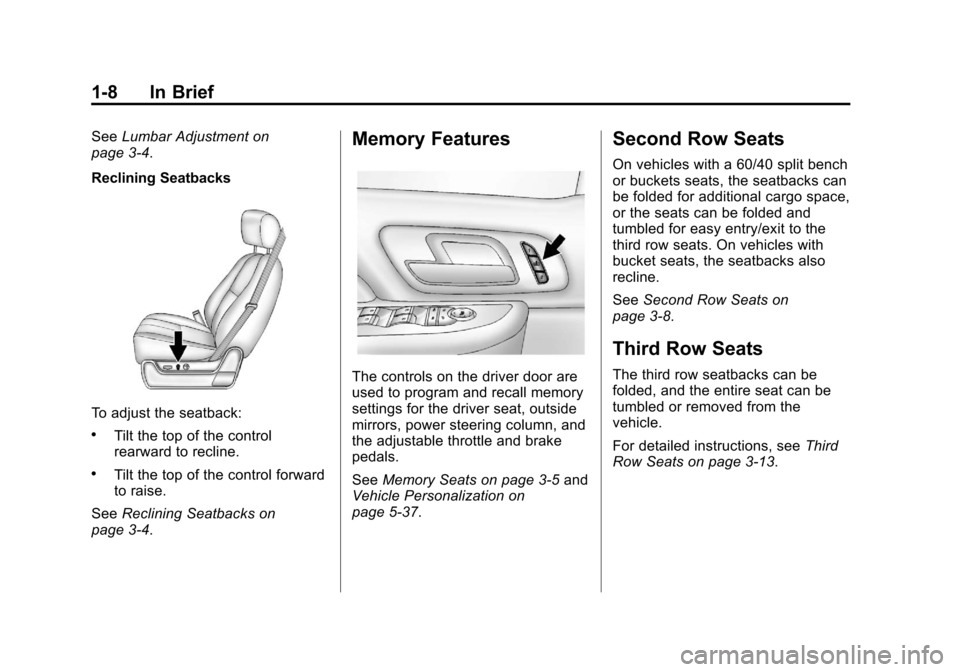
Reclining Seatbacks
To adjust the seatback:
.Tilt the top of the control
rearward to recline.
.Tilt the top of the control forward
to raise.
See Reclining Seatbacks on
page 3‑4.
Memory Features
The controls on the driver door are
used to program and recall memory
settings for the driver seat, outside
mirrors, power steering column, and
the adjustable throttle and brake
pedals.
See Memory Seats on page 3‑5 and
Vehicle Personalization on
page 5‑37.
Second Row Seats
On vehicles with a 60/40 split bench
or buckets seats, the seatbacks can
be folded for additional cargo space,
or the seats can be folded and
tumbled for easy entry/exit to the
third row seats. On vehicles with
bucket seats, the seatbacks also
recline.
See Second Row Seats on
page 3‑8.
Third Row Seats
The third row seatbacks can be
folded, and the entire seat can be
tumbled or removed from the
vehicle.
For detailed instructions, see Third
Row Seats on page 3‑13.
Page 57 of 532
Black plate (5,1)Cadillac Escalade/Escalade ESV Owner Manual - 2013 - CRC 2nd Edition - 10/
9/12
Seats and Restraints 3-5
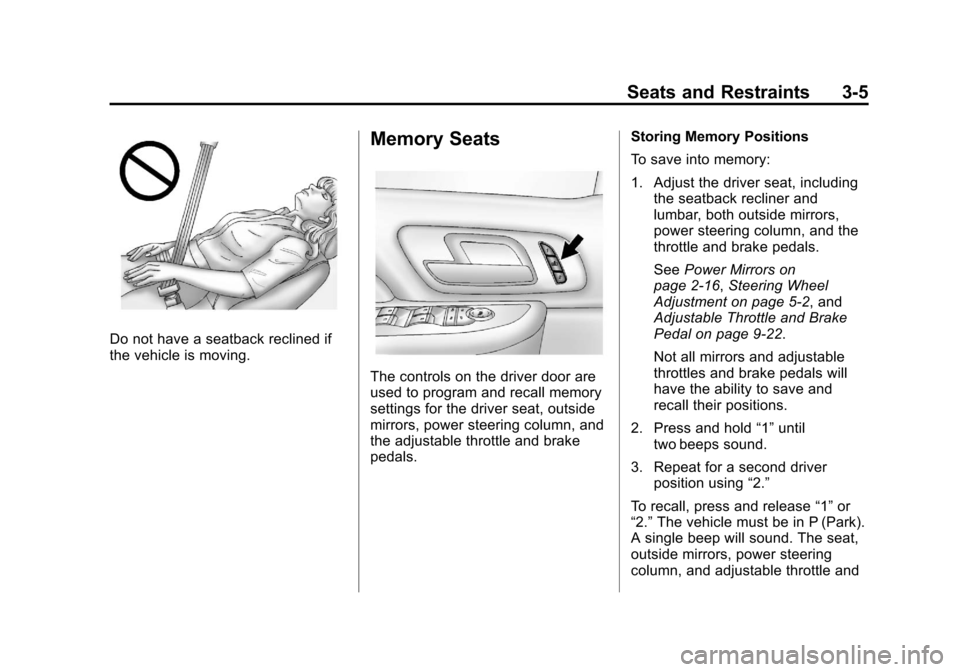
Do not have a seatback reclined if
the vehicle is moving.
Memory Seats
The controls on the driver door are
used to program and recall memory
settings for the driver seat, outside
mirrors, power steering column, and
the adjustable throttle and brake
pedals.Storing Memory Positions
To save into memory:
1. Adjust the driver seat, including
the seatback recliner and
lumbar, both outside mirrors,
power steering column, and the
throttle and brake pedals.
See Power Mirrors on
page 2‑16, Steering Wheel
Adjustment on page 5‑2, and
Adjustable Throttle and Brake
Pedal on page 9‑22.
Not all mirrors and adjustable
throttles and brake pedals will
have the ability to save and
recall their positions.
2. Press and hold “1”until
two beeps sound.
3. Repeat for a second driver position using “2.”
To recall, press and release “1”or
“2.” The vehicle must be in P (Park).
A single beep will sound. The seat,
outside mirrors, power steering
column, and adjustable throttle and
Page 58 of 532
Black plate (6,1)Cadillac Escalade/Escalade ESV Owner Manual - 2013 - CRC 2nd Edition - 10/
9/12
3-6 Seats and Restraints
brake pedals will move to the
positions previously stored for the
identified driver.
Memory Remote Recall
The memory feature can recall the
driver seat, outside mirrors, power
steering column, and pedals to
stored positions when entering the
vehicle.
To activate, unlock the driver door
with the Remote Keyless
Entry (RKE) transmitter. The driver
seat, outside mirrors, power steering
column, and adjustable pedals will
move to the memory positions
associated with the transmitter used
to unlock the vehicle.
This feature can be turned on or off
using the vehicle personalization
menu. SeeVehicle Personalization
on page 5‑37.
To stop recall movement, press one
of the power seat controls, memory
or power mirror buttons, power
steering column control, or the
adjustable pedal switch. If something has blocked the driver
seat, power steering column, or the
adjustable pedals while recalling a
memory position, the recall may
stop. Remove the obstruction; then
press and hold the appropriate
manual control for the memory item
that is not recalling for two seconds.
Try recalling the memory position
again by pressing the appropriate
memory button. If the memory
position is still not recalling, see
your dealer for service.
Easy Exit Positions
This feature can move the driver
seat rearward and the power
steering column up and forward to
allow extra room to exit the vehicle.
B(Easy Exit Positions):
Press to
recall the easy exit positions. The
vehicle must be in P (Park). If the easy exit feature is
programmed on in the vehicle
personalization menu, automatic
driver seat and power steering
column movement occur when the
ignition key is removed.
A single beep sounds. The driver
seat moves back approximately
8 cm (3 in) and the power steering
column moves up and forward. To
move the seat back farther, press
Bagain until the seat is all the
way back.
If something has blocked the driver
seat while recalling the exit position,
the recall may stop. Remove the
obstruction; then press and hold the
power seat control rearward for
two seconds. Try recalling the exit
position again. If the exit position is
still not recalling, see your dealer for
service.
See Vehicle Personalization on
page 5‑37.
Page 121 of 532
Black plate (1,1)Cadillac Escalade/Escalade ESV Owner Manual - 2013 - CRC 2nd Edition - 10/
9/12
Instruments and Controls 5-1
Instruments and
Controls
Controls
Steering Wheel Adjustment . . . 5-2
Steering Wheel Controls . . . . . . 5-2
Heated Steering Wheel . . . . . . . 5-4
Horn . . . . . . . . . . . . . . . . . . . . . . . . . . 5-4
Windshield Wiper/Washer . . . . . 5-4
Rear Window Wiper/Washer . . . . . . . . . . . . . . . . . . . . . . 5-5
Compass . . . . . . . . . . . . . . . . . . . . . 5-5
Clock . . . . . . . . . . . . . . . . . . . . . . . . . 5-7
Power Outlets . . . . . . . . . . . . . . . . . 5-7
Cigarette Lighter . . . . . . . . . . . . . . 5-9
Ashtrays . . . . . . . . . . . . . . . . . . . . . . 5-9
Warning Lights, Gauges, and
Indicators
Warning Lights, Gauges, and Indicators . . . . . . . . . . . . . . . . . . 5-10
Instrument Cluster . . . . . . . . . . . 5-11
Speedometer . . . . . . . . . . . . . . . . 5-12
Odometer . . . . . . . . . . . . . . . . . . . . 5-12
Trip Odometer . . . . . . . . . . . . . . . 5-12
Tachometer . . . . . . . . . . . . . . . . . . 5-12
Fuel Gauge . . . . . . . . . . . . . . . . . . 5-12 Engine Coolant Temperature
Gauge . . . . . . . . . . . . . . . . . . . . . . 5-13
Safety Belt Reminders . . . . . . . 5-13
Airbag Readiness Light . . . . . . 5-14
Passenger Airbag Status Indicator . . . . . . . . . . . . . . . . . . . . 5-14
Charging System Light . . . . . . 5-16
Malfunction Indicator Lamp . . . . . . . . . . . . . 5-16
Brake System Warning Light . . . . . . . . . . . . . . . . . . . . . . . 5-19
Antilock Brake System (ABS) Warning Light . . . . . . . . . . . . . . 5-19
Tow/Haul Mode Light . . . . . . . . 5-20
StabiliTrak
®OFF Light . . . . . . . 5-20
Traction Control System (TCS)/StabiliTrak
®Light . . . . 5-21
Tire Pressure Light . . . . . . . . . . 5-21
Engine Oil Pressure Light . . . . 5-22
Security Light . . . . . . . . . . . . . . . . 5-22
High-Beam On Light . . . . . . . . . 5-22
Front Fog Lamp Light . . . . . . . . 5-23
Lamps On Reminder . . . . . . . . . 5-23
Cruise Control Light . . . . . . . . . 5-23
Information Displays
Driver Information Center (DIC) . . . . . . . . . . . . . . . 5-23
Vehicle Messages
Vehicle Messages . . . . . . . . . . . 5-28
Battery Voltage and ChargingMessages . . . . . . . . . . . . . . . . . . 5-29
Brake System Messages . . . . 5-29
Door Ajar Messages . . . . . . . . . 5-29
Engine Cooling System Messages . . . . . . . . . . . . . . . . . . 5-30
Engine Oil Messages . . . . . . . . 5-31
Engine Power Messages . . . . 5-31
Fuel System Messages . . . . . . 5-32
Key and Lock Messages . . . . . 5-32
Lamp Messages . . . . . . . . . . . . . 5-32
Object Detection System Messages . . . . . . . . . . . . . . . . . . 5-32
Ride Control System Messages . . . . . . . . . . . . . . . . . . 5-33
Airbag System Messages . . . . 5-35
Security Messages . . . . . . . . . . 5-35
Tire Messages . . . . . . . . . . . . . . . 5-35
Transmission Messages . . . . . 5-36
Vehicle Reminder Messages . . . . . . . . . . . . . . . . . . 5-37
Washer Fluid Messages . . . . . 5-37
Vehicle Personalization
Vehicle Personalization . . . . . . 5-37
Page 163 of 532
Black plate (43,1)Cadillac Escalade/Escalade ESV Owner Manual - 2013 - CRC 2nd Edition - 10/
9/12
Instruments and Controls 5-43
PARK TILT MIRRORS
This feature allows you to select
whether or not the outside mirror(s)
will automatically tilt down when the
vehicle is shifted into R (Reverse).
SeePark Tilt Mirrors on page 2‑17
for more information.
Press the customization button until
PARK TILT MIRRORS appears on
the DIC display. Press the set/reset
button once to access the settings
for this feature. Then press the
customization button to scroll
through the following settings:
OFF (default): Neither outside
mirror will be tilted down when the
vehicle is shifted into R (Reverse).
DRIVER MIRROR: The driver
outside mirror will be tilted down
when the vehicle is shifted into
R (Reverse). PASSENGER MIRROR:
The
passenger outside mirror will be
tilted down when the vehicle is
shifted into R (Reverse).
BOTH MIRRORS: The driver and
passenger outside mirrors will be
tilted down when the vehicle is
shifted into R (Reverse).
NO CHANGE: No change will be
made to this feature. The current
setting will remain.
To select a setting, press the set/
reset button while the desired
setting is displayed on the DIC.
EASY EXIT RECALL
If your vehicle has this feature, it
allows you to select your preference
for the automatic easy exit seat
feature. See Memory Seats on
page 3‑5 for more information. Press the customization button until
EASY EXIT RECALL appears on
the DIC display. Press the set/reset
button once to access the settings
for this feature. Then press the
customization button to scroll
through the following settings:
DOOR BUTTON ONLY:
No
automatic seat exit recall will occur.
The recall will only occur after
pressing the easy exit seat button.
BUTTON AND KEY OUT
(default): If the features are
enabled through the EASY EXIT
SETUP menu, the driver seat will
move back, and if the vehicle has
the power tilt wheel feature, the
power steering column will move up
when the key is removed from the
ignition or after pressing the easy
exit seat button.
Page 173 of 532
Black plate (1,1)Cadillac Escalade/Escalade ESV Owner Manual - 2013 - CRC 2nd Edition - 10/
9/12
Lighting 6-1
Lighting
Exterior Lighting
Exterior Lamp Controls . . . . . . . . 6-1
Exterior Lamps OffReminder . . . . . . . . . . . . . . . . . . . . 6-4
Headlamp High/Low-Beam Changer . . . . . . . . . . . . . . . . . . . . . 6-5
Flash-to-Pass . . . . . . . . . . . . . . . . . 6-5
Daytime Running Lamps (DRL) . . . . . . . . . . . . . . . . 6-5
Automatic Headlamp System . . . . . . . . . . . . . . . . . . . . . . 6-6
Hazard Warning Flashers . . . . . 6-7
Turn and Lane-Change Signals . . . . . . . . . . . . . . . . . . . . . . 6-7
Fog Lamps . . . . . . . . . . . . . . . . . . . . 6-8
Interior Lighting
Instrument Panel Illumination Control . . . . . . . . . . . . . . . . . . . . . . 6-8
Dome Lamps . . . . . . . . . . . . . . . . . 6-9
Reading Lamps . . . . . . . . . . . . . . . 6-9
Lighting Features
Entry Lighting . . . . . . . . . . . . . . . . . 6-9
Exit Lighting . . . . . . . . . . . . . . . . . . . 6-9
Battery Load Management . . . 6-10
Battery Power Protection . . . . 6-10
Exterior Lighting
Exterior Lamp Controls
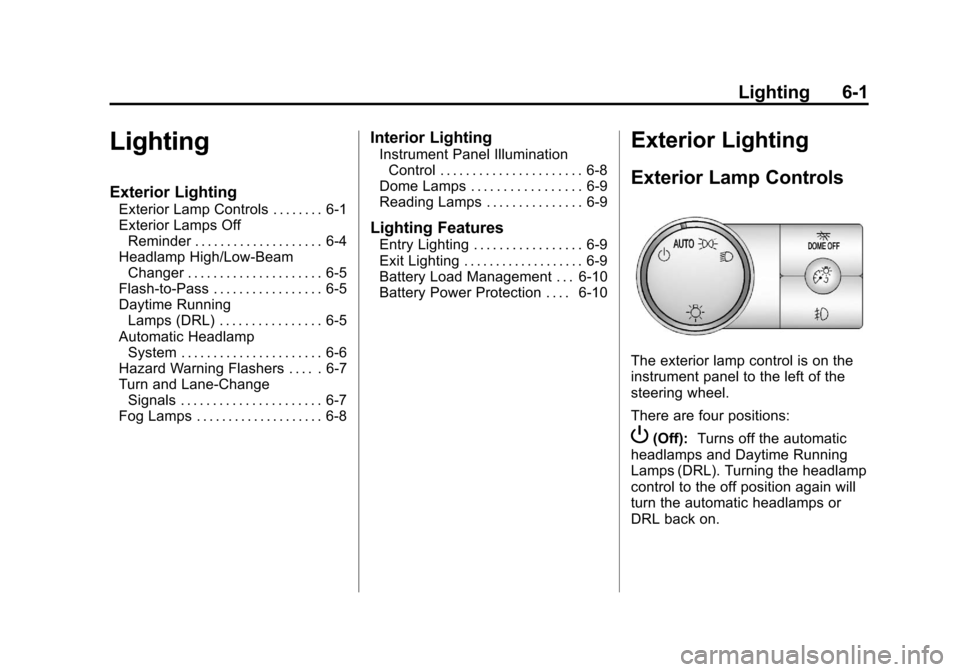
The exterior lamp control is on the
instrument panel to the left of the
steering wheel.
There are four positions:
P(Off): Turns off the automatic
headlamps and Daytime Running
Lamps (DRL). Turning the headlamp
control to the off position again will
turn the automatic headlamps or
DRL back on.
Page 207 of 532
Black plate (25,1)Cadillac Escalade/Escalade ESV Owner Manual - 2013 - CRC 2nd Edition - 10/
9/12
Infotainment System 7-25
If the CD/DVD is not playing
correctly, for any other reason, try a
known good CD/DVD.
If any error occurs repeatedly or if
an error cannot be corrected,
contact your dealer.
Connecting a USB Storage
Device or iPod®
The USB Port, located on the
instrument panel or in the center
console, can be used to control an
iPod or a USB storage device.
To avoid connection problems,
extension cords are not
recommended. Use only the cable
that came with the device.
To connect a USB storage device,
connect the device to the USB port
located on the instrument panel or
in the center console.
To connect an iPod, connect one
end of the USB cable that came
with the iPod to the iPod’s dock
connector and connect the other
end to the USB port. If the vehicle is
on and the USB connection works,“OK to disconnect”
and a GM logo
may appear on the iPod and iPod
appears on the radio's display. The
iPod music appears on the radio’s
display and begins playing.
The iPod charges while it is
connected to the vehicle if the
vehicle is in the ACC/ACCESSORY
or ON/RUN position. When the
vehicle is turned off, the iPod
automatically powers off and will not
charge or draw power from the
vehicle's battery.
USB Supported File and Folder
Structure
The guidelines that must be met
while using USB supported files and
folders are:
.Up to 700 folders.
.Up to 8 folders in depth.
.Up to 65,535 files.
.Folder and file names up to
64 bytes.
.Files with an .mp3 or .wma file
extension.
.AAC files stored on an iPod.
.FAT16
.FAT32
Using the Navigation Audio
System to Control a USB
Storage Device or iPod
®
The navigation audio system can
control a USB storage device or an
iPod by using the radio touch
screens and steering wheel
controls.
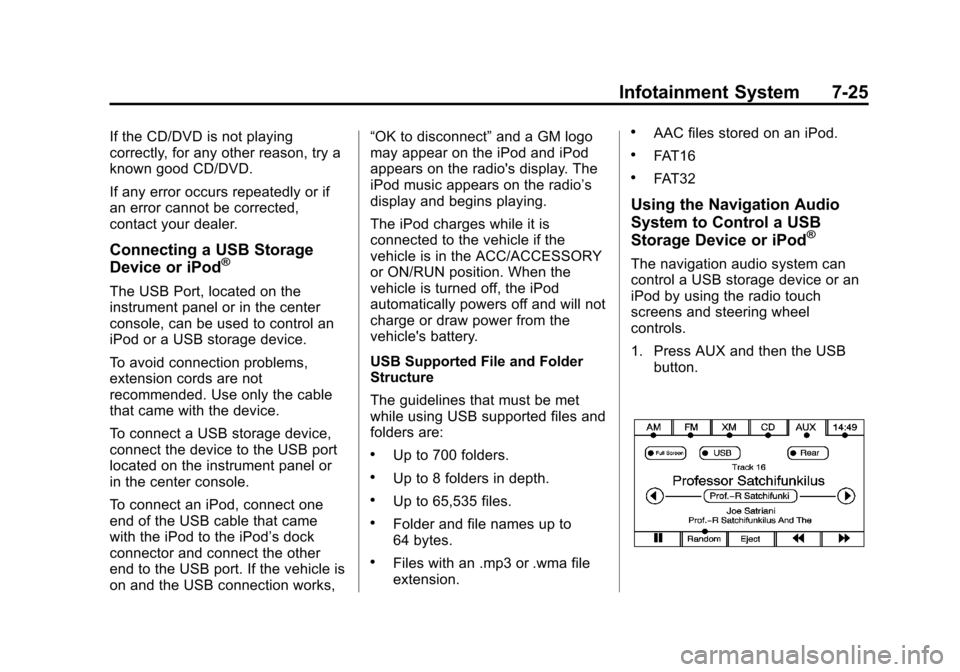
1. Press AUX and then the USB
button.