warning light CADILLAC ESCALADE 2017 4.G User Guide
[x] Cancel search | Manufacturer: CADILLAC, Model Year: 2017, Model line: ESCALADE, Model: CADILLAC ESCALADE 2017 4.GPages: 354, PDF Size: 3.9 MB
Page 78 of 354
Cadillac Escalade Owner Manual (GMNA-Localizing-MidEast-10293077) -
2017 - crc - 8/24/16
SEATS AND RESTRAINTS 77
A pregnant woman should wear a
lap-shoulder belt, and the lap portion
should be worn as low as possible,
below the rounding, throughout the
pregnancy.
The best way to protect the fetus is to
protect the mother. When a safety belt
is worn properly, it is more likely that
the fetus will not be hurt in a crash.
For pregnant women, as for anyone,
the key to making safety belts
effective is wearing them properly.
Safety System Check
Check that the safety belt reminder,
safety belts, buckles, latch plates, and
retractors, are all working properly.
Look for any other loose or damaged
safety belt system parts that might
keep a safety belt system from
performing properly. See your dealer
to have it repaired. Torn or frayed
safety belts may not protect you in a
crash. They can rip apart under
impact forces. If a belt is torn or
frayed, have it replaced immediately.
Make sure the safety belt reminder
light is working. SeeSafety Belt
Reminders 0128. Keep safety belts clean and dry. See
Safety Belt Care
077.
Safety Belt Care
Keep belts clean and dry.
{Warning
Do not bleach or dye safety belt
webbing. It may severely weaken
the webbing. In a crash, they might
not be able to provide adequate
protection. Clean and rinse safety
belt webbing only with mild soap
and lukewarm water. Allow the
webbing to dry.
Safety belts should be properly cared
for and maintained.
Safety belt hardware should be kept
dry and free of dust or debris. As
necessary exterior hard surfaces and
safety belt webbing may be lightly
cleaned with mild soap and water.
Ensure there is not excessive dust or
debris in the mechanism. If dust or
debris exists in the system please see the dealer. Parts may need to be
replaced to ensure proper
functionality of the system.
Replacing Safety Belt
System Parts after a Crash
{Warning
A crash can damage the safety belt
system in the vehicle. A damaged
safety belt system may not properly
protect the person using it,
resulting in serious injury or even
death in a crash. To help make sure
the safety belt systems are working
properly after a crash, have them
inspected and any necessary
replacements made as soon as
possible.
After a minor crash, replacement of
safety belts may not be necessary. But
the safety belt assemblies that were
used during any crash may have been
stressed or damaged. See your dealer
to have the safety belt assemblies
inspected or replaced.
Page 85 of 354
Cadillac Escalade Owner Manual (GMNA-Localizing-MidEast-10293077) -
2017 - crc - 8/24/16
84 SEATS AND RESTRAINTS
In many crashes severe enough to
inflate the airbag, windshields are
broken by vehicle deformation.
Additional windshield breakage may
also occur from the front outboard
passenger airbag.
.Airbags are designed to inflate
only once. After an airbag inflates,
you will need some new parts for
the airbag system. If you do not
get them, the airbag system will
not be there to help protect you in
another crash. A new system will
include airbag modules and
possibly other parts. The service
manual for the vehicle covers the
need to replace other parts.
. The vehicle has a crash
sensing and diagnostic module
which records information after a
crash. See Vehicle Data Recording
and Privacy 0342 and Event Data
Recorders 0342.
. Let only qualified technicians
work on the airbag systems.
Improper service can mean that
an airbag system will not work
properly. See your dealer for
service.Passenger Sensing System
The vehicle has a passenger sensing
system for the front outboard
passenger position. The passenger
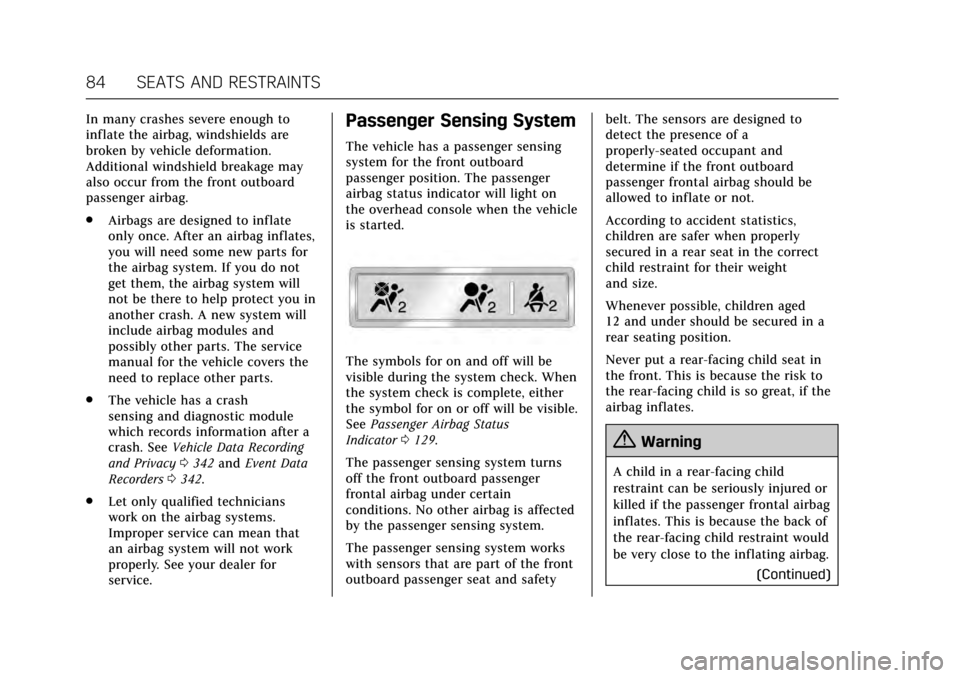
airbag status indicator will light on
the overhead console when the vehicle
is started.
The symbols for on and off will be
visible during the system check. When
the system check is complete, either
the symbol for on or off will be visible.
See Passenger Airbag Status
Indicator 0129.
The passenger sensing system turns
off the front outboard passenger
frontal airbag under certain
conditions. No other airbag is affected
by the passenger sensing system.
The passenger sensing system works
with sensors that are part of the front
outboard passenger seat and safety belt. The sensors are designed to
detect the presence of a
properly-seated occupant and
determine if the front outboard
passenger frontal airbag should be
allowed to inflate or not.
According to accident statistics,
children are safer when properly
secured in a rear seat in the correct
child restraint for their weight
and size.
Whenever possible, children aged
12 and under should be secured in a
rear seating position.
Never put a rear-facing child seat in
the front. This is because the risk to
the rear-facing child is so great, if the
airbag inflates.
{Warning
A child in a rear-facing child
restraint can be seriously injured or
killed if the passenger frontal airbag
inflates. This is because the back of
the rear-facing child restraint would
be very close to the inflating airbag.
(Continued)
Page 86 of 354
Cadillac Escalade Owner Manual (GMNA-Localizing-MidEast-10293077) -
2017 - crc - 8/24/16
SEATS AND RESTRAINTS 85
Warning (Continued)
A child in a forward-facing child
restraint can be seriously injured or
killed if the passenger frontal airbag
inflates and the passenger seat is in
a forward position.
Even if the passenger sensing
system has turned off the passenger
frontal airbag, no system is fail-safe.
No one can guarantee that an
airbag will not deploy under some
unusual circumstance, even though
the airbag is turned off.
Never put a rear-facing child
restraint in the front seat, even if
the airbag is off. If securing a
forward-facing child restraint in the
front outboard passenger seat,
always move the seat as far back as
it will go. It is better to secure child
restraints in the rear seat. Consider
using another vehicle to transport
the child when a rear seat is not
available.The passenger sensing system is
designed to turn off the front
outboard passenger frontal airbag if:
.
The front outboard passenger seat
is unoccupied.
. The system determines an infant
is present in a child restraint.
. A front outboard passenger takes
his/her weight off of the seat for a
period of time.
. There is a critical problem with
the airbag system or the passenger
sensing system.
When the passenger sensing system
has turned off the front outboard
passenger frontal airbag, the off
indicator will light and stay lit as a
reminder that the airbag is off. See
Passenger Airbag Status
Indicator 0129.
The passenger sensing system is
designed to turn on the front
outboard passenger frontal airbag
anytime the system senses that a
person of adult size is sitting properly
in the front outboard passenger seat. When the passenger sensing system
has allowed the airbag to be enabled,
the on indicator will light and stay lit
as a reminder that the airbag is active.
For some children, including children
in child restraints, and for very small
adults, the passenger sensing system
may or may not turn off the front
outboard passenger frontal airbag,
depending upon the person's seating
posture and body build. Everyone in
the vehicle who has outgrown child
restraints should wear a safety belt
properly
—whether or not there is an
airbag for that person.
{Warning
If the airbag readiness light ever
comes on and stays on, it means
that something may be wrong with
the airbag system. To help avoid
injury to yourself or others, have
the vehicle serviced right away. See
Airbag Readiness Light 0129 for
more information, including
important safety information.
Page 90 of 354
Cadillac Escalade Owner Manual (GMNA-Localizing-MidEast-10293077) -
2017 - crc - 8/24/16
SEATS AND RESTRAINTS 89
Airbag System Check
The airbag system does not need
regularly scheduled maintenance or
replacement. Make sure the airbag
readiness light is working. SeeAirbag
Readiness Light 0129.
Caution
If an airbag covering is damaged,
opened, or broken, the airbag may
not work properly. Do not open or
break the airbag coverings. If there
are any opened or broken airbag
coverings, have the airbag covering
and/or airbag module replaced. For
the location of the airbags, see
Where Are the Airbags? 080. See
your dealer for service.
Replacing Airbag System
Parts after a Crash
{Warning
A crash can damage the airbag
systems in the vehicle. A damaged
airbag system may not properly
protect you and your passenger(s)
in a crash, resulting in serious
injury or even death. To help make
sure the airbag systems are working
properly after a crash, have them
inspected and any necessary
replacements made as soon as
possible.
If an airbag inflates, you will need to
replace airbag system parts. See your
dealer for service.
If the airbag readiness light stays on
after the vehicle is started or comes
on when you are driving, the airbag
system may not work properly. Have
the vehicle serviced right away. See
Airbag Readiness Light 0129.
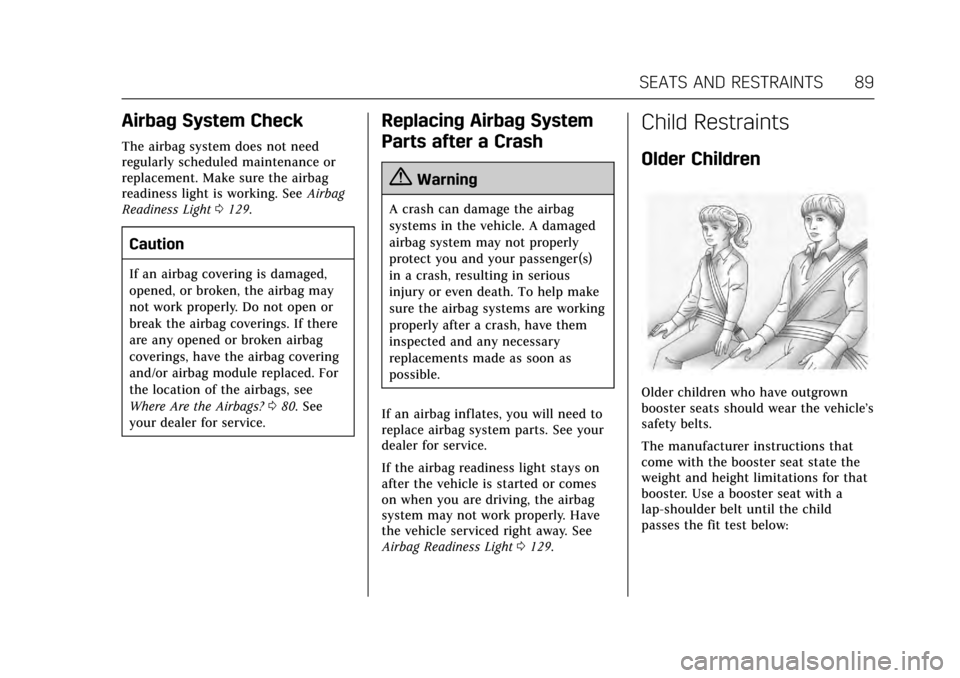
Child Restraints
Older Children
Older children who have outgrown
booster seats should wear the vehicle’s
safety belts.
The manufacturer instructions that
come with the booster seat state the
weight and height limitations for that
booster. Use a booster seat with a
lap-shoulder belt until the child
passes the fit test below:
Page 108 of 354
Cadillac Escalade Owner Manual (GMNA-Localizing-MidEast-10293077) -
2017 - crc - 8/24/16
SEATS AND RESTRAINTS 107
Warning (Continued)
child restraint in the front outboard
passenger seat, always move the
seat as far back as it will go. It is
better to secure the child restraint
in a rear seat.
SeePassenger Sensing System 084
for additional information.
If the child restraint uses a top tether,
see Lower Anchors and Tethers for
Children (LATCH System) 096 for top
tether anchor locations.
Do not secure a child seat in a
position without a top tether anchor if
a national or local law requires that
the top tether be anchored, or if the
instructions that come with the child
restraint say that the top strap must
be anchored.
When using the lap-shoulder belt to
secure the child restraint in this
position, follow the instructions that
came with the child restraint and the
following instructions: 1. Move the seat as far back as it
will go before securing the
forward-facing child restraint.
Move the seat upward or the
seatback to an upright position,
if needed, to get a tight
installation of the child restraint.
When the passenger sensing
system has turned off the front
outboard passenger frontal
airbag, the off indicator on the
passenger airbag status indicator
should light and stay lit when
you start the vehicle. See
Passenger Airbag Status
Indicator 0129.
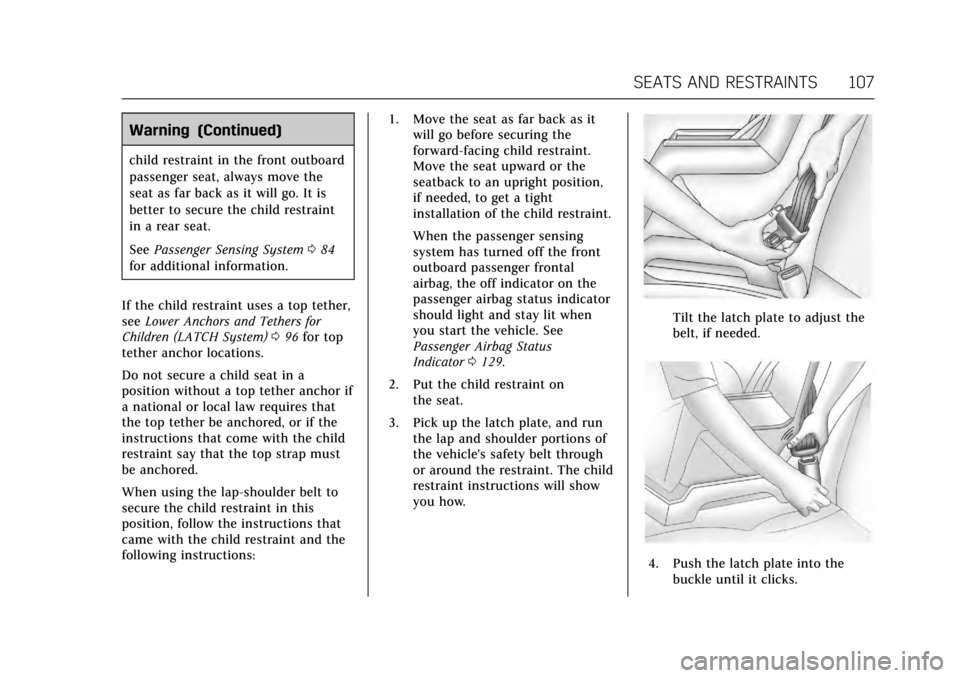
2. Put the child restraint on the seat.
3. Pick up the latch plate, and run the lap and shoulder portions of
the vehicle's safety belt through
or around the restraint. The child
restraint instructions will show
you how.
Tilt the latch plate to adjust the
belt, if needed.
4. Push the latch plate into the
buckle until it clicks.
Page 115 of 354
Cadillac Escalade Owner Manual (GMNA-Localizing-MidEast-10293077) -
2017 - crc - 8/24/16
114 INSTRUMENTS AND CONTROLS
Instruments and
Controls
Controls
Steering Wheel Adjustment . . . . . 115
Steering Wheel Controls . . . . . . . . . 115
Heated Steering Wheel . . . . . . . . . . 115
Horn . . . . . . . . . . . . . . . . . . . . . . . . . . . . . . . 115
Windshield Wiper/Washer . . . . . . . 116
Rear Window Wiper/Washer . . . . 117
Compass . . . . . . . . . . . . . . . . . . . . . . . . . . 118
Clock . . . . . . . . . . . . . . . . . . . . . . . . . . . . . . 119
Power Outlets . . . . . . . . . . . . . . . . . . . . . 119
Wireless Charging . . . . . . . . . . . . . . . . 121
Cigarette Lighter . . . . . . . . . . . . . . . . . . 122
Ashtrays . . . . . . . . . . . . . . . . . . . . . . . . . . 122
Warning Lights, Gauges, and
Indicators
Warning Lights, Gauges, andIndicators . . . . . . . . . . . . . . . . . . . . . . . 123
Instrument Cluster . . . . . . . . . . . . . . . 124
Speedometer . . . . . . . . . . . . . . . . . . . . . . 126
Odometer . . . . . . . . . . . . . . . . . . . . . . . . . 126
Trip Odometer . . . . . . . . . . . . . . . . . . . . 126
Tachometer . . . . . . . . . . . . . . . . . . . . . . . 127
Fuel Gauge . . . . . . . . . . . . . . . . . . . . . . . . 127
Engine Coolant Temperature Gauge . . . . . . . . . . . . . . . . . . . . . . . . . . . . 127 Safety Belt Reminders . . . . . . . . . . . . 128
Airbag Readiness Light . . . . . . . . . . 129
Passenger Airbag Status
Indicator . . . . . . . . . . . . . . . . . . . . . . . . . 129
Charging System Light . . . . . . . . . . . 130
Malfunction Indicator Lamp
(Check Engine Light) . . . . . . . . . . . 130
Brake System Warning Light . . . . 132
Electric Parking Brake Light . . . . . 132
Service Electric Parking Brake Light . . . . . . . . . . . . . . . . . . . . . . . . . . . . . 133
Antilock Brake System (ABS) Warning Light . . . . . . . . . . . . . . . . . . 133
Sport Mode Light . . . . . . . . . . . . . . . . . 133
Tow/Haul Mode Light . . . . . . . . . . . . 133
Winter Driving Mode Light . . . . . . 134
Lane Keep Assist (LKA) Light . . . 134
Vehicle Ahead Indicator . . . . . . . . . 134
Traction Off Light . . . . . . . . . . . . . . . . 134
StabiliTrak
®OFF Light . . . . . . . . . . . 135
Traction Control System (TCS)/ StabiliTrak
®Light . . . . . . . . . . . . . . 135
Engine Coolant Temperature Warning Light . . . . . . . . . . . . . . . . . . 135
Tire Pressure Light . . . . . . . . . . . . . . . 136
Engine Oil Pressure Light . . . . . . . . 136
Low Fuel Warning Light . . . . . . . . . 137
Security Light . . . . . . . . . . . . . . . . . . . . . 137
High-Beam On Light . . . . . . . . . . . . . 137
Lamps On Reminder . . . . . . . . . . . . . 137
Cruise Control Light . . . . . . . . . . . . . . 137 Door Ajar Light . . . . . . . . . . . . . . . . . . . 138
Information Displays
Driver Information
Center (DIC) . . . . . . . . . . . . . . . . . . . . . 138
Head-Up Display (HUD) . . . . . . . . . 141
Vehicle Messages
Vehicle Messages . . . . . . . . . . . . . . . . . 144
Battery Voltage and Charging Messages . . . . . . . . . . . . . . . . . . . . . . . . 144
Brake System Messages . . . . . . . . . . 144
Compass Messages . . . . . . . . . . . . . . . 145
Cruise Control Messages . . . . . . . . . 145
Door Ajar Messages . . . . . . . . . . . . . . 145
Engine Cooling System Messages . . . . . . . . . . . . . . . . . . . . . . . . 146
Engine Oil Messages . . . . . . . . . . . . . 146
Engine Power Messages . . . . . . . . . . 147
Fuel System Messages . . . . . . . . . . . 147
Key and Lock Messages . . . . . . . . . . 147
Lamp Messages . . . . . . . . . . . . . . . . . . . 148
Object Detection System Messages . . . . . . . . . . . . . . . . . . . . . . . . 148
Ride Control System Messages . . . . . . . . . . . . . . . . . . . . . . . . 150
Airbag System Messages . . . . . . . . . 151
Safety Belt Messages . . . . . . . . . . . . . 151
Security Messages . . . . . . . . . . . . . . . . 151
Service Vehicle Messages . . . . . . . . 151
Steering System Messages . . . . . . . 151
Page 122 of 354
Cadillac Escalade Owner Manual (GMNA-Localizing-MidEast-10293077) -
2017 - crc - 8/24/16
INSTRUMENTS AND CONTROLS 121
Caution (Continued)
The power outlets are designed for
accessory power plugs only, such as
mobile phone charge cords.
Power Outlet 220V/230V Volt
Alternating Current
For vehicles with 220V/230V outlet,
use only accessories rated for
220V/230V.
This power outlet can be used to plug
in electrical equipment that uses a
maximum limit of 150 watts.
The 220V/230V power outlet is on the
rear of the center console.
An indicator light on the outlet turns
on to show it is in use. The light
comes on when the ignition is in ON/
RUN/START, equipment requiring less
than 150 watts is plugged into the
outlet, and no system fault is
detected.
The indicator light does not come on
when the ignition is in LOCK/OFF or if
the equipment is not fully seated into
the outlet.If equipment is connected using more
than 150 watts or a system fault is
detected, a protection circuit shuts off
the power supply and the indicator
light turns off. To reset the circuit,
unplug the item and plug it back in or
turn the ignition off and then back to
ON/RUN. The power restarts when
equipment using 150 watts or less is
plugged into the outlet and a system
fault is not detected.
The power outlet is not designed for
the following, and may not work
properly if they are plugged in:
.
Equipment with high initial peak
wattage, such as
compressor-driven refrigerators
and electric power tools.
. Other equipment requiring an
extremely stable power supply,
such as microcomputer-controlled
electric blankets and touch sensor
lamps.
. Medical equipment.
Wireless Charging
The vehicle may have wireless
charging on top of the center console.
See Center Console Storage 0111. The
system wirelessly charges one PMA or
Qi compatible mobile device. To check
for phone or other device
compatibility, see your dealer for
details.
{Warning
Wireless charging can affect the
operation of an implanted
pacemaker or other medical devices.
If you have one, it is recommended
to consult with your doctor before
using the wireless charging system.
The vehicle must be in ON/RUN, ACC/
ACCESSORY, or Retained Accessory
Power (RAP). The wireless charging
feature may not correctly indicate
charging when the vehicle is in RAP.
See Retained Accessory Power
(RAP) 0200.
Page 123 of 354
Cadillac Escalade Owner Manual (GMNA-Localizing-MidEast-10293077) -
2017 - crc - 8/24/16
122 INSTRUMENTS AND CONTROLS
The operating temperature is -20 °C
(-4 °F) to 60 °C (140 °F) for the
charging system and 0 °C (32 °F) to
35 °C (95 °F) for the phone.
{Warning
Remove all metal objects from the
charging pad before charging your
mobile device. Metal objects, such
as coins, keys, rings, or paper clips,
between the phone and charging
pad will become very hot. On the
rare occasion that the charging
system does not detect a metal
object, and the object gets wedged
between the phone and charger,
remove the phone and allow the
metallic object to cool before
removing it from the charging pad,
to prevent burns.
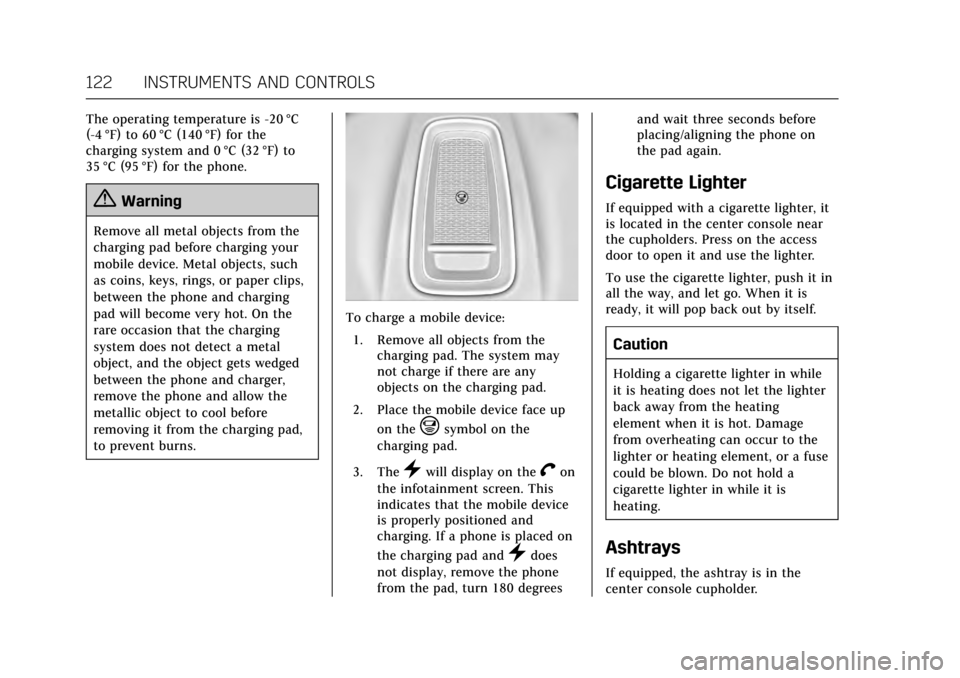
To charge a mobile device:1. Remove all objects from the charging pad. The system may
not charge if there are any
objects on the charging pad.
2. Place the mobile device face up on the
@symbol on the
charging pad.
3. The
}will display on theVon
the infotainment screen. This
indicates that the mobile device
is properly positioned and
charging. If a phone is placed on
the charging pad and
}does
not display, remove the phone
from the pad, turn 180 degrees and wait three seconds before
placing/aligning the phone on
the pad again.
Cigarette Lighter
If equipped with a cigarette lighter, it
is located in the center console near
the cupholders. Press on the access
door to open it and use the lighter.
To use the cigarette lighter, push it in
all the way, and let go. When it is
ready, it will pop back out by itself.
Caution
Holding a cigarette lighter in while
it is heating does not let the lighter
back away from the heating
element when it is hot. Damage
from overheating can occur to the
lighter or heating element, or a fuse
could be blown. Do not hold a
cigarette lighter in while it is
heating.
Ashtrays
If equipped, the ashtray is in the
center console cupholder.
Page 124 of 354
Cadillac Escalade Owner Manual (GMNA-Localizing-MidEast-10293077) -
2017 - crc - 8/24/16
INSTRUMENTS AND CONTROLS 123
Caution
If papers, pins, or other flammable
items are put in the ashtray, hot
cigarettes or other smoking
materials could ignite them and
possibly damage the vehicle. Never
put flammable items in the ashtray.
To remove the ashtray, pull it from
the cupholder. Push it back down to
be sure it is secure.
Warning Lights, Gauges,
and Indicators
Warning lights and gauges can signal
that something is wrong before it
becomes serious enough to cause an
expensive repair or replacement.
Paying attention to the warning lights
and gauges could prevent injury.
Some warning lights come on briefly
when the engine is started to indicate
they are working. When one of the
warning lights comes on and stays on
while driving, or when one of the
gauges shows there may be a problem,
check the section that explains what
to do. Waiting to do repairs can be
costly and even dangerous.
Page 127 of 354
Cadillac Escalade Owner Manual (GMNA-Localizing-MidEast-10293077) -
2017 - crc - 8/24/16
126 INSTRUMENTS AND CONTROLS
2. Press SEL on the center of thefive-way control to enter the
Options menu.
Units : Press SEL while Units is
highlighted to enter the Unit menu.
Choose US or metric units by pressing
SEL while the desired item is
highlighted. A checkmark will be
displayed next to the selected item.
Info Pages : Press SEL while Info
Pages is highlighted to select the
items to be displayed in the DIC info
displays. See Driver Information Center
(DIC) 0138.
Head-up Display (HUD) Rotation :
This feature allows for adjusting the
angle of the HUD image. Press SEL on
the steering wheel controls while
Head-up Display Rotation is
highlighted to enter Adjust Mode.
Press
yorzto adjust the angle of
the HUD display. Press
SorTto
highlight OK, then press SEL to save
the setting. Cancel can also be
selected to cancel the setting. The
vehicle must be in P (Park). Fav Button Options :
Press SEL while
Fav Button Options is highlighted to
select between FAV Primary and SEEK
Primary. This selection allows for
configuration of the
CandB
steering wheel controls. When FAV
Primary is selected, pressing
Cand
Bwill go to the next or previous
favorite and pressing and holding
C
andBwill seek. When SEEK Primary
is selected, pressing
CandBwill
seek and pressing and holding
Cand
Bwill go to the next or previous
favorite.
Display Layout : Press SEL while
Display Layout is highlighted to
change the configuration of the
cluster. See “Reconfigurable
Instrument Cluster” earlier in this
section.
Open Source Software : Press SEL
while Open Source Software is
highlighted to display open source
software information.
Speedometer
The speedometer shows the vehicle's
speed in kilometers per hour (km/h)
or miles per hour (mph).
This vehicle is equipped with an
overspeed warning device. When the
vehicle's speed reaches 120 km/h
(75 mph), a chime will sound.
A message also displays in the Driver
Information Center (DIC). See Vehicle
Speed Messages 0153.
Odometer
The odometer shows how far the
vehicle has been driven, in either
kilometers or miles.
Trip Odometer
The trip odometer shows how far the
vehicle has been driven since the trip
odometer was last reset.
The trip odometer is accessed and
reset through the Driver Information
Center (DIC). See Driver Information
Center (DIC) 0138.