wheel CADILLAC ESCALADE 2017 4.G Owner's Manual
[x] Cancel search | Manufacturer: CADILLAC, Model Year: 2017, Model line: ESCALADE, Model: CADILLAC ESCALADE 2017 4.GPages: 354, PDF Size: 3.9 MB
Page 127 of 354
Cadillac Escalade Owner Manual (GMNA-Localizing-MidEast-10293077) -
2017 - crc - 8/24/16
126 INSTRUMENTS AND CONTROLS
2. Press SEL on the center of thefive-way control to enter the
Options menu.
Units : Press SEL while Units is
highlighted to enter the Unit menu.
Choose US or metric units by pressing
SEL while the desired item is
highlighted. A checkmark will be
displayed next to the selected item.
Info Pages : Press SEL while Info
Pages is highlighted to select the
items to be displayed in the DIC info
displays. See Driver Information Center
(DIC) 0138.
Head-up Display (HUD) Rotation :
This feature allows for adjusting the
angle of the HUD image. Press SEL on
the steering wheel controls while
Head-up Display Rotation is
highlighted to enter Adjust Mode.
Press
yorzto adjust the angle of
the HUD display. Press
SorTto
highlight OK, then press SEL to save
the setting. Cancel can also be
selected to cancel the setting. The
vehicle must be in P (Park). Fav Button Options :
Press SEL while
Fav Button Options is highlighted to
select between FAV Primary and SEEK
Primary. This selection allows for
configuration of the
CandB
steering wheel controls. When FAV
Primary is selected, pressing
Cand
Bwill go to the next or previous
favorite and pressing and holding
C
andBwill seek. When SEEK Primary
is selected, pressing
CandBwill
seek and pressing and holding
Cand
Bwill go to the next or previous
favorite.
Display Layout : Press SEL while
Display Layout is highlighted to
change the configuration of the
cluster. See “Reconfigurable
Instrument Cluster” earlier in this
section.
Open Source Software : Press SEL
while Open Source Software is
highlighted to display open source
software information.
Speedometer
The speedometer shows the vehicle's
speed in kilometers per hour (km/h)
or miles per hour (mph).
This vehicle is equipped with an
overspeed warning device. When the
vehicle's speed reaches 120 km/h
(75 mph), a chime will sound.
A message also displays in the Driver
Information Center (DIC). See Vehicle
Speed Messages 0153.
Odometer
The odometer shows how far the
vehicle has been driven, in either
kilometers or miles.
Trip Odometer
The trip odometer shows how far the
vehicle has been driven since the trip
odometer was last reset.
The trip odometer is accessed and
reset through the Driver Information
Center (DIC). See Driver Information
Center (DIC) 0138.
Page 132 of 354
Cadillac Escalade Owner Manual (GMNA-Localizing-MidEast-10293077) -
2017 - crc - 8/24/16
INSTRUMENTS AND CONTROLS 131
Caution
Modifications to the engine,
transmission, exhaust, intake,
or fuel system, or the use of
replacement tires that do not meet
the original tire specifications, can
cause this light to come on. This
could lead to costly repairs not
covered by the vehicle warranty.
This could also affect the vehicle’s
ability to pass an Emissions
Inspection/Maintenance test. See
Accessories and Modifications0255.
If the light is f lashing : A
malfunction has been detected that
could damage the emission control
system and increase vehicle
emissions. Diagnosis and service may
be required.
To help prevent damage, reduce
vehicle speed and avoid hard
accelerations and uphill grades.
If towing a trailer, reduce the amount
of cargo being hauled as soon as
possible. If the light continues to flash, find a
safe place to park. Turn the vehicle off
and wait at least 10 seconds before
restarting the engine. If the light is
still flashing, follow the previous
guidelines and see your dealer for
service as soon as possible.
If the light is on steady :
A
malfunction has been detected.
Diagnosis and service may be
required.
Check the following:
. If fuel has been added to the
vehicle using the capless fuel
funnel adapter, make sure that it
has been removed. See “Filling the
Tank with a Portable Gas Can ”
under Filling the Tank 0242. The
diagnostic system can detect if the
adapter has been left installed in
the vehicle, allowing fuel to
evaporate into the atmosphere.
A few driving trips with the
adapter removed may turn off the
light.
. Poor fuel quality can cause
inefficient engine operation and
poor driveability, which may go
away once the engine is warmed up. If this occurs, change the fuel
brand. It may require at least one
full tank of the proper fuel to turn
the light off. See
Fuel0242.
If the light remains on, see your
dealer.
Emissions Inspection and
Maintenance Programs
If the vehicle requires an Emissions
Inspection/Maintenance test, the test
equipment will likely connect to the
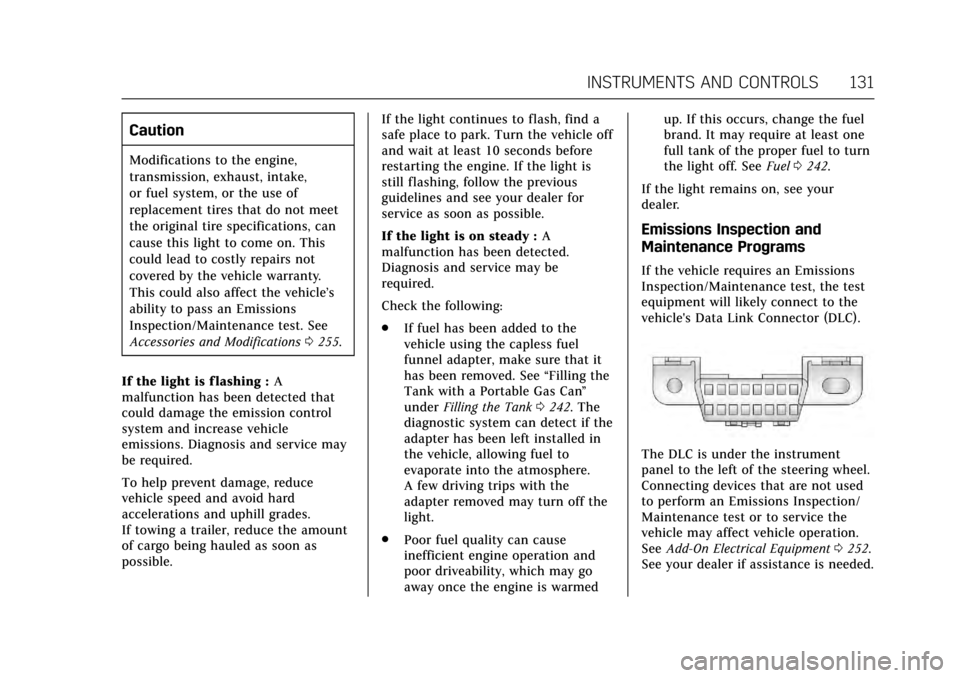
vehicle's Data Link Connector (DLC).
The DLC is under the instrument
panel to the left of the steering wheel.
Connecting devices that are not used
to perform an Emissions Inspection/
Maintenance test or to service the
vehicle may affect vehicle operation.
See Add-On Electrical Equipment 0252.
See your dealer if assistance is needed.
Page 135 of 354
Cadillac Escalade Owner Manual (GMNA-Localizing-MidEast-10293077) -
2017 - crc - 8/24/16
134 INSTRUMENTS AND CONTROLS
SeeTow/Haul Mode 0208.
Winter Driving Mode Light
This light comes on when Snow/Ice
mode is selected. See Magnetic Ride
Control 0219.
Lane Keep Assist (LKA)
Light
This light is green if LKA is available
to assist.
LKA may assist by gently turning the
steering wheel if the vehicle
approaches a detected lane marking without using the turn signal in that
direction. The LKA light will turn
amber.
This light is amber and flashes as a
Lane Departure Warning (LDW) alert,
to indicate that the lane marking has
been crossed.
See
Lane Keep Assist (LKA) 0240.
Vehicle Ahead Indicator
If equipped, this indicator will display
green when a vehicle is detected
ahead and amber when you are
following a vehicle ahead much too
closely.
See Forward Collision Alert (FCA)
System 0234.
Traction Off Light
This light comes on briefly while
starting the engine. If it does not,
have the vehicle serviced by your
dealer. If the system is working
normally, the indicator light then
turns off.
The traction off light comes on when
the Traction Control System (TCS) has
been turned off by pressing and
releasing the TCS/StabiliTrak button.
This light and the StabiliTrak OFF
light come on when StabiliTrak is
turned off.
If the TCS is off, wheel spin is not
limited. Adjust driving accordingly.
See Traction Control/Electronic Stability
Control 0216.
Page 143 of 354
Cadillac Escalade Owner Manual (GMNA-Localizing-MidEast-10293077) -
2017 - crc - 8/24/16
142 INSTRUMENTS AND CONTROLS
Some vehicle messages or alerts
displayed in the HUD may be cleared
by using the steering wheel controls.
SeeVehicle Messages 0144.
Some information shown may not be
available on your vehicle if it is not
equipped with these features.
The HUD control is to the left of the
steering wheel.
To adjust the HUD image: 1. Adjust the driver seat.
2. Start the engine.
3. Use the following settings to adjust the HUD.
$:Press down or lift up to center
the HUD image. The HUD image can
only be adjusted up and down, not
side to side.
!: Press to select the display
view. Each press will change the
display view.
D: Lift up and hold to brighten the
display. Press down and hold to dim
the display. Hold down to turn the
display off.
The HUD image will automatically
dim and brighten to compensate for
outside lighting. The HUD brightness
control can also be adjusted as
needed.
The HUD image can temporarily light
up depending on the angle and
position of the sunlight on the HUD
display. This is normal.
Polarized sunglasses could make the
HUD image harder to see.
Head-Up Display (HUD) Rotation
Option
This feature allows for adjusting the
angle of the HUD image.
Press SEL on the steering wheel
controls while Head-up Display
Rotation is highlighted to enter Adjust
Mode. Press
yorzto adjust the
angle of the HUD display. Press
Sor
Tto highlight OK, then press SEL to
save the setting. CANCEL can also be
selected to cancel the setting. The
vehicle must be in P (Park). See
Instrument Cluster 0124.
Press SEL on the steering wheel
controls while Head-up Display
Rotation is highlighted to enter Adjust
Mode. Press
yorzto adjust the
angle of the HUD display. Press
Sor
Tto highlight OK, then press SEL to
save the setting. CANCEL can also be
selected to cancel the setting. The
vehicle must be in P (Park). See
Instrument Cluster 0124.
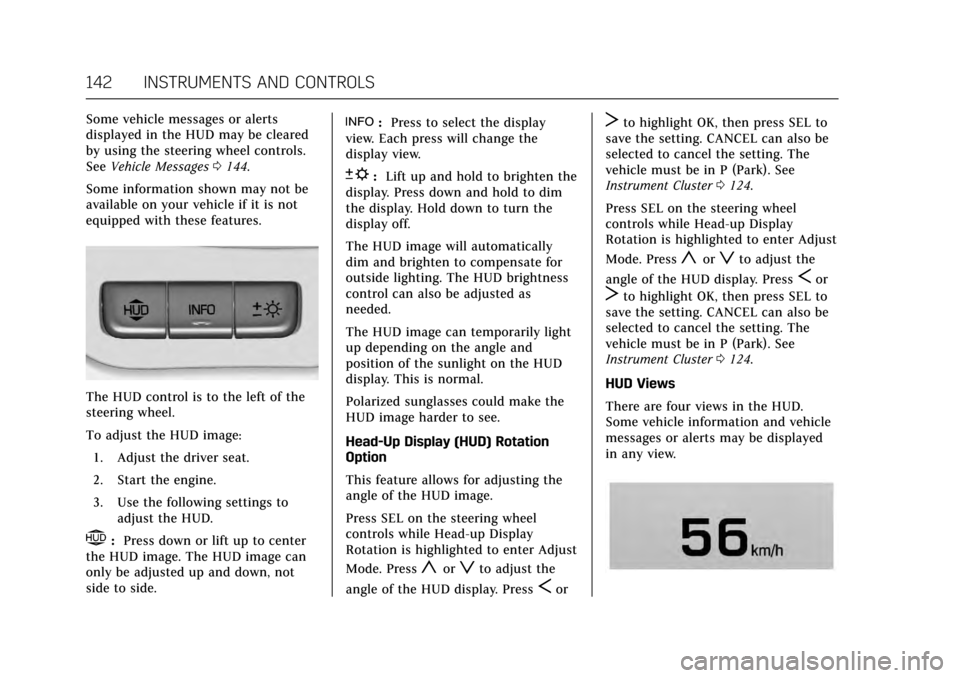
HUD Views
There are four views in the HUD.
Some vehicle information and vehicle
messages or alerts may be displayed
in any view.
Page 144 of 354
Cadillac Escalade Owner Manual (GMNA-Localizing-MidEast-10293077) -
2017 - crc - 8/24/16
INSTRUMENTS AND CONTROLS 143
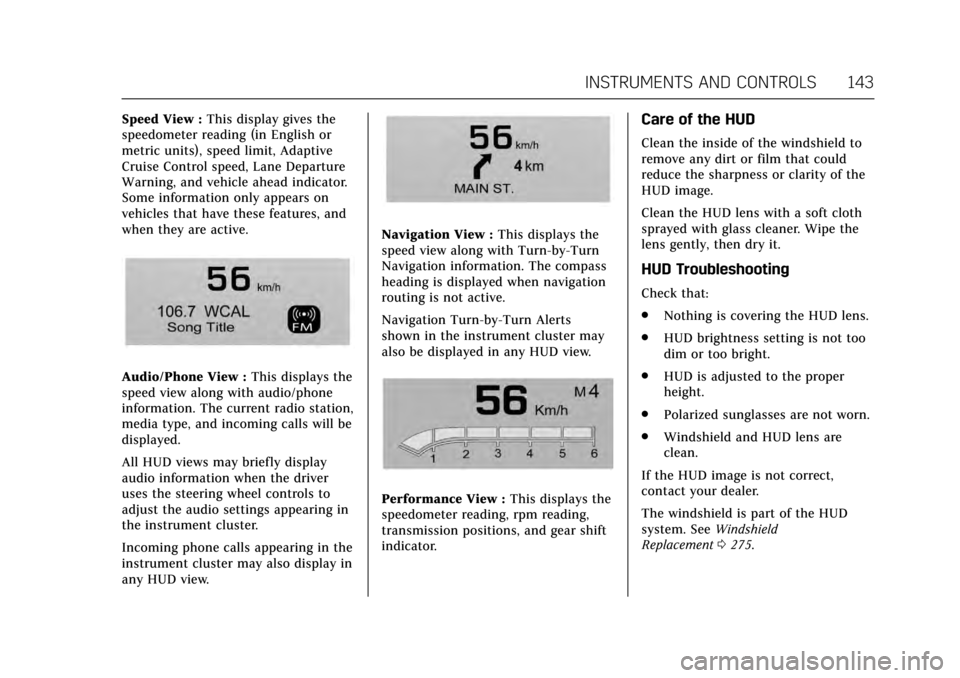
Speed View :This display gives the
speedometer reading (in English or
metric units), speed limit, Adaptive
Cruise Control speed, Lane Departure
Warning, and vehicle ahead indicator.
Some information only appears on
vehicles that have these features, and
when they are active.
Audio/Phone View : This displays the
speed view along with audio/phone
information. The current radio station,
media type, and incoming calls will be
displayed.
All HUD views may briefly display
audio information when the driver
uses the steering wheel controls to
adjust the audio settings appearing in
the instrument cluster.
Incoming phone calls appearing in the
instrument cluster may also display in
any HUD view.
Navigation View : This displays the
speed view along with Turn-by-Turn
Navigation information. The compass
heading is displayed when navigation
routing is not active.
Navigation Turn-by-Turn Alerts
shown in the instrument cluster may
also be displayed in any HUD view.
Performance View : This displays the
speedometer reading, rpm reading,
transmission positions, and gear shift
indicator.
Care of the HUD
Clean the inside of the windshield to
remove any dirt or film that could
reduce the sharpness or clarity of the
HUD image.
Clean the HUD lens with a soft cloth
sprayed with glass cleaner. Wipe the
lens gently, then dry it.
HUD Troubleshooting
Check that:
. Nothing is covering the HUD lens.
. HUD brightness setting is not too
dim or too bright.
. HUD is adjusted to the proper
height.
. Polarized sunglasses are not worn.
. Windshield and HUD lens are
clean.
If the HUD image is not correct,
contact your dealer.
The windshield is part of the HUD
system. See Windshield
Replacement 0275.
Page 153 of 354
Cadillac Escalade Owner Manual (GMNA-Localizing-MidEast-10293077) -
2017 - crc - 8/24/16
152 INSTRUMENTS AND CONTROLS
Tire Messages
SERVICE TIRE MONITOR SYSTEM
This message displays if there is a
problem with the Tire Pressure
Monitor System (TPMS). SeeTire
Pressure Monitor Operation 0294.
TIRE LEARNING ACTIVE
This message displays when the
system is learning new tires. See Tire
Pressure Monitor Operation 0294.
TIRE PRESSURE LOW ADD AIR
TO TIRE
This message displays when the
pressure in one or more of the tires
is low.
This message also displays LEFT
FRONT, RIGHT FRONT, LEFT REAR,
or RIGHT REAR to indicate the
location of the low tire.
The low tire pressure warning light
will also come on. See Tire Pressure
Light 0136.
If a tire pressure message appears on
the DIC, stop as soon as possible.
Inflate the tires by adding air until the
tire pressure is equal to the values shown on the Tire and Loading
Information label. See
Tires0289,
Vehicle Load Limits 0192, and Tire
Pressure 0291.
More than one tire pressure message
can appear at a time. The DIC also
shows the tire pressure values. See
Driver Information Center (DIC) 0138.
Transmission Messages
4WD OFF
If equipped with four-wheel drive, this
message displays when the
four-wheel-drive system is temporarily
disabled due to an overheated
condition. The vehicle will run in
two-wheel drive when this message is
present. Once the four-wheel-drive
system cools down, the message turns
off and the four-wheel-drive system
returns to normal operation.
4WD SHIFT IN PROGRESS
This message will display while the
four-wheel-drive system is shifting.
GRADE BRAKING OFF
This message displays when grade
braking has been disabled with the
Tow/Haul Mode button on the end of
the shift lever. See Tow/Haul Mode
0 208, Automatic Transmission 0204,
and Cruise Control 0220.
GRADE BRAKING ON
This message displays when grade
braking has been enabled with the
Tow/Haul Mode button on the end of
the shift lever. See Tow/Haul Mode
0 208, Automatic Transmission 0204,
and Cruise Control 0220.
GRADE BRAKING ACTIVE
This message displays when grade
braking has been activated while
driving on downhill grades. This
message will only appear the first
time the feature is activated in an
ignition cycle. See Tow/Haul Mode
0 208, Automatic Transmission 0204,
and Cruise Control 0220.
SERVICE 4WD
If the vehicle has four-wheel drive,
this message may display if a problem
occurs with the four-wheel-drive
Page 154 of 354
Cadillac Escalade Owner Manual (GMNA-Localizing-MidEast-10293077) -
2017 - crc - 8/24/16
INSTRUMENTS AND CONTROLS 153
system. If this message appears, stop
as soon as possible and turn off the
vehicle. Turn the vehicle off for at
least one minute, then restart the
vehicle and check for the message on
the DIC display. If the message is still
displayed or appears again when you
begin driving, the four-wheel-drive
system needs service. See your dealer.
SHIFT DENIED
This message displays when the shift
lever is in the L (Manual Mode)
position and a transmission range has
been selected that is unavailable at
the current vehicle speed.
TRANSMISSION HOT IDLE ENGINE
This message displays and a chime
may sound if the transmission fluid in
the vehicle gets hot. Driving with the
transmission fluid temperature high
can cause damage to the vehicle. Stop
the vehicle and let it idle to allow the
transmission to cool. This message
clears and the chime stops when the
fluid temperature reaches a safe level.When towing, use Tow/Haul Mode to
prevent damage to the engine or
transmission. See
Tow/Haul
Mode 0208.
Vehicle Reminder
Messages
ICE POSSIBLE DRIVE WITH CARE
This message displays when ice
conditions are possible.
Vehicle Speed Messages
VEHICLE OVERSPEED
This message displays when the
vehicle speed exceeds 120 km/h
(75 mph).
Washer Fluid Messages
WASHER FLUID LOW ADD FLUID
This message may display when the
washer fluid level is low. Fill the
windshield washer reservoir as soon
as possible. See Engine Compartment
Overview 0257 for the location of the
windshield washer reservoir. Also, see
Washer Fluid 0268.
Window Messages
OPEN, THEN CLOSE DRIVER/
PASSENGER WINDOW
This message is displayed when the
window needs to be reprogrammed.
If the vehicle's battery has been
discharged or disconnected, you may
need to program each front window
for the express-up feature to work. See
Power Windows 050.
Page 155 of 354
Cadillac Escalade Owner Manual (GMNA-Localizing-MidEast-10293077) -
2017 - crc - 8/24/16
154 INSTRUMENTS AND CONTROLS
Vehicle Personalization
Use the audio system controls to
access the personalization menus for
customizing vehicle features.
The following are all possible
personalization features. Depending
on the vehicle, some may not be
available.
Audio System Controls1. Press the desired feature to display a list of available options.
2. Press to select the desired feature setting.
3. Press
oBACK on the faceplate
or the
0screen button to return
to the previous menu or exit.
To access the Settings menu, select
SETTINGS from the Home page on
the infotainment display.
Personalization Menus
The following list of menu items may
be available:
. Time and Date
. Language (Language) .
Valet Mode
. Radio
. Vehicle
. Bluetooth
. Apple CarPlay
. Android Auto
. Voice
. Display
. Rear Camera
. Return to Factory Settings
. Software Information
Detailed information for each menu
follows:Time and Date
Manually set the time and date. See
Clock 0119.
Language (Language)
Select Language, then select from the
available language(s).
The selected language will display on
the system.
Valet Mode (If Equipped)
This will lock the infotainment system
and steering wheel controls. It may
also limit access to vehicle storage
locations (if equipped).
To enable valet mode:
1. Enter a four-digit code on the keypad.
2. Select Enter to go to the confirmation screen.
3. Re-enter the four-digit code.
Select LOCK or UNLOCK to lock or
unlock the system. Press Back to go
back to the previous menu.
Radio
Press to display the Radio Menu and
the following may display:
. Manage Favorites
. Number of Favorites Pages
. Audible Touch Feedback
. Auto Volume
. Maximum Start Up Volume
. Audio Cue Volume
Page 158 of 354
Cadillac Escalade Owner Manual (GMNA-Localizing-MidEast-10293077) -
2017 - crc - 8/24/16
INSTRUMENTS AND CONTROLS 157
Chime Volume
This allows the selection of the chime
volume level.
Press + or−to adjust the volume.
Reverse Tilt Mirror
When on, the driver and/or passenger
mirrors will tilt downward when the
vehicle is shifted to R (Reverse) to
improve visibility of the ground near
the rear wheels.
Select Off, On - Driver and Passenger,
On - Driver, or On - Passenger.
Auto Mirror Folding
When on, the outside rearview mirrors
will automatically fold or unfold when
the Remote Keyless Entry (RKE)
transmitter
QorKbutton is pressed
and held.
Select Off or On.
Auto Wipe in Reverse Gear
When on, the rear wiper will
automatically activate when the
vehicle is shifted to R (Reverse).
Select Off or On. Lighting
Select and the following may display:
.
Vehicle Locator Lights
. Exit Lighting
. Auto High Beam
Vehicle Locator Lights
This feature will flash the exterior
lamps when
Kon the Remote Keyless
Entry (RKE) transmitter is pressed to
locate the vehicle.
Select Off or On.
Exit Lighting
This allows the selection of how long
the exterior lamps stay on when
leaving the vehicle when it is dark
outside.
Select Off, 30 Seconds, 60 Seconds,
or 120 Seconds.
Auto High Beam
This allows the feature to be turned
on or off. See “IntelliBeam System ”in
Exterior Lamp Controls 0164. Select On or Off. On some vehicles
select Off, Normal Sensitivity, or Low
Sensitivity.
Power Door Locks
Select and the following may display:
.
Unlocked Door Anti-Lockout
. Auto Door Lock
. Delayed Door Lock
Unlocked Door Anti-Lockout
When on, this feature will keep the
driver door from locking when the
vehicle is off, the driver door is open,
and locking is requested. All the doors
will lock and only the driver door will
unlock. See Lockout Protection 037.
If Off is selected, the Delayed Door
Lock menu will be available.
Select On or Off.
Auto Door Lock
When this feature is turned on, all
doors will automatically lock when the
vehicle is shifted out of P (Park). The
doors will automatically unlock when
the vehicle is shifted into P (Park).
Select Off or On.
Page 165 of 354
Cadillac Escalade Owner Manual (GMNA-Localizing-MidEast-10293077) -
2017 - crc - 8/24/16
164 LIGHTING
Lighting
Exterior Lighting
Exterior Lamp Controls . . . . . . . . . . 164
Exterior Lamps Off Reminder . . . 166
Headlamp High/Low-BeamChanger . . . . . . . . . . . . . . . . . . . . . . . . . . 166
Flash-to-Pass . . . . . . . . . . . . . . . . . . . . . 166
Daytime Running Lamps (DRL) . . . . . . . . . . . . . . . . . . . . 166
Automatic Headlamp System . . . 167
Hazard Warning Flashers . . . . . . . . 168
Turn and Lane-Change Signals . . . . . . . . . . . . . . . . . . . . . . . . . . . 168
Cornering Lamps . . . . . . . . . . . . . . . . . 169
Interior Lighting
Instrument Panel Illumination Control . . . . . . . . . . . . . . . . . . . . . . . . . . 169
Dome Lamps . . . . . . . . . . . . . . . . . . . . . 169
Reading Lamps . . . . . . . . . . . . . . . . . . . 170
Lighting Features
Entry Lighting . . . . . . . . . . . . . . . . . . . . 170
Exit Lighting . . . . . . . . . . . . . . . . . . . . . . 170
Battery Load Management . . . . . . 171
Battery Power Protection . . . . . . . . 171
Exterior Lighting
Exterior Lamp Controls
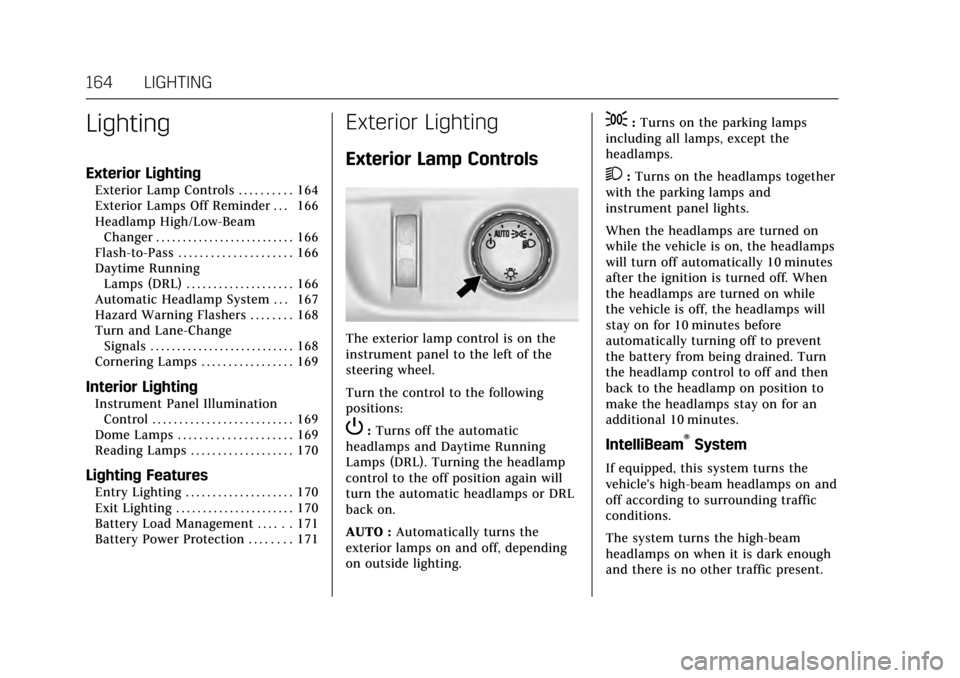
The exterior lamp control is on the
instrument panel to the left of the
steering wheel.
Turn the control to the following
positions:
P: Turns off the automatic
headlamps and Daytime Running
Lamps (DRL). Turning the headlamp
control to the off position again will
turn the automatic headlamps or DRL
back on.
AUTO : Automatically turns the
exterior lamps on and off, depending
on outside lighting.
;: Turns on the parking lamps
including all lamps, except the
headlamps.
2: Turns on the headlamps together
with the parking lamps and
instrument panel lights.
When the headlamps are turned on
while the vehicle is on, the headlamps
will turn off automatically 10 minutes
after the ignition is turned off. When
the headlamps are turned on while
the vehicle is off, the headlamps will
stay on for 10 minutes before
automatically turning off to prevent
the battery from being drained. Turn
the headlamp control to off and then
back to the headlamp on position to
make the headlamps stay on for an
additional 10 minutes.
IntelliBeam®System
If equipped, this system turns the
vehicle's high-beam headlamps on and
off according to surrounding traffic
conditions.
The system turns the high-beam
headlamps on when it is dark enough
and there is no other traffic present.