Safety CADILLAC ESCALADE 2017 4.G Workshop Manual
[x] Cancel search | Manufacturer: CADILLAC, Model Year: 2017, Model line: ESCALADE, Model: CADILLAC ESCALADE 2017 4.GPages: 354, PDF Size: 3.9 MB
Page 131 of 354
Cadillac Escalade Owner Manual (GMNA-Localizing-MidEast-10293077) -
2017 - crc - 8/24/16
130 INSTRUMENTS AND CONTROLS
{Warning
If the airbag readiness light ever
comes on and stays on, it means
that something may be wrong with
the airbag system. To help avoid
injury to yourself or others, have
the vehicle serviced right away. See
Airbag Readiness Light0129 for
more information, including
important safety information.
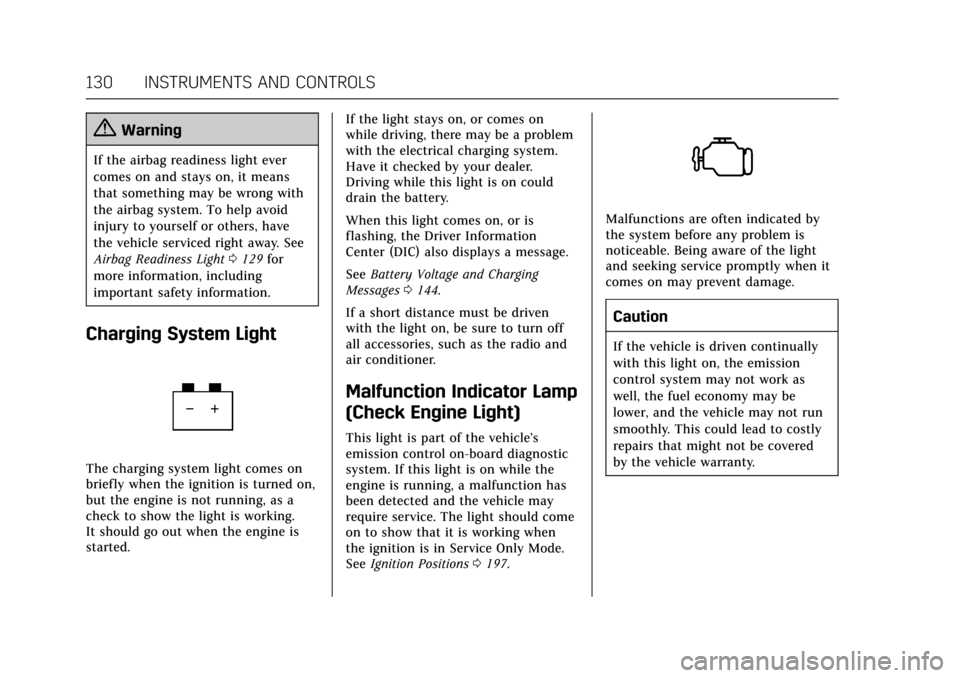
Charging System Light
The charging system light comes on
briefly when the ignition is turned on,
but the engine is not running, as a
check to show the light is working.
It should go out when the engine is
started. If the light stays on, or comes on
while driving, there may be a problem
with the electrical charging system.
Have it checked by your dealer.
Driving while this light is on could
drain the battery.
When this light comes on, or is
flashing, the Driver Information
Center (DIC) also displays a message.
See
Battery Voltage and Charging
Messages 0144.
If a short distance must be driven
with the light on, be sure to turn off
all accessories, such as the radio and
air conditioner.
Malfunction Indicator Lamp
(Check Engine Light)
This light is part of the vehicle’s
emission control on-board diagnostic
system. If this light is on while the
engine is running, a malfunction has
been detected and the vehicle may
require service. The light should come
on to show that it is working when
the ignition is in Service Only Mode.
See Ignition Positions 0197.
Malfunctions are often indicated by
the system before any problem is
noticeable. Being aware of the light
and seeking service promptly when it
comes on may prevent damage.
Caution
If the vehicle is driven continually
with this light on, the emission
control system may not work as
well, the fuel economy may be
lower, and the vehicle may not run
smoothly. This could lead to costly
repairs that might not be covered
by the vehicle warranty.
Page 152 of 354
Cadillac Escalade Owner Manual (GMNA-Localizing-MidEast-10293077) -
2017 - crc - 8/24/16
INSTRUMENTS AND CONTROLS 151
TRACTION CONTROL OFF
This message displays when the
Traction Control System (TCS) has
been turned off. SeeTraction Control/
Electronic Stability Control 0216.
TRACTION CONTROL ON
This message displays when the
Traction Control System (TCS) has
been turned on. See Traction Control/
Electronic Stability Control 0216.
Airbag System Messages
SERVICE AIRBAG
This message displays if there is a
problem with the airbag system. See
your dealer for service.
Safety Belt Messages
AUTOMATIC SEATBELT
TIGHTENING UNAVAILABLE
This message displays when the
Automatic Safety Belt Tightening
System, if equipped, becomes
unavailable. This could be caused by a
temporary condition. If the message
continues to display, see your dealer.
SERVICE AUTOMATIC SEATBELT
TIGHTENING SYSTEM
If this message displays, take the
vehicle to your dealer to repair the
Automatic Safety Belt Tightening
System, if equipped.
Security Messages
THEFT ATTEMPTED
This message displays if the vehicle
detects a tamper condition.
Service Vehicle Messages
SERVICE VEHICLE SOON
This message is displayed if there is a
problem with the vehicle. Take the
vehicle to your dealer for service.
Steering System Messages
STEERING ASSIST IS REDUCED
DRIVE WITH CARE
This message may display if a problem
occurs with the electric power steering
system. If this message appears,
steering effort may be slightly higher
than normal. The vehicle is still safe to drive. Use caution while in reduced
assist mode. If this message is
persistent or appears repeatedly, take
the vehicle to your dealer for service.
See
Steering 0183.
SERVICE POWER STEERING
This message displays when there is a
problem with electric power steering.
If this message displays and a
reduction in steering performance or
loss of power steering assistance is
noticed, see your dealer. See
Steering 0183.
Starting the Vehicle
Messages
PRESS BRAKE TO START
This message is displayed when
attempting to start the vehicle
without first pressing the brake pedal.
SERVICE KEYLESS START
SYSTEM
This message is displayed if there is a
problem with the pushbutton start
system. Take the vehicle to your
dealer for service.
Page 157 of 354
Cadillac Escalade Owner Manual (GMNA-Localizing-MidEast-10293077) -
2017 - crc - 8/24/16
156 INSTRUMENTS AND CONTROLS
Select Off or On.
Collision/Detection Systems
Select the Collision/Detection Systems
menu and the following may display:
.Alert Type
. Forward Collision System
. Go Notifier
. Park Assist
. Lane Change Assist
. Rear Cross Traffic Alert
Alert Type
This feature will set crash alerts to
beeps or seat vibrations. This setting
affects all crash alerts including
Forward Collision Alert, Lane
Departure Warning, and Park Assist
alerts. See Driver Assistance
Systems 0229.
Select Beeps or Safety Alert Seat.
Forward Collision System
This feature will turn on or off
Forward Collision Alert (FCA) and
Forward Automatic Braking (FAB).
The Off setting disables all FCA and FAB functions. With the Alert and
Brake setting, both FCA and FAB are
available. The Alert setting disables
FAB. See
Forward Automatic Braking
(FAB) 0237.
Select Off, Alert and Brake, or Alert.
Go Notifier
This feature will give a reminder that
Adaptive Cruise Control provides
when it has brought the vehicle to a
complete stop behind another
stopping vehicle, and then that vehicle
drives on.
Select Off or On.
Park Assist
If equipped, this allows the feature to
be turned on or off. See Assistance
Systems for Parking or Backing 0230.
Select Off, On, or On with Towbar
Attached.
Lane Change Assist
This allows the feature to be turned
on or off. See Side Blind Zone Alert
(SBZA) 0238.
Select Off or On. Rear Cross Traffic Alert
This allows the feature to be turned
on or off. See
Assistance Systems for
Parking or Backing 0230.
Select Off or On.
Comfort and Convenience
Select the Comfort and Convenience
menu and the following may display:
. Auto Memory Recall
. Easy Exit Options
. Chime Volume
. Reverse Tilt Mirror
. Auto Mirror Folding
. Auto Wipe in Reverse Gear
Auto Memory Recall
This allows the feature to be turned
on or off.
Select On or Off.
Easy Exit Options
This allows the feature to be turned
on or off.
Select On or Off.
Page 184 of 354

Cadillac Escalade Owner Manual (GMNA-Localizing-MidEast-10293077) -
2017 - crc - 8/24/16
DRIVING AND OPERATING 183
See the infotainment manual for
information on that system or the
navigation system, if equipped,
including pairing and using a cell
phone.
Defensive Driving
Defensive driving means“always
expect the unexpected.” The first step
in driving defensively is to wear the
safety belt. See Safety Belts070.
. Assume that other road users
(pedestrians, bicyclists, and other
drivers) are going to be careless
and make mistakes. Anticipate
what they might do and be ready.
. Allow enough following distance
between you and the driver in
front of you.
. Focus on the task of driving.
Control of a Vehicle
Braking, steering, and accelerating are
important factors in helping to control
a vehicle while driving.
Braking
Braking action involves perception
time and reaction time. Deciding to
push the brake pedal is perception
time. Actually doing it is
reaction time.
Average driver reaction time is about
three-quarters of a second. In that
time, a vehicle moving at 100 km/h
(60 mph) travels 20 m (66 ft), which
could be a lot of distance in an
emergency.
Helpful braking tips to keep in mind
include:
.Keep enough distance between
you and the vehicle in front
of you.
. Avoid needless heavy braking.
. Keep pace with traffic.
If the engine ever stops while the
vehicle is being driven, brake normally
but do not pump the brakes. Doing so
could make the pedal harder to push
down. If the engine stops, there will
be some power brake assist but it will
be used when the brake is applied. Once the power assist is used up, it
can take longer to stop and the brake
pedal will be harder to push.
Steering
Electric Power Steering
This vehicle has electric power
steering. It does not have power
steering fluid. Regular maintenance is
not required.
If power steering assist is lost due to a
system malfunction, the vehicle can
be steered, but may require increased
effort.
See your dealer if there is a problem.
If the steering assist is used for an
extended period of time, power assist
may be reduced.
If the steering wheel is turned until it
reaches the end of its travel, and is
held in that position for an extended
period of time, power steering assist
may be reduced.
Normal use of the power steering
assist should return when the system
cools down.
Page 186 of 354
Cadillac Escalade Owner Manual (GMNA-Localizing-MidEast-10293077) -
2017 - crc - 8/24/16
DRIVING AND OPERATING 185
.Slow down and adjust your driving
according to weather conditions.
Stopping distance can be longer
and vehicle control can be affected
when traction is reduced by water,
snow, ice, gravel, or other material
on the road. Learn to recognize
warning clues —such as enough
water, ice, or packed snow on the
road to make a mirrored surface
— and slow down when you have
any doubt.
. Try to avoid sudden steering,
acceleration, or braking, including
reducing vehicle speed by shifting
to a lower gear. Any sudden
changes could cause the tires to
slide.
Remember: Antilock brakes help avoid
only the braking skid.
Off-Road Driving
Four-wheel-drive vehicles can be used
for off-road driving. Vehicles without
four-wheel drive and vehicles not
equipped with All Terrain (AT) or
On-Off Road (OOR) tires must not be
driven off-road except on a level, solid
surface. For more contact information about the original equipment tires, see
the Limited Warranty and Owner
Assistance Information manual.
One of the best ways for successful
off-road driving is to control the
speed.
{Warning
When driving off-road, bouncing
and quick changes in direction can
easily throw you out of position.
This could cause you to lose control
and crash. You and your passengers
should always wear safety belts.
Before Driving Off-Road
.
Have all necessary maintenance
and service work completed.
. Fuel the vehicle, fill fluid levels,
and check inflation pressure in all
tires, including the spare,
if equipped.
. Read all the information about
four-wheel-drive vehicles in this
manual. .
Know the local laws that apply to
off-road driving.
To gain more ground clearance if
needed, it may be necessary to remove
the front fascia lower air dam.
Caution
Operating the vehicle for extended
periods without the front fascia
lower air dam installed can cause
improper airf low to the engine.
Reattach the front fascia air dam
after off-road driving.
Loading the Vehicle for Off-Road
Driving
{Warning
. Unsecured cargo on the load
floor can be tossed about
when driving over rough
terrain. You or your
passengers can be struck by
flying objects. Secure the
cargo properly.
(Continued)
Page 194 of 354
Cadillac Escalade Owner Manual (GMNA-Localizing-MidEast-10293077) -
2017 - crc - 8/24/16
DRIVING AND OPERATING 193
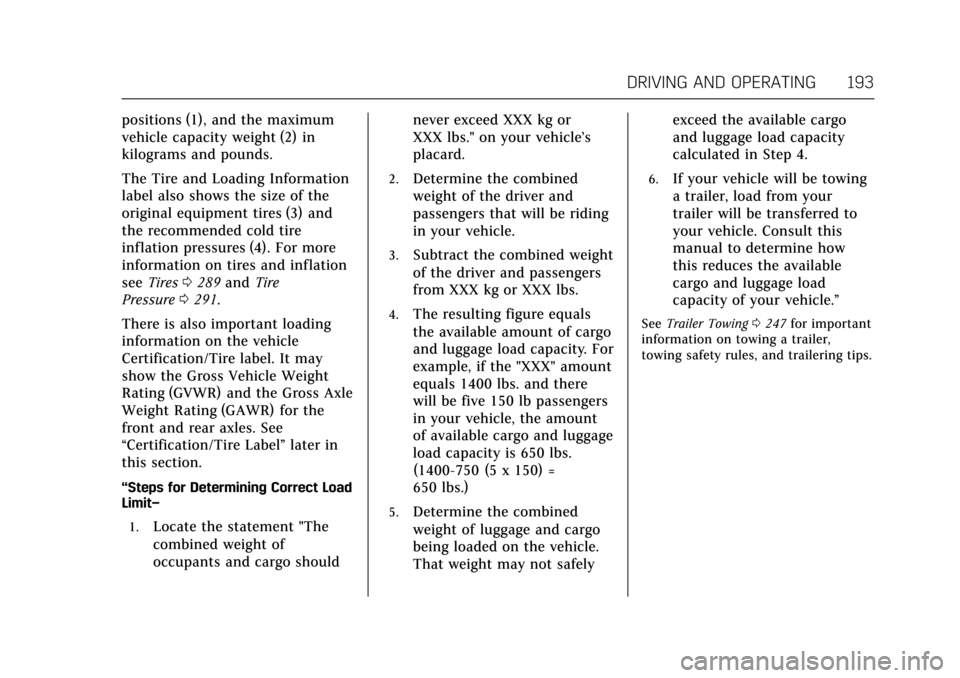
positions (1), and the maximum
vehicle capacity weight (2) in
kilograms and pounds.
The Tire and Loading Information
label also shows the size of the
original equipment tires (3) and
the recommended cold tire
inflation pressures (4). For more
information on tires and inflation
seeTires 0289 and Tire
Pressure 0291.
There is also important loading
information on the vehicle
Certification/Tire label. It may
show the Gross Vehicle Weight
Rating (GVWR) and the Gross Axle
Weight Rating (GAWR) for the
front and rear axles. See
“Certification/Tire Label” later in
this section.
“Steps for Determining Correct Load
Limit–
1.
Locate the statement "The
combined weight of
occupants and cargo should never exceed XXX kg or
XXX lbs." on your vehicle’s
placard.
2.Determine the combined
weight of the driver and
passengers that will be riding
in your vehicle.
3.Subtract the combined weight
of the driver and passengers
from XXX kg or XXX lbs.
4.The resulting figure equals
the available amount of cargo
and luggage load capacity. For
example, if the "XXX" amount
equals 1400 lbs. and there
will be five 150 lb passengers
in your vehicle, the amount
of available cargo and luggage
load capacity is 650 lbs.
(1400-750 (5 x 150) =
650 lbs.)
5.Determine the combined
weight of luggage and cargo
being loaded on the vehicle.
That weight may not safelyexceed the available cargo
and luggage load capacity
calculated in Step 4.
6.If your vehicle will be towing
a trailer, load from your
trailer will be transferred to
your vehicle. Consult this
manual to determine how
this reduces the available
cargo and luggage load
capacity of your vehicle.”
See
Trailer Towing 0247 for important
information on towing a trailer,
towing safety rules, and trailering tips.
Page 226 of 354
Cadillac Escalade Owner Manual (GMNA-Localizing-MidEast-10293077) -
2017 - crc - 8/24/16
DRIVING AND OPERATING 225
.To decrease speed in larger
increments, press and briefly hold
SET− down. For each press, the
vehicle speed decreases by
5 km/h (5 mph).
Selecting the Follow Distance Gap
When a slower moving vehicle is
detected ahead within the selected
following gap, ACC will adjust the
vehicle's speed and attempt to
maintain the follow distance gap
selected.
Press
[on the steering wheel to
adjust the following gap. Each press
cycles the gap button through three
settings: Far, Medium, or Near.
When pressed, the current gap setting
displays briefly on the DIC and HUD.
The gap setting will be maintained
until it is changed.
Since each gap setting corresponds to
a following time (Far, Medium,
or Near), the following distance will
vary based on vehicle speed. The
faster the vehicle speed, the further
back your vehicle will follow a vehicle
detected ahead. Consider traffic and
weather conditions when selecting the following gap. The range of selectable
gaps may not be appropriate for all
drivers and driving conditions.
Changing the gap setting
automatically changes the alert timing
sensitivity (Far, Medium, or Near) for
the Forward Collision Alert (FCA)
feature. See
Forward Collision Alert
(FCA) System 0234.
Alerting the Driver
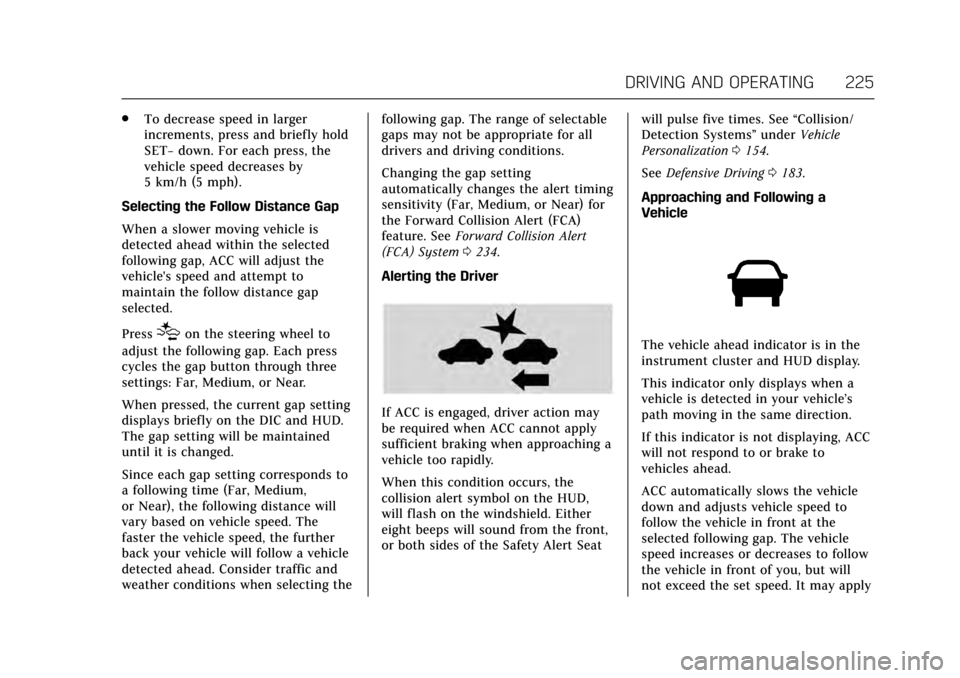
If ACC is engaged, driver action may
be required when ACC cannot apply
sufficient braking when approaching a
vehicle too rapidly.
When this condition occurs, the
collision alert symbol on the HUD,
will flash on the windshield. Either
eight beeps will sound from the front,
or both sides of the Safety Alert Seat will pulse five times. See
“Collision/
Detection Systems” underVehicle
Personalization 0154.
See Defensive Driving 0183.
Approaching and Following a
Vehicle
The vehicle ahead indicator is in the
instrument cluster and HUD display.
This indicator only displays when a
vehicle is detected in your vehicle’s
path moving in the same direction.
If this indicator is not displaying, ACC
will not respond to or brake to
vehicles ahead.
ACC automatically slows the vehicle
down and adjusts vehicle speed to
follow the vehicle in front at the
selected following gap. The vehicle
speed increases or decreases to follow
the vehicle in front of you, but will
not exceed the set speed. It may apply
Page 227 of 354
Cadillac Escalade Owner Manual (GMNA-Localizing-MidEast-10293077) -
2017 - crc - 8/24/16
226 DRIVING AND OPERATING
limited braking, if necessary. When
braking is active, the brake lights will
come on. The automatic braking may
feel or sound different than if the
brakes were applied manually. This is
normal.
Stationary or Very Slow-Moving
Objects
{Warning
ACC may not detect and react to
stopped or slow-moving vehicles
ahead of you. For example, the
system may not brake for a vehicle
it has never detected moving. This
can occur in stop-and-go traffic or
when a vehicle suddenly appears
due to a vehicle ahead changing
lanes. Your vehicle may not stop
and could cause a crash. Use
caution when using ACC. Your
complete attention is always
required while driving and you
should be ready to take action and
apply the brakes.ACC Automatically Disengages
ACC may automatically disengage and
the driver will need to manually apply
the brakes to slow the vehicle when:
.
The sensors are blocked.
. The Traction Control System (TCS)
or electronic stability control
system has activated or been
disabled.
. No traffic or other objects are
being detected.
. There is a fault in the system.
The ACC active symbol will not be
displayed when ACC is no longer
active.
Notification to Resume ACC
ACC will maintain a following gap
behind a detected vehicle and slow
your vehicle to a stop behind the
detected vehicle.
If the stopped vehicle ahead has
driven away and ACC has not
resumed, the vehicle ahead indicator
will flash as a reminder to check
traffic ahead before proceeding. In
addition, the left and right sides of the
Safety Alert Seat will pulse three times, or three beeps will sound. See
”Alert Type
”and “Go Notifier” in
“Collision/Detection Systems” under
Vehicle Personalization 0154.
When the vehicle ahead drives away,
press +RES or the accelerator pedal to
resume cruise control. If stopped for
more than two minutes or if the driver
door is opened and the driver safety
belt is unbuckled, the ACC
automatically applies the Electric
Parking Brake (EPB) to hold the
vehicle. The EPB status light will turn
on. See Parking Brake 0213. To
resume ACC and release the EPB,
press the accelerator pedal.
A DIC warning message may display
indicating to shift to P (Park) before
exiting the vehicle. See Vehicle
Messages 0144.
{Warning
If ACC has stopped the vehicle, and
if ACC is disengaged, turned off,
or canceled, the vehicle will no
longer be held at a stop. The vehicle
can move. When ACC is holding the
(Continued)
Page 231 of 354
Cadillac Escalade Owner Manual (GMNA-Localizing-MidEast-10293077) -
2017 - crc - 8/24/16
230 DRIVING AND OPERATING
Audible or Safety Alert Seat
Some driver assistance features alert
the driver of obstacles by beeping. To
change the volume of the warning
chime, see“Comfort and Convenience ”
under Vehicle Personalization 0154.
If equipped with the Safety Alert Seat,
the driver seat cushion may provide a
vibrating pulse alert instead of
beeping. To change this, see
“Collision/Detection Systems” under
Vehicle Personalization 0154.
Assistance Systems for
Parking or Backing
If equipped, the Rear Vision Camera
(RVC), Rear Parking Assist (RPA),
Front Parking Assist (FPA), Surround
Vision, Front Vision Camera, Reverse
Automatic Braking (RAB) and Backing
Warning System, and Rear Cross
Traffic Alert (RCTA) may help the
driver park or avoid objects. Always
check around the vehicle when
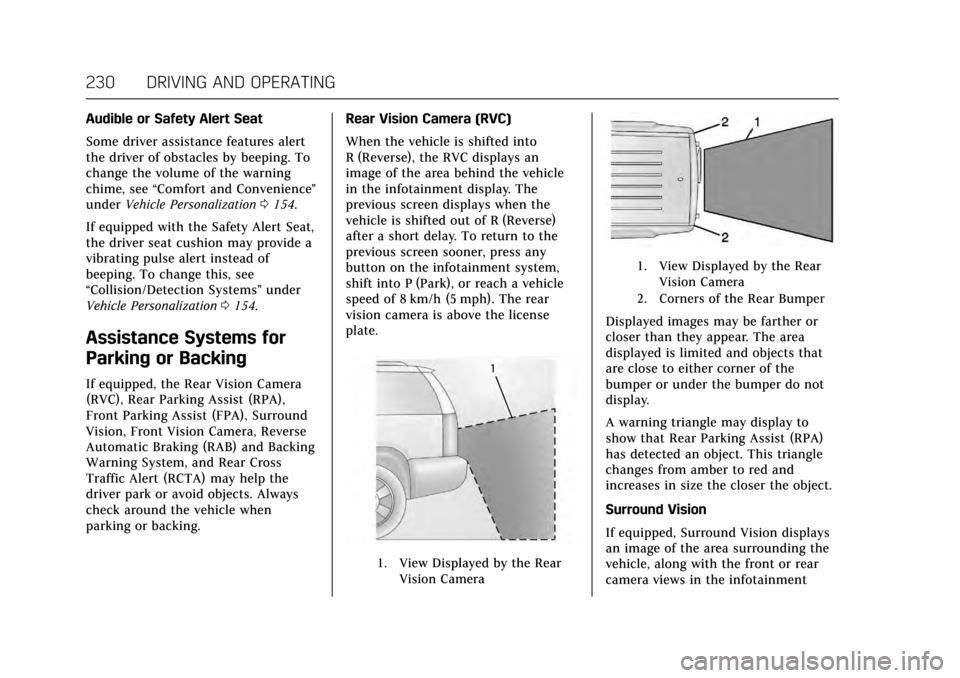
parking or backing. Rear Vision Camera (RVC)
When the vehicle is shifted into
R (Reverse), the RVC displays an
image of the area behind the vehicle
in the infotainment display. The
previous screen displays when the
vehicle is shifted out of R (Reverse)
after a short delay. To return to the
previous screen sooner, press any
button on the infotainment system,
shift into P (Park), or reach a vehicle
speed of 8 km/h (5 mph). The rear
vision camera is above the license
plate.
1. View Displayed by the Rear
Vision Camera
1. View Displayed by the RearVision Camera
2. Corners of the Rear Bumper
Displayed images may be farther or
closer than they appear. The area
displayed is limited and objects that
are close to either corner of the
bumper or under the bumper do not
display.
A warning triangle may display to
show that Rear Parking Assist (RPA)
has detected an object. This triangle
changes from amber to red and
increases in size the closer the object.
Surround Vision
If equipped, Surround Vision displays
an image of the area surrounding the
vehicle, along with the front or rear
camera views in the infotainment
Page 233 of 354
Cadillac Escalade Owner Manual (GMNA-Localizing-MidEast-10293077) -
2017 - crc - 8/24/16
232 DRIVING AND OPERATING
Parking Assist
With Front and Rear Parking Assist,
as the vehicle moves at speeds of less
than 8 km/h (5 mph) the sensors on
the bumpers may detect objects up to
1.2 m (4 ft) in front and 2.5 m (8 ft)
behind the vehicle within a zone
25 cm (10 in) high off the ground and
below bumper level. These detection
distances may be shorter during
warmer or humid weather. Blocked
sensors will not detect objects and
can also cause false detections. Keep
the sensors clean of mud, dirt, snow,
ice, and slush; and clean sensors after
a car wash in freezing temperatures.
{Warning
The Parking Assist system does not
detect children, pedestrians,
bicyclists, animals, or objects
located below the bumper or that
are too close or too far from the
vehicle. It is not available at speeds
greater than 8 km/h (5 mph). To
prevent injury, death, or vehicle
damage, even with Parking Assist,(Continued)
Warning (Continued)
always check the area around the
vehicle and check all mirrors before
moving forward or backing.
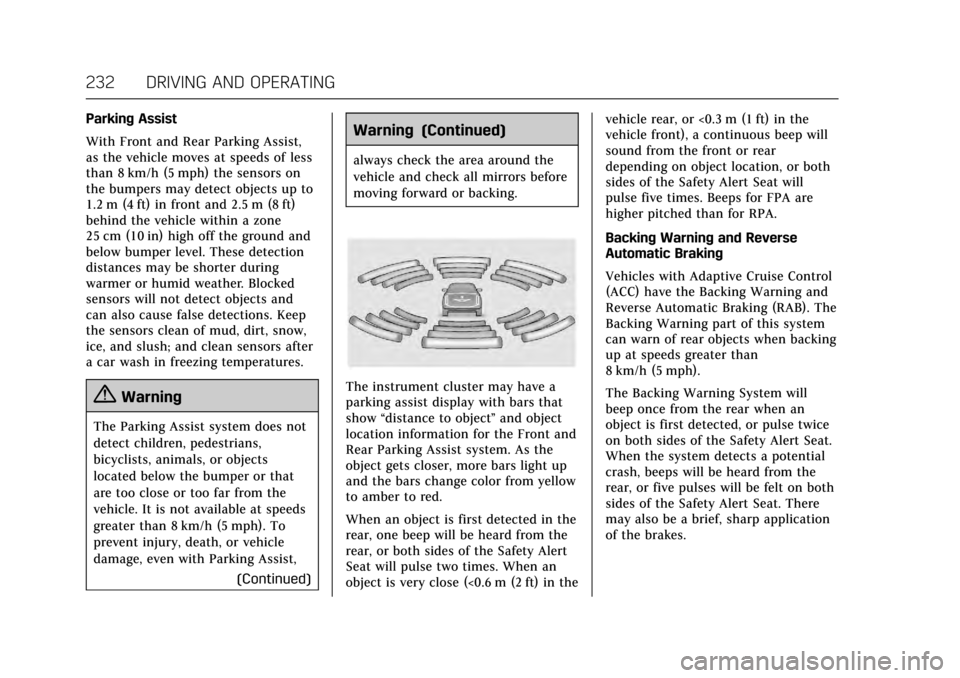
The instrument cluster may have a
parking assist display with bars that
show“distance to object ”and object
location information for the Front and
Rear Parking Assist system. As the
object gets closer, more bars light up
and the bars change color from yellow
to amber to red.
When an object is first detected in the
rear, one beep will be heard from the
rear, or both sides of the Safety Alert
Seat will pulse two times. When an
object is very close (<0.6 m (2 ft) in the vehicle rear, or <0.3 m (1 ft) in the
vehicle front), a continuous beep will
sound from the front or rear
depending on object location, or both
sides of the Safety Alert Seat will
pulse five times. Beeps for FPA are
higher pitched than for RPA.
Backing Warning and Reverse
Automatic Braking
Vehicles with Adaptive Cruise Control
(ACC) have the Backing Warning and
Reverse Automatic Braking (RAB). The
Backing Warning part of this system
can warn of rear objects when backing
up at speeds greater than
8 km/h (5 mph).
The Backing Warning System will
beep once from the rear when an
object is first detected, or pulse twice
on both sides of the Safety Alert Seat.
When the system detects a potential
crash, beeps will be heard from the
rear, or five pulses will be felt on both
sides of the Safety Alert Seat. There
may also be a brief, sharp application
of the brakes.