maintenance CADILLAC ESCALADE 2017 4.G Owners Manual
[x] Cancel search | Manufacturer: CADILLAC, Model Year: 2017, Model line: ESCALADE, Model: CADILLAC ESCALADE 2017 4.GPages: 354, PDF Size: 3.9 MB
Page 2 of 354

Cadillac Escalade Owner Manual (GMNA-Localizing-MidEast-10293077) -
2017 - crc - 8/24/16
ContentsIntroduction . . . . . . . . . . . . . . . . . . . . . . . . . . 2
In Brief . . . . . . . . . . . . . . . . . . . . . . . . . . . . . . . 5
Keys, Doors, and Windows . . . . . . . . . 27
Seats and Restraints . . . . . . . . . . . . . . . 54
Storage . . . . . . . . . . . . . . . . . . . . . . . . . . . . . 109
Instruments and Controls . . . . . . . . 114
Lighting . . . . . . . . . . . . . . . . . . . . . . . . . . . . 164
Infotainment System . . . . . . . . . . . . . 172
Climate Controls . . . . . . . . . . . . . . . . . . 173
Driving and Operating . . . . . . . . . . . . 181
Vehicle Care . . . . . . . . . . . . . . . . . . . . . . . 254
Service and Maintenance . . . . . . . . . 328
Technical Data . . . . . . . . . . . . . . . . . . . . 339
Customer Information . . . . . . . . . . . . 342
Index . . . . . . . . . . . . . . . . . . . . . . . . 344
Page 6 of 354
Cadillac Escalade Owner Manual (GMNA-Localizing-MidEast-10293077) -
2017 - crc - 8/24/16
IN BRIEF 5
In Brief
Instrument Panel
Instrument Panel . . . . . . . . . . . . . . . . . . . 6
Initial Drive Information
Initial Drive Information . . . . . . . . . . . 8
Remote Keyless Entry (RKE)System . . . . . . . . . . . . . . . . . . . . . . . . . . . . . 8
Remote Vehicle Start . . . . . . . . . . . . . . . 8
Door Locks . . . . . . . . . . . . . . . . . . . . . . . . . . 9
Liftgate . . . . . . . . . . . . . . . . . . . . . . . . . . . . . . 9
Windows . . . . . . . . . . . . . . . . . . . . . . . . . . . 10
Seat Adjustment . . . . . . . . . . . . . . . . . . . 10
Memory Features . . . . . . . . . . . . . . . . . . 13
Second Row Seats . . . . . . . . . . . . . . . . . 13
Third Row Seats . . . . . . . . . . . . . . . . . . . 13
Heated and Cooled Front Seats . . . 14
Head Restraint Adjustment . . . . . . . 14
Safety Belts . . . . . . . . . . . . . . . . . . . . . . . . . 14
Passenger Sensing System . . . . . . . . 14
Mirror Adjustment . . . . . . . . . . . . . . . . 15
Steering Wheel Adjustment . . . . . . . 16
Throttle and Brake Pedal Adjustment . . . . . . . . . . . . . . . . . . . . . . . 16
Interior Lighting . . . . . . . . . . . . . . . . . . . 16
Exterior Lighting . . . . . . . . . . . . . . . . . . . 17
Windshield Wiper/Washer . . . . . . . . 17
Climate Controls . . . . . . . . . . . . . . . . . . . 18
Transmission . . . . . . . . . . . . . . . . . . . . . . . 19 Four-Wheel Drive . . . . . . . . . . . . . . . . . . 19
Vehicle Features
Infotainment System . . . . . . . . . . . . . . 20
Steering Wheel Controls . . . . . . . . . . 20
Cruise Control . . . . . . . . . . . . . . . . . . . . . 20
Driver Information
Center (DIC) . . . . . . . . . . . . . . . . . . . . . . 21
Forward Collision Alert (FCA) System . . . . . . . . . . . . . . . . . . . . . . . . . . . . 21
Forward Automatic Braking (FAB) . . . . . . . . . . . . . . . . . . . . 21
Lane Keep Assist (LKA) . . . . . . . . . . . 21
Lane Change Alert (LCA) . . . . . . . . . . 22
Surround Vision . . . . . . . . . . . . . . . . . . . 22
Rear Vision Camera (RVC) . . . . . . . . 22
Rear Cross Traffic Alert (RCTA) System . . . . . . . . . . . . . . . . . . . . . . . . . . . . 22
Parking Assist . . . . . . . . . . . . . . . . . . . . . . 22
Reverse Automatic Braking (RAB) . . . . . . . . . . . . . . . . . . . . 23
Power Outlets . . . . . . . . . . . . . . . . . . . . . . 23
Universal Remote System . . . . . . . . . 23
Sunroof . . . . . . . . . . . . . . . . . . . . . . . . . . . . . 24
Performance and Maintenance
Traction Control/Electronic Stability Control . . . . . . . . . . . . . . . . . . 24
Tire Pressure Monitor . . . . . . . . . . . . . 25
Fuel . . . . . . . . . . . . . . . . . . . . . . . . . . . . . . . . . 25
Engine Oil Life System . . . . . . . . . . . . 25 Driving for Better Fuel
Economy . . . . . . . . . . . . . . . . . . . . . . . . . . 26
Page 25 of 354

Cadillac Escalade Owner Manual (GMNA-Localizing-MidEast-10293077) -
2017 - crc - 8/24/16
24 IN BRIEF
Sunroof
1. SLIDE Switch
2. TILT Switch
If equipped, the sunroof only operates
when the ignition is on or in ACC/
ACCESSORY, or when Retained
Accessory Power (RAP) is active. See
Retained Accessory Power (RAP)0200.
Slide Switch
Express-Open/Express-Close : To
express-open the sunroof, fully press
and release
I(1). Press the switch
again to stop the movement. To express-close the sunroof, fully press
and release
K(1). Press the switch
again to stop the movement.
Open/Close (Manual Mode) : To
open the sunroof, press and hold
I
(1). Release the switch to stop the
movement. Press and hold
K(1) to
close the sunroof. Release the switch
to stop the movement.
Tilt Switch
Vent : From the closed position, press
J(2) to vent the sunroof. PressK(2) to close the sunroof vent.
When the sunroof is opened, an air
deflector will automatically raise. The
air deflector will retract when the
sunroof is closed.
The sunroof also has a sunshade
which can be pulled forward to block
sun rays. The sunshade must be
opened and closed manually.
If an object is in the path of the
sunroof while it is closing, the
automatic reversal feature will detect
the object and stop the sunroof.
SeeSunroof 052.
Performance and
Maintenance
Traction Control/Electronic
Stability Control
The vehicle has a traction control
system that limits wheel spin and the
StabiliTrak system that assists with
directional control of the vehicle in
difficult driving conditions. Both
systems come on automatically when
the vehicle is started and begins
to move.
.
To turn off traction control, press
and release
gon the center stack.
The traction off light
idisplays
in the instrument cluster. The
appropriate Driver Information
Center (DIC) message displays. See
Ride Control System
Messages 0150.
. To turn off both traction control
and StabiliTrak, press and hold
g
untiliandgilluminate in the
instrument cluster and the
Page 26 of 354
Cadillac Escalade Owner Manual (GMNA-Localizing-MidEast-10293077) -
2017 - crc - 8/24/16
IN BRIEF 25
appropriate DIC message displays.
SeeRide Control System
Messages 0150.
. Press and release
gagain to turn
on both systems.
StabiliTrak will automatically turn on
if the vehicle exceeds 56 km/h
(35 mph). Traction control will
remain off.
See Traction Control/Electronic Stability
Control 0216.
Tire Pressure Monitor
This vehicle may have a Tire Pressure
Monitor System (TPMS).
The low tire pressure warning light
alerts to a significant loss in pressure
of one of the vehicle's tires. If the
warning light comes on, stop as soon
as possible and inflate the tires to the
recommended pressure shown on the Tire and Loading Information label.
See
Vehicle Load Limits 0192. The
warning light will remain on until the
tire pressure is corrected.
The low tire pressure warning light
may come on in cool weather when
the vehicle is first started, and then
turn off as the vehicle is driven. This
may be an early indicator that the tire
pressures are getting low and the tires
need to be inflated to the proper
pressure.
The TPMS does not replace normal
monthly tire maintenance. Maintain
the correct tire pressures.
See Tire Pressure Monitor
System 0293.
Fuel
Premium Recommended Fuel
Use unleaded petrol rated at 95 RON
or higher in your vehicle. Unleaded
petrol with an octane rating as low as
91 RON may be used, but it will
reduce performance and fuel economy.
See Fuel 0242.
Engine Oil Life System
The engine oil life system calculates
engine oil life based on vehicle use
and displays the CHANGE ENGINE
OIL SOON message when it is time to
change the engine oil and filter. The
oil life system should be reset to 100%
only following an oil change.
Resetting the Oil Life System
1. Using the DIC controls on the right side of the steering wheel,
display OIL LIFE on the DIC. See
Driver Information Center (DIC)
0138. When remaining oil life is
low, the CHANGE ENGINE OIL
SOON message will appear on
the display. See Engine Oil
Messages 0146.
Page 27 of 354
Cadillac Escalade Owner Manual (GMNA-Localizing-MidEast-10293077) -
2017 - crc - 8/24/16
26 IN BRIEF
2. Press and hold SEL on the DICcontrols for a few seconds to
clear the CHANGE ENGINE OIL
SOON message and reset the oil
life at 100%.
Be careful not to reset the oil life
display accidentally at any time
other than after the oil is
changed. It cannot be reset
accurately until the next oil
change.
The oil life system can also be reset as
follows: 1. Display OIL LIFE on the DIC. See Driver Information Center
(DIC) 0138.
2. Fully press and release the accelerator pedal three times
within five seconds.
If the CHANGE ENGINE OIL
SOON message is not on, the
system is reset.
See Engine Oil Life System 0260.Driving for Better Fuel
Economy
Driving habits can affect fuel mileage.
Here are some driving tips to get the
best fuel economy possible.
.
Avoid fast starts and accelerate
smoothly.
. Brake gradually and avoid abrupt
stops.
. Avoid idling the engine for long
periods of time.
. When road and weather
conditions are appropriate, use
cruise control.
. Always follow posted speed limits
or drive more slowly when
conditions require.
. Keep vehicle tires properly
inflated.
. Combine several trips into a
single trip.
. Replace the vehicle's tires with the
same TPC Spec number molded
into the tire's sidewall near
the size. .
Follow recommended scheduled
maintenance.
Page 90 of 354
Cadillac Escalade Owner Manual (GMNA-Localizing-MidEast-10293077) -
2017 - crc - 8/24/16
SEATS AND RESTRAINTS 89
Airbag System Check
The airbag system does not need
regularly scheduled maintenance or
replacement. Make sure the airbag
readiness light is working. SeeAirbag
Readiness Light 0129.
Caution
If an airbag covering is damaged,
opened, or broken, the airbag may
not work properly. Do not open or
break the airbag coverings. If there
are any opened or broken airbag
coverings, have the airbag covering
and/or airbag module replaced. For
the location of the airbags, see
Where Are the Airbags? 080. See
your dealer for service.
Replacing Airbag System
Parts after a Crash
{Warning
A crash can damage the airbag
systems in the vehicle. A damaged
airbag system may not properly
protect you and your passenger(s)
in a crash, resulting in serious
injury or even death. To help make
sure the airbag systems are working
properly after a crash, have them
inspected and any necessary
replacements made as soon as
possible.
If an airbag inflates, you will need to
replace airbag system parts. See your
dealer for service.
If the airbag readiness light stays on
after the vehicle is started or comes
on when you are driving, the airbag
system may not work properly. Have
the vehicle serviced right away. See
Airbag Readiness Light 0129.
Child Restraints
Older Children
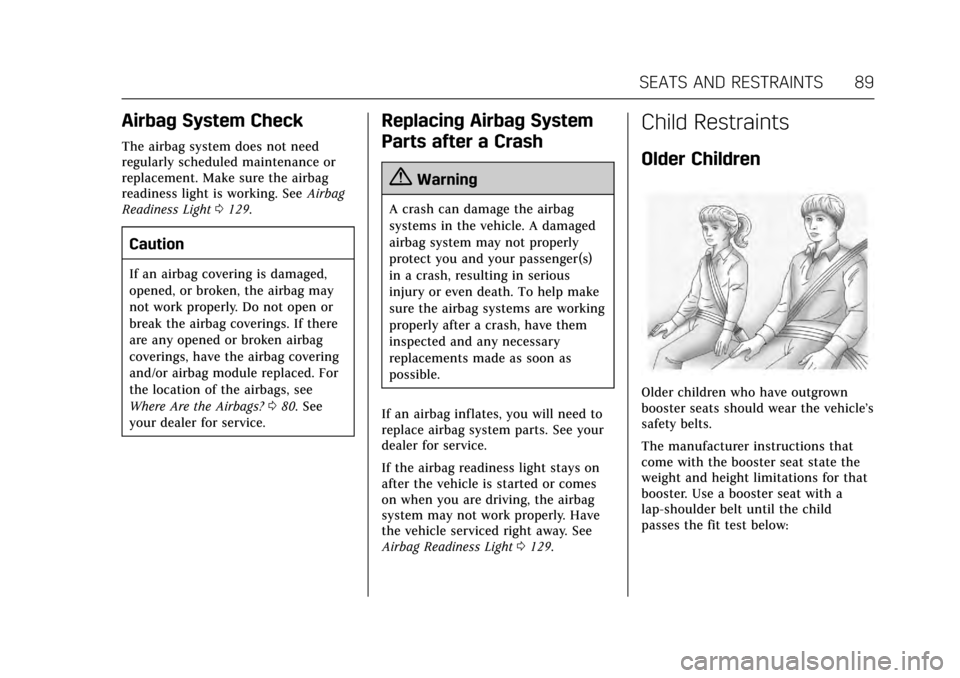
Older children who have outgrown
booster seats should wear the vehicle’s
safety belts.
The manufacturer instructions that
come with the booster seat state the
weight and height limitations for that
booster. Use a booster seat with a
lap-shoulder belt until the child
passes the fit test below:
Page 132 of 354
Cadillac Escalade Owner Manual (GMNA-Localizing-MidEast-10293077) -
2017 - crc - 8/24/16
INSTRUMENTS AND CONTROLS 131
Caution
Modifications to the engine,
transmission, exhaust, intake,
or fuel system, or the use of
replacement tires that do not meet
the original tire specifications, can
cause this light to come on. This
could lead to costly repairs not
covered by the vehicle warranty.
This could also affect the vehicle’s
ability to pass an Emissions
Inspection/Maintenance test. See
Accessories and Modifications0255.
If the light is f lashing : A
malfunction has been detected that
could damage the emission control
system and increase vehicle
emissions. Diagnosis and service may
be required.
To help prevent damage, reduce
vehicle speed and avoid hard
accelerations and uphill grades.
If towing a trailer, reduce the amount
of cargo being hauled as soon as
possible. If the light continues to flash, find a
safe place to park. Turn the vehicle off
and wait at least 10 seconds before
restarting the engine. If the light is
still flashing, follow the previous
guidelines and see your dealer for
service as soon as possible.
If the light is on steady :
A
malfunction has been detected.
Diagnosis and service may be
required.
Check the following:
. If fuel has been added to the
vehicle using the capless fuel
funnel adapter, make sure that it
has been removed. See “Filling the
Tank with a Portable Gas Can ”
under Filling the Tank 0242. The
diagnostic system can detect if the
adapter has been left installed in
the vehicle, allowing fuel to
evaporate into the atmosphere.
A few driving trips with the
adapter removed may turn off the
light.
. Poor fuel quality can cause
inefficient engine operation and
poor driveability, which may go
away once the engine is warmed up. If this occurs, change the fuel
brand. It may require at least one
full tank of the proper fuel to turn
the light off. See
Fuel0242.
If the light remains on, see your
dealer.
Emissions Inspection and
Maintenance Programs
If the vehicle requires an Emissions
Inspection/Maintenance test, the test
equipment will likely connect to the
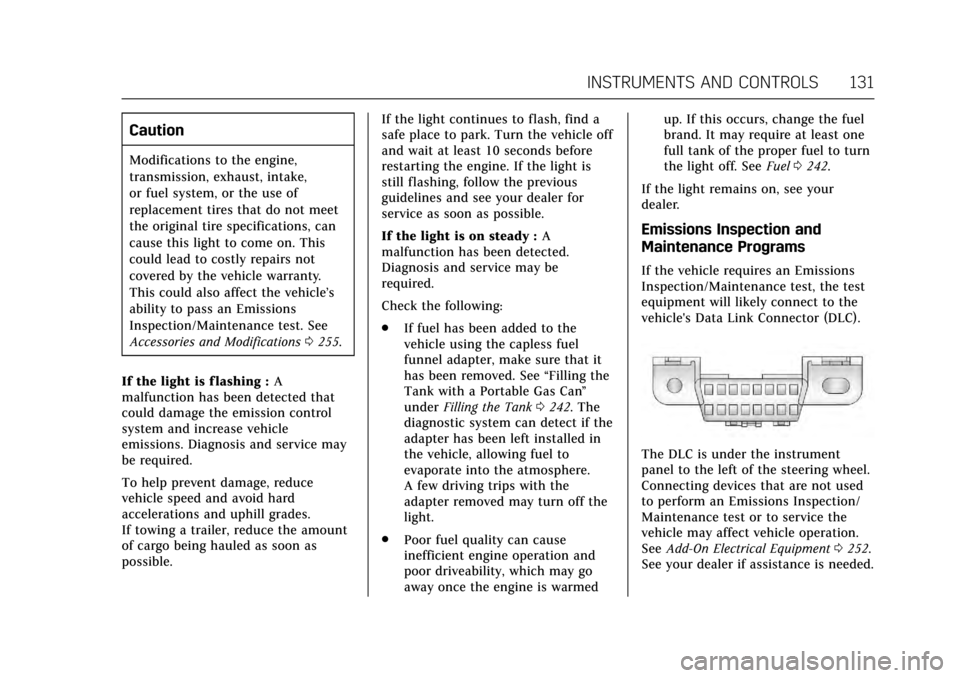
vehicle's Data Link Connector (DLC).
The DLC is under the instrument
panel to the left of the steering wheel.
Connecting devices that are not used
to perform an Emissions Inspection/
Maintenance test or to service the
vehicle may affect vehicle operation.
See Add-On Electrical Equipment 0252.
See your dealer if assistance is needed.
Page 137 of 354
Cadillac Escalade Owner Manual (GMNA-Localizing-MidEast-10293077) -
2017 - crc - 8/24/16
136 INSTRUMENTS AND CONTROLS
The engine coolant temperature
warning light comes on when the
engine has overheated.
If this happens, pull over and turn off
the engine as soon as possible. See
Engine Overheating0266.
Tire Pressure Light
For vehicles with the Tire Pressure
Monitor System (TPMS), this light
comes on briefly when the engine is
started. It provides information about
tire pressures and the TPMS.
When the Light Is On Steady
This indicates that one or more of the
tires are significantly underinflated.
A Driver Information Center (DIC) tire
pressure message may also display.
See Tire Messages 0152. Stop as soon
as possible, and inflate the tires to the pressure value shown on the Tire and
Loading Information label. See
Tire
Pressure 0291.
When the Light Flashes First and
Then Is On Steady
If the light flashes for about a minute
and then stays on, there may be a
problem with the TPMS. If the
problem is not corrected, the light will
come on at every ignition cycle. See
Tire Pressure Monitor Operation 0294.
Engine Oil Pressure Light
Caution
Lack of proper engine oil
maintenance can damage the
engine. Driving with the engine oil
low can also damage the engine.
The repairs would not be covered
by the vehicle warranty. Check the
oil level as soon as possible. Add oil
if required, but if the oil level is
within the operating range and the
oil pressure is still low, have the
(Continued)
Caution (Continued)
vehicle serviced. Always follow the
maintenance schedule for changing
engine oil.
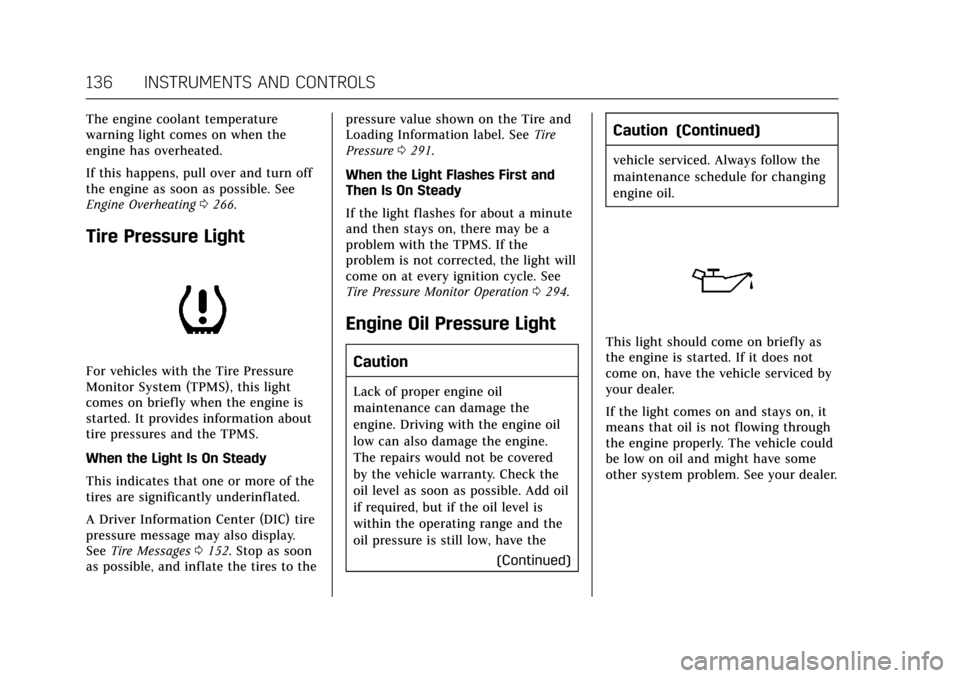
This light should come on briefly as
the engine is started. If it does not
come on, have the vehicle serviced by
your dealer.
If the light comes on and stays on, it
means that oil is not flowing through
the engine properly. The vehicle could
be low on oil and might have some
other system problem. See your dealer.
Page 141 of 354
Cadillac Escalade Owner Manual (GMNA-Localizing-MidEast-10293077) -
2017 - crc - 8/24/16
140 INSTRUMENTS AND CONTROLS
display will show the amount of time
that has passed since the timer was
last reset. To stop the timer, press SEL
briefly while this display is active and
the timer is running. To reset the
timer to zero, press and hold SEL
while this display is active.
Turn Arrow :Shows the next
maneuver when using route guidance.
Estimated Time to Arrival : Shows
the estimated time until arrival at
your destination.
Distance to Destination : Shows the
distance to the destination when
using route guidance.
Speed Limit : Shows the current
speed limit. The information for this
page comes from a roadway database.
Speed Warning : Allows the driver to
set a speed that they do not want to
exceed. To set the Speed Warning,
press SEL when Speed Warning is
displayed. Press
yorzto adjust the
value. This feature can be turned off
by pressing and holding SEL while
viewing this page. If the selected speed limit is exceeded, a pop-up
warning is displayed and a chime may
sound.
Cruise Set Speed :
Shows the speed
the cruise control or Adaptive Cruise
Control is set to.
Follow Distance Indicator : When
Adaptive Cruise Control (ACC) is not
engaged, the current follow time to
the vehicle ahead is displayed as a
time value on this page. When ACC
has been engaged, the display
switches to the gap setting page. This
page shows the current gap setting
along with the vehicle ahead indicator.
Battery Voltage : Shows the current
battery voltage.
Oil Life : Shows an estimate of the
oil's remaining useful life.
If REMAINING OIL LIFE 99% is
displayed, that means 99% of the
current oil life remains.
When the remaining oil life is low, the
CHANGE ENGINE OIL SOON message
will appear on the display. See Engine
Oil Messages 0146. The oil should be
changed as soon as possible. See
Engine Oil 0258. In addition to the engine oil life system monitoring the
oil life, additional maintenance is
recommended. See
Maintenance
Schedule 0329.
The Oil Life display must be reset
after each oil change. It will not reset
itself. Do not reset the Oil Life display
accidentally at any time other than
when the oil has just been changed.
It cannot be reset accurately until the
next oil change. To reset the engine
oil life system, press and hold SEL for
several seconds while the Oil Life
display is active. See Engine Oil Life
System 0260.
Oil Pressure : Shows the engine oil
pressure in kPa (kilopascals)
or psi (pounds per square inch).
Engine Hours : Shows the total
number of hours the engine has run.
Transmission Fluid Temperature :
Shows the temperature of the
automatic transmission fluid in either
degrees Celsius (°C) or degrees
Fahrenheit (°F).
Tire Pressure : Shows the
approximate pressures of all four tires.
Tire pressure is displayed in either
Page 147 of 354
Cadillac Escalade Owner Manual (GMNA-Localizing-MidEast-10293077) -
2017 - crc - 8/24/16
146 INSTRUMENTS AND CONTROLS
message will also be displayed. The
DOOR OPEN message may also be
displayed if the vehicle starts to move.
Close the door completely.
HOOD OPEN
This message will display along with a
hood open symbol when the hood is
open. A chime may also sound. Close
the hood completely.
TRUNK OPEN
This message will display along with a
symbol when the trunk is open. Close
the trunk completely.
Engine Cooling System
Messages
A/C OFF DUE TO HIGH
ENGINE TEMP
This message displays when the
engine coolant becomes hotter than
the normal operating temperature. See
Engine Coolant Temperature Gauge
0127. To avoid added strain on a hot
engine, the air conditioning
compressor automatically turns off.
When the coolant temperature returns to normal, the air conditioning
compressor turns back on. You can
continue to drive your vehicle.
If this message continues to appear,
have the system repaired by your
dealer as soon as possible to avoid
damage to the engine.
ENGINE OVERHEATED IDLE
ENGINE
This message displays when the
engine coolant temperature is too hot.
Stop and allow the vehicle to idle until
it cools down. See
Engine Coolant
Temperature Gauge 0127.
When towing, use Tow/Haul Mode to
prevent damage to the engine or
transmission. See Tow/Haul
Mode 0208.
ENGINE OVERHEATED STOP
ENGINE
This message displays and a chime
may sound if the engine cooling
system reaches unsafe temperatures
for operation. Stop and turn off the
vehicle as soon as it is safe to do so to avoid severe damage. This message
clears when the engine has cooled to a
safe operating temperature.
Engine Oil Messages
CHANGE ENGINE OIL SOON
This message displays when the
engine oil needs to be changed. When
you change the engine oil, be sure to
reset the oil life system. See
Engine Oil
Life System 0260, Driver Information
Center (DIC) 0138, Engine Oil 0258,
and Maintenance Schedule 0329.
ENGINE OIL HOT, IDLE ENGINE
This message displays when the
engine oil temperature is too hot. Stop
and allow the vehicle to idle until it
cools down.
ENGINE OIL LOW —ADD OIL
On some vehicles, this message
displays when the engine oil level may
be too low. Check the oil level before
filling to the recommended level.
If the oil is not low and this message
remains on, take the vehicle to your
dealer for service. See Engine
Oil 0258.