air condition CADILLAC ESCALADE 2018 User Guide
[x] Cancel search | Manufacturer: CADILLAC, Model Year: 2018, Model line: ESCALADE, Model: CADILLAC ESCALADE 2018Pages: 399, PDF Size: 6.23 MB
Page 174 of 399
Cadillac Escalade Owner Manual (GMNA-Localizing-U.S./Canada/Mexico-
11349344) - 2018 - crc - 11/7/17
CLIMATE CONTROLS 173
Climate Controls
Climate Control Systems
Dual Automatic Climate ControlSystem . . . . . . . . . . . . . . . . . . . . . . . . . . 173
Rear Climate Control System . . . . 178
Air Vents
Air Vents . . . . . . . . . . . . . . . . . . . . . . . . . . 179
Maintenance
Passenger Compartment Air Filter . . . . . . . . . . . . . . . . . . . . . . . . . . . . . 180
Climate Control Systems
Dual Automatic Climate
Control System
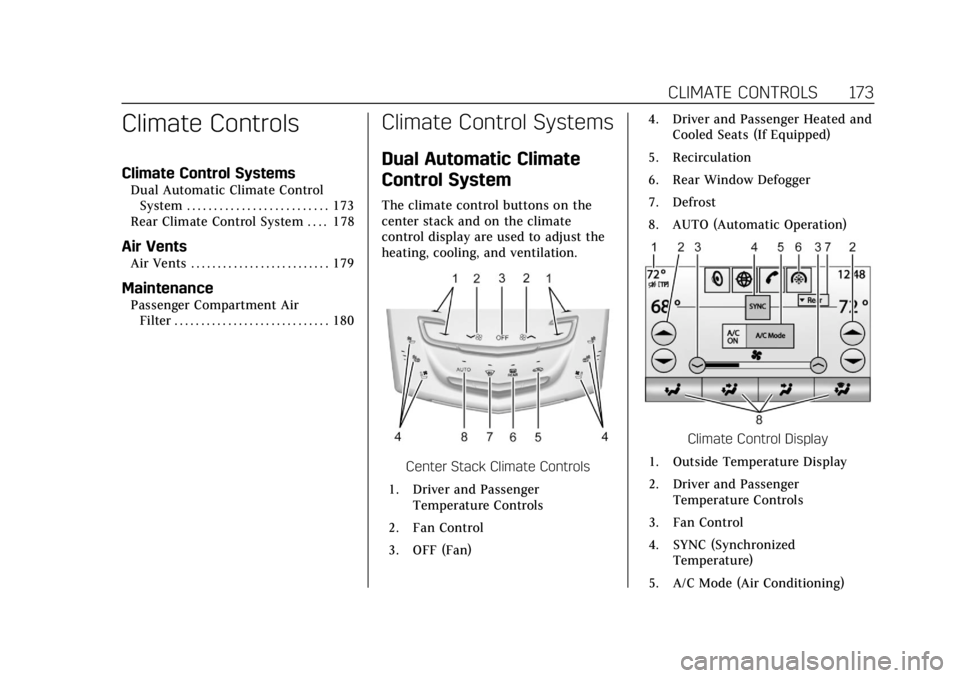
The climate control buttons on the
center stack and on the climate
control display are used to adjust the
heating, cooling, and ventilation.
Center Stack Climate Controls
1. Driver and Passenger Temperature Controls
2. Fan Control
3. OFF (Fan) 4. Driver and Passenger Heated and
Cooled Seats (If Equipped)
5. Recirculation
6. Rear Window Defogger
7. Defrost
8. AUTO (Automatic Operation)
Climate Control Display
1. Outside Temperature Display
2. Driver and Passenger Temperature Controls
3. Fan Control
4. SYNC (Synchronized Temperature)
5. A/C Mode (Air Conditioning)
Page 175 of 399
Cadillac Escalade Owner Manual (GMNA-Localizing-U.S./Canada/Mexico-
11349344) - 2018 - crc - 11/7/17
174 CLIMATE CONTROLS
6. Climate Control Selection(Application Tray Button)
7. Rear (Rear Climate Control Touch Screen)
8. Air Delivery Mode Control
Climate Control Display
The fan, air delivery mode, air
conditioning, driver and passenger
temperatures, and SYNC settings can
be controlled by pressing CLIMATE on
the infotainment home screen or the
climate button on the infotainment
display application tray. A selection
can then be made on the front climate
control page displayed. See the
infotainment manual. Climate Control Status Display
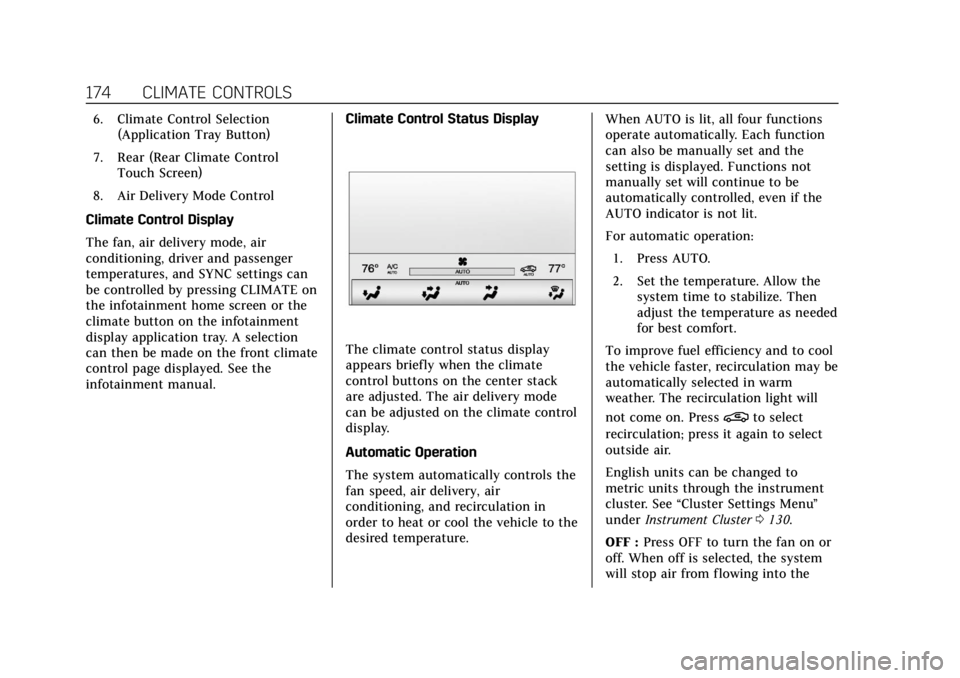
The climate control status display
appears briefly when the climate
control buttons on the center stack
are adjusted. The air delivery mode
can be adjusted on the climate control
display.
Automatic Operation
The system automatically controls the
fan speed, air delivery, air
conditioning, and recirculation in
order to heat or cool the vehicle to the
desired temperature.When AUTO is lit, all four functions
operate automatically. Each function
can also be manually set and the
setting is displayed. Functions not
manually set will continue to be
automatically controlled, even if the
AUTO indicator is not lit.
For automatic operation:
1. Press AUTO.
2. Set the temperature. Allow the system time to stabilize. Then
adjust the temperature as needed
for best comfort.
To improve fuel efficiency and to cool
the vehicle faster, recirculation may be
automatically selected in warm
weather. The recirculation light will
not come on. Press
@to select
recirculation; press it again to select
outside air.
English units can be changed to
metric units through the instrument
cluster. See “Cluster Settings Menu ”
under Instrument Cluster 0130.
OFF : Press OFF to turn the fan on or
off. When off is selected, the system
will stop air from flowing into the
Page 177 of 399
Cadillac Escalade Owner Manual (GMNA-Localizing-U.S./Canada/Mexico-
11349344) - 2018 - crc - 11/7/17
176 CLIMATE CONTROLS
0:Clears the windshield of fog or
frost more quickly. Air is directed to
the windshield. Press
0to turn on or
off. Changing the air delivery mode
also turns the defrost off.
A/C Mode : Touch AC Mode on the
climate control display to turn the
automatic air conditioning on or off.
If the fan is turned off or the outside
temperature falls below freezing, the
air conditioner will not run.
Press AUTO to return to automatic
operation and the air conditioner runs
as needed.
Automatic Air Recirculation : When
the AUTO indicator light is on, the air
is automatically recirculated as
needed to help quickly cool the inside
of the vehicle.
The climate control system may have
a sensor to detect air pollution. When
using automatic air recirculation, the
air quality control system may
operate. To adjust the sensitivity of
the air quality sensor, see “Climate
and Air Quality” underVehicle
Personalization 0152.
@:Press to alternate between
recirculating air inside the vehicle or
pulling in outside air. The indicator
light on the button is lit when
recirculation mode is active. This
helps to quickly cool the air inside the
vehicle and reduce the entry of
outside air and odors.
Pressing this button cancels automatic
recirculation. Press AUTO to return to
automatic operation; recirculation
runs automatically as needed.
Manual recirculation mode is not
available when in Defrost or Defog
modes.
Auto Defog : The climate control
system uses a sensor to automatically
detect high humidity inside the
vehicle. When high humidity is
detected, the climate control system
may adjust to outside air supply, turn
on the air conditioner, and direct
more air to the windshield. If the
climate control system does not
detect possible window fogging, it
returns to normal operation. To turn Auto Defog off or on, see
“Climate and
Air Quality” underVehicle
Personalization 0152.
Rear Window Defogger
K:Press to turn the rear window
defogger on or off. An indicator light
on the button comes on to show that
the rear window defogger is on.
The rear window defogger only works
when the ignition is on. The defogger
turns off if the ignition is turned off
or to ACC/ACCESSORY.
The rear window defogger can be set
to automatic operation. When Auto
Rear Defog is selected, the rear
window defogger turns on
automatically when the vehicle is first
started in cold weather and turns off
when the vehicle is warmed. To turn
Auto Rear Defog on or off, see
“Climate and Air Quality” under
Vehicle Personalization 0152.
If equipped, the heated outside
mirrors turn on when the rear window
defogger button is on and help to
clear fog or frost from the surface of
the mirrors.
Page 178 of 399
Cadillac Escalade Owner Manual (GMNA-Localizing-U.S./Canada/Mexico-
11349344) - 2018 - crc - 11/7/17
CLIMATE CONTROLS 177
Caution
Do not try to clear frost or other
material from the inside of the
front windshield and rear window
with a razor blade or anything else
that is sharp. This may damage the
rear window defogger grid and
affect the radio's ability to pick up
stations clearly. The repairs would
not be covered by the vehicle
warranty.
Driver and Passenger Heated and
Cooled Seats : If equipped, press
I
or+to heat the driver or passenger
seatback only.
If equipped, press
Jorzto heat the
driver or passenger seat cushion and
seatback.
If equipped, press
Cor{to cool the
driver or passenger seat. See Heated
and Cooled Front Seats 067. The vehicle also has auto heated and
cooled seats that turn on when the
vehicle is on. The seats will activate at
the level required by the vehicle’s
interior temperature. The auto heated
and cooled seats can be turned on or
off.
See
Vehicle Personalization 0152 and
Heated and Cooled Front Seats 067.
Remote Start Climate Control
Operation : If equipped with the
remote start feature, the climate
control system may run when the
vehicle is started remotely. The system
uses the driver’s previous settings to
heat or cool the inside of the vehicle.
The rear defog may come on during
remote start based on cold ambient
conditions. The rear defog indicator
light does not come on during a
remote start. If equipped with heated
or cooled seats, they may come on
during a remote start.
See Remote Vehicle Start 036 and
Heated and Cooled Front Seats 067.
Sensor
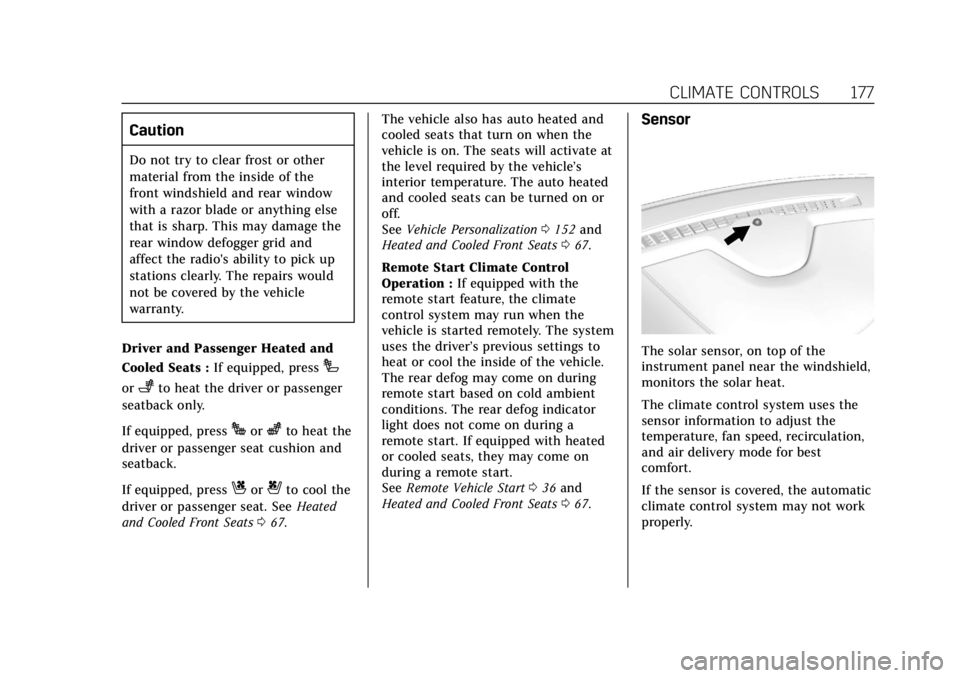
The solar sensor, on top of the
instrument panel near the windshield,
monitors the solar heat.
The climate control system uses the
sensor information to adjust the
temperature, fan speed, recirculation,
and air delivery mode for best
comfort.
If the sensor is covered, the automatic
climate control system may not work
properly.
Page 193 of 399
Cadillac Escalade Owner Manual (GMNA-Localizing-U.S./Canada/Mexico-
11349344) - 2018 - crc - 11/7/17
192 DRIVING AND OPERATING
.Drive at speeds that keep the
vehicle in its own lane. Do not
swing wide or cross the
center line.
. Be alert on top of hills; something
could be in your lane (e.g., stalled
car, accident).
. Pay attention to special road signs
(e.g., falling rocks area, winding
roads, long grades, passing or
no-passing zones) and take
appropriate action.
Winter Driving
Driving on Snow or Ice
Snow or ice between the tires and the
road creates less traction or grip, so
drive carefully. Wet ice can occur at
about 0 °C (32 °F) when freezing rain
begins to fall. Avoid driving on wet ice
or in freezing rain until roads can be
treated.
For Slippery Road Driving:
.Accelerate gently. Accelerating too
quickly causes the wheels to spin
and makes the surface under the
tires slick. .
Turn on Traction Control. See
Traction Control/Electronic Stability
Control 0218.
. Antilock Brake System (ABS)
improves vehicle stability during
hard stops, but the brakes should
be applied sooner than when on
dry pavement. See Antilock Brake
System (ABS) 0215.
. Allow greater following distance
and watch for slippery spots. Icy
patches can occur on otherwise
clear roads in shaded areas. The
surface of a curve or an overpass
can remain icy when the
surrounding roads are clear. Avoid
sudden steering maneuvers and
braking while on ice.
. Turn off cruise control.
Blizzard Conditions
Stay with the vehicle unless there is
help nearby. If possible, use Roadside
Assistance. See Roadside Service 0366.
To get help and keep everyone in the
vehicle safe:
. Turn on the hazard warning
flashers. .
Tie a red cloth to an outside
mirror.
{Warning
Snow can trap engine exhaust
under the vehicle. This may cause
exhaust gases to get inside. Engine
exhaust contains carbon monoxide
(CO), which cannot be seen or
smelled. It can cause
unconsciousness and even death.
If the vehicle is stuck in snow:
. Clear snow from the base of
the vehicle, especially any
blocking the exhaust pipe.
. Open a window about 5 cm
(2 in) on the vehicle side that
is away from the wind, to
bring in fresh air.
. Fully open the air outlets on
or under the instrument
panel.
. Adjust the climate control
system to circulate the air
inside the vehicle and set the
(Continued)
Page 206 of 399
Cadillac Escalade Owner Manual (GMNA-Localizing-U.S./Canada/Mexico-
11349344) - 2018 - crc - 11/7/17
DRIVING AND OPERATING 205
Parking over Things
That Burn
{Warning
Things that can burn could touch
hot exhaust parts under the vehicle
and ignite. Do not park over papers,
leaves, dry grass, or other things
that can burn.
Active Fuel Management
This system allows the engine to
operate on either all or half of its
cylinders, depending on the driving
conditions.
When less power is required, such as
cruising at a constant vehicle speed,
the system will operate in the half
cylinder mode, allowing the vehicle to
achieve better fuel economy. When
greater power demands are required,
such as accelerating from a stop,
passing, or merging onto a freeway,
the system will maintain full-cylinder
operation.
Extended Parking
It is best not to park with the vehicle
running. If the vehicle is left running,
be sure it will not move and there is
adequate ventilation.
SeeShifting Into Park 0203 and Engine
Exhaust 0205.
If the vehicle is left parked and
running with the Remote Keyless
Entry (RKE) transmitter outside the
vehicle, it will turn off after one hour.
If the vehicle is left parked and
running with the RKE transmitter
inside the vehicle, it will turn off after
two hours.
The vehicle could turn off sooner if it
is parked on a hill, due to lack of
available fuel.
The timer will reset if the vehicle is
taken out of P (Park) while it is
running.
Engine Exhaust
{Warning
Engine exhaust contains carbon
monoxide (CO), which cannot be
seen or smelled. Exposure to CO
can cause unconsciousness and
even death.
Exhaust may enter the vehicle if: . The vehicle idles in areas with
poor ventilation (parking
garages, tunnels, deep snow
that may block underbody
airflow or tail pipes).
. The exhaust smells or sounds
strange or different.
. The exhaust system leaks due
to corrosion or damage.
. The vehicle exhaust system
has been modified, damaged,
or improperly repaired.
(Continued)
Page 209 of 399
Cadillac Escalade Owner Manual (GMNA-Localizing-U.S./Canada/Mexico-
11349344) - 2018 - crc - 11/7/17
208 DRIVING AND OPERATING
Caution
A transmission hot message may
display if the automatic
transmission fluid is too hot.
Driving under this condition can
damage the vehicle. Stop and idle
the engine to cool the automatic
transmission fluid. This message
clears when the transmission fluid
has cooled sufficiently.
D : This position is for normal driving.
If more power is needed for passing,
press the accelerator pedal down.
Use D (Drive) and Tow/Haul Mode
when towing a trailer, carrying a
heavy load, driving on steep hills,
or driving off-road. Shift the
transmission to a lower gear selection
if the transmission shifts too often.
Downshifting the transmission in
slippery road conditions could result
in skidding. See “Skidding”underLoss
of Control 0186. The vehicle has a shift stabilization
feature that adjusts the transmission
shifting to the current driving
conditions in order to reduce rapid
upshifts and downshifts. This shift
stabilization feature is designed to
determine, before making an upshift,
if the engine is able to maintain
vehicle speed by analyzing things such
as vehicle speed, throttle position, and
vehicle load. If the shift stabilization
feature determines that a current
vehicle speed cannot be maintained,
the transmission does not upshift and
instead holds the current gear.
In some cases, this could appear to be
a delayed shift, however the
transmission is operating normally.
The transmission uses adaptive shift
controls. The adaptive shift control
process continually compares key shift
parameters to pre-programmed ideal
shifts stored in the transmission’s
computer. The transmission
constantly makes adjustments to
improve vehicle performance
according to how the vehicle is being
used, such as with a heavy load or
when the temperature changes.
During this adaptive shift control process, shifting might feel different
as the transmission determines the
best settings.
When temperatures are very cold, the
transmission's gear shifting could be
delayed providing more stable shifts
until the engine warms up. Shifts
could be more noticeable with a cold
transmission. This difference in
shifting is normal.
L :
This position allows selection of a
range of gears appropriate for current
driving conditions. If equipped, see
“Range Selection Mode ”under Manual
Mode 0209.
Caution
Spinning the tires or holding the
vehicle in one place on a hill using
only the accelerator pedal may
damage the transmission. The
repair will not be covered by the
vehicle warranty. If the vehicle is
stuck, do not spin the tires. When
stopping on a hill, use the brakes to
hold the vehicle in place.
Page 223 of 399
Cadillac Escalade Owner Manual (GMNA-Localizing-U.S./Canada/Mexico-
11349344) - 2018 - crc - 11/7/17
222 DRIVING AND OPERATING
Locking Rear Axle
Vehicles with a locking rear axle can
give more traction on snow, mud, ice,
sand, or gravel. It works like a
standard axle most of the time, but
when traction is low, this feature will
allow the rear wheel with the most
traction to move the vehicle.
Automatic Level Control
The automatic level control rear
suspension comes as a part of the
Magnetic Ride Control system.
This type of level control is fully
automatic and will provide a better
leveled riding position as well as
better handling under a variety of
passenger and loading conditions. An
air compressor connected to the rear
shocks will raise or lower the rear of
the vehicle to maintain proper vehicleheight. The system is activated when
the ignition is on and will
automatically adjust vehicle height
thereafter. The system may exhaust
(lower vehicle height) for up to
10 minutes after the ignition has been
turned off. You may hear the air
compressor operating when the height
is being adjusted.
If a weight-distributing hitch is being
used, it is recommended to allow the
shocks to inflate, leveling the vehicle
prior to adjusting the hitch.
Cruise Control
{Warning
Cruise control can be dangerous
where you cannot drive safely at a
steady speed. Do not use cruise
control on winding roads or in
heavy traffic.
Cruise control can be dangerous on
slippery roads. On such roads, fast
changes in tire traction can cause
excessive wheel slip, and you could
lose control. Do not use cruise
control on slippery roads.
If equipped with cruise control, a
speed of about 40 km/h (25 mph) or
more can be maintained without
keeping your foot on the accelerator.
Cruise control does not work at speeds
below about 40 km/h (25 mph).
If the Traction Control/Electronic
Stability Control system begins to
limit wheel spin while using cruise
control, the cruise control
Page 234 of 399
Cadillac Escalade Owner Manual (GMNA-Localizing-U.S./Canada/Mexico-
11349344) - 2018 - crc - 11/7/17
DRIVING AND OPERATING 233
Driver Assistance
Systems
This vehicle may have features that
work together to help avoid crashes or
reduce crash damage while driving,
backing, and parking. Read this entire
section before using these systems.
{Warning
Do not rely on the Driver
Assistance Systems. These systems
do not replace the need for paying
attention and driving safely. You
may not hear or feel alerts or
warnings provided by these
systems. Failure to use proper care
when driving may result in injury,
death, or vehicle damage. See
Defensive Driving0184.
Under many conditions, these
systems will not: . Detect children, pedestrians,
bicyclists, or animals.
(Continued)
Warning (Continued)
.Detect vehicles or objects
outside the area monitored by
the system.
. Work at all driving speeds.
. Warn you or provide you with
enough time to avoid a crash.
. Work under poor visibility or
bad weather conditions.
. Work if the detection sensor
is not cleaned or is covered
by ice, snow, mud, or dirt.
. Work if the detection sensor
is covered up, such as with a
sticker, magnet, or metal
plate.
. Work if the area surrounding
the detection sensor is
damaged or not properly
repaired.
Complete attention is always
required while driving, and you
should be ready to take action and
apply the brakes and/or steer the
vehicle to avoid crashes. Audible or Safety Alert Seat
Some driver assistance features alert
the driver of obstacles by beeping. To
change the volume of the warning
chime, see
“Comfort and Convenience ”
under Vehicle Personalization 0152.
If equipped with the Safety Alert Seat,
the driver seat cushion may provide a
vibrating pulse alert instead of
beeping. To change this, see
“Collision/Detection Systems” under
Vehicle Personalization 0152.
Assistance Systems for
Parking or Backing
If equipped, the Rear Vision Camera
(RVC), Rear Parking Assist (RPA),
Front Parking Assist (FPA), Surround
Vision, Front Vision Camera, Reverse
Automatic Braking (RAB) and Backing
Warning System, Rear Cross Traffic
Alert (RCTA), and Automatic Parking
Assist (APA) may help the driver park
or avoid objects. Always check around
the vehicle when parking or backing.
Page 242 of 399
Cadillac Escalade Owner Manual (GMNA-Localizing-U.S./Canada/Mexico-
11349344) - 2018 - crc - 11/7/17
DRIVING AND OPERATING 241
Warning (Continued)
the windshield is damaged. It may
also not detect a vehicle on winding
or hilly roads, or in conditions that
can limit visibility such as fog, rain,
or snow, or if the headlamps or
windshield are not cleaned or in
proper condition. Keep the
windshield, headlamps, and FCA
sensors clean and in good repair.
Collision Alert
When your vehicle approaches
another detected vehicle too rapidly,
the red FCA display will flash on the
windshield. Also, eight rapid
high-pitched beeps will sound from
the front, or both sides of the Safety
Alert Seat will pulse five times. When
this Collision Alert occurs, the brake system may prepare for driver braking
to occur more rapidly which can cause
a brief, mild deceleration. Continue to
apply the brake pedal as needed.
Cruise control may be disengaged
when the Collision Alert occurs.
Tailgating Alert
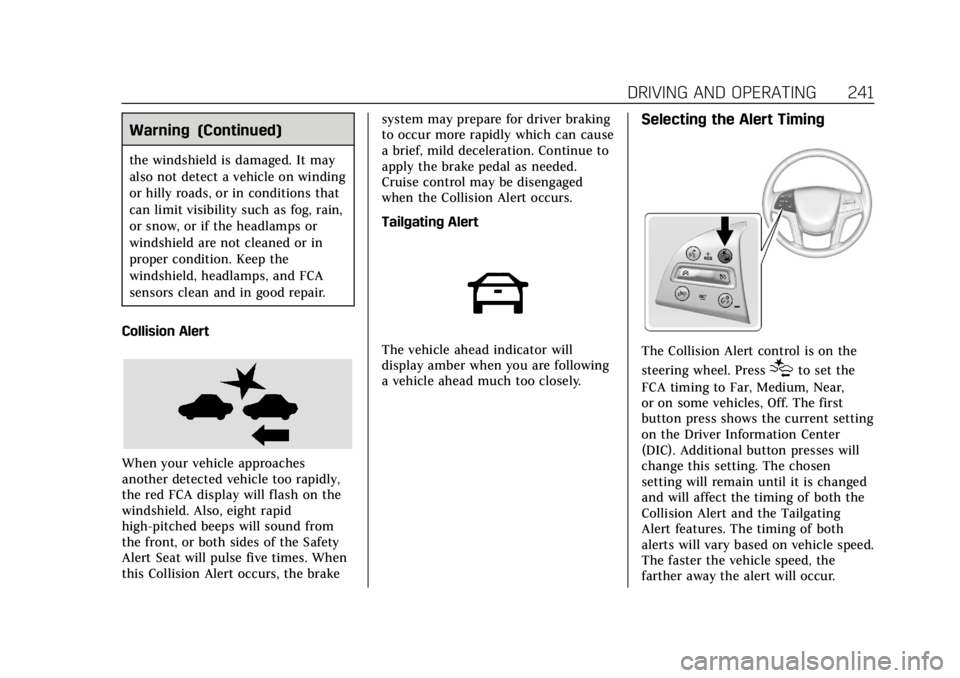
The vehicle ahead indicator will
display amber when you are following
a vehicle ahead much too closely.
Selecting the Alert Timing
The Collision Alert control is on the
steering wheel. Press
[to set the
FCA timing to Far, Medium, Near,
or on some vehicles, Off. The first
button press shows the current setting
on the Driver Information Center
(DIC). Additional button presses will
change this setting. The chosen
setting will remain until it is changed
and will affect the timing of both the
Collision Alert and the Tailgating
Alert features. The timing of both
alerts will vary based on vehicle speed.
The faster the vehicle speed, the
farther away the alert will occur.