fuel CADILLAC ESCALADE 2018 User Guide
[x] Cancel search | Manufacturer: CADILLAC, Model Year: 2018, Model line: ESCALADE, Model: CADILLAC ESCALADE 2018Pages: 399, PDF Size: 6.23 MB
Page 138 of 399
Cadillac Escalade Owner Manual (GMNA-Localizing-U.S./Canada/Mexico-
11349344) - 2018 - crc - 11/7/17
INSTRUMENTS AND CONTROLS 137
Malfunction Indicator Lamp
(Check Engine Light)
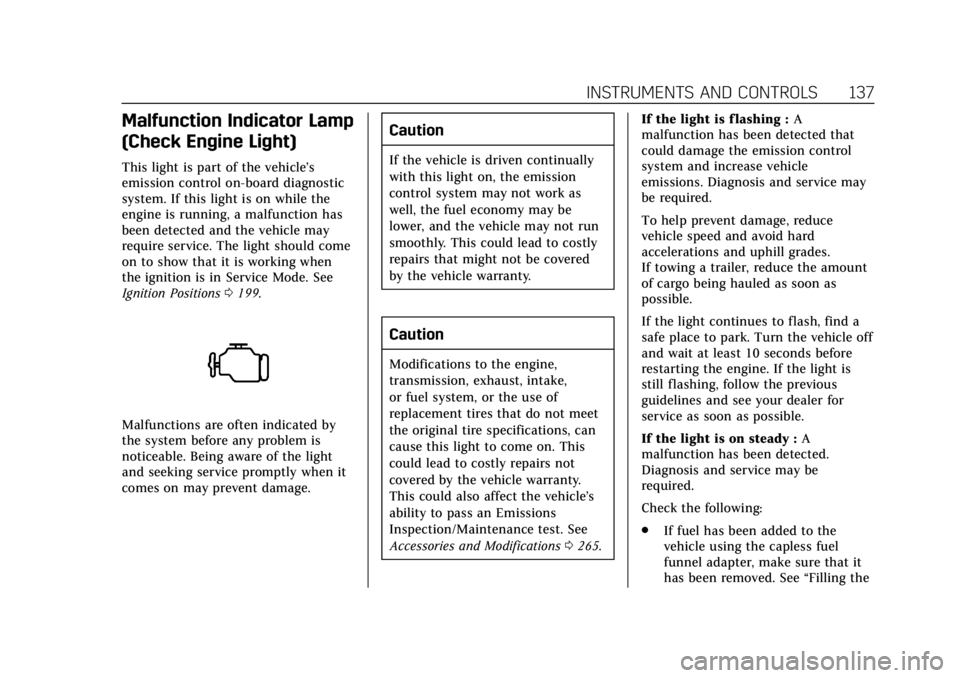
This light is part of the vehicle’s
emission control on-board diagnostic
system. If this light is on while the
engine is running, a malfunction has
been detected and the vehicle may
require service. The light should come
on to show that it is working when
the ignition is in Service Mode. See
Ignition Positions0199.
Malfunctions are often indicated by
the system before any problem is
noticeable. Being aware of the light
and seeking service promptly when it
comes on may prevent damage.
Caution
If the vehicle is driven continually
with this light on, the emission
control system may not work as
well, the fuel economy may be
lower, and the vehicle may not run
smoothly. This could lead to costly
repairs that might not be covered
by the vehicle warranty.
Caution
Modifications to the engine,
transmission, exhaust, intake,
or fuel system, or the use of
replacement tires that do not meet
the original tire specifications, can
cause this light to come on. This
could lead to costly repairs not
covered by the vehicle warranty.
This could also affect the vehicle’s
ability to pass an Emissions
Inspection/Maintenance test. See
Accessories and Modifications 0265. If the light is f lashing :
A
malfunction has been detected that
could damage the emission control
system and increase vehicle
emissions. Diagnosis and service may
be required.
To help prevent damage, reduce
vehicle speed and avoid hard
accelerations and uphill grades.
If towing a trailer, reduce the amount
of cargo being hauled as soon as
possible.
If the light continues to flash, find a
safe place to park. Turn the vehicle off
and wait at least 10 seconds before
restarting the engine. If the light is
still flashing, follow the previous
guidelines and see your dealer for
service as soon as possible.
If the light is on steady : A
malfunction has been detected.
Diagnosis and service may be
required.
Check the following:
. If fuel has been added to the
vehicle using the capless fuel
funnel adapter, make sure that it
has been removed. See “Filling the
Page 139 of 399
Cadillac Escalade Owner Manual (GMNA-Localizing-U.S./Canada/Mexico-
11349344) - 2018 - crc - 11/7/17
138 INSTRUMENTS AND CONTROLS
Tank with a Portable Gas Can”
under Filling the Tank 0249. The
diagnostic system can detect if the
adapter has been left installed in
the vehicle, allowing fuel to
evaporate into the atmosphere.
A few driving trips with the
adapter removed may turn off the
light.
. Poor fuel quality can cause
inefficient engine operation and
poor driveability, which may go
away once the engine is warmed
up. If this occurs, change the fuel
brand. It may require at least one
full tank of the proper fuel to turn
the light off. See Fuel0248.
If the light remains on, see your
dealer.
Emissions Inspection and
Maintenance Programs
If the vehicle requires an Emissions
Inspection/Maintenance test, the test
equipment will likely connect to the
vehicle's Data Link Connector (DLC).
The DLC is under the instrument
panel to the left of the steering wheel.
Connecting devices that are not used
to perform an Emissions Inspection/
Maintenance test or to service the
vehicle may affect vehicle operation.
See Add-On Electrical Equipment 0262.
See your dealer if assistance is needed.
The vehicle may not pass
inspection if:
. The light is on when the engine is
running.
. The light does not come on when
the ignition is in Service Mode.
. Critical emission control systems
have not been completely
diagnosed. If this happens, the
vehicle would not be ready for
inspection and might require
several days of routine driving
before the system is ready for
inspection. This can happen if the 12-volt battery has recently been
replaced or run down, or if the
vehicle has been recently serviced.
See your dealer if the vehicle will not
pass or cannot be made ready for
the test.Brake System Warning
Light
The vehicle brake system consists of
two hydraulic circuits. If one circuit is
not working, the remaining circuit can
still work to stop the vehicle. For
normal braking performance, both
circuits need to be working.
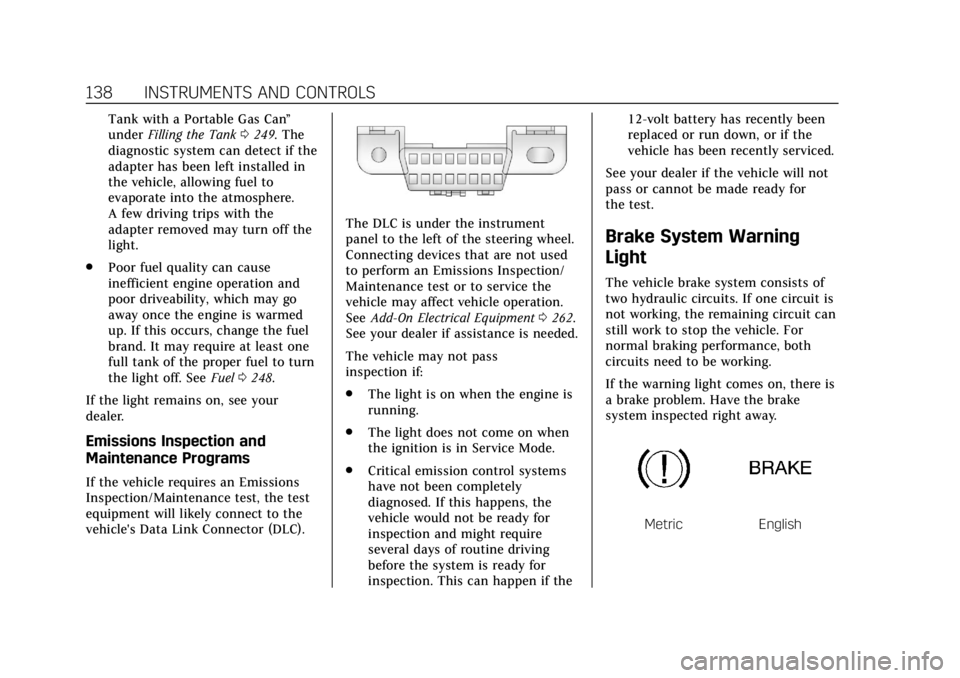
If the warning light comes on, there is
a brake problem. Have the brake
system inspected right away.
MetricEnglish
Page 144 of 399
Cadillac Escalade Owner Manual (GMNA-Localizing-U.S./Canada/Mexico-
11349344) - 2018 - crc - 11/7/17
INSTRUMENTS AND CONTROLS 143
the tires to the pressure value shown
on the Tire and Loading Information
label. SeeTire Pressure 0305.
When the Light Flashes First and
Then Is On Steady
If the light flashes for about a minute
and then stays on, there may be a
problem with the TPMS. If the
problem is not corrected, the light will
come on at every ignition cycle. See
Tire Pressure Monitor Operation 0308.
Engine Oil Pressure Light
Caution
Lack of proper engine oil
maintenance can damage the
engine. Driving with the engine oil
low can also damage the engine.
The repairs would not be covered
by the vehicle warranty. Check the
oil level as soon as possible. Add oil
if required, but if the oil level is
within the operating range and the
oil pressure is still low, have the
(Continued)
Caution (Continued)
vehicle serviced. Always follow the
maintenance schedule for changing
engine oil.
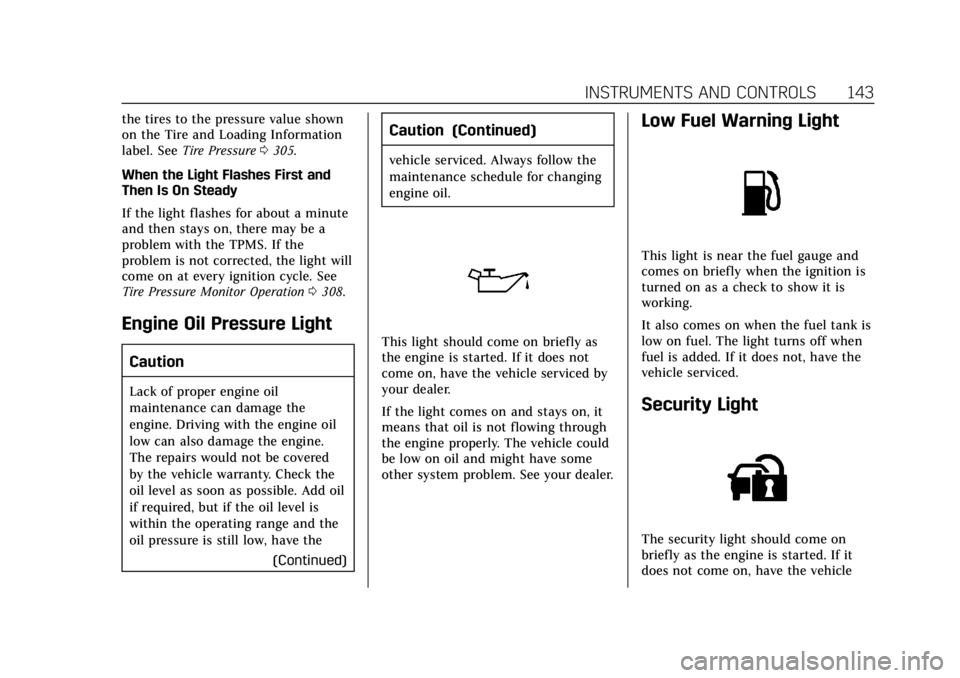
This light should come on briefly as
the engine is started. If it does not
come on, have the vehicle serviced by
your dealer.
If the light comes on and stays on, it
means that oil is not flowing through
the engine properly. The vehicle could
be low on oil and might have some
other system problem. See your dealer.
Low Fuel Warning Light
This light is near the fuel gauge and
comes on briefly when the ignition is
turned on as a check to show it is
working.
It also comes on when the fuel tank is
low on fuel. The light turns off when
fuel is added. If it does not, have the
vehicle serviced.
Security Light
The security light should come on
briefly as the engine is started. If it
does not come on, have the vehicle
Page 147 of 399
Cadillac Escalade Owner Manual (GMNA-Localizing-U.S./Canada/Mexico-
11349344) - 2018 - crc - 11/7/17
146 INSTRUMENTS AND CONTROLS
Trip 1 or Trip 2 and Average Fuel
Economy :The Trip display shows the
current distance traveled, in either
kilometers (km) or miles (mi), since
the trip odometer was last reset. The
trip odometer can be reset by pressing
and holding SEL while this display is
active.
The Average Fuel Economy display
shows the approximate average liters
per 100 kilometers (L/100 km) or
miles per gallon (mpg). This number
is calculated based on the number of
L/100 km (mpg) recorded since the
last time this menu item was reset.
This number reflects only the
approximate average fuel economy
that the vehicle has right now, and
will change as driving conditions
change. The Average Fuel Economy
can be reset along with the trip
odometer by pressing and holding SEL
while this display is active.
Also shows if the Active Fuel
Management is active and in
V4 mode, or inactive and in V8 mode.
See Active Fuel Management 0205. Fuel Range :
Shows the approximate
distance the vehicle can be driven
without refueling. LOW will be
displayed when the vehicle is low on
fuel. The fuel range estimate is based
on an average of the vehicle's fuel
economy over recent driving history
and the amount of fuel remaining in
the fuel tank.
Instantaneous Fuel Economy : Shows
the current fuel economy in either
liters per 100 kilometers (L/100 km) or
miles per gallon (mpg). This number
reflects only the approximate fuel
economy that the vehicle has right
now and changes frequently as driving
conditions change.
Average Speed : Shows the average
speed of the vehicle in kilometers per
hour (km/h) or miles per hour (mph).
This average is calculated based on
the various vehicle speeds recorded
since the last reset of this value. The
average speed can be reset by pressing
and holding SEL while this display is
active.
Timer : This display can be used as a
timer. To start the timer, press SEL
while this display is active. The display will show the amount of time
that has passed since the timer was
last reset. To stop the timer, press SEL
briefly while this display is active and
the timer is running. To reset the
timer to zero, press and hold SEL
while this display is active.
Turn Arrow :
Shows the next
maneuver when using route guidance.
Estimated Time to Arrival : Shows
the estimated time until arrival at
your destination.
Distance to Destination : Shows the
distance to the destination when
using route guidance.
Speed Limit : Shows the current
speed limit. The information for this
page comes from a roadway database.
Speed Warning : Allows the driver to
set a speed that they do not want to
exceed. To set the Speed Warning,
press SEL when Speed Warning is
displayed. Press
yorzto adjust the
value. This feature can be turned off
by pressing and holding SEL while
viewing this page. If the selected
Page 149 of 399
Cadillac Escalade Owner Manual (GMNA-Localizing-U.S./Canada/Mexico-
11349344) - 2018 - crc - 11/7/17
148 INSTRUMENTS AND CONTROLS
instrument panel. The information
appears as an image focused out
toward the front of the vehicle.
Caution
If you try to use the HUD image as
a parking aid, you may misjudge
the distance and damage your
vehicle. Do not use the HUD image
as a parking aid.
The HUD information can be
displayed in various languages. The
speedometer reading and other
numerical values can be displayed in
either English or metric units.
The language selection is changed
through the radio and the units of
measurement is changed through the
instrument cluster. See Vehicle
Personalization 0152 and “Cluster
Settings Menu ”under Instrument
Cluster 0130.
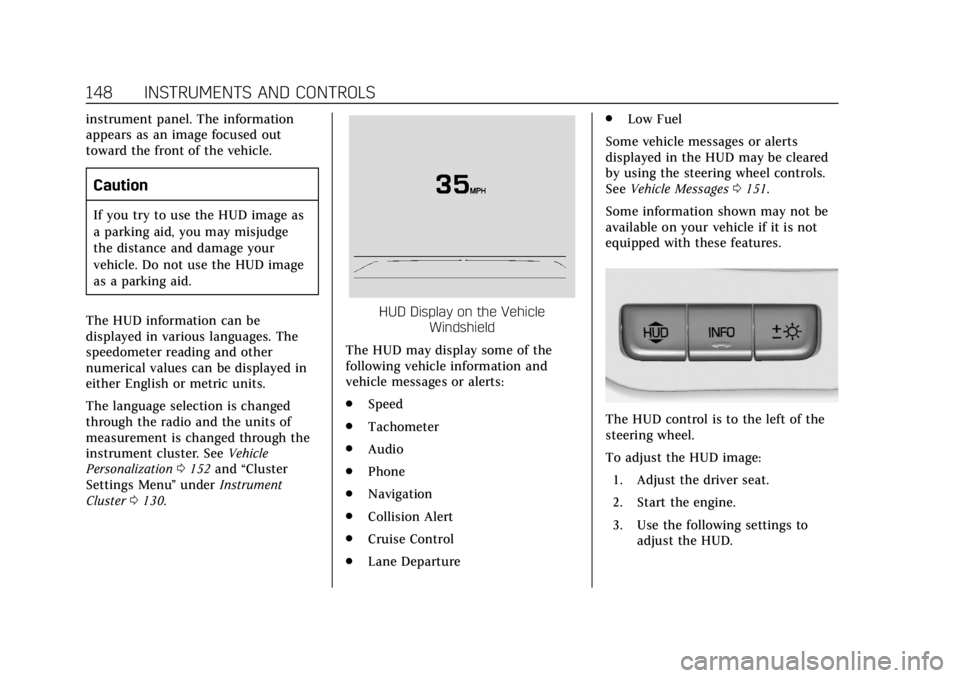
HUD Display on the Vehicle
Windshield
The HUD may display some of the
following vehicle information and
vehicle messages or alerts:
. Speed
. Tachometer
. Audio
. Phone
. Navigation
. Collision Alert
. Cruise Control
. Lane Departure .
Low Fuel
Some vehicle messages or alerts
displayed in the HUD may be cleared
by using the steering wheel controls.
See Vehicle Messages 0151.
Some information shown may not be
available on your vehicle if it is not
equipped with these features.
The HUD control is to the left of the
steering wheel.
To adjust the HUD image: 1. Adjust the driver seat.
2. Start the engine.
3. Use the following settings to adjust the HUD.
Page 175 of 399
Cadillac Escalade Owner Manual (GMNA-Localizing-U.S./Canada/Mexico-
11349344) - 2018 - crc - 11/7/17
174 CLIMATE CONTROLS
6. Climate Control Selection(Application Tray Button)
7. Rear (Rear Climate Control Touch Screen)
8. Air Delivery Mode Control
Climate Control Display
The fan, air delivery mode, air
conditioning, driver and passenger
temperatures, and SYNC settings can
be controlled by pressing CLIMATE on
the infotainment home screen or the
climate button on the infotainment
display application tray. A selection
can then be made on the front climate
control page displayed. See the
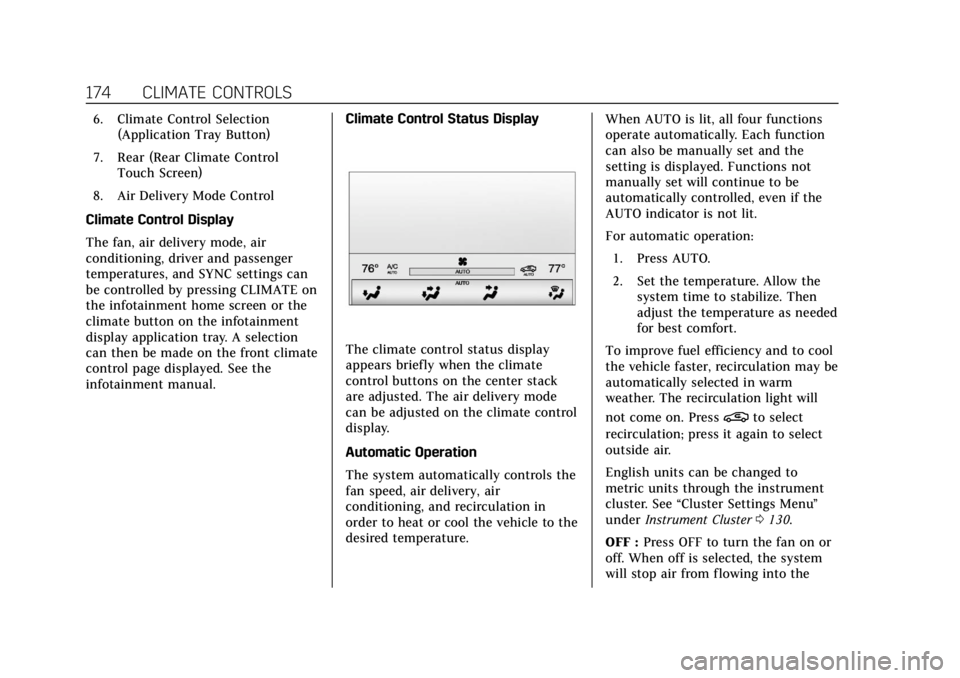
infotainment manual. Climate Control Status Display
The climate control status display
appears briefly when the climate
control buttons on the center stack
are adjusted. The air delivery mode
can be adjusted on the climate control
display.
Automatic Operation
The system automatically controls the
fan speed, air delivery, air
conditioning, and recirculation in
order to heat or cool the vehicle to the
desired temperature.When AUTO is lit, all four functions
operate automatically. Each function
can also be manually set and the
setting is displayed. Functions not
manually set will continue to be
automatically controlled, even if the
AUTO indicator is not lit.
For automatic operation:
1. Press AUTO.
2. Set the temperature. Allow the system time to stabilize. Then
adjust the temperature as needed
for best comfort.
To improve fuel efficiency and to cool
the vehicle faster, recirculation may be
automatically selected in warm
weather. The recirculation light will
not come on. Press
@to select
recirculation; press it again to select
outside air.
English units can be changed to
metric units through the instrument
cluster. See “Cluster Settings Menu ”
under Instrument Cluster 0130.
OFF : Press OFF to turn the fan on or
off. When off is selected, the system
will stop air from flowing into the
Page 183 of 399
Cadillac Escalade Owner Manual (GMNA-Localizing-U.S./Canada/Mexico-
11349344) - 2018 - crc - 11/7/17
182 DRIVING AND OPERATING
Driving and
Operating
Driving Information
Distracted Driving . . . . . . . . . . . . . . . . 183
Defensive Driving . . . . . . . . . . . . . . . . 184
Drunk Driving . . . . . . . . . . . . . . . . . . . . 184
Control of a Vehicle . . . . . . . . . . . . . . 184
Braking . . . . . . . . . . . . . . . . . . . . . . . . . . . . 184
Steering . . . . . . . . . . . . . . . . . . . . . . . . . . . 185
Off-Road Recovery . . . . . . . . . . . . . . . . 185
Loss of Control . . . . . . . . . . . . . . . . . . . 186
Off-Road Driving . . . . . . . . . . . . . . . . . 186
Driving on Wet Roads . . . . . . . . . . . 190
Hill and Mountain Roads . . . . . . . . 191
Winter Driving . . . . . . . . . . . . . . . . . . . . 192
If the Vehicle Is Stuck . . . . . . . . . . . 193
Vehicle Load Limits . . . . . . . . . . . . . . 193
Starting and Operating
New Vehicle Break-In . . . . . . . . . . . . 198
Adjustable Throttle and BrakePedal . . . . . . . . . . . . . . . . . . . . . . . . . . . . 198
Ignition Positions . . . . . . . . . . . . . . . . 199
Starting the Engine . . . . . . . . . . . . . . 200
Engine Heater . . . . . . . . . . . . . . . . . . . . 201
Retained Accessory Power (RAP) . . . . . . . . . . . . . . . . . . . . 203 Shifting Into Park . . . . . . . . . . . . . . . . 203
Shifting out of Park . . . . . . . . . . . . . . 204
Parking over Things
That Burn . . . . . . . . . . . . . . . . . . . . . . . 205
Active Fuel Management . . . . . . . . 205
Extended Parking . . . . . . . . . . . . . . . . . 205
Engine Exhaust
Engine Exhaust . . . . . . . . . . . . . . . . . . . 205
Running the Vehicle While
Parked . . . . . . . . . . . . . . . . . . . . . . . . . . . 206
Automatic Transmission
Automatic Transmission . . . . . . . . . 206
Manual Mode . . . . . . . . . . . . . . . . . . . . . 209
Tow/Haul Mode . . . . . . . . . . . . . . . . . . 210
Drive Systems
Four-Wheel Drive . . . . . . . . . . . . . . . . 211
Brakes
Antilock Brake System (ABS) . . . . 215
Parking Brake . . . . . . . . . . . . . . . . . . . . . 215
Electric Parking Brake . . . . . . . . . . . . 216
Brake Assist . . . . . . . . . . . . . . . . . . . . . . . 217
Hill Start Assist (HSA) . . . . . . . . . . . 218
Ride Control Systems
Traction Control/ElectronicStability Control . . . . . . . . . . . . . . . . 218
Driver Mode Control . . . . . . . . . . . . . 220
Magnetic Ride Control . . . . . . . . . . . 221 Locking Rear Axle . . . . . . . . . . . . . . . . 222
Automatic Level Control . . . . . . . . . 222
Cruise Control
Cruise Control . . . . . . . . . . . . . . . . . . . . 222
Adaptive Cruise Control . . . . . . . . . 225
Driver Assistance Systems
Driver Assistance Systems . . . . . . . 233
Assistance Systems for Parking
or Backing . . . . . . . . . . . . . . . . . . . . . . . 233
Assistance Systems for Driving . . . . . . . . . . . . . . . . . . . . . . . . . . 240
Forward Collision Alert (FCA) System . . . . . . . . . . . . . . . . . . . . . . . . . . 240
Forward Automatic Braking (FAB) . . . . . . . . . . . . . . . . . . . 242
Side Blind Zone Alert (SBZA) . . . . 244
Lane Change Alert (LCA) . . . . . . . . 244
Lane Departure Warning (LDW) . . . . . . . . . . . . . . . . . 246
Lane Keep Assist (LKA) . . . . . . . . . . 246
Fuel
Fuel . . . . . . . . . . . . . . . . . . . . . . . . . . . . . . . 248
California Fuel Requirements . . . . 249
Fuels in Foreign Countries . . . . . . . 249
Fuel Additives . . . . . . . . . . . . . . . . . . . . 249
Filling the Tank . . . . . . . . . . . . . . . . . . 249
Filling a Portable Fuel Container . . . . . . . . . . . . . . . . . . . . . . . . 251
Page 187 of 399
Cadillac Escalade Owner Manual (GMNA-Localizing-U.S./Canada/Mexico-
11349344) - 2018 - crc - 11/7/17
186 DRIVING AND OPERATING
Loss of Control
Skidding
There are three types of skids that
correspond to the vehicle's three
control systems:
.Braking Skid —wheels are not
rolling.
. Steering or Cornering Skid —too
much speed or steering in a curve
causes tires to slip and lose
cornering force.
. Acceleration Skid —too much
throttle causes the driving wheels
to spin.
Defensive drivers avoid most skids by
taking reasonable care suited to
existing conditions, and by not
overdriving those conditions. But
skids are always possible.
If the vehicle starts to slide, follow
these suggestions:
. Ease your foot off the accelerator
pedal and steer the way you want
the vehicle to go. The vehicle may
straighten out. Be ready for a
second skid if it occurs. .
Slow down and adjust your driving
according to weather conditions.
Stopping distance can be longer
and vehicle control can be affected
when traction is reduced by water,
snow, ice, gravel, or other material
on the road. Learn to recognize
warning clues —such as enough
water, ice, or packed snow on the
road to make a mirrored surface
— and slow down when you have
any doubt.
. Try to avoid sudden steering,
acceleration, or braking, including
reducing vehicle speed by shifting
to a lower gear. Any sudden
changes could cause the tires to
slide.
Remember: Antilock brakes help avoid
only the braking skid.
Off-Road Driving
Four-wheel-drive vehicles can be used
for off-road driving. Vehicles without
four-wheel drive and vehicles not
equipped with All Terrain (AT) or
On-Off Road (OOR) tires must not be
driven off-road except on a level, solid surface. For contact information about
the original equipment tires, see the
warranty manual.
One of the best ways for successful
off-road driving is to control the
speed.
{Warning
When driving off-road, bouncing
and quick changes in direction can
easily throw you out of position.
This could cause you to lose control
and crash. You and your passengers
should always wear seat belts.
Before Driving Off-Road
.
Have all necessary maintenance
and service work completed.
. Fuel the vehicle, fill fluid levels,
and check inflation pressure in all
tires, including the spare,
if equipped.
. Read all the information about
four-wheel-drive vehicles in this
manual.
Page 188 of 399
Cadillac Escalade Owner Manual (GMNA-Localizing-U.S./Canada/Mexico-
11349344) - 2018 - crc - 11/7/17
DRIVING AND OPERATING 187
.Know the local laws that apply to
off-road driving.
To gain more ground clearance if
needed, it may be necessary to remove
the front fascia lower air dam,
if equipped. However, driving without
the air dam reduces fuel economy.
Caution
Operating the vehicle for extended
periods without the front fascia
lower air dam installed can cause
improper airf low to the engine.
Reattach the front fascia air dam
after off-road driving.
Loading the Vehicle for Off-Road
Driving
{Warning
. Unsecured cargo on the load
floor can be tossed about
when driving over rough
terrain. You or your
(Continued)
Warning (Continued)
passengers can be struck by
flying objects. Secure the
cargo properly.
. Keep cargo in the cargo area
as far forward and as low as
possible. The heaviest things
should be on the floor,
forward of the rear axle.
. Heavy loads on the roof raise
the vehicle's center of gravity,
making it more likely to roll
over. You can be seriously or
fatally injured if the vehicle
rolls over. Put heavy loads
inside the cargo area, not on
the roof.
For more information about loading
the vehicle, see Vehicle Load Limits
0 193 and Tires 0299.
Environmental Concerns
.
Always use established trails,
roads, and areas that have been
set aside for public off-road
recreational driving and obey all
posted regulations.
. Do not damage shrubs, flowers,
trees, or grasses or disturb wildlife.
. Do not park over things that burn.
See Parking over Things That Burn
0 205.
Driving on Hills
Driving safely on hills requires good
judgment and an understanding of
what the vehicle can and cannot do.
{Warning
Many hills are simply too steep for
any vehicle. Driving up hills can
cause the vehicle to stall. Driving
down hills can cause loss of control.
Driving across hills can cause a
rollover. You could be injured or
killed. Do not drive on steep hills.
Page 191 of 399
Cadillac Escalade Owner Manual (GMNA-Localizing-U.S./Canada/Mexico-
11349344) - 2018 - crc - 11/7/17
190 DRIVING AND OPERATING
{Warning
Driving on frozen lakes, ponds,
or rivers can be dangerous. Ice
conditions vary greatly and the
vehicle could fall through the ice;
you and your passengers could
drown. Drive your vehicle on safe
surfaces only.
Driving in Water
{Warning
Driving through rushing water can
be dangerous. Deep water can
sweep your vehicle downstream and
you and your passengers could
drown. If it is only shallow water, it
can still wash away the ground
from under your tires. Traction
could be lost, and the vehicle could
roll over. Do not drive through
rushing water.
Caution
Do not drive through standing
water if it is deep enough to cover
the wheel hubs, axles, or exhaust
pipe. Deep water can damage the
axle and other vehicle parts.
If the standing water is not too deep,
drive through it slowly. At faster
speeds, water can get into the engine
and cause it to stall. Stalling can
occur if the exhaust pipe is under
water. Do not turn off the ignition
when driving through water. If the
exhaust pipe is under water, the
engine will not start. When going
through water, the brakes get wet and
it may take longer to stop. See
“Driving on Wet Roads ”later in this
section.
After Off-Road Driving
Remove any brush or debris that has
collected on the underbody or chassis,
or under the hood. These
accumulations can be a fire hazard. After operation in mud or sand, have
the brake linings cleaned and checked.
These substances can cause glazing
and uneven braking. Check the body
structure, driveline, steering,
suspension, wheels, tires, and exhaust
system for damage and check the fuel
lines and cooling system for any
leakage.
More frequent maintenance service is
required. See the
Maintenance Schedule
0 347.
Driving on Wet Roads
Rain and wet roads can reduce vehicle
traction and affect your ability to stop
and accelerate. Always drive slower in
these types of driving conditions and
avoid driving through large puddles
and deep-standing or flowing water.