high CADILLAC ESCALADE 2019 Service Manual
[x] Cancel search | Manufacturer: CADILLAC, Model Year: 2019, Model line: ESCALADE, Model: CADILLAC ESCALADE 2019Pages: 415, PDF Size: 6.66 MB
Page 240 of 415
Cadillac Escalade Owner Manual (GMNA-Localizing-U.S./Canada/Mexico-
12460268) - 2019 - crc - 9/14/18
DRIVING AND OPERATING 239
If equipped, a view of the area in front
of the vehicle shows in the
infotainment display. The view
displays after shifting from R (Reverse)
to a forward gear, or by touching
CAMERA on the infotainment display,
and when the vehicle is moving
forward slower than 8 km/h (5 mph).
If equipped, the front view camera
also displays when the Park Assist
system detects an object within
30 cm (12 in).
{Warning
The camera(s) do not display
children, pedestrians, bicyclists,
crossing traffic, animals, or any
other object outside of the cameras’
field of view, below the bumper,
or under the vehicle. Shown
distances may be different from
actual distances. Do not drive or
park the vehicle using only these
camera(s). Always check behind and
around the vehicle before driving.
Failure to use proper care may
result in injury, death, or vehicle
damage.Park Assist
With Front and Rear Park Assist, as
the vehicle moves at speeds of less
than 8 km/h (5 mph) the sensors on
the bumpers may detect objects up to
1.2 m (4 ft) in front and 2.5 m (8 ft)
behind the vehicle within a zone
25 cm (10 in) high off the ground and
below bumper level. These detection
distances may be shorter during
warmer or humid weather. Blocked
sensors will not detect objects and
can also cause false detections. Keep
the sensors clean of mud, dirt, snow,
ice, and slush; and clean sensors after
a car wash in freezing temperatures.
{Warning
The Park Assist system does not
detect children, pedestrians,
bicyclists, animals, or objects
located below the bumper or that
are too close or too far from the
vehicle. It is not available at speeds
greater than 8 km/h (5 mph). To
prevent injury, death, or vehicle
(Continued)
Warning (Continued)
damage, even with Park Assist,
always check the area around the
vehicle and check all mirrors before
moving forward or backing.
The instrument cluster may have a
Park Assist display with bars that
show “distance to object ”and object
location information for the Front and
Rear Park Assist system. As the object
gets closer, more bars light up and the
bars change color from yellow to
amber to red.
When an object is first detected in the
rear, one beep will be heard from the
rear, or both sides of the Safety Alert
Seat will pulse two times. When an
object is very close (<0.6 m (2 ft) in the
vehicle rear, or <0.3 m (1 ft) in the
vehicle front), a continuous beep will
sound from the front or rear
depending on object location, or both
sides of the Safety Alert Seat will
pulse five times. Beeps for FPA are
higher pitched than for RPA.
Page 241 of 415

Cadillac Escalade Owner Manual (GMNA-Localizing-U.S./Canada/Mexico-
12460268) - 2019 - crc - 9/14/18
240 DRIVING AND OPERATING
Backing Warning and Reverse
Automatic Braking
Vehicles with Adaptive Cruise Control
(ACC) have the Backing Warning and
Reverse Automatic Braking (RAB). The
Backing Warning part of this system
can warn of rear objects when backing
up at speeds greater than
8 km/h (5 mph).
The Backing Warning System will
beep once from the rear when an
object is first detected, or pulse twice
on both sides of the Safety Alert Seat.
When the system detects a potential
crash, beeps will be heard from the
rear, or five pulses will be felt on both
sides of the Safety Alert Seat. There
may also be a brief, sharp application
of the brakes.
{Warning
The Backing Warning System only
operates at speeds greater than
8 km/h (5 mph). It does not detect
children, pedestrians, bicyclists,
animals, or objects below the(Continued)
Warning (Continued)
bumper or that are too close or too
far from the vehicle. In some
situations, such as at higher
backing speeds, there may not be
enough time for the short, sharp
application of the vehicle brake
system to occur. To prevent injury,
death, or vehicle damage, even with
the Backing Warning System,
always check the area around the
vehicle and check all mirrors before
backing.
When the vehicle is in R (Reverse),
if the system detects the vehicle is
backing too fast to avoid a crash with
a detected object behind your vehicle
in your path, it may automatically
brake hard to a stop to help avoid or
reduce the harm caused by a backing
crash.
{Warning
RAB may not avoid many types of
backing crashes. Do not wait for the
automatic braking to apply. This
system is not designed to replace
driver braking and only works in
R (Reverse) when an object is
detected directly behind the vehicle.
It may not brake or stop in time to
avoid a crash. It will not brake for
objects when the vehicle is moving
at very low speeds. It does not
detect children, pedestrians,
bicyclists, animals, or objects below
the bumper or that are too close or
too far from the vehicle. To prevent
injury, death, or vehicle damage,
even with RAB, always check the
area around the vehicle before and
while backing.
Pressing the brake pedal after the
vehicle comes to a stop will release
RAB. If the brake pedal is not pressed
soon after the stop, the Electric
Page 243 of 415

Cadillac Escalade Owner Manual (GMNA-Localizing-U.S./Canada/Mexico-
12460268) - 2019 - crc - 9/14/18
242 DRIVING AND OPERATING
{Warning
APA does not apply the brakes. APA
may not detect objects in the
parking space, objects that are soft
or narrow, objects high off the
ground such as flatbed trucks,
or objects below ground level such
as large potholes. Always verify that
the parking space is appropriate for
parking a vehicle. APA does not
respond to changes in the parking
space, such as movement of an
adjacent vehicle, or a person or
object entering the parking space.
APA does not detect or avoid traffic
that is behind or alongside of the
vehicle. Always be prepared to stop
the vehicle during the parking
maneuver.
Press
Oon the center stack to
enable the system to search for a
parking space that is large enough and
within 1.5 m (5 ft) of the vehicle. The
vehicle speed must be below
30 km/h (18 mph). APA does not work
in 4
mor 4n. The system cannot:
.
Detect whether it is a legal parking
space.
. Park exactly lined up with the
vehicle next to it if the spot is
approached at an angle or if the
parking space is angled.
. Park exactly centered in a spot
that is marked too large.
. Always detect short curbs.
When enabled, APA searches for
parallel parking spaces to the right of
the vehicle. To search for a parking
space to the left, turn on the left turn
signal or, if available, change the side
selection in the infotainment display.
To switch the parking mode between
parallel and perpendicular, press and
hold
Oduring the search process or,
if available, change the parking mode
in the infotainment display.
After completely passing a large
enough space, an audible beep occurs
and a red stop symbol is displayed.
If the vehicle is in R (Reverse), but
does not steer into the expected
space, this may be because the system
is maneuvering the vehicle into a
previously detected space. The APA
system does not need service.
Page 244 of 415

Cadillac Escalade Owner Manual (GMNA-Localizing-U.S./Canada/Mexico-
12460268) - 2019 - crc - 9/14/18
DRIVING AND OPERATING 243
APA will instruct the vehicle to stop
once a large enough space is found.
Follow the displayed instructions.
When instructed, shift to R (Reverse)
to engage automatic steering. The
steering wheel will briefly vibrate as a
reminder to remove hands from the
steering wheel. Check surroundings
and continue braking or accelerating
as needed, and be prepared to stop to
avoid vehicles, pedestrians, or objects.
If the vehicle exceeds 10 km/h
(6 mph), APA is automatically
disengaged and automatic steering
will turn off. A progress arrow displays
the status of the parking maneuver.
Depending on the space size,
additional maneuvers may be
required, and there will be additional
instructions. When changing gears,
allow the automatic steering to
complete before continuing the
parking maneuver. Upon successful
completion of a maneuver, APA will
beep and display a PARKING
COMPLETE message. Place the vehicle
in P (Park).APA may automatically disengage if:
.
The steering wheel is used by the
driver.
. The maximum allowed speed is
exceeded.
. There is a failure with the APA
system.
. Electronic stability control or
antilock brakes are activated.
. A high priority vehicle message is
displayed in the DIC.
To cancel APA, press
Oagain.
When the System Does Not Seem to
Work Properly
The APA system may require a short
period of driving along curves to
calibrate.
Assistance Systems for
Driving
If equipped, when driving the vehicle
in a forward gear, Forward Collision
Alert (FCA), Lane Departure Warning
(LDW), Lane Keep Assist (LKA), Side
Blind Zone Alert (SBZA), Lane Change Alert (LCA), and/or Forward
Automatic Braking (FAB) can help to
avoid a crash or reduce crash damage.
Forward Collision Alert
(FCA) System
If equipped, the FCA system may help
to avoid or reduce the harm caused by
front-end crashes. When approaching
a vehicle ahead too quickly, FCA
provides a red flashing alert on the
windshield and rapidly beeps or pulses
the driver seat. FCA also lights an
amber visual alert if following another
vehicle much too closely.
FCA detects vehicles within a distance
of approximately 60 m (197 ft) and
operates at speeds above 8 km/h
(5 mph). If the vehicle has Adaptive
Cruise Control (ACC), it can detect
vehicles to distances of approximately
110 m (360 ft) and operates at all
speeds. See
Adaptive Cruise Control
0 228.
Page 245 of 415
Cadillac Escalade Owner Manual (GMNA-Localizing-U.S./Canada/Mexico-
12460268) - 2019 - crc - 9/14/18
244 DRIVING AND OPERATING
{Warning
FCA is a warning system and does
not apply the brakes. When
approaching a slower-moving or
stopped vehicle ahead too rapidly,
or when following a vehicle too
closely, FCA may not provide a
warning with enough time to help
avoid a crash. It also may not
provide any warning at all. FCA
does not warn of pedestrians,
animals, signs, guardrails, bridges,
construction barrels, or other
objects. Be ready to take action and
apply the brakes. SeeDefensive
Driving 0187.
FCA can be disabled with either the
FCA steering wheel control or,
if equipped, through vehicle
personalization. See “Collision/
Detection Systems” underVehicle
Personalization 0155.
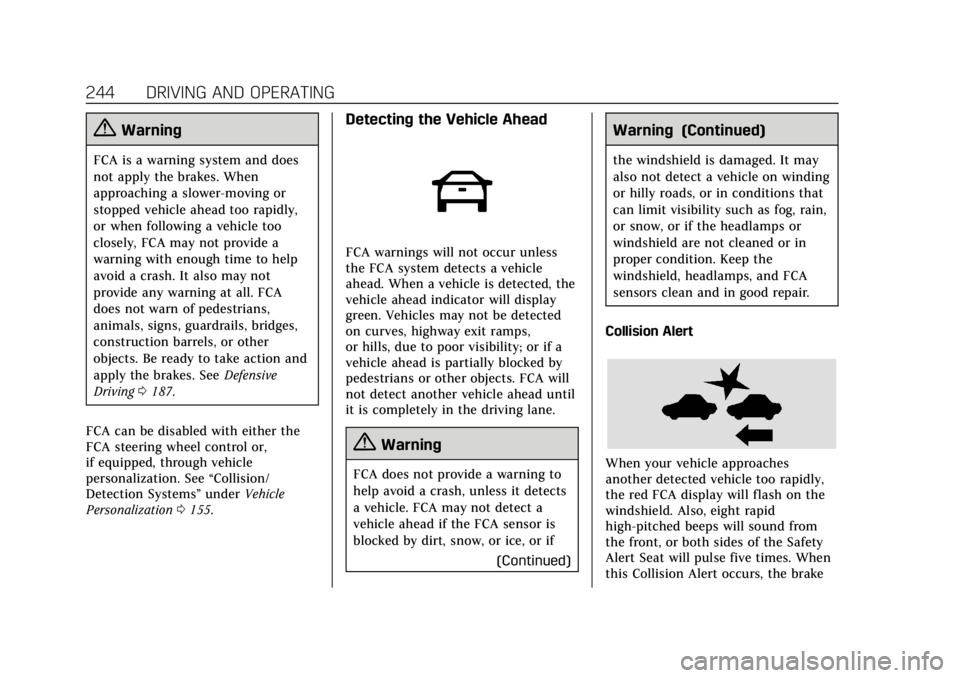
Detecting the Vehicle Ahead
FCA warnings will not occur unless
the FCA system detects a vehicle
ahead. When a vehicle is detected, the
vehicle ahead indicator will display
green. Vehicles may not be detected
on curves, highway exit ramps,
or hills, due to poor visibility; or if a
vehicle ahead is partially blocked by
pedestrians or other objects. FCA will
not detect another vehicle ahead until
it is completely in the driving lane.
{Warning
FCA does not provide a warning to
help avoid a crash, unless it detects
a vehicle. FCA may not detect a
vehicle ahead if the FCA sensor is
blocked by dirt, snow, or ice, or if
(Continued)
Warning (Continued)
the windshield is damaged. It may
also not detect a vehicle on winding
or hilly roads, or in conditions that
can limit visibility such as fog, rain,
or snow, or if the headlamps or
windshield are not cleaned or in
proper condition. Keep the
windshield, headlamps, and FCA
sensors clean and in good repair.
Collision Alert
When your vehicle approaches
another detected vehicle too rapidly,
the red FCA display will flash on the
windshield. Also, eight rapid
high-pitched beeps will sound from
the front, or both sides of the Safety
Alert Seat will pulse five times. When
this Collision Alert occurs, the brake
Page 250 of 415
Cadillac Escalade Owner Manual (GMNA-Localizing-U.S./Canada/Mexico-
12460268) - 2019 - crc - 9/14/18
DRIVING AND OPERATING 249
signal is activated in the same
direction as a detected vehicle, this
display will flash as an extra warning
not to change lanes.
LCA can be disabled. When you
disable LCA, Side Blind Zone Alert is
also disabled. See“Collision/Detection
Systems” underVehicle Personalization
0 155. If LCA is disabled by the driver,
the LCA mirror displays will not
light up.
When the System Does Not
Seem to Work Properly
The LCA system requires some driving
for the system to calibrate to
maximum performance. This
calibration may occur more quickly if
the vehicle is driving on a straight
highway road with traffic and roadside
objects (e.g., guardrails, barriers).
LCA displays may not come on when
passing a vehicle quickly, for a
stopped vehicle, or when towing a
trailer. The LCA detection zones that
extend back from the side of the
vehicle do not move further back
when a trailer is towed. Use caution
while changing lanes when towing a trailer. LCA may alert to objects
attached to the vehicle, such as a
trailer, bicycle, or object extending out
to either side of the vehicle. Attached
objects may also interfere with the
detection of vehicles. This is normal
system operation; the vehicle does not
need service.
LCA may not always alert the driver to
vehicles in the next lane over,
especially in wet conditions or when
driving on sharp curves. The system
does not need to be serviced. The
system may light up due to guardrails,
signs, trees, shrubs, and other
non-moving objects. This is normal
system operation; the vehicle does not
need service.
LCA may not operate when the LCA
sensors in the left or right corners of
the rear bumper are covered with
mud, dirt, snow, ice, or slush, or in
heavy rainstorms. For cleaning
instructions, see "Washing the
Vehicle" under
Exterior Care0350.
If the DIC still displays the system
unavailable message after cleaning both sides of the vehicle toward the
rear corners of the vehicle, see your
dealer.
If the LCA displays do not light up
when moving vehicles are in the side
blind zone or are rapidly approaching
this zone and the system is clean, the
system may need service. Take the
vehicle to your dealer.
Radio Frequency Information
See
Radio Frequency Statement 0387.
Lane Departure
Warning (LDW)
If equipped, LDW may help avoid
crashes due to unintentional lane
departures. It may provide a warning
if the vehicle is crossing a detected
lane marking without using a turn
signal in the lane departure direction.
Since this system is part of the Lane
Keep Assist (LKA) system, read the
entire LKA section before using this
feature.
Page 253 of 415

Cadillac Escalade Owner Manual (GMNA-Localizing-U.S./Canada/Mexico-
12460268) - 2019 - crc - 9/14/18
252 DRIVING AND OPERATING
Fuel
Top Tier Fuel
GM recommends the use of TOP TIER
Detergent Gasoline to keep the engine
clean, reduce engine deposits, and
maintain optimal vehicle performance.
Look for the TOP TIER Logo or see
www.toptiergas.com for a list of TOP
TIER Detergent Gasoline marketers
and applicable countries.
Recommended Fuel
Do not use any fuel labeled E85 or
FlexFuel. Do not use gasoline with
ethanol levels greater than 15% by
volume.
Premium unleaded gasoline meeting
ASTM specification D4814 with a
posted octane rating of 93 is highly
recommended for best performance
and fuel economy. Unleaded gasoline
with an octane rated as low as 87 can
be used. Using unleaded gasoline
rated below 93 octane, however, will
lead to reduced acceleration and fuel
economy. If knocking occurs, use a
gasoline rated at 93 octane as soon as
possible, otherwise, the engine could
be damaged. If heavy knocking is
heard when using gasoline with a
93 octane rating, the engine needs
service.
Prohibited Fuels
Caution
Do not use fuels with any of the
following conditions; doing so may
damage the vehicle and void its
warranty:. For vehicles that are not
FlexFuel, fuel labeled greater
than 15% ethanol by volume,
such as mid-level ethanol
blends (16–50% ethanol), E85,
or FlexFuel.
. Fuel with any amount of
methanol, methylal, ferrocene,
and aniline. These fuels can
corrode metal fuel system
parts or damage plastic and
rubber parts.
. Fuel containing metals such
as methylcyclopentadienyl
manganese tricarbonyl
(MMT), which can damage
the emissions control system
and spark plugs.
(Continued)
Page 254 of 415
Cadillac Escalade Owner Manual (GMNA-Localizing-U.S./Canada/Mexico-
12460268) - 2019 - crc - 9/14/18
DRIVING AND OPERATING 253
Caution (Continued)
.Fuel with a posted octane
rating of less than the
recommended fuel. Using this
fuel will lower fuel economy
and performance, and may
decrease the life of the
emissions catalyst.
Fuels in Foreign Countries
The U.S., Canada, and Mexico post
fuel octane ratings in anti-knock index
(AKI). For fuel not to use in a foreign
country, see Prohibited Fuels 0252.
Fuel Additives
TOP TIER Detergent Gasoline is highly
recommended for use with your
vehicle. If your country does not have
TOP TIER Detergent Gasoline, add
ACDelco Fuel System Treatment Plus
−Gasoline to the vehicle’s gasoline fuel
tank at every oil change or 15,000 km
(9,000 mi), whichever occurs first. TOP
TIER Detergent Gasoline and ACDelco
Fuel System Treatment Plus−Gasoline will help keep your vehicle’s engine
fuel deposit free and performing
optimally.
Filling the Tank
{Warning
Fuel vapors and fuel fires burn
violently and can cause injury or
death.
Follow these guidelines:
. To help avoid injuries to you
and others, read and follow
all the instructions on the
fuel pump island.
. Turn off the engine when
refueling.
. Keep sparks, flames, and
smoking materials away
from fuel.
. Do not leave the fuel pump
unattended.
. Avoid using electronic devices
while refueling.
(Continued)
Warning (Continued)
.Do not reenter the vehicle
while pumping fuel.
. Keep children away from the
fuel pump and never let
children pump fuel.
. Fuel can spray out if the
refueling nozzle is inserted
too quickly. This spray can
happen if the tank is nearly
full, and is more likely in hot
weather. Insert the refueling
nozzle slowly and wait for any
hiss noise to stop prior to
beginning to flow fuel.
Page 259 of 415
Cadillac Escalade Owner Manual (GMNA-Localizing-U.S./Canada/Mexico-
12460268) - 2019 - crc - 9/14/18
258 DRIVING AND OPERATING
Passing
More passing distance is needed when
towing a trailer. The combination of
the vehicle and trailer will not
accelerate as quickly and is much
longer than the vehicle alone. It is
necessary to go much farther beyond
the passed vehicle before returning to
the lane. Pass on level roadways.
Avoid passing on hills if possible.
Backing Up
Hold the bottom of the steering wheel
with one hand. To move the trailer to
the left, move that hand to the left. To
move the trailer to the right, move
that hand to the right. Always back up
slowly and, if possible, have someone
guide you.
Making TurnsCaution
Turn more slowly and make wider
arcs when towing a trailer to
prevent damage to your vehicle. (Continued)
Caution (Continued)
Making very sharp turns could
cause the trailer to contact the
vehicle.
Make wider turns than normal when
towing, so trailer will not go over soft
shoulders, over curbs, or strike road
signs, trees, or other objects. Always
signal turns well in advance. Do not
steer or brake suddenly.
Driving on Grades
Reduce speed and shift to a lower gear
before starting down a long or steep
downhill grade. If the transmission is
not shifted down, the brakes may
overheat and result in reduced braking
efficiency.
The vehicle can tow in D (Drive). Shift
the transmission to a lower gear if the
transmission shifts too often under
heavy loads and/or hilly conditions.
When towing at higher altitudes,
engine coolant will boil at a lower
temperature than at lower altitudes.
If the engine is turned off immediately after towing at high altitude on steep
uphill grades, the vehicle could show
signs similar to engine overheating. To
avoid this, let the engine run,
preferably on level ground, with the
transmission in P (Park) for a few
minutes before turning the engine off.
If the overheat warning comes on, see
Engine Overheating
0289.
Parking on Hills
{Warning
To prevent serious injury or death,
always park your vehicle and trailer
on a level surface when possible.
When parking your vehicle and your
trailer on a hill: 1. Press the brake pedal, but do not shift into P (Park) yet. Turn the
wheels into the curb if facing
downhill or into traffic if facing
uphill.
2. Have someone place chocks under the trailer wheels.
Page 260 of 415

Cadillac Escalade Owner Manual (GMNA-Localizing-U.S./Canada/Mexico-
12460268) - 2019 - crc - 9/14/18
DRIVING AND OPERATING 259
3. When the wheel chocks are inplace, gradually release the brake
pedal to allow the chocks to
absorb the load of the trailer.
4. Reapply the brake pedal. Then apply the parking brake and shift
into P (Park).
5. Release the brake pedal.
Leaving After Parking on a Hill
1. Apply and hold the brake pedal. .Start the engine.
. Shift into a gear.
. Release the parking brake.
2. Let up on the brake pedal.
3. Drive slowly until the trailer is clear of the chocks.
4. Stop and have someone pick up and store the chocks.
Launching and Retrieving a Boat
Backing the Trailer into the Water
{Warning
.Have all passengers get out of
the vehicle before backing
onto the sloped part of the
ramp. Lower the driver and
passenger side windows
before backing onto the ramp.
This will provide a means of
escape in the unlikely event
the vehicle slides into the
water.
. If the boat launch surface is
slippery, have the driver
remain in the vehicle with the
brake pedal applied while the
boat is being launched. The
boat launch can be especially
slippery at low tide when part
of the ramp was previously
submerged at high tide. Do
not back onto the ramp to
(Continued)
Warning (Continued)
launch the boat if you are not
sure the vehicle can maintain
traction.
. Do not move the vehicle if
someone is in the path of the
trailer. Some parts of the
trailer might be underwater
and not visible to people who
are assisting in launching
the boat.
Disconnect the wiring to the trailer
before backing the trailer into the
water to prevent damage to the
electrical circuits on the trailer.
Reconnect the wiring to the trailer
after removing the trailer from the
water. If the trailer has electric brakes
that can function when the trailer is
submerged, it might help to leave the
electrical trailer connector attached to
maintain trailer brake functionality
while on the boat ramp.