ignition CADILLAC ESCALADE 2019 Repair Manual
[x] Cancel search | Manufacturer: CADILLAC, Model Year: 2019, Model line: ESCALADE, Model: CADILLAC ESCALADE 2019Pages: 415, PDF Size: 6.66 MB
Page 321 of 415
Cadillac Escalade Owner Manual (GMNA-Localizing-U.S./Canada/Mexico-
12460268) - 2019 - crc - 9/14/18
320 VEHICLE CARE
with the low tire pressure telltale.
When the system detects a
malfunction, the telltale will flash for
approximately one minute and then
remain continuously illuminated. This
sequence will continue upon
subsequent vehicle start-ups as long
as the malfunction exists.
When the malfunction indicator is
illuminated, the system may not be
able to detect or signal low tire
pressure as intended. TPMS
malfunctions may occur for a variety
of reasons, including the installation
of replacement or alternate tires or
wheels on the vehicle that prevent the
TPMS from functioning properly.
Always check the TPMS malfunction
telltale after replacing one or more
tires or wheels on your vehicle to
ensure that the replacement or
alternate tires and wheels allow the
TPMS to continue to function
properly.
SeeTire Pressure Monitor Operation
0 320.
See Radio Frequency Statement 0387.Tire Pressure Monitor
Operation
This vehicle may have a Tire Pressure
Monitor System (TPMS). The TPMS is
designed to warn the driver when a
low tire pressure condition exists.
TPMS sensors are mounted onto each
tire and wheel assembly, excluding the
spare tire and wheel assembly. The
TPMS sensors monitor the air
pressure in the tires and transmit the
tire pressure readings to a receiver
located in the vehicle.
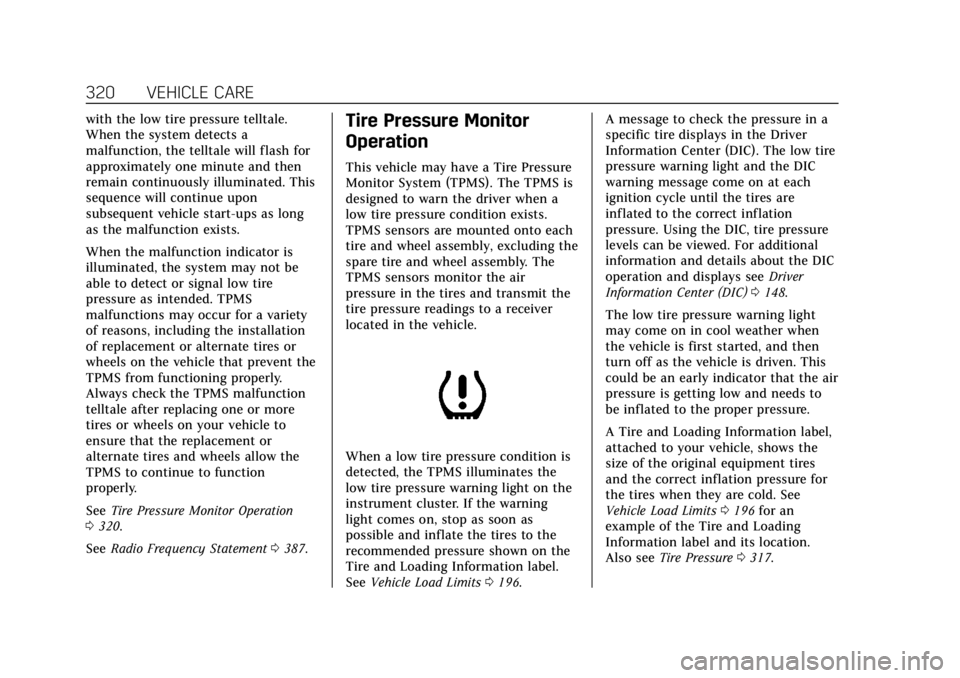
When a low tire pressure condition is
detected, the TPMS illuminates the
low tire pressure warning light on the
instrument cluster. If the warning
light comes on, stop as soon as
possible and inflate the tires to the
recommended pressure shown on the
Tire and Loading Information label.
See Vehicle Load Limits 0196. A message to check the pressure in a
specific tire displays in the Driver
Information Center (DIC). The low tire
pressure warning light and the DIC
warning message come on at each
ignition cycle until the tires are
inflated to the correct inflation
pressure. Using the DIC, tire pressure
levels can be viewed. For additional
information and details about the DIC
operation and displays see
Driver
Information Center (DIC) 0148.
The low tire pressure warning light
may come on in cool weather when
the vehicle is first started, and then
turn off as the vehicle is driven. This
could be an early indicator that the air
pressure is getting low and needs to
be inflated to the proper pressure.
A Tire and Loading Information label,
attached to your vehicle, shows the
size of the original equipment tires
and the correct inflation pressure for
the tires when they are cold. See
Vehicle Load Limits 0196 for an
example of the Tire and Loading
Information label and its location.
Also see Tire Pressure 0317.
Page 322 of 415
Cadillac Escalade Owner Manual (GMNA-Localizing-U.S./Canada/Mexico-
12460268) - 2019 - crc - 9/14/18
VEHICLE CARE 321
The TPMS can warn about a low tire
pressure condition but it does not
replace normal tire maintenance. See
Tire Inspection0324, Tire Rotation
0 324, and Tires0311.
Caution
Tire sealant materials are not all
the same. A non-approved tire
sealant could damage the TPMS
sensors. TPMS sensor damage
caused by using an incorrect tire
sealant is not covered by the
vehicle warranty. Always use only
the GM approved tire sealant
available through your dealer or
included in the vehicle.
TPMS Malfunction Light and
Message
The TPMS will not function properly if
one or more of the TPMS sensors are
missing or inoperable. When the
system detects a malfunction, the low
tire pressure warning light flashes for
about one minute and then stays on
for the remainder of the ignition cycle. A DIC warning message also displays.
The malfunction light and DIC
warning message come on at each
ignition cycle until the problem is
corrected. Some of the conditions that
can cause these to come on are:
.
One of the road tires has been
replaced with the spare tire. The
spare tire does not have a TPMS
sensor. The malfunction light and
DIC message should go off after
the road tire is replaced and the
sensor matching process is
performed successfully. See “TPMS
Sensor Matching Process ”later in
this section.
. The TPMS sensor matching
process was not done or not
completed successfully after
rotating the tires. The malfunction
light and the DIC message should
go off after successfully
completing the sensor matching
process. See "TPMS Sensor
Matching Process" later in this
section.
. One or more TPMS sensors are
missing or damaged. The
malfunction light and the DIC message should go off when the
TPMS sensors are installed and
the sensor matching process is
performed successfully. See your
dealer for service.
. Replacement tires or wheels do
not match the original equipment
tires or wheels. Tires and wheels
other than those recommended
could prevent the TPMS from
functioning properly. See Buying
New Tires 0326.
. Operating electronic devices or
being near facilities using radio
wave frequencies similar to the
TPMS could cause the TPMS
sensors to malfunction.
If the TPMS is not functioning
properly, it cannot detect or signal a
low tire pressure condition. See your
dealer for service if the TPMS
malfunction light and DIC message
come on and stay on.
Page 324 of 415
Cadillac Escalade Owner Manual (GMNA-Localizing-U.S./Canada/Mexico-
12460268) - 2019 - crc - 9/14/18
VEHICLE CARE 323
TPMS Sensor Matching Process
Each TPMS sensor has a unique
identification code. The identification
code needs to be matched to a new
tire/wheel position after rotating the
vehicle’s tires or replacing one or more
of the TPMS sensors. The TPMS
sensor matching process should also
be performed after replacing a spare
tire with a road tire containing the
TPMS sensor. The malfunction light
and the DIC message should go off at
the next ignition cycle. The sensors
are matched to the tire/wheel
positions, using a TPMS relearn tool,
in the following order: driver side
front tire, passenger side front tire,
passenger side rear tire, and driver
side rear tire. See your dealer for
service or to purchase a relearn tool.
A TPMS relearn tool can also be
purchased. See Tire Pressure Monitor
Sensor Activation Tool at
www.gmtoolsandequipment.com or
call 1-800-GM TOOLS
(1-800-468-6657).
There are two minutes to match the
first tire/wheel position, and
five minutes overall to match all fourtire/wheel positions. If it takes longer,
the matching process stops and must
be restarted.
The TPMS sensor matching process is:
1. Set the parking brake.
2. Place the vehicle in Service Mode. See Ignition Positions
0 202.
3. Make sure the Tire Pressure info display option is turned on. The
info displays on the DIC can be
turned on and off through the
Settings menu. See Driver
Information Center (DIC) 0148.
4. Use the five-way DIC control on the right side of the steering
wheel to scroll to the Tire
Pressure screen under the DIC
info page. See Driver Information
Center (DIC) 0148.
5. Press and hold SEL in the center of the five-way DIC control.
The horn sounds twice to signal
the receiver is in relearn mode
and the TIRE LEARNING ACTIVE
message displays on the DIC
screen. 6. Start with the driver side
front tire.
7. Place the relearn tool against the tire sidewall, near the valve stem.
Then press the button to activate
the TPMS sensor. A horn chirp
confirms that the sensor
identification code has been
matched to this tire and wheel
position.
8. Proceed to the passenger side front tire, and repeat the
procedure in Step 7.
9. Proceed to the passenger side rear tire, and repeat the
procedure in Step 7.
10. Proceed to the driver side rear tire, and repeat the procedure in
Step 7. The horn sounds two
times to indicate the sensor
identification code has been
matched to the driver side rear
tire, and the TPMS sensor
matching process is no longer
active. The TIRE LEARNING
ACTIVE message on the DIC
display screen goes off.
11. Turn the vehicle off.
Page 344 of 415

Cadillac Escalade Owner Manual (GMNA-Localizing-U.S./Canada/Mexico-
12460268) - 2019 - crc - 9/14/18
VEHICLE CARE 343
Caution
Ignoring these steps could result in
costly damage to the vehicle that
would not be covered by the vehicle
warranty. Trying to start the vehicle
by pushing or pulling it will not
work, and it could damage the
vehicle.
1. Check the other vehicle. It must have a 12-volt battery with a
negative ground system.
Caution
If the other vehicle does not have a
12-volt system with a negative
ground, both vehicles can be
damaged. Only use a vehicle that
has a 12-volt system with a
negative ground for jump starting.
2. Get the vehicles close enough so the jumper cables can reach, but
be sure the vehicles are not
touching each other. If they are,
it could cause an unwanted ground connection. You would
not be able to start your vehicle,
and the bad grounding could
damage the electrical systems.
To avoid the possibility of the
vehicles rolling, set the parking
brake firmly on both vehicles
involved in the jump start
procedure. Put the automatic
transmission in P (Park) or a
manual transmission in Neutral
before setting the parking brake.
For vehicles with
four-wheel-drive with a
N (Neutral) transfer case
position, be sure the transfer
case is in a drive gear
—not
N (Neutral).
Caution
If any accessories are left on or
plugged in during the jump starting
procedure, they could be damaged.
The repairs would not be covered
by the vehicle warranty. Whenever
possible, turn off or unplug all
accessories on either vehicle when
jump starting. 3. Turn the ignition off on both
vehicles. Unplug unnecessary
accessories plugged into the
accessory power outlets. Turn off
the radio and all the lamps that
are not needed. This will avoid
sparks and help save both
batteries. And it could save the
radio!
4. Open the hood on the other vehicle and locate the positive (+)
and negative (−) terminal
locations on that vehicle.
The positive (+) terminal is under
a red plastic cover at the positive
battery post. To uncover the
positive (+) terminal, open the
red plastic cover.
For more information on the
location of the remote
positive (+) and remote negative
(−) terminals, see Engine
Compartment Overview 0280.
Page 349 of 415

Cadillac Escalade Owner Manual (GMNA-Localizing-U.S./Canada/Mexico-
12460268) - 2019 - crc - 9/14/18
348 VEHICLE CARE
Caution
Failure to disconnect the negative
battery cable or to have it contact
the terminals can cause damage to
the vehicle.
6. Disconnect the negative battery cable at the battery and secure
the nut and bolt. Cover the
negative battery post with a
non-conductive material to
prevent any contact with the
negative battery terminal.
7. Shift the transmission to P (Park).
Caution
If the steering column is locked,
vehicle damage may occur.
8. Move the steering wheel to make sure the steering column is
unlocked.
9. With a foot on the brake pedal, release the parking brake. 10. If equipped with Keyless Access,
keep the RKE transmitter outside
of the vehicle, and manually lock
the doors. Access the vehicle as
if it has a dead RKE transmitter
battery, by using the key in the
door lock.
Disconnecting the Towed Vehicle
Before disconnecting the towed
vehicle: 1. Park on a level surface.
2. Set the parking brake, then shift the transmission to P (Park).
3. Connect the battery.
4. Apply the brake pedal.
5. Turn the ignition on with the engine off. Shift the transfer case
out of N (Neutral) to 2m. See
“Shifting out of N (Neutral)”
under Four-Wheel Drive 0214.
See your dealer if the transfer
case cannot be shifted out of
N (Neutral). 6. Check that the vehicle is in 2
m
by starting the engine and
shifting the transmission to
R (Reverse) and then to D
(Drive). There should be
movement of the vehicle while
shifting.
7. Shift the transmission to P (Park) and turn off the ignition.
8. Disconnect the vehicle from the tow vehicle.
9. Release the parking brake.
10. Reset any lost presets. The outside temperature display
will default to 0 °C (32 °F) but
will reset with normal usage.
Page 351 of 415

Cadillac Escalade Owner Manual (GMNA-Localizing-U.S./Canada/Mexico-
12460268) - 2019 - crc - 9/14/18
350 VEHICLE CARE
Dolly Towing–Rear Towing
(Rear Wheels Off the Ground) –
Two-Wheel-Drive Vehicles
To dolly tow the vehicle from the rear:
1. Attach the dolly to the tow vehicle following the dolly
manufacturer's instructions.
2. Drive the rear wheels onto the dolly.
3. Firmly set the parking brake. See Parking Brake 0218.
4. Put the transmission in P (Park). 5. Secure the vehicle to the dolly
following the manufacturer's
instructions.
6. Use an adequate clamping device designed for towing to ensure
that the front wheels are locked
into the straight position.
7. Turn the ignition off.
Appearance Care
Exterior Care
Locks
Locks are lubricated at the factory.
Use a de-icing agent only when
absolutely necessary, and have the
locks greased after using. See
Recommended Fluids and Lubricants
0 370.
Washing the Vehicle
To preserve the vehicle's finish, wash
it often and out of direct sunlight.
Caution
Do not use petroleum-based, acidic,
or abrasive cleaning agents as they
can damage the vehicle's paint,
metal, or plastic parts. If damage
occurs, it would not be covered by
the vehicle warranty. Approved
cleaning products can be obtained
from your dealer. Follow all
manufacturer directions regarding
(Continued)
Page 394 of 415

Cadillac Escalade Owner Manual (GMNA-Localizing-U.S./Canada/Mexico-
12460268) - 2019 - crc - 9/14/18
ONSTAR 393
Security
If equipped, OnStar provides these
services:
.With Stolen Vehicle Assistance,
OnStar Advisors can use GPS to
pinpoint the vehicle and help
authorities quickly recover it.
. With Remote Ignition Block,
if equipped, OnStar can block the
engine from being restarted.
. With Stolen Vehicle Slowdown,
if equipped, OnStar can work with
law enforcement to gradually slow
the vehicle down.
Theft Alarm Notification
If equipped, if the doors are locked
and the vehicle alarm sounds, a
notification by text, e-mail, or phone
call will be sent. If the vehicle is
stolen, an OnStar Advisor can work
with authorities to recover the vehicle.
OnStar Additional
Information
In-Vehicle Audio Messages
Audio messages may play important
information at the following times:
.Prior to vehicle purchase. Press
Q
to set up an account.
. After change in ownership and at
90 days.
Transferring Service
PressQto request account transfer
eligibility information. The Advisor
can cancel or change account
information.
Selling/Transferring the Vehicle
Call 1-888-4ONSTAR (1-888-466-7827)
immediately to terminate your OnStar
or connected services if the vehicle is
disposed of, sold, transferred, or if the
lease ends.
Reactivation for Subsequent
Owners
PressQand follow the prompts to
speak to an Advisor as soon as
possible. The Advisor will update
vehicle records and explain OnStar or
connected service options.
How OnStar Service Works
Automatic Crash Response,
Emergency Services, Crisis Assist,
Stolen Vehicle Assistance, Remote
Services, Roadside Assistance, and
Hands-Free Calling are available on
most vehicles. Not all OnStar services
are available everywhere or on all
vehicles. For more information, a full
description of OnStar services, system
limitations, and OnStar User Terms,
Privacy Statement, and Software
Terms:
. Call 1-888-4ONSTAR
(1-888-466-7827).
. See www.onstar.com (U.S.).
. See www.onstar.ca (Canada).
. Call TTY 1-877-248-2080.
. Press
Qto speak with an Advisor.
Page 396 of 415
Cadillac Escalade Owner Manual (GMNA-Localizing-U.S./Canada/Mexico-
12460268) - 2019 - crc - 9/14/18
ONSTAR 395
Potential Issues
OnStar cannot perform Remote Door
Unlock or Stolen Vehicle Assistance
after the vehicle has been off
continuously for 10 days without an
ignition cycle. If the vehicle has not
been started for 10 days, OnStar can
contact Roadside Assistance or a
locksmith to help gain access to the
vehicle.
Global Positioning System (GPS)
.Obstruction of the GPS can occur
in a large city with tall buildings;
in parking garages; around
airports; in tunnels and
underpasses; or in an area with
very dense trees. If GPS signals are
not available, the OnStar system
should still operate to call OnStar.
However, OnStar could have
difficulty identifying the exact
location.
. In emergency situations, OnStar
can use the last stored GPS
location to send to emergency
responders. A temporary loss of GPS can cause
loss of the ability to send a
Turn-by-Turn Navigation route. The
Advisor may give a verbal route or
may ask for a call back after the
vehicle is driven into an open area.
Cellular and GPS Antennas
Cellular reception is required for
OnStar to send remote signals to the
vehicle. Do not place items over or
near the antenna to prevent blocking
cellular and GPS signal reception.
Unable to Connect to OnStar
Message
If there is limited cellular coverage or
the cellular network has reached
maximum capacity, this message may
come on. Press
Qto try the call again
or try again after driving a few miles
into another cellular area.
Vehicle and Power Issues
OnStar services require a vehicle
electrical system, wireless service, and
GPS satellite technologies to be
available and operating for features to function properly. These systems may
not operate if the battery is
discharged or disconnected.
Add-on Electrical Equipment
The OnStar system is integrated into
the electrical architecture of the
vehicle. Do not add any electrical
equipment. See
Add-On Electrical
Equipment 0275. Added electrical
equipment may interfere with the
operation of the OnStar system and
cause it to not operate.
Vehicle Software Updates
OnStar or GM may remotely deliver
software updates or changes to the
vehicle without further notice or
consent. These updates or changes
may enhance or maintain safety,
security, or the operation of the
vehicle or the vehicle systems.
Software updates or changes may
affect or erase data or settings that
are stored in the vehicle, such as
OnStar Hands-Free Calling name tags,
saved navigation destinations,
or pre-set radio stations. Neither
OnStar nor GM is responsible for any
affected or erased data or settings.
Page 408 of 415

Cadillac Escalade Owner Manual (GMNA-Localizing-U.S./Canada/Mexico-
12460268) - 2019 - crc - 9/19/18
INDEX 407
Fuel (cont'd)Recommended . . . . . . . . . . . . . . . . . . . . 252
Top Tier . . . . . . . . . . . . . . . . . . . . . . . . . . . 252
Full-Size Spare Tire . . . . . . . . . . . . . . . . . 341
Fuses
Engine Compartment FuseBlock . . . . . . . . . . . . . . . . . . . . . . . . . . . . . 301
Fuses and Circuit Breakers . . . . . . . 301
Instrument Panel Fuse Block . . . . . . . . . . . . . . . . . . . . . . . . 305, 307
Rear Compartment Fuse Block . . . . . . . . . . . . . . . . . . . . . . . . . . . . . 310
G
Garage Door Opener . . . . . . . . . . . . . . . . 163Programming . . . . . . . . . . . . . . . . . . . . . . 163
Gas Strut(s) . . . . . . . . . . . . . . . . . . . . . . . . . 298
Gauges Engine Coolant Temperature . . . . 137
Fuel . . . . . . . . . . . . . . . . . . . . . . . . . . . . . . . . 136
Odometer . . . . . . . . . . . . . . . . . . . . . . . . . . 135
Speedometer . . . . . . . . . . . . . . . . . . . . . . 135
Tachometer . . . . . . . . . . . . . . . . . . . . . . . 136
Trip Odometer . . . . . . . . . . . . . . . . . . . . 136
Warning Lights and
Indicators . . . . . . . . . . . . . . . . . . . . . . . . 132
General Information Service and Maintenance . . . . . . . . 359 General Information (cont'd)
Towing . . . . . . . . . . . . . . . . . . . . . . . . . . . . 255
Vehicle Care . . . . . . . . . . . . . . . . . . . . . . . 277
Glass Replacement . . . . . . . . . . . . . . . . . 298
Glove Box . . . . . . . . . . . . . . . . . . . . . . . . . . . 119
GM Mobility Reimbursement
Program . . . . . . . . . . . . . . . . . . . . . . . . . . . . 380
H
Hazard Warning Flashers . . . . . . . . . . 171
Head Restraints . . . . . . . . . . . . . . . . . . . . . . 61
Head-up Display . . . . . . . . . . . . . . . . . . . . 150
HeadlampsAiming . . . . . . . . . . . . . . . . . . . . . . . . . . . . . 299
Automatic . . . . . . . . . . . . . . . . . . . . . . . . . 170
Bulb Replacement . . . . . . . . . . . . . . . . 299
Daytime Running
Lamps (DRL) . . . . . . . . . . . . . . . . . . . . 169
Flash-to-Pass . . . . . . . . . . . . . . . . . . . . . . 169
High-Beam On Light . . . . . . . . . . . . . . 147
High/Low Beam Changer . . . . . . . . . 169
Lamps On Reminder . . . . . . . . . . . . . . 147
Heated Rear Seats . . . . . . . . . . . . . . . . . . . . . . . . . . . 70
Steering Wheel . . . . . . . . . . . . . . . . . . . . 124
Heated and Cooled Front Seats . . . . . 69
Heated Mirrors . . . . . . . . . . . . . . . . . . . . . . . 53 Heater
Engine . . . . . . . . . . . . . . . . . . . . . . . . . . . . . 204
Heating . . . . . . . . . . . . . . . . . . . . . . . . .176, 181
High-Beam On Light . . . . . . . . . . . . . . . . 147
High-Speed Operation . . . . . . . . . . . . . . 319
Hill and Mountain Roads . . . . . . . . . . 194
Hill Start Assist (HSA) . . . . . . . . . . . . . 221
Hood . . . . . . . . . . . . . . . . . . . . . . . . . . . . . . . . . 279
Horn . . . . . . . . . . . . . . . . . . . . . . . . . . . . . . . . . 124
How to Wear Seat Belts Properly . . . 78
HVAC . . . . . . . . . . . . . . . . . . . . . . . . . . .176, 181
I
Ignition Positions . . . . . . . . . . . . . . . . . . . 202
Immobilizer . . . . . . . . . . . . . . . . . . . . . . . . . . 50
Indicator Vehicle Ahead . . . . . . . . . . . . . . . . . . . . . 144
Infants and Young Children, Restraints . . . . . . . . . . . . . . . . . . . . . . . . . . 101
Information Publication Ordering . . . . . . . . . . . . . 386
Infotainment . . . . . . . . . . . . . . . . . . . . . . . . 175
Infotainment System . . . . . . . . . . . . . . . 390
Instrument Cluster . . . . . . . . . . . . . . . . . 133
Instrument Panel Storage Area . . . . . . . . . . . . . . . . . . . . . . 119
Interior Rearview Mirrors . . . . . . . . . . . 53
Introduction . . . . . . . . . . . . . . . . . . . . . . . . . . . . 2