trailer CADILLAC ESCALADE 2021 Manual PDF
[x] Cancel search | Manufacturer: CADILLAC, Model Year: 2021, Model line: ESCALADE, Model: CADILLAC ESCALADE 2021Pages: 492, PDF Size: 7.92 MB
Page 359 of 492
Cadillac Escalade Owner Manual (GMNA-Localizing-U.S./Canada/Mexico-
13690472) - 2021 - CRC - 8/10/21
358 DRIVING AND OPERATING
touch Relearn to overwrite the current
sensors and begin the relearning
process. See“Trailer Tire Pressure
Setup ”previously in this section.
If number of sensors has not changed,
touch Next and the Learn sensors
screen will appear.
On the Learn Sensors screen. Touch
Relearn to overwrite the current
sensors and begin the relearning
process. See “Trailer Tire Pressure
Setup ”previously in this section.
On the Learn Sensors screen, touch
Next to go to the Edit Recommended
Tire Pressure screen.
On the Edit Recommended Tire
Pressure screen, touch a number on
the keypad to change the
Recommended Tire Pressure for the
trailer’s tires. This will change the
number at which the vehicle displays
alerts related to trailer tire pressure.
Touch Done to return to the Trailer
Profile view.
Trailer Maintenance
Touch to view a list of maintenance
reminders for the Trailer Profile. Touch a reminder to view, reset,
delete, or edit it.
Reset Reminder
Touch Maintenance Complete in the
reminder view to reset the reminder.
On the pop-up, touch Reset to reset
the time and mileage values for the
reminder. Touch Cancel to return to
the previous view and nothing will
change.
Edit Reminder
Touch to edit the mileage or time
settings for the reminder. Touch Save
to save the new settings to the Trailer
Profile.
Delete Reminder
Touch to delete the maintenance
reminder. On the pop-up, touch Delete
to delete the reminder or touch Cancel
to return to the previous view and
nothing will change.
New Maintenance Reminder
Touch + New Maintenance Reminder
to set up a new reminder. Suggested
reminders that were previously set will
have checkmarks next to them.
Suggested reminders that have notbeen set will have empty boxes next
to them. The maximum number of
reminders is 50.
Edit Mileage
Touch to edit the Trailer Profile’s
mileage. Touch Reset to reset trailer
mileage to zero, or enter a new value
and touch Save. Touching back will
return to the Trailer Profile view.
Effect on Maintenance Reminders
If the mileage is reset or changed, and
mileage has already accumulated, any
maintenance reminders that have
been set up will be adjusted
accordingly.
Reset Average Fuel Economy
Touch to reset the average fuel
economy for the Trailer Profile. Touch
Reset to change, or touch Cancel to go
back to the previous view.
Delete/Remove Trailer
Touch to remove the Trailer Profile
and all of its settings.
Page 360 of 492
Cadillac Escalade Owner Manual (GMNA-Localizing-U.S./Canada/Mexico-
13690472) - 2021 - CRC - 8/10/21
DRIVING AND OPERATING 359
On the pop-up, touch Remove to
remove the Trailer Profile from the
vehicle. Touch Cancel to dismiss the
pop-up and return to the
previous view.
Remove will be displayed if there is a
connected OnStar plan active with the
vehicle. Removing a trailer profile will
remove the profile from the vehicle
but the profile will still be associated
with the user account. However,
if there is not a connected OnStar
plan then the remove button will read
DELETE and the profile will be deleted
permanently
Settings View
Within the Trailering App, touch the
Settings tab to modify the following
settings:
.Trailer Detection Alert
.Maintenance Alerts
.Theft Alert
.Tow/Haul Mode Reminder
.Trailer Length Indicator
Trailer Detection Alert
The Trailer Detection Alert setting will
be on by default. Turn it off to disable
the Trailer Detection pop-up from
displaying when a trailer is connected.
The Guest Trailer Profile will become
the active Trailer Profile, unless
another Trailer Profile is selected
manually through the Trailering App.
If this setting is disabled while a
Custom Trailer Profile is active, that
Trailer Profile will remain the active
profile until the trailer is
disconnected.
Maintenance Alerts
Touch Maintenance Alerts to view the
Maintenance Alerts settings page.
These alerts are based on the Trailer
Profile, so the settings for each Trailer
Profile must be turned on or off.
Touch a profile to view more
information or adjust the setting for
that profile.
The setting will be on by default for
each profile. All Maintenance Alerts
for that active Trailer Profile will be
received.Turn a setting off to not receive any
of the Maintenance Alerts when that
Trailer Profile is active.
Theft Alert
A theft alert can be set if a trailer is
connected and the alert is enabled.
When the trailer is disconnected and
the vehicle is off, an alarm will sound.
Touch Theft Alert in Settings to view
the Theft Alert settings page. These
alerts are based on the Trailer Profile,
so the settings for each Trailer Profile
must be turned on or off. Touch a
profile to view more information or
adjust the setting for that profile.
This setting will be off by default for
each Trailer Profile, including the
Guest Trailer Profile.
A smartphone will receive a
notification that the trailer related to
the selected Trailer Profile is
disconnected from the vehicle, if the
setting is on for the active Trailer
Profile, the vehicle has an OnStar or
connected service plan and the
smartphone number has been added
to the account for this notification.
Page 361 of 492

Cadillac Escalade Owner Manual (GMNA-Localizing-U.S./Canada/Mexico-
13690472) - 2021 - CRC - 8/10/21
360 DRIVING AND OPERATING
If the setting is turned off for a given
Trailer Profile, the smartphone will
not receive this security notification
even if the Trailer Profile is active.
Tow/Haul Mode Reminder
This is a reminder to turn on the Tow/
Haul Mode when towing a trailer. See
Tow/Haul Mode0256.
Touch Tow/Haul Mode Reminder in
Settings to view the Tow/Haul Mode
Reminder settings page. These alerts
are based on the Trailer Profile, so the
settings for each Trailer Profile must
be turned on or off. Touch a profile to
view more information or to adjust
the setting for that profile.
This setting will default to OFF for
each Trailer Profile, including the
Guest Trailer Profile.
If Tow/Haul Mode is off and this
setting is on for a Trailer Profile, each
time the ignition is turned on a
reminder will appear to turn on Tow/
Haul Mode when the Trailer Profile is
active. If Tow/Haul Mode is on and this
setting is on for a Trailer Profile, the
reminder will not appear when the
Trailer Profile is active.
Trailer Length Indicator
Touch Trailer Length Indicator to view
the Trailer Length Indicator settings
page. If this setting is ON a guideline
is displayed in the side mirror camera
view to indicate the rear of the
attached trailer. If this setting is OFF
the guideline will not be displayed.
This setting will default to OFF if the
trailer length indicator feature is not
set up. See "Towing Assistance" for
details on the setup.
Conversions and
Add-Ons
Add-On Electrical
Equipment
{Warning
The Data Link Connector (DLC) is
used for vehicle service and
Emission Inspection/Maintenance
testing. See
Malfunction Indicator
Lamp (Check Engine Light) 0122.
A device connected to the DLC —
such as an aftermarket fleet or
driver-behavior tracking device —
may interfere with vehicle systems.
This could affect vehicle operation
and cause a crash. Such devices
may also access information stored
in the vehicle’s systems.
Caution
Some electrical equipment can
damage the vehicle or cause
components to not work and would (Continued)
Page 377 of 492

Cadillac Escalade Owner Manual (GMNA-Localizing-U.S./Canada/Mexico-
13690472) - 2021 - CRC - 8/10/21
376 VEHICLE CARE
Check to see if the engine cooling
fan(s) are running. If the engine is
overheating, the fans should be
running. If they are not, do not
continue to run the engine. Have the
vehicle serviced.
If Steam is Coming from the
Engine Compartment
{Warning
Steam and scalding liquids from a
hot cooling system are under
pressure. Turning the pressure cap,
even a little, can cause them to
come out at high speed and you
could be burned. Never turn the cap
when the cooling system, including
the pressure cap, is hot. Wait for
the cooling system and pressure
cap to cool.
If No Steam is Coming from the
Engine Compartment
The ENGINE OVERHEATED STOP
ENGINE or the ENGINE
OVERHEATED IDLE ENGINE message,
along with a low coolant condition,
can indicate a serious problem.If there is an engine overheat warning,
but no steam is seen or heard, the
problem may not be too serious.
Sometimes the engine can get a little
too hot when the vehicle:
.Climbs a long hill on a hot day.
.Stops after high-speed driving.
.Idles for long periods in traffic.
.Tows a trailer; see
Trailer Towing
0 334.
If the ENGINE OVERHEATED STOP
ENGINE or the ENGINE
OVERHEATED IDLE ENGINE message
appears with no sign of steam, try this
for a minute or so: 1. Turn the air conditioning off.
2. Turn the heater on to the highest temperature and to the highest fan
speed. Open the windows as
necessary.
3. When it is safe to do so, pull off the road, shift to P (Park) or
N (Neutral), and let the engine idle.
If the engine coolant temperature
gauge is no longer in the overheat
zone or an overheat warning no longer
displays, the vehicle can be driven.
Continue to drive the vehicle slowly for about 10 minutes. Keep a safe
vehicle distance from the vehicle in
front. If the warning does not come
back on, continue to drive normally
and have the cooling system checked
for proper fill and function.
If the warning continues, pull over,
stop, and park the vehicle right away.
If there is still no sign of steam and
the vehicle is equipped with an engine
driven cooling fan, push down the
accelerator until the engine speed is
about twice as fast as normal idle
speed for at least five minutes while
the vehicle is parked. If the warning is
still there, turn off the engine and get
everyone out of the vehicle until it
cools down.
If there is no sign of steam, idle the
engine for five minutes while parked.
If the warning is still displayed, turn
off the engine until it cools down.
Engine Fan
If the vehicle has a diesel engine, see
the Duramax diesel supplement.
Page 378 of 492

Cadillac Escalade Owner Manual (GMNA-Localizing-U.S./Canada/Mexico-
13690472) - 2021 - CRC - 8/10/21
VEHICLE CARE 377
If the vehicle has electric cooling fans,
the fans may be heard spinning at low
speed during most everyday driving.
The fans may turn off if no cooling is
required. Under heavy vehicle loading,
trailer towing, high outside
temperatures, or operation of the air
conditioning system, the fans may
change to high speed and an increase
in fan noise may be heard. This is
normal and indicates that the cooling
system is functioning properly. The
fans will change to low speed when
additional cooling is no longer
required.
The electric engine cooling fans may
run after the engine has been turned.
off. This is normal and no service is
required.
Washer Fluid
What to Use
When windshield washer fluid needs
to be added, be sure to read the
manufacturer's instructions before
use. Use a fluid that has sufficient
protection against freezing in an area
where the temperature may fall below
freezing.
Adding Washer Fluid
The vehicle has a low washer fluid
message on the DIC that comes on
when the washer fluid is low. The
message is displayed for 15 seconds at
the start of each ignition cycle. When
the WASHER FLUID LOW ADD FLUID
message displays, washer fluid will
need to be added to the windshield
washer fluid reservoir.
Open the cap with the washer symbol
on it. Add washer fluid until the tank
is full. SeeEngine Compartment
Overview 0366 for reservoir location.
Caution
.Do not use washer fluid that
contains any type of water
repellent coating. This can cause
the wiper blades to chatter
or skip.
(Continued)
Caution (Continued)
.Do not use engine coolant
(antifreeze) in the windshield
washer. It can damage the
windshield washer system and
paint.
.Do not mix water with
ready-to-use washer fluid. Water
can cause the solution to freeze
and damage the washer fluid
tank and other parts of the
washer system.
.When using concentrated washer
fluid, follow the manufacturer
instructions for adding water.
.Fill the washer fluid tank only
three-quarters full when it is very
cold. This allows for fluid
expansion if freezing occurs,
which could damage the tank if
it is completely full.
Brakes
Disc brake pads have built-in wear
indicators that make a high-pitched
warning sound when the brake pads
are worn and new pads are needed.
The sound can come and go or can be
Page 389 of 492

Cadillac Escalade Owner Manual (GMNA-Localizing-U.S./Canada/Mexico-
13690472) - 2021 - CRC - 8/10/21
388 VEHICLE CARE
FusesUsage
11 Long range radar/ Front short range
radar
12 –
13 Washer front
14 Washer rear
15 Rec 2
16 Power sounder
17 Spare
19 DC/AC inverter
20 IECR 2
21 –
22 IECL 2
24 EBCM
25 REC 1
26 Camera wash
27 Horn
28 Right headlamp
29 Left headlamp
30 ELM 3 Fuses
Usage
31 ELM 1
32 –
33 Not R/C
34 –
37 OBD body
38 MISC body
39 Upfitter
40 MISC IP
41 Trailer parking lamps
42 Right tail lamp
44 Trailer tow
45 Secondary axle motor
46 ECM ignition
47 OBD engine
48 –
49 TCM
50 A/C clutch
51 TCCM Fuses
Usage
52 Front wiper
53 –
54 Left tail lamp
55 Trailer back up lamp
56 SADS
57 Spare
58 Starter motor
60 AFM 1
61 ALC main
62 ICCM/CVS/DEF
63 Trailer brake
65 AUX UEC
66 Cool fan motor LT
67 AFM 2
68 ALC motor
69 Starter pinion
71 Cool fan motor lower
72 Cool fan motor right/lower
Page 390 of 492

Cadillac Escalade Owner Manual (GMNA-Localizing-U.S./Canada/Mexico-
13690472) - 2021 - CRC - 8/10/21
VEHICLE CARE 389
FusesUsage
73 Left trailer stop turn lamp
74 TIM 2
75 DEFC
76 ELEC RNG BDS
78 ECM
79 –
80 Cabin cool pump 17W
81 Right trailer stop turn lamp
82 TIM 1
83 FTZM
84 Trailer battery
85 Engine
86 ECM
87 Injector B even
88 02 B sensor
89 02 A sensor
90 Injector A odd
91 ECM throttle control Fuses
Usage
92 Cool fan clutch AERO shutter
Relays Usage
5 –
18 DC/AC inverter
23 –
35 Park lamp
36 Run/Crank
43 Secondary axle motor
59 A/C clutch
64 Starter motor
70 Starter pinion
77 PowertrainInstrument Panel Fuse
Block
The right instrument panel fuse block
access door is on the passenger side
edge of the instrument panel.
Pull off the cover to access the fuse
block.
Page 397 of 492
Cadillac Escalade Owner Manual (GMNA-Localizing-U.S./Canada/Mexico-
13690472) - 2021 - CRC - 8/10/21
396 VEHICLE CARE
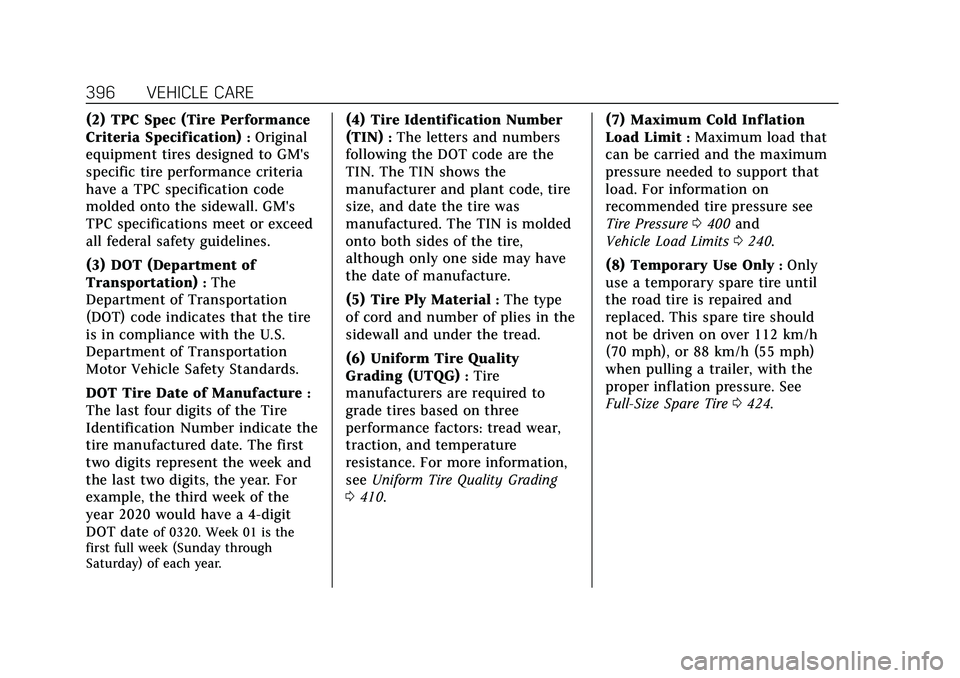
(2) TPC Spec (Tire Performance
Criteria Specification)
:Original
equipment tires designed to GM's
specific tire performance criteria
have a TPC specification code
molded onto the sidewall. GM's
TPC specifications meet or exceed
all federal safety guidelines.
(3) DOT (Department of
Transportation)
:The
Department of Transportation
(DOT) code indicates that the tire
is in compliance with the U.S.
Department of Transportation
Motor Vehicle Safety Standards.
DOT Tire Date of Manufacture
:
The last four digits of the Tire
Identification Number indicate the
tire manufactured date. The first
two digits represent the week and
the last two digits, the year. For
example, the third week of the
year 2020 would have a 4-digit
DOT date
of 0320. Week 01 is the
first full week (Sunday through
Saturday) of each year.
(4) Tire Identification Number
(TIN)
:The letters and numbers
following the DOT code are the
TIN. The TIN shows the
manufacturer and plant code, tire
size, and date the tire was
manufactured. The TIN is molded
onto both sides of the tire,
although only one side may have
the date of manufacture.
(5) Tire Ply Material
:The type
of cord and number of plies in the
sidewall and under the tread.
(6) Uniform Tire Quality
Grading (UTQG)
:Tire
manufacturers are required to
grade tires based on three
performance factors: tread wear,
traction, and temperature
resistance. For more information,
see Uniform Tire Quality Grading
0 410. (7) Maximum Cold Inf lation
Load Limit
:Maximum load that
can be carried and the maximum
pressure needed to support that
load. For information on
recommended tire pressure see
Tire Pressure 0400 and
Vehicle Load Limits 0240.
(8) Temporary Use Only
:Only
use a temporary spare tire until
the road tire is repaired and
replaced. This spare tire should
not be driven on over 112 km/h
(70 mph), or 88 km/h (55 mph)
when pulling a trailer, with the
proper inflation pressure. See
Full-Size Spare Tire 0424.
Page 425 of 492

Cadillac Escalade Owner Manual (GMNA-Localizing-U.S./Canada/Mexico-
13690472) - 2021 - CRC - 8/10/21
424 VEHICLE CARE
4. Remove the flat tire secure strapfrom the glove box and place the
loop end of the strap through the
cargo tie-down. Place the hook end
of the strap through the loop and
pull it until the strap is fastened
securely to the tie-down.5. Route the hook end of the strapthrough the wheel, as shown.
6. Attach the hook to the other cargo tie-down in the rear of the vehicle.
7. Tighten the strap.
Full-Size Spare Tire
If this vehicle came with a full-size
spare tire, it was fully inflated when
new, however, it can lose air over
time. Check the inflation pressure
regularly. See Tire Pressure0400 and
Vehicle Load Limits 0240 for
information regarding proper tire
inflation and loading the vehicle. For instructions on how to remove, install,
or store a spare tire, see
Tire Changing
0 413.
If equipped with a temporary use
full-size spare tire, it is indicated on
the tire sidewall. See Tire Sidewall
Labeling 0395. This spare tire should
not be driven on over 112 km/h
(70 mph), or 88 km/h (55 mph) when
pulling a trailer, at the proper
inflation pressure. Repair and replace
the road tire as soon as it is
convenient, and stow the spare tire for
future use.
Caution
If the vehicle has four-wheel drive
and a different size spare tire is
installed, do not drive in four-wheel
drive until the flat tire is repaired
and/or replaced. The vehicle could
be damaged and the repairs would
not be covered by the warranty.
Never use four-wheel drive when a
different size spare tire is installed
on the vehicle.
Page 430 of 492
Cadillac Escalade Owner Manual (GMNA-Localizing-U.S./Canada/Mexico-
13690472) - 2021 - CRC - 8/10/21
VEHICLE CARE 429
have its drive wheels off the ground.
Contact Roadside Service or a
professional towing service if the
disabled vehicle must be towed.
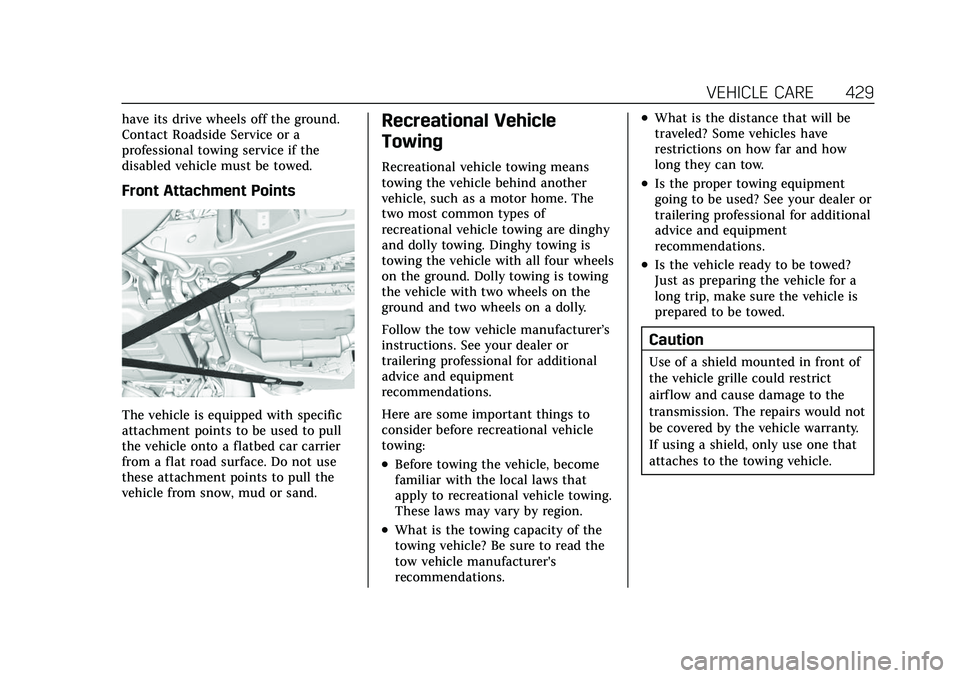
Front Attachment Points
The vehicle is equipped with specific
attachment points to be used to pull
the vehicle onto a flatbed car carrier
from a flat road surface. Do not use
these attachment points to pull the
vehicle from snow, mud or sand.
Recreational Vehicle
Towing
Recreational vehicle towing means
towing the vehicle behind another
vehicle, such as a motor home. The
two most common types of
recreational vehicle towing are dinghy
and dolly towing. Dinghy towing is
towing the vehicle with all four wheels
on the ground. Dolly towing is towing
the vehicle with two wheels on the
ground and two wheels on a dolly.
Follow the tow vehicle manufacturer’s
instructions. See your dealer or
trailering professional for additional
advice and equipment
recommendations.
Here are some important things to
consider before recreational vehicle
towing:
.Before towing the vehicle, become
familiar with the local laws that
apply to recreational vehicle towing.
These laws may vary by region.
.What is the towing capacity of the
towing vehicle? Be sure to read the
tow vehicle manufacturer's
recommendations.
.What is the distance that will be
traveled? Some vehicles have
restrictions on how far and how
long they can tow.
.Is the proper towing equipment
going to be used? See your dealer or
trailering professional for additional
advice and equipment
recommendations.
.Is the vehicle ready to be towed?
Just as preparing the vehicle for a
long trip, make sure the vehicle is
prepared to be towed.
Caution
Use of a shield mounted in front of
the vehicle grille could restrict
airflow and cause damage to the
transmission. The repairs would not
be covered by the vehicle warranty.
If using a shield, only use one that
attaches to the towing vehicle.