belt CADILLAC ESCALADE 2022 Service Manual
[x] Cancel search | Manufacturer: CADILLAC, Model Year: 2022, Model line: ESCALADE, Model: CADILLAC ESCALADE 2022Pages: 508, PDF Size: 9.18 MB
Page 121 of 508

Cadillac Escalade Owner Manual (GMNA-Localizing-U.S./Canada/Mexico-
15567102) - 2022 - CRC - 11/18/21
120 INSTRUMENTS AND CONTROLS
Voltmeter Gauge
When the ignition is on, the voltmeter
gauge indicates the battery voltage.
This gauge displays on the
infotainment display. If show in
cluster is selected a digital value is
shown on the instrument cluster in
the left zone.
When the engine is running, this
gauge shows the condition of the
charging system. The gauge can
transition from a higher to lower or a
lower to higher reading. This is
normal. If the vehicle is operating
outside the normal operating range,
the charging system light comes on.See
Charging System Light 0123. The
voltmeter gauge may also read lower
when in fuel economy mode. This is
normal.
Readings outside the normal operating
range can also occur when a large
number of electrical accessories are
operating in the vehicle and the
engine is left idling for an extended
period. This condition is normal since
the charging system is not able to
provide full power at engine idle. As
engine speeds are increased, this
condition should correct itself as
higher engine speeds allow the
charging system to create maximum
power.
The vehicle can only be driven for a
short time with the readings outside
the normal operating range. If the
vehicle must be driven, turn off all
accessories, such as the radio and air
conditioner.
Readings outside the normal operating
range indicate a possible problem in
the electrical system. Have the vehicle
serviced as soon as possible.
Seat Belt Reminders
Driver Seat Belt Reminder Light
There is a driver seat belt reminder
light on the center stack, below the
infotainment screen.
When the vehicle is started, this light
flashes and a chime may come on to
remind the driver to fasten their
seat belt.
Then the light stays on solid until the
belt is buckled. This cycle may
continue several times if the driver
remains or becomes unbuckled while
the vehicle is moving.
If the driver seat belt is buckled,
neither the light nor the chime
comes on.
Page 122 of 508

Cadillac Escalade Owner Manual (GMNA-Localizing-U.S./Canada/Mexico-
15567102) - 2022 - CRC - 11/18/21
INSTRUMENTS AND CONTROLS 121
Front Passenger Seat Belt
Reminder Light
The vehicle may have a front
passenger seat belt reminder light
near the passenger airbag status
indicator. SeePassenger Sensing
System 072.
When the vehicle is started, this light
flashes and a chime may come on to
remind passengers to fasten their
seat belt.
Then the light stays on solid until the
belt is buckled. This cycle continues
several times if the front passenger
remains or becomes unbuckled while
the vehicle is moving.
If the front passenger seat belt is
buckled, neither the chime nor the
light comes on. The front passenger seat belt reminder
light and chime may come on if an
object is put on the seat such as a
briefcase, handbag, grocery bag,
laptop, or other electronic device. To
turn off the reminder light and/or
chime, remove the object from the
seat or buckle the seat belt.
Second and Third Row
Passenger Seat Belt Reminder
Light
The vehicle may have second and
third row passenger seat belt reminder
lights.
When the vehicle is started, these
lights come on solid to remind rear
passengers to fasten their seat belt.
Then each light may stay on solid or
flash, and a chime may come on if the
rear passenger remains unbuckled,
or becomes unbuckled, when thevehicle is moving. An X indicates the
seat belt is not buckled. A check mark
indicates the seat belt is buckled.
If the all rear passenger seat belts are
buckled, neither the chime nor the
lights come on.
For information on the front seat belt
reminder lights, see "Driver Seat Belt
Reminder Light" and "Front Passenger
Seat Belt Reminder Light" listed
previously.
The rear passenger seat belt reminder
light and chime may come on if an
object is put on the seat such as a
briefcase, handbag, grocery bag,
laptop, or other electronic device. To
turn off the reminder light and/or
chime, remove the object from the
seat or buckle the seat belt.
Airbag Readiness Light
This light shows if there is an
electrical problem with the airbag
system. It is located on the center
stack, below the infotainment screen.
The system check includes the airbag
sensor(s), the passenger sensing
system, the pretensioners, the airbag
modules, the wiring, and the crash
Page 140 of 508
Cadillac Escalade Owner Manual (GMNA-Localizing-U.S./Canada/Mexico-
15567102) - 2022 - CRC - 11/18/21
INSTRUMENTS AND CONTROLS 139
Navigation turn-by-turn Alerts shown
in the instrument cluster may also be
displayed in any HUD view.
Care of the HUD
Clean the inside of the windshield to
remove any dirt or film that could
reduce the sharpness or clarity of the
HUD image.
Clean the HUD lens with a soft cloth
sprayed with glass cleaner. Wipe the
lens gently, then dry it.
HUD Troubleshooting
Check that:
.Nothing is covering the HUD lens.
.The HUD brightness setting is not
too dim or too bright.
.The HUD is adjusted to the proper
height.
.Polarized sunglasses are not worn.
.The windshield and HUD lens are
clean.
If the HUD image is not correct,
contact your dealer.
The windshield is part of the HUD
system. See Windshield Replacement
0 389.
Vehicle Messages
Messages displayed on the DIC
indicate the status of the vehicle or
some action that may be needed to
correct a condition. Multiple messages
may appear one after another.
The messages that do not require
immediate action can be
acknowledged and cleared by pressing
the thumbwheel. The messages that
require immediate action cannot be
cleared until that action is performed.
All messages should be taken
seriously; clearing the message does
not correct the problem.
If a SERVICE message appears, see
your dealer.
Follow the instructions given in the
messages. The system displays
messages regarding the following
topics:
.Service Messages
.Fluid Levels
.Vehicle Security
.Brakes
.Ride Control Systems
.Driver Assistance Systems
.Cruise Control
.Lighting and Bulb Replacement
.Wiper/Washer Systems
.Doors and Windows
.Seat Belts
.Airbag Systems
.Engine and Transmission
.Tire Pressure
.Battery
Engine Power Messages
REDUCED ACCELERATION DRIVE
WITH CARE
This message displays when the
vehicle's propulsion power is reduced.
A reduction in propulsion power can
affect the vehicle's ability to
accelerate. If this message is on, but
there is no observed reduction in
performance, proceed to your
destination. Under certain conditions
the performance may be reduced the
next time the vehicle is driven. The
vehicle may be driven while this
message is on, but maximum
acceleration and speed may be
reduced. Anytime this message stays
Page 141 of 508

Cadillac Escalade Owner Manual (GMNA-Localizing-U.S./Canada/Mexico-
15567102) - 2022 - CRC - 11/18/21
140 INSTRUMENTS AND CONTROLS
on, or displays repeatedly, the vehicle
should be taken to your dealer for
service as soon as possible.
Under certain operating conditions,
propulsion will be disabled. Try
restarting after the ignition has been
off for two minutes.
Vehicle Speed Messages
SPEED LIMITED TO
XXX KM/H (MPH)
This message shows that the vehicle
speed has been limited to the speed
displayed. The limited speed is a
protection for various propulsion and
vehicle systems, such as lubrication,
thermal, brakes, suspension, Teen
Driver if equipped, or tires.
(If equipped with a diesel engine, see
the Duramax Diesel supplement.)–
For Diesel
Vehicle Personalization
The following are all possible vehicle
personalization features. Depending
on the vehicle, some may not be
available. For System and Search functions, see
Settings
0205.
To access the vehicle
personalization menu: 1. Touch the Settings icon on the Home Page of the infotainment
display.
2. Touch Vehicle to display a list of available options.
3. Touch to select the desired feature setting.
4. Touch the options on the infotainment display to disable or
enable a setting.
The menu may contain the following:
Valet Mode
This will lock the infotainment system
and steering wheel controls. It may
also limit access to vehicle storage
locations, if equipped.
To enable valet mode: 1. Enter a four-digit code on the keypad.
2. Select Enter to go to the confirmation screen.
3. Re-enter the four-digit code. Touch Lock or Unlock to lock or
unlock the system. Touch Back to go
back to the previous menu.
Teen Driver
See
Teen Driver 0209.
Rear Seat Reminder
This allows for a chime and a message
when the rear door has been opened
before or during operation of the
vehicle.
Touch Off or On.
Buckle to Drive
This feature can prevent shifting out
of Park when the driver, and if
applicable the front passenger, seat
belt is not buckled. See Buckle To Drive
0 59.
Touch Off or On.
The vehicle may need to be restarted
to activate this feature.
Super Cruise Lane Change
When on, the vehicle can change
lanes while Super Cruise is active. The
vehicle will only steer to change lanes
when traffic allows.
Page 143 of 508
Cadillac Escalade Owner Manual (GMNA-Localizing-U.S./Canada/Mexico-
15567102) - 2022 - CRC - 11/18/21
142 INSTRUMENTS AND CONTROLS
Collision/Detection Systems
Touch and the following may display:
.Alert Type
.Forward Collision System
.Front Pedestrian Detection
.Intersection Stop Alert
.Adaptive Cruise Go Notifier
.Lane Change Alert
.Seat Belt Tightening
.Park Assist
.Park Assist Towbar
.Rear Camera Park Assist Symbols
.Rear Cross Traffic Alert
.Super Cruise Lane Change
.Rear Pedestrian Detection
Alert Type
This feature sets the type of alert from
the driver assistance systems to help
avoid crashes.
Touch Beeps or Safety Alert Seat.
Forward Collision System
This setting can alert of a potential
crash with a detected vehicle ahead
and can apply brakes to help reduce a
collision’s severity. Touch Off, Alert, or Alert and Brake.
Front Pedestrian Detection
This feature may help avoid or reduce
the harm caused by front-end crashes
with nearby pedestrians. See
Front
Pedestrian Braking (FPB) System 0323.
Touch Off, Alert, or Alert and Brake.
Intersection Stop Alert
This feature alerts the driver when the
vehicle is about to go through a red
light or when the vehicle enters an
intersection and detects a potential
crash with a vehicle crossing ahead.
Touch Off or Alert.
Adaptive Cruise Go Notifier
This setting determines if an alert will
appear when Adaptive Cruise Control
brings the vehicle to a complete stop
and the vehicle ahead of you starts
moving again. See Adaptive Cruise
Control (Advanced) 0275.
Touch Off or On.
Lane Change Alert
This setting specifies if an alert will
display on the outside mirror to help
you avoid crashing into a vehicle in your blind spot, or rapidly
approaching your blind spot, during a
lane change maneuver. See
Lane
Change Alert (LCA) 0327.
Touch Off or On.
Seat Belt Tightening
This setting automatically adjusts
your seat belts to a snug fit when
buckled. The seat belts tighten when
you first buckle up and during rough
driving or road conditions.
Touch Off or On.
Park Assist
This allows the feature to be turned
on or off. See Assistance Systems for
Parking or Backing 0303.
Touch Off, On, or Alert and Brake.
Park Assist Towbar
This setting specifies if Park Assist
will work properly when a small item,
such as a hitch ball, is attached to the
vehicle hitch.
Touch Off - Not Attached or On -
Attached.
Page 187 of 508

Cadillac Escalade Owner Manual (GMNA-Localizing-U.S./Canada/Mexico-
15567102) - 2022 - CRC - 11/17/21
186 INFOTAINMENT SYSTEM
Search While in Motion with No
Front Seat Passenger Present
The search display will not allow
changes or text input with the
keyboard when the vehicle is in
motion. As a result, a display showing
three rows of the most commonly
used categories appears.
Search While in Motion with Front
Seat Passenger Present
If the system detects that the front
seat passenger is present with both
driver and passenger seat belts
buckled, touching the search icon will
display an alert message that allows
the passenger to search for a
destination.
Receiving Destination Directions
from Different Sources
Destinations can be received or
transferred from different sources to
the Nav application for route
guidance. If equipped, some of these
sources may include:
.Navigation from search results.
.OnStar Advisor destination
download.
.An address from the Contacts list.
.An application on the smartphone
that can send destinations to the
vehicle.
.An application downloaded to the
vehicle that can send destinations
to the navigation system.
Waypoints
Add up to five waypoints, which are
additional destinations, along the
route. To add an additional stop or
waypoint:1. From active guidance, touch Add a Stop.
2. Search for the destination using One-Box, Voice search, or the Quick
Category icons.
3. Choose search results Along Route, Nearby, or Near Destination.
4. Choose the desired waypoint and touch Add to Trip.
Route options are not available for
waypoints. Arriving at a Waypoint
When approaching a waypoint, the
system will display a Destination
Arrival view. To continue on to the
next destination touch the Done
message on the infotainment display.
Editing a Waypoint
When waypoints are added during
active guidance, the system allows a
stop to be deleted or the order to be
changed.
To edit a waypoint, touch
Destinations. The following options
will be available:
.Modify destination order by
touching the arrow buttons on the
waypoint destinations list.
.Delete a waypoint by touching the
trash can icon. The icon can be
selected again to re-add the
waypoint in case it was accidentally
selected. Touch
zon the top right
corner so the system can recalculate
the route.
Page 211 of 508

Cadillac Escalade Owner Manual (GMNA-Localizing-U.S./Canada/Mexico-
15567102) - 2022 - CRC - 11/17/21
210 INFOTAINMENT SYSTEM
Manage Settings
Buckle To Drive :When turned ON,
Buckle to Drive prevents the driver
from shifting out of P (Park) for a
period of time if driver seat belt, and
on some vehicles, the passenger seat
belt, is not buckled. See Buckle To
Drive 059 and
Vehicle Personalization 0140.
Teen Driver Speed Limiter : Limits
the maximum speed of the vehicle.
When the speed limiter is turned on
and the vehicle is started with a Teen
Driver key, the DIC displays a message
that the top speed is limited.
On certain vehicles, when the Speed
Limiter is turned ON, the vehicle’s
maximum acceleration will be limited.
The DIC will display a message that
the acceleration is limited.
Teen Driver Speed Warning : Allows
the speed warning to be turned on or
off. Touch Set Teen Driver Speed
Warning to set the warning speed.
Set Teen Driver Speed Warning :
Displays a warning in the DIC when
exceeding a selectable speed. Choose the desired speed warning level. The
speed warning does not limit the
speed of the vehicle.
Audio Volume Limit :
Allows the
audio volume limit to be turned on or
off. Touch Set Audio Volume Limit to
choose the maximum allowable audio
volume level.
SiriusXM Explicit Content Filter (if
equipped) : Allows the SiriusXM
Explicit Content Filter to be turned
ON or OFF. When ON, the teen driver
will not be able to listen to SiriusXM
stations that contain explicit content,
and the Explicit Content Filter
selection in the Audio Settings will be
unavailable for change.
When Teen Driver is Active:
.The radio will mute when the
driver, or in some vehicles, the front
passenger seat belt, is not buckled.
The audio from any device paired to
the vehicle will also be muted.
.If an object, such as a briefcase,
handbag, grocery bag, laptop,
or other electronic device, is on the
front passenger seat, it could cause the radio to mute. If this happens,
remove the object from the seat. See
Passenger Sensing System
072.
.Some safety systems, such as
Forward Collision Alert, if equipped,
cannot be turned off.
.The gap setting for the Forward
Collision Alert and Adaptive Cruise
Control, if equipped, cannot be
changed.
.When trying to change a safety
feature that is not configurable in
Teen Driver, the DIC displays a
message indicating that Teen Driver
is active and the action is not
available.
.Super Cruise, if equipped, is not
available.
.Enhanced Low Fuel Warning (if
equipped) –When the vehicle is low
on fuel, the low fuel light on the
instrument cluster flashes and the
DIC low fuel warning cannot be
dismissed.
.Do not tow a trailer.
Page 233 of 508

Cadillac Escalade Owner Manual (GMNA-Localizing-U.S./Canada/Mexico-
15567102) - 2022 - CRC - 11/17/21
232 DRIVING AND OPERATING
.Become familiar with vehicle
features before driving, such as
programming favorite radio stations
and adjusting climate control and
seat settings. Program all trip
information into any navigation
device prior to driving.
.Wait until the vehicle is parked to
retrieve items that have fallen to
the floor.
.Stop or park the vehicle to tend to
children.
.Keep pets in an appropriate carrier
or restraint.
.Avoid stressful conversations while
driving, whether with a passenger or
on a cell phone.
{Warning
Taking your eyes off the road too
long or too often could cause a
crash resulting in injury or death.
Focus your attention on driving.
Refer to the infotainment section for
more information on using that
system and the navigation system,
if equipped, including pairing and
using a cell phone.
Defensive Driving
Defensive driving means “always
expect the unexpected.” The first step
in driving defensively is to wear the
seat belt. See Seat Belts058.
.Assume that other road users
(pedestrians, bicyclists, and other
drivers) are going to be careless and
make mistakes. Anticipate what
they may do and be ready.
.Allow enough following distance
between you and the driver in front
of you.
.Focus on the task of driving.
Impaired Driving
Death and injury associated with
impaired driving is a global tragedy.
{Warning
Drinking alcohol or taking drugs
and then driving is very dangerous.
Your reflexes, perceptions,
attentiveness, and judgment can be
affected by even a small amount of
alcohol or drugs. You can have a
(Continued)
Warning (Continued)
serious—or even fatal —collision
if you drive after drinking or taking
drugs.
Do not drive while under the
influence of alcohol or drugs,
or ride with a driver who has been
drinking or is impaired by drugs.
Find alternate transportation home;
or if you are with a group, designate
a driver who will remain sober.
Control of a Vehicle
Braking, steering, and accelerating are
important factors in helping to control
a vehicle while driving.
Braking
Braking action involves perception
time and reaction time. Deciding to
push the brake pedal is perception
time. Actually doing it is
reaction time.
Average driver reaction time is about
three-quarters of a second. In that
time, a vehicle moving at 100 km/h
Page 236 of 508
Cadillac Escalade Owner Manual (GMNA-Localizing-U.S./Canada/Mexico-
15567102) - 2022 - CRC - 11/17/21
DRIVING AND OPERATING 235
Remember: Antilock brakes help avoid
only the braking skid.
Off-Road Driving
Four-wheel-drive vehicles can be used
for off-road driving. Vehicles without
four-wheel drive and vehicles not
equipped with All Terrain (AT) or
On-Off Road (OOR) tires must not be
driven off-road except on a level, solid
surface. For contact information about
the original equipment tires, see the
warranty manual.
One of the best ways for successful
off-road driving is to control the
speed.
{Warning
When driving off-road, bouncing
and quick changes in direction can
easily throw you out of position.
This could cause you to lose control
and crash. You and your passengers
should always wear seat belts.
Before Driving Off-Road
.Have all necessary maintenance and
service work completed.
.Fuel the vehicle, fill fluid levels, and
check inflation pressure in all tires,
including the spare, if equipped.
.Read all the information about
four-wheel-drive vehicles in this
manual.
.Know the local laws that apply to
off-road driving.
Loading the Vehicle for Off-Road
Driving
{Warning
.Unsecured cargo on the load
floor can be tossed about when
driving over rough terrain. You or
your passengers can be struck by
flying objects. Secure the cargo
properly.
.Keep cargo in the cargo area as
far forward and as low as
possible. The heaviest things
should be on the floor, forward
of the rear axle.
.Heavy loads on the roof raise the
vehicle's center of gravity,
making it more likely to roll over.
You can be seriously or fatally(Continued)
Warning (Continued)
injured if the vehicle rolls over.
Put heavy loads inside the cargo
area, not on the roof.
For more information about loading
the vehicle, see Vehicle Load Limits
0 241 and
Tires 0402.
Environmental Concerns
.Always use established trails, roads,
and areas that have been set aside
for public off-road recreational
driving and obey all posted
regulations.
.Do not damage shrubs, flowers,
trees, or grasses or disturb wildlife.
.Do not park over things that burn.
See Parking over Things That Burn
0 251.
Driving on Hills
Driving safely on hills requires good
judgment and an understanding of
what the vehicle can and cannot do.
Page 250 of 508
Cadillac Escalade Owner Manual (GMNA-Localizing-U.S./Canada/Mexico-
15567102) - 2022 - CRC - 11/17/21
DRIVING AND OPERATING 249
Stop/Start System
If equipped and enabled, the Stop/
Start system will shut off the engine
to help conserve fuel. It has
components designed for the
increased number of starts.
{Warning
The automatic engine Stop/Start
feature causes the engine to shut
off while the vehicle is still on. Do
not exit the vehicle before shifting
to P (Park). The vehicle may restart
and move unexpectedly. Always
shift to P (Park), and then turn the
ignition off before exiting the
vehicle.
Auto Engine Stop/Start
When the brakes are applied and the
vehicle is at a complete stop, the
engine may turn off. When stopped,
the tachometer displays AUTO STOP.
See Tachometer 0117. When the brake
pedal is released or the accelerator
pedal is pressed, the engine will
restart. To maintain vehicle performance,
other conditions may cause the engine
to automatically restart before the
brake pedal is released.
Auto Stops may not occur and/or Auto
Starts may occur because:
.The climate control settings require
the engine to be running to cool or
heat the vehicle interior.
.The vehicle battery needs to charge.
.The vehicle battery has recently
been disconnected.
.Minimum vehicle speed has not
been reached since the last
Auto Stop.
.The accelerator pedal is pressed.
.The engine or transmission is not at
the required operating temperature.
.The outside temperature is not in
the required operating range.
.The vehicle is shifted out of D
(Drive) to any gear other than
P (Park).
.Certain driver modes have been
selected. See
Driver Mode Control
0 267 and
Four-Wheel Drive 0257.
.The vehicle is on a steep hill or
grade.
.The driver door has been opened or
the driver seat belt has been
unbuckled.
.The hood has been opened.
.The Auto Stop has reached the
maximum allowed time.
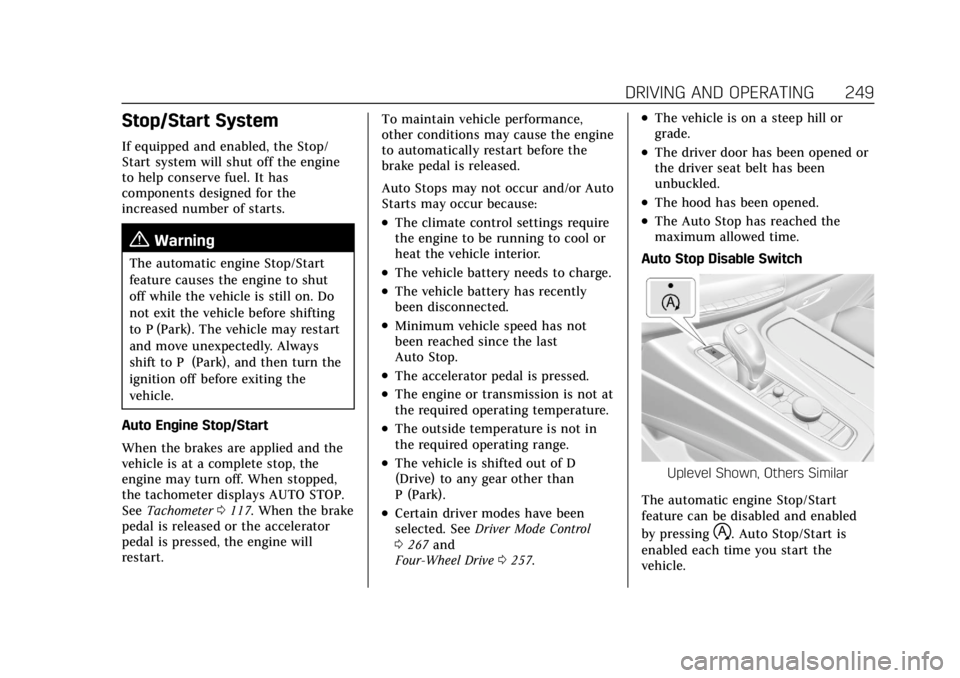
Auto Stop Disable Switch
Uplevel Shown, Others Similar
The automatic engine Stop/Start
feature can be disabled and enabled
by pressing
h. Auto Stop/Start is
enabled each time you start the
vehicle.