transmission CADILLAC ESCALADE 2022 Service Manual
[x] Cancel search | Manufacturer: CADILLAC, Model Year: 2022, Model line: ESCALADE, Model: CADILLAC ESCALADE 2022Pages: 508, PDF Size: 9.18 MB
Page 357 of 508
Cadillac Escalade Owner Manual (GMNA-Localizing-U.S./Canada/Mexico-
15567102) - 2022 - CRC - 11/17/21
356 DRIVING AND OPERATING
Touch Start to cycle the trailer lamps
on and off to determine if they are
working. The test follows this
sequence:1. The running lights turn on first and remain on throughout the
sequence.
2. The brake lights turn on for about two seconds.
3. The left turn signal light flashes three times.
4. The right turn signal light flashes three times.
5. The reverse lights turn on for about two seconds.
6. Steps 2–5 repeat for approximately one minute and 45 seconds,
or until the test deactivates.
Touch Stop to stop the test. The test
will automatically end after
one minute and 45 seconds.
The sequence also deactivates when
any of the following occur:
.The ignition is turned off.
.The transmission is shifted out of
P (Park).
.The brake pedal is pressed.
.The turn signal is activated.
.The hazard warning lights are
activated.
Trailering App
If equipped, the Trailering App is on
the Home Page of the infotainment
display.
If equipped this feature allows profiles
for connected trailers to be created to
view status, to store and track trailer
usage information, and to set up
towing assistance features.
The Trailering App Preview will
appear when the Trailering App is
opened for the first time from the
Home Page. Touch GET STARTED in
the Trailering App to go into the app.
When a trailer is electrically
connected and a trailer profile has not
been created, there will be an option
to create a profile, use a guest profile,
or select Accessory/No trailer. After
the pop-up is displayed three times,
Don’t Remind Me will display and
touching that will turn off the trailer
detection pop-up. To turn the Trailer
Detection Alert on, select ON in the
Settings tab. When a trailer is electrically
connected and after a Trailer Profile
has been created, the trailer detection
pop-up will appear with a list of all of
the custom Trailer Profiles made on
the vehicle. To load an existing Trailer
Profile, select one of the Trailer
Profiles listed, or load the Guest
Trailer Profile by selecting GUEST
TRAILER. Touching Accessory/No
trailer will select Accessory/No trailer
as the active Trailer Profile and will
dismiss the pop- up. Shifting the
vehicle from P (Park) will select Guest
Trailer as the active Trailer Profile and
will dismiss the pop-up.
Create a Trailer Profile
1. Touch Create Profile on the trailer detection pop-up or touch + Add
Trailer Profile in the Trailering App.
2. Create a name for the trailer.
3. Select the trailer type.
4. Select Save Profile.
A pop-up will indicate the setup is
complete. Touch DONE to complete
the process or touch TRAILER
FEATURE SETUP to set up the
Tow/Haul Mode reminder, Trailer Tire
Page 361 of 508

Cadillac Escalade Owner Manual (GMNA-Localizing-U.S./Canada/Mexico-
15567102) - 2022 - CRC - 11/17/21
360 DRIVING AND OPERATING
Connection Trailer Lighting Faults
Detected
The Trailering App System monitors
for electrical faults on the trailer
lights. A message about the lighting
issue will appear on the DIC. The
infotainment display will also show
the lighting issue in the Connection
Status view. Repair your trailer lights
if needed. A trailer lighting issue is
not covered by your GM warranty.
Diagnose View
Touch Diagnose to see more
information about the connection
problem.
This view will display the names of
the trailer connector pins, a graphic of
the trailer connector, and a graphic of
the back of the trailer.
Any connector pin that failed will be
amber color, and the location of the
corresponding connection will be
highlighted on the graphic of the back
of the trailer.
The Running Lights connection may
not detect partial outages. Activate
the light test to check all trailer
lamps. See“Light Test”following. Light Test
Touch Start Light Test to cycle the
trailer lights on and off to determine if
they are working. The test follows this
sequence:
1. The running lights turn on first and remain on throughout the
sequence.
2. The brake lights turn on for about two seconds.
3. The left turn signal light flashes three times.
4. The right turn signal light flashes three times.
5. The reverse lights turn on for about two seconds.
6. Steps 2–5 repeat for approximately one minute and 45 seconds,
or until the test deactivates.
Touch Stop to stop the test. The test
will automatically end after
one minute and 45 seconds.
The sequence also deactivates when
any of the following occur:
.The ignition is turned off.
.The transmission is shifted out of
P (Park).
.The brake pedal is pressed.
.The turn signal is activated.
.The hazard warning lights are
activated.
Tires
1. Trailer Tire Pressure/Temperature
Tire Pressure and Temperature
If the TTPMS sensor-to-vehicle learn
process was completed, the status
view will display the current tire
pressure and temperature of the
trailer tires related to the active
Trailer Profile. If a tire’s pressure is
low or high, the color of the pressure
value will be amber. If a sensor
malfunctions, the values are dashed
lines. If the screen displays “Service
Page 362 of 508
Cadillac Escalade Owner Manual (GMNA-Localizing-U.S./Canada/Mexico-
15567102) - 2022 - CRC - 11/17/21
DRIVING AND OPERATING 361
Tire Pressure Monitoring System”, the
vehicle needs to be taken to a dealer
for service.
Maintenance
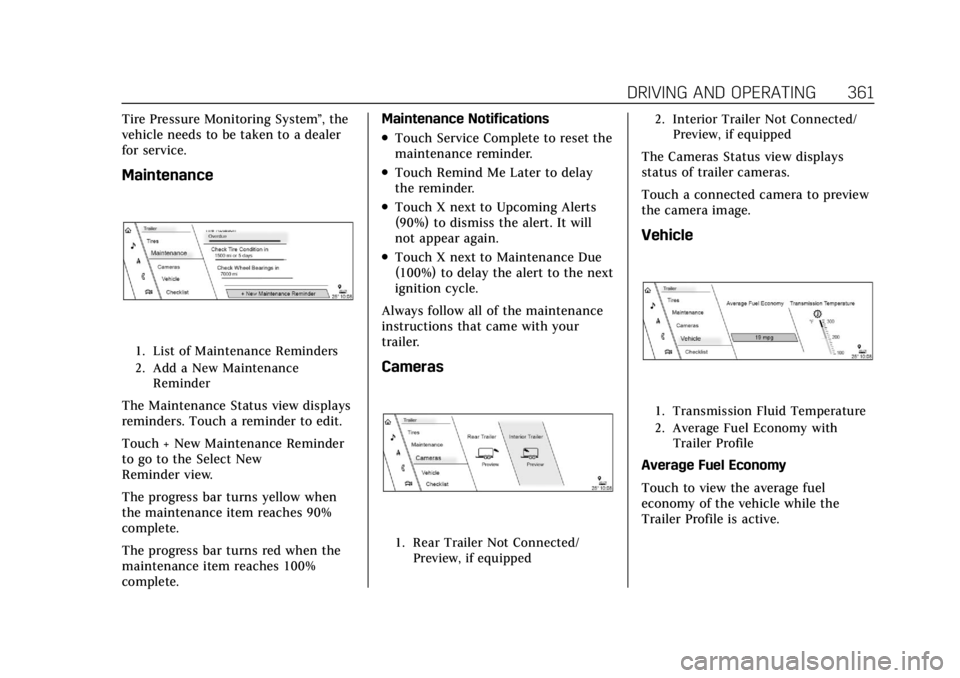
1. List of Maintenance Reminders
2. Add a New Maintenance Reminder
The Maintenance Status view displays
reminders. Touch a reminder to edit.
Touch + New Maintenance Reminder
to go to the Select New
Reminder view.
The progress bar turns yellow when
the maintenance item reaches 90%
complete.
The progress bar turns red when the
maintenance item reaches 100%
complete. Maintenance Notifications
.Touch Service Complete to reset the
maintenance reminder.
.Touch Remind Me Later to delay
the reminder.
.Touch X next to Upcoming Alerts
(90%) to dismiss the alert. It will
not appear again.
.Touch X next to Maintenance Due
(100%) to delay the alert to the next
ignition cycle.
Always follow all of the maintenance
instructions that came with your
trailer.
Cameras
1. Rear Trailer Not Connected/ Preview, if equipped 2. Interior Trailer Not Connected/
Preview, if equipped
The Cameras Status view displays
status of trailer cameras.
Touch a connected camera to preview
the camera image.
Vehicle
1. Transmission Fluid Temperature
2. Average Fuel Economy withTrailer Profile
Average Fuel Economy
Touch to view the average fuel
economy of the vehicle while the
Trailer Profile is active.
Page 363 of 508
Cadillac Escalade Owner Manual (GMNA-Localizing-U.S./Canada/Mexico-
15567102) - 2022 - CRC - 11/17/21
362 DRIVING AND OPERATING
Transmission Temperature
View the temperature of the
transmission fluid by looking at the
graphic. The graphic will indicate a
dangerous level if the temperature is
at 130 °C–150 °C (270 °F–300 °F).
Guest Trailer Status View
Touch the Guest Trailer Profile for the
status views.
The Guest Trailer Profile Status view
shows:
.Vehicle
.Connections
.Cameras, if equipped
The Trailer Status view displays
mileage information. Touch to edit,
and follow the on-screen prompts.
Mileage and fuel economy will reset
after the trailer disconnects. The
Cameras Status view displays status of
trailer cameras. Touch a connected
camera to preview the camera image.
Accessory/No Trailer
Status View
If the Accessory/No Trailer profile is
active, trailer status information is not
available.
Checklist View
This view shows the recommended
steps to take before towing a trailer.
Touch the box next to each item if
that step has been completed.
Touch
pto access a detailed view
of each step. Within each detailed
view, touch Next and Previous to
navigate between steps.
Touch Clear All to clear the completed
statuses from all items in the current
checklist.
Custom Checklist Items
For each of the Trailer Profile
checklists, there is an option to create
custom items to view in the checklist.
The custom item will appear at the
bottom of the checklist.
Guest Trailer and No Trailer
Connected
If Guest Trailer Profile is active or if
no trailer is connected, the checklist
will show all of the checklists
associated with Custom Trailer
Profiles in addition to default
checklists.
Trailers View
Touch the Trailers tab to view,
activate, create, edit, or delete Trailer
Profiles.
If a trailer is connected, touch the
Trailer Profile name to activate a
Trailer Profile.
There can be up to five Custom Trailer
Profiles on the vehicle.
The Custom Trailer Profiles and Guest
Trailer are in order of the most
frequently used. The Accessory/No
Trailer profile is shown below the
Custom Trailer Profiles and Guest
Trailer Profile.
Page 369 of 508
Cadillac Escalade Owner Manual (GMNA-Localizing-U.S./Canada/Mexico-
15567102) - 2022 - CRC - 11/17/21
368 VEHICLE CARE
Vehicle Care
General Information
General Information . . . . . . . . . . . . . 369
California Perchlorate MaterialsRequirements . . . . . . . . . . . . . . . . . . . 369
Accessories and Modifications . . . . . . . . . . . . . . . . . . . 369
Vehicle Checks
Doing Your OwnService Work . . . . . . . . . . . . . . . . . . . . 370
Hood . . . . . . . . . . . . . . . . . . . . . . . . . . . . . . 371
Engine Compartment Overview . . . . . . . . . . . . . . . . . . . . . . . . . 372
Engine Oil . . . . . . . . . . . . . . . . . . . . . . . . . 373
Engine Oil Life System . . . . . . . . . . . 375
Automatic Transmission Fluid . . . . . . . . . . . . . . . . . . . . . . . . . . . . . 376
Engine Air Filter Life System . . . . 377
Engine Air Cleaner/Filter . . . . . . . . . 377
Cooling System . . . . . . . . . . . . . . . . . . . 378
Engine Overheating . . . . . . . . . . . . . . 381
Engine Fan . . . . . . . . . . . . . . . . . . . . . . . . 382
Washer Fluid . . . . . . . . . . . . . . . . . . . . . 383
Brakes . . . . . . . . . . . . . . . . . . . . . . . . . . . . . 383
Brake Pad Life System . . . . . . . . . . . 384
Brake Fluid . . . . . . . . . . . . . . . . . . . . . . . 385
Battery - North America . . . . . . . . . 386 Four-Wheel Drive . . . . . . . . . . . . . . . . 386
Front Axle . . . . . . . . . . . . . . . . . . . . . . . . 387
Rear Axle . . . . . . . . . . . . . . . . . . . . . . . . . 387
Park Brake and P (Park)
Mechanism Check . . . . . . . . . . . . . . 387
Wiper Blade Replacement . . . . . . . 388
Glass Replacement . . . . . . . . . . . . . . . 389
Windshield Replacement . . . . . . . . 389
Gas Strut(s) . . . . . . . . . . . . . . . . . . . . . . . 389Headlamp Aiming
Front Headlamp Aiming . . . . . . . . . 390
Bulb Replacement
Bulb Replacement . . . . . . . . . . . . . . . . 390
LED Lighting . . . . . . . . . . . . . . . . . . . . . 390
Electrical System
Electrical System Overload . . . . . . 390
Fuses and Circuit Breakers . . . . . . 392
Engine Compartment Fuse Block . . . . . . . . . . . . . . . . . . . . . . . . . . . . 393
Instrument Panel Fuse Block . . . . 397
Rear Compartment Fuse Block . . . . . . . . . . . . . . . . . . . . . . . . . . . . 400
Wheels and Tires
Tires . . . . . . . . . . . . . . . . . . . . . . . . . . . . . . . 402
All-Season Tires . . . . . . . . . . . . . . . . . . 403
Winter Tires . . . . . . . . . . . . . . . . . . . . . . 403 Low-Profile Tires . . . . . . . . . . . . . . . . . 403
Tire Sidewall Labeling . . . . . . . . . . . 404
Tire Designations . . . . . . . . . . . . . . . . . 405
Tire Terminology and
Definitions . . . . . . . . . . . . . . . . . . . . . . 406
Tire Pressure . . . . . . . . . . . . . . . . . . . . . . 409
Tire Pressure for High-Speed Operation . . . . . . . . . . . . . . . . . . . . . . . . 410
Tire Pressure Monitor System . . . 411
Tire Pressure Monitor Operation . . . . . . . . . . . . . . . . . . . . . . . . 412
Tire Inspection . . . . . . . . . . . . . . . . . . . 416
Tire Rotation . . . . . . . . . . . . . . . . . . . . . 417
When It Is Time for New Tires . . . . . . . . . . . . . . . . . . . . . . . . . . . . . 418
Buying New Tires . . . . . . . . . . . . . . . . 419
Different Size Tires and Wheels . . . . . . . . . . . . . . . . . . . . . . . . . . 420
Uniform Tire Quality Grading . . . 420
Wheel Alignment and Tire Balance . . . . . . . . . . . . . . . . . . . . . . . . . . 422
Wheel Replacement . . . . . . . . . . . . . . 422
Tire Chains . . . . . . . . . . . . . . . . . . . . . . . 422
If a Tire Goes Flat . . . . . . . . . . . . . . . . 423
Tire Changing . . . . . . . . . . . . . . . . . . . . . 424
Full-Size Spare Tire . . . . . . . . . . . . . . 435
Page 377 of 508
Cadillac Escalade Owner Manual (GMNA-Localizing-U.S./Canada/Mexico-
15567102) - 2022 - CRC - 11/17/21
376 VEHICLE CARE
How to Reset the Engine Oil Life
System
Reset the system whenever the engine
oil is changed so that the system can
calculate the next engine oil change.
To reset the system:1. Using the vehicle information screen controls on the right side of
the instrument cluster, display OIL
LIFE on the screen. See Vehicle
Information 0136. When remaining
oil life is low, the CHANGE
ENGINE OIL SOON message will
appear on the display.
2. Touch RESET on the screen to clear the CHANGE ENGINE OIL
SOON message and reset the oil life
at 100%.
Be careful not to reset the oil life
display accidentally at any time
other than after the oil is changed.
It cannot be reset accurately until
the next oil change.
The oil life system can also be reset as
follows: 1. Display OIL LIFE on the vehicle information screen. See Vehicle
Information 0136. 2. Fully press and release the
accelerator pedal three times
within five seconds.
If the CHANGE ENGINE OIL SOON
message is not on, the system is
reset.
The system is reset when the
CHANGE ENGINE OIL SOON message
is off.
If the CHANGE ENGINE OIL SOON
message comes back on when the
vehicle is started, the engine oil life
system has not been reset. Repeat the
procedure.
Automatic Transmission
Fluid
When to Check and Change
Automatic Transmission Fluid
If the vehicle has a diesel engine, see
the Duramax diesel supplement.
It is usually not necessary to check
the transmission fluid level. The only
reason for fluid loss is a transmission
leak or overheated transmission. This
vehicle is not equipped with a
transmission fluid level dipstick. There is a special procedure for
checking and changing the
transmission fluid in these vehicles.
Because this procedure is difficult,
this should be done at the dealer.
Contact the dealer for additional
information or the procedure can be
found in the service manual. See
Publication Ordering Information
0480.
Caution
Use of the incorrect automatic
transmission fluid may damage the
vehicle, and the damage may not be
covered by the vehicle warranty.
Always use the correct automatic
transmission fluid. See
Recommended Fluids and Lubricants
0464.
Change the fluid and filter at the
scheduled maintenance intervals
listed in Maintenance Schedule 0455.
Be sure to use the transmission fluid
listed in Recommended Fluids and
Lubricants 0464.
Page 389 of 508

Cadillac Escalade Owner Manual (GMNA-Localizing-U.S./Canada/Mexico-
15567102) - 2022 - CRC - 11/17/21
388 VEHICLE CARE
.To check the parking brake's
holding ability: With the engine
running and the transmission in
N (Neutral), slowly remove foot
pressure from the regular brake
pedal. Do this until the vehicle is
held by the parking brake only.
.To check the P (Park) mechanism's
holding ability: With the engine
running, shift to P (Park). Then
release the parking brake followed
by the regular brake.
Contact your dealer if service is
required.
Wiper Blade Replacement
Windshield wiper blades should be
inspected for wear or cracking.
For the proper type and size, see
Maintenance Replacement Parts 0465.
Caution
Allowing the wiper arm to touch
the windshield when no wiper blade
is installed could damage the
windshield. Any damage that occurs
(Continued)
Caution (Continued)
would not be covered by the vehicle
warranty. Do not allow the wiper
arm to touch the windshield.
Front Wiper Blade Replacement
To replace the wiper blade assembly:
1. Pull the windshield wiper assembly away from the windshield.
2. Press the button in the middle of
the wiper arm connector, and pull
the wiper blade away from the arm
connector. 3. Remove the wiper blade.
4. Reverse Steps 1–3 for wiper blade
replacement.
Rear Wiper Blade Replacement
To replace the rear wiper blade:
1. With the rear wiper in the off position, open the liftglass to
access the rear wiper arm/blade.
The rear wiper blade will not lock
in a vertical position so use care
when pulling it away from the
vehicle.
2. Push the release lever (2) todisengage the hook and push the
wiper arm (1) out of the blade
assembly (3).
Page 397 of 508

Cadillac Escalade Owner Manual (GMNA-Localizing-U.S./Canada/Mexico-
15567102) - 2022 - CRC - 11/17/21
396 VEHICLE CARE
FusesUsage
48 –
49 Transmission Auxiliary Oil Pump
50 A/C Clutch
51 TCCM –Transfer
Case Control Module
52 Front Wiper
53 –
54 Left Taillamps
55 Trailer Back-up Lamp
56 SADS –Semi Active
Damping System
57 Spare
58 Starter Motor
60 Powertrain Sensor 2
61 Automatic Lamp Control (ALC) Main Fuses
Usage
62 ICCM/CVS/DEF –
Integrated Chassis
Control Module/
Canister Vent
Solenoid/Diesel
Exhaust Fluid
63 Trailer Brake
65 –
66 Left Cool Fan Motor
67 AFM 2 –Active Fuel
Management 2
68 Automatic Lamp Control (ALC) Motor
69 Starter Pinion
71 Cool Fan Motor Lower
72 Right Cool Fan Motor/Lower
73 Left Trailer Stop Turn Lamp
74 TIM 2 –Trailer
Interface Module 2 Fuses
Usage
75 DEFC –Diesel
Exhaust Fluid
Controller
76 Electric Power Running Boards
78 ECM –Engine
Control Module
79 Cabin Cool Pump 17W
80 Powertrain Sensor 1
81 Right Trailer Stop Turn Lamp
82 TIM 1 –Trailer
Interface Module 1
83 FTZM –Fuel Tank
Zone Module
84 Trailer Battery
85 Auxiliary Water Pump
86 ECM –Engine
Control Module
87 Injector B Even
88 02 B Sensor
Page 407 of 508

Cadillac Escalade Owner Manual (GMNA-Localizing-U.S./Canada/Mexico-
15567102) - 2022 - CRC - 11/17/21
406 VEHICLE CARE
(3) Aspect Ratio:A 2-digit
number that indicates the tire
height-to-width measurements.
For example, if the tire size aspect
ratio is 75, as shown in item (3) of
the illustration, it would mean
that the tire's sidewall is
75 percent as high as it is wide.
(4) Construction Code
:A letter
code is used to indicate the type
of ply construction in the tire. The
letter "R" means radial ply
construction; the letter "D" means
diagonal or bias ply construction.
(5) Rim Diameter
:Diameter of
the wheel in inches.
(6) Service Description
:These
characters represent the load
index and speed rating of the tire.
The load index represents the load
carrying capacity a tire is certified
to carry. The speed rating is the
maximum speed a tire is certified
to carry a load.
Tire Terminology and
Definitions
Air Pressure:The amount of air
inside the tire pressing outward
on each square inch of the tire.
Air pressure is expressed in kPa
(kilopascal) or psi (pounds per
square inch).
Accessory Weight
:The combined
weight of optional accessories.
Some examples of optional
accessories are automatic
transmission, power windows,
power seats, and air conditioning.
Aspect Ratio
:The relationship of
a tire's height to its width.
Belt
:A rubber coated layer of
cords between the plies and the
tread. Cords may be made from
steel or other reinforcing
materials. Bead
:The tire bead contains steel
wires wrapped by steel cords that
hold the tire onto the rim.
Bias Ply Tire
:A pneumatic tire in
which the plies are laid at
alternate angles less than
90 degrees to the centerline of the
tread.
Cold Tire Pressure
:The amount
of air pressure in a tire, measured
in kPa (kilopascal) or psi (pounds
per square inch) before a tire has
built up heat from driving. See
Tire Pressure 0409.
Curb Weight
:The weight of a
motor vehicle with standard and
optional equipment including the
maximum capacity of fuel, oil, and
coolant, but without passengers
and cargo.
Page 438 of 508

Cadillac Escalade Owner Manual (GMNA-Localizing-U.S./Canada/Mexico-
15567102) - 2022 - CRC - 11/17/21
VEHICLE CARE 437
1. Good Battery Positive (+)Terminal
2. Good Battery Negative (–) Terminal
3. Discharged Battery Negative (–) Grounding Point
4. Discharged Battery Positive (+) Terminal
The good battery positive (+) terminal
and the good battery negative (–)
terminal are on the battery of the
vehicle providing the jump start.
The discharged battery positive (+)
terminal and the discharged battery
negative (–) grounding point are on
the passenger side of the vehicle. The discharged battery positive (+)
terminal is under a cover. Open the
cover to expose the terminal.
1. Check the other vehicle. It must have a 12-volt battery with a
negative ground system.
Caution
If the other vehicle does not have a
12-volt system with a negative
ground, both vehicles can be
damaged. Only use a vehicle that
has a 12-volt system with a
negative ground for jump starting.
2. If you have a vehicle with a diesel engine with two batteries, you
should know before you begin that,
especially in cold weather, you may
not be able to get enough power
from a single battery in another
vehicle to start your diesel engine.
If your vehicle has more than one
battery, using the battery that is
closer to the starter will reduce
electrical resistance. This is located
on the passenger side, in the rear
of the engine compartment. 3. Get the vehicles close enough so
the jumper cables can reach, but be
sure the vehicles are not touching
each other. If they are, it could
cause an unwanted ground
connection. You would not be able
to start your vehicle, and the bad
grounding could damage the
electrical systems.
To avoid the possibility of the
vehicles rolling, set the parking
brake firmly on both vehicles
involved in the jump start
procedure. Put the automatic
transmission in P (Park) before
setting the parking brake. If you
have a four-wheel-drive vehicle, be
sure the transfer case is in a drive
gear, not in N (Neutral).
Caution
If any accessories are left on or
plugged in during the jump starting
procedure, they could be damaged.
The repairs would not be covered
by the vehicle warranty. Whenever
possible, turn off or unplug all
accessories on either vehicle when
jump starting.