service CADILLAC ESCALADE ESV 2006 2.G User Guide
[x] Cancel search | Manufacturer: CADILLAC, Model Year: 2006, Model line: ESCALADE ESV, Model: CADILLAC ESCALADE ESV 2006 2.GPages: 484, PDF Size: 2.84 MB
Page 124 of 484

Mirrors
Automatic Dimming Rearview Mirror
with OnStar
®and Compass
Your vehicle may have an automatic-dimming rearview
mirror with a compass and the OnStar®system.
There are three additional buttons for the OnStar
®
system. See your dealer for more information on the
system and how to subscribe to OnStar®. SeeOnStar®
System on page 2-36for more information about the
services OnStar®provides.
Mirror Operation
When turned on, this mirror automatically dims to the
proper level to minimize glare from any headlamps
behind you after dark.
O(On/Off): This is the on/off button for the automatic
dimming feature and compass. Press the far left button,
located below the mirror face, for up to three seconds
to turn the feature on and off. A light on the mirror will be
lit while the feature is turned on.
Compass Operation
Press the on/off button once to turn the compass on
or off.
There is a compass display in the window in the upper
right corner of the mirror face. The compass displays
a maximum of two characters. For example, “NE”
is displayed for north-east.
Compass Calibration
Press and hold the on/off button down for nine seconds
to activate the compass calibration mode. CAL will
be displayed in the compass window on the mirror.
The compass can be calibrated by driving the vehicle in
circles at 5 mph (8 km/h) or less until the display
reads a direction.
Compass Variance
Compass variance is the difference between earth’s
magnetic north and true geographic north. The mirror
is set to zone eight upon leaving the factory. It will
be necessary to adjust the compass to compensate for
compass variance if you live outside zone eight.
Under certain circumstances, such as during a long
distance cross-country trip, it will be necessary to adjust
for compass variance. If not adjusted to account for
compass variance, your compass could give false
readings.
2-28
Page 125 of 484

To adjust for compass variance, do the following:
1. Find your current location and variance zone
number on the map.
2. Press and hold the on/off button for six seconds.
Release the button when ZONE is displayed.
The number shown is the current zone number.3. Scroll through the zone numbers that appear in the
compass/temperature window on the mirror by
pressing the on/off button. Once you nd your zone
number, release the button. After about four
seconds, the mirror will return to the compass
display, and the new zone number will be set.
Automatic Dimming Rearview Mirror
with OnStar
®, Compass and
Temperature Display
Your vehicle may have this feature. When on, the
automatic dimming mirror dims to the proper level to
minimize glare from lights behind you after dark.
The mirror has a dual display in the upper right corner
of the mirror face that shows the compass reading
and the outside temperature.
Control buttons for the OnStar
®system, if equipped, are
at the bottom of the mirror. SeeOnStar®System on
page 2-36for more information about the services
OnStar
®provides.
P(On/Off):This is the on/off button.
2-29
Page 132 of 484

Outside Automatic Dimming Mirror
with Curb View Assist
Your vehicle may have this feature.
The driver’s outside mirror will adjust for the glare of
the headlamps behind you. SeeAutomatic Dimming
Rearview Mirror with OnStar
®, Compass and
Temperature Display on page 2-29.
Your vehicle’s mirrors will also be capable of performing
the curb view assist mirror function. This feature will
cause the passenger’s and/or driver’s mirror to tilt
to a preselected position when the vehicle is in
REVERSE (R). This feature may be useful in allowing
you to view the curb when you are parallel parking.
When the vehicle is shifted out of REVERSE (R) and
a short delay has occurred, the passenger’s and/or
driver’s mirror will return to its original position.
To change the preselected tilt position, adjust the
mirrors to the desired position while the vehicle is in
REVERSE (R). When the vehicle is shifted out of
REVERSE (R), this new position is saved in memory
as the tilt position.
This feature can be enabled/disabled through the Driver
Information Center. SeeDIC Vehicle Customization
on page 3-63for more information.
OnStar®System
OnStar®uses global positioning system (GPS) satellite
technology, wireless communications, and live
advisors to provide you with a wide range of safety,
security, information, and convenience services. If your
airbags deploy, the system is designed to make an
automatic call to OnStar
®Emergency where we
can request emergency services be sent to your
location. If you lock your keys in the car, call OnStar
®
at 1-888-4-ONSTAR and they can send a signal to
unlock your doors. If you need roadside assistance,
press the OnStar
®button and they will get you the
help you need.
A complete OnStar
®User’s Guide and the Terms
and Conditions of the OnStar®Subscription Service
Agreement are included in the vehicle’s glove box
literature. For more information, visit www.onstar.com or
www.onstar.ca. Contact OnStar
®at 1-888-4-ONSTAR
(1-888-466-7827), or press the OnStar®button to speak
to an OnStar®advisor 24 hours a day, 7 days a week.
2-36
Page 133 of 484
Terms and conditions of the Subscription Service
Agreement can be found at www.onstar.com or
www.onstar.ca.
OnStar®Services
The OnStar®Directions and Connections Plan is
included on new vehicles for the rst year from the date
of purchase. You can extend this plan beyond the
rst year to meet your needs. For more information,
press the OnStar
®button to speak with an advisor.
Directions and Connections Plan
Automatic Notication of Airbag Deployment
Emergency Services
Roadside Assistance
Stolen Vehicle Tracking
AccidentAssist
Remote Door Unlock/Vehicle Alert
Remote Diagnostics
Driving Directions
RideAssist
Information and Convenience Services
OnStar®Hands-Free Calling
OnStar®Hands-Free Calling allows OnStar®subscribers
to make and receive calls using voice commands at
the touch of a button. Hands-Free Calling is fully
integrated into the vehicle, and may be used with
Pre-Paid Packages or linked to a cell phone through
OnStar
®Shared Minutes Plan. To nd out more, refer to
the OnStar®User’s Guide in the vehicle’s glove box,
visit www.onstar.com or www.onstar.ca, or speak
with an OnStar
®advisor by pressing the OnStar®button
or calling 1-888-4-ONSTAR (1-888-466-7827).
OnStar®Virtual Advisor
Your vehicle may have Virtual Advisor. It is a feature of
OnStar®Hands-Free Calling that uses your minutes
to access weather, local traffic reports, and stock quotes.
By pressing the phone button and giving a few simple
voice commands, you can browse through the
various topics. Customize your information prole at
www.myonstar.com. See the OnStar
®User’s Guide for
more information.
2-37
Page 135 of 484

This device complies with RSS-210 of Industry Canada.
Operation is subject to the following two conditions:
1. This device may not cause interference.
2. This device must accept any interference received,
including interference that may cause undesired
operation of the device.
Changes and modications to this system by other than
an authorized service facility could void authorization
to use this equipment.
Universal Home Remote System
Operation
Do not use the Universal Home Remote with any
garage door opener that does not have the stop and
reverse feature. This includes any garage door opener
model manufactured before April 1, 1982. If you
have a newer garage door opener with rolling codes,
please be sure to follow Steps 6 through 8 to complete
the programming of your Universal Home Remote
Transmitter.
Read the instructions completely before attempting to
program the Universal Home Remote. Because of
the steps involved, it may be helpful to have another
person available to assist you in the programming steps.Keep the original hand-held transmitter for use in other
vehicles as well as for future Universal Home Remote
programming. It is also recommended that upon the
sale of the vehicle, the programmed Universal Home
Remote buttons should be erased for security purposes.
See “Erasing Universal Home Remote Buttons” later
in this section or, for assistance, seeCustomer
Assistance Offices on page 7-4.
Be sure that people and objects are clear of the garage
door or gate operator you are programming. When
programming a garage door, it is advised to park outside
of the garage.
It is recommended that a new battery be installed in
your hand-held transmitter for quicker and more
accurate transmission of the radio-frequency signal.
Programming Universal Home Remote
Follow these steps to program up to three channels:
1. Press and hold down the two outside Universal
Home Remote buttons, releasing only when the
Universal Home Remote indicator light begins
to ash, after 20 seconds. Do not hold down the
buttons for longer than 30 seconds and do not
repeat this step to program a second and/or
third hand-held transmitter to the remaining
two Universal Home Remote buttons.
2-39
Page 179 of 484

Airbag Readiness Light
There is an airbag readiness light on the instrument
panel, which shows the airbag symbol. The system
checks the airbag’s electrical system for malfunctions.
The light tells you if there is an electrical problem.
The system check includes the airbag sensors, the
airbag modules, the wiring and the crash sensing and
diagnostic module. For more information on the
airbag system, seeAirbag System on page 1-76.
This light will come on
when you start your
vehicle, and it will ash
for a few seconds.
Then the light should go
out. This means the
system is ready.
If the airbag readiness light stays on after you start
the vehicle or comes on when you are driving,
your airbag system may not work properly. Have your
vehicle serviced right away.{CAUTION:
If the airbag readiness light stays on after you
start your vehicle, it means the airbag system
may not be working properly. The airbags in
your vehicle may not inate in a crash, or they
could even inate without a crash. To help
avoid injury to yourself or others, have your
vehicle serviced right away if the airbag
readiness light stays on after you start your
vehicle.
The airbag readiness light should ash for a
few seconds when you turn the ignition key to RUN.
If the light doesn’t come on then, have it xed so
it will be ready to warn you if there is a problem.
3-35
Page 181 of 484

Your vehicle has a rear seat that will accommodate a
rear-facing child restraint. A label on your sun visor says,
“Never put a rear-facing child seat in the front.” This
is because the risk to the rear-facing child is so great, if
the airbag deploys.
{CAUTION:
Even though the passenger sensing system is
designed to turn off the passenger’s frontal
airbag if the system detects a rear-facing child
restraint, no system is failsafe, and no one can
guarantee that an airbag will not deploy under
some unusual circumstance, even though it is
turned off. We recommend that rear-facing
child restraints be secured in the rear seat,
even if the airbag is off.If the word OFF or the off symbol is lit on the airbag
status indicator, it means that the passenger sensing
system has turned off the right front passenger’s frontal
airbag. SeePassenger Sensing System on page 1-84
for more on this, including important safety information.
If, after several seconds, all status indicator lights
remain on, or if there are no lights at all, there may be
a problem with the lights or the passenger sensing
system. See your dealer for service.
{CAUTION:
If the off indicator and the airbag readiness
light ever come on together, it means that
something may be wrong with the airbag
system. If this ever happens, have the vehicle
serviced promptly, because an adult-size
person sitting in the right front passenger seat
may not have the protection of the frontal
airbag. SeeAirbag Readiness Light on
page 3-35.
3-37
Page 183 of 484

You can only drive for a short time with the reading in
either warning zone. If you must drive, turn off all
unnecessary accessories.
Readings in either warning zone indicate a possible
problem in the electrical system. Have the vehicle
serviced as soon as possible.
Brake System Warning Light
With the ignition on, the brake system warning light will
ash when you set the parking brake. The light will
ash if the parking brake doesn’t release fully. If you
try to drive with the parking brake engaged, a chime
will sound when the vehicle speed is greater than
3 mph (5 km/h).
Your vehicle’s hydraulic brake system is divided into
two parts. If one part isn’t working, the other part can
still work and stop you. For good braking, though,
you need both parts working well.If the warning light comes on and a chime sounds there
could be a brake problem. Have your brake system
inspected right away.
This light should come on briey when you turn the
ignition key to RUN. If it doesn’t come on then, have
it xed so it will be ready to warn you if there’s a
problem.United States
Canada
3-39
Page 184 of 484

If the light comes on while you are driving, pull off the
road and stop carefully. You may notice that the pedal is
harder to push or may go closer to the oor. It may
take longer to stop. If the light is still on, have the vehicle
towed for service. SeeTowing Your Vehicle on
page 4-53.
{CAUTION:
Your brake system may not be working
properly if the brake system warning light is
on. Driving with the brake system warning light
on can lead to an accident. If the light is still
on after you have pulled off the road and
stopped carefully, have the vehicle towed for
service.
Anti-Lock Brake System
Warning Light
With the anti-lock brake
system, this light will come
on when you start your
engine and may stay on for
several seconds.
That’s normal. If the light does not come on then, have it
xed so it will be ready to warn you if there is a problem.
If the light stays on, or comes on when you are driving,
your vehicle needs service. You will also hear a chime
sound when the light is on steady. If the regular brake
system warning light is not on, you still have brakes, but
you do not have anti-lock brakes. If the regular brake
system warning light is also on you do not have anti-lock
brakes and there is a problem with your regular brakes. In
addition to both lights, you will also hear a chime sound
on the rst occurrence of a problem and each time the
vehicle is shut off and then restarted. SeeBrake System
Warning Light on page 3-39.
The anti-lock brake system warning light should come
on briey when you turn the ignition key to RUN. If
the light does not come on then, have it xed so it will
be ready to warn you if there is a problem.
3-40
Page 185 of 484
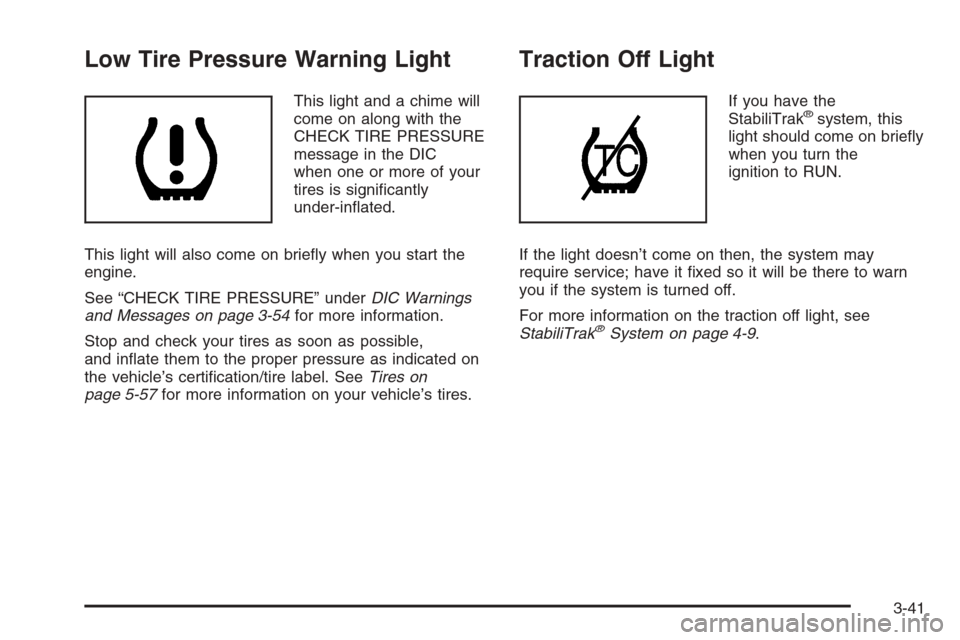
Low Tire Pressure Warning Light
This light and a chime will
come on along with the
CHECK TIRE PRESSURE
message in the DIC
when one or more of your
tires is signicantly
under-inated.
This light will also come on briey when you start the
engine.
See “CHECK TIRE PRESSURE” underDIC Warnings
and Messages on page 3-54for more information.
Stop and check your tires as soon as possible,
and inate them to the proper pressure as indicated on
the vehicle’s certication/tire label. SeeTires on
page 5-57for more information on your vehicle’s tires.
Traction Off Light
If you have the
StabiliTrak®system, this
light should come on briey
when you turn the
ignition to RUN.
If the light doesn’t come on then, the system may
require service; have it xed so it will be there to warn
you if the system is turned off.
For more information on the traction off light, see
StabiliTrak
®System on page 4-9.
3-41