door lock CADILLAC ESCALADE ESV 2007 2.G User Guide
[x] Cancel search | Manufacturer: CADILLAC, Model Year: 2007, Model line: ESCALADE ESV, Model: CADILLAC ESCALADE ESV 2007 2.GPages: 574, PDF Size: 2.89 MB
Page 114 of 574
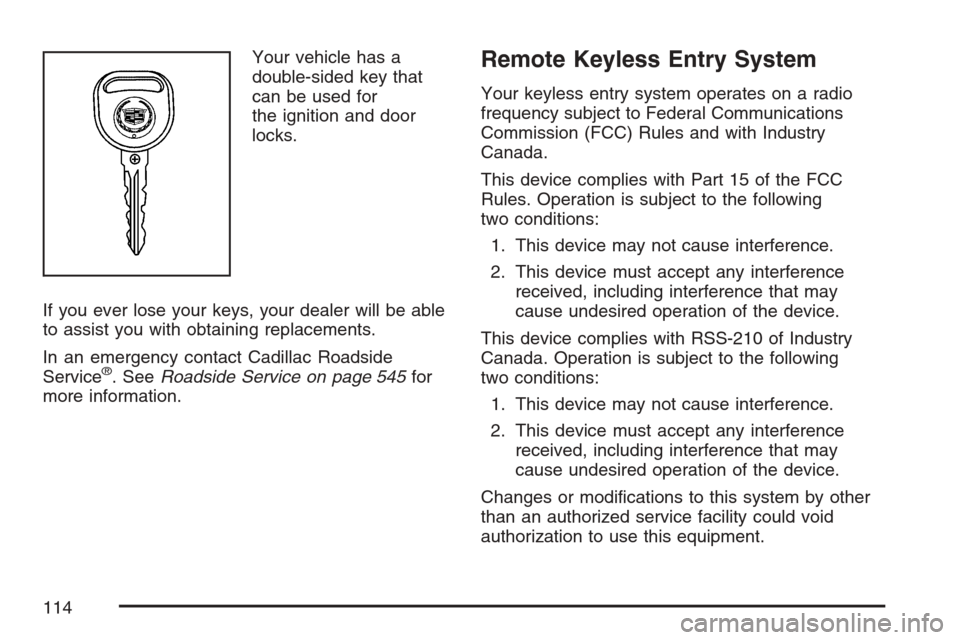
Your vehicle has a
double-sided key that
can be used for
the ignition and door
locks.
If you ever lose your keys, your dealer will be able
to assist you with obtaining replacements.
In an emergency contact Cadillac Roadside
Service
®. SeeRoadside Service on page 545for
more information.
Remote Keyless Entry System
Your keyless entry system operates on a radio
frequency subject to Federal Communications
Commission (FCC) Rules and with Industry
Canada.
This device complies with Part 15 of the FCC
Rules. Operation is subject to the following
two conditions:
1. This device may not cause interference.
2. This device must accept any interference
received, including interference that may
cause undesired operation of the device.
This device complies with RSS-210 of Industry
Canada. Operation is subject to the following
two conditions:
1. This device may not cause interference.
2. This device must accept any interference
received, including interference that may
cause undesired operation of the device.
Changes or modications to this system by other
than an authorized service facility could void
authorization to use this equipment.
114
Page 115 of 574
At times you may notice a decrease in operating
range. This is normal for any remote keyless entry
system. If the transmitter does not work or if you
have to stand closer to your vehicle for the
transmitter to work, try this:
Check the distance. You may be too far from
your vehicle. You may need to stand closer
during rainy or snowy weather.
Check the location. Other vehicles or objects
may be blocking the signal. Take a few steps
to the left or right, hold the transmitter
higher, and try again.
Check to determine if battery replacement is
necessary. See “Battery Replacement”
underRemote Keyless Entry System
Operation on page 115.
If you are still having trouble, see your dealer
or a qualied technician for service.
Remote Keyless Entry System
Operation
The vehicle’s doors can be locked and unlocked
from about 3 feet (1 m) up to 65 feet (20 m)
away with the Remote Keyless Entry (RKE)
transmitter.
If your vehicle has the remote start feature you
can also start your vehicle with the RKE
transmitter. The RKE transmitter, with the remote
start button, provides an increased operating
range of 195 feet (60 m) away. However,
the operating range may be less while the vehicle
is running. As a result, you may need to be
closer to your vehicle to turn it off than you were
to start it.
There are other conditions which can affect the
performance of the transmitter. SeeRemote
Keyless Entry System on page 114.
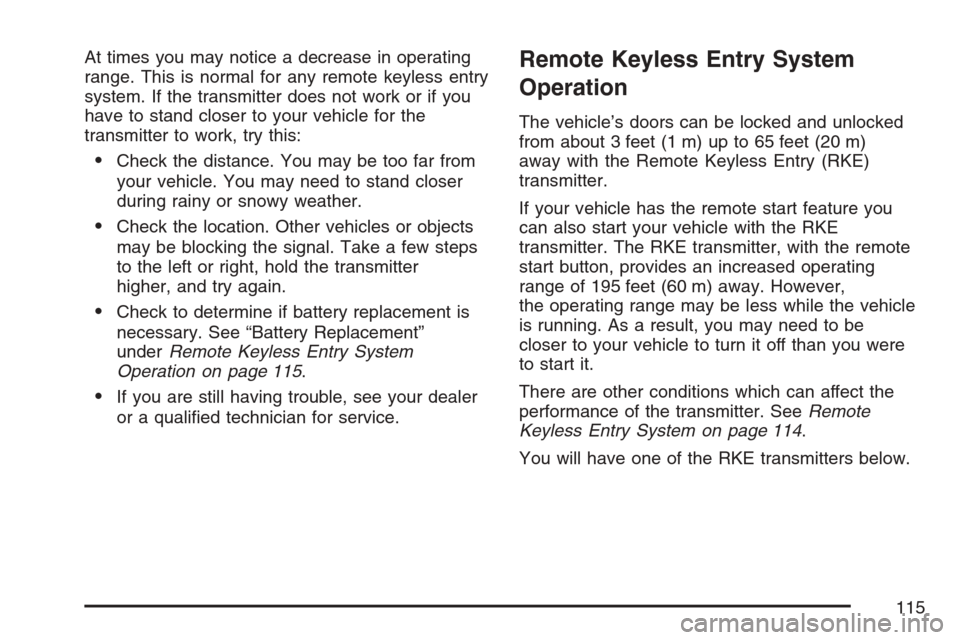
You will have one of the RKE transmitters below.
115
Page 116 of 574

The following functions may be available if your
vehicle has the RKE system:
/(Remote Vehicle Start):If your vehicle has
this feature, it may be started from outside
the vehicle using the RKE transmitter. See
“Remote Vehicle Start” following for more detailed
information.
Q(Lock):Press the lock button to lock all the
doors. If enabled through the Driver Information
Center (DIC), the parking lamps will ash once to
indicate locking has occurred. If enabled through
the DIC, the horn will chirp when the lock button is
pressed again within ve seconds of the previous
press of the lock button. SeeDIC Vehicle
Customization on page 259for additional
information. Pressing the lock button may arm the
content theft-deterrent system. SeeContent
Theft-Deterrent on page 135.
"(Unlock):Press the unlock button to unlock the
driver’s door. If the button is pressed again
within ve seconds, all remaining doors will unlock.
The interior lamps will come on and stay on for
20 seconds or until the ignition is turned on.
If enabled through the DIC, the parking lamps will
ash once to indicate unlocking has occurred.
SeeDIC Vehicle Customization on page 259.
Pressing the unlock button on the RKE transmitter
will disarm the content theft-deterrent system.
SeeContent Theft-Deterrent on page 135.With Remote Start and
Power Liftgate and
Liftglass (Without
Remote Start Similar)With Remote Start and
Power Liftgate and
Liftglass (Without
Remote Start Similar)
116
Page 121 of 574

/(Remote Start):Press and release the lock
button and then press and hold the remote
start button to start the vehicle.
To start the vehicle using the remote start feature,
do the following:
1. Aim the transmitter at the vehicle.
2. Press and release the transmitter’s lock
button, then immediately press and hold
the transmitter’s remote start button until the
turn signal lights ash. If you can not see
the vehicle’s lights, press and hold the remote
start button for at least four seconds. The
vehicle’s doors will lock. Pressing the remote
start button again after the vehicle has
started will turn off the ignition.
When the vehicle starts, the parking lamps will
turn on and remain on while the vehicle is
running.
3. If it is your rst remote start since last driving,
repeat these steps while the engine is still
running for a 10 minute time extension.
Remote start can be extended one time.When you enter the vehicle during a remote start,
and the engine is still running, turn the key to
the RUN position to drive the vehicle.
If the vehicle is left running it will automatically
shut off after 10 minutes unless a time extension
has been done.
To manually shut off a remote start, do any of the
following:
Aim the RKE transmitter at the vehicle and
press the remote start button until the
parking lamps turn off.
Turn on the hazards warning ashers.
Turn the ignition switch on and then off.
The vehicle can be remote started two separate
times between driving sequences. The engine will
run for 10 minutes after each remote start.
Or, you can extend the engine run time by another
10 minutes within the rst 10 minute remote
start time frame, and before the engine stops.
121
Page 123 of 574

Doors and Locks
Door Locks
{CAUTION:
Unlocked doors can be dangerous.
Passengers, especially children, can
easily open the doors and fall out of a
moving vehicle. When a door is
locked, the handle will not open it.
You increase the chance of being
thrown out of the vehicle in a crash if
the doors are not locked. So, wear
safety belts properly and lock the
doors whenever you drive.
CAUTION: (Continued)
CAUTION: (Continued)
Young children who get into unlocked
vehicles may be unable to get out.
A child can be overcome by extreme
heat and can suffer permanent injuries
or even death from heat stroke.
Always lock your vehicle whenever
you leave it.
Outsiders can easily enter through an
unlocked door when you slow down
or stop your vehicle. Locking your
doors can help prevent this from
happening.
There are several ways to lock and unlock your
vehicle.
From the outside, use the remote keyless
entry (RKE) transmitter or the key in the
driver’s door.
From the inside, use the power door locks or
manual door locks. To lock or unlock the door with
the manual locks, push down or pull up on the
manual lock knob.
123
Page 124 of 574
Power Door Locks
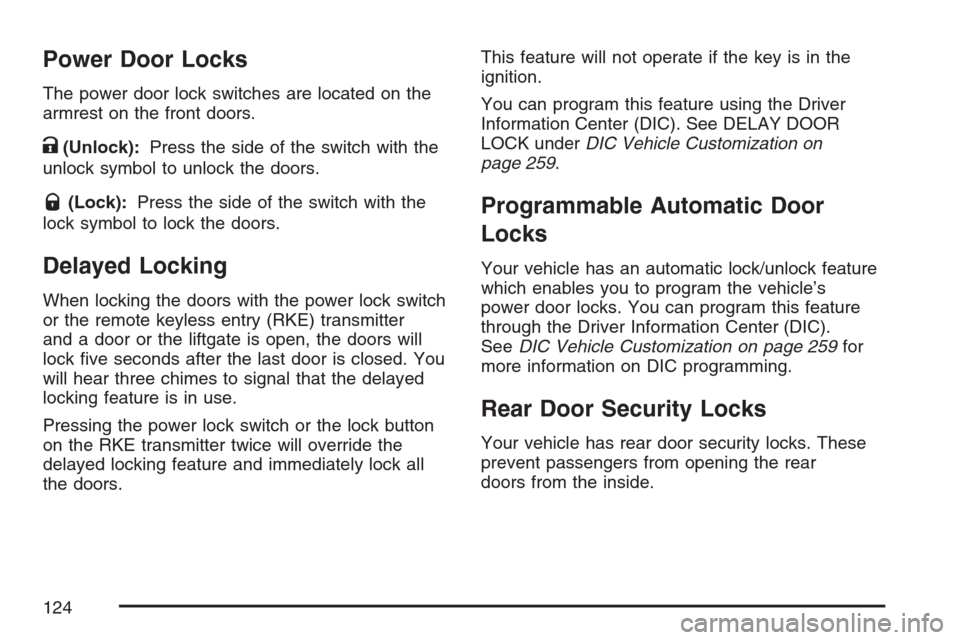
The power door lock switches are located on the
armrest on the front doors.
K(Unlock):Press the side of the switch with the
unlock symbol to unlock the doors.
Q(Lock):Press the side of the switch with the
lock symbol to lock the doors.
Delayed Locking
When locking the doors with the power lock switch
or the remote keyless entry (RKE) transmitter
and a door or the liftgate is open, the doors will
lock ve seconds after the last door is closed. You
will hear three chimes to signal that the delayed
locking feature is in use.
Pressing the power lock switch or the lock button
on the RKE transmitter twice will override the
delayed locking feature and immediately lock all
the doors.This feature will not operate if the key is in the
ignition.
You can program this feature using the Driver
Information Center (DIC). See DELAY DOOR
LOCK underDIC Vehicle Customization on
page 259.
Programmable Automatic Door
Locks
Your vehicle has an automatic lock/unlock feature
which enables you to program the vehicle’s
power door locks. You can program this feature
through the Driver Information Center (DIC).
SeeDIC Vehicle Customization on page 259for
more information on DIC programming.
Rear Door Security Locks
Your vehicle has rear door security locks. These
prevent passengers from opening the rear
doors from the inside.
124
Page 125 of 574

The rear door security
locks are located on the
inside edge of each
rear door. You
must open the rear
doors to access them.
The label depicting
lock and unlock
positions is located near
the lock.
To set the locks, do the following:
1. Insert the key into the security lock slot and
turn it so the slot is in the horizontal position.
2. Close the door.
When you want to open a rear door when the
security lock is on, do the following:
1. Unlock the door using the remote keyless
entry transmitter, if the vehicle has one, the
power door lock switch, or by lifting the
rear door manual lock.
2. Open the door from the outside.To cancel the rear door security lock, do the
following:
1. Unlock the door and open it from the outside.
2. Insert the key into the security lock slot
and turn it so the slot is in the vertical position.
Lockout Protection
This feature protects you from locking the key in
the vehicle when the key is in the ignition and
a front door is open.
If the driver’s side power door lock switch is
pressed when the driver’s door is open and the
key is in the ignition, all of the doors will lock and
then the driver’s door will unlock.
If the passenger’s side power door lock switch is
pressed when the front passenger’s door is
open and the key is in the ignition, all of the doors
will lock and then the front passenger’s door
will unlock.
Security Lock Label
shown
125
Page 126 of 574

Liftgate/Liftglass
{CAUTION:
It can be dangerous to drive with the
liftglass or liftgate open because carbon
monoxide (CO) gas can come into your
vehicle. You cannot see or smell CO. It can
cause unconsciousness and even death.
If you must drive with the liftglass or
liftgate open, or if electrical wiring or other
cable connections must pass through the
seal between the body and the liftglass or
liftgate:
Make sure all other windows are shut.
Turn the fan on your heating or cooling
system to its highest speed with the
recirculation mode off. That will force
outside air into your vehicle. SeeDual
Automatic Climate Control System on
page 220.
CAUTION: (Continued)
CAUTION: (Continued)
If you have air outlets on or under
the instrument panel, open them all
the way.
If your vehicle is equipped with a
power liftgate, disable the power
liftgate function.
SeeEngine Exhaust on page 155.
SeePower Liftgate on page 128for more
information on how to use the power liftgate.
To unlock the liftgate, use the power door lock
switch or press the door unlock button on
the Remote Keyless Entry (RKE) transmitter twice.
SeeRemote Keyless Entry System Operation
on page 115.
126
Page 130 of 574

Obstacle Detection Features
If the liftgate encounters an obstacle during a
power open or close cycle, a warning chime will
sound and the liftgate will automatically reverse
direction to the full closed or open position.
After removing the obstruction, the liftgate may be
power opened or closed normally. If the liftgate
encounters multiple obstacles on the same power
cycle, the power function will deactivate, and
the liftgate will switch to manual operation. The
REAR ACCESS OPEN warning message in
the Driver Information Center (DIC) will indicate
that the liftgate is open. After removing the
obstructions, manually open the liftgate to the full
open position or close the liftgate to the fully
closed and latched position. The liftgate will now
resume normal power operation.
Your vehicle has pinch sensors located on the
side edges of the liftgate. If an object is caught
between the liftgate and the vehicle body and
presses against this sensor, the liftgate will reverse
direction and open fully. The liftgate will remain
open until it is activated again or closed manually.
Manual Operation of Power Liftgate
To change the liftgate to
manual operation,
toggle the switch on the
overhead console to
the “Disable” position
indicated by a circle.
With the power liftgate disabled and the door
unlocked, the power liftgate can be manually
opened and closed.
To open the liftgate, press the touchpad on the
handle on the outside of the liftgate, and lift
the gate open. To close the liftgate, use the pull
cup or pull strap to lower the liftgate and close.
The liftgate latch will power cinch to closed
position. Always close the liftgate before driving.
If the RKE button or the power close button on the
liftgate is pressed while power operation is
disabled, the lights will ash three times, but the
liftgate will not move.
130
Page 134 of 574
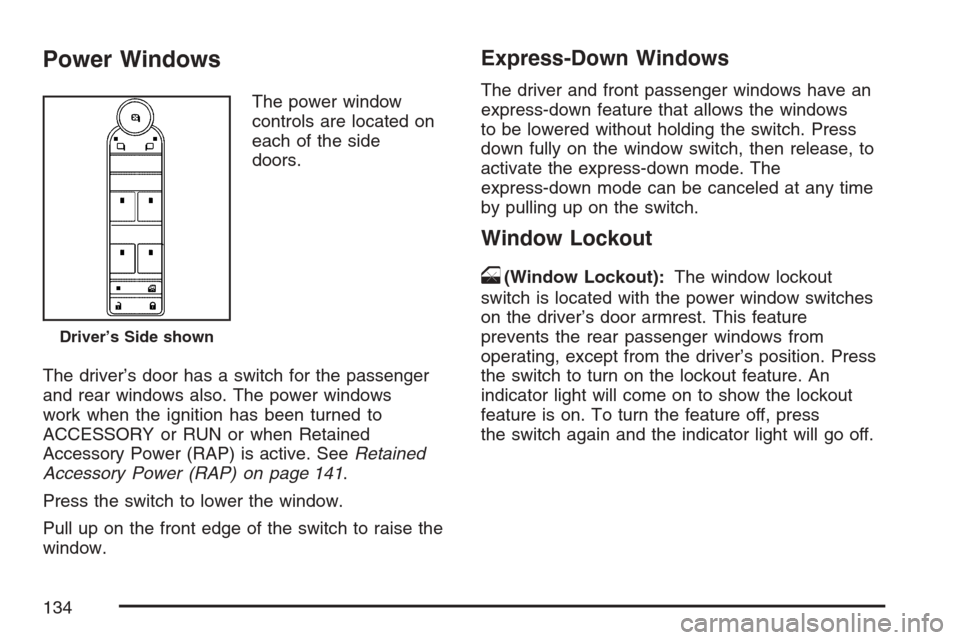
Power Windows
The power window
controls are located on
each of the side
doors.
The driver’s door has a switch for the passenger
and rear windows also. The power windows
work when the ignition has been turned to
ACCESSORY or RUN or when Retained
Accessory Power (RAP) is active. SeeRetained
Accessory Power (RAP) on page 141.
Press the switch to lower the window.
Pull up on the front edge of the switch to raise the
window.
Express-Down Windows
The driver and front passenger windows have an
express-down feature that allows the windows
to be lowered without holding the switch. Press
down fully on the window switch, then release, to
activate the express-down mode. The
express-down mode can be canceled at any time
by pulling up on the switch.
Window Lockout
o
(Window Lockout):The window lockout
switch is located with the power window switches
on the driver’s door armrest. This feature
prevents the rear passenger windows from
operating, except from the driver’s position. Press
the switch to turn on the lockout feature. An
indicator light will come on to show the lockout
feature is on. To turn the feature off, press
the switch again and the indicator light will go off.
Driver’s Side shown
134