clock CADILLAC ESCALADE ESV 2009 User Guide
[x] Cancel search | Manufacturer: CADILLAC, Model Year: 2009, Model line: ESCALADE ESV, Model: CADILLAC ESCALADE ESV 2009Pages: 602, PDF Size: 5.18 MB
Page 363 of 602

qr (Folder/Artist/Album): Select the left or right
arrow to go to the previous or next folder, artist,
or album on the disc.
Press the middle screen button, with the folder, artist,
or album name, to sort the MP3 by folder, artist, or album.
It may take a few minutes for the system to sort the MP3.
y©¨z (Seek): To seek tracks, press the up arrow
to go to the next track. Press the down arrow to go to the
start of the current track, if more than eight seconds have
played. If either arrow is pressed more than once, the
player will continue moving backward or forward through
the CD. The sound will mute while seeking.
w (Tuning Knob): Turn this knob counterclockwise
one notch to go to the start of the current track, turn
it again to go to the previous track. Turn this knob
clockwise to go to the next track.
When playing an MP3 the rear seat operator can power
on the RSE video screen and use the remote control
to navigate through the MP3. CD Messages If Disc Read Error appears on the display and/or the CD
comes out, it could be for one of the following reasons:
If a disc was inserted with an invalid or unknown
format.
If the map DVD disc was installed into the CD slot.
See “Installing the Map DVD” under Maps on
page 4-15 for more information.
It is very hot. When the temperature returns to
normal, the CD should play.
You are driving on a very rough road. When the
road becomes smoother, the CD should play.
The CD is dirty, scratched, wet, or upside down.
The air is very humid. If so, wait about an hour and
try again.
There may have been a problem while burning
the CD.
The label may be caught in the CD player.
If the CD is not playing correctly, for any other reason,
try a known good CD.
If any error occurs repeatedly or if an error cannot be
corrected, contact your dealer/retailer.
4-77
Page 369 of 602

Subtitle Language: Touch English, Francais, Espanol,
Italiano, or Deutsch to change the default language
of the subtitles that the DVD player uses for each disc.
The subtitle language must be available on the disc.
The subtitle language may vary for each DVD.
Menu Language: Touch English, Francais, Espanol,
Italiano, or Deutsch to change the default language
of the DVD video menus. The menu language must
be available on the disc. The menu language may
vary for each DVD.
Parental Level: Touch this button to change the rating
level to only allow the play of DVDs with a certain rating.
The rating selection is 1 through 8, with 1 Kids Safe being
a G rating. If the 1 is selected, any DVD with a rating
above G will not be able to be viewed without entering
a password.
When the parental level is rst entered a keyboard will
appear on the display and a four-digit password will need
to be created. Type in a password that you will be able to
remember. Once the password is created, you can then
select a rating level.
If you would like to change the rating level, press the
Parental Level button, then press the Password button.
Type in the password and then change the rating level. If the password has been forgotten, contact your
dealer/retailer.
This may not be available on all DVDs.
Aspect: Touch this button to change the aspect ratio of
the DVD. This may not be available on all DVDs.
y (Next Track/Chapter): Press this hard key to go
to the next track or chapter. This button may not work
when the DVD is playing the copyright information
or the previews.
z (Previous Track/Chapter): Press this hard key
to return to the start of the current track or chapter.
Press this button again to go to the previous track
or chapter. This button may not work when the DVD
is playing the copyright information or the previews.
w (Tuning Knob): Turn this knob counterclockwise
one notch to go to the start of the current chapter/track,
turn it again to go to the previous chapter/track. Turn
this knob clockwise to go to the next chapter/track.
4-83
Page 383 of 602

If the system fails to turn on or activate, the StabiliTrak
light along with one of the following messages will be
displayed on the Driver Information Center (DIC):
TRACTION CONTROL OFF, SERVICE TRACTION
CONTROL, STABILITRAK OFF, SERVICE
STABILITRAK. If these DIC messages appear, make
sure the StabiliTrak system has not been turned off
using the StabiliTrak on/off button. Then turn the steering
wheel clockwise from the nine o’clock position to the
three o’clock position. If this clears the message(s), the
vehicle does not need servicing. If this does not clear the
message(s), then turn the vehicle off, wait 15 seconds,
and then turn it back on again to reset the system. If any
of these messages still appear on the Driver Information
Center (DIC), the vehicle should be taken in for service.
For more information on the DIC messages, see Driver
Information Center (DIC) on page 3-47 .
The StabiliTrak light will
ash on the instrument
panel cluster when the
system is both on and
activated.
The system may be heard or felt while it is working; this
is normal. The traction control disable
button is located on the
instrument panel below the
climate controls.
The traction control part of StabiliTrak can be turned off
by pressing and releasing the StabiliTrak button if both
systems (traction control and StabiliTrak) were previously
on. To disable both traction control and StabiliTrak, press
and hold the button for ve seconds.
Traction control and StabiliTrak can be turned on by
pressing and releasing the StabiliTrak button if not
automatically shut off for any other reason.
When the TCS or StabiliTrak system is turned off,
the StabiliTrak light and the appropriate TCS off or
StabiliTrak off message will be displayed on the DIC to
warn the driver. The vehicle will still have brake-traction
control when traction control is off, but will not be able
to use the engine speed management system. See
“Traction Control Operation” next for more information.
When the traction control system has been turned off,
system noises may still be heard as a result of the
brake-traction control coming on.
5-7
Page 387 of 602
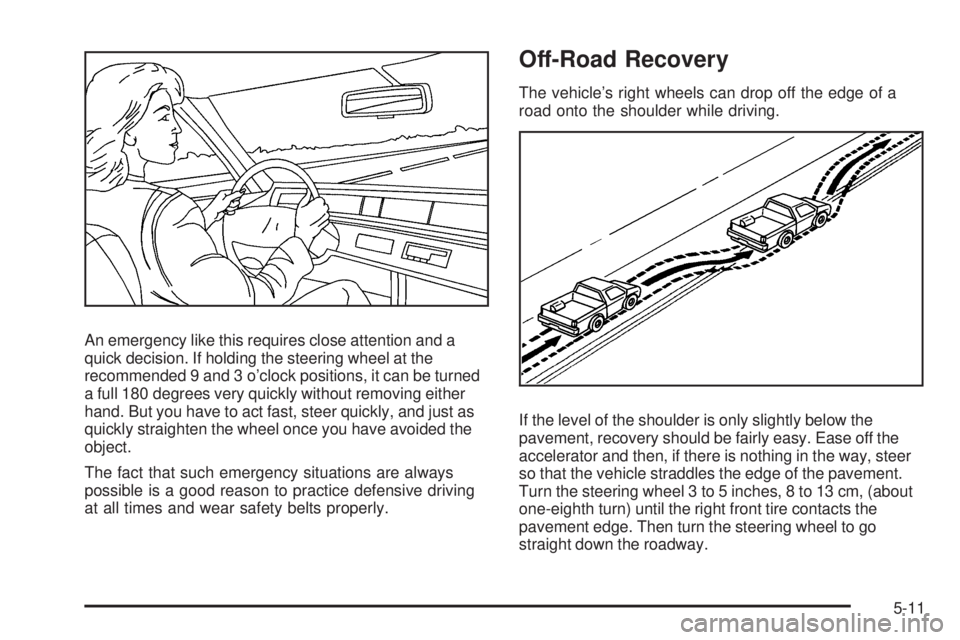
An emergency like this requires close attention and a
quick decision. If holding the steering wheel at the
recommended 9 and 3 o’clock positions, it can be turned
a full 180 degrees very quickly without removing either
hand. But you have to act fast, steer quickly, and just as
quickly straighten the wheel once you have avoided the
object.
The fact that such emergency situations are always
possible is a good reason to practice defensive driving
at all times and wear safety belts properly. Off-Road Recovery The vehicle’s right wheels can drop off the edge of a
road onto the shoulder while driving.
If the level of the shoulder is only slightly below the
pavement, recovery should be fairly easy. Ease off the
accelerator and then, if there is nothing in the way, steer
so that the vehicle straddles the edge of the pavement.
Turn the steering wheel 3 to 5 inches, 8 to 13 cm, (about
one-eighth turn) until the right front tire contacts the
pavement edge. Then turn the steering wheel to go
straight down the roadway.
5-11
Page 396 of 602

Sound the horn as you approach the top of the hill
to let opposing traffic know you are there.
Use headlamps even during the day to make the
vehicle more visible to oncoming traffic.
{ CAUTION: Driving to the top (crest) of a hill at full speed can
cause an accident. There could be a drop-off,
embankment, cliff, or even another vehicle. You
could be seriously injured or killed. As you near
the top of a hill, slow down and stay alert.
If the vehicle stalls, or is about to stall, and you cannot
make it up the hill:
Push the brake pedal to stop the vehicle and keep
it from rolling backwards and apply the parking
brake.
If the engine is still running, shift the transmission to
R (Reverse), release the parking brake, and slowly
back down the hill in R (Reverse).
If the engine has stopped running, you need to
restart it. With the brake pedal pressed and the
parking brake still applied, shift the transmission to P (Park) and restart the engine. Then, shift to
R (Reverse), release the parking brake, and slowly
back down the hill as straight as possible in
R (Reverse).
While backing down the hill, put your left hand on the
steering wheel at the 12 o’clock position so you can
tell if the wheels are straight and can maneuver as
you back down. It is best to back down the hill with
the wheels straight rather than in the left or right
direction. Turning the wheel too far to the left or right
will increase the possibility of a rollover.
Things not to do if the vehicle stalls, or is about to stall,
when going up a hill:
Never attempt to prevent a stall by shifting into
N (Neutral) to rev-up the engine and regain forward
momentum. This will not work. The vehicle can roll
backward very quickly and could go out of control.
Never try to turn around if about to stall when going
up a hill. If the hill is steep enough to stall the vehicle,
it is steep enough to cause it to roll over. If you
cannot make it up the hill, back straight down the hill.
If, after stalling, you try to back down the hill and decide
you just cannot do it, set the parking brake, put your
transmission in P (Park), and turn off the engine. Leave
the vehicle and go get some help. Exit on the uphill side
and stay clear of the path the vehicle would take if it rolled
downhill.
5-20
Page 426 of 602
When pulling a trailer that, when loaded, will weigh
more than 5,000 lbs (2 270 kg) be sure to use a properly
mounted weight-distributing hitch and sway control of
the proper size. This equipment is very important
for proper vehicle loading and good handling when
driving. Always use sway control if the trailer will weigh
more than these limits. Ask a hitch dealer about
sway controls.
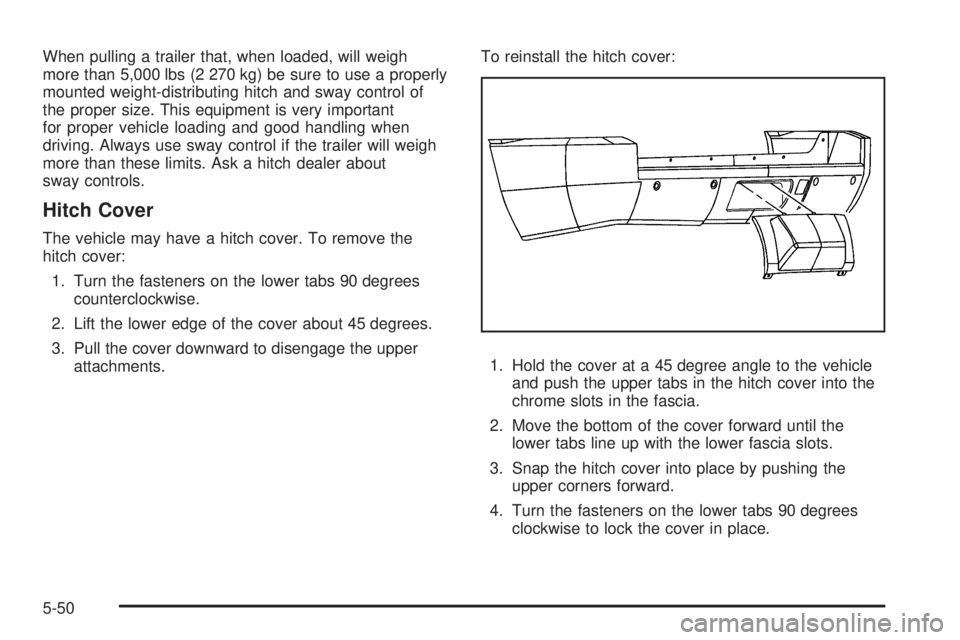
Hitch Cover The vehicle may have a hitch cover. To remove the
hitch cover:
1. Turn the fasteners on the lower tabs 90 degrees
counterclockwise.
2. Lift the lower edge of the cover about 45 degrees.
3. Pull the cover downward to disengage the upper
attachments. To reinstall the hitch cover:
1. Hold the cover at a 45 degree angle to the vehicle
and push the upper tabs in the hitch cover into the
chrome slots in the fascia.
2. Move the bottom of the cover forward until the
lower tabs line up with the lower fascia slots.
3. Snap the hitch cover into place by pushing the
upper corners forward.
4. Turn the fasteners on the lower tabs 90 degrees
clockwise to lock the cover in place.
5-50
Page 444 of 602
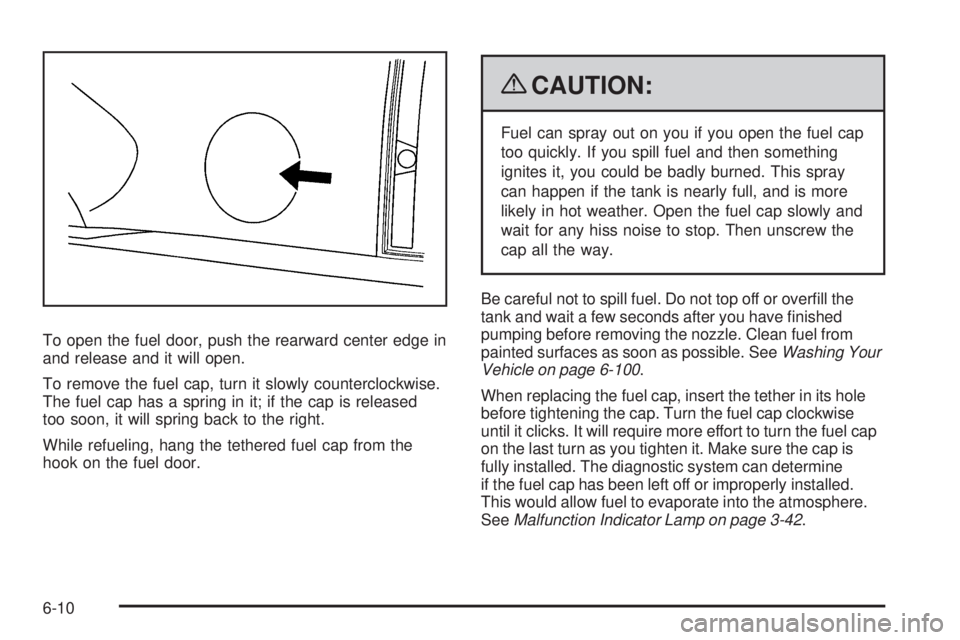
To open the fuel door, push the rearward center edge in
and release and it will open.
To remove the fuel cap, turn it slowly counterclockwise.
The fuel cap has a spring in it; if the cap is released
too soon, it will spring back to the right.
While refueling, hang the tethered fuel cap from the
hook on the fuel door. { CAUTION: Fuel can spray out on you if you open the fuel cap
too quickly. If you spill fuel and then something
ignites it, you could be badly burned. This spray
can happen if the tank is nearly full, and is more
likely in hot weather. Open the fuel cap slowly and
wait for any hiss noise to stop. Then unscrew the
cap all the way.
Be careful not to spill fuel. Do not top off or overll the
tank and wait a few seconds after you have nished
pumping before removing the nozzle. Clean fuel from
painted surfaces as soon as possible. See Washing Your
Vehicle on page 6-100 .
When replacing the fuel cap, insert the tether in its hole
before tightening the cap. Turn the fuel cap clockwise
until it clicks. It will require more effort to turn the fuel cap
on the last turn as you tighten it. Make sure the cap is
fully installed. The diagnostic system can determine
if the fuel cap has been left off or improperly installed.
This would allow fuel to evaporate into the atmosphere.
See Malfunction Indicator Lamp on page 3-42 .
6-10
Page 463 of 602
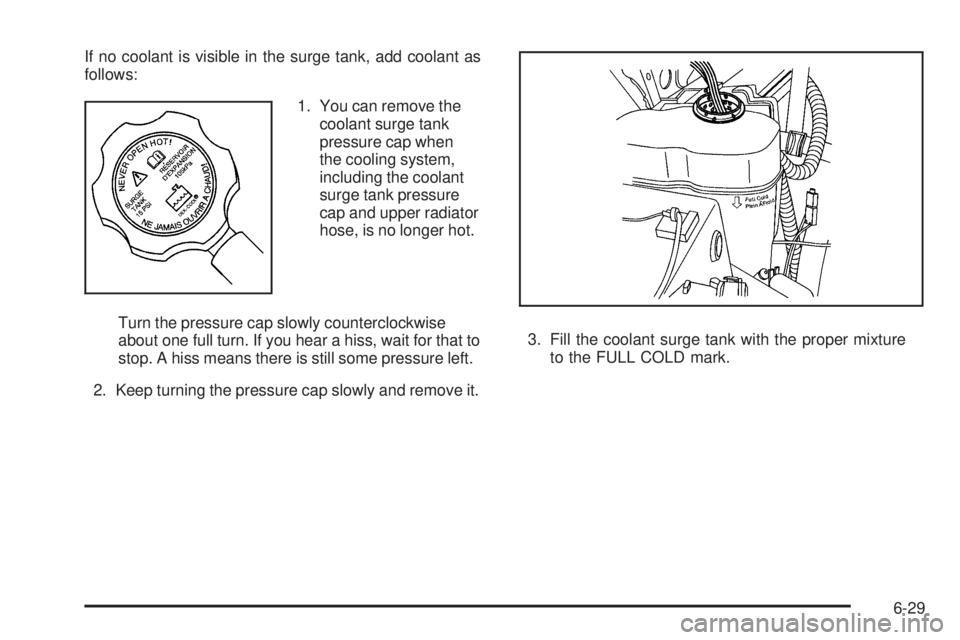
If no coolant is visible in the surge tank, add coolant as
follows:
1. You can remove the
coolant surge tank
pressure cap when
the cooling system,
including the coolant
surge tank pressure
cap and upper radiator
hose, is no longer hot.
Turn the pressure cap slowly counterclockwise
about one full turn. If you hear a hiss, wait for that to
stop. A hiss means there is still some pressure left.
2. Keep turning the pressure cap slowly and remove it. 3. Fill the coolant surge tank with the proper mixture
to the FULL COLD mark.
6-29
Page 484 of 602

7. Locate the vertical headlamp aiming screws, which
are under the hood near each headlamp assembly.
The adjustment screw can be turned with a E8 Torx ®
socket.
8. Turn the vertical aiming screw until the headlamp
beam is aimed to the horizontal tape line. Turn it
clockwise or counterclockwise to raise or lower the
angle of the beam. 9. Make sure that the light from the headlamp is
positioned at the bottom edge of the horizontal tape
line. The lamp on the left (A) shows the correct
headlamp aim. The lamp on the right (B) shows the
incorrect headlamp aim.
10. Repeat Steps 7 through 9 for the opposite
headlamp.
6-50
Page 486 of 602
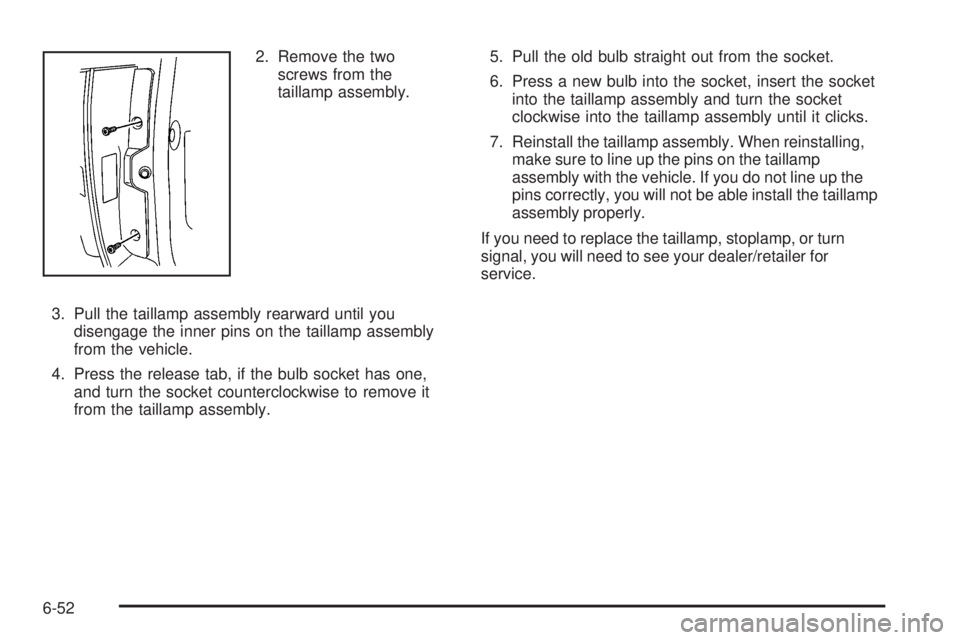
2. Remove the two
screws from the
taillamp assembly.
3. Pull the taillamp assembly rearward until you
disengage the inner pins on the taillamp assembly
from the vehicle.
4. Press the release tab, if the bulb socket has one,
and turn the socket counterclockwise to remove it
from the taillamp assembly. 5. Pull the old bulb straight out from the socket.
6. Press a new bulb into the socket, insert the socket
into the taillamp assembly and turn the socket
clockwise into the taillamp assembly until it clicks.
7. Reinstall the taillamp assembly. When reinstalling,
make sure to line up the pins on the taillamp
assembly with the vehicle. If you do not line up the
pins correctly, you will not be able install the taillamp
assembly properly.
If you need to replace the taillamp, stoplamp, or turn
signal, you will need to see your dealer/retailer for
service.
6-52