brake CADILLAC ESCALADE ESV 2009 Owner's Manual
[x] Cancel search | Manufacturer: CADILLAC, Model Year: 2009, Model line: ESCALADE ESV, Model: CADILLAC ESCALADE ESV 2009Pages: 602, PDF Size: 5.18 MB
Page 183 of 602
Resuming a Set Speed If the cruise control is set at a desired speed and
then the brakes are applied, this shuts off the cruise
control. But it does not need to be reset.
Once the vehicle speed reaches about 25 mph
(40 km/h) or more, press the +RES button on the
steering wheel. The vehicle returns to the previously
set speed and stays there.
Increasing Speed While Using Cruise
Control To increase the cruise speed while using cruise control:
Press and hold the +RES button on the steering
wheel until the desired speed is reached, then
release it.
To increase vehicle speed in small increments,
press the +RES button. Each time this is done,
the vehicle goes about 1 mph (1.6 km/h) faster. Reducing Speed While Using Cruise
Control To reduce the vehicle speed while using cruise control:
Press and hold the SET– button on the steering
wheel until the desired lower speed is reached,
then release it.
To slow down in very small amounts, press
the SET– button on the steering wheel briey.
Each time this is done, the vehicle goes about
1 mph (1.6 km/h) slower.
Passing Another Vehicle While Using
Cruise Control Use the accelerator pedal to increase the vehicle speed.
When you take your foot off the pedal, the vehicle will
slow down to the previous set cruise speed.
3-15
Page 184 of 602
Using Cruise Control on Hills How well the cruise control will work on hills depends
upon the vehicle speed, load, and the steepness of
the hills. When going up steep hills, you might have to
step on the accelerator pedal to maintain the vehicle’s
speed. When going downhill, you might have to brake
or shift to a lower gear to keep the vehicle’s speed
down. When the brakes are applied the cruise control
turns off.
Ending Cruise Control There are three ways to end cruise control:
Step lightly on the brake pedal.
Press the
[ button on the steering wheel.
Press the
I button on the steering wheel.
Erasing Speed Memory The cruise control set speed memory is erased when
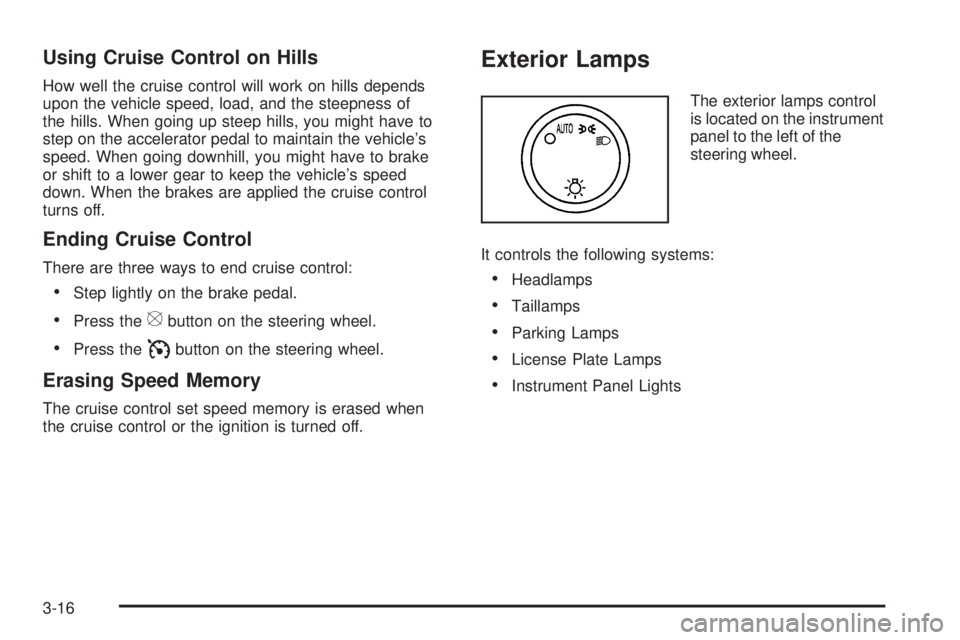
the cruise control or the ignition is turned off. Exterior Lamps The exterior lamps control
is located on the instrument
panel to the left of the
steering wheel.
It controls the following systems:
Headlamps
Taillamps
Parking Lamps
License Plate Lamps
Instrument Panel Lights
3-16
Page 207 of 602
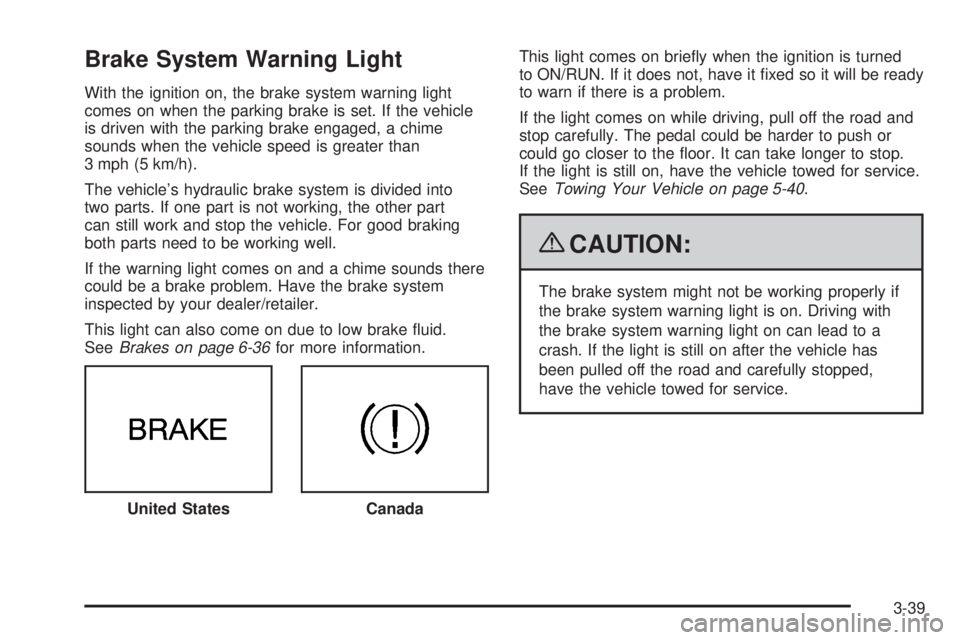
Brake System Warning Light With the ignition on, the brake system warning light
comes on when the parking brake is set. If the vehicle
is driven with the parking brake engaged, a chime
sounds when the vehicle speed is greater than
3 mph (5 km/h).
The vehicle’s hydraulic brake system is divided into
two parts. If one part is not working, the other part
can still work and stop the vehicle. For good braking
both parts need to be working well.
If the warning light comes on and a chime sounds there
could be a brake problem. Have the brake system
inspected by your dealer/retailer.
This light can also come on due to low brake uid.
See Brakes on page 6-36 for more information. This light comes on briey when the ignition is turned
to ON/RUN. If it does not, have it xed so it will be ready
to warn if there is a problem.
If the light comes on while driving, pull off the road and
stop carefully. The pedal could be harder to push or
could go closer to the oor. It can take longer to stop.
If the light is still on, have the vehicle towed for service.
See Towing Your Vehicle on page 5-40 .
{ CAUTION: The brake system might not be working properly if
the brake system warning light is on. Driving with
the brake system warning light on can lead to a
crash. If the light is still on after the vehicle has
been pulled off the road and carefully stopped,
have the vehicle towed for service.
United States
Canada
3-39
Page 208 of 602
Antilock Brake System (ABS)
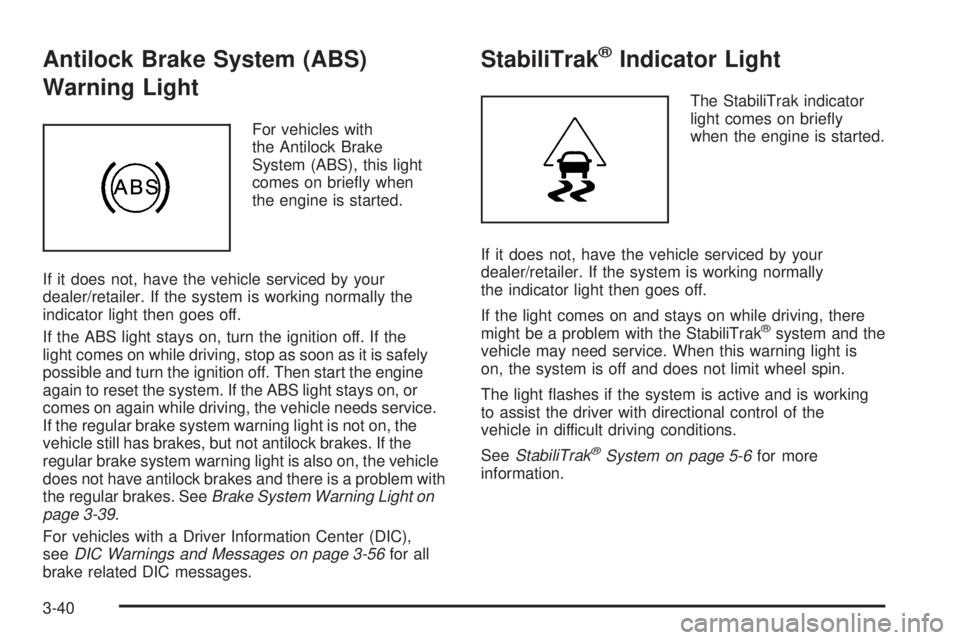
Warning Light For vehicles with
the Antilock Brake
System (ABS), this light
comes on briey when
the engine is started.
If it does not, have the vehicle serviced by your
dealer/retailer. If the system is working normally the
indicator light then goes off.
If the ABS light stays on, turn the ignition off. If the
light comes on while driving, stop as soon as it is safely
possible and turn the ignition off. Then start the engine
again to reset the system. If the ABS light stays on, or
comes on again while driving, the vehicle needs service.
If the regular brake system warning light is not on, the
vehicle still has brakes, but not antilock brakes. If the
regular brake system warning light is also on, the vehicle
does not have antilock brakes and there is a problem with
the regular brakes. See Brake System Warning Light on
page 3-39 .
For vehicles with a Driver Information Center (DIC),
see DIC Warnings and Messages on page 3-56 for all
brake related DIC messages. StabiliTrak ®
Indicator Light The StabiliTrak indicator
light comes on briey
when the engine is started.
If it does not, have the vehicle serviced by your
dealer/retailer. If the system is working normally
the indicator light then goes off.
If the light comes on and stays on while driving, there
might be a problem with the StabiliTrak ®
system and the
vehicle may need service. When this warning light is
on, the system is off and does not limit wheel spin.
The light ashes if the system is active and is working
to assist the driver with directional control of the
vehicle in difficult driving conditions.
See StabiliTrak ®
System on page 5-6 for more
information.
3-40
Page 228 of 602
REPLACE BATTERY IN REMOTE KEY This message displays if a Remote Keyless Entry (RKE)
transmitter battery is low. The battery needs to be
replaced in the transmitter. See “Battery Replacement”
under Remote Keyless Entry (RKE) System Operation
on page 2-5 .
RIGHT REAR DOOR OPEN This message displays and a chime sounds if the
passenger side rear door is not fully closed and the
vehicle is shifted out of P (Park). Stop and turn off the
vehicle, check the door for obstructions, and close
the door again. Check to see if the message still
appears on the DIC.
SERVICE AIR BAG This message displays if there is a problem with the
airbag system. Have your dealer/retailer inspect the
system for problems. See Airbag Readiness Light on
page 3-36 and Airbag System on page 1-79 for more
information. SERVICE BATTERY CHARGING
SYSTEM On some vehicles, this message displays if there is a
problem with the battery charging system. Under certain
conditions, the charging system light may also turn on in
the instrument panel cluster. See Charging System Light
on page 3-38 . Driving with this problem could drain the
battery. Turn off all unnecessary accessories. Have the
electrical system checked as soon as possible. See your
dealer/retailer.
SERVICE BRAKE SYSTEM This message displays along with the brake system
warning light if there is a problem with the brake system.
See Brake System Warning Light on page 3-39 . If this
message appears, stop as soon as possible and turn
off the vehicle. Restart the vehicle and check for
the message on the DIC display. If the message is still
displayed or appears again when you begin driving,
the brake system needs service as soon as possible.
See your dealer/retailer.
3-60
Page 229 of 602

SERVICE BRAKES SOON This message displays if there is a problem with the
brake system. If this message appears, stop as soon as
possible and turn off the vehicle. Restart the vehicle and
check for the message on the DIC display. If the message
is still displayed or appears again when you begin driving,
the brake system needs service. See your dealer/retailer.
SERVICE LEFT HEADLAMP
ASSEMBLY On some models, this message will be displayed when
the left headlamp is out and needs to be serviced.
See LED Lighting on page 6-51 for more information.
SERVICE PARKING ASSIST This message displays if there is a problem with the
Ultrasonic Rear Parking Assist (URPA) system. Do not
use this system to help you park. See Ultrasonic
Rear Parking Assist (URPA) on page 2-42 for more
information. See your dealer/retailer for service.
SERVICE RIGHT HEADLAMP
ASSEMBLY On some models, this message will be displayed when
the right headlamp is out and needs to be serviced.
See LED Lighting on page 6-51 for more information. SERVICE SIDE BLIND ZONE ALERT
SYSTEM If your vehicle has the Side Blind Zone Alert (SBZA)
system and this message displays, both SBZA displays
will remain on indicating there is a problem with the
SBZA system. If these displays remain on after continued
driving, the system needs service. See your dealer/
retailer. See Side Blind Zone Alert (SBZA) on page 2-44
for more information.
SERVICE STABILITRAK If your vehicle has StabiliTrak ®
and this message
displays, it means there may be a problem with the
StabiliTrak system. If you see this message, try to
reset the system. Stop; turn off the engine for at least
15 seconds; then start the engine again. If this message
still comes on, it means there is a problem. You should
see your dealer/retailer for service. The vehicle is safe to
drive, however, you do not have the benet of StabiliTrak,
so reduce your speed and drive accordingly.
SERVICE SUSPENSION SYSTEM This message displays when the Road Sensing
Suspension (RSS) system is not operating properly.
Have your vehicle serviced by your dealer/retailer.
3-61
Page 231 of 602

STABILITRAK OFF If your vehicle has StabiliTrak, this message displays
when you turn off StabiliTrak, or when the stability control
has been automatically disabled. To limit wheel spin and
realize the full benets of the stability enhancement
system, you should normally leave StabiliTrak on.
However, you should turn StabiliTrak off if your vehicle
gets stuck in sand, mud, ice, or snow and you want to
rock your vehicle to attempt to free it, or if you are driving
in extreme off-road conditions and require more wheel
spin. See If Your Vehicle is Stuck in Sand, Mud, Ice, or
Snow on page 5-31 . To turn the StabiliTrak system on
or off, see StabiliTrak ®
System on page 5-6 .
There are several conditions that can cause this
message to appear.
One condition is overheating, which could occur if
StabiliTrak activates continuously for an extended
period of time.
The message also displays if the brake system
warning light is on. See Brake System Warning
Light on page 3-39 . The message could display if the stability system
takes longer than usual to complete its diagnostic
checks due to driving conditions.
The message displays if an engine or vehicle
related problem has been detected and the vehicle
needs service. See your dealer/retailer.
The message turns off as soon as the conditions that
caused the message to be displayed are no longer
present.
TIGHTEN GAS CAP This message may display along with the check engine
light on the instrument panel cluster if the vehicle’s
fuel cap is not tightened properly. See Malfunction
Indicator Lamp on page 3-42 . Reinstall the fuel cap
fully. See Filling the Tank on page 6-9 . The diagnostic
system can determine if the fuel cap has been left off
or improperly installed. A loose or missing fuel cap
allows fuel to evaporate into the atmosphere.
A few driving trips with the cap properly installed
should turn this light and message off.
3-63
Page 240 of 602
To select a setting, press the set/reset button while the
desired setting is displayed on the DIC.
EASY EXIT SETUP If your vehicle has this feature, it allows you to select
which areas will recall with the automatic easy exit
seat feature. It also allows you to turn off the automatic
easy exit feature. See Memory Features on page 1-7
and “EASY EXIT RECALL” earlier for more information.
Press the customization button until EASY EXIT SETUP
appears on the DIC display. Press the set/reset button
once to access the settings for this feature. Then press
the menu up/down button to scroll through the following
settings:
OFF: No automatic seat exit will recall.
SEAT ONLY: The driver’s seat will recall.
TILT ONLY: The steering wheel tilt feature will recall.
ALL (default): The driver’s seat and the steering wheel
tilt feature will recall.
NO CHANGE: No change will be made to this feature.
The current setting will remain.
To select a setting, press the set/reset button while the
desired setting is displayed on the DIC. MEMORY SEAT RECALL This feature allows you to select your preference for
the remote memory seat recall feature. See Memory
Features on page 1-7 for more information.
Press the customization button until MEMORY SEAT
RECALL appears on the DIC display. Press the set/
reset button once to access the settings for this feature.
Then press the customization button to scroll through the
following settings:
OFF (default): No remote memory seat recall will
occur.
ON: The driver’s seat, and on some vehicles, the
outside mirrors will automatically move to the stored
driving position when the unlock button on the Remote
Keyless Entry (RKE) transmitter is pressed. On some
vehicles with the adjustable throttle and brake pedal
feature, the pedals will also automatically move.
See “Relearn Remote Key” under DIC Operation and
Displays on page 3-48 for more information on matching
transmitters to driver ID numbers.
NO CHANGE: No change will be made to this feature.
The current setting will remain.
To select a setting, press the set/reset button while the
desired setting is displayed on the DIC.
3-72
Page 348 of 602
If you have any questions about the operation of
the navigation system or the update process, contact
the GM Nav Disc Center toll-free phone number,
1-877-NAV-DISC (1-877-628-3472) or go to the center’s
website, gmnavdisc.com. If you need any updates or
a replacement disc, because the current disc is lost,
damaged, or needs to be updated, call the GM Nav
Disc Center or order a new disc online. To order a disc,
have your Vehicle Identication Number (VIN) available.
This helps the center make sure you receive the correct
and most up-to-date DVD map disc for your vehicle.
See “Vehicle Identication Number (VIN)” in the Index
of your vehicle’s owner manual for more information.
After receiving the updated disc, replace the old disc
in the navigation system. See “Installing the DVD Map
Disc” and “Ejecting the DVD Map Disc” under Maps
on page 4-15 . Dispose of the old disc to avoid confusion
about which disc is the most current.
Database Coverage Explanations Coverage area depends upon the map detail available.
Some areas have greater map detail than others. The
navigation system works only as well as the information
provided on the map disc. See Ordering Map DVDs on
page 4-61 on how to obtain updated map information. Navigation Audio System Notice: Before adding any sound equipment to
the vehicle, such as an audio system, CD player,
CB radio, mobile telephone, or two-way radio, make
sure that it can be added by checking with your
dealer/retailer. Also, check federal rules covering
mobile radio and telephone units. If sound equipment
can be added, it is very important to do it properly.
Added sound equipment can interfere with the
operation of the vehicle’s engine, radio, or other
systems, and even damage them. The vehicle’s
systems can interfere with the operation of sound
equipment that has been added.
Notice: The chime signals related to safety belts,
parking brake, and other functions of the vehicle
operate through the navigation system. If that
equipment is replaced or additional equipment is
added to the vehicle, the chimes may not work.
Make sure that replacement or additional equipment
is compatible with the vehicle before installing it.
See “Accessories and Modications” in the Index
of the vehicle’s owner manual.
4-62
Page 377 of 602
Your Driving, the Road, and the Vehicle ........... .5-2
Driving for Better Fuel Economy ...................... .5-2
Defensive Driving .......................................... .5-2
Drunk Driving ................................................ .5-3
Control of a Vehicle ....................................... .5-3
Braking ........................................................ .5-4
Antilock Brake System (ABS) .......................... .5-5
Braking in Emergencies .................................. .5-6
StabiliTrak ®
System ....................................... .5-6
Magnetic Ride Control™ ................................. .5-9
Road Sensing Suspension .............................. .5-9
Locking Rear Axle ......................................... .5-9
All-Wheel Drive (AWD) System ........................ .5-9
Steering ..................................................... .5-10
Off-Road Recovery ...................................... .5-11
Passing ...................................................... .5-12
Loss of Control ............................................ .5-12
Off-Road Driving .......................................... .5-13 Driving at Night ........................................... .5-25
Driving in Rain and on Wet Roads ................. .5-26
Before Leaving on a Long Trip ...................... .5-27
Highway Hypnosis ....................................... .5-27
Hill and Mountain Roads ............................... .5-28
Winter Driving ............................................. .5-29
If Your Vehicle is Stuck in Sand, Mud,
Ice, or Snow ............................................ .5-31
Rocking Your Vehicle to Get It Out ................ .5-32
Recovery Hooks .......................................... .5-32
Loading the Vehicle ..................................... .5-33
Towing ......................................................... .5-40
Towing Your Vehicle .................................... .5-40
Recreational Vehicle Towing .......................... .5-40
Level Control .............................................. .5-43
Autoride ®
.................................................... .5-44
Towing a Trailer .......................................... .5-44
Trailer Recommendations .............................. .5-57Section 5 Driving Your Vehicle
5-1