brake CADILLAC ESCALADE ESV 2010 Owner's Manual
[x] Cancel search | Manufacturer: CADILLAC, Model Year: 2010, Model line: ESCALADE ESV, Model: CADILLAC ESCALADE ESV 2010Pages: 620, PDF Size: 7.4 MB
Page 194 of 620
Black plate (2,1)Cadillac Escalade/Escalade ESV Owner Manual - 2010
Section 4 Instrument PanelAntilock Brake System (ABS) Warning Light . . . 4-34
StabiliTrak ®
Indicator Light . . . . . . . . . . . . . . . . . . . . . 4-34
Engine Coolant Temperature Gauge . . . . . . . . . . . 4-35
Tire Pressure Light . . . . . . . . . . . . . . . . . . . . . . . . . . . . 4-35
Malfunction Indicator Lamp . . . . . . . . . . . . . . . . . . . . 4-36
Oil Pressure Light . . . . . . . . . . . . . . . . . . . . . . . . . . . . . 4-39
Security Light . . . . . . . . . . . . . . . . . . . . . . . . . . . . . . . . . . 4-39
Front Fog Lamp Light . . . . . . . . . . . . . . . . . . . . . . . . . . 4-39
Lights On Reminder . . . . . . . . . . . . . . . . . . . . . . . . . . . 4-40
Cruise Control Light . . . . . . . . . . . . . . . . . . . . . . . . . . . 4-40
Highbeam On Light . . . . . . . . . . . . . . . . . . . . . . . . . . . . 4-40
Tow/Haul Mode Light . . . . . . . . . . . . . . . . . . . . . . . . . . 4-40
Fuel Gauge . . . . . . . . . . . . . . . . . . . . . . . . . . . . . . . . . . . . 4-41
Driver Information Center (DIC) . . . . . . . . . . . . . . . . . . 4-41
DIC Operation and Displays . . . . . . . . . . . . . . . . . . . 4-42
DIC Compass . . . . . . . . . . . . . . . . . . . . . . . . . . . . . . . . . . 4-47
DIC Warnings and Messages . . . . . . . . . . . . . . . . . . 4-49
DIC Vehicle Customization . . . . . . . . . . . . . . . . . . . . 4-58 Audio System(s) . . . . . . . . . . . . . . . . . . . . . . . . . . . . . . . . . . 4-68
Bluetooth ®
. . . . . . . . . . . . . . . . . . . . . . . . . . . . . . . . . . . . . 4-68
Rear Seat Entertainment (RSE) System
(Overhead) . . . . . . . . . . . . . . . . . . . . . . . . . . . . . . . . . . 4-78
Rear Seat Entertainment (RSE) System
(Headrest DVD) . . . . . . . . . . . . . . . . . . . . . . . . . . . . . 4-87
Rear Seat Audio (RSA) . . . . . . . . . . . . . . . . . . . . . . . 4-104
Theft-Deterrent Feature . . . . . . . . . . . . . . . . . . . . . . 4-106
Audio Steering Wheel Controls . . . . . . . . . . . . . . . 4-106
Radio Reception . . . . . . . . . . . . . . . . . . . . . . . . . . . . . . 4-108
Rear Side Window Antenna . . . . . . . . . . . . . . . . . . 4-109
XM ™ Satellite Radio Antenna System . . . . . . . . 4-109
4-2
Page 200 of 620
Black plate (8,1)Cadillac Escalade/Escalade ESV Owner Manual - 2010
The rear window wiper/washer will not operate if the
liftgate or liftglass is open or ajar. If the liftgate or
liftglass is opened while the rear wiper is on, the wiper
will return to the parked position and stop.
Cruise Control
{ WARNING: Cruise control can be dangerous where you
cannot drive safely at a steady speed. So, do not
use the cruise control on winding roads or in
heavy traffic.
Cruise control can be dangerous on slippery
roads. On such roads, fast changes in tire traction
can cause excessive wheel slip, and you could
lose control. Do not use cruise control on slippery
roads.
With cruise control, a speed of about 40 km/h (25 mph)
or more can be maintained without keeping your foot on
the accelerator. Cruise control does not work at speeds
below about 40 km/h (25 mph).
When the brakes are applied, cruise control is
turned off. For vehicles with an Allison ®
or Hydra ‐ Matic 6 ‐ speed
automatic transmission, see “ Grade Braking and Cruise
Grade Braking (Allison Transmission) under Tow/Haul
Mode
on page 3 ‑ 36 for an explanation of how cruise
control interacts with the Range Selection Mode, tow/
haul and grade braking systems.
If the vehicle has StabiliTrak ®
, and the system begins to
limit wheel spin, cruise control will automatically
disengage. See StabiliTrak ®
System on page 6 ‑ 6 .
When road conditions allow the cruise control to be
safely used again, it can be turned back on.
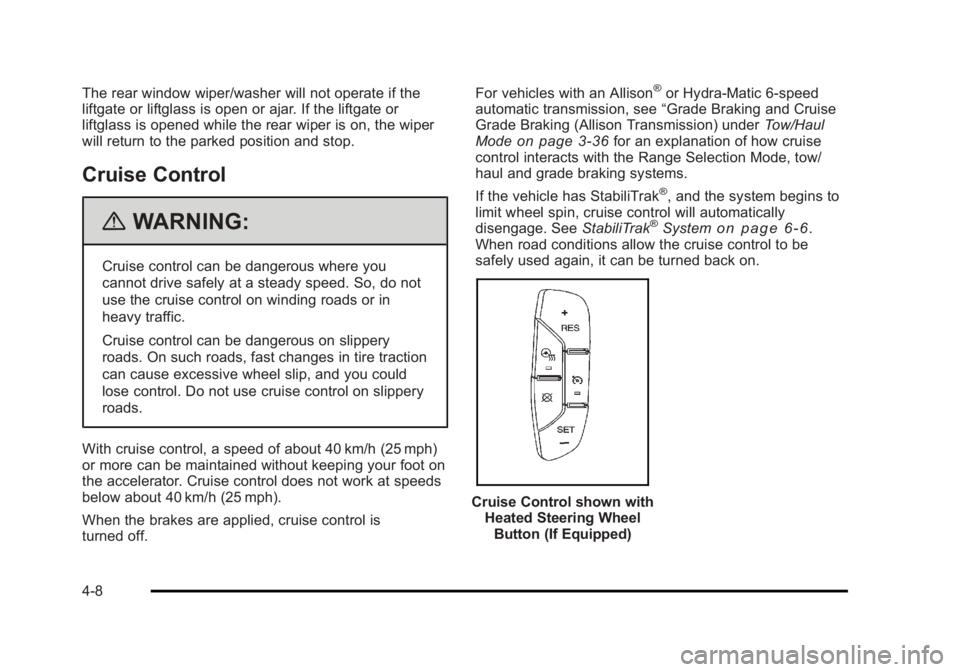
Cruise Control shown with
Heated Steering Wheel
Button (If Equipped)
4-8
Page 201 of 620

Black plate (9,1)Cadillac Escalade/Escalade ESV Owner Manual - 2010
The cruise control buttons are located on left side of the
steering wheel.
T (On/Off): Turns the system on or off. The indicator
light is on when cruise control is on and turns off when
cruise control is off.
+ RES (Resume/Accelerate): Press to make the
vehicle accelerate or resume to a previously set speed.
SET − (Set/Coast): Press to set the speed or make the
vehicle decelerate.
[ (Cancel): Press to cancel cruise control without
erasing the set speed from memory.
Setting Cruise Control Cruise control will not work if the parking brake is set,
or if the master cylinder brake fluid level is low.
The cruise control light on the instrument panel cluster
comes on after the cruise control has been set to the
desired speed. { WARNING: If you leave your cruise control on when you are
not using cruise, you might hit a button and go
into cruise when you do not want to. You could be
startled and even lose control. Keep the cruise
control switch off until you want to use cruise
control.
1. Press the
I button.
2. Get up to the desired speed.
3. Press the SET − button located on the steering
wheel and release it.
4. Take your foot off the accelerator.
Resuming a Set Speed If the cruise control is set at a desired speed and then
the brakes are applied, this shuts off the cruise control.
But it does not need to be reset.
Once the vehicle speed reaches about 40 km/h
(25 mph) or more, press the +RES button on the
steering wheel. The vehicle returns to the previously set
speed and stays there.
4-9
Page 202 of 620
Black plate (10,1)Cadillac Escalade/Escalade ESV Owner Manual - 2010
Increasing Speed While Using Cruise
Control To increase the cruise speed while using cruise control: .
Press and hold the +RES button on the steering
wheel until the desired speed is reached, then
release it. .
To increase vehicle speed in small increments,
press the +RES button. Each time this is done, the
vehicle goes about 1.6 km/h (1 mph) faster.
Reducing Speed While Using Cruise
Control To reduce the vehicle speed while using cruise control: .
Press and hold the SET – button on the steering
wheel until the desired lower speed is reached,
then release it. .
To slow down in very small amounts, press the
SET – button on the steering wheel briefly. Each
time this is done, the vehicle goes about 1.6 km/h
(1 mph) slower.
Passing Another Vehicle While Using
Cruise Control Use the accelerator pedal to increase the vehicle
speed. When you take your foot off the pedal, the
vehicle will slow down to the previous set cruise speed. Using Cruise Control on Hills How well the cruise control will work on hills depends
upon the vehicle speed, load, and the steepness of the
hills. When going up steep hills, you might have to step
on the accelerator pedal to maintain the vehicle's
speed. When going downhill, you might have to brake
or shift to a lower gear to keep the vehicle's speed
down. When the brakes are applied the cruise control
turns off.
Ending Cruise Control There are three ways to end cruise control: .
Step lightly on the brake pedal. .
Press the
[ button on the steering wheel. .
Press the
I button on the steering wheel.
Erasing Speed Memory The cruise control set speed memory is erased when
the cruise control or the ignition is turned off.
4-10
Page 225 of 620
Black plate (33,1)Cadillac Escalade/Escalade ESV Owner Manual - 2010
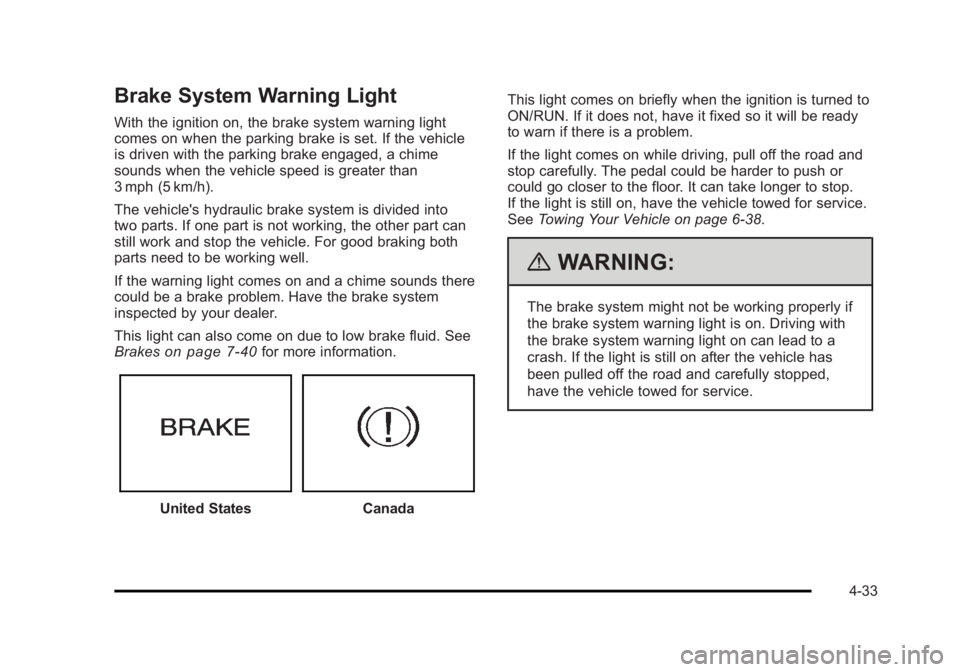
Brake System Warning Light With the ignition on, the brake system warning light
comes on when the parking brake is set. If the vehicle
is driven with the parking brake engaged, a chime
sounds when the vehicle speed is greater than
3 mph (5 km/h).
The vehicle's hydraulic brake system is divided into
two parts. If one part is not working, the other part can
still work and stop the vehicle. For good braking both
parts need to be working well.
If the warning light comes on and a chime sounds there
could be a brake problem. Have the brake system
inspected by your dealer.
This light can also come on due to low brake fluid. See
Brakes
on page 7 ‑ 40 for more information.
United States Canada This light comes on briefly when the ignition is turned to
ON/RUN. If it does not, have it fixed so it will be ready
to warn if there is a problem.
If the light comes on while driving, pull off the road and
stop carefully. The pedal could be harder to push or
could go closer to the floor. It can take longer to stop.
If the light is still on, have the vehicle towed for service.
See Towing Your Vehicle on page 6 ‑ 38 .
{ WARNING: The brake system might not be working properly if
the brake system warning light is on. Driving with
the brake system warning light on can lead to a
crash. If the light is still on after the vehicle has
been pulled off the road and carefully stopped,
have the vehicle towed for service.
4-33
Page 226 of 620

Black plate (34,1)Cadillac Escalade/Escalade ESV Owner Manual - 2010
Antilock Brake System (ABS)
Warning Light For vehicles with the
Antilock Brake System
(ABS), this light comes on
briefly when the engine is
started.
If it does not, have the vehicle serviced by your dealer.
If the system is working normally the indicator light then
goes off.
If the ABS light stays on, turn the ignition off. If the light
comes on while driving, stop as soon as it is safely
possible and turn the ignition off. Then start the engine
again to reset the system. If the ABS light stays on,
or comes on again while driving, the vehicle needs
service. If the regular brake system warning light is not
on, the vehicle still has brakes, but not antilock brakes.
If the regular brake system warning light is also on, the
vehicle does not have antilock brakes and there is a
problem with the regular brakes. See Brake System
Warning Light on page 4 ‑ 33 .
For vehicles with a Driver Information Center (DIC), see
DIC Warnings and Messages
on page 4 ‑ 49 for all
brake related DIC messages. StabiliTrak ®
Indicator Light The StabiliTrak indicator
light comes on briefly
when the engine is
started.
If it does not, have the vehicle serviced by your dealer.
If the system is working normally the indicator light then
goes off.
If the light comes on and stays on while driving, there
might be a problem with the StabiliTrak ®
system and
the vehicle may need service. When this warning light is
on, the system is off and does not limit wheel spin.
The light flashes if the system is active and is working
to assist the driver with directional control of the vehicle
in difficult driving conditions.
See StabiliTrak ®
System on page 6 ‑ 6 for more
information.
4-34
Page 246 of 620

Black plate (54,1)Cadillac Escalade/Escalade ESV Owner Manual - 2010
SERVICE BRAKE SYSTEM This message displays along with the brake system
warning light if there is a problem with the brake
system. See Brake System Warning Light
on
page 4 ‑ 33 . If this message appears, stop as soon as
possible and turn off the vehicle. Restart the vehicle
and check for the message on the DIC display. If the
message is still displayed or appears again when you
begin driving, the brake system needs service as soon
as possible. See your dealer.
SERVICE BRAKES SOON This message displays if there is a problem with the
brake system. If this message appears, stop as soon as
possible and turn off the vehicle. Restart the vehicle
and check for the message on the DIC display. If the
message is still displayed or appears again when you
begin driving, the brake system needs service. See
your dealer.
SERVICE LEFT HEADLAMP ASSEMBLY On some models, this message will be displayed when
the left headlamp is out and needs to be serviced. See
LED Lighting
on page 7 ‑ 55 for more information. SERVICE PARKING ASSIST This message displays if there is a problem with the
Ultrasonic Rear Parking Assist (URPA) system. Do not
use this system to help you park. See Ultrasonic Rear
Parking Assist (URPA)
on page 3 ‑ 46 for more
information. See your dealer for service.
SERVICE RIGHT HEADLAMP
ASSEMBLY On some models, this message will be displayed when
the right headlamp is out and needs to be serviced. See
LED Lighting
on page 7 ‑ 55 for more information.
SERVICE SIDE BLIND ZONE ALERT
SYSTEM If your vehicle has the Side Blind Zone Alert (SBZA)
system and this message displays, both SBZA displays
will remain on indicating there is a problem with the
SBZA system. If these displays remain on after
continued driving, the system needs service. See your
dealer. See Side Blind Zone Alert (SBZA)
on page 3 ‑ 48
for more information.
4-54
Page 248 of 620

Black plate (56,1)Cadillac Escalade/Escalade ESV Owner Manual - 2010
SIDE BLIND ZONE SYSTEM
UNAVAILABLE If your vehicle has the Side Blind Zone Alert (SBZA)
system, this message displays when the SBZA system
is disabled because the sensor is blocked and cannot
detect vehicles in your blind zone. The sensor may be
blocked by mud, dirt, snow, ice, or slush. This message
may also display during heavy rain or due to road spray.
It may also come on when driving in isolated areas with
no guardrails, trees, or road signs and light traffic.
Your vehicle does not need service. For cleaning
instructions, see Washing Your Vehicle
on page 7 ‑ 103 .
See Side Blind Zone Alert (SBZA) on page 3 ‑ 48 for
more information.
STABILITRAK OFF If your vehicle has StabiliTrak, this message displays
when you turn off StabiliTrak, or when the stability
control has been automatically disabled. To limit wheel
spin and realize the full benefits of the stability
enhancement system, you should normally leave
StabiliTrak on. However, you should turn StabiliTrak off
if your vehicle gets stuck in sand, mud, ice, or snow and
you want to rock your vehicle to attempt to free it, or if you are driving in extreme off-road conditions and
require more wheel spin. See If Your Vehicle is Stuck in
Sand, Mud, Ice, or Snow
on page 6 ‑ 30 . To turn the
StabiliTrak system on or off, see StabiliTrak ®
System
on page 6 ‑ 6 .
There are several conditions that can cause this
message to appear. .
One condition is overheating, which could occur if
StabiliTrak activates continuously for an extended
period of time. .
The message also displays if the brake system
warning light is on. See Brake System Warning
Light on page 4 ‑ 33 . .
The message could display if the stability system
takes longer than usual to complete its diagnostic
checks due to driving conditions. .
The message displays if an engine or vehicle
related problem has been detected and the vehicle
needs service. See your dealer.
The message turns off as soon as the conditions that
caused the message to be displayed are no longer
present.
4-56
Page 258 of 620

Black plate (66,1)Cadillac Escalade/Escalade ESV Owner Manual - 2010
MEMORY SEAT RECALL This feature allows you to select your preference for the
remote memory seat recall feature. See Memory
Features
on page 2 ‑ 6 for more information.
Press the customization button until MEMORY SEAT
RECALL appears on the DIC display. Press the set/
reset button once to access the settings for this feature.
Then press the customization button to scroll through
the following settings:
OFF (default): No remote memory seat recall will
occur.
ON: The driver's seat, and on some vehicles, the
outside mirrors will automatically move to the stored
driving position when the unlock button on the Remote
Keyless Entry (RKE) transmitter is pressed. On some
vehicles with the adjustable throttle and brake pedal
feature, the pedals will also automatically move. See
“ Relearn Remote Key ” under DIC Operation and
Displays on page 4 ‑ 42 for more information on
matching transmitters to driver ID numbers.
NO CHANGE: No change will be made to this feature.
The current setting will remain.
To select a setting, press the set/reset button while the
desired setting is displayed on the DIC. REMOTE START If your vehicle has this feature, it allows you to turn the
remote start off or on. The remote start feature allows
you to start the engine from outside of the vehicle using
the Remote Keyless Entry (RKE) transmitter. See
Remote Vehicle Start on page 3 ‑ 7 for more
information.
Press the customization button until REMOTE START
appears on the DIC display. Press the set/reset button
once to access the settings for this feature. Then press
the customization button to scroll through the following
settings:
OFF: The remote start feature will be disabled.
ON (default): The remote start feature will be enabled.
NO CHANGE: No change will be made to this feature.
The current setting will remain.
To select a setting, press the set/reset button while the
desired setting is displayed on the DIC.
4-66
Page 362 of 620
Black plate (60,1)Cadillac Escalade/Escalade ESV Owner Manual - 2010
Navigation Audio System Notice: Before adding any sound equipment to the
vehicle, such as an audio system, CD player, CB
radio, mobile telephone, or two-way radio, make
sure that it can be added by checking with your
dealer. Also, check federal rules covering mobile
radio and telephone units. If sound equipment can
be added, it is very important to do it properly.
Added sound equipment can interfere with the
operation of the vehicle's engine, radio, or other
systems, and even damage them. The vehicle's
systems can interfere with the operation of sound
equipment that has been added.
Notice: The chime signals related to safety belts,
parking brake, and other functions of the vehicle
operate through the navigation system. If that
equipment is replaced or additional equipment is
added to the vehicle, the chimes may not work.
Make sure that replacement or additional equipment
is compatible with the vehicle before installing it.
See “ Accessories and Modifications ” in the
vehicle's owner manual. Playing the Radio
O /
n (Power/Volume): Press to turn the audio
system on and off. Turn to increase or to decrease the
volume.
Press and hold for more than two seconds to turn off
the navigation system, the Rear Seat Entertainment
(RSE) video screen, and Rear Seat Audio (RSA). If the
vehicle has not been turned off, press this knob to turn
RSE and RSA back on and to continue playback of the
last active source.
w (Tuning Knob): Turn to go to the next or previous
frequency or disc track or chapter. See CD Player
on
page 5 ‑ 68 or DVD Player on page 5 ‑ 75 for more
information.
AUDIO: Press to display the audio screen. Press to
switch between AM, FM, or XM, if equipped, DISC,
or AUX (Auxiliary), or touch the screen button. See CD
Player on page 5 ‑ 68 , DVD Player on page 5 ‑ 75 , and
Auxiliary Devices
on page 5 ‑ 85 for more information.
5-60