radio controls CADILLAC ESCALADE ESV 2011 User Guide
[x] Cancel search | Manufacturer: CADILLAC, Model Year: 2011, Model line: ESCALADE ESV, Model: CADILLAC ESCALADE ESV 2011Pages: 548, PDF Size: 8.45 MB
Page 205 of 548
Black plate (3,1)Cadillac Escalade/Escalade ESV Owner Manual - 2011
Infotainment System 7-3Use the navigation system to: .
Plan a route. .
Select a destination using
various methods and choices. .
Follow turn-by-turn route and
map guidance with voice
prompts, only if permitted by
traffic laws, controls, and
conditions.
Always be alert and obey traffic
and roadway laws and instructions,
regardless of the guidance from
the navigation system. Because
the navigation system uses street
map information that does not
include all traffic restrictions or
the latest road changes, it may
suggest using a road that is now
closed for construction or a turn
that is prohibited by signs at the
intersection. Because the system
uses limited information, you must
always evaluate whether following
the system's directions is safe and
legal for the current conditions. Theft-Deterrent Feature TheftLock ®
is designed to
discourage theft of the vehicle's
radio by learning a portion of the
Vehicle Identification Number (VIN).
The radio does not operate if it is
stolen or moved to a different
vehicle.
Overview When the navigation system is
turned on, a screen may appear
with the information below, and you
must read and acknowledge the
information it contains.
After you acknowledge the start
up information you will be able to
access the NAV (navigation) and
DEST (destination) functions. Once
accessed, you can enter or delete
information in the navigation system
or access other functions. See
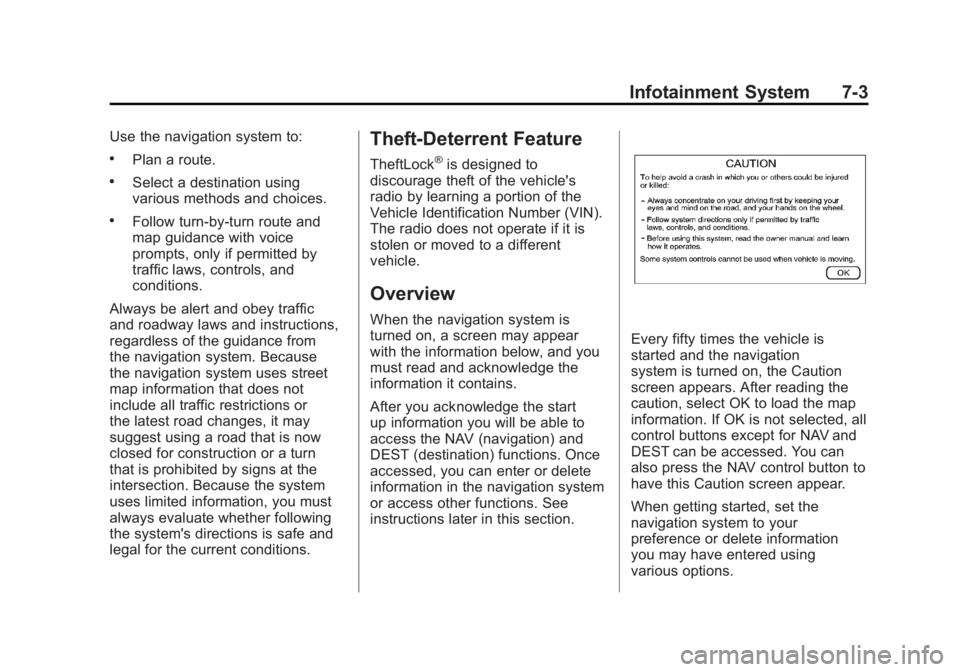
instructions later in this section. Every fifty times the vehicle is
started and the navigation
system is turned on, the Caution
screen appears. After reading the
caution, select OK to load the map
information. If OK is not selected, all
control buttons except for NAV and
DEST can be accessed. You can
also press the NAV control button to
have this Caution screen appear.
When getting started, set the
navigation system to your
preference or delete information
you may have entered using
various options.
Page 229 of 548

Black plate (27,1)Cadillac Escalade/Escalade ESV Owner Manual - 2011
Infotainment System 7-27Using the Navigation Audio
System to Control a USB
Storage Device or iPod ®
The navigation audio system can
control a USB storage device or
an iPod by using the radio touch
screens and steering wheel
controls.
1. Press AUX and then the USB
button.
2. Press the center screen button
to enter the music navigator
main screen. 3. Press or tap the left or right
arrow to select desired Category
such as: Artist, Album, Genre,
etc. A list of that category will
display.
4. Select an Artist, Album, or Track
from that list.
5. Press the up or down arrows
located on the side of the screen
to select one item at a time,
or press the top or bottom arrow
to jump 10 percent up or down
the list. 6. Press the Back button to go
back to the previous screen.
7. Press the Exit button to go back
to the main audio screen.
8. Press the left or right arrow to
select desired Category such as:
Artist, Album, Genre, etc. A list
of that category will display.
The iPod or USB storage device
should not be pulled out from the
USB dock. To safely remove it,
press Eject.
Page 261 of 548

Black plate (59,1)Cadillac Escalade/Escalade ESV Owner Manual - 2011
Infotainment System 7-59
P (Power): Press the
P button to
turn RSA on and off.
Volume: Turn this knob to increase
or to decrease the volume of the
wired headphones. The left knob
controls the left headphones and
the right knob controls the right
headphones.
SRCE (Source): Press this
button to switch between the
radio (AM/FM), XM ™ (if equipped),
CD, and if the vehicle has these
features, DVD, USB, auxiliary jack,
and rear auxiliary.
© ¨ (Seek): When listening to FM,
AM, or XM (if equipped), press
either the left
© or right
¨ seek
arrow to go to the previous or to the next station or channels and stay
there. This function is inactive,
with some radios, if the front seat
passengers are listening to the
radio.
Press and hold either the left
© or
right
¨ seek arrow until the display
flashes, to tune to an individual
station. The display stops flashing
after the buttons have not been
pushed for more than two seconds.
This function is inactive, with some
radios, if the front seat passengers
are listening to the radio.
While listening to a disc, press the
right
¨ seek arrow to go to the next
track or chapter on the disc. Press
the left
© seek arrow to go back to
the start of the current track or
chapter (if more than ten seconds
have played). This function is
inactive, with some radios, if the
front seat passengers are listening
to the disc. When a DVD video menu is being
displayed, press either the left
© or
right
¨ seek arrow to perform a
cursor up or down on the menu.
Hold the left
© or right
¨ seek arrow
to perform a cursor left or right on
the menu.
When a USB device is playing, the
right or left seek button can be used
to control the device.
PROG (Program): Press this
button to go to the next preset radio
station or channel set on the main
radio. This function is inactive,
with some radios, if the front seat
passengers are listening to the
radio.
When a CD or DVD audio disc is
playing, press this button to go to
the beginning of the CD or DVD
audio. This function is inactive,
with some radios, if the front seat
passengers are listening to the disc.
When a DVD video menu is being
displayed, press the PROG button
to perform the menu function, enter.