remote control CADILLAC ESCALADE ESV 2015 4.G Owner's Manual
[x] Cancel search | Manufacturer: CADILLAC, Model Year: 2015, Model line: ESCALADE ESV, Model: CADILLAC ESCALADE ESV 2015 4.GPages: 443, PDF Size: 4.69 MB
Page 187 of 443
Black plate (56,1)Cadillac 2015i Escalade Owner Manual (GMNA-Localizing-U.S./Canada/
Mexico-8431501) - 2015 - CRC - 2/10/15
5-56 Instruments and Controls
2. At the same time, press andhold both the hand-held
transmitter button and one of the
three Universal Remote system
buttons to be used to operate
the garage door. Do not release
either button until the indicator
light goes from a slow to a rapid
flashing light. Then release both
buttons.
Some garage door openers may
require substitution of Step 2
with the procedure under “Radio
Signals for Canada and Some
Gate Operators” later in this
section.
3. Press and hold the newly programmed Universal Remote
system button for five seconds
while watching the indicator light
and garage door activation.
.If the indicator light stays on
continuously or the garage
door moves when the button
is pressed, then programming is complete.
There is no need to complete
Steps 4–6.
.If the indicator light does not
come on or the garage door
does not move, a second
button press may be
required. For a second time,
press and hold the newly
programmed button for
five seconds. If the light
stays on or the garage door
moves, programming is
complete.
.If the indicator light blinks
rapidly for two seconds, then
changes to a solid light and
the garage door does not
move, continue with
programming Steps 4–6.
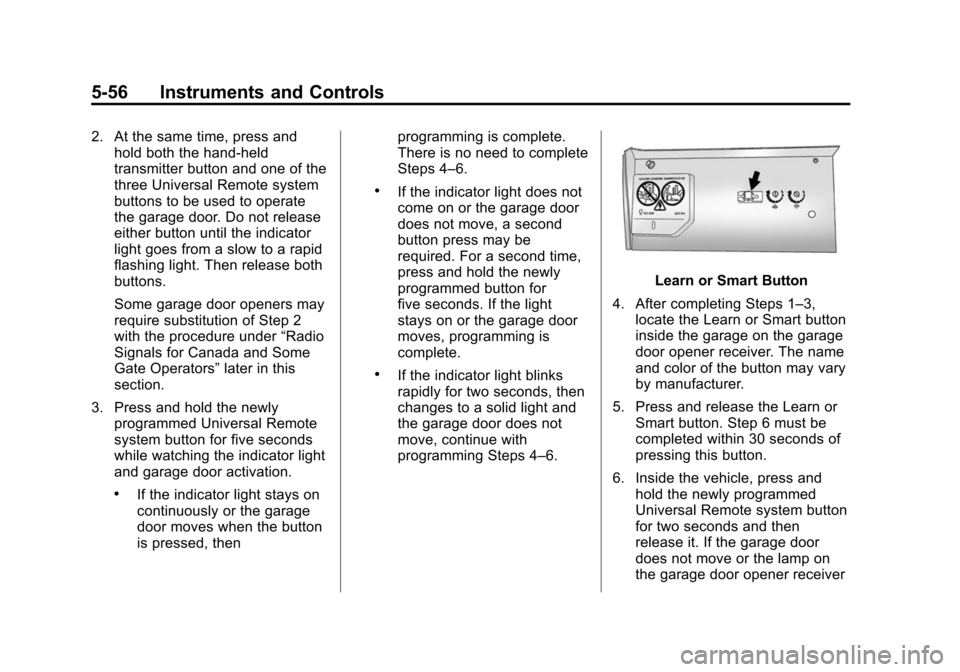
Learn or Smart Button
4. After completing Steps 1–3, locate the Learn or Smart button
inside the garage on the garage
door opener receiver. The name
and color of the button may vary
by manufacturer.
5. Press and release the Learn or Smart button. Step 6 must be
completed within 30 seconds of
pressing this button.
6. Inside the vehicle, press and hold the newly programmed
Universal Remote system button
for two seconds and then
release it. If the garage door
does not move or the lamp on
the garage door opener receiver
Page 188 of 443
Black plate (57,1)Cadillac 2015i Escalade Owner Manual (GMNA-Localizing-U.S./Canada/
Mexico-8431501) - 2015 - CRC - 2/10/15
Instruments and Controls 5-57
does not flash, press and hold
the same button a second time
for two seconds, then release it.
Again, if the door does not move
or the garage door lamp does
not flash, press and hold the
same button a third time for
two seconds, then release it.
The Universal Remote system
should now activate the
garage door.
Repeat the process for
programming the two remaining
buttons.
Radio Signals for Canada and
Some Gate Operators
For questions or programming help,
call 1-800-355-3515 or see
www.homelink.com.
Canadian radio-frequency laws and
some U.S. gate operators require
transmitter signals to time out or quit
after several seconds of
transmission. This may not be long enough for the
Universal Remote system to pick up
the signal during programming.
If the programming did not work,
replace Step 2 under
“Programming
the Universal Remote System” with
the following:
Press and hold the Universal
Remote system button while
pressing and releasing the
hand-held transmitter button every
two seconds until the signal has
been successfully accepted by the
Universal Remote system. The
Universal Remote system indicator
light will flash slowly at first and then
rapidly. Proceed with Step 3 under
“Programming the Universal Remote
System” to complete.
Universal Remote System
Operation
Using the Universal Remote
System
Press and hold the appropriate
Universal Remote system button for
at least one-half second. The
indicator light will come on while the
signal is being transmitted.
Erasing Universal Remote
System Buttons
Erase all programmed buttons when
vehicle ownership is terminated.
To erase:
1. Press and hold the two outside
buttons until the indicator light
begins to flash. This should take
about 10 seconds.
2. Release both buttons.
Page 189 of 443

Black plate (58,1)Cadillac 2015i Escalade Owner Manual (GMNA-Localizing-U.S./Canada/
Mexico-8431501) - 2015 - CRC - 2/10/15
5-58 Instruments and Controls
Reprogramming a Single
Universal Remote System
Button
To reprogram any of the system
buttons:
1. Press and hold any one of thebuttons. Do not release the
button.
2. The indicator light will begin to flash after 20 seconds. Without
releasing the button, proceed
with Step 1 under “Programming
the Universal Remote System.”
Page 197 of 443
Black plate (8,1)Cadillac 2015i Escalade Owner Manual (GMNA-Localizing-U.S./Canada/
Mexico-8431501) - 2015 - CRC - 2/10/15
6-8 Lighting
Reading Lamps
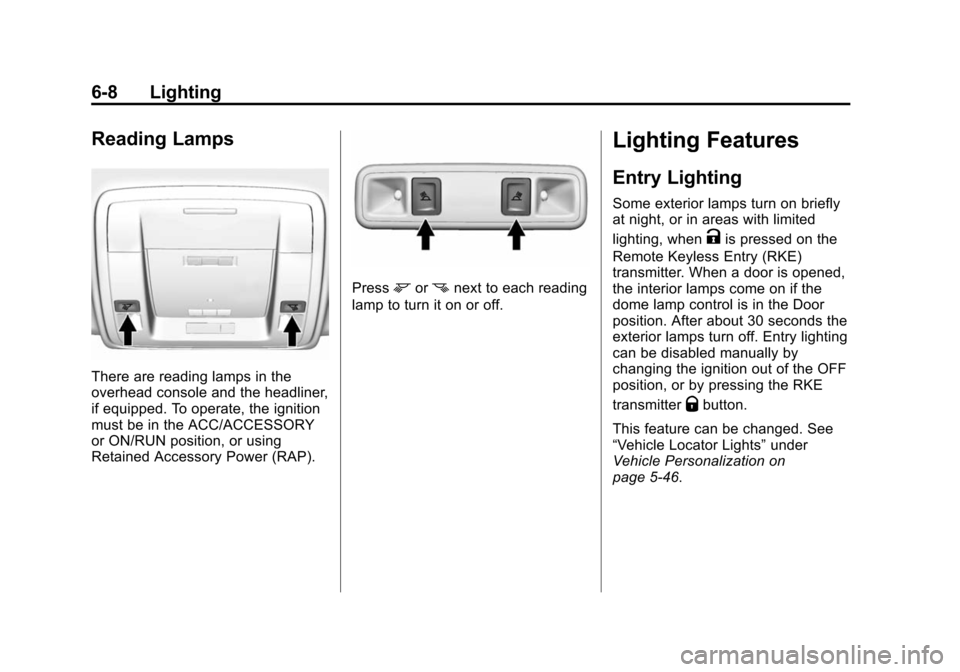
There are reading lamps in the
overhead console and the headliner,
if equipped. To operate, the ignition
must be in the ACC/ACCESSORY
or ON/RUN position, or using
Retained Accessory Power (RAP).
Pressmornnext to each reading
lamp to turn it on or off.
Lighting Features
Entry Lighting
Some exterior lamps turn on briefly
at night, or in areas with limited
lighting, when
Kis pressed on the
Remote Keyless Entry (RKE)
transmitter. When a door is opened,
the interior lamps come on if the
dome lamp control is in the Door
position. After about 30 seconds the
exterior lamps turn off. Entry lighting
can be disabled manually by
changing the ignition out of the OFF
position, or by pressing the RKE
transmitter
Qbutton.
This feature can be changed. See
“Vehicle Locator Lights” under
Vehicle Personalization on
page 5-46.
Page 206 of 443
Black plate (5,1)Cadillac 2015i Escalade Owner Manual (GMNA-Localizing-U.S./Canada/
Mexico-8431501) - 2015 - CRC - 2/10/15
Climate Controls 8-5
{Caution
Do not try to clear frost or other
material from the inside of the
front windshield and rear window
with a razor blade or anything
else that is sharp. This may
damage the rear window
defogger grid and affect the
radio's ability to pick up stations
clearly. The repairs would not be
covered by the vehicle warranty.
Driver and Passenger Heated and
Cooled Seats (If Equipped): Press
Ior+to heat the driver or
passenger seatback only.
Press
Jorzto heat the driver or
passenger seat cushion and
seatback.
Press
Cor{to cool the driver or
passenger seat. See Heated and
Cooled Front Seats on page 3-9. Remote Start Climate Control
Operation:
If equipped with the
remote start feature, the climate
control system may run when the
vehicle is started remotely. The
system uses the driver ’s previous
settings to heat or cool the inside of
the vehicle. The rear defog may
come on during remote start based
on cold ambient conditions. The
rear defog indicator light does not
come on during a remote start.
If equipped with heated or cooled
seats, they may come on during a
remote start. See Remote Vehicle
Start on page 2-10 andHeated and
Cooled Front Seats on page 3-9.
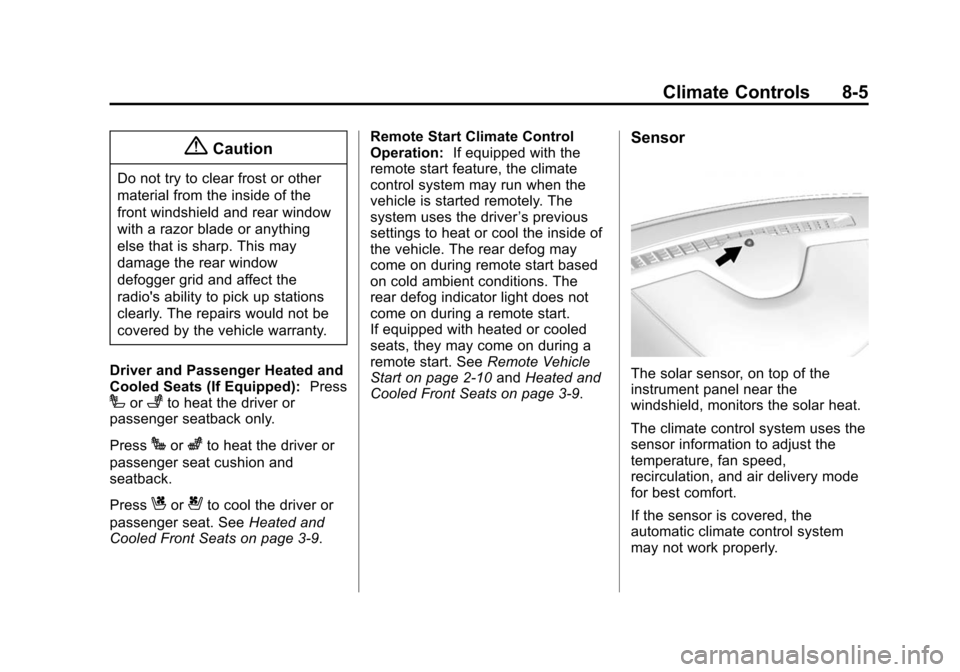
Sensor
The solar sensor, on top of the
instrument panel near the
windshield, monitors the solar heat.
The climate control system uses the
sensor information to adjust the
temperature, fan speed,
recirculation, and air delivery mode
for best comfort.
If the sensor is covered, the
automatic climate control system
may not work properly.
Page 231 of 443
Black plate (20,1)Cadillac 2015i Escalade Owner Manual (GMNA-Localizing-U.S./Canada/
Mexico-8431501) - 2015 - CRC - 2/10/15
9-20 Driving and Operating
No adjustment to the pedals can be
made when the vehicle is in
D (Drive), R (Reverse), or while
using cruise control.
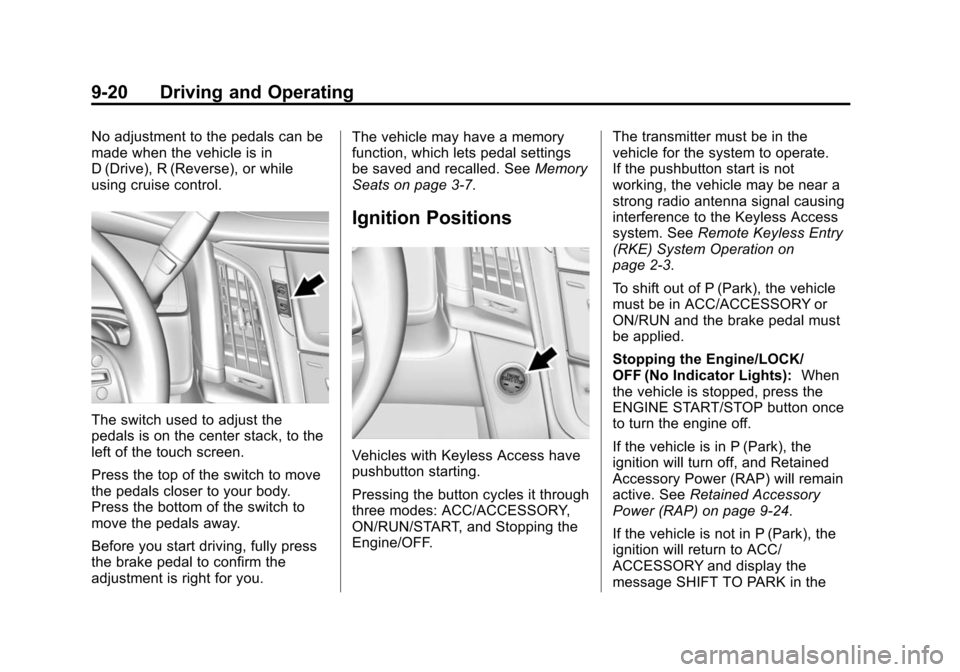
The switch used to adjust the
pedals is on the center stack, to the
left of the touch screen.
Press the top of the switch to move
the pedals closer to your body.
Press the bottom of the switch to
move the pedals away.
Before you start driving, fully press
the brake pedal to confirm the
adjustment is right for you.The vehicle may have a memory
function, which lets pedal settings
be saved and recalled. See
Memory
Seats on page 3-7.
Ignition Positions
Vehicles with Keyless Access have
pushbutton starting.
Pressing the button cycles it through
three modes: ACC/ACCESSORY,
ON/RUN/START, and Stopping the
Engine/OFF. The transmitter must be in the
vehicle for the system to operate.
If the pushbutton start is not
working, the vehicle may be near a
strong radio antenna signal causing
interference to the Keyless Access
system. See
Remote Keyless Entry
(RKE) System Operation on
page 2-3.
To shift out of P (Park), the vehicle
must be in ACC/ACCESSORY or
ON/RUN and the brake pedal must
be applied.
Stopping the Engine/LOCK/
OFF (No Indicator Lights): When
the vehicle is stopped, press the
ENGINE START/STOP button once
to turn the engine off.
If the vehicle is in P (Park), the
ignition will turn off, and Retained
Accessory Power (RAP) will remain
active. See Retained Accessory
Power (RAP) on page 9-24.
If the vehicle is not in P (Park), the
ignition will return to ACC/
ACCESSORY and display the
message SHIFT TO PARK in the
Page 293 of 443
Black plate (82,1)Cadillac 2015i Escalade Owner Manual (GMNA-Localizing-U.S./Canada/
Mexico-8431501) - 2015 - CRC - 2/10/15
9-82 Driving and Operating
Safety Chains
Always attach chains between the
vehicle and the trailer. Cross the
safety chains under the tongue of
the trailer to help prevent the tongue
from contacting the road if it
becomes separated from the hitch.
Instructions about safety chains
may be provided by the hitch
manufacturer or by the trailer
manufacturer. If the trailer being
towed weighs up to 2 271 kg
(5,000 lb) with a factory-installed
step bumper, safety chains may be
attached to the attaching points on
the bumper, otherwise, safety
chains should be attached to holes
on the trailer hitch platform. Always
leave just enough slack so the
combination can turn. Never allow
safety chains to drag on the ground.
Trailer Brakes
A loaded trailer that weighs more
than 900 kg (2,000 lb) needs to have
its own brake system that is
adequate for the weight of the
trailer. Be sure to read and followthe instructions for the trailer brakes
so they are installed, adjusted, and
maintained properly.
Since the vehicle is equipped with
StabiliTrak, the trailer brakes cannot
tap into the vehicle's hydraulic
system.
Trailer Wiring Harness
The seven-pin trailer connector is
mounted in the bumper. This
connector can be plugged into a
seven-pin universal heavy-duty
trailer connector available through
your dealer.
The seven-wire harness contains
the following trailer circuits:
.Yellow: Left Stop/Turn Signal
.Green/Violet: Right Stop/Turn
Signal
.Brown: Taillamps
.White: Ground
.Light Green: Back-up Lamps
.Red/Green: Battery Feed
.Dark Blue: Trailer BrakeIf charging a remote (non-vehicle)
battery, press the Tow/Haul mode
button at the end of the shift lever.
This will boost the vehicle system
voltage and properly charge the
battery. If the trailer is too light for
Tow/Haul mode, turn on the
headlamps as a second way to
boost the vehicle system and
charge the battery.
Electric Brake Control Wiring
Provisions
These wiring provisions are
included with the vehicle as part of
the trailer wiring package. These
provisions are for an electric brake
controller.
The harness should be installed by
your dealer or a qualified service
center.
Page 426 of 443

Black plate (7,1)Cadillac 2015i Escalade Owner Manual (GMNA-Localizing-U.S./Canada/
Mexico-8431501) - 2015 - CRC - 2/10/15
OnStar 14-7
in that area. The wireless service
provider must also have coverage,
network capacity, reception, and
technology compatible with OnStar
services. Service involving location
information about the vehicle cannot
work unless GPS signals are
available, unobstructed, and
compatible with the OnStar
hardware. OnStar services may not
work if the OnStar equipment is not
properly installed or it has not been
properly maintained. If equipment or
software is added, connected,
or modified, OnStar services may
not work. Other problems beyond
the control of OnStar may prevent
service such as hills, tall buildings,
tunnels, weather, electrical system
design and architecture of the
vehicle, damage to the vehicle in a
crash, or wireless phone network
congestion or jamming.
SeeRadio Frequency Statement on
page 13-12.Services for People with
Disabilities
Advisors provide services to help
subscribers with physical disabilities
and medical conditions.
Press
Qfor help with:
.Locating a gas station with an
attendant to pump gas.
.Finding a hotel, restaurant, etc.,
that meets accessibility needs.
.Providing directions to the
closest hospital or pharmacy in
urgent situations.
TTY Users
OnStar has the ability to
communicate to deaf,
hard-of-hearing, or speech-impaired
customers while in the vehicle.
The available dealer-installed TTY
system can provide in-vehicle
access to all of the OnStar services,
except Virtual Advisor and OnStar
Turn-by-Turn Navigation.
OnStar Personal Identification
Number (PIN)
A PIN is needed to access some of
the OnStar services, like Remote
Door Unlock and Stolen Vehicle
Assistance. The PIN will need to be
changed the first time when
speaking with an Advisor. To
change the OnStar PIN, contact an
OnStar Advisor by pressing
Qor
calling 1-888-4-ONSTAR.
Warranty
OnStar equipment may be
warranted as part of the vehicle
warranty.
Languages
The vehicle can be programmed to
respond in multiple languages.
Press
Qand ask for an Advisor.
Advisors are available in English,
Spanish, and French. Available
languages may vary by country.
Page 435 of 443

Black plate (6,1)Cadillac 2015i Escalade Owner Manual (GMNA-Localizing-U.S./Canada/
Mexico-8431501) - 2015 - CRC - 2/10/15
i-6 INDEX
Heated Mirrors . . . . . . . . . . . . . . . . . 2-24
HeaterEngine . . . . . . . . . . . . . . . . . . . . . . . . 9-23
High-Beam On Light . . . . . . . . . . . 5-26
High-Speed Operation . . . . . . . . 10-47
Hill and Mountain Roads . . . . . . . 9-11
Hill Start Assist (HSA) . . . . . . . . . 9-41
Hood . . . . . . . . . . . . . . . . . . . . . . . . . . 10-4
Horn . . . . . . . . . . . . . . . . . . . . . . . . . . . . 5-3
How to Wear Safety Belts Properly . . . . . . . . . . . . . . . . . . . . . . 3-19
I
Ignition Positions . . . . . . . . . . . . . . 9-20
Immobilizer . . . . . . . . . . . . . . . . . . . . 2-22
Indicator
Vehicle Ahead . . . . . . . . . . . . . . . . 5-23
Infants and Young Children,
Restraints . . . . . . . . . . . . . . . . . . . . 3-43
Infotainment . . . . . . . . . . . . . . . . . . . . 7-1
Infotainment System . . . . . . . . . . 13-15
Instrument Cluster . . . . . . . . . . . . . 5-11
Instrument Panel Storage Area . . . . . . . . . . . . . . . . . . 4-1
Interior Rearview Mirrors . . . . . . . 2-25
Introduction . . . . . . . . . . . . . . . . . . . . . . . iii
J
Jump Starting - North America . . . . . . . . . . . . . . . . . . . . . 10-71
K
Key and Lock Messages . . . . . . . 5-38
Keyless EntryRemote (RKE) System . . . . . . . . 2-3
Keys . . . . . . . . . . . . . . . . . . . . . . . . . . . . 2-1
L
Labeling, Tire Sidewall . . . . . . . . 10-40
Lamps
Cornering . . . . . . . . . . . . . . . . . . . . . . 6-7
Daytime Running (DRL) . . . . . . . 6-4
Dome . . . . . . . . . . . . . . . . . . . . . . . . . . 6-7
Exterior Controls . . . . . . . . . . . . . . . 6-1
Exterior Lamps OffReminder . . . . . . . . . . . . . . . . . . . . 6-3
License Plate . . . . . . . . . . . . . . . 10-26
Malfunction Indicator . . . . . . . . . 5-18 Lamps (cont'd)
Messages . . . . . . . . . . . . . . . . . . . . 5-39
On Reminder . . . . . . . . . . . . . . . . . 5-26
Reading . . . . . . . . . . . . . . . . . . . . . . . 6-8
Lane Change Alert . . . . . . . . . . . . 9-66
Lane Departure Warning (LDW) . . . . . . . . . . . . . . . 9-68
Lane Departure Warning Light . . . . . . . . . . . . . . . . . . . . . . . . . 5-23
Lap-Shoulder Belt . . . . . . . . . . . . . 3-20
LATCH System Replacing Parts after aCrash . . . . . . . . . . . . . . . . . . . . . . . 3-57
LATCH, Lower Anchors and
Tethers for Children . . . . . . . . . . 3-48
LED Lighting . . . . . . . . . . . . . . . . . . 10-26
Level Control Automatic . . . . . . . . . . . . . . . . . . . . . 9-44
Liftgate . . . . . . . . . . . . . . . . . . . . . . . . 2-14
Lighter, Cigarette . . . . . . . . . . . . . . . 5-9
Lighting Entry . . . . . . . . . . . . . . . . . . . . . . . . . . 6-8
Exit . . . . . . . . . . . . . . . . . . . . . . . . . . . . 6-9
Illumination Control . . . . . . . . . . . . 6-7
LED . . . . . . . . . . . . . . . . . . . . . . . . 10-26
Page 438 of 443

Black plate (9,1)Cadillac 2015i Escalade Owner Manual (GMNA-Localizing-U.S./Canada/
Mexico-8431501) - 2015 - CRC - 2/10/15
INDEX i-9
Parking or BackingAssistance Systems . . . . . . . . . . 9-56
Passenger Airbag Status Indicator . . . . . . . . . . . . . . . . . . . . . 5-17
Passenger Compartment Air Filter . . . . . . . . . . . . . . . . . . . . . . . . . . 8-8
Passenger Sensing System . . . 3-34
Perchlorate Materials
Requirements, California . . . . . 10-2
Personalization Vehicle . . . . . . . . . . . . . . . . . . . . . . . 5-46
Power Door Locks . . . . . . . . . . . . . . . . . . . 2-12
Mirrors . . . . . . . . . . . . . . . . . . . . . . . . 2-23
Outlets . . . . . . . . . . . . . . . . . . . . . . . . 5-7
Protection, Battery . . . . . . . . . . . . . 6-9
Retained Accessory (RAP) . . . 9-24
Seat Adjustment . . . . . . . . . . . . . . . 3-4
Windows . . . . . . . . . . . . . . . . . . . . . 2-26
Power Assist Steps . . . . . . . . . . . . 2-19
Pregnancy, Using Safety Belts . . . . . . . . . . . . . . . . . . . . . . . . . 3-25
Premium Care Maintenance Cadillac . . . . . . . . . . . . . . . . . . . . . . . 11-3
Privacy
Vehicle Data Recording . . . . . 13-13 Program
Courtesy Transportation . . . . . . 13-7
Proposition 65 Warning,
California . . . . . . . . . 10-2, 10-21, 10-71
R
Radio Frequency
Identification (RFID) . . . . . . . . . 13-11
Radio Frequency
Statement . . . . . . . . . . . . . . . . . . . 13-12
Reading Lamps . . . . . . . . . . . . . . . . . 6-8
Rear Axle . . . . . . . . . . . . . . . . . . . . . 10-22 Locking . . . . . . . . . . . . . . . . . . . . . . . 9-44
Rear Climate Control System . . . 8-6
Rear Seats Heated . . . . . . . . . . . . . . . . . . . . . . . 3-11
Rear Storage . . . . . . . . . . . . . . . . . . . 4-3
Rear Window Washer/Wiper . . . . 5-5
Rearview Mirrors Automatic Dimming . . . . . . . . . . . 2-25
Reclining Seatbacks . . . . . . . . . . . . 3-6
Recommended Fluids and Lubricants . . . . . . . . . . . . . . . . . . . 11-13 Records
Maintenance . . . . . . . . . . . . . . . . .11-16
Recreational Vehicle Towing . . . . . . . . . . . . . . . . . . . . . . 10-75
Remote Keyless Entry (RKE) System . . . . . . . . . . . . . 2-2, 2-3
Remote Vehicle Start . . . . . . . . . . 2-10
Replacement
Glass . . . . . . . . . . . . . . . . . . . . . . . 10-25
Replacement Bulbs . . . . . . . . . . . 10-27
Replacement Parts Airbags . . . . . . . . . . . . . . . . . . . . . . . 3-40
Maintenance . . . . . . . . . . . . . . . . .11-15
Replacing Airbag System . . . . . . 3-40
Replacing LATCH System Parts after a Crash . . . . . . . . . . . 3-57
Replacing Safety Belt System Parts after a Crash . . . 3-26
Reporting Safety Defects Canadian Government . . . . . . 13-13
General Motors . . . . . . . . . . . . . 13-13
U.S. Government . . . . . . . . . . . 13-12
Restraints Where to Put . . . . . . . . . . . . . . . . . 3-47
Retained Accessory
Power (RAP) . . . . . . . . . . . . . . . . . 9-24