instrument panel CADILLAC ESCALADE EXT 2004 2.G Owner's Guide
[x] Cancel search | Manufacturer: CADILLAC, Model Year: 2004, Model line: ESCALADE EXT, Model: CADILLAC ESCALADE EXT 2004 2.GPages: 478, PDF Size: 3.43 MB
Page 178 of 478
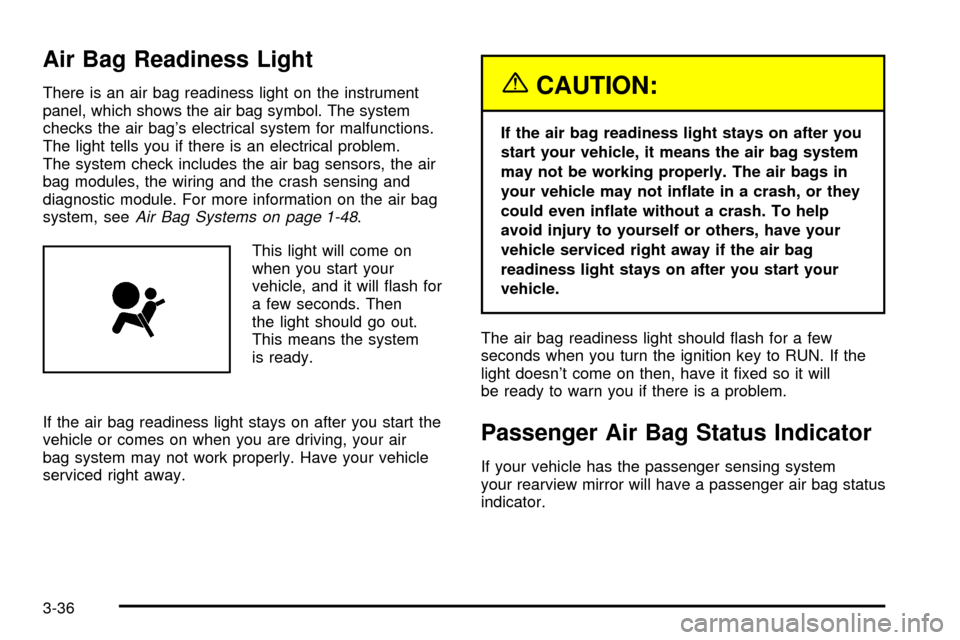
Air Bag Readiness Light
There is an air bag readiness light on the instrument
panel, which shows the air bag symbol. The system
checks the air bag's electrical system for malfunctions.
The light tells you if there is an electrical problem.
The system check includes the air bag sensors, the air
bag modules, the wiring and the crash sensing and
diagnostic module. For more information on the air bag
system, see
Air Bag Systems on page 1-48.
This light will come on
when you start your
vehicle, and it will ¯ash for
a few seconds. Then
the light should go out.
This means the system
is ready.
If the air bag readiness light stays on after you start the
vehicle or comes on when you are driving, your air
bag system may not work properly. Have your vehicle
serviced right away.
{CAUTION:
If the air bag readiness light stays on after you
start your vehicle, it means the air bag system
may not be working properly. The air bags in
your vehicle may not in¯ate in a crash, or they
could even in¯ate without a crash. To help
avoid injury to yourself or others, have your
vehicle serviced right away if the air bag
readiness light stays on after you start your
vehicle.
The air bag readiness light should ¯ash for a few
seconds when you turn the ignition key to RUN. If the
light doesn't come on then, have it ®xed so it will
be ready to warn you if there is a problem.
Passenger Air Bag Status Indicator
If your vehicle has the passenger sensing system
your rearview mirror will have a passenger air bag status
indicator.
3-36
Page 191 of 478
Driver Information Center (DIC)
The DIC display is located on the instrument panel
cluster above the steering wheel. The DIC can display
information such as the trip odometer, fuel economy and
personalization features. Vehicles without the DIC
buttons will not have all the features as the regular DIC.
See
Speedometer and Odometer on page 3-35for
information on features for vehicles without a full DIC.
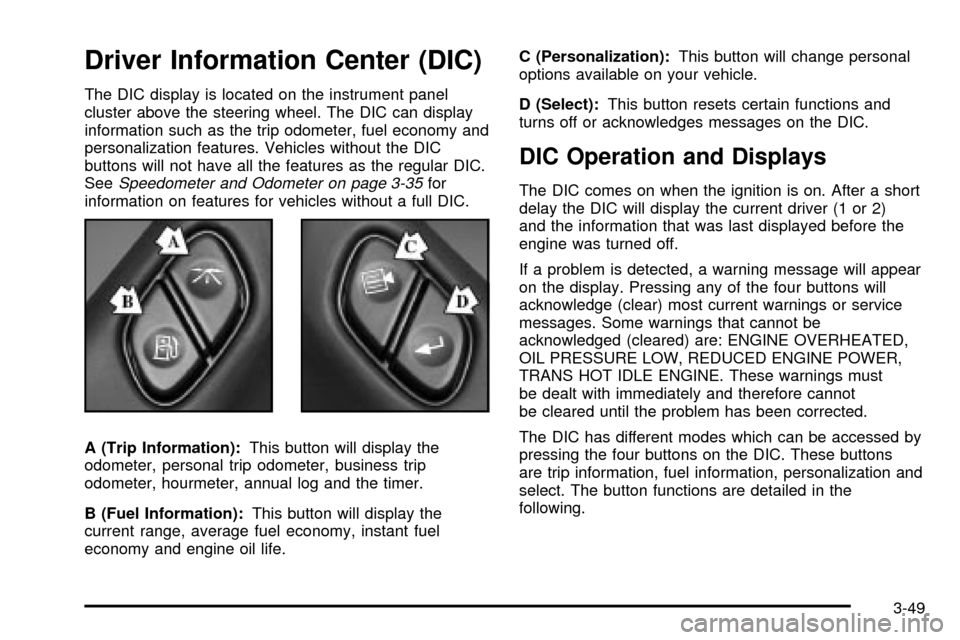
A (Trip Information):This button will display the
odometer, personal trip odometer, business trip
odometer, hourmeter, annual log and the timer.
B (Fuel Information):This button will display the
current range, average fuel economy, instant fuel
economy and engine oil life.C (Personalization):This button will change personal
options available on your vehicle.
D (Select):This button resets certain functions and
turns off or acknowledges messages on the DIC.
DIC Operation and Displays
The DIC comes on when the ignition is on. After a short
delay the DIC will display the current driver (1 or 2)
and the information that was last displayed before the
engine was turned off.
If a problem is detected, a warning message will appear
on the display. Pressing any of the four buttons will
acknowledge (clear) most current warnings or service
messages. Some warnings that cannot be
acknowledged (cleared) are: ENGINE OVERHEATED,
OIL PRESSURE LOW, REDUCED ENGINE POWER,
TRANS HOT IDLE ENGINE. These warnings must
be dealt with immediately and therefore cannot
be cleared until the problem has been corrected.
The DIC has different modes which can be accessed by
pressing the four buttons on the DIC. These buttons
are trip information, fuel information, personalization and
select. The button functions are detailed in the
following.
3-49
Page 205 of 478

TIGHTEN FUEL CAP
If the vehicle's fuel cap is not tightened properly this
message may appear along with the check engine light
on the instrument panel. See
Malfunction Indicator
Lamp on page 3-44. Reinstall the fuel cap, making sure
to fully install the cap. SeeFilling Your Tank on
page 5-6. The diagnostic system can determine if the
fuel cap has been left off or improperly installed. A loose
or missing fuel cap will allow fuel to evaporate into
the atmosphere. A few driving trips with the cap properly
installed should turn the light and message off.
CHECK WASHER FLUID
If the washer ¯uid level is low, this message will appear
on the DIC. Adding washer ¯uid will clear the message.
Pressing the select button will clear it from the DIC
display. This message will clear itself after 10 seconds
until the next ignition cycle.
TRANSMISSION HOT
If the transmission ¯uid temperature becomes high, the
message center will display this message.
When the transmission enters the protection mode, you
may notice a change in the transmission shifting
patterns. When the transmission ¯uid temperature
returns to normal, the display will turn off and the
transmission shifting patterns will return to normal.
Notice:If you drive your vehicle while the
transmission ¯uid is overheating and the
transmission temperature warning is displayed on
the instrument panel cluster and/or DIC, you
can damage the transmission. This could lead to
costly repairs that would not be covered by
your warranty. Do not drive your vehicle with
overheated transmission ¯uid or while transmission
temperature warning is displayed.
The following situations can cause the transmission to
operate at higher temperatures:
·Towing a trailer
·Hot outside air temperatures
·Hauling a large or heavy load
·Low transmission ¯uid level
·High transmission ¯uid level
·Restricted air ¯ow to the radiator.
A temporary solution to hotter transmission operating
temperatures may be to let the transmission cool down.
If the transmission is operated at higher temperatures
on a frequent basis, see
Scheduled Maintenance
on page 6-4Scheduled Maintenance for the proper
transmission maintenance intervals.
3-63
Page 254 of 478

The STABILITY SYS ACTIVE message will appear on
the Driver Information Center (DIC) only when the
system is both on and activated. You may also feel or
hear the system working; this is normal. For more
information on the stability messages, see
Driver
Information Center (DIC) on page 3-49.
Stabilitrak
žand part of the
traction control system can
be turned off or back on
by pressing the
Stabilitrak
žbutton located
on the instrument panel.
When the system is turned off, the traction off light will
illuminate, and the STABILITY SYS DISABLED
message will appear on the DIC to warn the driver that
both the stability system and part of the traction
control system are disabled. Your vehicle will still have
brake-traction control when Stabilitrak
žis off, but
will not be able to use the engine speed management
system. See ªTraction Control Operationº next for
more information.When the Stabilitrak
žsystem has been turned off you
may still hear system noises as a result of the
brake-traction control coming on.
It is recommended to leave the system on for normal
driving conditions, but it may be necessary to turn
the system off if your vehicle is stuck in sand, mud, ice
or snow, and you want to ªrockº your vehicle to
attempt to free it. It may also be necessary to turn off
the system when driving in extreme off-road conditions
where high wheel spin is required. See
If You Are
Stuck: In Sand, Mud, Ice or Snow on page 4-44.
Traction Control Operation
The traction control system is part of the
Stabilitrakžsystem. Traction control limits wheel spin by
reducing engine power to the wheels (engine speed
management) and by applying brakes to each individual
wheel (brake-traction control) as necessary.
The traction control system is enabled automatically
when you start your vehicle, and it will activate
and display the TRACTION ACTIVE message in the
Driver Information Center (DIC) if it senses that any of
the wheels are spinning or beginning to lose traction
while driving. If you turn off Stabilitrak
ž, only the
brake-traction control portion of traction control will
work. The engine speed management will be disabled.
4-10
Page 288 of 478
If You Are Stuck: In Sand, Mud, Ice
or Snow
In order to free your vehicle when it is stuck, you will
need to spin the wheels, but you do not want to
spin your wheels too fast. The method known as
ªrockingº can help you get out when you are stuck, but
you must use caution.
{CAUTION:
If you let your tires spin at high speed, they
can explode, and you or others could be
injured. And, the transmission or other parts of
the vehicle can overheat. That could cause an
engine compartment ®re or other damage.
When you are stuck, spin the wheels as little
as possible. Do not spin the wheels above
35 mph (55 km/h) as shown on the
speedometer.
Notice:Spinning your wheels can destroy parts of
your vehicle as well as the tires. If you spin the
wheels too fast while shifting your transmission
back and forth, you can destroy your transmission.
For information about using tire chains on your
vehicle, see
Tire Chains on page 5-81.
Rocking Your Vehicle To Get It Out
First, turn your steering wheel left and right. That will
clear the area around your front wheels. If your vehicle
has the Stabilitrak
žSystem, turn the system off by
pressing the Stabilitrakžbutton so that the STABILITY
SYS DISABLED message and the traction off light
are illuminated on the instrument panel cluster. Then
shift back and forth between REVERSE (R) and a
forward gear, spinning the wheels as little as possible.
Release the accelerator pedal while you shift, and press
lightly on the accelerator pedal when the transmission
is in gear. By slowly spinning your wheels in the forward
and reverse directions, you will cause a rocking
motion that may free your vehicle. If that does not get
you out after a few tries, you may need to be towed out.
Or, you can use your recovery hooks if your vehicle
has them. If you do need to be towed out, see
Towing
Your Vehicle on page 4-46.
4-44
Page 301 of 478

Press the button at the end of the shift lever to
enable/disable the tow/haul mode.A light on the instrument
panel will illuminate to
indicate that tow/haul
mode has been selected.
The vehicle will automatically turn off tow/haul every
time it is started.
Operating the vehicle in tow/haul when lightly loaded or
with no trailer at all will not cause damage. However,
there is no bene®t to the selection of tow/haul when the
vehicle is unloaded. Such a selection when unloaded
may result in unpleasant engine and transmission driving
characteristics and reduced fuel economy. Tow/haul
is recommended only when pulling a heavy trailer or a
large or heavy load.
4-57
Page 306 of 478

Following Distance
Stay at least twice as far behind the vehicle ahead as
you would when driving your vehicle without a trailer.
This can help you avoid situations that require
heavy braking and sudden turns.
Passing
You'll need more passing distance up ahead when
you're towing a trailer. And, because you're a good deal
longer, you'll need to go much farther beyond the
passed vehicle before you can return to your lane.
Backing Up
Hold the bottom of the steering wheel with one hand.
Then, to move the trailer to the left, just move that hand
to the left. To move the trailer to the right, move your
hand to the right. Always back up slowly and, if possible,
have someone guide you.
Making Turns
Notice:Making very sharp turns while trailering
could cause the trailer to come in contact with the
vehicle. Your vehicle could be damaged. Avoid
making very sharp turns while trailering.
When you're turning with a trailer, make wider turns
than normal. Do this so your trailer won't strike
soft shoulders, curbs, road signs, trees or other objects.
Avoid jerky or sudden maneuvers. Signal well in
advance.
Turn Signals When Towing a Trailer
The arrows on your instrument panel will ¯ash whenever
you signal a turn or lane change. Properly hooked up,
the trailer lamps will also ¯ash, telling other drivers
you're about to turn, change lanes or stop.
When towing a trailer, the arrows on your instrument
panel will ¯ash for turns even if the bulbs on the trailer
are burned out. Thus, you may think drivers behind
you are seeing your signal when they are not. It's
important to check occasionally to be sure the trailer
bulbs are still working.
4-62
Page 309 of 478

The seven-wire harness contains the following trailer
circuits:
·Yellow: Left Stop/Turn Signal
·Dark Green: Right Stop/Turn Signal
·Brown: Taillamps
·White: Ground
·Light Green: Back-up Lamps
·Red: Battery Feed
·Dark Blue: Trailer Brake
A jumper harness for an electric trailer brake controller
and a trailer battery feed fuse may be included with
this trailering package. See ªInstrument Panel Jumper
Wiring Harnessº later in this section.
If you need to tow a light-duty trailer with a standard
four-way, round pin connector, an adapter may be
included. See ªFour-Wire Harness Adapterº later in this
section.
Instrument Panel Jumper Wiring Harness
This harness may be included with your vehicle as part
of the heavy-duty trailer wiring package.
This harness is for an electric brake controller and
includes a trailer battery feed fuse. It should be installed
by your dealer or a quali®ed service center.
4-65
Page 336 of 478
Engine Overheating
You will ®nd a coolant temperature gage on your
vehicle's instrument panel cluster. SeeEngine Coolant
Temperature Gage on page 3-42. In addition, you
will ®nd an ENGINE COOLANT HOT, ENGINE
OVERHEATED and a REDUCED ENGINE POWER
message in the DIC on the instrument panel. See
Driver
Information Center (DIC) on page 3-49.
Overheated Engine Protection
Operating Mode
If an overheated engine condition exists and the
REDUCED ENGINE POWER message is displayed, an
overheat protection mode which alternates ®ring
groups of cylinders helps prevent engine damage. In
this mode, you will notice a loss in power and engine
performance. This operating mode allows your vehicle to
be driven to a safe place in an emergency. Driving
extended miles (km) and/or towing a trailer in the
overheat protection mode should be avoided.
Notice:After driving in the overheated engine
protection operating mode, to avoid engine damage,
allow the engine to cool before attempting any
repair. The engine oil will be severely degraded.
Repair the cause of coolant loss and change the oil.
See
Engine Oil on page 5-11.
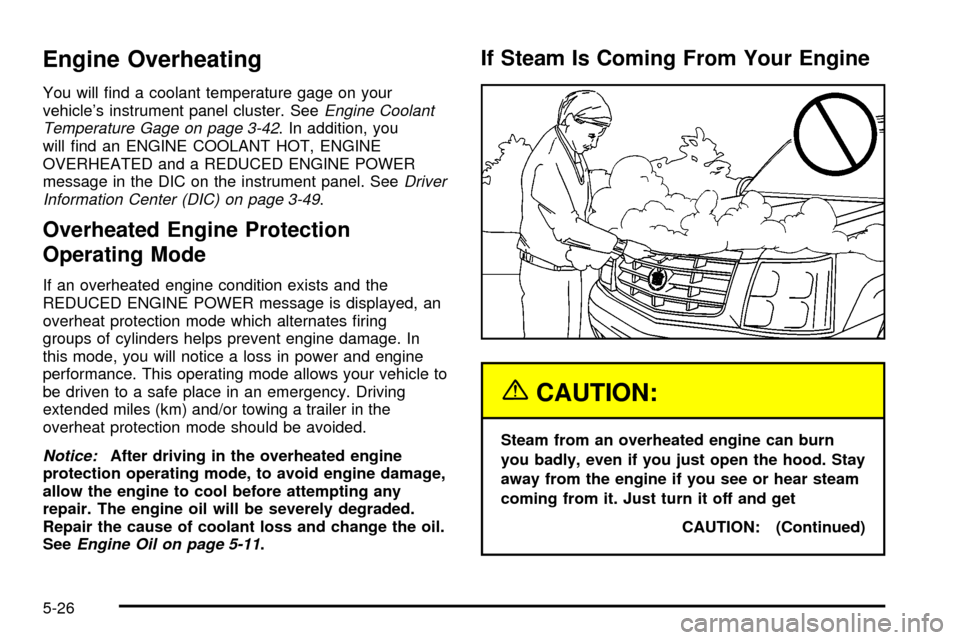
If Steam Is Coming From Your Engine
{CAUTION:
Steam from an overheated engine can burn
you badly, even if you just open the hood. Stay
away from the engine if you see or hear steam
coming from it. Just turn it off and get
CAUTION: (Continued)
5-26
Page 414 of 478

Cleaning the Top of the Instrument
Panel
Use only mild soap and water to clean the top surfaces
of the instrument panel. Sprays containing silicones
or waxes may cause annoying re¯ections in the
windshield and even make it difficult to see through the
windshield under certain conditions.
Cleaning Interior Plastic Components
Use on a mild soap and water solution on a soft cloth or
sponge. Commercial cleaners may affect the surface
®nish.
Cleaning Wood Panels
Use a clean cloth moistened in warm, soapy water
(use mild dish washing soap). Dry the wood immediately
with a clean cloth.
Cleaning the Speaker Covers
Vacuum around a speaker cover gently, so that the
speaker won't be damaged. Clean spots with just water
and mild soap.
Cleaning Glass Surfaces
Glass should be cleaned often. GM Glass Cleaner or a
liquid household glass cleaner will remove normal
tobacco smoke and dust ®lms on interior glass. See
Vehicle Care/Appearance Materials on page 5-109.
Notice:If you use abrasive cleaners when cleaning
glass surfaces on your vehicle, you could scratch
the glass and/or cause damage to the rear window
defogger and the integrated radio antenna. When
cleaning the glass on your vehicle, use only a soft
cloth and glass cleaner.
5-104