radio CADILLAC ESCALADE EXT 2005 2.G Owners Manual
[x] Cancel search | Manufacturer: CADILLAC, Model Year: 2005, Model line: ESCALADE EXT, Model: CADILLAC ESCALADE EXT 2005 2.GPages: 460, PDF Size: 2.95 MB
Page 70 of 460
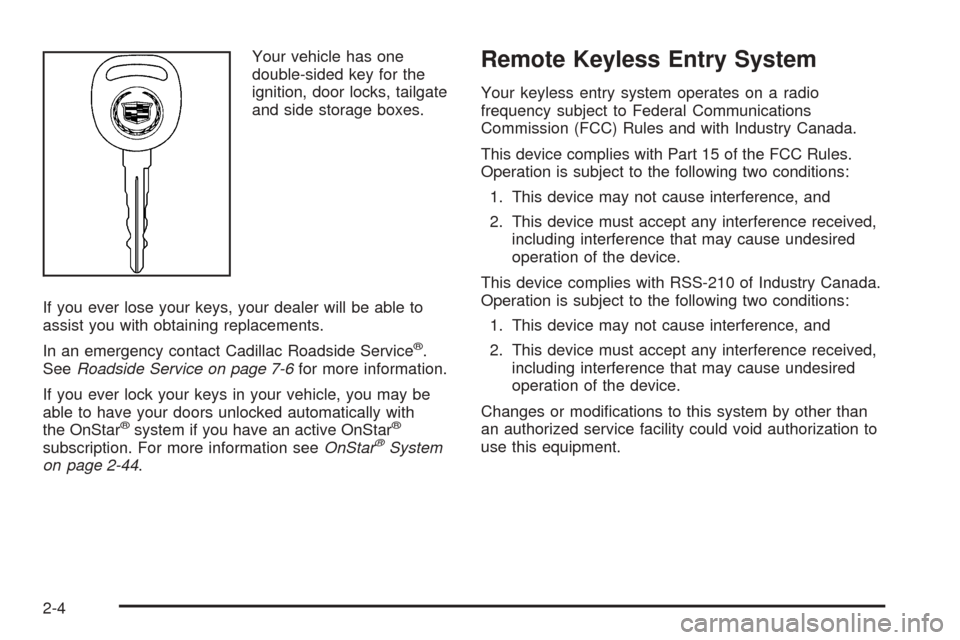
Your vehicle has one
double-sided key for the
ignition, door locks, tailgate
and side storage boxes.
If you ever lose your keys, your dealer will be able to
assist you with obtaining replacements.
In an emergency contact Cadillac Roadside Service
®.
SeeRoadside Service on page 7-6for more information.
If you ever lock your keys in your vehicle, you may be
able to have your doors unlocked automatically with
the OnStar
®system if you have an active OnStar®
subscription. For more information seeOnStar®System
on page 2-44.
Remote Keyless Entry System
Your keyless entry system operates on a radio
frequency subject to Federal Communications
Commission (FCC) Rules and with Industry Canada.
This device complies with Part 15 of the FCC Rules.
Operation is subject to the following two conditions:
1. This device may not cause interference, and
2. This device must accept any interference received,
including interference that may cause undesired
operation of the device.
This device complies with RSS-210 of Industry Canada.
Operation is subject to the following two conditions:
1. This device may not cause interference, and
2. This device must accept any interference received,
including interference that may cause undesired
operation of the device.
Changes or modications to this system by other than
an authorized service facility could void authorization to
use this equipment.
2-4
Page 94 of 460
Notice:Using a tool to force the key from the
ignition switch could cause damage or break the
key. Use the correct key and turn the key only with
your hand. Make sure the key is in all the way. If
none of this works, then your vehicle needs service.
B (Accessory):This position lets you use things
like the radio and the windshield wipers when the
engine is off.
Notice:Lengthy operation of features such as
the radio in the accessory ignition position
may drain the battery and prevent your vehicle
from starting. Do not operate your vehicle in
the accessory ignition position for a long period
of time.
C (Run):This is the position for driving.
D (Start):This position starts the engine.
Retained Accessory Power (RAP)
The Retained Accessory Power (RAP) feature will allow
certain features on your vehicle to continue to work
for up to 10 minutes after the ignition key is turned to
LOCK or until one of the doors is opened.
Starting Your Engine
Your vehicle is equipped with Starter Motor Control.
This feature assists in starting the engine and protects
the electrical system. This feature may cause the
engine to crank even after the ignition key is not
in START.
Move your shift lever to PARK (P) or NEUTRAL (N).
Your engine will not start in any other position — that is
a safety feature. To restart when you are already
moving, use NEUTRAL (N) only.
Notice:Do not try to shift to PARK (P) if your
vehicle is moving. If you do, you could damage the
transmission. Shift to PARK (P) only when your
vehicle is stopped.
1. With your foot off the accelerator pedal, turn the
ignition key to START. When the engine starts,
let go of the key. The idle speed will go down as
your engine gets warm.
Notice:Holding your key in START for longer
than 15 seconds at a time will disengage the starter
motor, cause your battery to be drained much
sooner, and add excessive heat that can damage
your starter motor. Try not to hold the key in
START for longer than 15 seconds and wait about
15 seconds between each try to help avoid draining
your battery or damaging your starter.
2-28
Page 113 of 460
Keep the original transmitter for use in other vehicles as
well as for future HomeLink®programming. It is also
recommended that upon the sale of the vehicle,
the programmed HomeLink
®buttons should be erased
for security purposes. Refer to “Erasing HomeLink®
Buttons” or, for assistance, contact HomeLink®on
the Internet at: www.homelink.com or by calling
1-800-355-3515.
Be sure that people and objects are clear of the garage
door or gate operator you are programming. When
programming a garage door, it is advised to park outside
of the garage.
It is recommended that a new battery be installed in
your hand-held transmitter for quicker and more
accurate transmission of the radio frequency.
Programming HomeLink®
Your vehicle’s engine should be turned off while
programming the transmitter. Follow these steps to
program up to three channels:
1. Press and hold down the two outside buttons,
releasing only when the indicator light begins to
ash, after 20 seconds. Do not hold down the
buttons for longer than 30 seconds and do not
repeat this step to program a second and/or third
transmitter to the remaining two HomeLink
®buttons.2. Position the end of your hand-held transmitter
about 1 to 3 inches (3 to 8 cm) away from the
HomeLink
®buttons while keeping the indicator
light in view.
3. Simultaneously press and hold both the desired
button on HomeLink
®and the hand-held transmitter
button. Do not release the buttons until Step 4
has been completed.
Some entry gates and garage door openers may
require you to substitute Step 3 with the procedure
noted in “Gate Operator and Canadian
Programming” later in this section.
4. The indicator light will ash slowly at rst and then
rapidly after HomeLink
®successfully receives the
frequency signal from the hand-held transmitter.
Release both buttons.
5. Press and hold the newly-trained HomeLink
®button
and observe the indicator light.
If the indicator light stays on constantly,
programming is complete and your device should
activate when the HomeLink
®button is pressed
and released.
To program the remaining two HomeLink
®buttons,
begin with Step 2 under “Programming HomeLink®.”
Do not repeat Step 1 as this will erase all of the
programmed channels.
2-47
Page 114 of 460
If the indicator light blinks rapidly for two seconds
and then turns to a constant light, continue with
Steps 6 through 8 following to complete the
programming of a rolling-code equipped device
(most commonly, a garage door opener).
6. Locate in the garage, the garage door opener
receiver (motor-head unit). Locate the “Learn”
or “Smart” button. This can usually be found where
the hanging antenna wire is attached to the
motor-head unit.
7. Firmly press and release the “Learn” or “Smart”
button. The name and color of the button may
vary by manufacturer.
You will have 30 seconds to start Step 8.
8. Return to the vehicle. Firmly press and hold the
programmed HomeLink
®button for two seconds,
then release. Repeat the press/hold/release
sequence a second time, and depending on the
brand of the garage door opener (or other rolling
code device), repeat this sequence a third time
to complete the programming.
HomeLink
®should now activate your rolling-code
equipped device.
To program the remaining two HomeLink
®buttons,
begin with Step 2 of “Programming HomeLink®.”
You do not want to repeat Step 1, as this will erase
all previous programming.
Gate Operator and Canadian
Programming
Canadian radio-frequency laws require transmitter
signals to “time out” or quit after several seconds of
transmission. This may not be long enough for
HomeLink
®to pick up the signal during programming.
Similarly, some U.S. gate operators are manufactured to
“time out” in the same manner.
If you live in Canada, or you are having difficulty
programming a gate operator by using the
“Programming HomeLink
®” procedures (regardless of
where you live), replace Step 3 under “Programming
HomeLink
®” with the following:
Continue to press and hold the HomeLink
®button while
you press and release every two seconds (cycle)
your hand-held transmitter until the frequency signal has
been successfully accepted by HomeLink
®. The
indicator light will ash slowly at rst and then rapidly.
Proceed with Step 4 under “Programming HomeLink
®”
to complete.
2-48
Page 138 of 460
Driver Information Center (DIC).......................3-46
DIC Operation and Displays...........................3-47
DIC Warnings and Messages.........................3-50
DIC Vehicle Customization.............................3-60
Audio System(s).............................................3-66
Setting the Time...........................................3-66
Radio with Cassette and CD..........................3-67
Rear Seat Entertainment System....................3-80
Navigation/Radio System...............................3-90
Rear Seat Audio (RSA).................................3-91
CD Changer................................................3-92Theft-Deterrent Feature..................................3-95
Audio Steering Wheel Controls.......................3-96
Radio Reception...........................................3-97
Care of Your Cassette Tape Player.................3-97
Care of Your CDs and DVDs.........................3-98
Care of Your CD Player................................3-98
Care of Your CD and DVD Player...................3-99
Fixed Mast Antenna......................................3-99
XM™ Satellite Radio Antenna System.............3-99
Chime Level Adjustment................................3-99
Section 3 Instrument Panel
3-2
Page 141 of 460
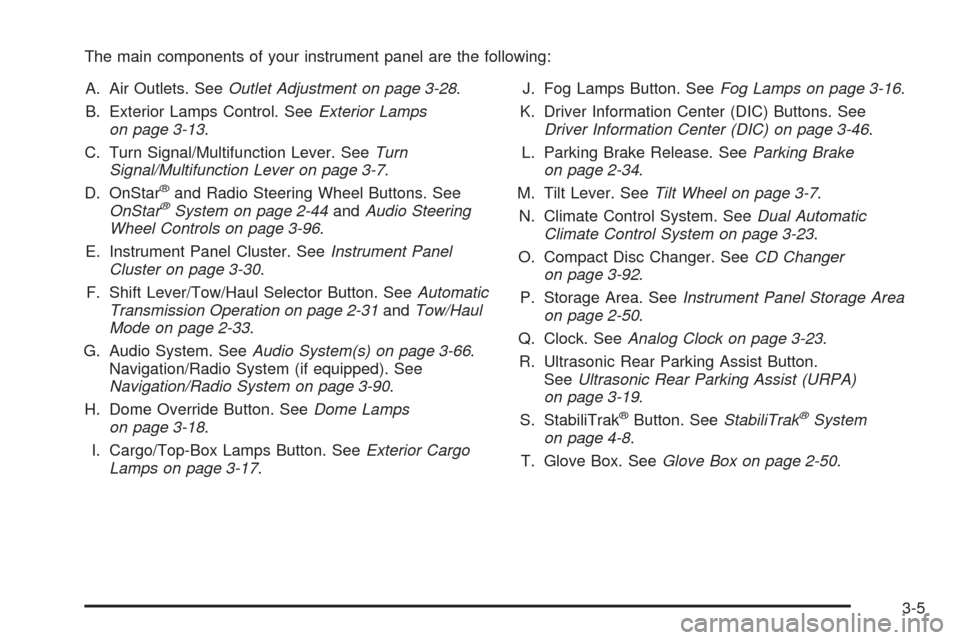
The main components of your instrument panel are the following:
A. Air Outlets. SeeOutlet Adjustment on page 3-28.
B. Exterior Lamps Control. SeeExterior Lamps
on page 3-13.
C. Turn Signal/Multifunction Lever. SeeTurn
Signal/Multifunction Lever on page 3-7.
D. OnStar
®and Radio Steering Wheel Buttons. See
OnStar®System on page 2-44andAudio Steering
Wheel Controls on page 3-96.
E. Instrument Panel Cluster. SeeInstrument Panel
Cluster on page 3-30.
F. Shift Lever/Tow/Haul Selector Button. SeeAutomatic
Transmission Operation on page 2-31andTow/Haul
Mode on page 2-33.
G. Audio System. SeeAudio System(s) on page 3-66.
Navigation/Radio System (if equipped). See
Navigation/Radio System on page 3-90.
H. Dome Override Button. SeeDome Lamps
on page 3-18.
I. Cargo/Top-Box Lamps Button. SeeExterior Cargo
Lamps on page 3-17.J. Fog Lamps Button. SeeFog Lamps on page 3-16.
K. Driver Information Center (DIC) Buttons. See
Driver Information Center (DIC) on page 3-46.
L. Parking Brake Release. SeeParking Brake
on page 2-34.
M. Tilt Lever. SeeTilt Wheel on page 3-7.
N. Climate Control System. SeeDual Automatic
Climate Control System on page 3-23.
O. Compact Disc Changer. SeeCD Changer
on page 3-92.
P. Storage Area. SeeInstrument Panel Storage Area
on page 2-50.
Q. Clock. SeeAnalog Clock on page 3-23.
R. Ultrasonic Rear Parking Assist Button.
SeeUltrasonic Rear Parking Assist (URPA)
on page 3-19.
S. StabiliTrak
®Button. SeeStabiliTrak®System
on page 4-8.
T. Glove Box. SeeGlove Box on page 2-50.
3-5
Page 151 of 460
Daytime Running Lamps (DRL)
Daytime Running Lamps (DRL) can make it easier for
others to see the front of your vehicle during the
day. DRL can be helpful in many different driving
conditions, but they can be especially helpful in the short
periods after dawn and before sunset. Fully functional
daytime running lamps are required on all vehicles
rst sold in Canada.
The DRL system will come on when the following
conditions are met:
The ignition is on,
the exterior lamps control is in AUTO,
the transmission is not in PARK (P), and
the light sensor determines it is daytime.
When the DRL are on, only your DRL lamps will be on.
The taillamps, sidemarker and other lamps won’t be
on. The instrument panel won’t be lit up either.
When it begins to get dark, the automatic headlamp
system will switch from DRL to the headlamps.
As with any vehicle, you should turn on the regular
headlamp system when you need it.
Automatic Headlamp System
When it is dark enough outside and the headlamp
switch is in AUTO, your automatic headlamp system will
turn on your headlamps at the normal brightness
along with other lamps such as the taillamps,
sidemarker, parking lamps, roof marker lamps and the
instrument panel lights. The radio lights will also be dim.
To turn off the automatic headlamp system, turn the
exterior lamps switch to the off position and then
release. Turning off the automatic headlamp system
with the headlamp switch is not available for vehicles
rst sold in Canada. For vehicles rst sold in Canada,
you can turn off the automatic headlamp system
when parked at night by applying the parking brake
before starting your vehicle. The headlamps will remain
off once the vehicle is started for as long as you are
parked. If you release the parking brake, the lights will
turn on. If the parking brake is not released before
you begin to drive, the exterior lamps will turn on
above 2 mph (3.2 km/h).
Your vehicle has a light sensor located on the top of
the instrument panel. Be sure it is not covered, or
the system will be on whenever the ignition is on.
3-15
Page 153 of 460
Remember, fog lamps alone will not give off as much
light as your headlamps. Never use your fog lamps
in the dark without turning on the headlamps.
The fog lamps will go off whenever your high-beam
headlamps come on. When the high beams go off, the
fog lamps will come on again.
The fog lamps will be cancelled after the ignition is
turned off. If you still want to use the fog lamps after you
restart the vehicle, you will need to press the fog
lamp button again.
Exterior Cargo Lamps
You can use the cargo lamps if you need more light in
the cargo area of your vehicle or in the top-box
storage units. Some vehicles will only have a cargo
lamp in the passenger side top box.
Press the button, with this
symbol to turn the cargo
lamps on or off.The cargo lamps symbol light will come on in the
instrument panel cluster when the cargo lamps are
on and the ignition key is turned to run.
Instrument Panel Brightness
The thumbwheel for this feature is located next to the
exterior lamps control.
D(Instrument Panel Lights):Turn the thumbwheel
up or down to brighten or dim the instrument panel
lights and the radio display. This will only work if
the headlamps or parking lamps are on.
To turn on the dome lamps, with the vehicle doors
closed, turn the thumbwheel all the way up.
3-17
Page 156 of 460
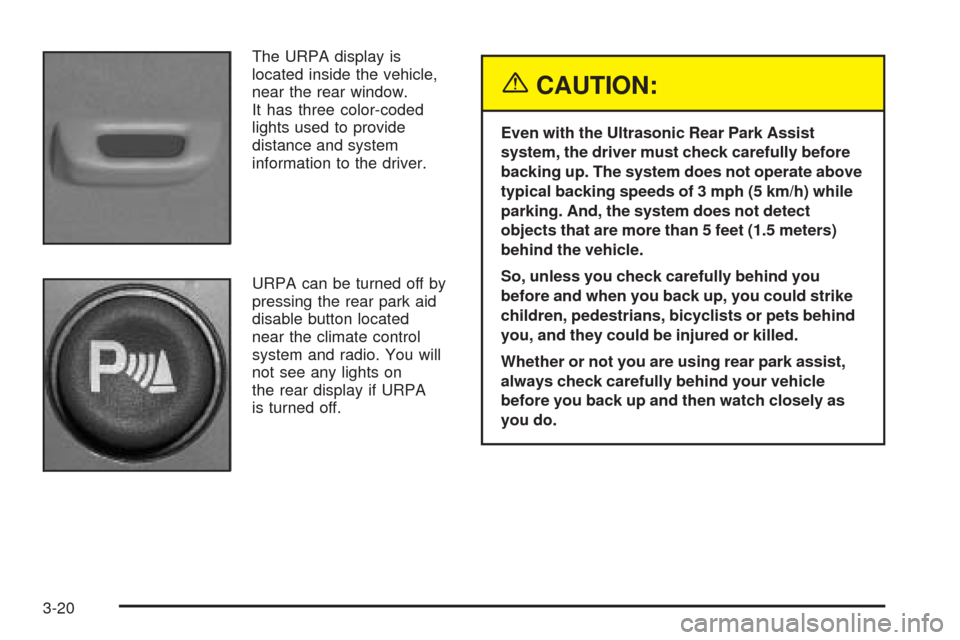
The URPA display is
located inside the vehicle,
near the rear window.
It has three color-coded
lights used to provide
distance and system
information to the driver.
URPA can be turned off by
pressing the rear park aid
disable button located
near the climate control
system and radio. You will
not see any lights on
the rear display if URPA
is turned off.
{CAUTION:
Even with the Ultrasonic Rear Park Assist
system, the driver must check carefully before
backing up. The system does not operate above
typical backing speeds of 3 mph (5 km/h) while
parking. And, the system does not detect
objects that are more than 5 feet (1.5 meters)
behind the vehicle.
So, unless you check carefully behind you
before and when you back up, you could strike
children, pedestrians, bicyclists or pets behind
you, and they could be injured or killed.
Whether or not you are using rear park assist,
always check carefully behind your vehicle
before you back up and then watch closely as
you do.
3-20
Page 170 of 460
If, after several seconds, all status indicator lights
remain on, or if there are no lights at all, there may
be a problem with the lights or the passenger sensing
system. See your dealer for service.
{CAUTION:
If the off indicator and the airbag readiness
light ever come on together, it means that
something may be wrong with the airbag
system. If this ever happens, have the vehicle
serviced promptly, because an adult-size
person sitting in the right front passenger
seat may not have the protection of the
frontal airbag. SeeAirbag Readiness Light
on page 3-32.
Charging System Light
The charging system light
will come on briey when
you turn on the ignition,
but the engine is not
running, as a check to
show you it is working.
It should go out once the engine is running. If it stays
on, or comes on while you are driving, you may have a
problem with the charging system. It could indicate
that you have problems with a generator drive belt, or
another electrical problem. Have it checked right
away. Driving while this light is on could drain your
battery.
When this light comes on the DIC will also display the
battery not charging message. SeeDIC Warnings
and Messages on page 3-50.
If you must drive a short distance with the light on,
be certain to turn off all your accessories, such as the
radio and air conditioner.
3-34