bluetooth CADILLAC ESCALADE EXT 2009 3.G User Guide
[x] Cancel search | Manufacturer: CADILLAC, Model Year: 2009, Model line: ESCALADE EXT, Model: CADILLAC ESCALADE EXT 2009 3.GPages: 546, PDF Size: 4.43 MB
Page 253 of 546

A. Source (AM, FM, XM, CD, etc.) Touch Screen
Button. SeeNavigation Audio System on page 4-57
for more information.
B. Clock Touch Screen Button. See “Setting the Clock”
underCongure Menu on page 4-40for more
information.
C. POI (Point of Interest) Touch Screen Button. See
“Displaying Points of Interest (POI) on the Map
Screen” underSymbols on page 4-16for more
information.
D.
1(Zoom Out) Touch Screen Button. See “Map
Scales” underMaps on page 4-14for more
information.
E.
y©¨z(Seek) Key (Previous/Next). See
Navigation Audio System on page 4-57for more
information.
F.
w(Tune) Knob. SeeNavigation Audio System
on page 4-57for more information.
G. NAV (Navigation) Key. See “Hard Keys” underUsing
the Navigation System on page 4-11for more
information.
H. RPT (Repeat) Key. See “Hard Keys” underUsing
the Navigation System on page 4-11for more
information.
I. DEST (Destination) Key. SeeDestination on
page 4-23for more information.J. CONFIG (Congure) Key. SeeCongure Menu on
page 4-40for more information.
K.
e(Sound) Key. See “Sound Menu” under
Navigation Audio System on page 4-57for more
information.
L.
5(Phone) Key. SeeOnStar®System on page 2-56
andBluetooth®on page 3-66for more information.
M. FAV (Favorite) Key. See “Storing Radio Station
Presets” underNavigation Audio System on
page 4-57for more information.
N. AUDIO Key. SeeNavigation Audio System on
page 4-57for more information.
O.
m(Tilt) Key. See “Hard Keys” underUsing the
Navigation System on page 4-11for more
information.
P.
O/n(Power/Volume) Knob. SeeNavigation
Audio System on page 4-57for more information.
Q. CD/DVD Video/Audio Slot. SeeCD Player on
page 4-64orDVD Player on page 4-71for more
information.
R.
Z(CD/DVD Video/Audio Eject) Key. SeeCD
Player on page 4-64orDVD Player on page 4-71for
more information.
S.
M(Load) Key. SeeCD Player on page 4-64or
DVD Player on page 4-71for more information.
4-3
Page 262 of 546
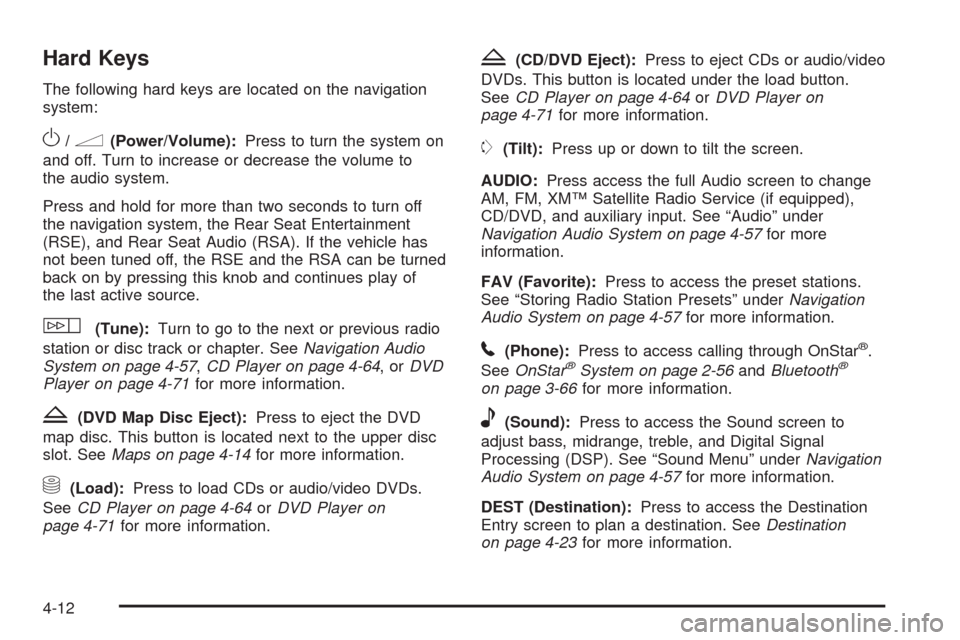
Hard Keys
The following hard keys are located on the navigation
system:
O/n(Power/Volume):Press to turn the system on
and off. Turn to increase or decrease the volume to
the audio system.
Press and hold for more than two seconds to turn off
the navigation system, the Rear Seat Entertainment
(RSE), and Rear Seat Audio (RSA). If the vehicle has
not been tuned off, the RSE and the RSA can be turned
back on by pressing this knob and continues play of
the last active source.
w(Tune):Turn to go to the next or previous radio
station or disc track or chapter. SeeNavigation Audio
System on page 4-57,CD Player on page 4-64,orDVD
Player on page 4-71for more information.
Z(DVD Map Disc Eject):Press to eject the DVD
map disc. This button is located next to the upper disc
slot. SeeMaps on page 4-14for more information.
M(Load):Press to load CDs or audio/video DVDs.
SeeCD Player on page 4-64orDVD Player on
page 4-71for more information.
Z(CD/DVD Eject):Press to eject CDs or audio/video
DVDs. This button is located under the load button.
SeeCD Player on page 4-64orDVD Player on
page 4-71for more information.
m(Tilt):Press up or down to tilt the screen.
AUDIO:Press access the full Audio screen to change
AM, FM, XM™ Satellite Radio Service (if equipped),
CD/DVD, and auxiliary input. See “Audio” under
Navigation Audio System on page 4-57for more
information.
FAV (Favorite):Press to access the preset stations.
See “Storing Radio Station Presets” underNavigation
Audio System on page 4-57for more information.
5(Phone):Press to access calling through OnStar®.
SeeOnStar®System on page 2-56andBluetooth®
on page 3-66for more information.
e(Sound):Press to access the Sound screen to
adjust bass, midrange, treble, and Digital Signal
Processing (DSP). See “Sound Menu” underNavigation
Audio System on page 4-57for more information.
DEST (Destination):Press to access the Destination
Entry screen to plan a destination. SeeDestination
on page 4-23for more information.
4-12
Page 270 of 546

POI Close to:
1. Once a category has been selected, touch this
button to display the list of available POIs for the
selected POI category. The list provides the
POI icon, the name, the direction, and the distance
to the POI from the vehicle’s current position.
2. Use the scroll arrows to move up and down the list.
3. Use the sorting screen buttons: Dist (distance),
Icon, Name, and on Route as needed.
Go:Select this screen button, next to the desired POI,
to make this POI a destination or a stopover.Select a POI name to receive information about the
POI. From this screen you can select: Address Book,
Go, Map, or Call (if Bluetooth
®or OnStar®personal
calling is activated).
Address Book:Press to add this POI to the address
book. See “Nav” underCongure Menu on page 4-40for
information on editing address book entries.
Go:Select to make this POI a destination or a stopover.
Map:Select to display the map showing the location
of the POI.
Call:Select to dial the phone number using your
Bluetooth
®phone (if “paired” with the vehicle) or the
OnStar HandsFree Calling system. For more information
about Bluetooth calling, seeBluetooth
®on page 3-66.
For more information about OnStar HandsFree
calling, see the OnStar Owner Guide.
OK:Select to display the map screen.
Show POI:Select to display or remove the POI icons
from the map screen.
List all Categories:Select to list all POIs sorted
alphabetically.
Delete:To delete a specic POI category, select the
category.
Clear All:Select this screen button to clear all selected
POI categories.
4-20
Page 283 of 546

Using OnStar®Destination Download
Press the blue OnStar button and an Advisor can locate
a point-of-interest or an address and download the
necessary information or coordinates to your navigation
system. Once the destination is downloaded, the
navigation system will search for the address in the
mapping disc’s database. When the address is found, it
will be shown on your navigation system’s screen
along with the buttons described below.
Select Go, the navigation system calculates
route(s). Select a route (i.e. Shortest Route),
and Start Guidance.
Select Map, the navigation system displays the
Destination Map Screen.
Select Call, the navigation system initiates a call to
your destination with your Bluetooth phone (if
available) or OnStar Hands-Free Calling (if minutes
are available).
Select Add to Address Book, the navigation system
copies the downloaded destination to the address
book and displays the new address book entry.
Select Back, the navigation system cancels your
OnStar Destination Download and returns to the
previous screen. The downloaded address will not
be added to the previous destinations
OnStar Download Screen
4-33
Page 534 of 546

Audio System (cont.)
Theft-Deterrent Feature................................3-87
XM™ Satellite Radio Antenna System............3-90
Automatic Headlamp System............................3-17
Automatic Transmission
Fluid..........................................................6-21
Operation...................................................2-36
Autoride
®.......................................................5-39
B
Battery..........................................................6-39
Electric Power Management..........................3-19
Run-Down Protection...................................3-20
Bluetooth
®.....................................................3-66
Brake
Emergencies................................................ 5-6
Brake Fluid....................................................6-35
Brakes..........................................................6-35
System Warning Light..................................3-33
Braking........................................................... 5-4
Braking in Emergencies..................................... 5-6
Break-In, New Vehicle.....................................2-31
Bulb Replacement...........................................6-51
Headlamp Aiming........................................6-48
High Intensity Discharge (HID) Lighting...........6-51
License Plate Lamps....................................6-52Bulb Replacement (cont.)
Replacement Bulbs......................................6-53
Taillamps, Turn Signal, Sidemarker, Stoplamps,
and Back-Up Lamps.................................6-51
Buying New Tires...........................................6-69
C
Calibration.....................................................3-46
California Fuel.................................................. 6-6
California Perchlorate Materials Requirements....... 6-4
California Proposition 65 Warning....................... 6-4
Canadian Owners............................................... iii
Capacities and Specications..........................6-110
Carbon Monoxide...................2-11, 2-21, 2-45, 5-27
Care of
Safety Belts................................................6-97
Cargo Area, All-Weather..................................2-77
Cargo Cover Panels........................................2-68
Center Console Storage Area...........................2-66
Chains, Tire...................................................6-75
Charging System Light....................................3-32
Check
Engine Lamp..............................................3-36
Checking Things Under the Hood......................6-12
Chemical Paint Spotting.................................6-101
2
Page 541 of 546
O
Odometer......................................................3-29
Odometer, Trip...............................................3-29
Off-Road Driving.............................................5-12
Off-Road Recovery..........................................5-11
Oil
Engine.......................................................6-15
Pressure Light.............................................3-39
Oil, Engine Oil Life System..............................6-18
Older Children, Restraints................................1-32
Online Owner Center........................................ 8-4
OnStar, Privacy..............................................8-17
OnStar
®System, see OnStar®Manual...............2-56
Operation, Universal Home Remote System........2-60
Ordering
Map DVDs .................................................4-56
Outlet Adjustment............................................3-26
Outlets
Accessory Power.........................................3-20
Outside
Convex Mirror.............................................2-49
Heated Mirrors............................................2-49
Power Foldaway Mirrors...............................2-47
Overheated Engine Protection
Operating Mode..........................................6-33
Owner Checks and Services.............................. 7-9
Owners, Canadian.............................................. iii
P
Paint, Damage..............................................6-101
Park
Shifting Into................................................2-43
Shifting Out of............................................2-44
Park Aid................................................2-50, 2-52
Park Brake....................................................2-41
Park Tilt Mirrors..............................................2-48
Parking
Assist........................................................2-50
Over Things That Burn.................................2-45
Passenger Airbag Status Indicator.....................3-31
Passenger Sensing System..............................1-61
Passing.........................................................5-11
PASS-Key
®III+ Electronic Immobilizer...............2-29
PASS-Key®III+ Electronic Immobilizer
Operation...................................................2-29
Perchlorate Materials Requirements, California...... 6-4
Phone
Bluetooth
®..................................................3-66
Power
Door Locks.................................................. 2-9
Electrical System.......................................6-103
Lumbar Controls........................................... 1-4
Reclining Seatbacks...................................... 1-8
Retained Accessory.....................................2-32
Seat............................................................ 1-3
Steering Fluid.............................................6-33
Windows....................................................2-24
9