display CADILLAC ESCALADE EXT 2011 3.G Owners Manual
[x] Cancel search | Manufacturer: CADILLAC, Model Year: 2011, Model line: ESCALADE EXT, Model: CADILLAC ESCALADE EXT 2011 3.GPages: 508, PDF Size: 7.6 MB
Page 257 of 508
Black plate (67,1)Cadillac Escalade EXT Owner Manual - 2011
Infotainment System 7-67
To change the map icon of an
address book entry:
1. Select the CONFIG controlbutton.
2. Select the Nav screen button.
3. Select Edit/View Address Book.
4. Select the address book entry to change.
5. Select the Icon screen button.
6. Select an icon from the list.
To add a voice tag to an address
book entry:
1. Select the CONFIG control button.
2. Select the Nav screen button.
3. Select Edit/View Address Book. 4. Select Add Voice Tag.
5. The system will ask for you to
state the name. You will have
four seconds to state the name.
The system will respond back
with the name and prompt
you to repeat the name for
confirmation.
To delete an address book entry:
1. Select the CONFIG control button.
2. Select the Nav screen button.
3. Select Edit/View Address Book.
4. Select the address book entry to delete. 5. Press Delete to delete the
address book entry.
6. A confirmation pop-up will display. Select OK to delete;
select Cancel to cancel the
operation.
To delete the entire address book:
1. Select the CONFIG control button.
2. Select the Nav screen button.
3. Select Edit/View Address Book.
4. A list of all the address book entries will display. Press and
hold Clear All.
5. A confirmation pop-up will display. Select OK to delete;
select Cancel to cancel the
operation.
Page 258 of 508

Black plate (68,1)Cadillac Escalade EXT Owner Manual - 2011
7-68 Infotainment System
Map Database Information
Press the Map Database
Information screen button to
view the coverage areas of the
map DVD.
Off-Road Mode
To turn the Off-road mode on or off:
1. Press the CONFIG controlbutton.
2. Press the Nav screen button. 3. Press Off-Road mode. The
button will be highlighted when
the feature is on.
When the off-road mode is turned
on, the navigation system will show
the path being traveled by the
vehicle when not on a marked road.
This path will be a simulation since
the map database coverage will not
have these roads on the DVD. This
path will be stored in the navigation
system's memory, see “Previous
Destination” underDestination on
page 7‑51 for more information.
See Defensive Driving on page 9‑2
for more information about off-road
driving.
Traffic Options
(US and Canada)
Read the following Options
descriptions to understand how
the XM NavTraffic™ operates.
XM NavTraffic™
(USA and Canada)
Vehicles with the navigation system
have an XM NavTraffic™ receiver.
XM NavTraffic™ is a subscription
service provided via XM™ Satellite
Radio. XM NavTraffic ™provides
real-time traffic information fully
integrated to the navigation system
to display current traffic conditions
for a driver ’s chosen route. XM
NavTraffic ™allows drivers to make
the most informed, timesaving
routing decisions.
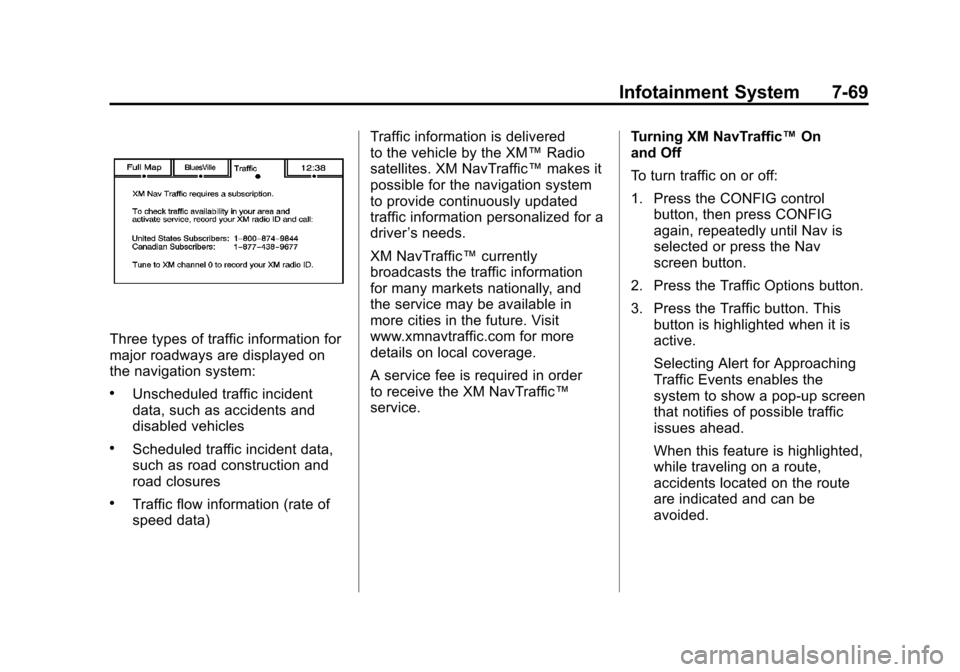
If the Traffic screen button is
pressed or if an attempt is made to
turn on the traffic display in the
Navigation Setup Menu without a
subscription, a Caution screen
displays indicating that XM traffic is
not activated.
Page 259 of 508
Black plate (69,1)Cadillac Escalade EXT Owner Manual - 2011
Infotainment System 7-69
Three types of traffic information for
major roadways are displayed on
the navigation system:
.Unscheduled traffic incident
data, such as accidents and
disabled vehicles
.Scheduled traffic incident data,
such as road construction and
road closures
.Traffic flow information (rate of
speed data)Traffic information is delivered
to the vehicle by the XM™
Radio
satellites. XM NavTraffic™ makes it
possible for the navigation system
to provide continuously updated
traffic information personalized for a
driver ’s needs.
XM NavTraffic™ currently
broadcasts the traffic information
for many markets nationally, and
the service may be available in
more cities in the future. Visit
www.xmnavtraffic.com for more
details on local coverage.
A service fee is required in order
to receive the XM NavTraffic™
service. Turning XM NavTraffic™
On
and Off
To turn traffic on or off:
1. Press the CONFIG control
button, then press CONFIG
again, repeatedly until Nav is
selected or press the Nav
screen button.
2. Press the Traffic Options button.
3. Press the Traffic button. This button is highlighted when it is
active.
Selecting Alert for Approaching
Traffic Events enables the
system to show a pop-up screen
that notifies of possible traffic
issues ahead.
When this feature is highlighted,
while traveling on a route,
accidents located on the route
are indicated and can be
avoided.
Page 260 of 508
Black plate (70,1)Cadillac Escalade EXT Owner Manual - 2011
7-70 Infotainment System
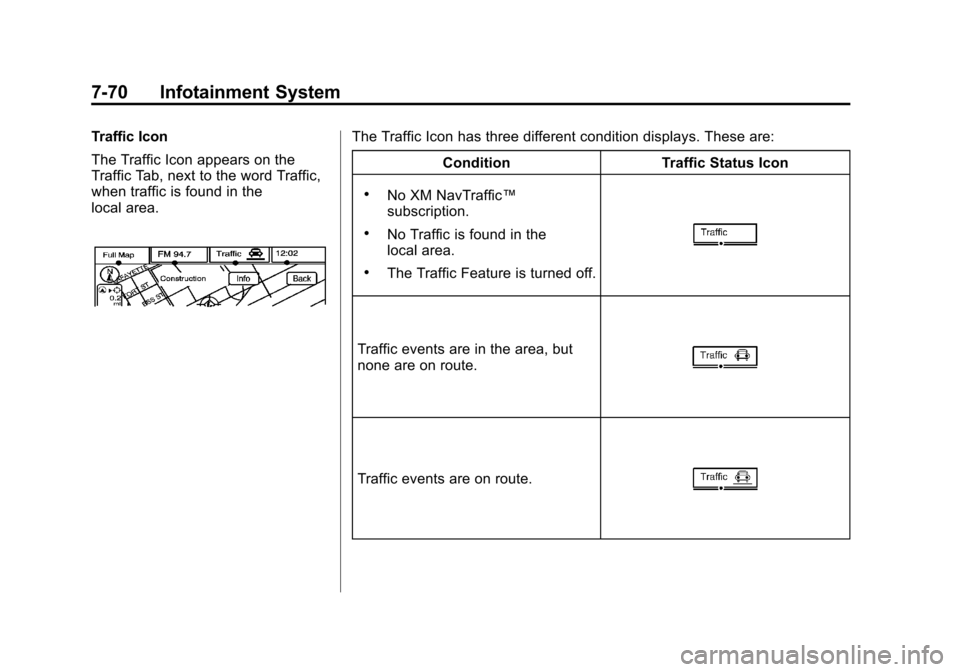
Traffic Icon
The Traffic Icon appears on the
Traffic Tab, next to the word Traffic,
when traffic is found in the
local area.The Traffic Icon has three different condition displays. These are:Condition Traffic Status Icon
.No XM NavTraffic™
subscription.
.No Traffic is found in the
local area.
.The Traffic Feature is turned off.
Traffic events are in the area, but
none are on route.
Traffic events are on route.
Page 261 of 508
Black plate (71,1)Cadillac Escalade EXT Owner Manual - 2011
Infotainment System 7-71
Locations and Information of
Traffic Conditions
The system may take some time
to sort the information. The list of
traffic conditions display in the order
of distance from the vehicle, up to
approximately 125 km (75 mi). With
a route planned, the system defaults
to list traffic events on your route.
Without a route planned, if travelling
on a major interstate, the system
lists events immediately ahead on
the interstate first. Then all other
traffic events follow. Not all traffic
conditions may be listed.To view the traffic condition location
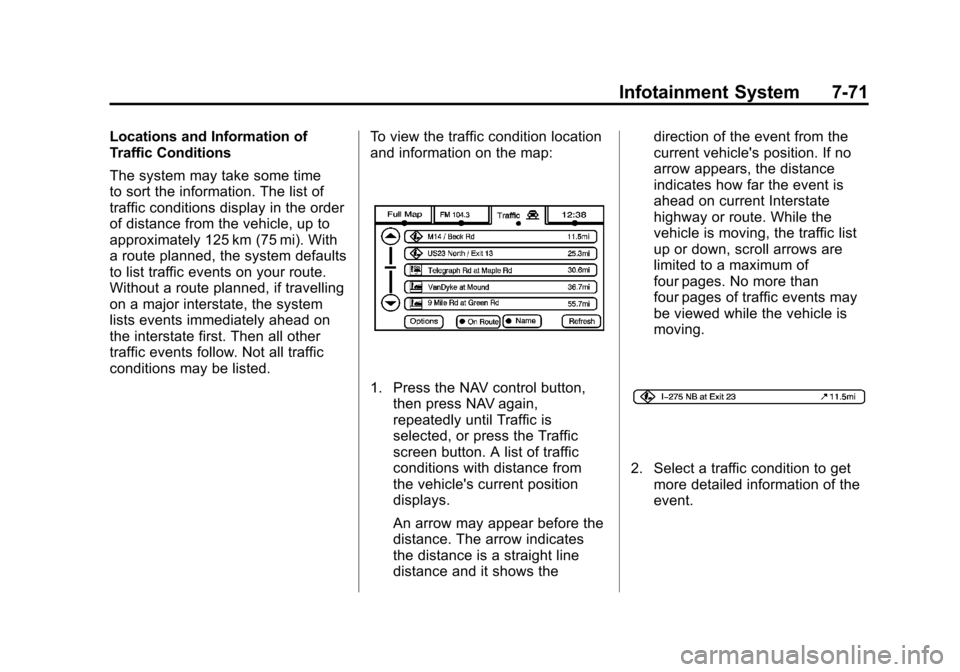
and information on the map:
1. Press the NAV control button,
then press NAV again,
repeatedly until Traffic is
selected, or press the Traffic
screen button. A list of traffic
conditions with distance from
the vehicle's current position
displays.
An arrow may appear before the
distance. The arrow indicates
the distance is a straight line
distance and it shows the direction of the event from the
current vehicle's position. If no
arrow appears, the distance
indicates how far the event is
ahead on current Interstate
highway or route. While the
vehicle is moving, the traffic list
up or down, scroll arrows are
limited to a maximum of
four pages. No more than
four pages of traffic events may
be viewed while the vehicle is
moving.
2. Select a traffic condition to get
more detailed information of the
event.
Page 262 of 508
Black plate (72,1)Cadillac Escalade EXT Owner Manual - 2011
7-72 Infotainment System
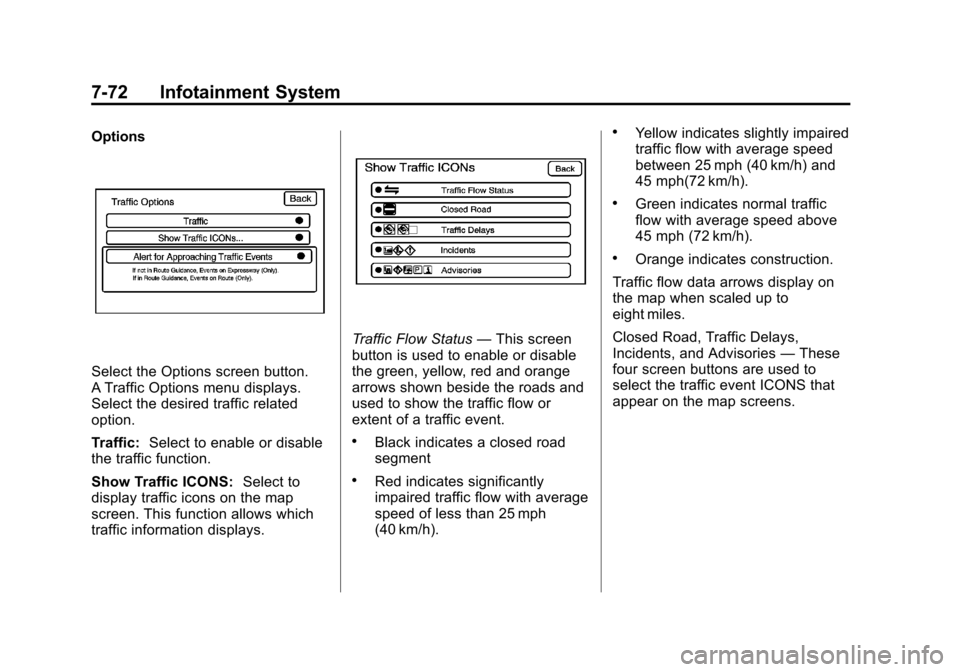
Options
Select the Options screen button.
A Traffic Options menu displays.
Select the desired traffic related
option.
Traffic:Select to enable or disable
the traffic function.
Show Traffic ICONS: Select to
display traffic icons on the map
screen. This function allows which
traffic information displays.
Traffic Flow Status —This screen
button is used to enable or disable
the green, yellow, red and orange
arrows shown beside the roads and
used to show the traffic flow or
extent of a traffic event.
.Black indicates a closed road
segment
.Red indicates significantly
impaired traffic flow with average
speed of less than 25 mph
(40 km/h).
.Yellow indicates slightly impaired
traffic flow with average speed
between 25 mph (40 km/h) and
45 mph(72 km/h).
.Green indicates normal traffic
flow with average speed above
45 mph (72 km/h).
.Orange indicates construction.
Traffic flow data arrows display on
the map when scaled up to
eight miles.
Closed Road, Traffic Delays,
Incidents, and Advisories —These
four screen buttons are used to
select the traffic event ICONS that
appear on the map screens.
Page 263 of 508
Black plate (73,1)Cadillac Escalade EXT Owner Manual - 2011
Infotainment System 7-73
Alert for Approaching Traffic
Events:When On, if an
approaching traffic event is within
the alert range, one of two traffic
alert pop-up screens display:
.With no route planned, while
on expressways, Approaching
Traffic Event without Avoid
screen displays.
.With route planned, Traffic Event
on Route screen displays.
If the Alert for Approaching Traffic
Events is Off, the alert pop-up
screen does not display.
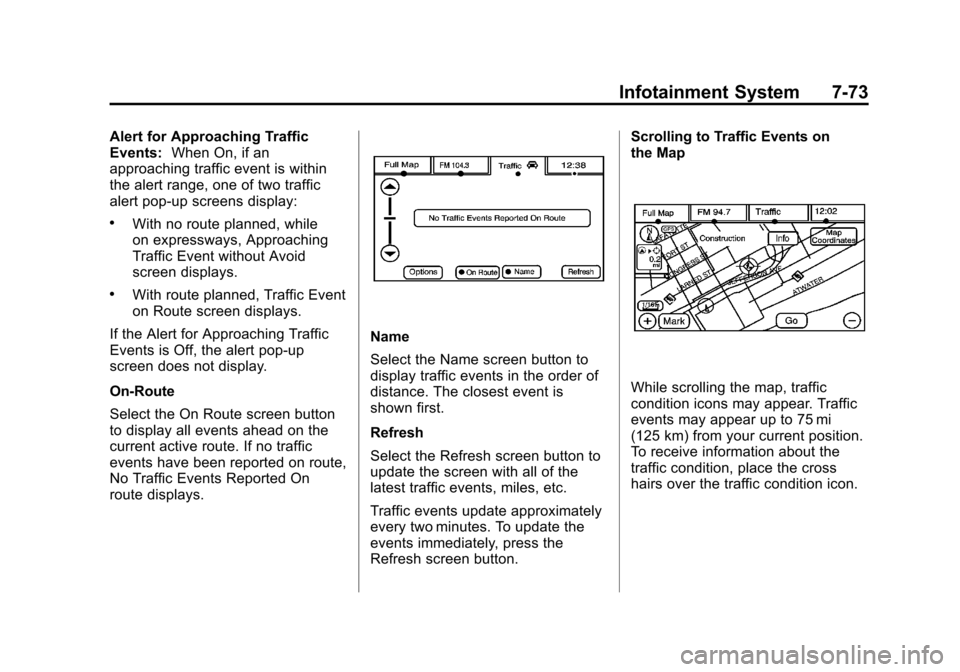
On-Route
Select the On Route screen button
to display all events ahead on the
current active route. If no traffic
events have been reported on route,
No Traffic Events Reported On
route displays.
Name
Select the Name screen button to
display traffic events in the order of
distance. The closest event is
shown first.
Refresh
Select the Refresh screen button to
update the screen with all of the
latest traffic events, miles, etc.
Traffic events update approximately
every two minutes. To update the
events immediately, press the
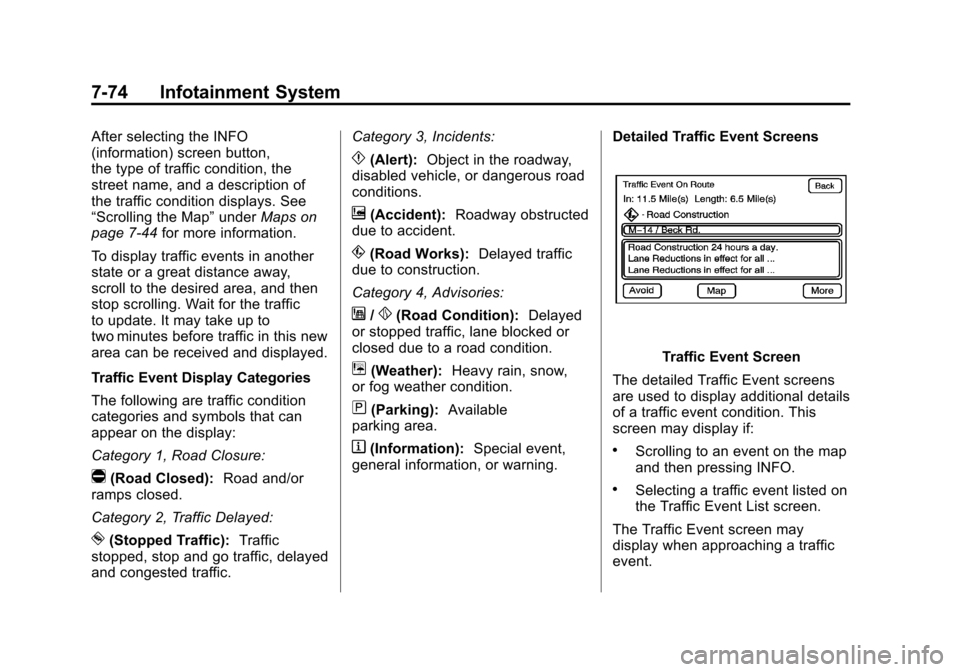
Refresh screen button. Scrolling to Traffic Events on
the Map
While scrolling the map, traffic
condition icons may appear. Traffic
events may appear up to 75 mi
(125 km) from your current position.
To receive information about the
traffic condition, place the cross
hairs over the traffic condition icon.
Page 264 of 508
Black plate (74,1)Cadillac Escalade EXT Owner Manual - 2011
7-74 Infotainment System
After selecting the INFO
(information) screen button,
the type of traffic condition, the
street name, and a description of
the traffic condition displays. See
“Scrolling the Map”underMaps on
page 7‑44 for more information.
To display traffic events in another
state or a great distance away,
scroll to the desired area, and then
stop scrolling. Wait for the traffic
to update. It may take up to
two minutes before traffic in this new
area can be received and displayed.
Traffic Event Display Categories
The following are traffic condition
categories and symbols that can
appear on the display:
Category 1, Road Closure:
q(Road Closed): Road and/or
ramps closed.
Category 2, Traffic Delayed:
o(Stopped Traffic): Traffic
stopped, stop and go traffic, delayed
and congested traffic. Category 3, Incidents:
p(Alert):
Object in the roadway,
disabled vehicle, or dangerous road
conditions.
t(Accident): Roadway obstructed
due to accident.
s(Road Works): Delayed traffic
due to construction.
Category 4, Advisories:
j/r(Road Condition): Delayed
or stopped traffic, lane blocked or
closed due to a road condition.
k(Weather): Heavy rain, snow,
or fog weather condition.
m(Parking): Available
parking area.
l(Information): Special event,
general information, or warning. Detailed Traffic Event Screens
Traffic Event Screen
The detailed Traffic Event screens
are used to display additional details
of a traffic event condition. This
screen may display if:
.Scrolling to an event on the map
and then pressing INFO.
.Selecting a traffic event listed on
the Traffic Event List screen.
The Traffic Event screen may
display when approaching a traffic
event.
Page 265 of 508

Black plate (75,1)Cadillac Escalade EXT Owner Manual - 2011
Infotainment System 7-75
Back, Map, More, and Avoid
These buttons have common
functions across all three Detailed
Traffic Event screens.
Back:Press to return to the
previous screen.
Map: If available, press to display
the related traffic event on the map.
Map Traffic Event Icon with Back
Screen
More: Press to display more of the
traffic event description, if the whole
event does not fit in the given
display. Avoid:
This button is used to avoid
the location of an event on the
route. If selected, a new route is
calculated and the related traffic
event is avoided. After the new
route has been calculated, the
navigation system goes to the full
map screen and shows the new
route.
The Avoid button is only available if
the event is on the route ahead.
Traffic Voice Prompts
The traffic voice prompts are part
of the current navigation voice
prompts. If the navigation voice
prompts are turned off, all traffic
prompts are also turned off.
If the voice prompts are on,
whenever an Alert for Approaching
Traffic is displayed, the system
gives the related voice prompt.
The content of the voice prompt
depends on actual traffic event data.
The RPT (Repeat) control button is
for navigation traffic maneuvers
only. It is not used to repeat traffic prompts. During a traffic voice
prompt, if RPT is pressed, the
current prompt playback cancels.
Traffic prompts are disabled during
OnStar (if equipped) or Voice
Recognition activity.
Display
Press the CONFIG control button
to enter the configure menu
options, then press CONFIG again,
repeatedly until Display is selected
or press the Display screen button.
Page 266 of 508

Black plate (76,1)Cadillac Escalade EXT Owner Manual - 2011
7-76 Infotainment System
Display Off
Press this screen button to turn the
display off. Press any control button
to view the display.
Brightness/Contrast/Mode
Press this screen button to change
the brightness, contrast, and mode
of the display.
](Brightness):Press + (plus)
or −(minus) to increase or decrease
the brightness of the screen.
_(Contrast): Press + (plus)
or −(minus) to increase or decrease
the contrast of the screen.
Auto (Automatic): Press so the
system can automatically adjust the
screen background depending on
exterior lighting conditions.
Night: Press to make the map
background darker.
Day: Press to make the map
background brighter.
Setting the Clock
The navigation system time and the
analog clock operate independently.
Changing the time through the
navigation system does not change
the time on the analog clock. See
Clock on page 5‑7 to change the
analog clock time.
Press the CONFIG control button to
enter the configure menu options,
then press CONFIG again,
repeatedly until the time is selected
or press the time screen button. Hours:
Press−(minus) or + (plus)
to decrease or increase the hours.
Minutes: Press−(minus)
or + (plus) to decrease or increase
the minutes.
12/24 Format: Select the
12 screen button for standard time;
select the 24 screen button for
military time.
Global Positioning
System (GPS)
The navigation system determines
the position of the vehicle by using
satellite signals, various vehicle
signals, and map data.
At times, other interferences such
as the satellite condition, road
configuration, the condition of the
vehicle and/or other circumstances
can interfere with the navigation
system's ability to determine the
accurate position of the vehicle.