climate control CADILLAC SEVILLE 1994 4.G Owners Manual
[x] Cancel search | Manufacturer: CADILLAC, Model Year: 1994, Model line: SEVILLE, Model: CADILLAC SEVILLE 1994 4.GPages: 399, PDF Size: 21.33 MB
Page 8 of 399
Downloaded from www.Manualslib.com manuals search engine -
I
-
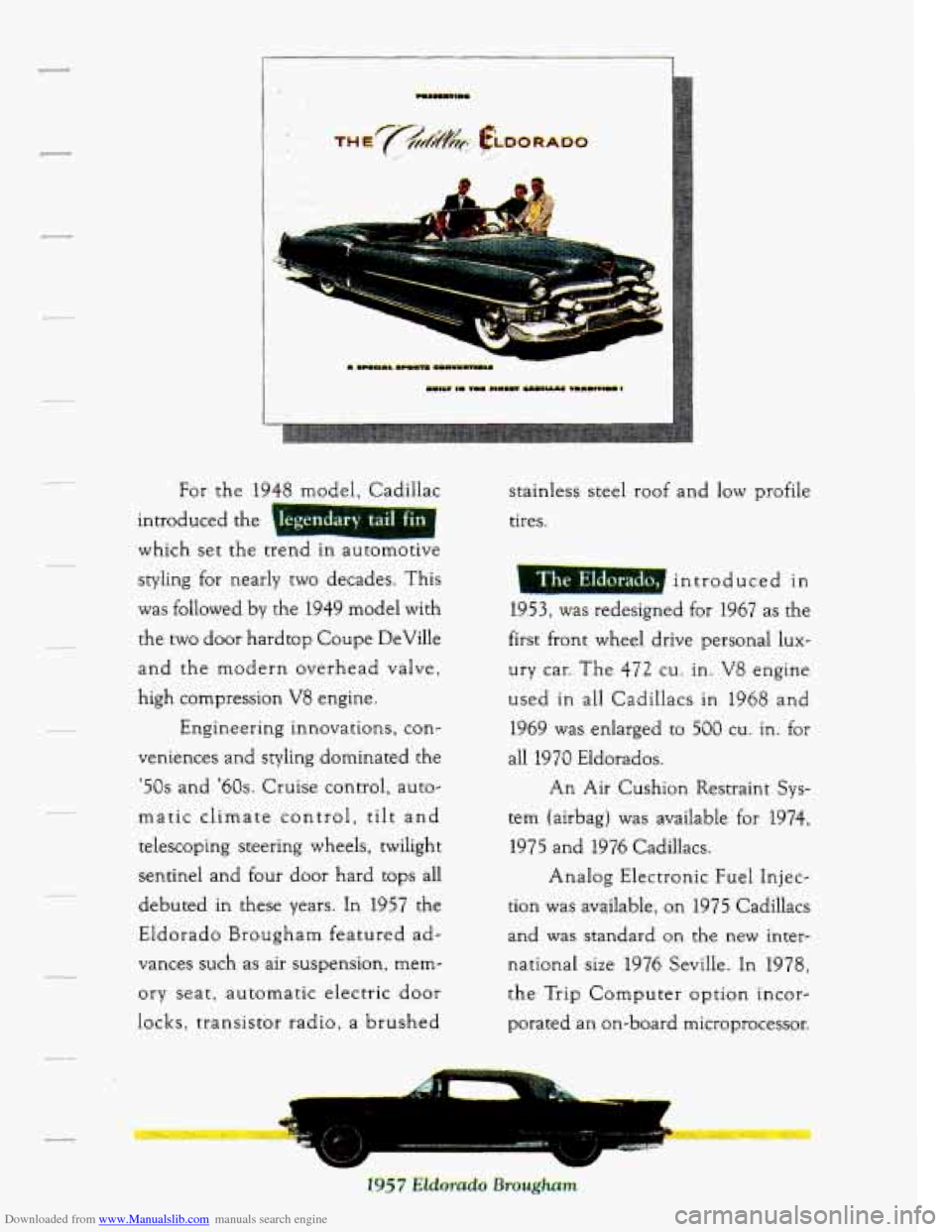
introduced the 1 I
which set the trend In automotlve
egendary tail fin
styling for nearly two decades. This
was followed
by the 1949 model with
the two door hardtop Coupe DeVille
and the modern overhead valve,
high compression
V8 engine.
Engineering innovations, con-
veniences and styling dominated the
'50s and '60s. Cruise control, auto-
matic climate control,
tilt and
telescoping steering wheels, twilight
sentine1 and four door hard tops all
debuted in these years. In 1957 the
Eldorado Brougham featured
ad-
vances such as air suspension, mem-
ory seat, automatic electric door
locks, transistor radio, a brushed stainless steel roof and
low profile
tires.
introduced
in
1953,was redesigned for 1967 as the
first front wheel drive personal lux-
ury car. The
472 cu. in. V8 engine
used in
all Cadillacs in 1968 and
1969 was enlarged to
500 cu. in. for
all 1970 Eldorados.
An Air Cushion Restraint Sys-
tem (airbag) was available for
1974,
1975 and 1976 Cadillacs.
Analog Electronic Fuel Injec-
tion was available, on 1975 Cadillacs
and
was standard on the new inter-
national size 1976 Seville. In 1978,
the Trip Computer option incor-
porated an on-board microprocessor.
Page 157 of 399
Downloaded from www.Manualslib.com manuals search engine Oil Life Left Reset
Press successively the INFORMATION button to display the “OIL LIFE
LEFT”, then press and hold the RESET button until “0.0 OIL LIFE
LEFT” is displayed.
DISPLAY ON/OFF Button
Pressing this button will turn off the Driver Information Center,
Electronic Climate Control and Fuel Data Center displays. If you have
the Digital cluster, the fuel gage, trip and odometer
will also turn off.
While displays are off, pressing the INFORMATION button will turn on
only the Driver Information Center.
If any other button is pressed or a
driving warning message needs to be displayed, or fuel level falls below
4 gallons, all the displays will come back on.
TRIP SET Button
Press and hold this button to set the Trip Odometer back to zero.
ENG/MET (English/Metric Button)
Press this button to switch from English (miles) and Degrees (Fahrenheit),
to Metric (kilometers) and Degrees (Celsius).
Driver Information Center Messages
These messages will appear if there is a problem sensed in one of your
vehicle’s systems. Vehicles that are first sold in Canada or are export
vehicles will have a number after each message. This number helps to
identify that message, which is only displayed in English.
APPLY BRAKE TO SHIFT - 46
This message will appear if your vehicle is in “P” (Park) for about
15 seconds and the brake is not depressed. If you do not want this
message to appear, you can cancel this message by holding the “OFF”
and the Blue (cooler) button on the Electronic Climate Control panel for
about
5 seconds. Hold the same two buttons again to have this message
displayed again.
144
Page 158 of 399
Downloaded from www.Manualslib.com manuals search engine A/C OVERHEATED - A/C COMPRESSOR OFF - 15
If the refrigerant system ever reaches an over-pressure condition, this
message will appear to tell you that the air conditioning compressor has
been turned
off. Air conditioned air will not be delivered to cool your
vehicle.
If the pressure returns to a normal operating range, you must
select “AUTO”, “DEFOG”, or Defrost to start the compressor. If this
message continues to appear, have the system repaired
as sow as
possible to avoid compressor damage.
BATTERY NO CHARGE - 07
This message will appear if your battery is not being charged. Have your
electrical system checked by your Cadillac dealership at your earliest
convenience.
BATTERY VOLTS HIGH - 08
This message shows that the electrical charging system is overcharging,
(more than 16 volts).
To avoid being stranded have the electrical system
checked by your Cadillac dealership at your earliest convenience. You can
reduce the charging overload by using the accessories. Turn on the lights,
radio, set the Climate Control on
“AUTO” and the fan speed on “HI” and
turn the rear window defogger on. You can monitor battery voltage on the
Driver Information Center by toggling the “INFORMATION” button.
When the engine is running, the normal range is 11.5 to 15.5 volts.
BATTERY VOLTS LOW - 06
This message will appear when the electrical system is charging less than
10 volts, or if the battery has been drained. If this message appears
immediately after starting it is possible that the generator can still
recharge the battery. The battery should recharge after driving a
few
miles and the message should go out. If this message appears while
driving or after starting your vehicle and stays on, have it checked
immediately to determine the cause of this problem.
To help the
generator recharge
the battery quickly, you can reduce the load on the
electrical system
by turning off your accessories. You can monitor battery
voltage on the Driver Information Center by toggling the
“INFORMATION” button. The normal range
is 11.5 to 15.5 volts.
145
Page 160 of 399
Downloaded from www.Manualslib.com manuals search engine ENGINE COOLANT HOT - 44
This message will appear when your engine coolant temperature is over
126 C (248 F). To avoid added strain on a hot engine, turn off your
Climate Control system and stop and allow your vehicle to idle until it
cools down or the message is removed.
If it does not cool down, turn off
your engine and have it serviced before driving it again. Severe engine
damage can result from an overheated engine. See “Engine Overheating”
in the Index.
ENGINE HOT - A/C COMPRESSOR OFF - 16
This message will appear when the Climate Control is in “Auto” or
Defrost and the engine coolant is hotter than the normal operating
temperature.
To avoid added strain on a hot engine the air conditioning
compressor is automatically turned
off. When that happens, air
conditioned air is not delivered.
If the coolant temperature returns to
normal, you must select “AUTO”,
“DEFOG” or Defrost to return to a
normal A/C compressor operation.
FUEL LEVEL VERY LOW - 11
This message serves as a warning that the fuel level in your tank is
critically low.
It means you should stop for fuel immediately.
SERVICE A/C SYSTEM A/C COMPRESSOR OFF - 14
This message appears when the electronic sensors that control the A/C
and heating system are no longer working.
You may notice a drop in
heating and A/C efficiency when this message appears. Have your
Climate Control system serviced if this message appears.
STARTING DISABLED DUE TO THEFT SYSTEM REMOVE
IGNITION
KEY - 33
This message will appear when the Personalized Automotive Security
System
(PASS Key II@) senses that an improper ignition key is being used
to try to start the vehicle. Check the ignition key
for damage. If it is
damaged, it may need to be replaced. If you see no damage, clean the
pellet contacts with a soft cloth or napkin. Remove the ignition key and
wait for the Driver Information Center to display “WAIT
3 MINUTES”.
The Instrument Panel Cluster will then run a timer and change the
messages to “WAIT
2 MINUTES”, “WAIT 1 MINUTE”, and then
“START CAR”. When the “START CAR” message is displayed, try again
to start the engine.
Page 162 of 399
Downloaded from www.Manualslib.com manuals search engine TRACTION ACTIVE - 91
If your vehicle is equipped with Traction Control, this message will be
displayed
if Traction Control is being used to reduce wheel slippage.
TRACTION DISABLED - 88
If your vehicle is equipped with Traction Control, this message will be
displayed if a problem is noted in the Traction Control System. Have your
vehicle serviced as soon as possible.
TRANS FLUID RESET - 48
With the engine not running and the ignition ON, press and hold the
OFF and REAR DEFOG buttons until the TRANS FLUID RESET
message appears in the Information Center (between
5 and 20 seconds).
TURN SIGNAL ON - 20
This message is a reminder, after driving about a mile that you have your
turn signal on.
TRUNK OPEN - 24
This message indicates that your trunk is open when the Ignition is ON.
VERY LOW REFRIGERANT A/C COMPRESSOR OFF - 12
This message means that the Air Conditioning system detects a
refrigerant level that is low enough to cause damage to the A/C
compressor. To avoid damage, the A/C compressor automatically turns
off and the Electronic Climate Control will automatically switch from
“AUTO” to “ECON” and remain there. Have your A/C system serviced if
this message appears.
149
Page 167 of 399
Downloaded from www.Manualslib.com manuals search engine Electronic Climate Control (ECC)
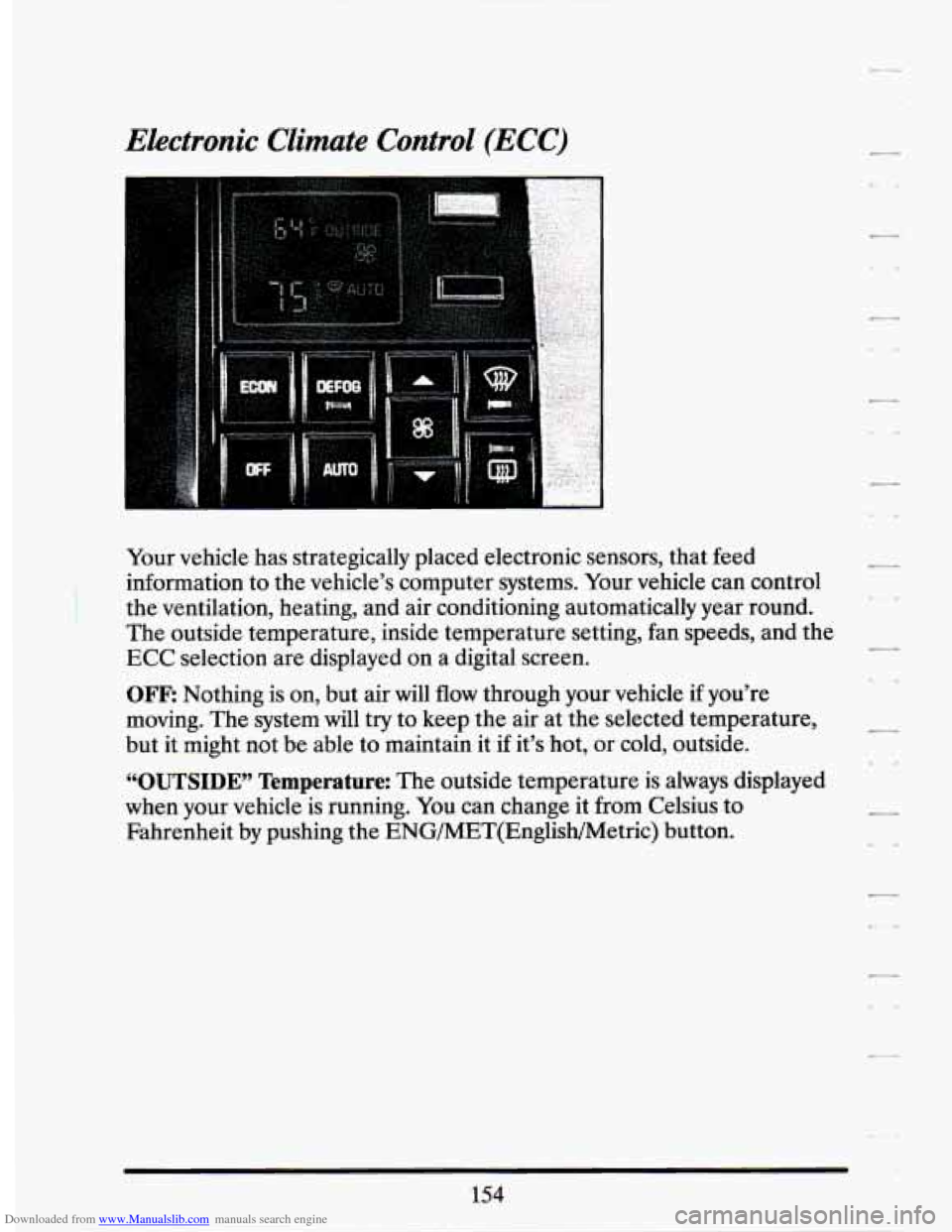
Your vehicle has strategically placed electronic sensors, that feed
information to the vehicle’s computer systems. Your vehicle can control
the ventilation, heating, and air conditioning automatically year round.
The outside temperature, inside temperature setting, fan speeds, and the
ECC selection are displayed on a digital screen.
OFF: Nothing is on, but air will flow through your vehicle if you’re
moving. The system will try to keep the air at the selected temperature,
but it might not be able to maintain it if it’s hot, or cold, outside.
“OUTSIDE” Temperature: The outside temperature is always displayed
when your vehicle is running. You can change it from Celsius to
Fahrenheit by pushing the ENG/MET(English/Metric) button.
Page 169 of 399
Downloaded from www.Manualslib.com manuals search engine Electronic Climate Control Features
A/C Purge
If your vehicle is sitting out on a hot day and you have it set on AUTO,
the air will first flow out the floor air ducts for a
few seconds. That is
normal. This is to expel hot air in the air ducts.
As the air is cooled, the
flow
will move through the A/C outlets. If you start your vehicle with the
fan setting on
“HI” it will skip the A/C Purge.
Cold Weather Purge
On cold days when your system is first turned on, in either the AUTO or
ECON setting and the fan setting is not on “HI”, a small amount
of air
will flow through
the defroster duct while the system is waiting for the
engine coolant to warm up enough to provide heat. This prevents your
breath from fogging your windshield.
As the coolant warms up, the
blower fan speed will gradually increase and air will flow from the heater
outlets, with some air bleed to the windshield to prevent fogging under
most normal conditions.
Manually Recirculate Inside Air
There may be times, when you don’t want air from the outside. To
recirculate the air from the inside only,
just set the temperature to 60°F
(16°C) and adjust your fan speed, if the air quantity is too high.
DEFOG
Push this button to divide the air between the windshield and the heater
ducts. This
is useful when fog appears on the windshield or side glass due
to a sudden rain or snowy conditions.
156
Page 172 of 399
Downloaded from www.Manualslib.com manuals search engine Electronic Solar Sensor
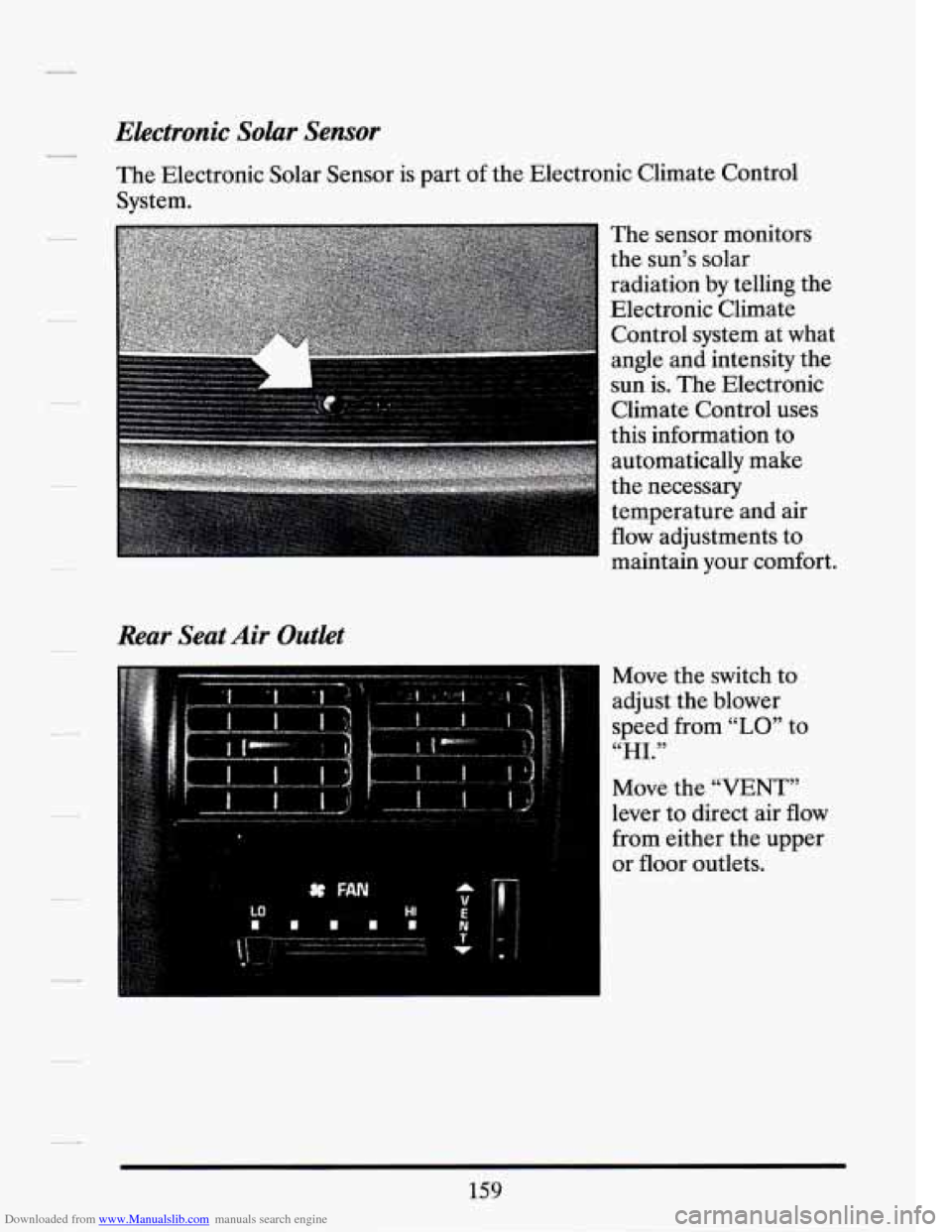
The Electronic Solar Sensor is part of the Electronic Climate Control
System.
Rear Seat Air Outlet
The sensor monitors
the sun’s solar
radiation
by telling the
Electronic Climate
Control system at what
angle and intensity the
sun is. The Electronic
Climate Control uses
this information to
automatically make
the necessary
temperature and air
flow adjustments to
maintain your comfor
Move the switch to
adjust the blower
speed from
“LO” to
“HI.”
‘t .
Move the “VENT”
lever to direct air
flow
from either the upper
or floor outlets.
159
Page 217 of 399
Downloaded from www.Manualslib.com manuals search engine Ifyou Do Decide To Pull A Trailer
If you do, here are some important points.
0
a
0
0
a
a
a
There are many different laws having to do with trailering. Make sure
your rig will be legal, not only where you live but also where you’ll be
driving.
A good source for this information can be state or provincial
police.
Consider using a sway control.
You can ask a hitch dealer about sway controls.
Don’t tow a trailer at all during the first
500 miles (800 km) your new
vehicle is driven. Your engine, axle or other parts could be damaged.
Then, during the first
500 miles (800 km) that you tow a trailer, don’t
drive over
50 mph (80 km/h) and don’t make starts at full throttle.
This helps your engine and other parts
of your vehicle wear in at the
heavier loads.
When towing a trailer, close all windows and set the Electronic
Climate Control System to “ECON”,
“AUTO”, “DEFOG” or
Defroster to assure that the fan is running.
Three important considerations have to do with weight:
1. Weight of the Fully Loaded nailer
How heavy can a trailer safely be?
It should never weigh more than
1,000 pounds (450 kg) total,
including the load.
It depends
on how you plan to use your rig. For example, speed,
altitude, road grades, outside temperature and how much your
vehicle is used
to pull a trailer are all important. And, it can also
depend
on any special equipment that you have on your vehicle.
You can
ask your dealer for information or advice, or you can write
us at Cadillac.
In Canada, write to General Motors
of Canada Limited, Customer
Assistance Center,
1908 Colonel Sam Drive, Oshawa, Ontario L1H
8P7.
--
L -e
c-
-4
204
Page 277 of 399
Downloaded from www.Manualslib.com manuals search engine How to Add Fluid
Refer to the Maintenance Schedule to determine what kind of transaxle
fluid to use. See “Recommended Fluids and Lubricants” in the Index.
If the fluid level is low, add only enough of the proper fluid to bring the
level into the cross-hatched area on the dipstick.
1. Pull out the dipstick.
2. Using a long-neck funnel, add enough fluid at the dipstick hole to
bring it to the proper 1evel.It doesn’t take much fluid, generally less
than a pint (OSL).
Don’t overfill. We recommend you use only fluid
labeled DEXR0N’-IIE or DEXRON@-111, because fluids with that
label are made especially for your automatic transaxle. Damage
caused by fluid other than DEXR0N’-IIE or DEXRON@-I11 is not
covered by your new vehicle warranty.
After adding fluid, recheck the fluid level as described under “How to
Check.”
When the correct fluid level is obtained, push the dipstick back in all
How To Reset Transaxle Fluid Change Indicator:
the
way.
Your vehicle is equipped with a transaxle fluid change indicator. A
“CHANGE TRANS FLUID” message will display on the Information
Center when the power train computer determines that the transaxle
fluid needs to be changed or at each
100,000 miles (160,000 km) interval,
whichever occurs first. When this message appears, change the transaxle
fluid and reset the transaxle fluid life indicator as follows:
Turn the key “ON” with the engine stopped.
0 Press and hold the “OFF” and “REAR DEFOG” buttons on the
climate control simultaneously until the “TRANS FLUID RESET”
message appears in the Information Center (between
5 and 20
seconds).