homelink CADILLAC SRX 2004 1.G Owners Manual
[x] Cancel search | Manufacturer: CADILLAC, Model Year: 2004, Model line: SRX, Model: CADILLAC SRX 2004 1.GPages: 468, PDF Size: 2.92 MB
Page 1 of 468
Seats and Restraint Systems........................... 1-1
Front Seats
............................................... 1-2
Rear Seats
............................................... 1-7
Safety Belts
.............................................. 1-9
Child Restraints
.......................................1-29
Air Bag Systems
......................................1-50
Restraint System Check
............................1-61
Features and Controls..................................... 2-1
Keys
........................................................ 2-3
Doors and Locks
....................................... 2-8
Windows
.................................................2-13
Theft-Deterrent Systems
............................2-17
Starting and Operating Your Vehicle
...........2-20
Mirrors
....................................................2-35
OnStar
®System
......................................2-40
HomeLink®Transmitter
.............................2-41
Storage Areas
.........................................2-45
Sunroof
..................................................2-48
Vehicle Personalization
.............................2-52
Instrument Panel............................................. 3-1
Instrument Panel Overview
.......................... 3-4
Climate Controls
......................................3-26
Warning Lights, Gages, and Indicators
........3-35
Driver Information Center (DIC)
..................3-51
Audio System(s)
.......................................3-93Driving Your Vehicle....................................... 4-1
Your Driving, the Road, and Your Vehicle
........ 4-2
Towing
...................................................4-45
Service and Appearance Care.......................... 5-1
Service
..................................................... 5-3
Fuel
......................................................... 5-5
Checking Things Under the Hood
...............5-10
All-Wheel Drive
........................................5-51
Rear Axle
...............................................5-52
Front Axle
...............................................5-53
Bulb Replacement
....................................5-54
Windshield Wiper Blade Replacement
.........5-59
Tires
......................................................5-61
Appearance Care
.....................................5-94
Vehicle Identication
...............................5-101
Electrical System
....................................5-102
Capacities and Specications
...................5-111
Maintenance Schedule..................................... 6-1
Maintenance Schedule
................................ 6-2
Customer Assistance and Information.............. 7-1
Customer Assistance and Information
........... 7-2
Reporting Safety Defects
...........................7-10
Index.................................................................1
2004 Cadillac SRX Owner ManualM
Page 69 of 468
Keys...............................................................2-3
Remote Keyless Entry System.........................2-5
Remote Keyless Entry System Operation...........2-6
Doors and Locks.............................................2-8
Door Locks....................................................2-8
Central Door Unlocking System........................2-9
Power Door Locks..........................................2-9
Delayed Locking.............................................2-9
Programmable Automatic Door Locks..............2-10
Rear Door Security Locks..............................2-10
Lockout Protection........................................2-11
Leaving Your Vehicle....................................2-11
Liftgate........................................................2-12
Windows........................................................2-13
Power Windows............................................2-14
Sun Visors...................................................2-16
Theft-Deterrent Systems..................................2-17
Theft-Deterrent System..................................2-17
Immobilizer..................................................2-18
Immobilizer Operation....................................2-19
Starting and Operating Your Vehicle................2-20
New Vehicle Break-In....................................2-20
Ignition Positions..........................................2-21Starting Your Engine.....................................2-23
Adjustable Throttle and Brake Pedal................2-23
Engine Coolant Heater..................................2-24
Automatic Transmission Operation...................2-25
All-Wheel Drive............................................2-28
Parking Brake..............................................2-29
Shifting Into Park (P).....................................2-30
Shifting Out of Park (P).................................2-32
Parking Over Things That Burn.......................2-32
Engine Exhaust............................................2-33
Running Your Engine While You Are Parked.......2-34
Mirrors...........................................................2-35
Automatic Dimming Rearview Mirror
with OnStar
®............................................2-35
Automatic Dimming Rearview Mirror
with OnStar
®and Compass........................2-35
Outside Power Heated Mirrors........................2-38
Outside Automatic Dimming Mirror..................2-38
Outside Curb View Assist Mirror.....................2-39
Outside Convex Mirror...................................2-39
OnStar
®System.............................................2-40
HomeLink®Transmitter...................................2-41
Programming the HomeLink®Transmitter...........2-42
Section 2 Features and Controls
2-1
Page 84 of 468
Window Lockout
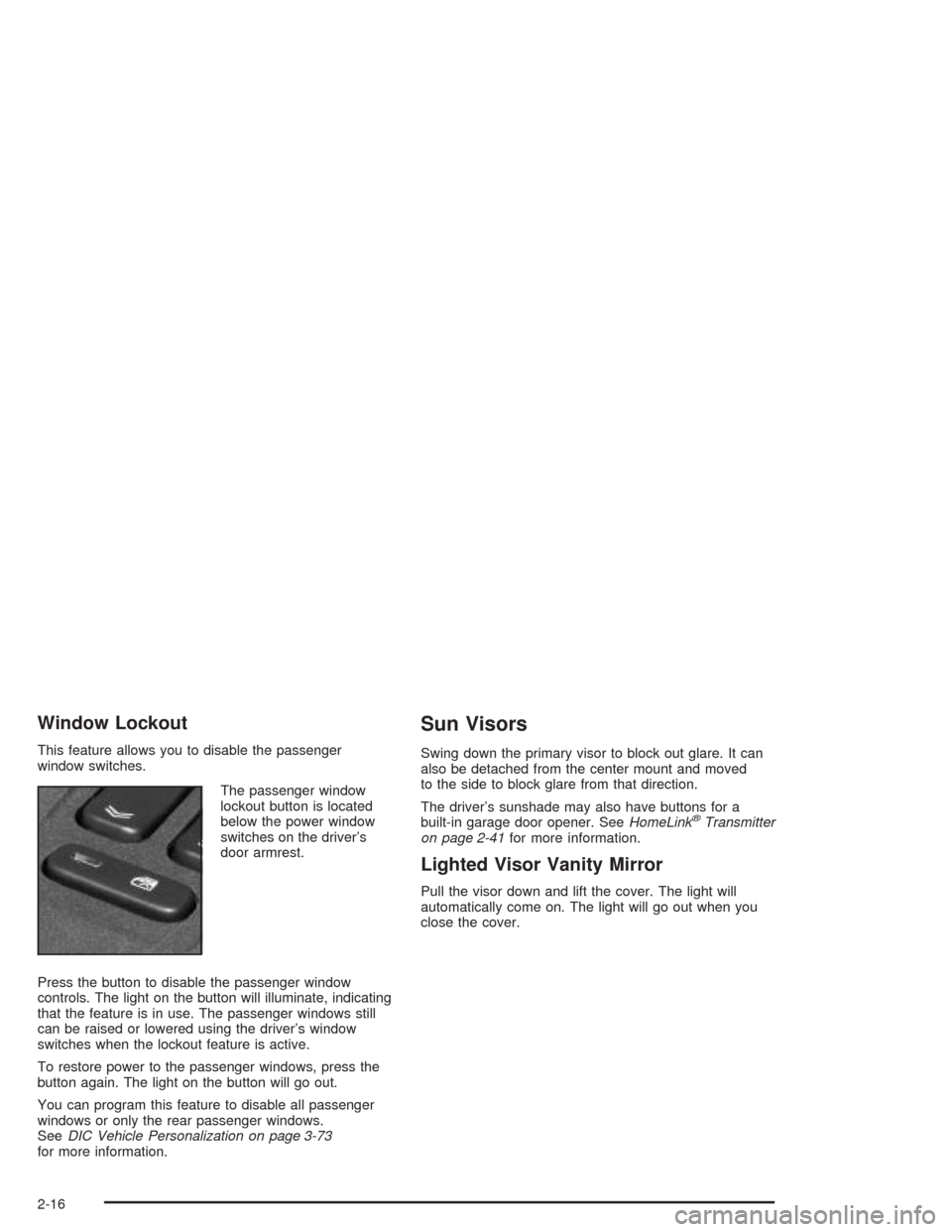
This feature allows you to disable the passenger
window switches.
The passenger window
lockout button is located
below the power window
switches on the driver’s
door armrest.
Press the button to disable the passenger window
controls. The light on the button will illuminate, indicating
that the feature is in use. The passenger windows still
can be raised or lowered using the driver’s window
switches when the lockout feature is active.
To restore power to the passenger windows, press the
button again. The light on the button will go out.
You can program this feature to disable all passenger
windows or only the rear passenger windows.
SeeDIC Vehicle Personalization on page 3-73
for more information.
Sun Visors
Swing down the primary visor to block out glare. It can
also be detached from the center mount and moved
to the side to block glare from that direction.
The driver’s sunshade may also have buttons for a
built-in garage door opener. SeeHomeLink
®Transmitter
on page 2-41for more information.
Lighted Visor Vanity Mirror
Pull the visor down and lift the cover. The light will
automatically come on. The light will go out when you
close the cover.
2-16
Page 109 of 468
Luxury and Leisure Plan
All Directions and Connections Plan services
Personal Concierge
OnStar®Personal Calling
With OnStar®Personal Calling, you have a safer way to
stay connected while driving. It’s a hands-free wireless
phone that’s integrated into your vehicle. You can place
calls nationwide using voice-activated dialing with no
contracts and no additional roaming charges. To nd out
more about OnStar
®Personal Calling, refer to the
OnStar®user’s guide in your vehicle’s glove box, or call
OnStar®at 1-888-4-ONSTAR (1-888-466-7827).
OnStar®Virtual Advisor
With OnStar®Virtual Advisor you can listen to the news,
entertainment and informative topics, such as traffic
and weather reports. You are able to listen and reply to
your e-mail through your vehicle’s speakers.
OnStar®Steering Wheel Controls
You can use the steering wheel controls to interact with
the OnStar®system. See the OnStar®manual provided
with your vehicle for more information. SeeAudio
Steering Wheel Controls on page 3-124.
HomeLink®Transmitter
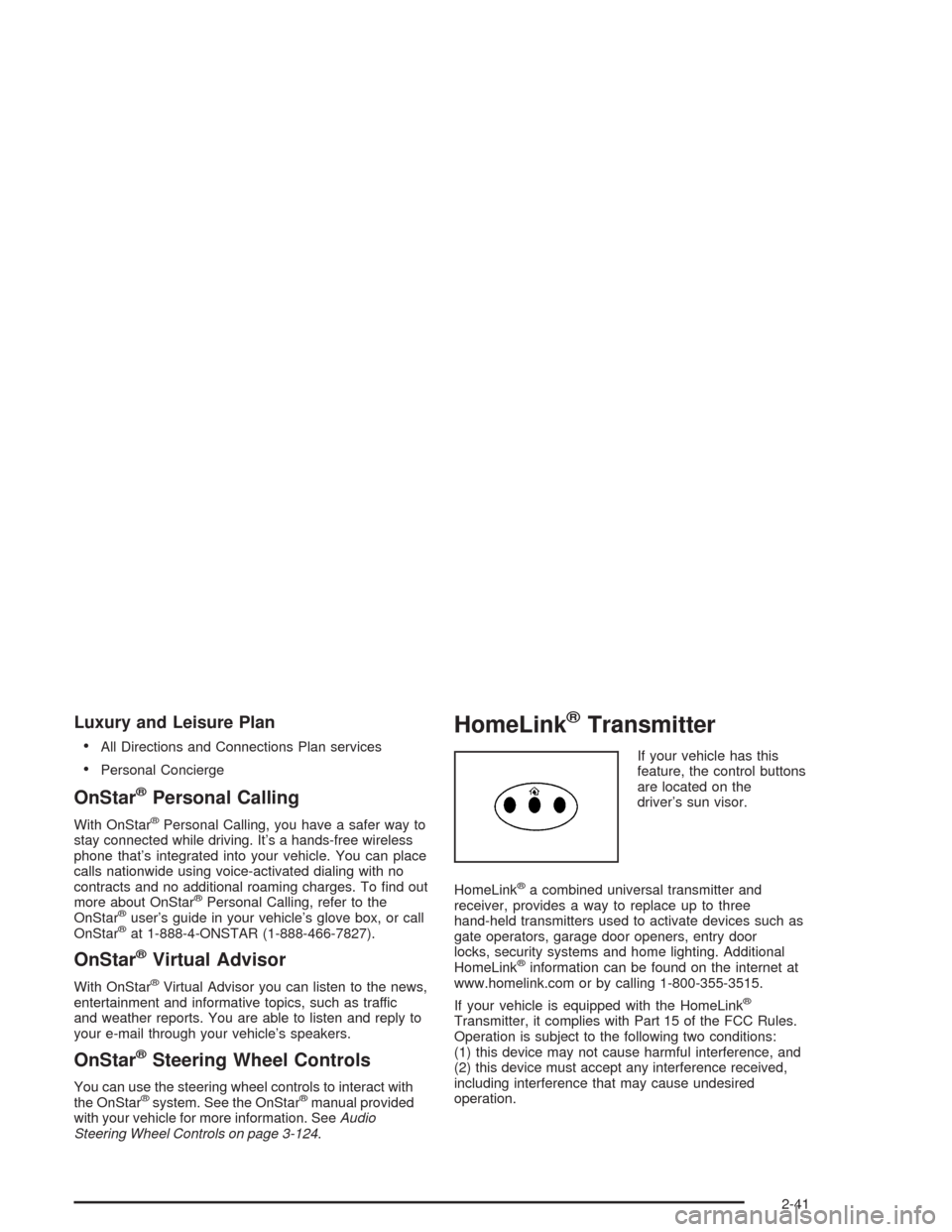
If your vehicle has this
feature, the control buttons
are located on the
driver’s sun visor.
HomeLink
®a combined universal transmitter and
receiver, provides a way to replace up to three
hand-held transmitters used to activate devices such as
gate operators, garage door openers, entry door
locks, security systems and home lighting. Additional
HomeLink
®information can be found on the internet at
www.homelink.com or by calling 1-800-355-3515.
If your vehicle is equipped with the HomeLink
®
Transmitter, it complies with Part 15 of the FCC Rules.
Operation is subject to the following two conditions:
(1) this device may not cause harmful interference, and
(2) this device must accept any interference received,
including interference that may cause undesired
operation.
2-41
Page 110 of 468
This device complies with RSS-210 of Industry Canada.
Operation is subject to the following two conditions:
(1) this device may not cause interference, and (2) this
device must accept any interference, including
interference that may cause undesired operation of
the device.
Changes and modications to this system by other than
an authorized service facility could void authorization
to use this equipment.
Programming the HomeLink®
Transmitter
Do not use the HomeLink®Transmitter with any garage
door opener that does not have the “stop and reverse”
feature. This includes any garage door opener model
manufactured before April 1, 1982. If you have a newer
garage door opener with rolling codes, please be
sure to follow steps 6 through 8 to complete the
programming of your HomeLink
®Transmitter.
Read the instructions completely before attempting to
program the HomeLink
®Transmitter. Because of
the steps involved, it may be helpful to have another
person available to assist you in programming the
transmitter.Keep the original transmitter for use in other vehicles as
well as for future HomeLink
®programming. It is also
recommended that upon the sale of the vehicle, the
programmed HomeLink
®buttons should be erased for
security purposes. Refer to “Erasing HomeLink®Buttons”
or, for assistance, contact HomeLink®on the internet at:
www.homelink.com or by calling 1-800-355-3515.
Be sure that people and objects are clear of the
garage door or gate operator you are programming.
When programming a garage door, it is advised to park
outside of the garage.
It is recommended that a new battery be installed in
your hand-held transmitter for quicker and more
accurate transmission of the radio frequency.
Your vehicle’s engine should be turned off while
programming the transmitter. Follow these steps to
program up to three channels:
1. Press and hold down the two outside buttons,
releasing only when the indicator light begins to
ash, after 20 seconds. Do not hold down the
buttons for longer than 30 seconds and do not
repeat this step to program a second and/or third
transmitter to the remaining two HomeLink
®buttons.
2. Position the end of your hand-held transmitter about
1 to 3 inches (3 to 8 cm) away from the HomeLink
®
buttons while keeping the indicator light in view.
2-42
Page 111 of 468
3. Simultaneously press and hold both the desired
button on HomeLink®and the hand-held transmitter
button. Do not release the buttons until Step 4
has been completed.
Some entry gates and garage door openers may
require you to substitute Step 3 with the procedure
noted in “Gate Operator and Canadian
Programming” later in this section.
4. The indicator light will ash slowly at rst and then
rapidly after HomeLink
®successfully receives the
frequency signal from the hand-held transmitter.
Release both buttons.
5. Press and hold the newly-trained HomeLink
®button
and observe the indicator light.
If the indicator light stays on constantly,
programming is complete and your device should
activate when the HomeLink
®button is pressed and
released.
To program the remaining two HomeLink
®buttons,
begin with Step 2 under “Programming HomeLink®.”
Do not repeat Step 1 as this will erase all of the
programmed channels.
If the indicator light blinks rapidly for two seconds
and then turns to a constant light, continue with
Steps 6 through 8 following to complete the
programming of a rolling-code equipped device
(most commonly, a garage door opener).6. Locate in the garage, the garage door opener
receiver (motor-head unit). Locate the “Learn”
or “Smart” button. This can usually be found where
the hanging antenna wire is attached to the
motor-head unit.
7. Firmly press and release the “Learn” or “Smart”
button. The name and color of the button may
vary by manufacturer.
You will have 30 seconds to start Step 8.
8. Return to the vehicle. Firmly press and hold the
programmed HomeLink
®button for two seconds,
then release. Repeat the press/hold/release
sequence a second time, and depending on the
brand of the garage door opener (or other rolling
code device), repeat this sequence a third time
to complete the programming.
HomeLink
®should now activate your rolling-code
equipped device.
To program the remaining two HomeLink
®buttons,
begin with Step 2 of “Programming HomeLink®.”
Do not repeat Step 1.
2-43
Page 112 of 468
Gate Operator and Canadian
Programming
Canadian radio-frequency laws require transmitter
signals to “time out” or quit after several seconds of
transmission. This may not be long enough for
HomeLink
®to pick up the signal during programming.
Similarly, some U.S. gate operators are manufactured
to “time out” in the same manner.
If you live in Canada, or you are having difficulty
programming a gate operator by using the
“Programming HomeLink
®” procedures (regardless of
where you live), replace Step 3 under “Programming
HomeLink
®” with the following:
Continue to press and hold the HomeLink
®button while
you press and release every two seconds (cycle) your
hand-held transmitter until the frequency signal has been
successfully accepted by HomeLink
®. The indicator light
will ash slowly at rst and then rapidly. Proceed with
Step 4 under “Programming HomeLink
®” to complete.
Using HomeLink®
Press and hold the appropriate HomeLink®button for at
least half of a second. The indicator light will come
on while the signal is being transmitted.
Erasing HomeLink®Buttons
To erase programming from the three buttons do the
following:
1. Press and hold down the two outside buttons until
the indicator light begins to ash, after 20 seconds.
2. Release both buttons. Do not hold for longer than
30 seconds.
HomeLink
®is now in the train (learning) mode and can
be programmed at any time beginning with Step 2
under “Programming HomeLink
®.”
Individual buttons can not be erased, but they can be
reprogrammed. See “Reprogramming a Single
HomeLink
®Button” next.
2-44
Page 113 of 468

Reprogramming a Single HomeLink®
Button
To program a device to HomeLink®using a HomeLink®
button previously trained, follow these steps:
1. Press and hold the desired HomeLink
®button.
Do not release the button.
2. The indicator light will begin to ash after
20 seconds. While still holding the HomeLink
®
button, proceed with Step 2 under “Programming
HomeLink®.”
Resetting Defaults
To reset HomeLink®to default settings do the following:
1. Hold down the two outside buttons for about
20 seconds until the indicator light begins to ash.
2. Continue to hold both buttons until the HomeLink
®
indicator light turns off.
3. Release both buttons.
For questions or comments, contact HomeLink
®at
1-800-355-3515, or on the internet at
www.homelink.com.
Storage Areas
Glove Box
The glove box is located in front of the passenger’s seat
on the instrument panel. To lock the glove box door,
insert your key into the lock cylinder and turn it
clockwise. Turn the key counterclockwise to unlock
the door.
Cupholder(s)
Your vehicle has cupholders located between the front
seats. Slide the cover back to expose them. There are
also cupholders in the armrest of the second row
seat. Press the panel on the front of the armrest to
expose the cupholders. On the outboard sides of
the third row there may also be cupholders.
Cell Phone Storage Area
Your vehicle has a closeable cell phone/sunglasses
storage area inside both of the front doors. Press
the button to open the door.
2-45
Page 456 of 468

E
Electrical System
Add-On Equipment.....................................5-102
Fuses and Circuit Breakers.........................5-103
Power Windows and Other
Power Options.......................................5-102
Windshield Wiper Fuses.............................5-102
Emissions Inspection and Maintenance
Programs...................................................3-47
Engine
Air Cleaner/Filter.........................................5-22
Battery.......................................................5-43
Check and Service Engine Soon Light............3-44
Coolant......................................................5-25
Coolant Heater............................................2-24
Coolant Temperature Gage...........................3-43
Coolant Temperature Warning Light................3-43
Engine Compartment Overview......................5-12
Exhaust.....................................................2-33
Oil .............................................................5-15
Overheating................................................5-28
Starting......................................................2-23
Engine Coolant Hot – AC (Air Conditioning) Off......3-67
Engine Coolant Hot – Idle Engine.....................3-67
Engine Cooling When Trailer Towing..................4-58
Engine Oil Additives........................................5-19
Engine Overheated – Stop Engine....................3-67
Engine Power Reduced...................................3-67Engine Specications.....................................5-112
Engine Speed Limiter......................................3-39
Entering or Exiting the Third Row Seat................ 1-7
Entering the Personalization Menu.....................3-73
Entry Lighting.................................................3-21
Environmental Concerns..................................4-19
Erasing HomeLink
®Buttons..............................2-44
Event Data Recorders (EDR)............................. 7-9
Exiting the Personalization Menu.......................3-92
Express-Down Window....................................2-14
Express-Up Window........................................2-14
Extender, Safety Belt.......................................1-28
Exterior Lamps...............................................3-18
Exterior Lighting Battery Saver..........................3-20
F
Filter
Engine Air Cleaner......................................5-22
Finding a Station............................................3-96
Finish Care....................................................5-97
Finish Damage...............................................5-99
Flash-To-Pass Feature....................................... 3-9
Flat Tire........................................................5-78
Flat Tire, Changing.........................................5-79
Fluid
Automatic Transmission................................5-24
Power Steering...........................................5-37
Windshield Washer......................................5-38
6
Page 458 of 468

Highbeam On Light.........................................3-50
Highway Hypnosis...........................................4-38
Hill and Mountain Roads..................................4-38
Hitches..........................................................4-55
HomeLink
®Transmitter....................................2-41
HomeLink®Transmitter, Programming................2-42
Hood
Checking Things Under................................5-10
Release.....................................................5-11
Horn............................................................... 3-7
How the System Works...................................3-23
How to Add Coolant to the Coolant
Surge Tank.................................................5-33
How to Check................................................5-68
How to Check Lubricant...................................5-52
How to Check Power Steering Fluid..................5-38
How to Inspect the Engine Air Cleaner/Filter..........5-23
How to Reset the Change Transmission
Fluid Message and the Transmission Fluid
Indicator.....................................................5-24
How to Use This Manual...................................... ii
How to Wear Safety Belts Properly...................1-15
Hydroplaning..................................................4-33
I
Ice Possible...................................................3-68
If No Steam Is Coming From Your Engine..........5-30If Steam Is Coming From Your Engine...............5-29
If the Light is Flashing.....................................3-46
If the Light Is On Steady.................................3-46
If You Are Caught in a Blizzard.........................4-42
If You Are Stuck in Sand, Mud, Ice or Snow.......4-44
If You Do Decide to Pull a Trailer......................4-53
Ignition Positions.............................................2-21
Immobilizer....................................................2-18
Immobilizer Operation......................................2-19
Infants and Young Children, Restraints...............1-31
Ination - Tire Pressure...................................5-68
Instrument Panel
Cluster.......................................................3-36
Overview..................................................... 3-4
Instrument Panel Brightness.............................3-20
Interior Lamps................................................3-20
J
Jump Starting.................................................5-44
K
Keyless Entry System....................................... 2-5
Keys............................................................... 2-3
8