climate control CADILLAC SRX 2007 1.G User Guide
[x] Cancel search | Manufacturer: CADILLAC, Model Year: 2007, Model line: SRX, Model: CADILLAC SRX 2007 1.GPages: 522, PDF Size: 2.71 MB
Page 187 of 522
Certain accessory power plugs may not be
compatible to the accessory power outlet and
could result in blown vehicle or adapter fuses. If
you experience a problem, see your dealer
for additional information on the accessory power
outlets.
Notice:Adding any electrical equipment to
your vehicle may damage it or keep other
components from working as they should. The
repairs would not be covered by your
warranty. Do not use equipment exceeding
maximum amperage rating of 20 amperes.
Check with your dealer before adding electrical
equipment.
Follow the proper installation instructions that are
included with any electrical equipment you
install.
Notice:Improper use of the power outlet can
cause damage not covered by your warranty.
Do not hang any type of accessory or
accessory bracket from the plug because the
power outlets are designed for accessory
power plugs only.Ashtray(s) and Cigarette Lighter
Your vehicle may have an ashtray and cigarette
lighter.
Notice:If you put papers, pins, or other
ammable items in the ashtray, hot cigarettes
or other smoking materials could ignite
them and possibly damage your vehicle. Never
put ammable items in the ashtray.
Ashtray
The ashtray is located under the climate control
panel on the instrument panel. Press on the
door to release the ashtray.
To empty the ashtray, remove it from the
instrument panel by gripping the edges and pulling
straight out. To reinstall, push the tray back into
place.
There may also be ashtrays in the rear doors.
187
Page 189 of 522
Climate Controls
Dual Climate Control System
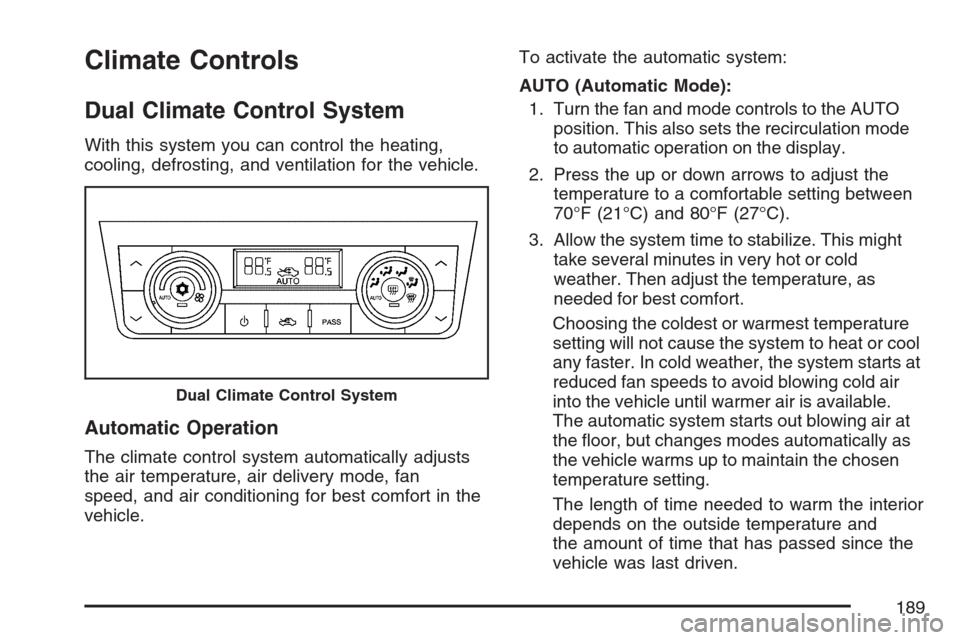
With this system you can control the heating,
cooling, defrosting, and ventilation for the vehicle.
Automatic Operation
The climate control system automatically adjusts
the air temperature, air delivery mode, fan
speed, and air conditioning for best comfort in the
vehicle.To activate the automatic system:
AUTO (Automatic Mode):
1. Turn the fan and mode controls to the AUTO
position. This also sets the recirculation mode
to automatic operation on the display.
2. Press the up or down arrows to adjust the
temperature to a comfortable setting between
70°F (21°C) and 80°F (27°C).
3. Allow the system time to stabilize. This might
take several minutes in very hot or cold
weather. Then adjust the temperature, as
needed for best comfort.
Choosing the coldest or warmest temperature
setting will not cause the system to heat or cool
any faster. In cold weather, the system starts at
reduced fan speeds to avoid blowing cold air
into the vehicle until warmer air is available.
The automatic system starts out blowing air at
the oor, but changes modes automatically as
the vehicle warms up to maintain the chosen
temperature setting.
The length of time needed to warm the interior
depends on the outside temperature and
the amount of time that has passed since the
vehicle was last driven.
Dual Climate Control System
189
Page 190 of 522
«ª(Driver’s Temperature Controls):Press
the up or down buttons closest to the driver
to manually increase or decrease the temperature
inside the vehicle.
«ª(Passenger’s Temperature Controls):
Press the up or down buttons closest to the
passenger to manually increase or decrease the
temperature for the front passenger. If the
passenger’s climate control system is off, pressing
either of these buttons turns it on.
Manual Operation
9(Fan):Turn the left control to adjust the fan
speed manually if the automatic setting is higher or
lower than desired. The fan speed remains at
this level until you return to AUTO or adjust to a
different level. In the automatic position, the blower
might go to a lower speed during an OnStar
®
session to limit the background noise.To change the current mode, select one of the
following positions using the right control:
AUTO:Turn the control to this position to turn on
the automatic delivery mode operation.
F(Vent):Turn the control to this position so that
air is directed to the instrument panel outlets.
*(Bi-Level):Turn the control to this position so
that half of the air is directed to the instrument
panel outlets and the other half goes to the oor
outlets. The temperature of the air to the oor
will be warmer than the air to the upper outlets.
7(Floor):Turn the control to this position so that
most of the air is directed to the oor outlets
with some air directed to the outboard outlets, side
window outlets, and defroster outlet.
W(Defog):Turn the control to this position so
that air is directed between the windshield
and oor outlets, with some air going to the
outboard outlets and side window outlets. More
information of defogging can be found later in this
section.
190
Page 191 of 522
0(Defrost):Turn the control to this position so
that most of the air is directed to the windshield
with some air going to the side window outlets.
More information on defrosting can be found later
in this section.
O(On/Off):Press this button to turn the climate
control system on or off. While off, adjusting
any button or control, except recirculation and rear
window defog turns the system back on. The air
inlets default to outside air when the climate
control system is turned off.
PASS (Passenger’s Climate Control):Press this
button to turn the passenger’s climate control
system on or off. Then press the up or down
buttons to choose the desired setting. Pressing
the button again automatically sets the passengers
temperature to the drivers setting. Turning the
passenger’s temperature display off does not turn
off the climate control system for the passenger.
Recirculation Operation
There are three options for bringing air into the
climate control system. They are controlled
by pressing the center button on the climate
control panel. The climate control display indicates
one of the following three modes:
9AUTO (Auto Air Inlet):This mode lets the
automatic climate control system choose the
best air inlet position for cooling or warming the
vehicle. To have full automatic climate control,
the fan and mode controls must be set to
the AUTO position. Generally, recirculation will
only automatically be selected on hot days.
Your vehicle may have an optional Air Quality
Sensor. To activate the air quality sensor, the
auto air inlet setting must be used. For more
information, see Air Quality Sensor found later
in this section.
191
Page 193 of 522
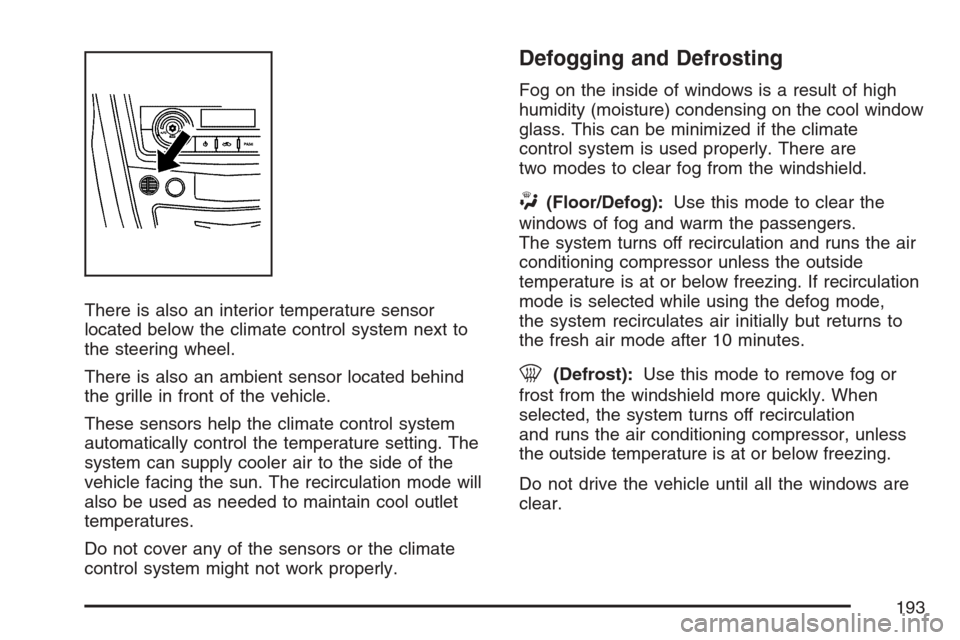
There is also an interior temperature sensor
located below the climate control system next to
the steering wheel.
There is also an ambient sensor located behind
the grille in front of the vehicle.
These sensors help the climate control system
automatically control the temperature setting. The
system can supply cooler air to the side of the
vehicle facing the sun. The recirculation mode will
also be used as needed to maintain cool outlet
temperatures.
Do not cover any of the sensors or the climate
control system might not work properly.
Defogging and Defrosting
Fog on the inside of windows is a result of high
humidity (moisture) condensing on the cool window
glass. This can be minimized if the climate
control system is used properly. There are
two modes to clear fog from the windshield.
W(Floor/Defog):Use this mode to clear the
windows of fog and warm the passengers.
The system turns off recirculation and runs the air
conditioning compressor unless the outside
temperature is at or below freezing. If recirculation
mode is selected while using the defog mode,
the system recirculates air initially but returns to
the fresh air mode after 10 minutes.
0(Defrost):Use this mode to remove fog or
frost from the windshield more quickly. When
selected, the system turns off recirculation
and runs the air conditioning compressor, unless
the outside temperature is at or below freezing.
Do not drive the vehicle until all the windows are
clear.
193
Page 194 of 522
Rear Window Defogger
The rear window defogger uses a warming grid to
remove fog or frost from the rear window.
<(Rear Defogger):Press the center of the
right control to turn the rear window defogger on or
off. Be sure to clear as much snow from the
rear window as possible. The rear window
defogger turns off about 20 minutes after the
button is rst pressed if the vehicle is moving at
slower speeds. At higher vehicle speeds, the rear
defogger can stay on continuously. Each
additional press runs the defogger for about
10 minutes.
The heated outside rearview mirrors also heat to
help clear fog or frost from the surface of the
mirror when the rear window defogger is on.
Notice:Do not use a razor blade or sharp
object to clear the inside rear window. Do not
adhere anything to the defogger grid lines
in the rear glass. These actions may damage
the rear defogger. Repairs would not be
covered by your warranty.
Outlet Adjustment
Use the knobs located in the center of each outlet
to change the direction of the airow. Use the
thumbwheels to open or close the outlets.
Operation Tips
Clear away any ice, snow, or leaves from the
air inlets at the base of the windshield that
could block the ow of air into the vehicle.
Use of non-GM approved hood deectors may
adversely affect the performance of the
system.
Keep the path under the front seats clear of
objects to help circulate the air inside of the
vehicle more effectively.
If the airow seems low when the fan speed is
at the highest setting, the passenger
compartment air lter might need to be
replaced. For more information, see
Passenger Compartment Air Filter on
page 195.
Set the climate control system to AUTO fan
and mode and then adjust the temperature
setting up or down a few degrees for
best comfort.
194
Page 225 of 522
REMOTE KEY LEARNING ACTIVE
This message displays while you are matching a
Remote Keyless Entry (RKE) transmitter to
your vehicle. See “Matching Transmitter(s) to Your
Vehicle” underRemote Keyless Entry (RKE)
System Operation on page 96andDIC Controls
and Displays on page 215for more information.
REPLACE BATTERY IN REMOTE KEY
This message displays when the battery in
your Remote Keyless Entry (RKE) transmitter
needs to be replaced. To replace the battery, see
“Battery Replacement” underRemote Keyless
Entry (RKE) System Operation on page 96.
RIGHT REAR DOOR OPEN
This message displays when the passenger’s side
rear door is not closed completely. Make sure
that the door is closed completely.
SERVICE AIR BAG
This message displays when there is a problem
with the airbag system. Have your vehicle serviced
by your dealer immediately. SeeAirbag Readiness
Light on page 201for more information.
SERVICE A/C SYSTEM
This message displays when the air delivery mode
door or the electronic sensors that control the
air conditioning and heating systems are no longer
working. Have the climate control system
serviced by your dealer if you notice a drop in
heating and air conditioning efficiency.
SERVICE BATTERY CHARGING
SYSTEM
This message displays when there is a problem
with the generator and battery charging systems.
Driving with this problem could drain the battery.
Turn off all unnecessary accessories. Stop
and turn off the vehicle as soon as it is safe to do
so. Have the electrical system checked by your
dealer. Under certain conditions, the charging
system light may also turn on in the instrument
panel cluster. SeeCharging System Light on
page 204for more information.
225
Page 282 of 522
SeeTraction Control System (TCS) Warning Light
on page 206. When this warning light is on, the
system will not limit wheel spin. Adjust your driving
accordingly.
The TCS automatically comes on whenever you
start your vehicle. To limit wheel spin, especially in
slippery road conditions, you should always
leave the system on. But you can turn the traction
control system off if you ever need to.
Notice:Do not repeatedly brake or accelerate
heavily when the TCS is off. You could
damage your vehicle’s driveline.
When the TCS is switched off on AWD vehicles,
you may still feel the system working. This is
normal and necessary with the AWD hardware on
your vehicle.
You should turn the system off if your vehicle ever
gets stuck in sand, mud or snow and rocking
the vehicle is required. SeeRocking Your Vehicle
to Get It Out on page 322andIf Your Vehicle
is Stuck in Sand, Mud, Ice, or Snow on page 321
for more information. See alsoWinter Driving
on page 317for information on using TCS when
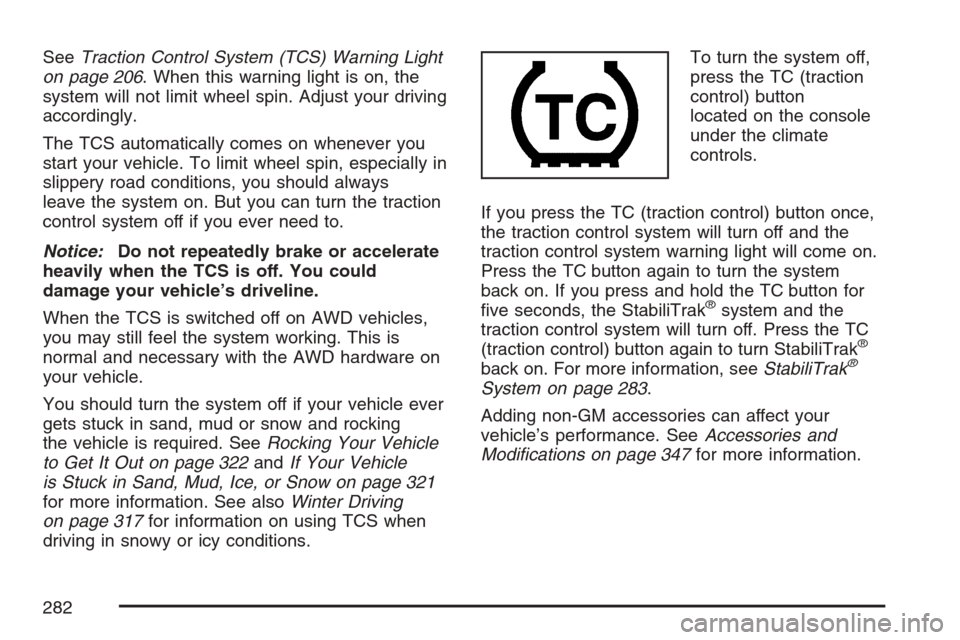
driving in snowy or icy conditions.To turn the system off,
press the TC (traction
control) button
located on the console
under the climate
controls.
If you press the TC (traction control) button once,
the traction control system will turn off and the
traction control system warning light will come on.
Press the TC button again to turn the system
back on. If you press and hold the TC button for
ve seconds, the StabiliTrak
®system and the
traction control system will turn off. Press the TC
(traction control) button again to turn StabiliTrak
®
back on. For more information, seeStabiliTrak®
System on page 283.
Adding non-GM accessories can affect your
vehicle’s performance. SeeAccessories and
Modications on page 347for more information.
282
Page 373 of 522
If No Steam Is Coming From Your
Engine
An overheat warning, can indicate a serious
problem.
If you get an engine overheat warning but see or
hear no steam, the problem might not be too
serious. Sometimes the engine can get a little too
hot when you:
Climb a long hill on a hot day.
Stop after high-speed driving.
Idle for long periods in traffic.
Tow a trailer.
If you get the overheat warning with no sign of
steam, try this for a minute or so:
1. In heavy traffic, let the engine idle in
NEUTRAL (N) while stopped. If it is safe to
do so, pull off the road, shift to PARK (P)
or NEUTRAL (N) and let the engine idle.
2. Set the climate controls to the highest heat
setting and fan speed and open the windows,
as necessary.If the coolant warning light is not on or the coolant
temperature gage does not indicate the engine
is overheating, you can drive. Just to be safe, drive
slower for about 10 minutes. If the warnings do
not come back on, drive normally.
If the warnings continue and you have not stopped,
pull over, stop, and park the vehicle right away.
If there is still no sign of steam, idle the engine for
three minutes while parked. If the warnings are
still indicated, turn off the engine and get everyone
out of the vehicle until it cools down. Also, see
“Overheated Engine Protection Operating Mode”
later in this section.
You might decide not to lift the hood but to get
service help right away.
373
Page 419 of 522
Uniform Tire Quality Grading
Quality grades can be found where applicable on
the tire sidewall between tread shoulder and
maximum section width. For example:
Treadwear 200 Traction AA Temperature A
The following information relates to the system
developed by the United States National Highway
Traffic Safety Administration (NHTSA), which
grades tires by treadwear, traction, and
temperature performance. This applies only to
vehicles sold in the United States. The grades are
molded on the sidewalls of most passenger car
tires. The Uniform Tire Quality Grading (UTQG)
system does not apply to deep tread, winter-type
snow tires, space-saver, or temporary use
spare tires, tires with nominal rim diameters of
10 to 12 inches (25 to 30 cm), or to some
limited-production tires.
While the tires available on General Motors
passenger cars and light trucks may vary with
respect to these grades, they must also conform
to federal safety requirements and additional
General Motors Tire Performance Criteria (TPC)
standards.
Treadwear
The treadwear grade is a comparative rating
based on the wear rate of the tire when tested
under controlled conditions on a specied
government test course. For example, a tire
graded 150 would wear one and a half (1.5) times
as well on the government course as a tire
graded 100. The relative performance of tires
depends upon the actual conditions of their use,
however, and may depart signicantly from
the norm due to variations in driving habits, service
practices, and differences in road characteristics
and climate.
Traction – AA, A, B, C
The traction grades, from highest to lowest, are
AA, A, B, and C. Those grades represent the tire’s
ability to stop on wet pavement as measured
under controlled conditions on specied
government test surfaces of asphalt and concrete.
A tire marked C may have poor traction
performance.
Warning:The traction grade assigned to this tire
is based on straight-ahead braking traction
tests, and does not include acceleration, cornering,
hydroplaning, or peak traction characteristics.
419