lights CADILLAC SRX 2007 1.G User Guide
[x] Cancel search | Manufacturer: CADILLAC, Model Year: 2007, Model line: SRX, Model: CADILLAC SRX 2007 1.GPages: 522, PDF Size: 2.71 MB
Page 179 of 522

Headlamps on Reminder
A warning chime will sound if the exterior lamp
control is left on in either the headlamp or parking
lamp position and the driver’s door is opened
with the ignition off. SeeLights On Reminder on
page 212for additional information.
Daytime Running Lamps (DRL)
Daytime Running Lamps (DRL) can make it easier
for others to see the front of your vehicle during
the day. DRL can be helpful in many different
driving conditions, but they can be especially
helpful in the short periods after dawn and before
sunset. Fully functional daytime running lamps
are required on all vehicles rst sold in Canada.The DRL system will make the turn signal lamps
come on when the following conditions are met:
It is daylight and the ignition is in the ON or
START position.
The exterior lamp control is in the off or AUTO
position and the headlamps are off.
The automatic transmission is not in PARK (P).
When DRL are on, only the front turn signal lamps
will be on. No other exterior lamps will be on.
The instrument panel cluster will not be lit
up either.
179
Page 181 of 522
Fog Lamps
Use the fog lamps for better vision in foggy or
misty conditions.
The fog lamp controls are located on the turn
signal/multifunction lever.
-(Fog Lamps):The band with this symbol is
used to turn the fog lamps on and off.
The parking lamps must be on for the fog lamps
to work.
To turn the fog lamps on, turn the fog lamp band
on the lever up to the dot and release it. The
band will return to its original position.
To turn the fog lamps off, turn the fog lamp band
up to the dot and release it. The band will
return to its original position, and the fog lamps
will turn off. If the high-beam headlamps are turned
on, the fog lamps will also turn off. They will turn
back on again when you switch back to low-beam
headlamps.
Some localities have laws that require the
headlamps to be on along with the fog lamps.
Exterior Lighting Battery Saver
If the parking lamps or headlamps have been left
on, the exterior lamps will turn off about 10 minutes
after the ignition is turned to OFF. This protects
against draining the battery in case the headlamps
or parking lamps have been left on. The battery
saver does not work if the headlamps are turned on
after the ignition is turned to OFF.
If you need to leave the lamps on for more than
10 minutes, use the exterior lamp control to
turn the lamps back on.
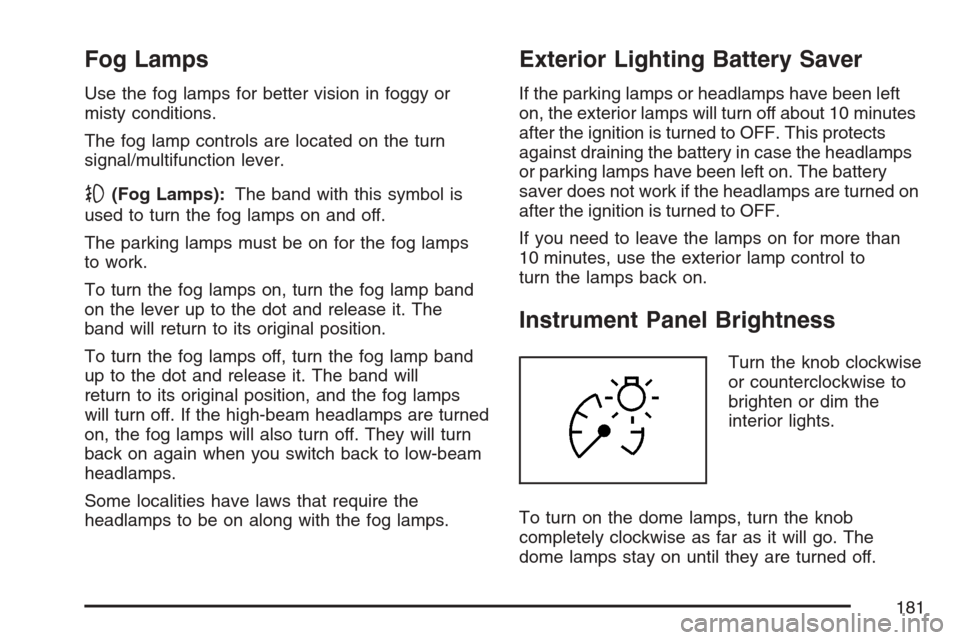
Instrument Panel Brightness
Turn the knob clockwise
or counterclockwise to
brighten or dim the
interior lights.
To turn on the dome lamps, turn the knob
completely clockwise as far as it will go. The
dome lamps stay on until they are turned off.
181
Page 185 of 522

The URPA display is
located inside the
vehicle, above the
liftgate glass. It
has three color-coded
lights that can be
seen through the
rearview mirror or by
turning around.
How the System Works
URPA comes on automatically when the shift lever
is moved into REVERSE (R) and the vehicle
speed is less than 3 mph (5 km/h). When
the system turns on, the three lights on the display
will illuminate for one and a half seconds to let
you know that the system is working. If your
vehicle is moving in REVERSE (R) at a speed
greater than 3 mph (5 km/h), the red light will ash
to remind you that the system does not work at
a speed greater than 3 mph (5 km/h).If an object is detected at a REVERSE (R) speed
of less than 3 mph (5 km/h), one of the following
will occur:
Description English Metric
Amber light 5 ft 1.5 m
Amber/amber lights 40 in 1.0 m
Amber/amber/red lights &
continuous chime20 in 0.5 m
Amber/amber/red lights
ashing & continuous
chime1 ft 0.3 m
A chime will sound the rst time an object is
detected between 20 inches (0.5 m) and 5 feet
(1.5 m) away.
URPA cannot detect objects that are above liftgate
level. In order for the rear sensors to recognize
an object, it must be within detection range behind
the vehicle.
185
Page 197 of 522
Warning Lights, Gages, and
Indicators
This part describes the warning lights and gages
that may be on your vehicle. The pictures will
help you locate them.
Warning lights and gages can signal that something
is wrong before it becomes serious enough to
cause an expensive repair or replacement. Paying
attention to the warning lights and gages could also
save you or others from injury.
Warning lights come on when there may be or is a
problem with one of your vehicle’s functions. As
you will see in the details on the next few
pages, some warning lights come on briey when
you start the engine just to let you know they
are working. If you are familiar with this section,
you should not be alarmed when this happens.Gages can indicate when there may be or is a
problem with one of your vehicle’s functions. Often
gages and warning lights work together to let
you know when there is a problem with your
vehicle.
When one of the warning lights comes on and
stays on while you are driving, or when one of the
gages shows there may be a problem, check
the section that tells you what to do about
it. Waiting to do repairs can be costly – and even
dangerous. So please get to know your warning
lights and gages. They are a big help.
Your vehicle also has a Driver Information Center
(DIC) that works along with the warning lights
and gages. SeeDriver Information Center (DIC)
on page 214for more information.
197
Page 203 of 522
Your vehicle has a rear seat that will accommodate
a rear-facing child restraint. A label on your sun
visor says, “Never put a rear-facing child seat
in the front.” This is because the risk to the
rear-facing child is so great, if the airbag deploys.
{CAUTION:
Even though the passenger sensing
system is designed to turn off the
passenger’s frontal airbag if the system
detects a rear-facing child restraint, no
system is fail-safe, and no one can
guarantee that an airbag will not deploy
under some unusual circumstance, even
though it is turned off. We recommend
that rear-facing child restraints be secured
in the rear seat, even if the airbag is off.If the word OFF or the off symbol is lit on the
airbag status indicator, it means that the
passenger sensing system has turned off the right
front passenger’s frontal airbag. SeePassenger
Sensing System on page 81for more on this,
including important safety information.
If, after several seconds, all status indicator lights
remain on, or if there are no lights at all, there
may be a problem with the lights or the passenger
sensing system. See your dealer for service.
{CAUTION:
If the off indicator and the airbag
readiness light ever come on together, it
means that something may be wrong with
the airbag system. If this ever happens,
have the vehicle serviced promptly,
because an adult-size person sitting in the
right front passenger seat may not have
the protection of the frontal airbag. See
Airbag Readiness Light on page 201.
203
Page 212 of 522
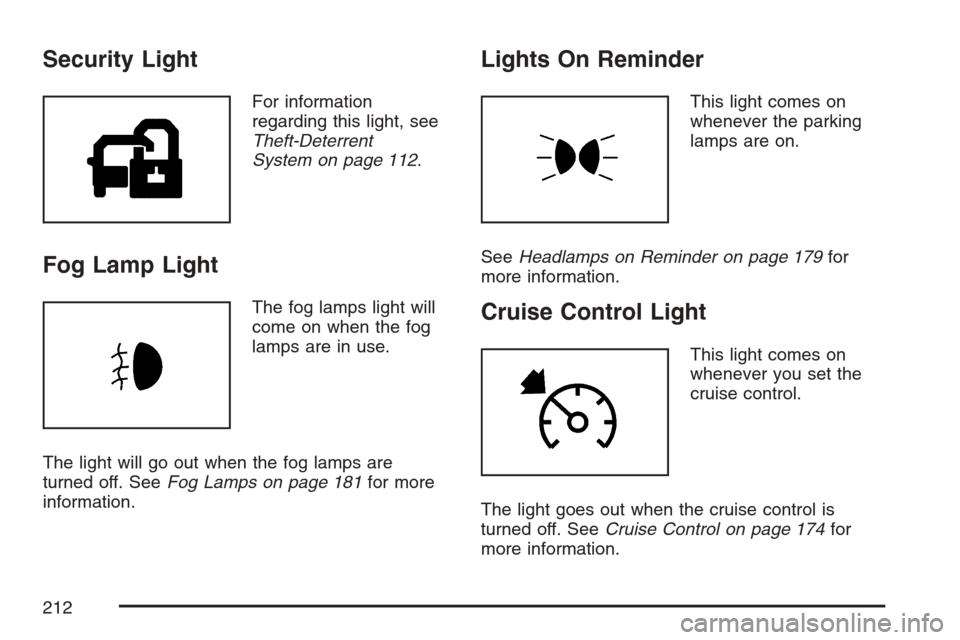
Security Light
For information
regarding this light, see
Theft-Deterrent
System on page 112.
Fog Lamp Light
The fog lamps light will
come on when the fog
lamps are in use.
The light will go out when the fog lamps are
turned off. SeeFog Lamps on page 181for more
information.
Lights On Reminder
This light comes on
whenever the parking
lamps are on.
SeeHeadlamps on Reminder on page 179for
more information.
Cruise Control Light
This light comes on
whenever you set the
cruise control.
The light goes out when the cruise control is
turned off. SeeCruise Control on page 174for
more information.
212
Page 234 of 522
REMOTE DOOR LOCK
This feature allows you to select the type of
feedback you will receive when locking the vehicle
with the Remote Keyless Entry (RKE) transmitter.
You will not receive feedback when locking
the vehicle with the RKE transmitter if the doors
are open. SeeRemote Keyless Entry (RKE)
System Operation on page 96for more
information.
Press the customization button until REMOTE
DOOR LOCK appears on the DIC display. Press
the set/reset button to access the settings for
this feature. Then press the menu up/down button
to scroll through the following settings:
OFF:There will be no feedback when you press
the lock button on the RKE transmitter.
LIGHTS ONLY:The exterior lamps will ash
when you press the lock button on the RKE
transmitter.
HORN ONLY:The horn will sound on the second
press of the lock button on the RKE transmitter.HORN & LIGHTS (default):The exterior lamps
will ash when you press the lock button on the
RKE transmitter, and the horn will sound when the
lock button is pressed again within ve seconds of
the previous command.
NO CHANGE:No change will be made to this
feature. The current setting will remain.
Choose one of the available settings and press
the set/reset button while it is displayed on the DIC
to select it.
REMOTE DOOR UNLOCK
This feature allows you to select the type of
feedback you will receive when unlocking the
vehicle with the Remote Keyless Entry (RKE)
transmitter. You will not receive feedback when
unlocking the vehicle with the RKE transmitter
if the doors are open. SeeRemote Keyless Entry
(RKE) System Operation on page 96for more
information.
234
Page 235 of 522
Press the customization button until REMOTE
DOOR UNLOCK appears on the DIC display.
Press the set/reset button to access the settings
for this feature. Then press the menu up/down
button to scroll through the following settings:
LIGHTS OFF:The exterior lamps will not ash
when you press the unlock button on the RKE
transmitter.
LIGHTS ON (default):The exterior lamps will
ash when you press the unlock button on
the RKE transmitter.
NO CHANGE:No change will be made to this
feature. The current setting will remain.
Choose one of the available settings and press
the set/reset button while it is displayed on the DIC
to select it.DELAY DOOR LOCK
This feature allows you to select whether or not the
locking of the vehicle’s doors will be delayed. The
locking of the vehicle’s doors is delayed for up to
ve seconds after a power door lock switch is
pressed when a door is open, or after the lock
button on the Remote Keyless Entry (RKE)
transmitter is pressed while a door is open. The key
must be out of the ignition for this feature to work.
Press the customization button until DELAY DOOR
LOCK appears on the DIC display. Press the
set/reset button to access the settings for
this feature. Then press the menu up/down button
to scroll through the following settings:
OFF:There will be no delayed locking of the
vehicle’s doors.
ON (default):The locking of the vehicle’s doors
will be delayed by ve seconds after a power door
lock switch is pressed when a door is open, or
the lock button on the RKE transmitter is pressed
while a door is open.
235
Page 236 of 522
NO CHANGE:No change will be made to this
feature. The current setting will remain.
Choose one of the available settings and press
the set/reset button while it is displayed on the DIC
to select it.
EXIT LIGHTING
If it is dark enough outside, this feature allows you
to select the amount of time you want the
exterior lamps to remain on. This happens after
the key is turned from ON to OFF.
Press the customization button until EXIT
LIGHTING appears on the DIC display. Press the
set/reset button to access the settings for this
feature. Then press the menu up/down button to
scroll through the following settings:
OFF:The exterior lamps will not turn on.
30 SECONDS (default):The exterior lamps will
stay on for 30 seconds.
1 MINUTE:The exterior lamps will stay on for
one minute.
2 MINUTES:The exterior lamps will stay on for
two minutes.NO CHANGE:No change will be made to this
feature. The current setting will remain.
Choose one of the available settings and press
the set/reset button while it is displayed on the DIC
to select it.
APPROACH LIGHTING
This feature allows you to select whether or not to
have the exterior lights turn on briey during
low light periods after unlocking the vehicle using
the Remote Keyless Entry (RKE) transmitter.
Press the customization button until APPROACH
LIGHTING appears on the DIC display. Press
the set/reset button to access the settings for this
feature. Then press the menu up/down button
to scroll through the following settings:
OFF:The exterior lights will not turn on when you
unlock the vehicle with the RKE transmitter.
236
Page 237 of 522
ON (default):If it is dark enough outside, the
exterior lights will turn on briey when you unlock
the vehicle with the RKE transmitter.
The lights will remain on for 20 seconds or until
the lock button on the RKE transmitter is pressed,
or the vehicle is no longer off. SeeRemote
Keyless Entry (RKE) System Operation on page 96
for more information.
NO CHANGE:No change will be made to this
feature. The current setting will remain.
Choose one of the available settings and press
the set/reset button while it is displayed on the DIC
to select it.
CHIME VOLUME
This feature allows you to select the volume level
of the chime.
Press the customization button until CHIME
VOLUME appears on the DIC display. Press the
set/reset button to access the settings for this
feature. Then press the menu up/down button to
scroll through the following settings:
NORMAL (default):The chime volume will be set
to a normal level.LOUD:The chime volume will be set to a loud
level.
NO CHANGE:No change will be made to this
feature. The current setting will remain.
Choose one of the available settings and press
the set/reset button while it is displayed on the DIC
to select it.
PARK TILT MIRRORS
If your vehicle has this feature, it allows you to
select whether or not the outside mirror(s)
will automatically tilt down when the vehicle is
shifted into REVERSE (R). SeeOutside Curb View
Assist Mirror on page 138for more information.
Press the customization button until PARK
TILT MIRRORS appears on the DIC display. Press
the set/reset button to access the settings for
this feature. Then press the menu up/down button
to scroll through the following settings:
OFF (default):Neither outside mirror will be
tilted down when the vehicle is shifted into
REVERSE (R).
237