radio CADILLAC SRX 2009 1.G Owners Manual
[x] Cancel search | Manufacturer: CADILLAC, Model Year: 2009, Model line: SRX, Model: CADILLAC SRX 2009 1.GPages: 442, PDF Size: 2.42 MB
Page 84 of 442
Remote Keyless Entry (RKE)
System
The Remote Keyless Entry (RKE) system operates on
a radio frequency subject to Federal Communications
Commission (FCC) Rules and with Industry Canada.
This device complies with Part 15 of the FCC Rules.
Operation is subject to the following two conditions:
1. This device may not cause interference.
2. This device must accept any interference received,
including interference that may cause undesired
operation of the device.
This device complies with RSS-210 of Industry Canada.
Operation is subject to the following two conditions:
1. This device may not cause interference.
2. This device must accept any interference received,
including interference that may cause undesired
operation of the device.
Changes or modications to this system by other than
an authorized service facility could void authorization to
use this equipment.If there is a decrease in the RKE operating range,
try this:
Check the distance. The transmitter may be too
far from the vehicle. Stand closer during rainy
or snowy weather.
Check the location. Other vehicles or objects
may be blocking the signal. Take a few steps
to the left or right, hold the transmitter higher,
and try again.
Check the transmitter’s battery. See “Battery
Replacement” later in this section.
If the transmitter is still not working correctly,
see your dealer/retailer or a qualied technician
for service.
Remote Keyless Entry (RKE)
System Operation
The Remote Keyless Entry (RKE) transmitter functions
work up to 195 feet (60 m) away from the vehicle.
There are other conditions which can affect the
performance of the transmitter. SeeRemote Keyless
Entry (RKE) System on page 2-4.
2-4
Page 100 of 442
Testing the Alarm
1. From inside the vehicle, roll down the window, then
get out of the vehicle, keeping the door open.
2. From outside of the vehicle, with the door open,
lock the vehicle using the power door lock switch
or the RKE transmitter and close the door. Wait
approximately 30 seconds until the security
light goes off.
3. Reach in and unlock the door using the manual
lock and open the door. The horn will sound and
the exterior lamps will ash.
You can turn off the alarm by unlocking the driver’s
door with your key, using the unlock button on the RKE
transmitter or by starting the car with a valid key.
If the alarm does not sound when it should, check to
see if the horn works. The horn fuse may be blown.
To replace the fuse, seeFuses and Circuit Breakers
on page 5-99. If the fuse does not need to be replaced,
you may need to have your vehicle serviced.
To reduce the possibility of theft, always arm the
theft-deterrent system when leaving your vehicle.
PASS-Key®III+ Electronic
Immobilizer
The PASS-Key III+ system operates on a radio
frequency subject to Federal Communications
Commission (FCC) Rules and with Industry Canada.
This device complies with Part 15 of the FCC Rules.
Operation is subject to the following two conditions:
1. This device may not cause harmful interference.
2. This device must accept any interference received,
including interference that may cause undesired
operation.
This device complies with RSS-210 of Industry Canada.
Operation is subject to the following two conditions:
1. This device may not cause interference.
2. This device must accept any interference received,
including interference that may cause undesired
operation of the device.
Changes or modications to this system by other than
an authorized service facility could void authorization to
use this equipment.
PASS-Key III+ uses a radio frequency transponder in
the key that matches a decoder in the vehicle.
2-20
Page 103 of 442
Do not tow a trailer during break-in. SeeTowing a
Trailer on page 4-39for the trailer towing capabilities
of your vehicle and more information.
Following break-in, engine speed and load can be
gradually increased.
Ignition Positions
With the key in the ignition switch, you can turn the key
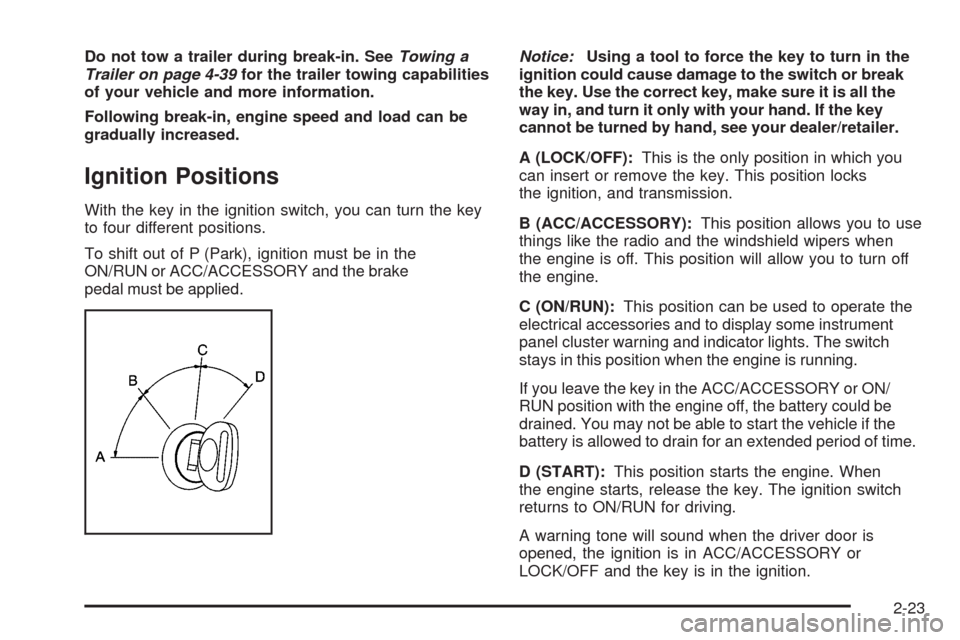
to four different positions.
To shift out of P (Park), ignition must be in the
ON/RUN or ACC/ACCESSORY and the brake
pedal must be applied.Notice:Using a tool to force the key to turn in the
ignition could cause damage to the switch or break
the key. Use the correct key, make sure it is all the
way in, and turn it only with your hand. If the key
cannot be turned by hand, see your dealer/retailer.
A (LOCK/OFF):This is the only position in which you
can insert or remove the key. This position locks
the ignition, and transmission.
B (ACC/ACCESSORY):This position allows you to use
things like the radio and the windshield wipers when
the engine is off. This position will allow you to turn off
the engine.
C (ON/RUN):This position can be used to operate the
electrical accessories and to display some instrument
panel cluster warning and indicator lights. The switch
stays in this position when the engine is running.
If you leave the key in the ACC/ACCESSORY or ON/
RUN position with the engine off, the battery could be
drained. You may not be able to start the vehicle if the
battery is allowed to drain for an extended period of time.
D (START):This position starts the engine. When
the engine starts, release the key. The ignition switch
returns to ON/RUN for driving.
A warning tone will sound when the driver door is
opened, the ignition is in ACC/ACCESSORY or
LOCK/OFF and the key is in the ignition.
2-23
Page 126 of 442
How OnStar Service Works
The OnStar system can record and transmit vehicle
information. This information is automatically sent to an
OnStar Call Center when the OnStar button is pressed,
the emergency button is pressed, or if the airbags or
AACN system deploy. This information usually includes
the vehicle’s GPS location and, in the event of a crash,
additional information regarding the crash that the vehicle
was involved in (e.g. the direction from which the vehicle
was hit). When the Virtual Advisor feature of OnStar
Hands-Free Calling is used, the vehicle also sends
OnStar the vehicle’s GPS location so they can provide
services where it is located.
OnStar service cannot work unless the vehicle is in a
place where OnStar has an agreement with a wireless
service provider for service in that area. OnStar service
also cannot work unless the vehicle is in a place where
the wireless service provider OnStar has hired for that
area has coverage, network capacity and reception when
the service is needed, and technology that is compatible
with the OnStar service. Not all services are available
everywhere, particularly in remote or enclosed areas,
or at all times.Location information about the vehicle is only available
if the GPS satellite signals are unobstructed and
available.
The vehicle must have a working electrical system,
including adequate battery power, for the OnStar
equipment to operate. There are other problems OnStar
cannot control that may prevent OnStar from providing
OnStar service at any particular time or place. Some
examples are damage to important parts of the vehicle
in a crash, hills, tall buildings, tunnels, weather or
wireless phone network congestion.
Your Responsibility
Increase the volume of the radio if the OnStar advisor
cannot be heard. If the light next to the OnStar buttons is
red, the system may not be functioning properly. Press
the OnStar button and request a vehicle diagnostic. If the
light appears clear (no light is appearing), your OnStar
subscription has expired and all services have been
deactivated. Press the OnStar button to conrm that
the OnStar equipment is active.
2-46
Page 127 of 442
Universal Home Remote
System
The Universal Home Remote System provides a way to
replace up to three hand-held radio-frequency (RF)
transmitters used to activate devices such as garage
door openers, security systems, and home lighting.
This device complies with Part 15 of the FCC Rules.
Operation is subject to the following two conditions:
1. This device may not cause harmful interference.
2. This device must accept any interference received,
including interference that may cause undesired
operation.
The FCC Grant of Equipment Authorization Certicate
number is KOBGTV06A.
This device complies with RSS-210 of Industry Canada.
Operation is subject to the following two conditions:
1. This device may not cause interference.
2. This device must accept any interference received,
including interference that may cause undesired
operation of the device.
The Canadian Registration ID number is
3521A-GTV06A.
Changes or modications to this system by other than
an authorized service facility could void authorization to
use this equipment.
Universal Home Remote System
Operation (With Three Round LED)
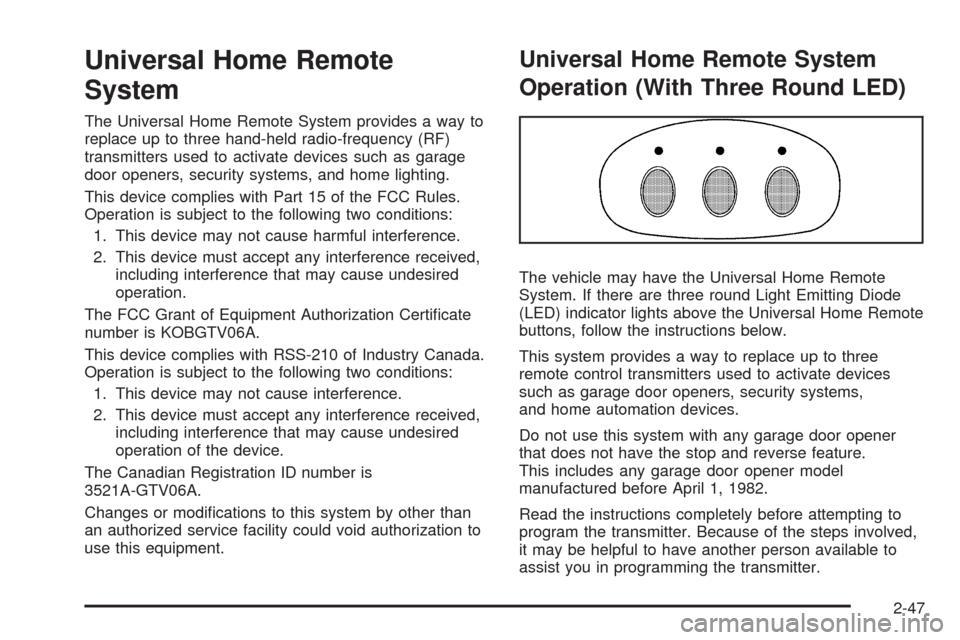
The vehicle may have the Universal Home Remote
System. If there are three round Light Emitting Diode
(LED) indicator lights above the Universal Home Remote
buttons, follow the instructions below.
This system provides a way to replace up to three
remote control transmitters used to activate devices
such as garage door openers, security systems,
and home automation devices.
Do not use this system with any garage door opener
that does not have the stop and reverse feature.
This includes any garage door opener model
manufactured before April 1, 1982.
Read the instructions completely before attempting to
program the transmitter. Because of the steps involved,
it may be helpful to have another person available to
assist you in programming the transmitter.
2-47
Page 140 of 442
Oil Pressure Light.........................................3-42
Security Light...............................................3-43
Fog Lamp Light............................................3-43
Lights On Reminder......................................3-43
Cruise Control Light......................................3-44
Highbeam On Light.......................................3-44
Tow/Haul Mode Light....................................3-44
Fuel Gage...................................................3-44
Driver Information Center (DIC).......................3-45
DIC Operation and Displays...........................3-46
DIC Warnings and Messages.........................3-51
DIC Vehicle Customization.............................3-60Audio System(s).............................................3-68
Setting the Clock..........................................3-69
Radio(s)......................................................3-72
Using an MP3..............................................3-81
XM Radio Messages.....................................3-87
Navigation/Radio System...............................3-88
Rear Seat Entertainment (RSE) System...........3-88
Rear Seat Audio (RSA).................................3-88
Theft-Deterrent Feature..................................3-90
Audio Steering Wheel Controls.......................3-90
Radio Reception...........................................3-91
Rear Side Window Antenna...........................3-92
XM™ Satellite Radio Antenna System.............3-92
Section 3 Instrument Panel
3-2
Page 159 of 442
Ashtray
For vehicles with an ashtray, it is located under the
climate control system on the instrument panel.
Press the door to release the ashtray.
To empty the ashtray, remove it from the instrument
panel by holding the edges and pulling straight out.
To reinstall, push the tray back into place.
There may also be ashtrays in the rear doors.
Cigarette Lighter
Notice:Holding a cigarette lighter in while it is
heating does not let the lighter back away from the
heating element when it is hot. Damage from
overheating can occur to the lighter or heating
element, or a fuse could be blown. Do not hold a
cigarette lighter in while it is heating.
The cigarette lighter is located next to the ashtray.
The vehicle does not have any cigarette lighters for the
rear seat passengers.
To activate the cigarette lighter, push it into the heating
element and let go. When the lighter is ready it will
pop back out.
Analog Clock
The analog clock is located on the instrument panel
above the radio. The clock is not connected with
any other vehicle system and runs by itself. To adjust
the clock:
1. Locate the adjustment button directly below the
clock face.
2. Push and hold the adjustment button to advance
the clock hands. Holding the button down will
cause the clock to advance faster. Release the
button before reaching the desired time.
3. Push and release the button to increase the time by
one minute increments until the desired time is
reached.
3-21
Page 173 of 442
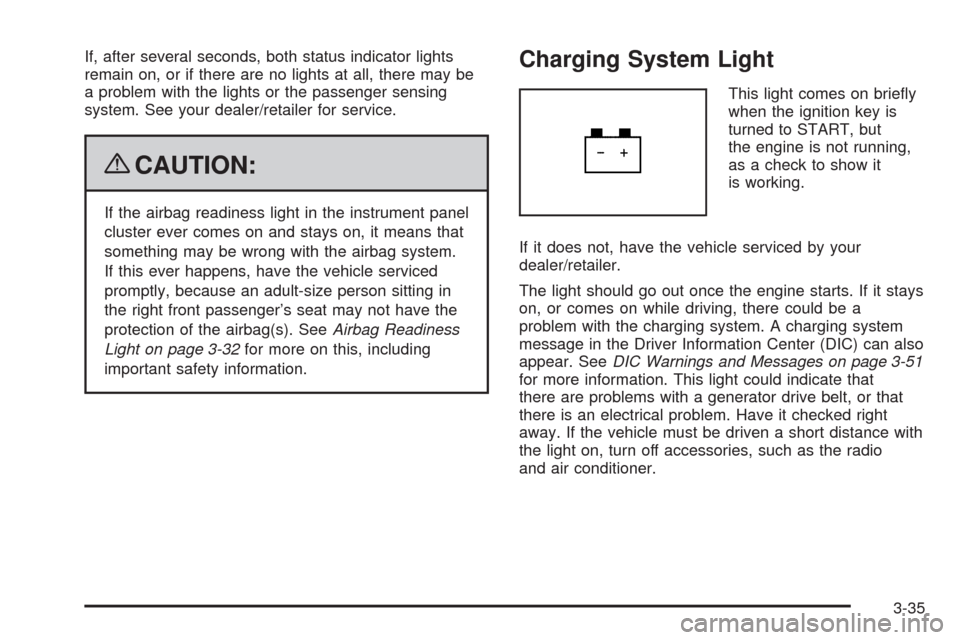
If, after several seconds, both status indicator lights
remain on, or if there are no lights at all, there may be
a problem with the lights or the passenger sensing
system. See your dealer/retailer for service.
{CAUTION:
If the airbag readiness light in the instrument panel
cluster ever comes on and stays on, it means that
something may be wrong with the airbag system.
If this ever happens, have the vehicle serviced
promptly, because an adult-size person sitting in
the right front passenger’s seat may not have the
protection of the airbag(s). SeeAirbag Readiness
Light on page 3-32for more on this, including
important safety information.
Charging System Light
This light comes on briey
when the ignition key is
turned to START, but
the engine is not running,
as a check to show it
is working.
If it does not, have the vehicle serviced by your
dealer/retailer.
The light should go out once the engine starts. If it stays
on, or comes on while driving, there could be a
problem with the charging system. A charging system
message in the Driver Information Center (DIC) can also
appear. SeeDIC Warnings and Messages on page 3-51
for more information. This light could indicate that
there are problems with a generator drive belt, or that
there is an electrical problem. Have it checked right
away. If the vehicle must be driven a short distance with
the light on, turn off accessories, such as the radio
and air conditioner.
3-35
Page 206 of 442
FACTORY SETTINGS
This feature allows you to set all of the customization
features back to their factory default settings.
Press the customization button until FACTORY
SETTINGS appears on the DIC display. Press the
set/reset button to access the settings for this feature.
Then press the menu up/down button to scroll through
the following settings:
RESTORE ALL (default):The customization features
will be set to their factory default settings.
DO NOT RESTORE:The customization features will
not be set to their factory default settings.
To select a setting, press the set/reset button while the
desired setting is displayed on the DIC.
Exiting the Feature Settings Menu
The feature settings menu will be exited when any of
the following occurs:
The vehicle is shifted out of P (Park).
The ignition is no longer in ON/RUN.
The trip/fuel or vehicle information DIC buttons
are pressed.
The end of the feature settings menu is reached.
A 40 second time period has elapsed with no
selection made.
Audio System(s)
Determine which radio the vehicle has and read the
following pages to become familiar with its features.
{CAUTION:
Taking your eyes off the road for extended periods
could cause a crash resulting in injury or death to
you or others. Do not give extended attention to
entertainment tasks while driving.
This system provides access to many audio and non
audio listings.
To minimize taking your eyes off the road while driving,
do the following while the vehicle is parked:
Become familiar with the operation and controls of
the audio system.
Set up the tone, speaker adjustments, and preset
radio stations.
For more information, seeDefensive Driving on
page 4-2.
3-68
Page 207 of 442

Notice:Contact your dealer/retailer before adding
any equipment.
Adding audio or communication equipment could
interfere with the operation of the vehicle’s engine,
radio, or other systems, and could damage them.
Follow federal rules covering mobile radio and
telephone equipment.
The vehicle has Retained Accessory Power (RAP).
With RAP, the audio system can be played even after
the ignition is turned off. SeeRetained Accessory
Power (RAP) on page 2-24for more information.
Setting the Clock
Radio with a Single CD or a Six-Disc
CD Player
Vehicles equipped with a Bose®sound system,
have an analog clock as well as the digital radio clock.
At the time of new vehicle delivery, the digital radio
clock display should be disabled. If you decide to
use the digital radio clock as well as the analog
clock, you can change the setting to enable the
radio clock display.
Enabling/Disabling the Digital
Radio Clock
For the Single CD Player
To turn the radio clock display on or off:
1. Turn the radio on.
2. Press the
Hbutton until the clock and date setting
menus appear.
3. Press the pushbutton located under the forward
arrow label until the menu for default clock and
date settings appear.
4. Press the pushbutton located under the currently
displayed status of either ON or OFF. The ON
display indicates the radio clock display is disabled
and the OFF display indicates the radio clock
display is enabled. Press this pushbutton to toggle
the radio clock display on or off.
If the radio clock display is turned on, the screen
displays Radio Clock ON for 10 seconds, then
returns to the original clock display menu.
If the radio clock display is turned off, the screen
displays Radio Clock OFF for 10 seconds.
The menus for clock and date settings are removed,
and ON displays as a current status indicating
that the clock display can be turned on, if desired.
The radio clock and analog clock are not synchronized.
Occasionally you might need to set the digital radio clock
using the procedure below to synchronize both clocks.
3-69