light CADILLAC SRX 2011 2.G Owners Manual
[x] Cancel search | Manufacturer: CADILLAC, Model Year: 2011, Model line: SRX, Model: CADILLAC SRX 2011 2.GPages: 498, PDF Size: 7.62 MB
Page 307 of 498
Black plate (31,1)Cadillac SRX Owner Manual - 2011
Driving and Operating 9-31
Remember: ABS does not change
the time needed to get a foot up to
the brake pedal or always decrease
stopping distance. If you get too
close to the vehicle in front of you,
there will not be enough time to
apply the brakes if that vehicle
suddenly slows or stops. Always
leave enough room up ahead to
stop, even with ABS.
Using ABS
Do not pump the brakes. Just hold
the brake pedal down firmly and let
ABS work. You might hear the ABS
pump or motor operating and feel
the brake pedal pulsate, but this is
normal.
Braking in Emergencies
ABS allows the driver to steer and
brake at the same time. In many
emergencies, steering can help
more than even the very best
braking.
Parking Brake
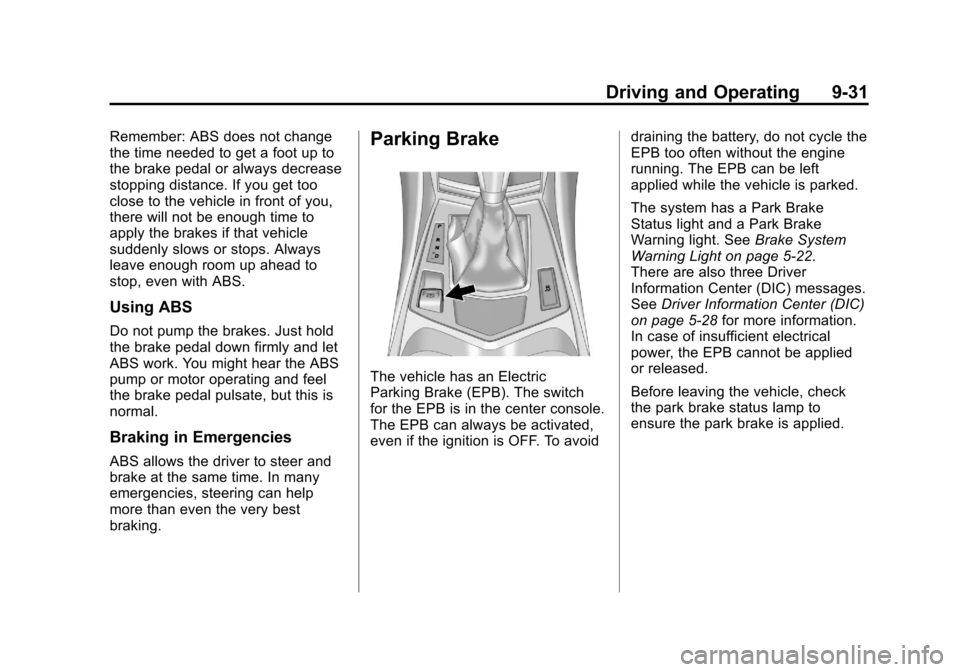
The vehicle has an Electric
Parking Brake (EPB). The switch
for the EPB is in the center console.
The EPB can always be activated,
even if the ignition is OFF. To avoiddraining the battery, do not cycle the
EPB too often without the engine
running. The EPB can be left
applied while the vehicle is parked.
The system has a Park Brake
Status light and a Park Brake
Warning light. See
Brake System
Warning Light on page 5‑22.
There are also three Driver
Information Center (DIC) messages.
See Driver Information Center (DIC)
on page 5‑28 for more information.
In case of insufficient electrical
power, the EPB cannot be applied
or released.
Before leaving the vehicle, check
the park brake status lamp to
ensure the park brake is applied.
Page 308 of 498
Black plate (32,1)Cadillac SRX Owner Manual - 2011
9-32 Driving and Operating
EPB Apply
The EPB can be applied any time
the vehicle is stopped. The EPB is
applied by momentarily lifting up on
the EPB switch. Once fully applied,
the park brake status light will be
on. While the brake is being applied,
the status lamp will flash until full
apply is reached. If the light does
not come on, or remains flashing,
you need to have the vehicle
serviced. Do not drive the vehicle
if the park brake status light is
flashing. See your dealer. See
Brake System Warning Light on
page 5‑22for more information.
If the EPB is applied while the
vehicle is in motion, a chime will
sound, and the DIC message
“Release Park Brake” will be
displayed. The vehicle will
decelerate as long as the switch is
held in the up position. Releasing
the EPB switch during the
deceleration will release the parking
brake. If the switch is held in the up
position until the vehicle comes to a
stop, the EPB will remain applied. If the park brake status light flashes
continuously, the EPB is only
partially applied or released,
or there is a problem with the
EPB. The DIC message SERVICE
PARKING BRAKE will be displayed.
If this light flashes continuously,
release the EPB, and attempt to
apply it again. If this light continues
to flash, do not drive the vehicle.
See your dealer.
If the park brake warning light is on,
the EPB has detected an error in
another system and is operating
with reduced functionality. To apply
the EPB when this light is on, lift up
on the EPB switch and hold it in the
up position. Full application of the
parking brake by the EPB system
may take a longer period of time
than normal when this light is on.
Continue to hold the switch until the
park brake status light remains on.
If the park brake warning light is on,
see your dealer.
If the EPB fails to apply, the rear
wheels should be blocked to
prevent vehicle movement.
EPB Release
To release the EPB, place the
ignition in the ON/RUN position,
apply and hold the brake pedal,
and push down momentarily on
the EPB switch. If you attempt to
release the EPB without the brake
pedal applied, a chime will sound,
and the DIC message STEP ON
BRAKE TO RELEASE PARK
BRAKE will be displayed. The EPB
is released when the park brake
status light is off.
If the park brake warning light is
on, the EPB has detected an
error in another system and is
operating with reduced functionality.
To release the EPB when this light
is on, push down on the EPB switch
and hold it in the down position.
EPB release may take a longer
period of time than normal when
this light is on. Continue to hold the
switch until the park brake status
light is off. If the light is on, see your
dealer.
Page 309 of 498
Black plate (33,1)Cadillac SRX Owner Manual - 2011
Driving and Operating 9-33
Notice:Driving with the parking
brake on can overheat the brake
system and cause premature
wear or damage to brake system
parts. Make sure that the parking
brake is fully released and the
brake warning light is off before
driving.
Automatic EPB Release
The EPB will automatically release
if the vehicle is running, placed into
gear and an attempt is made to
drive away. Avoid rapid acceleration
when the EPB is applied, to
preserve park brake lining life.
If you are towing a trailer and
parking on a hill, see Driving
Characteristics and Towing Tips on
page 9‑54 for more information.
Brake Assist
This vehicle has a brake assist
feature designed to assist the
driver in stopping or decreasing
vehicle speed in emergency
driving conditions. This feature
uses the stability system hydraulic
brake control module to supplement
the power brake system under
conditions where the driver has
quickly and forcefully applied the
brake pedal in an attempt to quickly
stop or slow down the vehicle.
The stability system hydraulic brake
control module increases brake
pressure at each corner of the
vehicle until the ABS activates.
Minor brake pedal pulsation or
pedal movement during this time
is normal and the driver should
continue to apply the brake pedal
as the driving situation dictates.
The brake assist feature will
automatically disengage when
the brake pedal is released or
brake pedal pressure is quickly
decreased.
Hill Start Assist (HSA)
This vehicle has a Hill Start Assist
(HSA) feature, which may be useful
when the vehicle is stopped on a
grade. This feature is designed to
prevent the vehicle from rolling,
either forward or rearward, during
vehicle drive off. After driver
completely stops and holds the
vehicle in a complete standstill on
a grade, HSA will be automatically
activated. During the transition
period between when the driver
releases the brake pedal and starts
to accelerate to drive off on a grade,
HSA holds the braking pressure
to ensure that there is no rolling
back. The brakes will automatically
release when the accelerator pedal
is applied within the two second
window. It will not activate if the
vehicle is in a drive gear and facing
downhill or if the vehicle is facing
uphill and in R (Reverse).
Page 310 of 498
Black plate (34,1)Cadillac SRX Owner Manual - 2011
9-34 Driving and Operating
Ride Control Systems
Traction Control
System (TCS)
The vehicle has a Traction Control
System (TCS) that limits wheel spin.
On a front-wheel-drive vehicle,
the system operates if it senses
that one or both of the front wheels
are spinning or beginning to lose
traction. On an All-Wheel-Drive
(AWD) vehicle, the system will
operate if it senses that any of the
wheels are spinning or beginning to
lose traction. When this happens,
the system brakes the spinning
wheel(s) and/or reduces engine
power to limit wheel spin.
The system may be heard or felt
while it is working, but this is
normal.
TCS is on whenever the vehicle
is started. To limit wheel spin,
especially in slippery roadconditions, the system should
always be left on. But, TCS can
be turned off if needed.
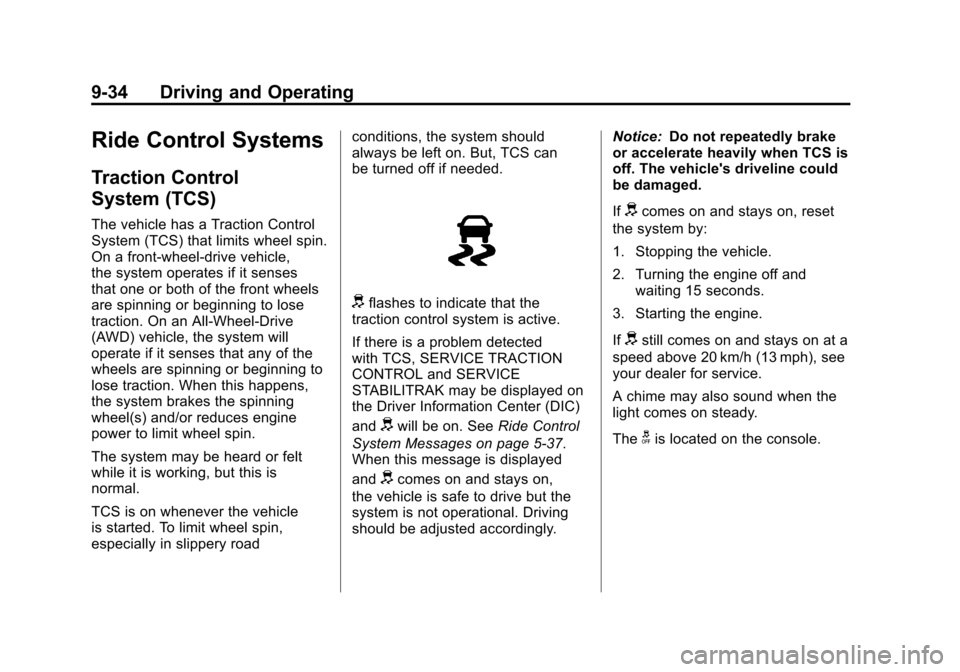
dflashes to indicate that the
traction control system is active.
If there is a problem detected
with TCS, SERVICE TRACTION
CONTROL and SERVICE
STABILITRAK may be displayed on
the Driver Information Center (DIC)
and
dwill be on. See Ride Control
System Messages on page 5‑37.
When this message is displayed
and
dcomes on and stays on,
the vehicle is safe to drive but the
system is not operational. Driving
should be adjusted accordingly. Notice:
Do not repeatedly brake
or accelerate heavily when TCS is
off. The vehicle's driveline could
be damaged.
If
dcomes on and stays on, reset
the system by:
1. Stopping the vehicle.
2. Turning the engine off and waiting 15 seconds.
3. Starting the engine.
If
dstill comes on and stays on at a
speed above 20 km/h (13 mph), see
your dealer for service.
A chime may also sound when the
light comes on steady.
The
gis located on the console.
Page 311 of 498
Black plate (35,1)Cadillac SRX Owner Manual - 2011
Driving and Operating 9-35
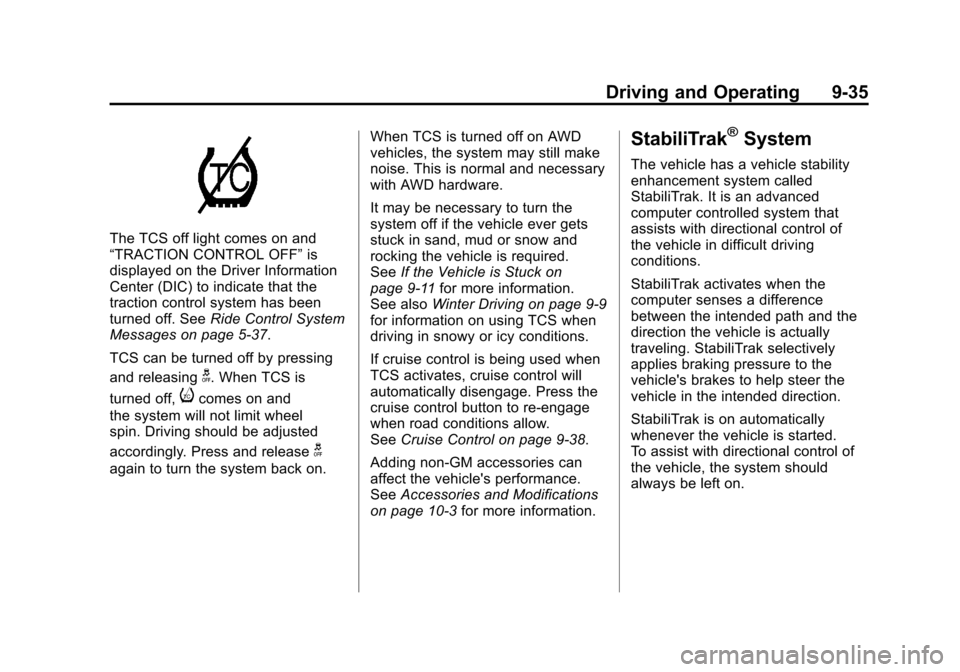
The TCS off light comes on and
“TRACTION CONTROL OFF”is
displayed on the Driver Information
Center (DIC) to indicate that the
traction control system has been
turned off. See Ride Control System
Messages on page 5‑37.
TCS can be turned off by pressing
and releasing
g. When TCS is
turned off,
icomes on and
the system will not limit wheel
spin. Driving should be adjusted
accordingly. Press and release
g
again to turn the system back on. When TCS is turned off on AWD
vehicles, the system may still make
noise. This is normal and necessary
with AWD hardware.
It may be necessary to turn the
system off if the vehicle ever gets
stuck in sand, mud or snow and
rocking the vehicle is required.
See
If the Vehicle is Stuck on
page 9‑11 for more information.
See also Winter Driving on page 9‑9
for information on using TCS when
driving in snowy or icy conditions.
If cruise control is being used when
TCS activates, cruise control will
automatically disengage. Press the
cruise control button to re‐engage
when road conditions allow.
See Cruise Control on page 9‑38.
Adding non‐GM accessories can
affect the vehicle's performance.
See Accessories and Modifications
on page 10‑3 for more information.
StabiliTrak®System
The vehicle has a vehicle stability
enhancement system called
StabiliTrak. It is an advanced
computer controlled system that
assists with directional control of
the vehicle in difficult driving
conditions.
StabiliTrak activates when the
computer senses a difference
between the intended path and the
direction the vehicle is actually
traveling. StabiliTrak selectively
applies braking pressure to the
vehicle's brakes to help steer the
vehicle in the intended direction.
StabiliTrak is on automatically
whenever the vehicle is started.
To assist with directional control of
the vehicle, the system should
always be left on.
Page 312 of 498
Black plate (36,1)Cadillac SRX Owner Manual - 2011
9-36 Driving and Operating
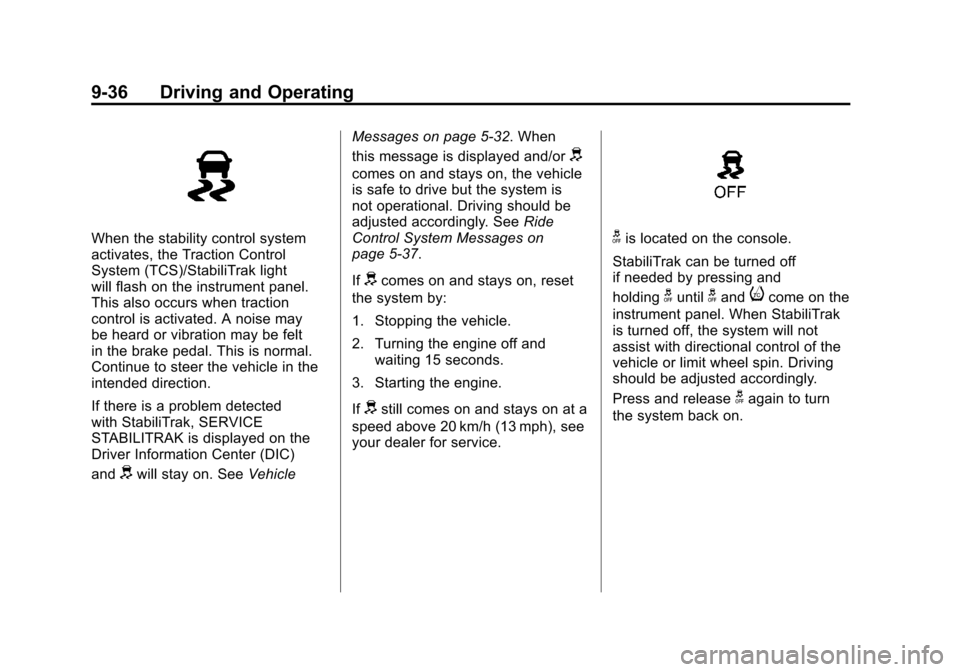
When the stability control system
activates, the Traction Control
System (TCS)/StabiliTrak light
will flash on the instrument panel.
This also occurs when traction
control is activated. A noise may
be heard or vibration may be felt
in the brake pedal. This is normal.
Continue to steer the vehicle in the
intended direction.
If there is a problem detected
with StabiliTrak, SERVICE
STABILITRAK is displayed on the
Driver Information Center (DIC)
and
dwill stay on. SeeVehicleMessages on page 5‑32. When
this message is displayed and/or
d
comes on and stays on, the vehicle
is safe to drive but the system is
not operational. Driving should be
adjusted accordingly. See
Ride
Control System Messages on
page 5‑37.
If
dcomes on and stays on, reset
the system by:
1. Stopping the vehicle.
2. Turning the engine off and waiting 15 seconds.
3. Starting the engine.
If
dstill comes on and stays on at a
speed above 20 km/h (13 mph), see
your dealer for service.
gis located on the console.
StabiliTrak can be turned off
if needed by pressing and
holding
guntilgandicome on the
instrument panel. When StabiliTrak
is turned off, the system will not
assist with directional control of the
vehicle or limit wheel spin. Driving
should be adjusted accordingly.
Press and release
gagain to turn
the system back on.
Page 315 of 498
Black plate (39,1)Cadillac SRX Owner Manual - 2011
Driving and Operating 9-39
The cruise control light on the
instrument panel cluster comes on
after the cruise control has been set
to the desired speed.
1. Press
T.
2. Get up to the desired speed.
3. Press and release the −SET
button located on the steering
wheel.
4. Take your foot off the accelerator.
Resuming a Set Speed
If the cruise control is set at a
desired speed and then the brakes
are applied, the cruise control is
disengaged without erasing the
set speed from memory.
Once the vehicle speed reaches
about 40 km/h (25 mph) or more,
press the +RES button on the
steering wheel. The vehicle returns
to the previous set speed and stays
there. Increasing Speed While Cruise
Control is at a Set Speed
If the cruise control system is
already activated,.Press and hold the +RES button
on the steering wheel until the
desired speed is reached, then
release it.
.To increase vehicle speed in
small amounts, press the +RES
button. Each time this is done,
the vehicle goes about 1.6 km/h
(1 mph) faster.
Reducing Speed While Cruise
Control is at a Set Speed
If the cruise control system is
already activated,
.Press and hold the −SET button
on the steering wheel until the
desired lower speed is reached,
then release it.
.To slow down in small amounts,
press the −SET button on the
steering wheel briefly. Each time
this is done, the vehicle goes
about 1.6 km/h (1 mph) slower.
Passing Another Vehicle While
Using Cruise Control
Use the accelerator pedal to
increase the vehicle speed. When
you take your foot off the pedal,
the vehicle will slow down to the
previous set cruise speed.
Using Cruise Control on Hills
How well the cruise control will work
on hills depends upon the vehicle
speed, load, and the steepness
of the hills. When going up steep
hills, you might have to step on
the accelerator pedal to maintain
the vehicle speed. When going
downhill, you might have to brake
or shift to a lower gear to keep the
vehicle speed down. If the brake
is applied the cruise control
disengages.
Page 316 of 498
Black plate (40,1)Cadillac SRX Owner Manual - 2011
9-40 Driving and Operating
Ending Cruise Control
There are three ways to end cruise
control:
.Step lightly on the brake pedal.
.Press the[button on the
steering wheel.
.Press theTbutton on the
steering wheel.
Erasing Speed Memory
The cruise control set speed is
erased from memory by pressing
the
Tbutton or if the ignition is
turned off.
Object Detection
Systems
Ultrasonic Parking Assist
For vehicles with the Ultrasonic
Front and Rear Parking Assist
(UFRPA) system, it assists the
driver with parking and avoiding
objects. UFRPA operates at speeds
less than 8 km/h (5 mph), and the
sensors on the front and rear
bumper detect objects up to 1.2 m
(4 ft) in front of the vehicle and 2.5 m
(8 ft) behind the vehicle, and at least
25.4 cm (10 in) off the ground.
{WARNING
The Ultrasonic Front and Rear
Park Assist (UFRPA) system
does not replace driver vision.
It cannot detect:
.objects that are below the
bumper, underneath the
vehicle, or if they are too
close or far from the vehicle
.children, pedestrians,
bicyclists, or pets.
If you do not use proper care
before moving forward and while
backing; vehicle damage, injury,
or death could occur. Even with
UFRPA, always check in front of
the vehicle before moving forward
and behind the vehicle before
backing up. While moving forward
and backing, be sure to look for
objects and check the vehicle's
mirrors.
Page 318 of 498
Black plate (42,1)Cadillac SRX Owner Manual - 2011
9-42 Driving and Operating
The following describes how the UFRPA front display lights appear as the
vehicle gets closer to a detected object:Description Metric English
one amber bar 1.2 m 4 ft
two amber bars 1.0 m 40 in
three amber bars 0.6 m 23 in
three amber bars and one red bar 0.3 m 1 ft
Turning the System On and Off
The UFRPA system can be turned
on and off by pressing the park
assist button located next to the
shift lever.
The park assist button lights up
when the system is on and turns
off when it has been disabled.
When the System Does Not
Seem to Work Properly
If UFRPA does not turn on due to a
temporary condition, the message
PARK ASSIST OFF displays on the
DIC, and the light on the park assist
button turns off. This can occur
under the following conditions:
.The ultrasonic sensors are
not clean. Keep the vehicle's
bumpers free of mud, dirt, snow,
ice and slush. For cleaning
instructions, see Exterior Care
on page 10‑101.
.A trailer was attached to the
vehicle, or an object was
hanging out of the liftgate during
the last drive cycle. Once the
attached object is removed,
UFRPA will return to normal
operation.
.If an object is attached to the
front of the vehicle.
.A tow bar is attached to the
vehicle.
.The vehicle's bumper is
damaged. Take the vehicle to
your dealer to repair the system.
.Other conditions may affect
system performance, such as
vibrations from a jackhammer or
the compression of air brakes on
a very large truck.
Page 319 of 498
Black plate (43,1)Cadillac SRX Owner Manual - 2011
Driving and Operating 9-43
Rear Vision
Camera (RVC)
The vehicle may have a Rear Vision
Camera system. Read this entire
section before using it.
The rear vision camera system can
assist the driver when backing up by
displaying a view of the area behind
the vehicle.
{WARNING
The Rear Vision Camera (RVC)
system does not replace driver
vision. RVC does not:
.Detect objects that are
outside the camera's field
of view, below the bumper,
or underneath the vehicle.
.Detect children, pedestrians,
bicyclists, or pets.(Continued)
WARNING (Continued)
Do not back the vehicle by only
looking at the RVC screen, or use
the screen during longer, higher
speed backing maneuvers or
where there could be cross-traffic.
Your judged distances using the
screen will differ from actual
distances.
If you do not use proper care
before backing up, you could
hit a vehicle, child, pedestrian,
bicyclist, or pet, resulting in
vehicle damage, injury, or death.
Even though the vehicle has
the RVC system, always check
carefully before backing up by
checking behind and around the
vehicle.
Vehicles Without a Navigation
System
When the vehicle is on and the
driver shifts into R (Reverse),
the video image automatically
appears on the inside rearview
mirror. Once the driver shifts out
of R (Reverse), the video image
automatically disappears from the
inside rearview mirror.
Turning the Rear Vision Camera
System Off or On
To turn off the RVC system, press
and hold
z, located on the inside
rearview mirror, until the left
indicator light turns off. The RVC
display is now disabled.
To turn the RVC system on again,
press and hold
zuntil the left
indicator light illuminates. The RVC
system display is now enabled and
the display will appear in the mirror
normally.