center console CADILLAC SRX 2011 2.G User Guide
[x] Cancel search | Manufacturer: CADILLAC, Model Year: 2011, Model line: SRX, Model: CADILLAC SRX 2011 2.GPages: 498, PDF Size: 7.62 MB
Page 155 of 498
Black plate (9,1)Cadillac SRX Owner Manual - 2011
Instruments and Controls 5-9
Power Outlets
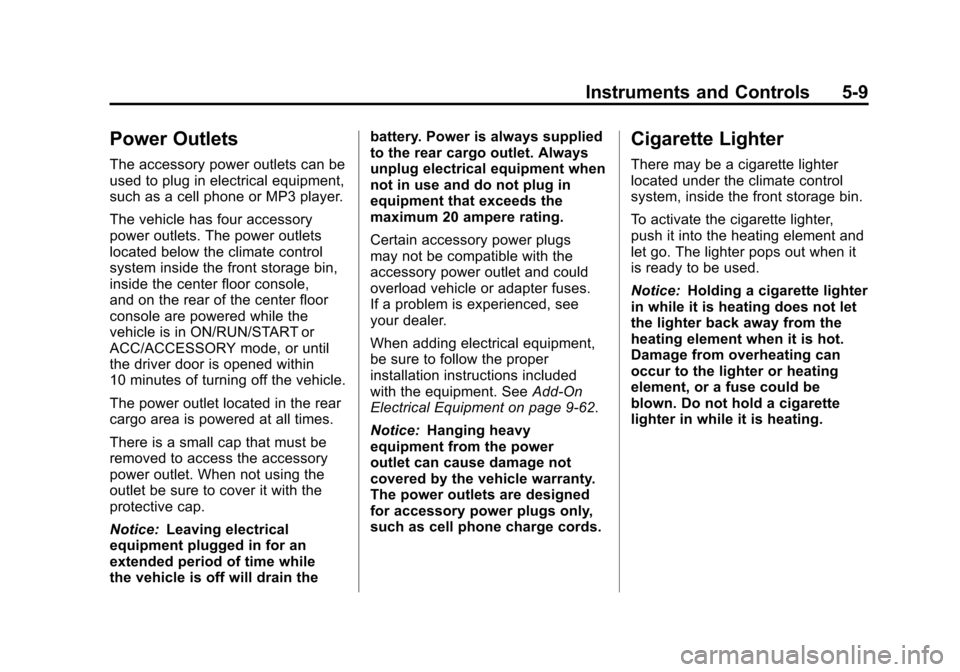
The accessory power outlets can be
used to plug in electrical equipment,
such as a cell phone or MP3 player.
The vehicle has four accessory
power outlets. The power outlets
located below the climate control
system inside the front storage bin,
inside the center floor console,
and on the rear of the center floor
console are powered while the
vehicle is in ON/RUN/START or
ACC/ACCESSORY mode, or until
the driver door is opened within
10 minutes of turning off the vehicle.
The power outlet located in the rear
cargo area is powered at all times.
There is a small cap that must be
removed to access the accessory
power outlet. When not using the
outlet be sure to cover it with the
protective cap.
Notice:Leaving electrical
equipment plugged in for an
extended period of time while
the vehicle is off will drain the battery. Power is always supplied
to the rear cargo outlet. Always
unplug electrical equipment when
not in use and do not plug in
equipment that exceeds the
maximum 20 ampere rating.
Certain accessory power plugs
may not be compatible with the
accessory power outlet and could
overload vehicle or adapter fuses.
If a problem is experienced, see
your dealer.
When adding electrical equipment,
be sure to follow the proper
installation instructions included
with the equipment. See
Add-On
Electrical Equipment on page 9‑62.
Notice: Hanging heavy
equipment from the power
outlet can cause damage not
covered by the vehicle warranty.
The power outlets are designed
for accessory power plugs only,
such as cell phone charge cords.
Cigarette Lighter
There may be a cigarette lighter
located under the climate control
system, inside the front storage bin.
To activate the cigarette lighter,
push it into the heating element and
let go. The lighter pops out when it
is ready to be used.
Notice: Holding a cigarette lighter
in while it is heating does not let
the lighter back away from the
heating element when it is hot.
Damage from overheating can
occur to the lighter or heating
element, or a fuse could be
blown. Do not hold a cigarette
lighter in while it is heating.
Page 156 of 498
Black plate (10,1)Cadillac SRX Owner Manual - 2011
5-10 Instruments and Controls
Ashtrays
There may be an ashtray located
under the climate control system
on the instrument panel. Press the
door to release the ashtray.
To empty the ashtray, remove it
from the instrument panel by holding
the edges and pulling straight out.
To reinstall, push the tray back into
place.
There may also be ashtrays located
on the center floor console behind
the shift lever and in the rear doors.
Notice:If papers, pins, or other
flammable items are put in the
ashtray, hot cigarettes or other
smoking materials could ignite
them and possibly damage the
vehicle. Never put flammable
items in the ashtray.
Warning Lights,
Gauges, and
Indicators
Warning lights and gauges can
signal that something is wrong
before it becomes serious enough
to cause an expensive repair or
replacement. Paying attention to
the warning lights and gauges
could prevent injury.
Warning lights come on when there
could be a problem with a vehicle
function. Some warning lights come
on briefly when the engine is started
to indicate they are working. Gauges can indicate when there
could be a problem with a vehicle
function. Often gauges and warning
lights work together to indicate a
problem with the vehicle.
When one of the warning lights
comes on and stays on while
driving, or when one of the gauges
shows there may be a problem,
check the section that explains what
to do. Follow this manual's advice.
Waiting to do repairs can be costly
and even dangerous.
Page 234 of 498
Black plate (30,1)Cadillac SRX Owner Manual - 2011
7-30 Infotainment System
Saving MEM Tracks as
Favorites
Favorites can be saved by pressing
and holding one of the 1 to 6
buttons. Favorites can be stored
according to the following list:
Playlist:Adds currently playing
track to the playlist selected.
Artist: Saves the artist associated
with the currently playing track in
the indicated favorites position.
Album: Saves the album
associated with the currently
playing track in the indicated
favorites position.
Genre: Saves the genre associated
with the currently playing track in
the indicated favorites position. Creating Playlists
To create a playlist using tracks
stored in MEM:
1. Select Playlist from the MEM
favorites.
2. Select the track to be stored in the playlist.
3. Press and hold one of the 1 to 6 buttons until the track can be
heard again to store the track.
4. Repeat steps 1 though 3 to store additional tracks in the playlist.
Auxiliary Devices
(Radio with CD)
The optional AUX input allows
portable devices to connect to the
vehicle using the 3.5 mm (1/8 in)
input jack, the USB port or
Bluetooth
®wireless technology,
if equipped.
Portable devices are controlled by
using the menu system described in
Operation on page 7‑7.
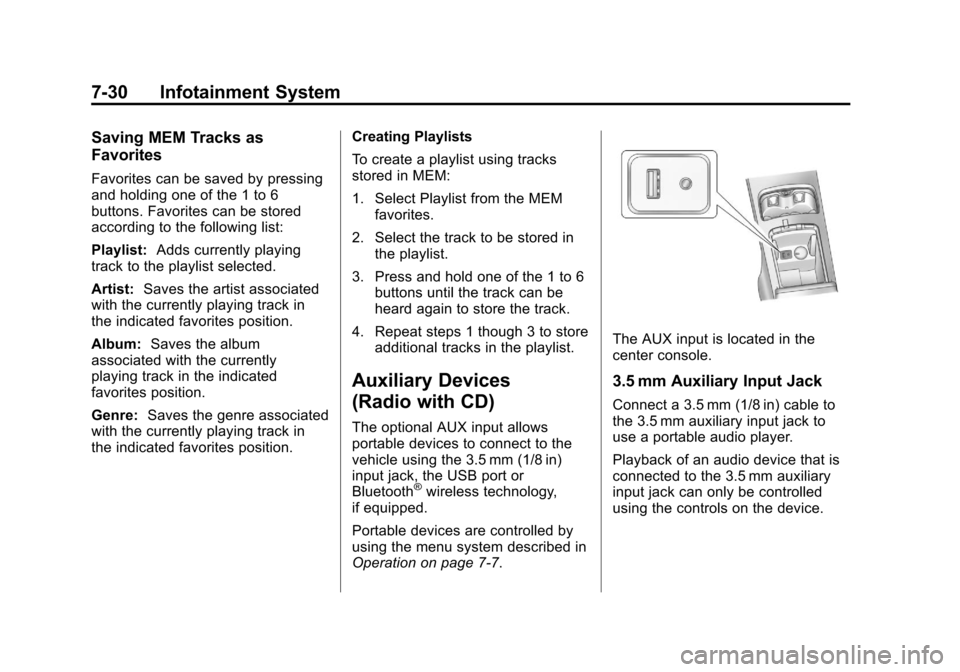
The AUX input is located in the
center console.
3.5 mm Auxiliary Input Jack
Connect a 3.5 mm (1/8 in) cable to
the 3.5 mm auxiliary input jack to
use a portable audio player.
Playback of an audio device that is
connected to the 3.5 mm auxiliary
input jack can only be controlled
using the controls on the device.
Page 240 of 498
Black plate (36,1)Cadillac SRX Owner Manual - 2011
7-36 Infotainment System
Auxiliary Devices (Radio
with CD/DVD and MEM)
The optional AUX input allows
portable devices to be connected
using the 3.5 mm (1/8 in) input jack
or the USB port.
Portable devices are controlled by
using the menu system described in
Operation on page 7‑7.
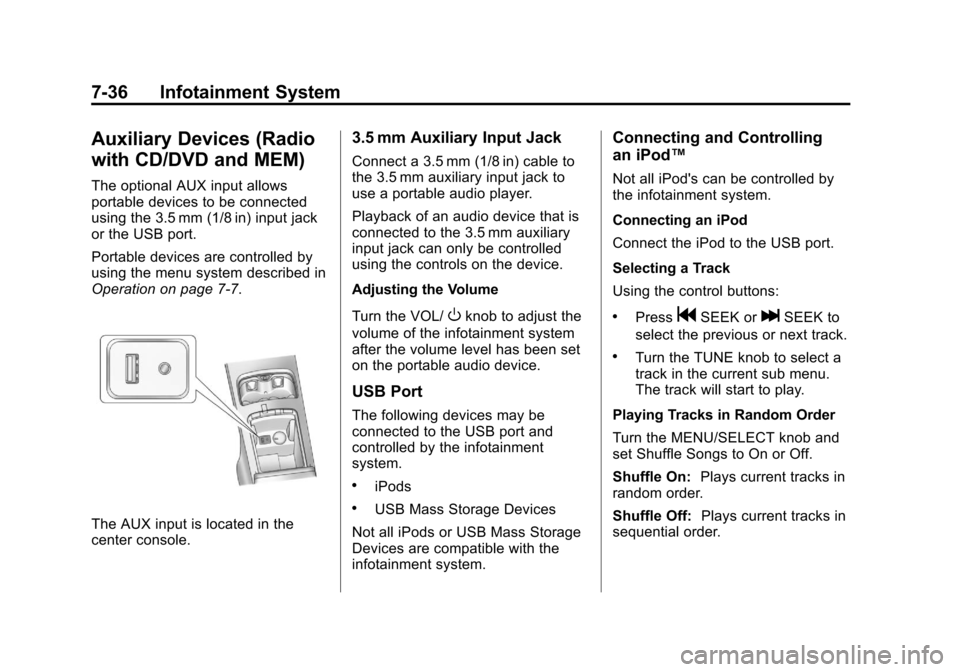
The AUX input is located in the
center console.
3.5 mm Auxiliary Input Jack
Connect a 3.5 mm (1/8 in) cable to
the 3.5 mm auxiliary input jack to
use a portable audio player.
Playback of an audio device that is
connected to the 3.5 mm auxiliary
input jack can only be controlled
using the controls on the device.
Adjusting the Volume
Turn the VOL/
Oknob to adjust the
volume of the infotainment system
after the volume level has been set
on the portable audio device.
USB Port
The following devices may be
connected to the USB port and
controlled by the infotainment
system.
.iPods
.USB Mass Storage Devices
Not all iPods or USB Mass Storage
Devices are compatible with the
infotainment system.
Connecting and Controlling
an iPod™
Not all iPod's can be controlled by
the infotainment system.
Connecting an iPod
Connect the iPod to the USB port.
Selecting a Track
Using the control buttons:
.PressgSEEK orlSEEK to
select the previous or next track.
.Turn the TUNE knob to select a
track in the current sub menu.
The track will start to play.
Playing Tracks in Random Order
Turn the MENU/SELECT knob and
set Shuffle Songs to On or Off.
Shuffle On: Plays current tracks in
random order.
Shuffle Off: Plays current tracks in
sequential order.
Page 273 of 498
Black plate (5,1)Cadillac SRX Owner Manual - 2011
Climate Controls 8-5
Rear Climate Control System
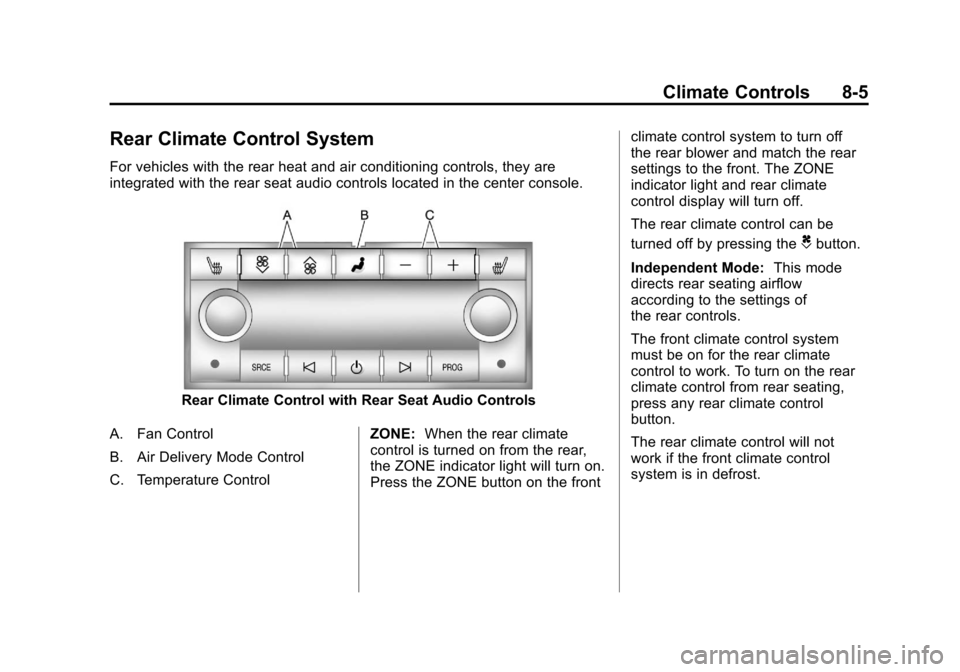
For vehicles with the rear heat and air conditioning controls, they are
integrated with the rear seat audio controls located in the center console.
Rear Climate Control with Rear Seat Audio Controls
A. Fan Control
B. Air Delivery Mode Control
C. Temperature Control ZONE:
When the rear climate
control is turned on from the rear,
the ZONE indicator light will turn on.
Press the ZONE button on the front climate control system to turn off
the rear blower and match the rear
settings to the front. The ZONE
indicator light and rear climate
control display will turn off.
The rear climate control can be
turned off by pressing the
Cbutton.
Independent Mode: This mode
directs rear seating airflow
according to the settings of
the rear controls.
The front climate control system
must be on for the rear climate
control to work. To turn on the rear
climate control from rear seating,
press any rear climate control
button.
The rear climate control will not
work if the front climate control
system is in defrost.
Page 298 of 498
Black plate (22,1)Cadillac SRX Owner Manual - 2011
9-22 Driving and Operating
Retained Accessory
Power (RAP)
These vehicle accessories can be
used for up to 10 minutes after the
engine is turned off:
.Audio System
.Power Windows
.Sunroof (if equipped)
.Power outlets under the climate
control system, inside the center
floor console, and on the rear of
the center floor console.
Power to the audio system will
continue to operate for up to
10 minutes or until the driver
door is opened. Power to the power windows,
sunroof and outlets under the
climate control system, inside
the center floor console, and on
the rear of the center floor console
will continue to operate for up to
10 minutes or until any door is
opened.
All these features will work when the
vehicle is in ON/RUN/START.Shifting Into Park
{WARNING
It can be dangerous to get out of
the vehicle if the shift lever is not
fully in P (Park) with the parking
brake firmly set. The vehicle can
roll. If you have left the engine
(Continued)
WARNING (Continued)
running, the vehicle can move
suddenly. You or others could be
injured. To be sure the vehicle will
not move, even when you are on
fairly level ground, use the steps
that follow.
1. Hold the brake pedal down and set the parking brake.
See Parking Brake on page 9‑31
for more information.
2. Move the shift lever into P (Park) by pushing the lever all the way
toward the front of the vehicle.
3. Turn the ignition off.
Page 302 of 498
Black plate (26,1)Cadillac SRX Owner Manual - 2011
9-26 Driving and Operating
Automatic
Transmission
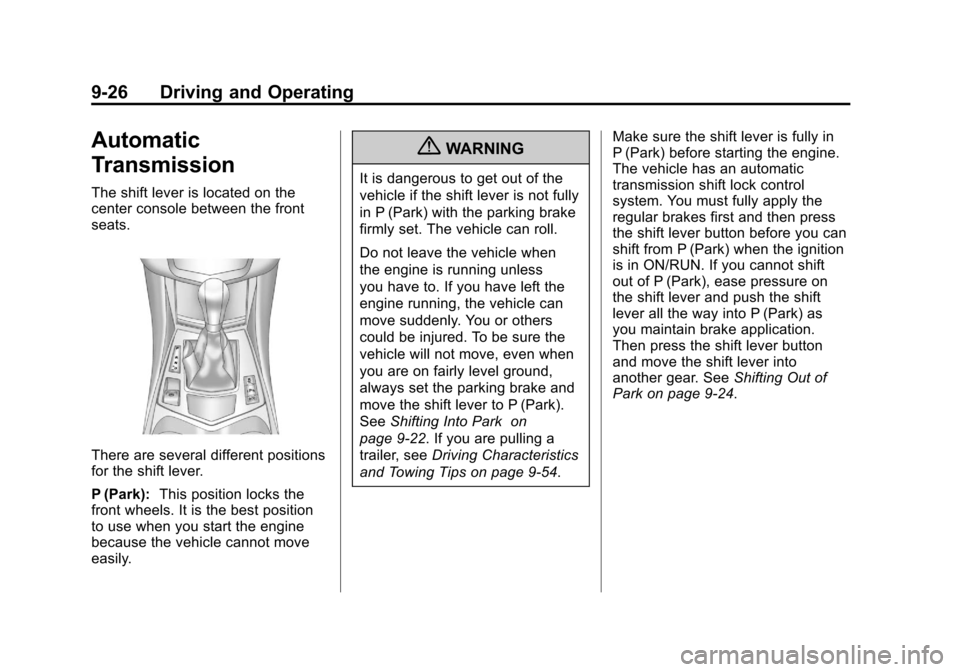
The shift lever is located on the
center console between the front
seats.
There are several different positions
for the shift lever.
P (Park):This position locks the
front wheels. It is the best position
to use when you start the engine
because the vehicle cannot move
easily.
{WARNING
It is dangerous to get out of the
vehicle if the shift lever is not fully
in P (Park) with the parking brake
firmly set. The vehicle can roll.
Do not leave the vehicle when
the engine is running unless
you have to. If you have left the
engine running, the vehicle can
move suddenly. You or others
could be injured. To be sure the
vehicle will not move, even when
you are on fairly level ground,
always set the parking brake and
move the shift lever to P (Park).
See Shifting Into Park on
page 9‑22. If you are pulling a
trailer, see Driving Characteristics
and Towing Tips on page 9‑54. Make sure the shift lever is fully in
P (Park) before starting the engine.
The vehicle has an automatic
transmission shift lock control
system. You must fully apply the
regular brakes first and then press
the shift lever button before you can
shift from P (Park) when the ignition
is in ON/RUN. If you cannot shift
out of P (Park), ease pressure on
the shift lever and push the shift
lever all the way into P (Park) as
you maintain brake application.
Then press the shift lever button
and move the shift lever into
another gear. See
Shifting Out of
Park on page 9‑24.
Page 307 of 498
Black plate (31,1)Cadillac SRX Owner Manual - 2011
Driving and Operating 9-31
Remember: ABS does not change
the time needed to get a foot up to
the brake pedal or always decrease
stopping distance. If you get too
close to the vehicle in front of you,
there will not be enough time to
apply the brakes if that vehicle
suddenly slows or stops. Always
leave enough room up ahead to
stop, even with ABS.
Using ABS
Do not pump the brakes. Just hold
the brake pedal down firmly and let
ABS work. You might hear the ABS
pump or motor operating and feel
the brake pedal pulsate, but this is
normal.
Braking in Emergencies
ABS allows the driver to steer and
brake at the same time. In many
emergencies, steering can help
more than even the very best
braking.
Parking Brake
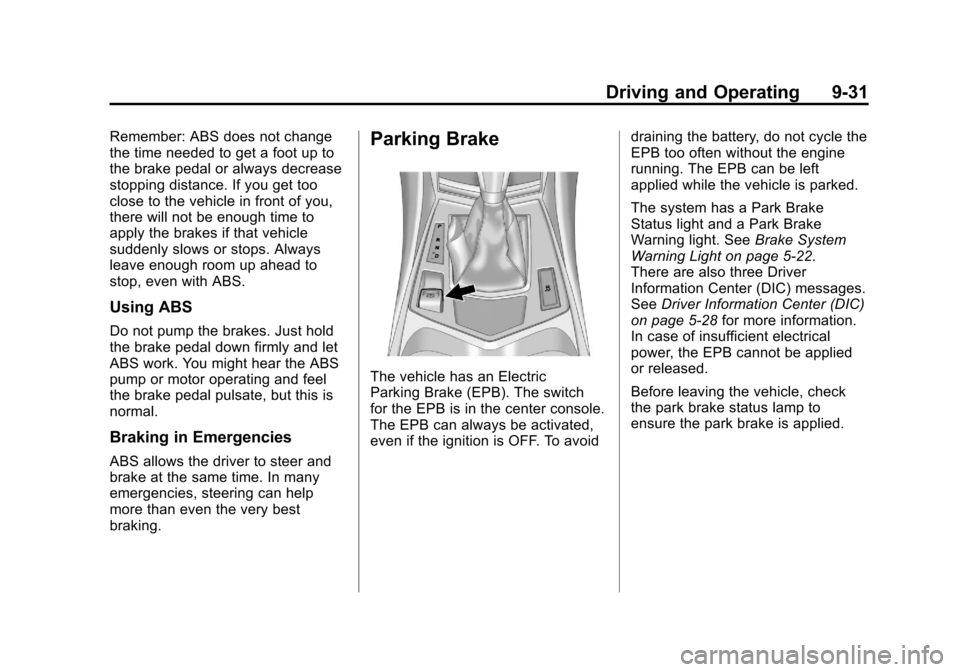
The vehicle has an Electric
Parking Brake (EPB). The switch
for the EPB is in the center console.
The EPB can always be activated,
even if the ignition is OFF. To avoiddraining the battery, do not cycle the
EPB too often without the engine
running. The EPB can be left
applied while the vehicle is parked.
The system has a Park Brake
Status light and a Park Brake
Warning light. See
Brake System
Warning Light on page 5‑22.
There are also three Driver
Information Center (DIC) messages.
See Driver Information Center (DIC)
on page 5‑28 for more information.
In case of insufficient electrical
power, the EPB cannot be applied
or released.
Before leaving the vehicle, check
the park brake status lamp to
ensure the park brake is applied.
Page 310 of 498
Black plate (34,1)Cadillac SRX Owner Manual - 2011
9-34 Driving and Operating
Ride Control Systems
Traction Control
System (TCS)
The vehicle has a Traction Control
System (TCS) that limits wheel spin.
On a front-wheel-drive vehicle,
the system operates if it senses
that one or both of the front wheels
are spinning or beginning to lose
traction. On an All-Wheel-Drive
(AWD) vehicle, the system will
operate if it senses that any of the
wheels are spinning or beginning to
lose traction. When this happens,
the system brakes the spinning
wheel(s) and/or reduces engine
power to limit wheel spin.
The system may be heard or felt
while it is working, but this is
normal.
TCS is on whenever the vehicle
is started. To limit wheel spin,
especially in slippery roadconditions, the system should
always be left on. But, TCS can
be turned off if needed.
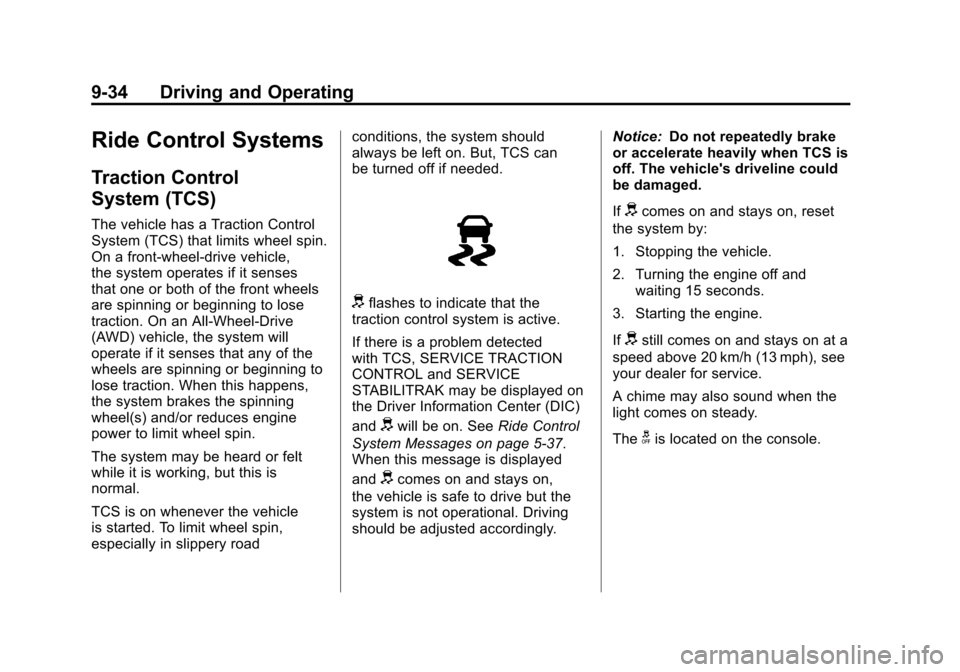
dflashes to indicate that the
traction control system is active.
If there is a problem detected
with TCS, SERVICE TRACTION
CONTROL and SERVICE
STABILITRAK may be displayed on
the Driver Information Center (DIC)
and
dwill be on. See Ride Control
System Messages on page 5‑37.
When this message is displayed
and
dcomes on and stays on,
the vehicle is safe to drive but the
system is not operational. Driving
should be adjusted accordingly. Notice:
Do not repeatedly brake
or accelerate heavily when TCS is
off. The vehicle's driveline could
be damaged.
If
dcomes on and stays on, reset
the system by:
1. Stopping the vehicle.
2. Turning the engine off and waiting 15 seconds.
3. Starting the engine.
If
dstill comes on and stays on at a
speed above 20 km/h (13 mph), see
your dealer for service.
A chime may also sound when the
light comes on steady.
The
gis located on the console.
Page 312 of 498
Black plate (36,1)Cadillac SRX Owner Manual - 2011
9-36 Driving and Operating
When the stability control system
activates, the Traction Control
System (TCS)/StabiliTrak light
will flash on the instrument panel.
This also occurs when traction
control is activated. A noise may
be heard or vibration may be felt
in the brake pedal. This is normal.
Continue to steer the vehicle in the
intended direction.
If there is a problem detected
with StabiliTrak, SERVICE
STABILITRAK is displayed on the
Driver Information Center (DIC)
and
dwill stay on. SeeVehicleMessages on page 5‑32. When
this message is displayed and/or
d
comes on and stays on, the vehicle
is safe to drive but the system is
not operational. Driving should be
adjusted accordingly. See
Ride
Control System Messages on
page 5‑37.
If
dcomes on and stays on, reset
the system by:
1. Stopping the vehicle.
2. Turning the engine off and waiting 15 seconds.
3. Starting the engine.
If
dstill comes on and stays on at a
speed above 20 km/h (13 mph), see
your dealer for service.
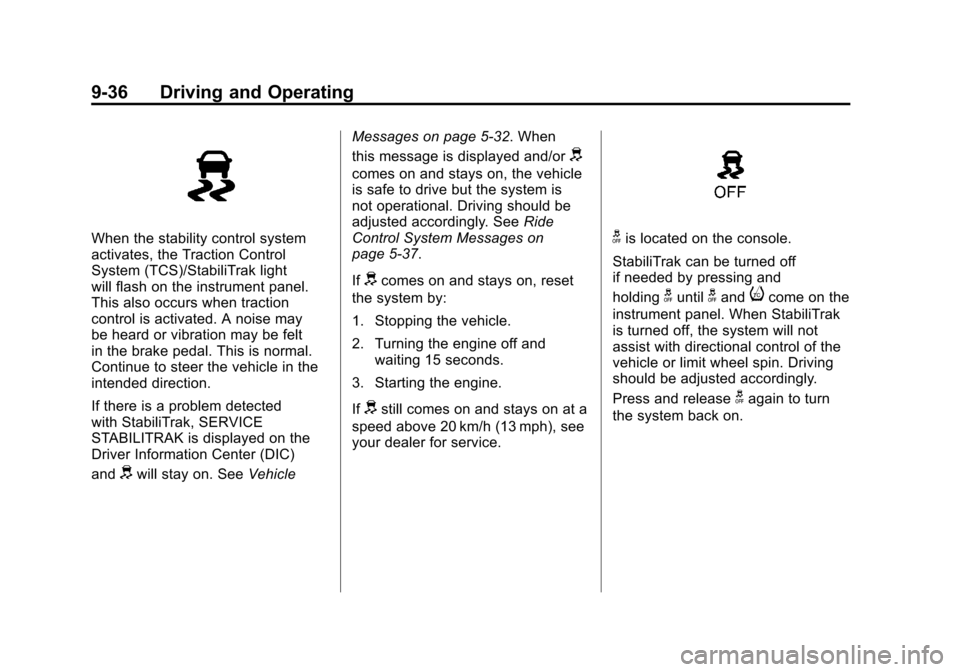
gis located on the console.
StabiliTrak can be turned off
if needed by pressing and
holding
guntilgandicome on the
instrument panel. When StabiliTrak
is turned off, the system will not
assist with directional control of the
vehicle or limit wheel spin. Driving
should be adjusted accordingly.
Press and release
gagain to turn
the system back on.