cruise control CADILLAC SRX 2011 2.G User Guide
[x] Cancel search | Manufacturer: CADILLAC, Model Year: 2011, Model line: SRX, Model: CADILLAC SRX 2011 2.GPages: 498, PDF Size: 7.62 MB
Page 277 of 498
Black plate (1,1)Cadillac SRX Owner Manual - 2011
Driving and Operating 9-1
Driving and
Operating
Driving Information
Defensive Driving . . . . . . . . . . . . . 9-2
Drunk Driving . . . . . . . . . . . . . . . . . 9-3
Control of a Vehicle . . . . . . . . . . . 9-3
Braking . . . . . . . . . . . . . . . . . . . . . . . 9-4
Steering . . . . . . . . . . . . . . . . . . . . . . . 9-5
Off-Road Recovery . . . . . . . . . . . . 9-6
Loss of Control . . . . . . . . . . . . . . . . 9-6
Driving on Wet Roads . . . . . . . . . 9-7
Highway Hypnosis . . . . . . . . . . . . 9-8
Hill and Mountain Roads . . . . . . 9-8
Winter Driving . . . . . . . . . . . . . . . . . 9-9
If the Vehicle is Stuck . . . . . . . . 9-11
Vehicle Load Limits . . . . . . . . . . 9-12
Starting and Operating
New Vehicle Break-In . . . . . . . . 9-17
Adjustable Throttle and BrakePedal . . . . . . . . . . . . . . . . . . . . . . . 9-17
Ignition Positions . . . . . . . . . . . . 9-18
Starting the Gasoline Engine . . . . . . . . . . . . . . . . . . . . . 9-19 Engine Heater . . . . . . . . . . . . . . . 9-21
Retained Accessory
Power (RAP) . . . . . . . . . . . . . . . 9-22
Shifting Into Park . . . . . . . . . . . . 9-22
Shifting Out of Park . . . . . . . . . . 9-24
Parking Over Things That Burn . . . . . . . . . . . . . . . . . . 9-24
Engine Exhaust
Engine Exhaust . . . . . . . . . . . . . . 9-24
Running the Vehicle WhileParked . . . . . . . . . . . . . . . . . . . . . 9-25
Automatic Transmission
Automatic Transmission . . . . . 9-26
Manual Mode . . . . . . . . . . . . . . . . 9-28
Fuel Economy Mode . . . . . . . . . 9-29
Drive Systems
All-Wheel Drive . . . . . . . . . . . . . . 9-30
Brakes
Antilock BrakeSystem (ABS) . . . . . . . . . . . . . . 9-30
Parking Brake . . . . . . . . . . . . . . . 9-31
Brake Assist . . . . . . . . . . . . . . . . . 9-33
Hill Start Assist (HSA) . . . . . . . 9-33
Ride Control Systems
Traction Control System (TCS) . . . . . . . . . . . . . . 9-34
StabiliTrak
®System . . . . . . . . . 9-35
Limited-Slip Rear Axle . . . . . . . 9-37
Selective Ride Control . . . . . . . 9-37
Cruise Control
Cruise Control . . . . . . . . . . . . . . . 9-38
Object Detection Systems
Ultrasonic Parking Assist . . . . 9-40
Rear Vision Camera (RVC) . . . . . . . . . . . . . 9-43
Fuel
Fuel . . . . . . . . . . . . . . . . . . . . . . . . . 9-47
Recommended Fuel . . . . . . . . . 9-47
Gasoline Specifications . . . . . . 9-48
California FuelRequirements . . . . . . . . . . . . . . 9-48
Fuels in Foreign Countries . . . 9-49
Fuel Additives . . . . . . . . . . . . . . . 9-49
Fuel E85 (85% Ethanol) . . . . . 9-50
Filling the Tank . . . . . . . . . . . . . . 9-52
Filling a Portable Fuel Container . . . . . . . . . . . . . . . . . . . 9-53
Page 284 of 498
Black plate (8,1)Cadillac SRX Owner Manual - 2011
9-8 Driving and Operating
Other Rainy Weather Tips
Besides slowing down, other wet
weather driving tips include:
.Allow extra following distance.
.Pass with caution.
.Keep windshield wiping
equipment in good shape.
.Keep the windshield washer fluid
reservoir filled.
.Have good tires with proper
tread depth. SeeTires on
page 10‑54.
.Turn off cruise control.
Highway Hypnosis
Always be alert and pay attention
to your surroundings while driving.
If you become tired or sleepy, find
a safe place to park the vehicle
and rest.
Other driving tips include:
.Keep the vehicle well ventilated.
.Keep interior temperature cool.
.Keep your eyes moving —scan
the road ahead and to the sides.
.Check the rearview mirror and
vehicle instruments often.
Hill and Mountain Roads
Driving on steep hills or through
mountains is different than driving
on flat or rolling terrain. Tips for
driving in these conditions include:
.Keep the vehicle serviced and in
good shape.
.Check all fluid levels and brakes,
tires, cooling system, and
transmission.
.Shift to a lower gear when going
down steep or long hills.
{WARNING
If you do not shift down, the
brakes could get so hot that they
would not work well. You would
then have poor braking or even
none going down a hill. You could
crash. Shift down to let the engine
assist the brakes on a steep
downhill slope.
Page 285 of 498
Black plate (9,1)Cadillac SRX Owner Manual - 2011
Driving and Operating 9-9
{WARNING
Coasting downhill in N (Neutral)
or with the ignition off is
dangerous. The brakes will
have to do all the work of slowing
down and they could get so hot
that they would not work well.
You would then have poor braking
or even none going down a hill.
You could crash. Always have the
engine running and the vehicle in
gear when going downhill.
.Stay in your own lane. Do not
swing wide or cut across the
center of the road. Drive at
speeds that let you stay in
your own lane.
.Top of hills: Be
alert—something could be in
your lane (stalled car, accident).
.Pay attention to special road
signs (falling rocks area, winding
roads, long grades, passing or
no-passing zones) and take
appropriate action.
Winter Driving
Driving on Snow or Ice
Drive carefully when there is snow
or ice between the tires and the
road, creating less traction or grip.
Wet ice can occur at about 0°C
(32°F) when freezing rain begins to
fall, resulting in even less traction.
Avoid driving on wet ice or in
freezing rain until roads can be
treated with salt or sand.
Drive with caution, whatever the
condition. Accelerate gently so
traction is not lost. Accelerating too
quickly causes the wheels to spin
and makes the surface under the
tires slick, so there is even less
traction. Try not to break the fragile traction.
If you accelerate too fast, the drive
wheels will spin and polish the
surface under the tires even more.
The
Antilock Brake System (ABS)
on page 9‑30 improves vehicle
stability during hard stops on
slippery roads, but apply the brakes
sooner than when on dry pavement.
Allow greater following distance on
any slippery road and watch for
slippery spots. Icy patches can
occur on otherwise clear roads in
shaded areas. The surface of a
curve or an overpass can remain
icy when the surrounding roads
are clear. Avoid sudden steering
maneuvers and braking while
on ice.
Turn off cruise control, if equipped,
on slippery surfaces.
Page 294 of 498
Black plate (18,1)Cadillac SRX Owner Manual - 2011
9-18 Driving and Operating
Adjust the throttle and brake pedals
while the vehicle is in P (Park)
without pressing on the pedals.
The pedals cannot be adjusted
while the vehicle is in R (Reverse)
or when cruise control is engaged.
The throttle and brake pedals can
also be adjusted while driving.
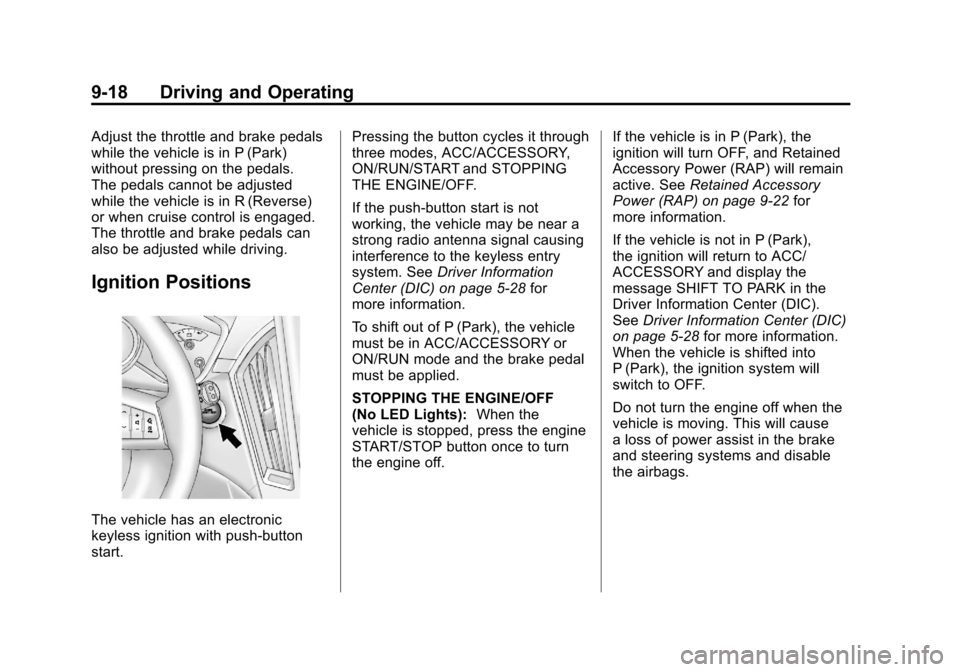
Ignition Positions
The vehicle has an electronic
keyless ignition with push‐button
start.Pressing the button cycles it through
three modes, ACC/ACCESSORY,
ON/RUN/START and STOPPING
THE ENGINE/OFF.
If the push-button start is not
working, the vehicle may be near a
strong radio antenna signal causing
interference to the keyless entry
system. See
Driver Information
Center (DIC) on page 5‑28 for
more information.
To shift out of P (Park), the vehicle
must be in ACC/ACCESSORY or
ON/RUN mode and the brake pedal
must be applied.
STOPPING THE ENGINE/OFF
(No LED Lights): When the
vehicle is stopped, press the engine
START/STOP button once to turn
the engine off. If the vehicle is in P (Park), the
ignition will turn OFF, and Retained
Accessory Power (RAP) will remain
active. See
Retained Accessory
Power (RAP) on page 9‑22 for
more information.
If the vehicle is not in P (Park),
the ignition will return to ACC/
ACCESSORY and display the
message SHIFT TO PARK in the
Driver Information Center (DIC).
See Driver Information Center (DIC)
on page 5‑28 for more information.
When the vehicle is shifted into
P (Park), the ignition system will
switch to OFF.
Do not turn the engine off when the
vehicle is moving. This will cause
a loss of power assist in the brake
and steering systems and disable
the airbags.
Page 311 of 498
Black plate (35,1)Cadillac SRX Owner Manual - 2011
Driving and Operating 9-35
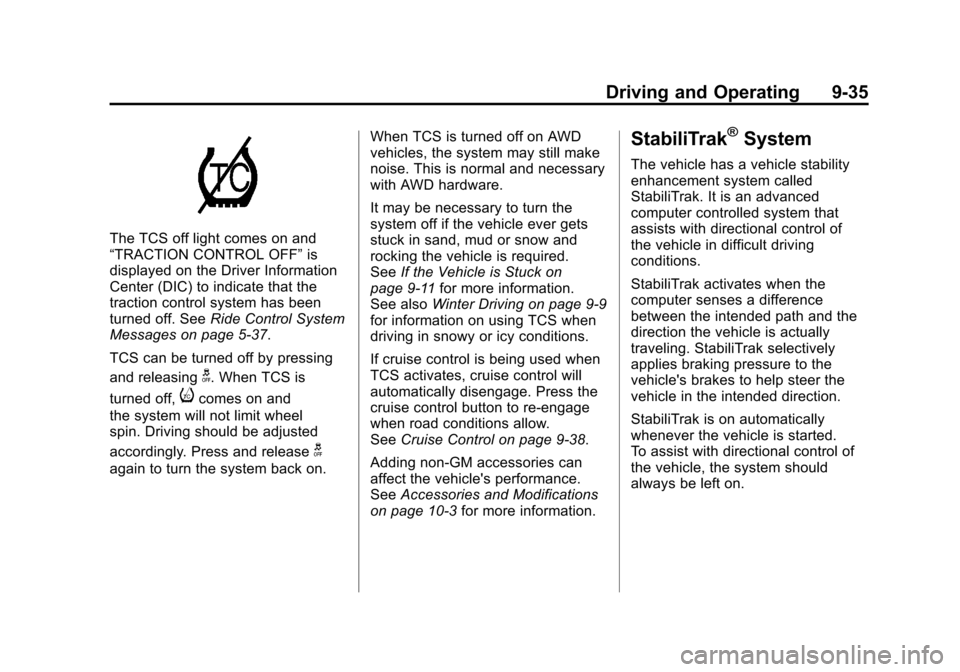
The TCS off light comes on and
“TRACTION CONTROL OFF”is
displayed on the Driver Information
Center (DIC) to indicate that the
traction control system has been
turned off. See Ride Control System
Messages on page 5‑37.
TCS can be turned off by pressing
and releasing
g. When TCS is
turned off,
icomes on and
the system will not limit wheel
spin. Driving should be adjusted
accordingly. Press and release
g
again to turn the system back on. When TCS is turned off on AWD
vehicles, the system may still make
noise. This is normal and necessary
with AWD hardware.
It may be necessary to turn the
system off if the vehicle ever gets
stuck in sand, mud or snow and
rocking the vehicle is required.
See
If the Vehicle is Stuck on
page 9‑11 for more information.
See also Winter Driving on page 9‑9
for information on using TCS when
driving in snowy or icy conditions.
If cruise control is being used when
TCS activates, cruise control will
automatically disengage. Press the
cruise control button to re‐engage
when road conditions allow.
See Cruise Control on page 9‑38.
Adding non‐GM accessories can
affect the vehicle's performance.
See Accessories and Modifications
on page 10‑3 for more information.
StabiliTrak®System
The vehicle has a vehicle stability
enhancement system called
StabiliTrak. It is an advanced
computer controlled system that
assists with directional control of
the vehicle in difficult driving
conditions.
StabiliTrak activates when the
computer senses a difference
between the intended path and the
direction the vehicle is actually
traveling. StabiliTrak selectively
applies braking pressure to the
vehicle's brakes to help steer the
vehicle in the intended direction.
StabiliTrak is on automatically
whenever the vehicle is started.
To assist with directional control of
the vehicle, the system should
always be left on.
Page 313 of 498
Black plate (37,1)Cadillac SRX Owner Manual - 2011
Driving and Operating 9-37
If cruise control is being used when
StabiliTrak activates, the cruise
control will automatically disengage.
Press the cruise control button to
reengage when road conditions
allow. SeeCruise Control on
page 9‑38 for more information.
Limited-Slip Rear Axle
Vehicles with a limited-slip rear axle
can give more traction on snow,
mud, ice, sand, or gravel. When
traction is low, this feature allows
the drive wheel with the most
traction to move the vehicle.
The limited-slip rear axle also gives
the driver enhanced control when
cornering hard or completing a
maneuver, such as a lane change.
Selective Ride Control
The vehicle may have a ride
control system called Selective
Ride Control. The setting can be
changed at any time. Based on road
conditions, steering wheel angle
and the vehicle speed, the system
automatically adjusts to provide the
best handling while providing a
smooth ride. The Tour and Sport
modes will feel similar on a
smooth road.
To switch from TOUR to SPORT
mode, move the shift lever to the
left while the transmission is in
D (Drive).
TOUR:Use for normal city and
highway driving. This setting
provides a smooth, soft ride. SPORT:
Use where road conditions
or personal preference demand
more control. This setting provides
more “feel”, or response to road
conditions through increased
steering effort and suspension
control. Transmission shift
points and shift firmness are
also enhanced. See Manual
Mode on page 9‑28 in Automatic
Transmission.
If there is a problem detected with
Selective Ride Control, “SERVICE
SUSPENSION SYSTEM” displays
on the Driver Information Center
(DIC). See Ride Control System
Messages on page 5‑37. Driving
should be adjusted accordingly.
Page 314 of 498
Black plate (38,1)Cadillac SRX Owner Manual - 2011
9-38 Driving and Operating
Cruise Control
{WARNING
Cruise control can be dangerous
where you cannot drive safely at
a steady speed. So, do not use
the cruise control on winding
roads or in heavy traffic.
Cruise control can be dangerous
on slippery roads. On such roads,
fast changes in tire traction can
cause excessive wheel slip, and
you could lose control. Do not use
cruise control on slippery roads.
With cruise control, a speed of
about 40 km/h (25 mph) or more can
be maintained without keeping your
foot on the accelerator. Cruise
control does not work at speeds
below about 40 km/h (25 mph).
If the brakes are applied, the cruise
control shuts off. If the vehicle has the StabiliTrak
®
system and begins to limit wheel
spin while using cruise control,
the cruise control automatically
disengages. See
StabiliTrak
®
System on page 9‑35 orTraction
Control System (TCS) on
page 9‑34. When road conditions
allow the cruise control to be safely
used, you can apply the cruise
control again.
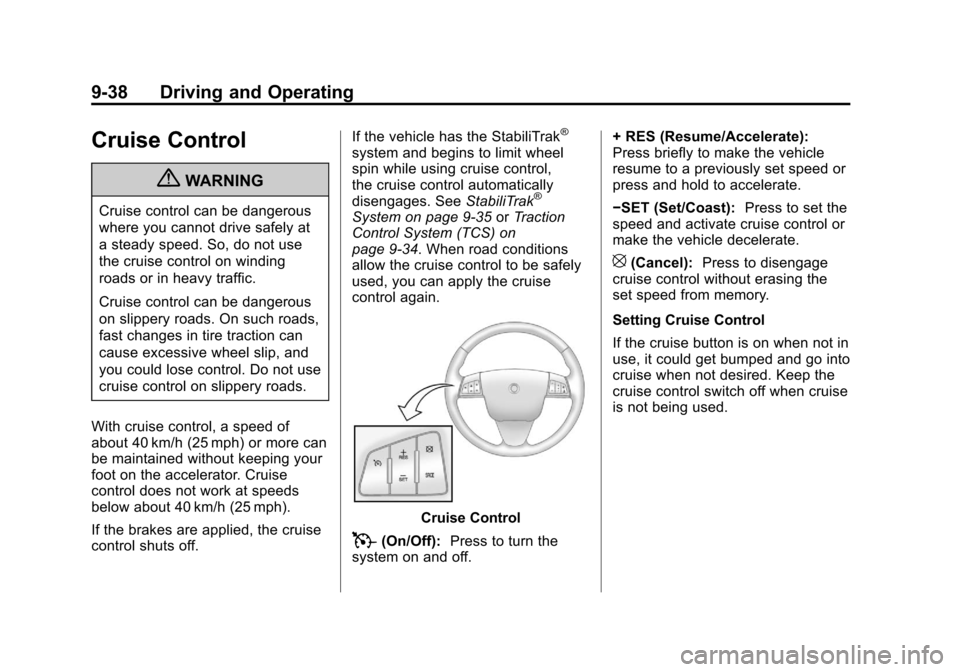
Cruise Control
T(On/Off): Press to turn the
system on and off. + RES (Resume/Accelerate):
Press briefly to make the vehicle
resume to a previously set speed or
press and hold to accelerate.
−SET (Set/Coast):
Press to set the
speed and activate cruise control or
make the vehicle decelerate.
[(Cancel): Press to disengage
cruise control without erasing the
set speed from memory.
Setting Cruise Control
If the cruise button is on when not in
use, it could get bumped and go into
cruise when not desired. Keep the
cruise control switch off when cruise
is not being used.
Page 315 of 498
Black plate (39,1)Cadillac SRX Owner Manual - 2011
Driving and Operating 9-39
The cruise control light on the
instrument panel cluster comes on
after the cruise control has been set
to the desired speed.
1. Press
T.
2. Get up to the desired speed.
3. Press and release the −SET
button located on the steering
wheel.
4. Take your foot off the accelerator.
Resuming a Set Speed
If the cruise control is set at a
desired speed and then the brakes
are applied, the cruise control is
disengaged without erasing the
set speed from memory.
Once the vehicle speed reaches
about 40 km/h (25 mph) or more,
press the +RES button on the
steering wheel. The vehicle returns
to the previous set speed and stays
there. Increasing Speed While Cruise
Control is at a Set Speed
If the cruise control system is
already activated,.Press and hold the +RES button
on the steering wheel until the
desired speed is reached, then
release it.
.To increase vehicle speed in
small amounts, press the +RES
button. Each time this is done,
the vehicle goes about 1.6 km/h
(1 mph) faster.
Reducing Speed While Cruise
Control is at a Set Speed
If the cruise control system is
already activated,
.Press and hold the −SET button
on the steering wheel until the
desired lower speed is reached,
then release it.
.To slow down in small amounts,
press the −SET button on the
steering wheel briefly. Each time
this is done, the vehicle goes
about 1.6 km/h (1 mph) slower.
Passing Another Vehicle While
Using Cruise Control
Use the accelerator pedal to
increase the vehicle speed. When
you take your foot off the pedal,
the vehicle will slow down to the
previous set cruise speed.
Using Cruise Control on Hills
How well the cruise control will work
on hills depends upon the vehicle
speed, load, and the steepness
of the hills. When going up steep
hills, you might have to step on
the accelerator pedal to maintain
the vehicle speed. When going
downhill, you might have to brake
or shift to a lower gear to keep the
vehicle speed down. If the brake
is applied the cruise control
disengages.
Page 316 of 498
Black plate (40,1)Cadillac SRX Owner Manual - 2011
9-40 Driving and Operating
Ending Cruise Control
There are three ways to end cruise
control:
.Step lightly on the brake pedal.
.Press the[button on the
steering wheel.
.Press theTbutton on the
steering wheel.
Erasing Speed Memory
The cruise control set speed is
erased from memory by pressing
the
Tbutton or if the ignition is
turned off.
Object Detection
Systems
Ultrasonic Parking Assist
For vehicles with the Ultrasonic
Front and Rear Parking Assist
(UFRPA) system, it assists the
driver with parking and avoiding
objects. UFRPA operates at speeds
less than 8 km/h (5 mph), and the
sensors on the front and rear
bumper detect objects up to 1.2 m
(4 ft) in front of the vehicle and 2.5 m
(8 ft) behind the vehicle, and at least
25.4 cm (10 in) off the ground.
{WARNING
The Ultrasonic Front and Rear
Park Assist (UFRPA) system
does not replace driver vision.
It cannot detect:
.objects that are below the
bumper, underneath the
vehicle, or if they are too
close or far from the vehicle
.children, pedestrians,
bicyclists, or pets.
If you do not use proper care
before moving forward and while
backing; vehicle damage, injury,
or death could occur. Even with
UFRPA, always check in front of
the vehicle before moving forward
and behind the vehicle before
backing up. While moving forward
and backing, be sure to look for
objects and check the vehicle's
mirrors.
Page 487 of 498

Black plate (3,1)Cadillac SRX Owner Manual - 2011
INDEX i-3
CDDVD Player . . . . . . . . . . . . . . . . . . . 7-22
CD Player . . . . . . . . . . . . . . . . . . . . . 7-20
Center Console Storage . . . . . . . . 4-2
Chains, Tire . . . . . . . . . . . . . . . . . . 10-76
Charging System Light . . . . . . . . 5-19
Check Engine Light . . . . . . . . . . . . . . . . . . 5-19
IgnitionTransmission Lock . . . . . . . . 10-30
Child Restraints
Infants and YoungChildren . . . . . . . . . . . . . . . . . . . . . 3-49
Lower Anchors and Tethers for Children . . . . . . . . . 3-56
Older Children . . . . . . . . . . . . . . . . 3-47
Securing . . . . . . . . . . . . . . . . 3-64, 3-66
Systems . . . . . . . . . . . . . . . . . . . . . . 3-51
Cigarette Lighter . . . . . . . . . . . . . . . . 5-9
Circuit Breakers . . . . . . . . . . . . . . 10-46 Cleaning
Exterior Care . . . . . . . . . . . . . . 10-101
Interior Care . . . . . . . . . . . . . . . 10-106
Climate Control Systems Dual Automatic . . . . . . . . . . . . . . . . 8-1
Rear . . . . . . . . . . . . . . . . . . . . . . . . . . . 8-5
Clock . . . . . . . . . . . . . . . . . . . . . . . 5-7, 5-8
Cluster, IP . . . . . . . . . . . . . . . . . . . . . 5-11
Collision Damage Repair . . . . . 13-13
Compact Spare Tire . . . . . . . . . . 10-93
Compass . . . . . . . . . . . . . . . . . . . . . . . 5-7
Compass Messages . . . . . . . . . . . 5-34
Compressor Kit, Tire
Sealant . . . . . . . . . . . . . . . . . . . . . . 10-79
Control of a Vehicle . . . . . . . . . . . . . 9-3
Convenience Net . . . . . . . . . . . . . . 4-10
Convex Mirrors . . . . . . . . . . . . . . . . 2-21
Coolant Engine . . . . . . . . . . . . . . . . . . . . . . 10-19
Engine TemperatureGauge . . . . . . . . . . . . . . . . . . . . . . 5-15 Cooling System . . . . . . . . . . . . . . . 10-18
Engine Messages . . . . . . . . . . . . 5-34
Courtesy Lamps . . . . . . . . . . . . . . . . 6-6
Courtesy Transportation Program . . . . . . . . . . . . . . . . . . . . . 13-11
Covers Cargo . . . . . . . . . . . . . . . . . . . . . . . . . . 4-3
Engine . . . . . . . . . . . . . . . . . . . . . . . . 10-9
Cruise Control . . . . . . . . . . . . . . . . . 9-38 Light . . . . . . . . . . . . . . . . . . . . . . . . . . 5-28
Messages . . . . . . . . . . . . . . . . . . . . 5-34
Cupholders . . . . . . . . . . . . . . . . . . . . . 4-2
Customer Assistance . . . . . . . . . . 13-6 Text Telephone (TTY)Users . . . . . . . . . . . . . . . . . . . . . . . 13-6
Customer Assistance
Offices . . . . . . . . . . . . . . . . . . . . . . . 13-5
Customer Information Service PublicationsOrdering Information . . . . . . 13-15
Customer Satisfaction
Procedure . . . . . . . . . . . . . . 13-1, 13-3