light CADILLAC SRX 2011 2.G User Guide
[x] Cancel search | Manufacturer: CADILLAC, Model Year: 2011, Model line: SRX, Model: CADILLAC SRX 2011 2.GPages: 498, PDF Size: 7.62 MB
Page 47 of 498
Black plate (13,1)Cadillac SRX Owner Manual - 2011
Keys, Doors and Windows 2-13
Lockout Deterrent
Lockout deterrent decreases the
chances that the keys may be
accidentally locked in the vehicle.
When door locking is requested
by pressing
Qon the instrument
panel or
Qon the keyless access
transmitter and the driver door is
open, all doors will lock and the
driver door will immediately unlock.
The driver door must be closed
when
Qis pressed for all doors
to remain locked.
This feature can be programmed
to provide the lockout deterrent
feature only when the ignition
mode is ACC/ACCESSORY, or
ON/RUN/START. See “Power Door
Locks” inVehicle Personalization on
page 5‑40.
Delayed Locking
When this feature is enabled and
the doors are locked with the power
lock switch on the instrument panel,
three chimes sound to signal that
the delayed locking feature is in
use. All doors lock five seconds
after the last door is closed.
When the delayed locking
feature is in use, pressing
Qon
the instrument panel or
Qon the
keyless access transmitter will
override the feature and lock all
doors immediately.
This feature can be programmed by
using the Driver Information Center
(DIC). See “Delayed Door Lock”
in Vehicle Personalization on
page 5‑40. The delayed locking
feature is only available if “Unlocked
Door Anti-Lockout” is disabled.
Safety Locks
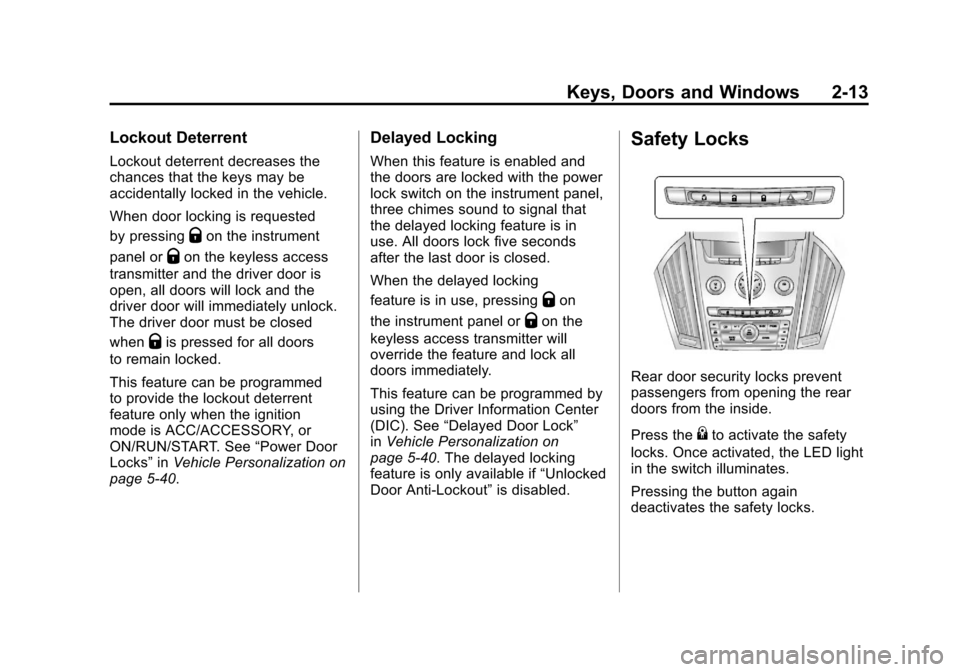
Rear door security locks prevent
passengers from opening the rear
doors from the inside.
Press the
{to activate the safety
locks. Once activated, the LED light
in the switch illuminates.
Pressing the button again
deactivates the safety locks.
Page 53 of 498
Black plate (19,1)Cadillac SRX Owner Manual - 2011
Keys, Doors and Windows 2-19
Vehicle Security
This vehicle has theft-deterrent
features; however, they do not make
it impossible to steal.
Anti-Theft Alarm System
This vehicle has an anti-theft alarm
system.
The LED light, located on
the instrument panel near the
windshield, indicates the status
of the system.
Arming the System
To arm the system,
1. Close all doors, liftgateand hood.
2. Lock the vehicle using the transmitter, or the power door
lock button. The LED on the
instrument panel should come
on and stay on for about
30 seconds.
3. After 30 seconds, the alarm system will arm, and the
LED will begin to slowly flash
indicating the alarm is operating. If a door, the hood, or liftgate is
opened without first unlocking with
the transmitter, the vehicle’s turn
signals will flash and the horn
will sound for about 30 seconds.
The alarm system will then re-arm
to monitor for the next unauthorized
event.
The theft-deterrent alarm system will
not activate if the doors are locked
with the vehicle's key. You can
start the vehicle with a recognized
transmitter in the vehicle if the alarm
has been set off.
Page 54 of 498
Black plate (20,1)Cadillac SRX Owner Manual - 2011
2-20 Keys, Doors and Windows
Disarming the System
To disarm the system, either
unlock the doors using the
transmitter, or start the vehicle
with a recognized transmitter in
the vehicle.
To avoid setting off the alarm by
accident:
.Lock the vehicle with the
transmitter after all occupants
have left the vehicle and all
doors are closed.
.Always unlock a door with the
transmitter. Unlocking a door any
other way will not disarm the
alarm.
If you set off the alarm by accident,
turn off the alarm by pressing the
unlock button on the transmitter.
The alarm will not stop if you try
to unlock a door any other way.
How to Detect a Tamper
Condition
IfKis pressed and the horn chirps
three times, an attempted break-in
has occurred while the system was
armed.
If the alarm has been activated,
the “Theft Attempted” message will
appear on the DIC. See Key and
Lock Messages on page 5‑36 for
additional information.
Immobilizer
See Radio Frequency
Statement on page 13‑20 for
information regarding Part 15
of the Federal Communications
Commission (FCC) rules and
Industry Canada Standards
RSS-210/220/310.
Immobilizer Operation
This vehicle has a passive
theft-deterrent system.
The system does not have to be
manually armed or disarmed.
The vehicle is automatically
immobilized when the vehicle
is turned off.
The immobilization system is
disarmed when the pushbutton
start is activated to enter the
ACC/ACCESSORY mode or the
ON/RUN/START mode and a valid
transmitter is present in the vehicle.
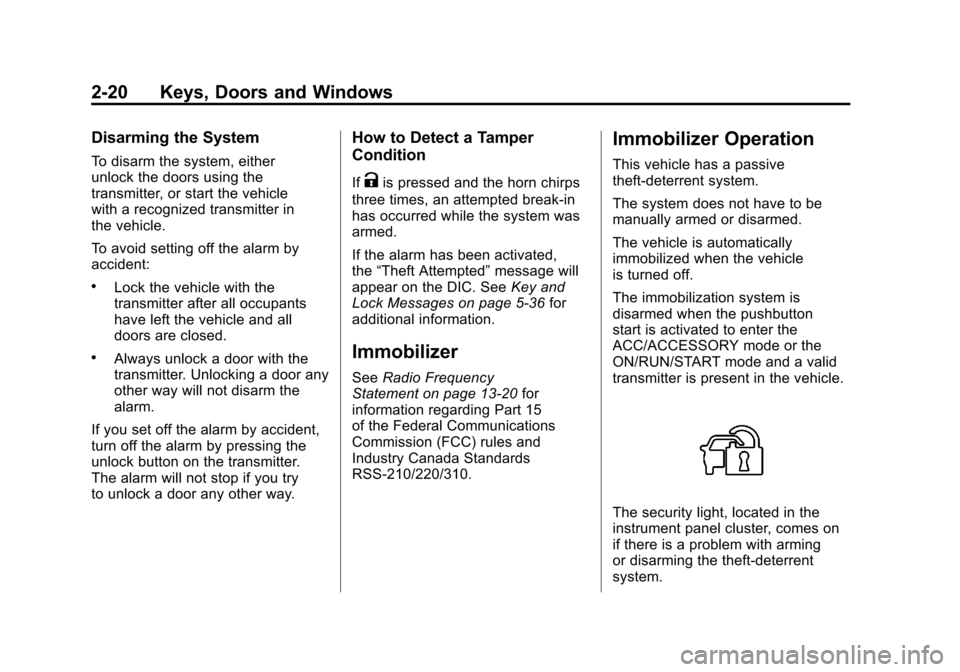
The security light, located in the
instrument panel cluster, comes on
if there is a problem with arming
or disarming the theft-deterrent
system.
Page 55 of 498
Black plate (21,1)Cadillac SRX Owner Manual - 2011
Keys, Doors and Windows 2-21
The system has one or more
keyless entry transmitters that are
matched to an immobilizer control
unit in your vehicle. Only a correctly
matched keyless entry transmitter
will start the vehicle. If the keyless
entry transmitter is ever damaged,
you may not be able to start your
vehicle.
When trying to start the vehicle, the
security light comes on briefly when
the ignition is turned on.
If the engine does not start and
the security light stays on there is a
problem with the system. Turn the
ignition off and try again.
If the vehicle will not change
ignition modes (ACC/ACCESSORY,
ON/RUN/START, OFF), and the
keyless entry transmitter appears to
be undamaged, try another keyless
entry transmitter. Or, you may
try placing the transmitter in the
transmitter pocket located in the
center console. See“No Remote
Detected” underKey and Lock
Messages on page 5‑36. If the ignition modes will not
change with the other transmitter,
your vehicle needs service. If the
ignition does change modes, the
first transmitter may be faulty.
See your dealer who can service
the theft-deterrent system and have
a new keyless entry transmitter
programmed to the vehicle.
It is possible for the immobilizer
system to learn new or replacement
keyless entry transmitters. Up to
eight keyless entry transmitters
can be programmed for the vehicle.
To program additional transmitters,
see
“Programming Transmitters
to the Vehicle” Remote Keyless
Entry (RKE) System Operation on
page 2‑4.
Do not leave the key or device that
disarms or deactivates the theft
deterrent system in the vehicle.Exterior Mirrors
Convex Mirrors
{WARNING
A convex mirror can make things,
like other vehicles, look farther
away than they really are. If you
cut too sharply into the right lane,
you could hit a vehicle on the
right. Check the inside mirror or
glance over your shoulder before
changing lanes.
The passenger side mirror is convex
shaped. A convex mirror's surface is
curved so more can be seen from
the driver seat.
Page 58 of 498
Black plate (24,1)Cadillac SRX Owner Manual - 2011
2-24 Keys, Doors and Windows
Automatic Dimming
Rearview Mirror
The vehicle may have an automatic
dimming inside rearview mirror.
Automatic dimming reduces the
glare from the headlamps of the
vehicle behind you. The dimming
feature and the indicator light come
on each time the vehicle is started.
Vehicles with OnStar
®have three
additional control buttons located at
the bottom of the mirror. See your
dealer for more information about
OnStar and how to subscribe to it.
See the OnStar Owner's Guide for
more information about the services
OnStar provides.
Cleaning the Mirror
Do not spray glass cleaner directly
on the mirror. Use a soft towel
dampened with water.
Windows
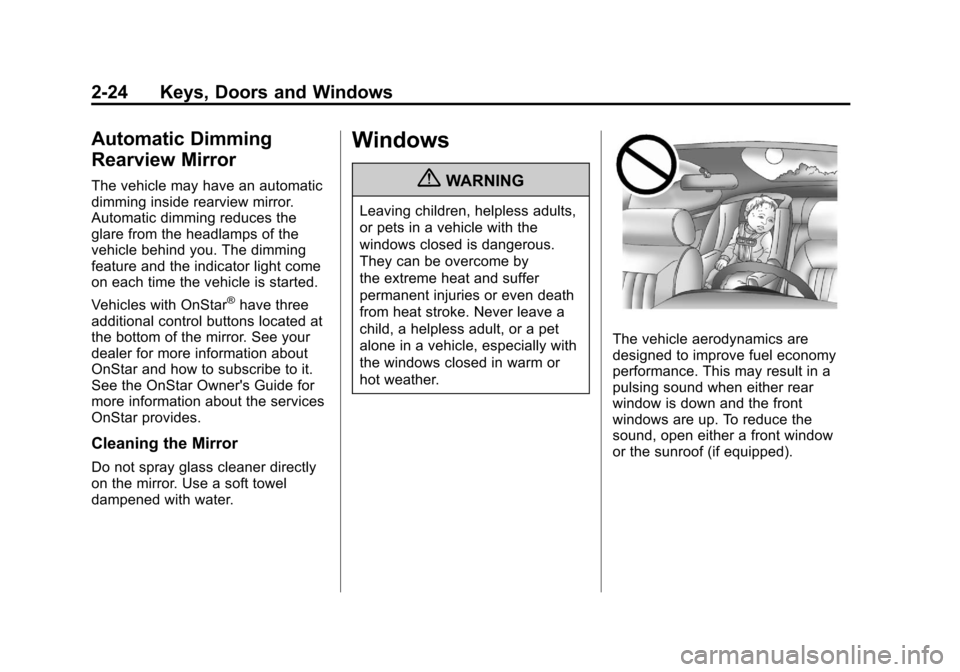
{WARNING
Leaving children, helpless adults,
or pets in a vehicle with the
windows closed is dangerous.
They can be overcome by
the extreme heat and suffer
permanent injuries or even death
from heat stroke. Never leave a
child, a helpless adult, or a pet
alone in a vehicle, especially with
the windows closed in warm or
hot weather.
The vehicle aerodynamics are
designed to improve fuel economy
performance. This may result in a
pulsing sound when either rear
window is down and the front
windows are up. To reduce the
sound, open either a front window
or the sunroof (if equipped).
Page 61 of 498
Black plate (27,1)Cadillac SRX Owner Manual - 2011
Keys, Doors and Windows 2-27
If conditions prevent the window
from closing and the window
continues to auto-reverse, it is
possible to close the window with
the ignition in ON/RUN/START by
holding the window switch in the
partially or fully pulled up position.
Release of the switch from the
partially pulled up position will
cause the window to stop. Release
of the switch from the fully pulled up
position will activate the express-up
and related obstacle detection
features.
Overload
If the windows are repeatedly
operated within a short time, the
window operation is disabled for a
short time.
Window Lockout
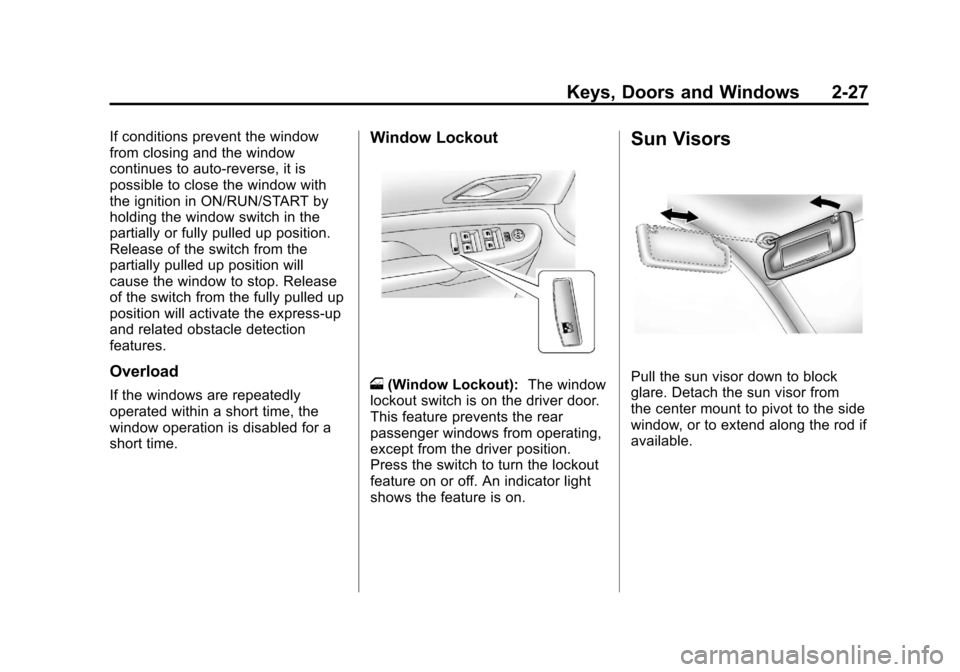
o(Window Lockout): The window
lockout switch is on the driver door.
This feature prevents the rear
passenger windows from operating,
except from the driver position.
Press the switch to turn the lockout
feature on or off. An indicator light
shows the feature is on.
Sun Visors
Pull the sun visor down to block
glare. Detach the sun visor from
the center mount to pivot to the side
window, or to extend along the rod if
available.
Page 74 of 498
Black plate (10,1)Cadillac SRX Owner Manual - 2011
3-10 Seats and Restraints
Heated Front Seats
{WARNING
If you cannot feel temperature
change or pain to the skin, the
seat heater may cause burns
even at low temperatures.
To reduce the risk of burns,
people with such a condition
should use care when using
the seat heater, especially for
long periods of time. Do not
place anything on the seat that
insulates against heat, such as
a blanket, cushion, cover or
similar item. This may cause
the seat heater to overheat.
An overheated seat heater may
cause a burn or may damage
the seat.
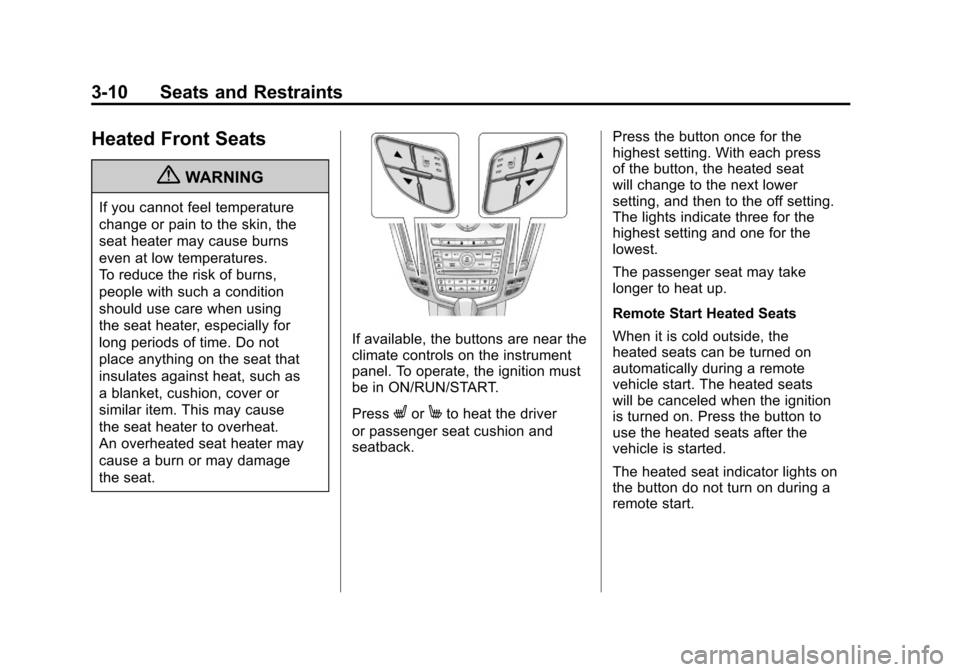
If available, the buttons are near the
climate controls on the instrument
panel. To operate, the ignition must
be in ON/RUN/START.
Press
LorMto heat the driver
or passenger seat cushion and
seatback. Press the button once for the
highest setting. With each press
of the button, the heated seat
will change to the next lower
setting, and then to the off setting.
The lights indicate three for the
highest setting and one for the
lowest.
The passenger seat may take
longer to heat up.
Remote Start Heated Seats
When it is cold outside, the
heated seats can be turned on
automatically during a remote
vehicle start. The heated seats
will be canceled when the ignition
is turned on. Press the button to
use the heated seats after the
vehicle is started.
The heated seat indicator lights on
the button do not turn on during a
remote start.
Page 75 of 498
Black plate (11,1)Cadillac SRX Owner Manual - 2011
Seats and Restraints 3-11
The temperature performance of an
unoccupied seat may be reduced.
This is normal.
The heated seats will not turn on
during a remote start unless the
heated seat feature is enabled in
the vehicle personalization menu.
SeeRemote Vehicle Start on
page 2‑10 and“Remote Start
Auto Heated Seats” underVehicle
Personalization on page 5‑40 for
more information.
Heated and Ventilated
Front Seats
{WARNING
If you cannot feel temperature
change or pain to the skin,
the seat heater may cause
burns even at low temperatures.
See the Warning under Heated
Front Seats on page 3‑10.
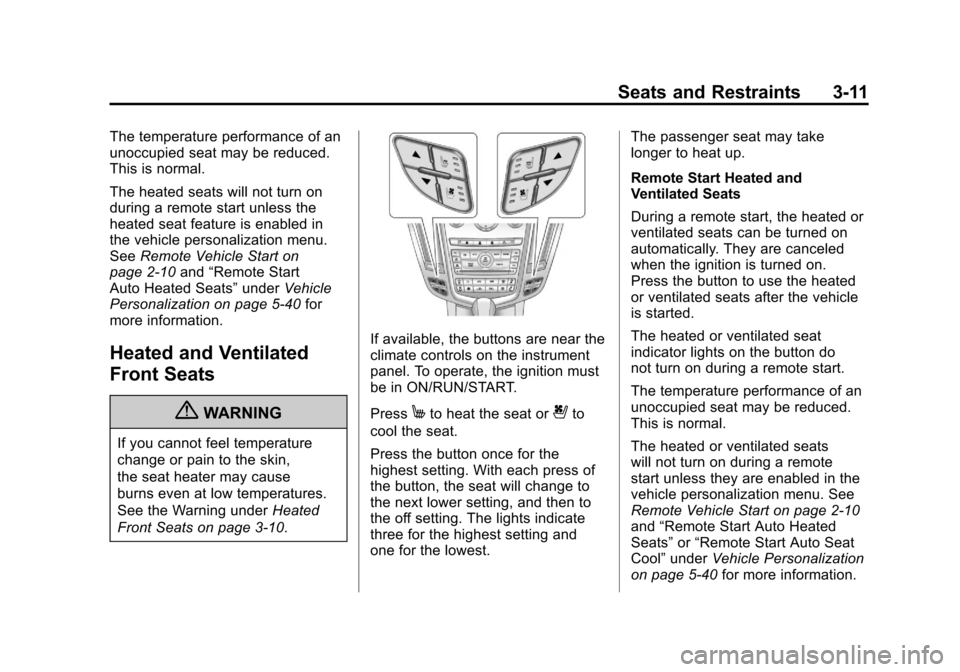
If available, the buttons are near the
climate controls on the instrument
panel. To operate, the ignition must
be in ON/RUN/START.
Press
Mto heat the seat or{to
cool the seat.
Press the button once for the
highest setting. With each press of
the button, the seat will change to
the next lower setting, and then to
the off setting. The lights indicate
three for the highest setting and
one for the lowest. The passenger seat may take
longer to heat up.
Remote Start Heated and
Ventilated Seats
During a remote start, the heated or
ventilated seats can be turned on
automatically. They are canceled
when the ignition is turned on.
Press the button to use the heated
or ventilated seats after the vehicle
is started.
The heated or ventilated seat
indicator lights on the button do
not turn on during a remote start.
The temperature performance of an
unoccupied seat may be reduced.
This is normal.
The heated or ventilated seats
will not turn on during a remote
start unless they are enabled in the
vehicle personalization menu. See
Remote Vehicle Start on page 2‑10
and
“Remote Start Auto Heated
Seats” or“Remote Start Auto Seat
Cool” under Vehicle Personalization
on page 5‑40 for more information.
Page 77 of 498
Black plate (13,1)Cadillac SRX Owner Manual - 2011
Seats and Restraints 3-13
To raise the seatback:
1. Lift the lever on top of theseatback. Raise the seatback
and release the lever. The rear
seatback lock indicator (A)
extends when the seatback is
unlocked.
2. Push the seatback rearward until it locks in the upright
position. The rear seatback lock
indicator (A) retracts when the
seatback is locked in place.
3. Make sure the rear safety belts are not twisted or caught
between the seat cushion and
the seatback.
Reclining the Seatbacks
To recline the seatback:
1. Lift and hold the lever on top ofthe seatback. The rear seatback
lock indicator (A) extends when
the seatback is unlocked. 2. Tilt the seatback rearward, and
then release the lever when
the seatback is in the desired
position. The rear seatback lock
indicator (A) retracts when the
seatback is locked in place.
Heated Rear Seats
{WARNING
If you cannot feel temperature
change or pain to the skin,
the seat heater may cause
burns even at low temperatures.
See the Warning under Heated
Front Seats on page 3‑10.
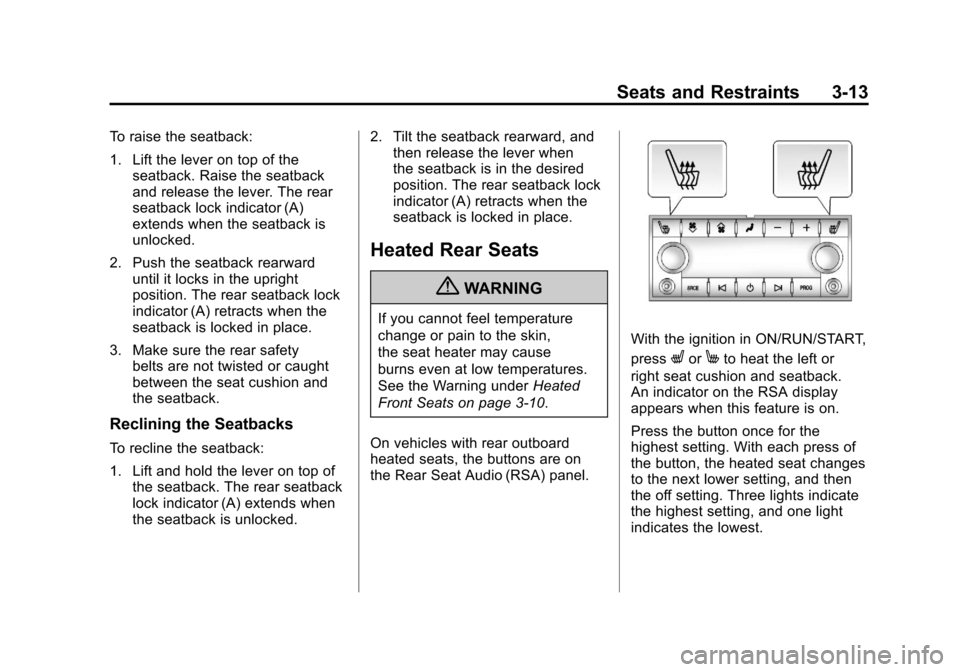
On vehicles with rear outboard
heated seats, the buttons are on
the Rear Seat Audio (RSA) panel.
With the ignition in ON/RUN/START,
press
LorMto heat the left or
right seat cushion and seatback.
An indicator on the RSA display
appears when this feature is on.
Press the button once for the
highest setting. With each press of
the button, the heated seat changes
to the next lower setting, and then
the off setting. Three lights indicate
the highest setting, and one light
indicates the lowest.
Page 88 of 498
Black plate (24,1)Cadillac SRX Owner Manual - 2011
3-24 Seats and Restraints
Lap-Shoulder Belt
All seating positions in the vehicle
have a lap-shoulder belt.
The following instructions explain
how to wear a lap-shoulder belt
properly.
1. Adjust the seat, if the seat isadjustable, so you can sit up
straight. To see how, see “Seats”
in the Index.
2. Pick up the latch plate and pull the belt across you. Do not let it
get twisted.
The lap-shoulder belt may lock if
you pull the belt across you very
quickly. If this happens, let the
belt go back slightly to unlock it.
Then pull the belt across you
more slowly.
If the shoulder portion of a
passenger belt is pulled out
all the way, the child restraint
locking feature may be engaged.
If this happens, let the belt go
back all the way and start again.
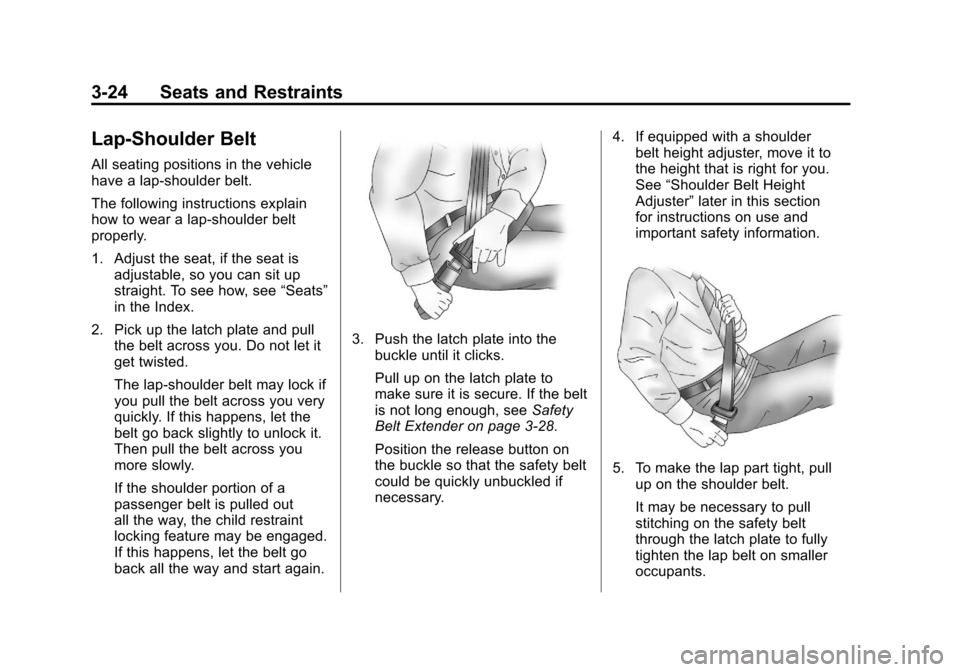
3. Push the latch plate into the
buckle until it clicks.
Pull up on the latch plate to
make sure it is secure. If the belt
is not long enough, see Safety
Belt Extender on page 3‑28.
Position the release button on
the buckle so that the safety belt
could be quickly unbuckled if
necessary. 4. If equipped with a shoulder
belt height adjuster, move it to
the height that is right for you.
See “Shoulder Belt Height
Adjuster” later in this section
for instructions on use and
important safety information.
5. To make the lap part tight, pull
up on the shoulder belt.
It may be necessary to pull
stitching on the safety belt
through the latch plate to fully
tighten the lap belt on smaller
occupants.