brake light CADILLAC SRX 2011 2.G Owner's Manual
[x] Cancel search | Manufacturer: CADILLAC, Model Year: 2011, Model line: SRX, Model: CADILLAC SRX 2011 2.GPages: 498, PDF Size: 7.62 MB
Page 315 of 498
Black plate (39,1)Cadillac SRX Owner Manual - 2011
Driving and Operating 9-39
The cruise control light on the
instrument panel cluster comes on
after the cruise control has been set
to the desired speed.
1. Press
T.
2. Get up to the desired speed.
3. Press and release the −SET
button located on the steering
wheel.
4. Take your foot off the accelerator.
Resuming a Set Speed
If the cruise control is set at a
desired speed and then the brakes
are applied, the cruise control is
disengaged without erasing the
set speed from memory.
Once the vehicle speed reaches
about 40 km/h (25 mph) or more,
press the +RES button on the
steering wheel. The vehicle returns
to the previous set speed and stays
there. Increasing Speed While Cruise
Control is at a Set Speed
If the cruise control system is
already activated,.Press and hold the +RES button
on the steering wheel until the
desired speed is reached, then
release it.
.To increase vehicle speed in
small amounts, press the +RES
button. Each time this is done,
the vehicle goes about 1.6 km/h
(1 mph) faster.
Reducing Speed While Cruise
Control is at a Set Speed
If the cruise control system is
already activated,
.Press and hold the −SET button
on the steering wheel until the
desired lower speed is reached,
then release it.
.To slow down in small amounts,
press the −SET button on the
steering wheel briefly. Each time
this is done, the vehicle goes
about 1.6 km/h (1 mph) slower.
Passing Another Vehicle While
Using Cruise Control
Use the accelerator pedal to
increase the vehicle speed. When
you take your foot off the pedal,
the vehicle will slow down to the
previous set cruise speed.
Using Cruise Control on Hills
How well the cruise control will work
on hills depends upon the vehicle
speed, load, and the steepness
of the hills. When going up steep
hills, you might have to step on
the accelerator pedal to maintain
the vehicle speed. When going
downhill, you might have to brake
or shift to a lower gear to keep the
vehicle speed down. If the brake
is applied the cruise control
disengages.
Page 316 of 498
Black plate (40,1)Cadillac SRX Owner Manual - 2011
9-40 Driving and Operating
Ending Cruise Control
There are three ways to end cruise
control:
.Step lightly on the brake pedal.
.Press the[button on the
steering wheel.
.Press theTbutton on the
steering wheel.
Erasing Speed Memory
The cruise control set speed is
erased from memory by pressing
the
Tbutton or if the ignition is
turned off.
Object Detection
Systems
Ultrasonic Parking Assist
For vehicles with the Ultrasonic
Front and Rear Parking Assist
(UFRPA) system, it assists the
driver with parking and avoiding
objects. UFRPA operates at speeds
less than 8 km/h (5 mph), and the
sensors on the front and rear
bumper detect objects up to 1.2 m
(4 ft) in front of the vehicle and 2.5 m
(8 ft) behind the vehicle, and at least
25.4 cm (10 in) off the ground.
{WARNING
The Ultrasonic Front and Rear
Park Assist (UFRPA) system
does not replace driver vision.
It cannot detect:
.objects that are below the
bumper, underneath the
vehicle, or if they are too
close or far from the vehicle
.children, pedestrians,
bicyclists, or pets.
If you do not use proper care
before moving forward and while
backing; vehicle damage, injury,
or death could occur. Even with
UFRPA, always check in front of
the vehicle before moving forward
and behind the vehicle before
backing up. While moving forward
and backing, be sure to look for
objects and check the vehicle's
mirrors.
Page 318 of 498
Black plate (42,1)Cadillac SRX Owner Manual - 2011
9-42 Driving and Operating
The following describes how the UFRPA front display lights appear as the
vehicle gets closer to a detected object:Description Metric English
one amber bar 1.2 m 4 ft
two amber bars 1.0 m 40 in
three amber bars 0.6 m 23 in
three amber bars and one red bar 0.3 m 1 ft
Turning the System On and Off
The UFRPA system can be turned
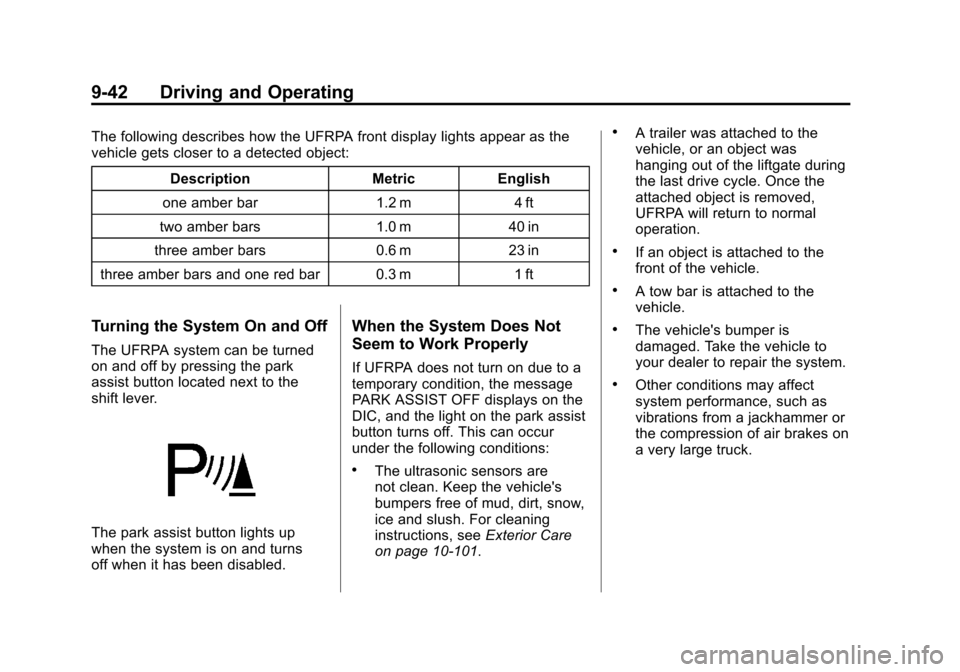
on and off by pressing the park
assist button located next to the
shift lever.
The park assist button lights up
when the system is on and turns
off when it has been disabled.
When the System Does Not
Seem to Work Properly
If UFRPA does not turn on due to a
temporary condition, the message
PARK ASSIST OFF displays on the
DIC, and the light on the park assist
button turns off. This can occur
under the following conditions:
.The ultrasonic sensors are
not clean. Keep the vehicle's
bumpers free of mud, dirt, snow,
ice and slush. For cleaning
instructions, see Exterior Care
on page 10‑101.
.A trailer was attached to the
vehicle, or an object was
hanging out of the liftgate during
the last drive cycle. Once the
attached object is removed,
UFRPA will return to normal
operation.
.If an object is attached to the
front of the vehicle.
.A tow bar is attached to the
vehicle.
.The vehicle's bumper is
damaged. Take the vehicle to
your dealer to repair the system.
.Other conditions may affect
system performance, such as
vibrations from a jackhammer or
the compression of air brakes on
a very large truck.
Page 338 of 498
Black plate (62,1)Cadillac SRX Owner Manual - 2011
9-62 Driving and Operating
Trailer Brakes
A loaded trailer that weighs more
than 450 kg (1,000 lbs) needs to
have its own brake system that is
adequate for the weight of the
trailer. Be sure to read and follow
the instructions for the trailer brakes
so they are installed, adjusted and
maintained properly.
Because the vehicle has anti-lock
brakes, do not tap into the vehicle's
brake system. If you do, both brake
systems will not work well, or at all.
Trailer Wiring Harness
All of the electrical circuits required
for the trailer lighting system can be
accessed at a connector mounted to
the frame, behind the rear bumper
cover.
Trailer Sway
Control (TSC)
The vehicle has a Trailer Sway
Control (TSC) feature as part of the
StabiliTrak system. If TSC detects
that the trailer is swaying, the
vehicle's brakes are automatically
applied.
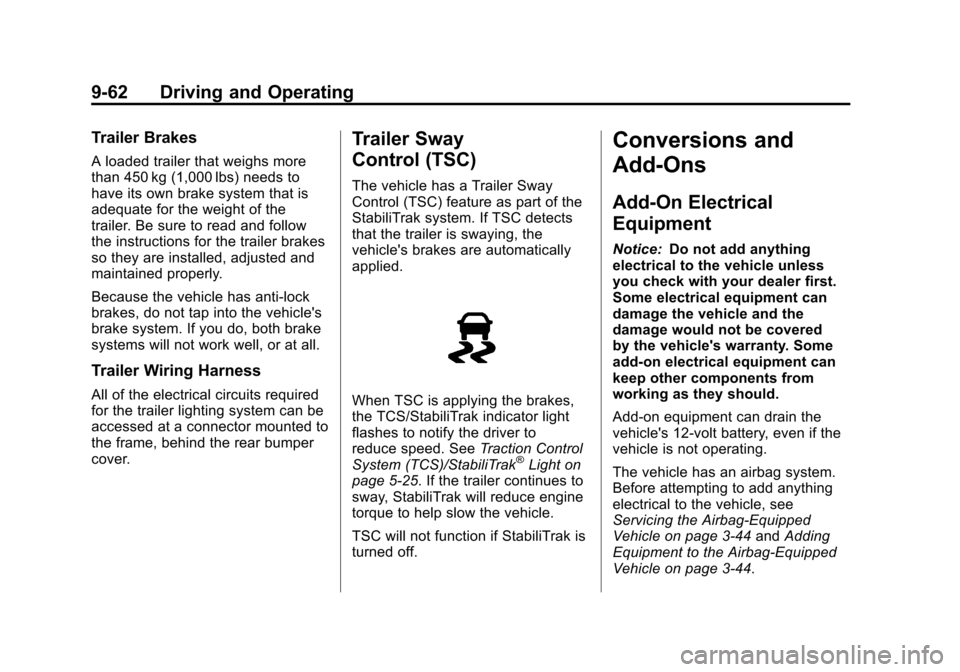
When TSC is applying the brakes,
the TCS/StabiliTrak indicator light
flashes to notify the driver to
reduce speed. SeeTraction Control
System (TCS)/StabiliTrak
®Light on
page 5‑25. If the trailer continues to
sway, StabiliTrak will reduce engine
torque to help slow the vehicle.
TSC will not function if StabiliTrak is
turned off.
Conversions and
Add-Ons
Add-On Electrical
Equipment
Notice: Do not add anything
electrical to the vehicle unless
you check with your dealer first.
Some electrical equipment can
damage the vehicle and the
damage would not be covered
by the vehicle's warranty. Some
add-on electrical equipment can
keep other components from
working as they should.
Add-on equipment can drain the
vehicle's 12‐volt battery, even if the
vehicle is not operating.
The vehicle has an airbag system.
Before attempting to add anything
electrical to the vehicle, see
Servicing the Airbag-Equipped
Vehicle on page 3‑44 andAdding
Equipment to the Airbag-Equipped
Vehicle on page 3‑44.
Page 339 of 498
Black plate (1,1)Cadillac SRX Owner Manual - 2011
Vehicle Care 10-1
Vehicle Care
General Information
General Information . . . . . . . . . . 10-2
California Proposition65 Warning . . . . . . . . . . . . . . . . . 10-2
California Perchlorate Materials Requirements . . . . 10-3
Accessories and Modifications . . . . . . . . . . . . . . . 10-3
Vehicle Checks
Doing Your OwnService Work . . . . . . . . . . . . . . . 10-4
Hood . . . . . . . . . . . . . . . . . . . . . . . . 10-5
Engine Compartment Overview . . . . . . . . . . . . . . . . . . . 10-6
Engine Cover . . . . . . . . . . . . . . . . 10-9
Engine Oil . . . . . . . . . . . . . . . . . . 10-10
Engine Oil Life System . . . . . 10-14
Automatic Transmission Fluid . . . . . . . . . . . . . . . . . . . . . . 10-15
Engine Air Cleaner/Filter . . . . 10-16
Cooling System . . . . . . . . . . . . 10-18
Engine Coolant . . . . . . . . . . . . . 10-19
Engine Overheating . . . . . . . . 10-22
Power Steering Fluid . . . . . . . 10-24
Washer Fluid . . . . . . . . . . . . . . . 10-24 Brakes . . . . . . . . . . . . . . . . . . . . . 10-25
Brake Fluid . . . . . . . . . . . . . . . . . 10-26
Battery . . . . . . . . . . . . . . . . . . . . . 10-28
All-Wheel Drive . . . . . . . . . . . . . 10-28
Starter Switch Check . . . . . . . 10-29
Automatic Transmission Shift
Lock Control Function
Check . . . . . . . . . . . . . . . . . . . . . 10-29
Ignition Transmission Lock Check . . . . . . . . . . . . . . . . . . . . . 10-30
Park Brake and P (Park) Mechanism Check . . . . . . . . 10-30
Wiper Blade Replacement . . . . . . . . . . . . . . 10-31
Headlamp Aiming
Headlamp Aiming . . . . . . . . . . 10-32
Bulb Replacement
Bulb Replacement . . . . . . . . . . 10-36
Halogen Bulbs . . . . . . . . . . . . . . 10-36
High Intensity Discharge(HID) Lighting . . . . . . . . . . . . . 10-36
Headlamps . . . . . . . . . . . . . . . . . 10-36
Fog Lamps . . . . . . . . . . . . . . . . . 10-41
Turn Signal Lamps . . . . . . . . . 10-41
Back-Up Lamps . . . . . . . . . . . . 10-43
License Plate Lamp . . . . . . . . 10-44
Replacement Bulbs . . . . . . . . . 10-45
Electrical System
Electrical System Overload . . . . . . . . . . . . . . . . . . 10-45
Fuses and Circuit Breakers . . . . . . . . . . . . . . . . . . 10-46
Engine Compartment Fuse
Block . . . . . . . . . . . . . . . . . . . . . 10-46
Instrument Panel Fuse Block . . . . . . . . . . . . . . . . . . . . . 10-49
Rear Compartment Fuse Block . . . . . . . . . . . . . . . . . . . . . 10-51
Wheels and Tires
Tires . . . . . . . . . . . . . . . . . . . . . . . . 10-54
Tire Sidewall Labeling . . . . . . 10-55
Tire Designations . . . . . . . . . . . 10-57
Tire Terminology andDefinitions . . . . . . . . . . . . . . . . 10-58
Tire Pressure . . . . . . . . . . . . . . . 10-61
Tire Pressure for High-Speed Operation . . . . . . . . . . . . . . . . . 10-62
Tire Pressure Monitor System . . . . . . . . . . . . . . . . . . . 10-63
Tire Pressure Monitor Operation . . . . . . . . . . . . . . . . . 10-64
Tire Inspection . . . . . . . . . . . . . . 10-68
Tire Rotation . . . . . . . . . . . . . . . 10-68
When It Is Time for New Tires . . . . . . . . . . . . . . . . . . . . . . 10-69
Page 363 of 498
Black plate (25,1)Cadillac SRX Owner Manual - 2011
Vehicle Care 10-25
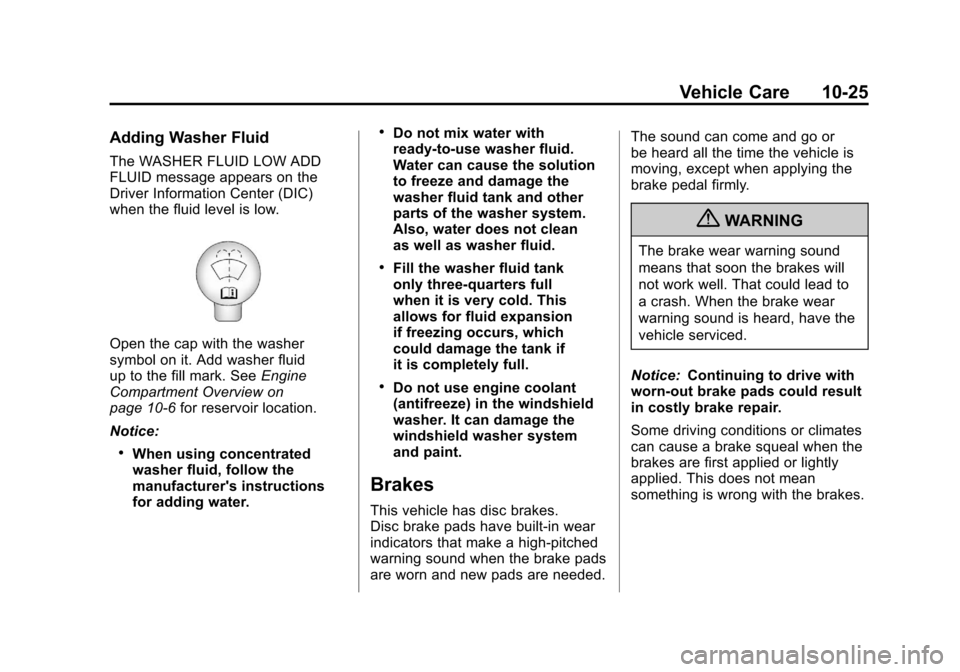
Adding Washer Fluid
The WASHER FLUID LOW ADD
FLUID message appears on the
Driver Information Center (DIC)
when the fluid level is low.
Open the cap with the washer
symbol on it. Add washer fluid
up to the fill mark. SeeEngine
Compartment Overview on
page 10‑6 for reservoir location.
Notice:
.When using concentrated
washer fluid, follow the
manufacturer's instructions
for adding water.
.Do not mix water with
ready-to-use washer fluid.
Water can cause the solution
to freeze and damage the
washer fluid tank and other
parts of the washer system.
Also, water does not clean
as well as washer fluid.
.Fill the washer fluid tank
only three-quarters full
when it is very cold. This
allows for fluid expansion
if freezing occurs, which
could damage the tank if
it is completely full.
.Do not use engine coolant
(antifreeze) in the windshield
washer. It can damage the
windshield washer system
and paint.
Brakes
This vehicle has disc brakes.
Disc brake pads have built-in wear
indicators that make a high-pitched
warning sound when the brake pads
are worn and new pads are needed. The sound can come and go or
be heard all the time the vehicle is
moving, except when applying the
brake pedal firmly.
{WARNING
The brake wear warning sound
means that soon the brakes will
not work well. That could lead to
a crash. When the brake wear
warning sound is heard, have the
vehicle serviced.
Notice: Continuing to drive with
worn-out brake pads could result
in costly brake repair.
Some driving conditions or climates
can cause a brake squeal when the
brakes are first applied or lightly
applied. This does not mean
something is wrong with the brakes.
Page 365 of 498
Black plate (27,1)Cadillac SRX Owner Manual - 2011
Vehicle Care 10-27
.A fluid leak in the brake
hydraulic system can also
cause a low fluid level. Have
the brake hydraulic system
fixed, since a leak means that
sooner or later the brakes will
not work well.
Do not top off the brake fluid.
Adding fluid does not correct a
leak. If fluid is added when the
linings are worn, there will be too
much fluid when new brake linings
are installed. Add or remove brake
fluid, as necessary, only when work
is done on the brake hydraulic
system.
{WARNING
If too much brake fluid is added,
it can spill on the engine and
burn, if the engine is hot enough.
You or others could be burned,
and the vehicle could be
damaged. Add brake fluid only
when work is done on the brake
hydraulic system. When the brake fluid falls to a low
level, the brake warning light comes
on. See
Brake System Warning
Light on page 5‑22.
What to Add
Use only new DOT 3 brake
fluid from a sealed container.
See Recommended Fluids and
Lubricants on page 11‑7.
Always clean the brake fluid
reservoir cap and the area
around the cap before removing it.
This helps keep dirt from entering
the reservoir.
{WARNING
With the wrong kind of fluid in
the brake hydraulic system,
the brakes might not work well.
This could cause a crash. Always
use the proper brake fluid. Notice:
.Using the wrong fluid
can badly damage brake
hydraulic system parts.
For example, just a few
drops of mineral-based oil,
such as engine oil, in the
brake hydraulic system can
damage brake hydraulic
system parts so badly that
they will have to be replaced.
Do not let someone put in
the wrong kind of fluid.
.If brake fluid is spilled on the
vehicle's painted surfaces,
the paint finish can be
damaged. Be careful not
to spill brake fluid on the
vehicle. If you do, wash it
off immediately.
Page 386 of 498
Black plate (48,1)Cadillac SRX Owner Manual - 2011
10-48 Vehicle Care
Mini Fuses Usage4 Not Used
5 Engine Control
Module Run Crank
7 Post–Catalytic
Converter O2
Sensor
8 Pre–Catalytic
Converter O2
Sensor
9 Engine Control
Module Powertrain
10 Fuel Injectors–Even 11 Fuel Injectors–Odd
13 Washer
16 Instrument Panel
Cluster/Malfunction
Indicator Lamp/
Ignition
17 Air Quality Sensor
18 Headlamp Washer Mini Fuses Usage
19 Transmission
Control Module Run
Crank
20 Rear Electrical
Center Run Crank
23 Heater Motor
30 Switch Back Light
32 Battery Sense
(Regulated Voltage
Control)
33 Adaptive Forward
Lighting/Adaptive
Headlamp Leveling
Module
34 Body Control
Module 7
35 Electronic Brake
Control Module
46 Low Beam
Headlamp‐Right
47 Low Beam
Headlamp‐Left Mini Fuses Usage
50 Front Fog Lamps
51 Horn
52 Fuel System Control
Module
53 Headlamp Level
54 Sensing Diagnostic
Module Ignition
55 High Beam
Headlamp–Right
56 High Beam
Headlamp–Left
57 Ignition Steering
Column Lock
65 Trailer Right
Stop Lamp
66 Trailer Left
Stop Lamp
67 Spare
68 Spare
69 Spare
Page 432 of 498
Black plate (94,1)Cadillac SRX Owner Manual - 2011
10-94 Vehicle Care
Jump Starting
For more information about the
vehicle battery, seeBattery on
page 10‑28.
If the vehicle battery has run down,
you may want to use another
vehicle and some jumper cables to
start your vehicle. Be sure to use
the following steps to do it safely.
{WARNING
Batteries can hurt you. They can
be dangerous because:
.They contain acid that can
burn you.
.They contain gas that can
explode or ignite.
.They contain enough
electricity to burn you.
If you do not follow these steps
exactly, some or all of these
things can hurt you. Notice:
Ignoring these steps
could result in costly damage to
the vehicle that would not be
covered by the warranty.
Trying to start the vehicle by
pushing or pulling it will not
work, and it could damage the
vehicle.
1. Check the other vehicle. It must
have a 12-volt battery with a
negative ground system.
Notice: Only use vehicles with
12-volt systems with negative
grounds to jump start your
vehicle. If the other vehicle's
system is not a 12-volt system
with a negative ground, both
vehicles can be damaged.
2. Get the vehicles close enough so the jumper cables can reach,
but be sure the vehicles are not
touching each other. If they
are, it could cause a ground
connection you do not want.
You would not be able to start your vehicle, and the bad
grounding could damage the
electrical systems.
To avoid the possibility of the
vehicles rolling, set the parking
brake firmly on both vehicles
involved in the jump start
procedure. Put the transmission
in P (Park) before setting the
parking brake.
Notice: If you leave the radio or
other accessories on during the
jump starting procedure, they
could be damaged. The repairs
would not be covered by the
warranty. Always turn off the
radio and other accessories
when jump starting the vehicle.
3. Turn off the ignition on both vehicles. Unplug unnecessary
accessories plugged into the
cigarette lighter or the accessory
power outlet. Turn off the radio
and all lamps that are not
needed. This will avoid sparks,
helping save both batteries and
the radio.
Page 485 of 498

Black plate (1,1)Cadillac SRX Owner Manual - 2011
INDEX i-1
A
Accessories andModifications . . . . . . . . . . . . . . . . . 10-3
Accessory Power . . . . . . . . . . . . . . 9-22
Adaptive Forward Lighting (AFL) . . . . . . . . . . . . . . . . . 6-3
Adaptive Forward Lighting
(AFL) Light . . . . . . . . . . . . . . . . . . . 5-27
Add-On Electrical Equipment . . . . . . . . . . . . . . . . . . . 9-62
Adding Equipment to the
Airbag-Equipped Vehicle . . . . . 3-44
Adjustable Throttle and Brake Pedal . . . . . . . . . . . . . . . . . . 9-17
Adjustments Lumbar, Front Seats . . . . . . . . . . . 3-7
Thigh Support . . . . . . . . . . . . . . . . . 3-8
Air Cleaner/Filter, Engine . . . . . 10-16
Air Filter, Passenger Compartment . . . . . . . . . . . . . . . . . 8-6
Air Vents . . . . . . . . . . . . . . . . . . . . . . . 8-6 Airbag System
Check . . . . . . . . . . . . . . . . . . . . . . . . 3-46
How Does an Airbag
Restrain? . . . . . . . . . . . . . . . . . . . 3-36
Passenger Sensing System . . . . . . . . . . . . . . . . . . . . . . 3-39
What Makes an Airbag
Inflate? . . . . . . . . . . . . . . . . . . . . . . 3-36
What Will You See After an Airbag Inflates? . . . . . . . . . . 3-37
When Should an Airbag
Inflate? . . . . . . . . . . . . . . . . . . . . . . 3-34
Where Are the Airbags? . . . . . . 3-33
Airbags Adding Equipment to theVehicle . . . . . . . . . . . . . . . . . . . . . . 3-44
Passenger Status Indicator . . . 5-18
Readiness Light . . . . . . . . . . . . . . 5-17
Servicing Airbag-Equipped Vehicles . . . . . . . . . . . . . . . . . . . . . 3-44
System Check . . . . . . . . . . . . . . . . 3-30 Alarm System
Anti-Theft . . . . . . . . . . . . . . . . . . . . . 2-19
All-Wheel Drive . . . . . . . . . 10-28, 9-30
AM-FM Radio . . . . . . . . . . . . . . . . . . 7-12
Antenna Multi-Band . . . . . . . . . . . . . . . . . . . . 7-19
Anti-Theft
Alarm System . . . . . . . . . . . . . . . . 2-19
Alarm System Messages . . . . . 5-38
Antilock Brake System (ABS) . . . . . . . . . . . . . . . . 9-30
Warning Light . . . . . . . . . . . . . . . . . 5-23
Appearance Care Exterior . . . . . . . . . . . . . . . . . . . . 10-101
Interior . . . . . . . . . . . . . . . . . . . . . 10-106
Armrest Storage . . . . . . . . . . . . . . . . 4-2
Ashtrays . . . . . . . . . . . . . . . . . . . . . . . 5-10
Audio Players . . . . . . . . . . . . . . . . . 7-20
CD . . . . . . . . . . . . . . . . . . . . . . . . . . . 7-20
CD/DVD . . . . . . . . . . . . . . . . . . . . . . 7-22