center console CADILLAC SRX 2012 2.G User Guide
[x] Cancel search | Manufacturer: CADILLAC, Model Year: 2012, Model line: SRX, Model: CADILLAC SRX 2012 2.GPages: 502, PDF Size: 6.23 MB
Page 218 of 502
Black plate (28,1)Cadillac SRX Owner Manual (Include Mex) - 2012
7-28 Infotainment System
Auxiliary Devices
(Radio with CD)
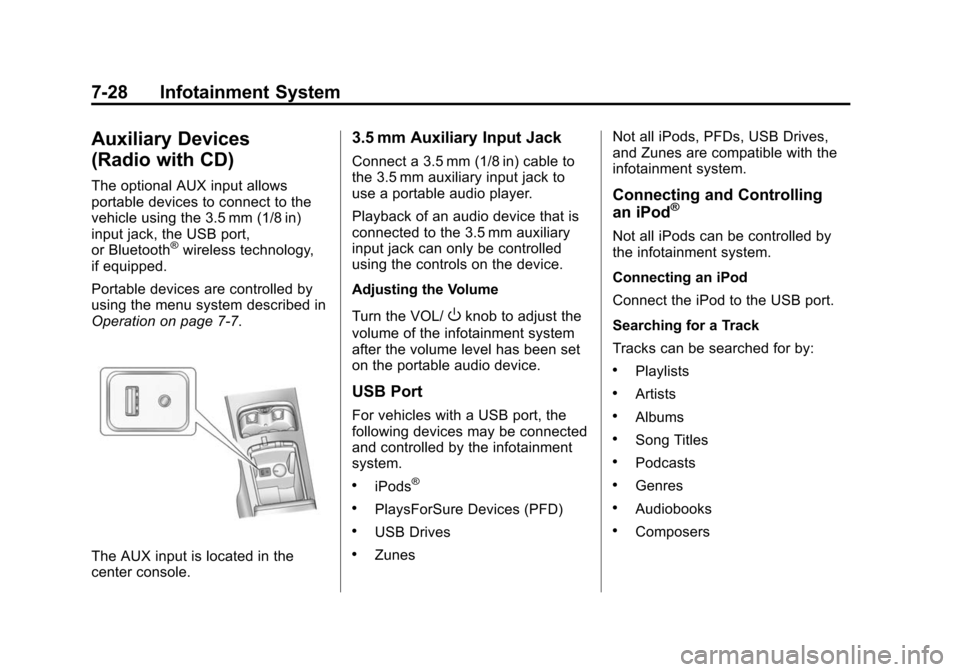
The optional AUX input allows
portable devices to connect to the
vehicle using the 3.5 mm (1/8 in)
input jack, the USB port,
or Bluetooth
®wireless technology,
if equipped.
Portable devices are controlled by
using the menu system described in
Operation on page 7‑7.
The AUX input is located in the
center console.
3.5 mm Auxiliary Input Jack
Connect a 3.5 mm (1/8 in) cable to
the 3.5 mm auxiliary input jack to
use a portable audio player.
Playback of an audio device that is
connected to the 3.5 mm auxiliary
input jack can only be controlled
using the controls on the device.
Adjusting the Volume
Turn the VOL/
Oknob to adjust the
volume of the infotainment system
after the volume level has been set
on the portable audio device.
USB Port
For vehicles with a USB port, the
following devices may be connected
and controlled by the infotainment
system.
.iPods®
.PlaysForSure Devices (PFD)
.USB Drives
.Zunes Not all iPods, PFDs, USB Drives,
and Zunes are compatible with the
infotainment system.
Connecting and Controlling
an iPod®
Not all iPods can be controlled by
the infotainment system.
Connecting an iPod
Connect the iPod to the USB port.
Searching for a Track
Tracks can be searched for by:
.Playlists
.Artists
.Albums
.Song Titles
.Podcasts
.Genres
.Audiobooks
.Composers
Page 223 of 502
Black plate (33,1)Cadillac SRX Owner Manual (Include Mex) - 2012
Infotainment System 7-33
Controlling a Bluetooth®
Device
Bluetooth devices that support
AVRCP (Audio/Video Remote
Control Profile) version 1.0 may
be able to be controlled by the
infotainment system.
Press and release
gSEEK /
lSEEK to skip tracks.
Other Information
The Bluetooth®word mark and
logos are owned by the Bluetooth®
SIG, Inc. and any use of such marks
by General Motors is under license.
Other trademarks and trade names
are those of their respective owners.
See Radio Frequency Statement on
page 13‑21 for FCC information.
Auxiliary Devices
(Radio with CD/DVD
and MEM)
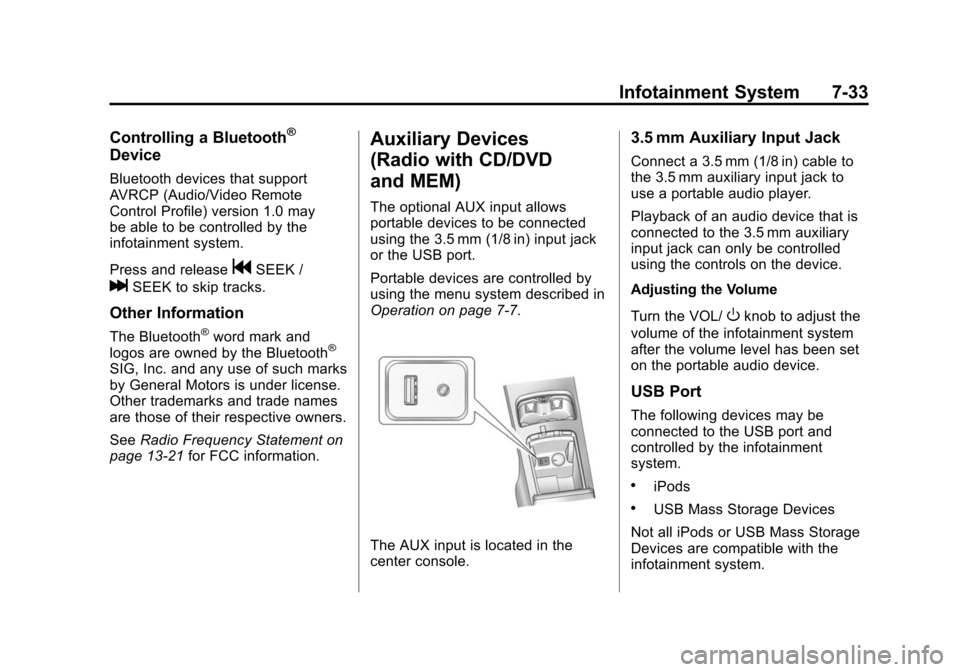
The optional AUX input allows
portable devices to be connected
using the 3.5 mm (1/8 in) input jack
or the USB port.
Portable devices are controlled by
using the menu system described in
Operation on page 7‑7.
The AUX input is located in the
center console.
3.5 mm Auxiliary Input Jack
Connect a 3.5 mm (1/8 in) cable to
the 3.5 mm auxiliary input jack to
use a portable audio player.
Playback of an audio device that is
connected to the 3.5 mm auxiliary
input jack can only be controlled
using the controls on the device.
Adjusting the Volume
Turn the VOL/
Oknob to adjust the
volume of the infotainment system
after the volume level has been set
on the portable audio device.
USB Port
The following devices may be
connected to the USB port and
controlled by the infotainment
system.
.iPods
.USB Mass Storage Devices
Not all iPods or USB Mass Storage
Devices are compatible with the
infotainment system.
Page 269 of 502
Black plate (5,1)Cadillac SRX Owner Manual (Include Mex) - 2012
Climate Controls 8-5
Rear Climate Control System
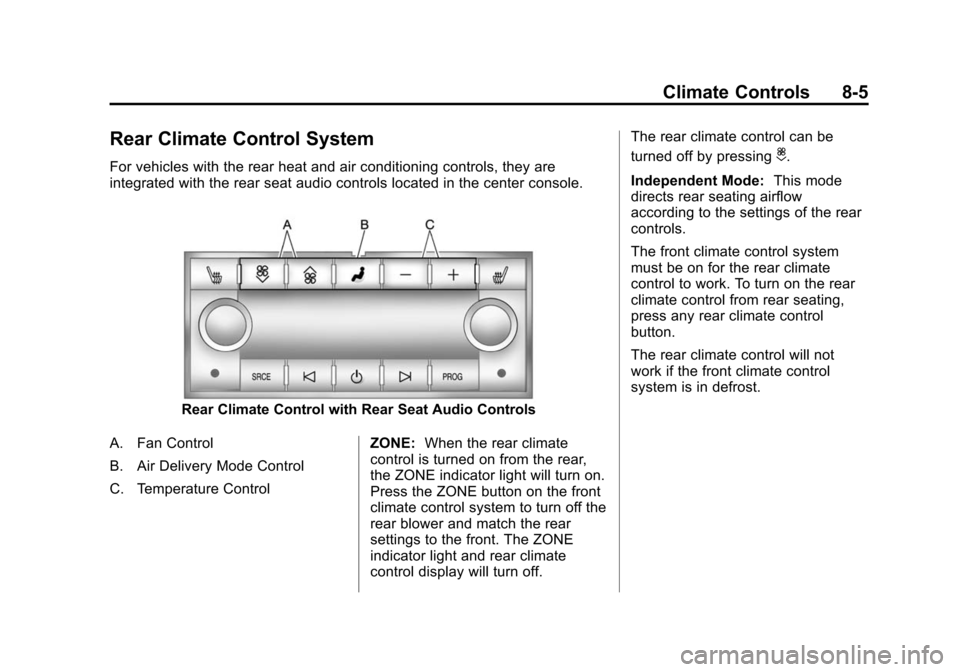
For vehicles with the rear heat and air conditioning controls, they are
integrated with the rear seat audio controls located in the center console.
Rear Climate Control with Rear Seat Audio Controls
A. Fan Control
B. Air Delivery Mode Control
C. Temperature Control ZONE:
When the rear climate
control is turned on from the rear,
the ZONE indicator light will turn on.
Press the ZONE button on the front
climate control system to turn off the
rear blower and match the rear
settings to the front. The ZONE
indicator light and rear climate
control display will turn off. The rear climate control can be
turned off by pressing
i.
Independent Mode: This mode
directs rear seating airflow
according to the settings of the rear
controls.
The front climate control system
must be on for the rear climate
control to work. To turn on the rear
climate control from rear seating,
press any rear climate control
button.
The rear climate control will not
work if the front climate control
system is in defrost.
Page 298 of 502
Black plate (26,1)Cadillac SRX Owner Manual (Include Mex) - 2012
9-26 Driving and Operating
Automatic
Transmission
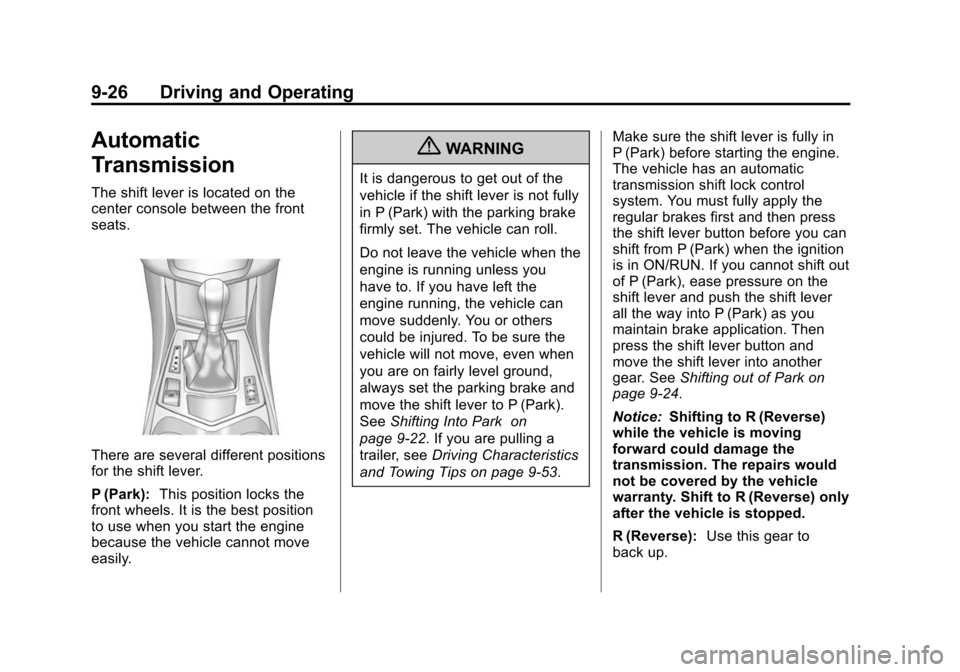
The shift lever is located on the
center console between the front
seats.
There are several different positions
for the shift lever.
P (Park):This position locks the
front wheels. It is the best position
to use when you start the engine
because the vehicle cannot move
easily.
{WARNING
It is dangerous to get out of the
vehicle if the shift lever is not fully
in P (Park) with the parking brake
firmly set. The vehicle can roll.
Do not leave the vehicle when the
engine is running unless you
have to. If you have left the
engine running, the vehicle can
move suddenly. You or others
could be injured. To be sure the
vehicle will not move, even when
you are on fairly level ground,
always set the parking brake and
move the shift lever to P (Park).
See Shifting Into Park on
page 9‑22. If you are pulling a
trailer, see Driving Characteristics
and Towing Tips on page 9‑53. Make sure the shift lever is fully in
P (Park) before starting the engine.
The vehicle has an automatic
transmission shift lock control
system. You must fully apply the
regular brakes first and then press
the shift lever button before you can
shift from P (Park) when the ignition
is in ON/RUN. If you cannot shift out
of P (Park), ease pressure on the
shift lever and push the shift lever
all the way into P (Park) as you
maintain brake application. Then
press the shift lever button and
move the shift lever into another
gear. See
Shifting out of Park on
page 9‑24.
Notice: Shifting to R (Reverse)
while the vehicle is moving
forward could damage the
transmission. The repairs would
not be covered by the vehicle
warranty. Shift to R (Reverse) only
after the vehicle is stopped.
R (Reverse): Use this gear to
back up.
Page 303 of 502
Black plate (31,1)Cadillac SRX Owner Manual (Include Mex) - 2012
Driving and Operating 9-31
apply the brakes if that vehicle
suddenly slows or stops. Always
leave enough room up ahead to
stop, even with ABS.
Using ABS
Do not pump the brakes. Just hold
the brake pedal down firmly and let
ABS work. You might hear the ABS
pump or motor operating and feel
the brake pedal pulsate, but this is
normal.
Braking in Emergencies
ABS allows the driver to steer and
brake at the same time. In many
emergencies, steering can help
more than even the very best
braking.
Parking Brake
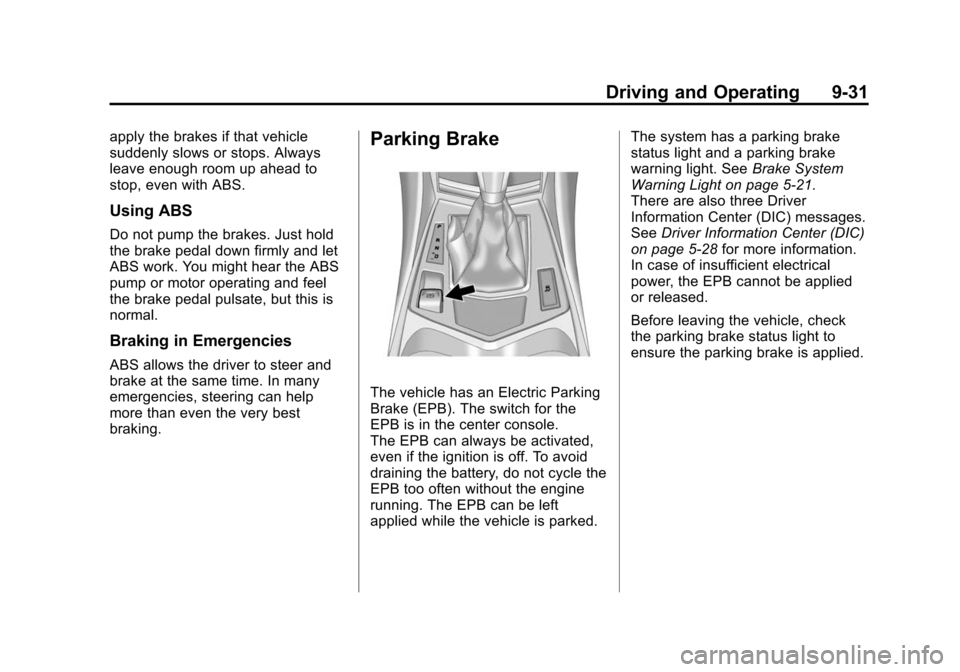
The vehicle has an Electric Parking
Brake (EPB). The switch for the
EPB is in the center console.
The EPB can always be activated,
even if the ignition is off. To avoid
draining the battery, do not cycle the
EPB too often without the engine
running. The EPB can be left
applied while the vehicle is parked.The system has a parking brake
status light and a parking brake
warning light. See
Brake System
Warning Light on page 5‑21.
There are also three Driver
Information Center (DIC) messages.
See Driver Information Center (DIC)
on page 5‑28 for more information.
In case of insufficient electrical
power, the EPB cannot be applied
or released.
Before leaving the vehicle, check
the parking brake status light to
ensure the parking brake is applied.
Page 306 of 502
Black plate (34,1)Cadillac SRX Owner Manual (Include Mex) - 2012
9-34 Driving and Operating
Ride Control Systems
Traction Control
System (TCS)
The vehicle has a Traction Control
System (TCS) that limits wheel spin.
On a front-wheel-drive vehicle, the
system operates if it senses that
one or both of the front wheels are
spinning or beginning to lose
traction. On an All-Wheel-Drive
(AWD) vehicle, the system will
operate if it senses that any of the
wheels are spinning or beginning to
lose traction. When this happens,
the system brakes the spinning
wheel(s) and/or reduces engine
power to limit wheel spin.
The system may be heard or felt
while it is working, but this is
normal.TCS is on whenever the vehicle
is started. To limit wheel spin,
especially in slippery road
conditions, the system should
always be left on. But, TCS can be
turned off if needed.
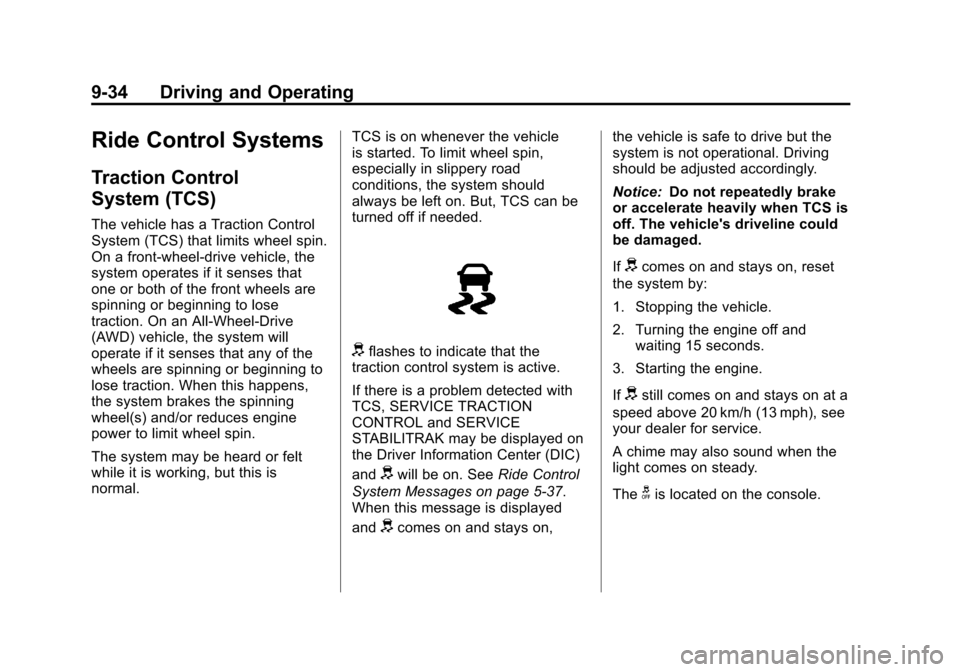
dflashes to indicate that the
traction control system is active.
If there is a problem detected with
TCS, SERVICE TRACTION
CONTROL and SERVICE
STABILITRAK may be displayed on
the Driver Information Center (DIC)
and
dwill be on. See Ride Control
System Messages on page 5‑37.
When this message is displayed
and
dcomes on and stays on, the vehicle is safe to drive but the
system is not operational. Driving
should be adjusted accordingly.
Notice:
Do not repeatedly brake
or accelerate heavily when TCS is
off. The vehicle's driveline could
be damaged.
If
dcomes on and stays on, reset
the system by:
1. Stopping the vehicle.
2. Turning the engine off and waiting 15 seconds.
3. Starting the engine.
If
dstill comes on and stays on at a
speed above 20 km/h (13 mph), see
your dealer for service.
A chime may also sound when the
light comes on steady.
The
gis located on the console.
Page 308 of 502
Black plate (36,1)Cadillac SRX Owner Manual (Include Mex) - 2012
9-36 Driving and Operating
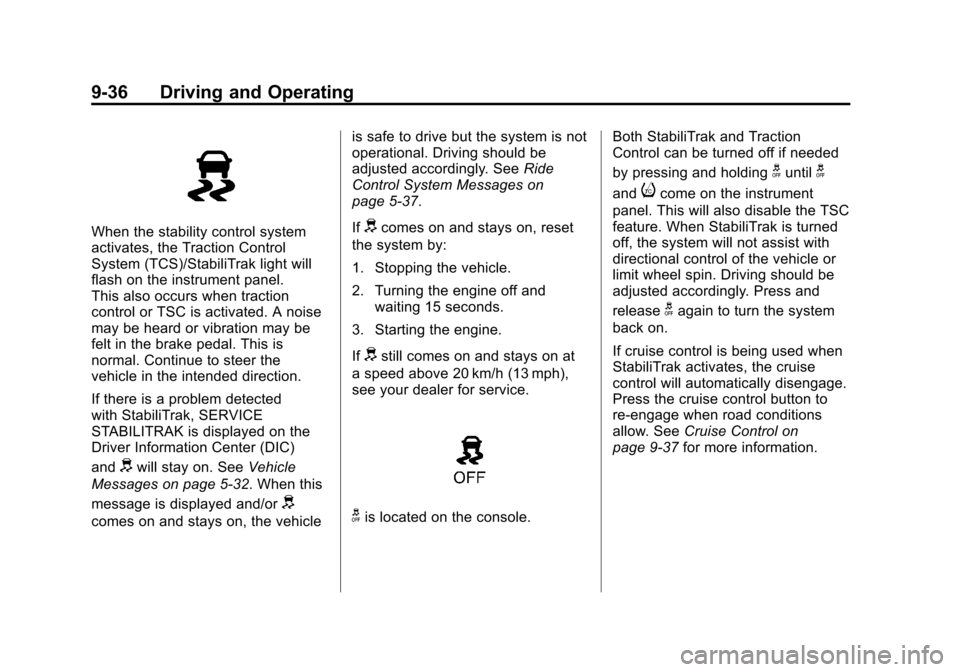
When the stability control system
activates, the Traction Control
System (TCS)/StabiliTrak light will
flash on the instrument panel.
This also occurs when traction
control or TSC is activated. A noise
may be heard or vibration may be
felt in the brake pedal. This is
normal. Continue to steer the
vehicle in the intended direction.
If there is a problem detected
with StabiliTrak, SERVICE
STABILITRAK is displayed on the
Driver Information Center (DIC)
and
dwill stay on. SeeVehicle
Messages on page 5‑32. When this
message is displayed and/or
d
comes on and stays on, the vehicle is safe to drive but the system is not
operational. Driving should be
adjusted accordingly. See
Ride
Control System Messages on
page 5‑37.
If
dcomes on and stays on, reset
the system by:
1. Stopping the vehicle.
2. Turning the engine off and waiting 15 seconds.
3. Starting the engine.
If
dstill comes on and stays on at
a speed above 20 km/h (13 mph),
see your dealer for service.
gis located on the console. Both StabiliTrak and Traction
Control can be turned off if needed
by pressing and holding
guntilg
andicome on the instrument
panel. This will also disable the TSC
feature. When StabiliTrak is turned
off, the system will not assist with
directional control of the vehicle or
limit wheel spin. Driving should be
adjusted accordingly. Press and
release
gagain to turn the system
back on.
If cruise control is being used when
StabiliTrak activates, the cruise
control will automatically disengage.
Press the cruise control button to
re‐engage when road conditions
allow. See Cruise Control on
page 9‑37 for more information.
Page 376 of 502
Black plate (44,1)Cadillac SRX Owner Manual (Include Mex) - 2012
10-44 Vehicle Care
Mini Fuses Usage53 Headlamp Level
54 Sensing Diagnostic
Module Ignition
55 High-Beam
Headlamp-Right
56 High-Beam
Headlamp-Left
57 Ignition Steering
Column Lock
65 Trailer Right
Stoplamp
66 Trailer Left Stoplamp
67 Spare
68 Spare
69 Spare
70 Spare
71 Spare
72 Spare Mini Relays Usage
7 Powertrain
9 Cooling Fan 2
13 Cooling Fan 1
15 Run/Crank
Micro
Relays Usage
2 Vacuum Pump
4 Wiper Control
5 Wiper Speed
10 Starter
12 Cool Fan 3
14 Low Beam/HID
U Micro Relays Usage
3 Air Conditioning
Compressor Clutch
8 Headlamp WasherInstrument Panel
Fuse Block
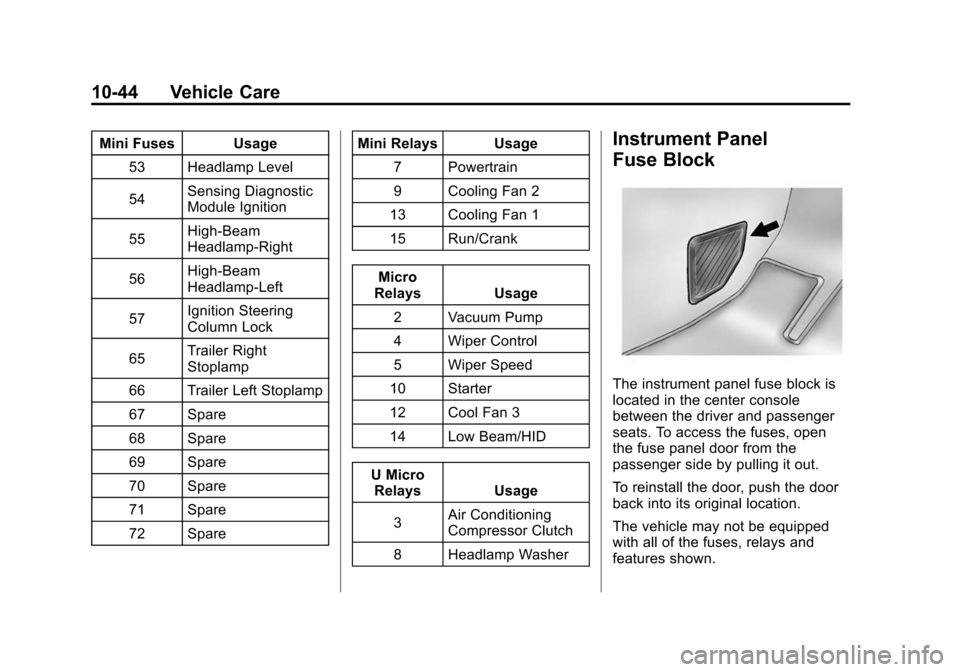
The instrument panel fuse block is
located in the center console
between the driver and passenger
seats. To access the fuses, open
the fuse panel door from the
passenger side by pulling it out.
To reinstall the door, push the door
back into its original location.
The vehicle may not be equipped
with all of the fuses, relays and
features shown.
Page 490 of 502

Black plate (2,1)Cadillac SRX Owner Manual (Include Mex) - 2012
i-2 INDEX
B
Battery . . . . . . . . . . . . . . . . . . . . . . . 10-24Jump Starting . . . . . . . . . . . . . . . 10-88
Load Management . . . . . . . . . . . . . 6-8
Voltage and ChargingMessages . . . . . . . . . . . . . . . . . . . 5-33
Blade Replacement, Wiper . . . 10-26
Bluetooth . . . . . . . . . . 7-47, 7-49, 7-53, 7-59
Brake
Pedal and AdjustableThrottle . . . . . . . . . . . . . . . . . . . . . . 9-17
Brake System Warning Light . . . 5-21
Brakes . . . . . . . . . . . . . . . . . . . . . . . . 10-21
Antilock . . . . . . . . . . . . . . . . . . . . . . . 9-30
Assist . . . . . . . . . . . . . . . . . . . . . . . . . 9-33
Fluid . . . . . . . . . . . . . . . . . . . . . . . . 10-22
Parking . . . . . . . . . . . . . . . . . . . . . . . 9-31
System Messages . . . . . . . . . . . . 5-33
Braking . . . . . . . . . . . . . . . . . . . . . . . . . 9-4
Break-In, New Vehicle . . . . . . . . . 9-16
Bulb Replacement . . . . . . . . . . . . 10-40 Back-up Lamps . . . . . . . . . . . . . 10-38
Fog Lamps . . . . . . . . . . . . . . . . . 10-37
Halogen Bulbs . . . . . . . . . . . . . . 10-31
Headlamp Aiming . . . . . . . . . . . 10-28 Bulb Replacement (cont.)
Headlamps . . . . . . . . . . 10-31, 10-32
High Intensity Discharge
(HID) Lighting . . . . . . . . . . . . . 10-31
License Plate Lamps . . . . . . . 10-40
Turn Signal Lamps . . . . . . . . . 10-37
Buying New Tires . . . . . . . . . . . . . 10-65
C
Calibration . . . . . . . . . . . . . . . . . . . . . . 5-7
California Fuel Requirements . . . . . . . . . . . 9-48
Perchlorate MaterialsRequirements . . . . . . . . . . . . . . . 10-3
Warning . . . . . . . . . . . . . . . . . . . . . . 10-3
Camera, Rear Vision . . . . . . . . . . 9-43
Canadian Vehicle Owners . . . . . . . . iii
Capacities and
Specifications . . . . . . . . . . . . . . . . 12-2
Carbon Monoxide
Engine Exhaust . . . . . . . . . . . . . . . 9-24
Liftgate . . . . . . . . . . . . . . . . . . . . . . . 2-14
Winter Driving . . . . . . . . . . . . . . . . . 9-9 Cargo
Cover . . . . . . . . . . . . . . . . . . . . . . . . . . 4-3
Management System . . . . . . . . . . 4-4
Tie-Downs . . . . . . . . . . . . . . . . . . . . . 4-4
Cargo Lamp . . . . . . . . . . . . . . . . . . . . 6-7
Cargo Net . . . . . . . . . . . . . . . . . . . . . . 4-9
Cautions, Danger, and Warnings . . . . . . . . . . . . . . . . . . . . . . . . iv
CD Player . . . . . . . . . . . . . . . . . . . . . 7-19
CD/DVD Player . . . . . . . . . . . . . . . . 7-21
Center Console Storage . . . . . . . . 4-2
Chains, Tire . . . . . . . . . . . . . . . . . . 10-70
Charging System Light . . . . . . . . 5-18
Check Engine Light . . . . . . . . . . . . . . . . . . 5-18
Child Restraints
Infants and YoungChildren . . . . . . . . . . . . . . . . . . . . . 3-38
Lower Anchors and Tethers for Children . . . . . . . . . 3-45
Older Children . . . . . . . . . . . . . . . . 3-36
Securing . . . . . . . . . . . . . . . . 3-54, 3-56
Systems . . . . . . . . . . . . . . . . . . . . . . 3-41
Cigarette Lighter . . . . . . . . . . . . . . . . 5-9
Circuit Breakers . . . . . . . . . . . . . . 10-41
Page 500 of 502

Black plate (12,1)Cadillac SRX Owner Manual (Include Mex) - 2012
i-12 INDEX
ShiftingInto Park . . . . . . . . . . . . . . . . . . . . . . 9-22
Out of Park . . . . . . . . . . . . . . . . . . . 9-24
Signals, Turn and Lane-Change . . . . . . . . . . . . . . . . . 6-6
Spare Tire Compact . . . . . . . . . . . . . . . . . . . . 10-87
Specifications and Capacities . . . . . . . . . . . . . . . . . . . . 12-2
Speedometer . . . . . . . . . . . . . . . . . . 5-12
StabiliTrak OFF Light . . . . . . . . . . . . . . . . . . . . . 5-23
System . . . . . . . . . . . . . . . . . . . . . . . 9-35
Start Assist, Hills . . . . . . . . . . . . . . 9-33
Start Vehicle, Remote . . . . . . . . . . 2-9
Starter Switch Check . . . . . . . . . 10-25
Starting the Gasoline Engine . . . . . . . . . . . . . . . . . . . . . . . 9-20
Starting the Vehicle Messsages . . . . . . . . . . . . . . . . . . . 5-38 Steering . . . . . . . . . . . . . . . . . . . . . . . . 9-4
Fluid, Power . . . . . . . . . . . . . . . . 10-20
Heated Wheel . . . . . . . . . . . . . . . . . 5-3
Wheel Adjustment . . . . . . . . . . . . . 5-2
Wheel Controls . . . . . . . . . . . . . . . . 5-2
Storage Mass Media (MEM) . . . . . . . . . . . 7-24
Storage Areas Armrest . . . . . . . . . . . . . . . . . . . . . . . . 4-2
Cargo Cover . . . . . . . . . . . . . . . . . . . 4-3
Cargo Management System . . . 4-4
Center Console . . . . . . . . . . . . . . . . 4-2
Convenience Net . . . . . . . . . . . . . 4-10
Front . . . . . . . . . . . . . . . . . . . . . . . . . . 4-2
Glove Box . . . . . . . . . . . . . . . . . . . . . 4-1
Roof Rack System . . . . . . . . . . . . 4-11
Storing the Tire Sealant and Compressor Kit . . . . . . . . . 10-80
Stuck Vehicle . . . . . . . . . . . . . . . . . . 9-11
Sun Visors . . . . . . . . . . . . . . . . . . . . . 2-26 Sunroof . . . . . . . . . . . . . . . . . . . . . . . . 2-27
Symbols . . . . . . . . . . . . . . . . . . . . . . . . . . iv
System
Infotainment . . . . . . . . . . . . . . . . . . . 7-1
Roof Rack . . . . . . . . . . . . . . . . . . . . 4-11
T
Tachometer . . . . . . . . . . . . . . . . . . . . 5-12
Text Telephone (TTY) Users . . . 13-6
Theft-Deterrent Systems . . . . . . . 2-19Immobilizer . . . . . . . . . . . . . . . . . . . 2-19
Thigh Support Adjustment . . . . . . 3-5
Throttle, Adjustable . . . . . . . . . . . . 9-17
Time . . . . . . . . . . . . . . . . . . . . . . . . . . . . 5-7
Tires Buying New Tires . . . . . . . . . . . 10-65
Chains . . . . . . . . . . . . . . . . . . . . . . 10-70
Changing . . . . . . . . . . . . . . . . . . . 10-81
Compact Spare . . . . . . . . . . . . . 10-87
Designations . . . . . . . . . . . . . . . 10-52