diagnostic CADILLAC SRX 2012 2.G User Guide
[x] Cancel search | Manufacturer: CADILLAC, Model Year: 2012, Model line: SRX, Model: CADILLAC SRX 2012 2.GPages: 502, PDF Size: 6.23 MB
Page 378 of 502
Black plate (46,1)Cadillac SRX Owner Manual (Include Mex) - 2012
10-46 Vehicle Care
Mini Fuses Usage
RAIN SNSR Rain Sensor
BCM 6 Body Control
Module 6
ESCL Electronic Steering
Column Lock
AIRBAG Sensing and
Diagnostic Module
DLC Data Link
Connection
IPC Instrument Panel
Cluster
SPARE Not Used
BCM 1 Body Control
Module 1
BCM 2 Body Control
Module 2
AMP/RDO Amplifier/Radio
HVAC Heating Ventilation
& Air Conditioning J‐Case
Fuses Usage
BCM 8 Body Control
Module 8
FRT BLWR Front Blower
Relays Usage
LOGIC RLY Logistics Relay
RAP/
ACCY RLY Retained
Accessory Power/
Accessory RelayRear Compartment
Fuse Block
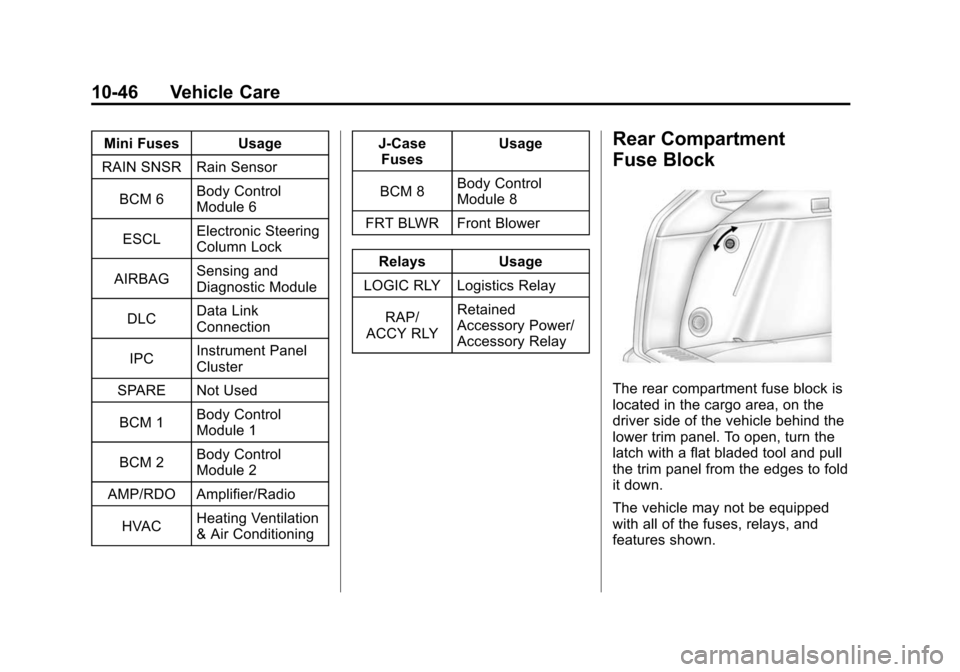
The rear compartment fuse block is
located in the cargo area, on the
driver side of the vehicle behind the
lower trim panel. To open, turn the
latch with a flat bladed tool and pull
the trim panel from the edges to fold
it down.
The vehicle may not be equipped
with all of the fuses, relays, and
features shown.
Page 437 of 502
Black plate (1,1)Cadillac SRX Owner Manual (Include Mex) - 2012
Service and Maintenance 11-1
Service and
Maintenance
General Information
General Information . . . . . . . . . . 11-1
Cadillac Premium Care
Maintenance
Cadillac Premium CareMaintenance . . . . . . . . . . . . . . . 11-3
Maintenance Schedule
Maintenance Schedule . . . . . . . 11-4
Special Application Services
Special ApplicationServices . . . . . . . . . . . . . . . . . . . . 11-9
Additional Maintenance
and Care
Additional Maintenanceand Care . . . . . . . . . . . . . . . . . . 11-10
Recommended Fluids,
Lubricants, and Parts
Recommended Fluids andLubricants . . . . . . . . . . . . . . . . . 11-13
Maintenance Replacement Parts . . . . . . . . . . . . . . . . . . . . . . 11-15
Maintenance Records
Maintenance Records . . . . . . 11-16
General Information
Your vehicle is an important
investment. This section describes
the required maintenance for the
vehicle. Follow this schedule to
help protect against major repair
expenses resulting from neglect or
inadequate maintenance. It may
also help to maintain the value of
the vehicle if it is sold. It is the
responsibility of the owner to have
all required maintenance performed.
Your dealer has trained technicians
who can perform required
maintenance using genuine
replacement parts. They have
up‐to‐date tools and equipment
for fast and accurate diagnostics.
Many dealers have extended
evening and Saturday hours,
courtesy transportation, and online
scheduling to assist with service
needs.
Page 446 of 502
Black plate (10,1)Cadillac SRX Owner Manual (Include Mex) - 2012
11-10 Service and Maintenance
Additional
Maintenance and Care
Your vehicle is an important
investment and caring for it properly
may help to avoid future costly
repairs. To maintain vehicle
performance, additional
maintenance services may be
required. It is recommended
that your dealer perform these
services—their trained dealer
technicians know your vehicle best.
Your dealer can also perform a
thorough assessment with a
multi‐point inspection to recommend
when your vehicle may need
attention. The following list is
intended to explain the services and
conditions to look for that may
indicate services are required. Battery
The battery supplies power to
start the engine and operate any
additional electrical accessories.
.To avoid break‐down or
failure to start the vehicle,
maintain a battery with full
cranking power.
.Trained dealer technicians have
the diagnostic equipment to test
the battery and ensure that the
connections and cables are
corrosion‐free.
Belts
.Belts may need replacing if
they squeak or show signs of
cracking or splitting.
.Trained dealer technicians
can inspect the belts and
recommend replacement
when necessary.
Brakes
Brakes stop the vehicle and are
crucial to safe driving.
.Signs of brake wear may include
chirping, grinding, or squealing
noises, or difficulty stopping.
.Trained dealer technicians have
access to tools and equipment
to inspect the brakes and
recommend quality parts
engineered for the vehicle.
Page 481 of 502
Black plate (1,1)Cadillac SRX Owner Manual (Include Mex) - 2012
OnStar 14-1
OnStar
OnStar Overview
OnStar Overview . . . . . . . . . . . . 14-1
OnStar Services
Emergency . . . . . . . . . . . . . . . . . . 14-2
Security . . . . . . . . . . . . . . . . . . . . . . 14-2
Navigation . . . . . . . . . . . . . . . . . . . 14-2
Connections . . . . . . . . . . . . . . . . . 14-4
Diagnostics . . . . . . . . . . . . . . . . . . 14-5
OnStar Additional Information
OnStar AdditionalInformation . . . . . . . . . . . . . . . . . 14-5
OnStar Overview
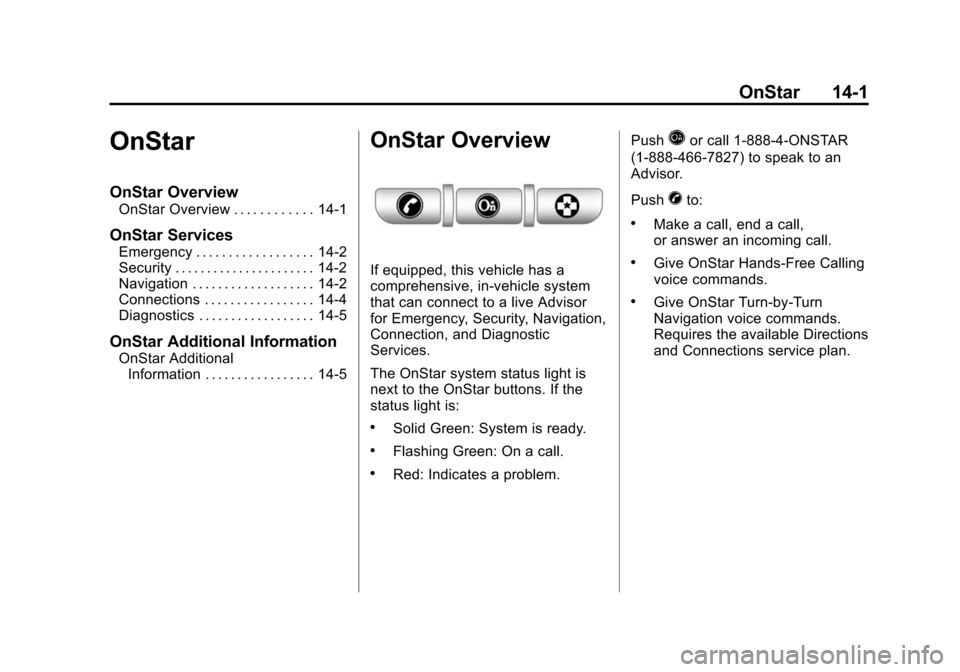
If equipped, this vehicle has a
comprehensive, in-vehicle system
that can connect to a live Advisor
for Emergency, Security, Navigation,
Connection, and Diagnostic
Services.
The OnStar system status light is
next to the OnStar buttons. If the
status light is:
.Solid Green: System is ready.
.Flashing Green: On a call.
.Red: Indicates a problem. Push
Qor call 1‐888‐4‐ONSTAR
(1‐888‐466‐7827) to speak to an
Advisor.
Push
Xto:
.Make a call, end a call,
or answer an incoming call.
.Give OnStar Hands-Free Calling
voice commands.
.Give OnStar Turn-by-Turn
Navigation voice commands.
Requires the available Directions
and Connections service plan.
Page 482 of 502
Black plate (2,1)Cadillac SRX Owner Manual (Include Mex) - 2012
14-2 OnStar
PushQto connect to a live
Advisor to:
.Verify account information or
update contact information.
.Get driving directions. Requires
the available Directions and
Connections service plan.
.Receive On-Demand
Diagnostics for a check on the
vehicle’s key operating systems.
.Receive Roadside Assistance.
Push
]to get a priority connection
to an Emergency Advisor available
24/7 to:
.Get help for an emergency.
.Be a Good Samaritan or
respond to an AMBER Alert.
.Get crisis assistance and
evacuation routes.
OnStar Services
Emergency
With Automatic Crash Response,
the built-in system can automatically
connect to help in a crash even if
you cannot ask for it.
Push
]to connect to an
Emergency Advisor. GPS
technology is used to identify the
vehicle location and can provide
critical information to emergency
personnel. The Advisor is also
trained to offer critical assistance
in emergency situations.
Security
OnStar provides services like Stolen
Vehicle Assistance, Remote Ignition
Block, and Roadside Assistance,
if the vehicle is equipped with these
services. OnStar can unlock the
vehicle doors remotely, if it is
equipped with automatic door locks,
and can help police locate the
vehicle if it is stolen.
Navigation
OnStar navigation requires the
Directions and Connections
service plan.
Push
Qto receive directions or
have them sent to the vehicle
navigation screen. Destinations
can also be forwarded to the
vehicle from Google Maps™ or
MapQuest.com. The OnStar
mapping database is continuously
updated. Visit www.onstar.com for
coverage maps.
Turn‐by‐Turn Navigation
1. PushQto connect to a live
Advisor.
2. Request directions.
3. Directions are downloaded to the vehicle.
4. Follow the voice-guided commands.
Page 485 of 502
Black plate (5,1)Cadillac SRX Owner Manual (Include Mex) - 2012
OnStar 14-5
OnStar Mobile App
With an iPhone®or
Android™-based mobile device,
an OnStar mobile app can be
downloaded. The vehicle can be
remote started, if equipped, or the
doors can be unlocked from
anywhere there is cell phone
service. It can also check the fuel
level, tire pressure, and oil life.
It can connect to an OnStar Advisor
anytime. For OnStar mobile app
compatibility or further information,
see www.onstar.com.
Diagnostics
OnStar Vehicle Diagnostics will
perform a vehicle check every
month. It will check the engine,
transmission, antilock brakes, and
major vehicle systems. It also
checks the tire pressures, if the
vehicle is equipped with the
Tire Pressure Monitoring System.
If a diagnostics check is needed
between e-mails, push
Q, and an
Advisor can run a check.
OnStar Additional
Information
Transferring Service
PushQto request account transfer
eligibility information. The Advisor
can assist in canceling or removing
account information. If OnStar
receives information that vehicle
ownership has changed, OnStar
may send a voice message to the
vehicle, requesting updated account
information.
Reactivation for Subsequent
Owners
PushQand follow the prompts to
speak to an Advisor as soon as
possible after acquiring the vehicle.
The Advisor will update vehicle
records and will explain the OnStar
service offers and options available.
How OnStar Service Works
Automatic Crash Response,
Emergency Services, Crisis Assist,
Stolen Vehicle Assistance, Vehicle
Diagnostics, Remote Door Unlock,
Roadside Assistance, Turn-by-Turn
Navigation, and Hands-Free Calling
are available on most vehicles.
Not all OnStar services are
available everywhere or on all
vehicles. For more information,
a full description of OnStar
services, system limitations, and
OnStar terms and conditions,
see www.onstar.com (U.S.) or
www.onstar.ca (Canada); contact
OnStar at 1-888-4-ONSTAR
(1‐888‐466‐7827) or TTY
1‐877‐248‐2080; or push
Qto
speak with an Advisor. OnStar
services require a vehicle electrical
system, wireless service, and GPS
satellite technologies to be available
and operating for features to
function properly. These systems
may not operate if the battery is
discharged or disconnected.
Page 486 of 502
Black plate (6,1)Cadillac SRX Owner Manual (Include Mex) - 2012
14-6 OnStar
OnStar service cannot work unless
your vehicle is in a place where
OnStar has an agreement with a
wireless service provider for service
in that area, and the wireless
service provider has coverage,
network capacity, reception, and
technology compatible with OnStar’s
service. Service involving location
information about the vehicle cannot
work unless GPS signals are
available, unobstructed, and
compatible with the OnStar
hardware. OnStar service may not
work if the OnStar equipment is not
properly installed or it has not been
properly maintained. If equipment or
software is added, connected,
or modified, OnStar service may not
work. Other problems beyond
OnStar ’s control may prevent
service such as hills, tall buildings,
tunnels, weather, electrical system
design and architecture of the
vehicle, damage to the vehicle in a
crash, or wireless phone network
congestion or jamming. See
Radio Frequency Statement on
page 13‑21 for information
regarding Part 15 of the Federal
Communications Commission (FCC)
rules and Industry Canada
Standards RSS-GEN/210/220/310.
Services for People with
Disabilities
Advisors provide services to help
subscribers with physical disabilities
and medical conditions.
Push
Qfor help with:
.Locating a gas station with an
attendant to pump gas.
.Finding a hotel, restaurant, etc.,
that meets accessibility needs.
.Providing directions to the
closest hospital or pharmacy in
urgent situations.
TTY Users
OnStar has the ability to
communicate to the deaf,
hard‐of‐hearing, or speech‐impaired
customers while in the vehicle.
The available dealer‐installed
TTY system can provide in-vehicle
access to all of the OnStar services,
except Virtual Advisor and OnStar
Turn‐by‐Turn Navigation.
Onstar.com
The website provides access to
account information, manages
the OnStar subscription, and
allows viewing of videos of each
service. Get subscription plan
pricing and sign up for OnStar
Vehicle Diagnostics. Click on
the “My Account” tab on the
home page.
Page 491 of 502

Black plate (3,1)Cadillac SRX Owner Manual (Include Mex) - 2012
INDEX i-3
CleaningExterior Care . . . . . . . . . . . . . . . 10-96
Interior Care . . . . . . . . . . . . . . . . 10-99
Climate Control Systems Dual Automatic . . . . . . . . . . . . . . . . 8-1
Rear . . . . . . . . . . . . . . . . . . . . . . . . . . . 8-5
Clock . . . . . . . . . . . . . . . . . . . . . . . . . . . 5-7
Cluster, Instrument . . . . . . . . . . . . 5-11
Collision Damage Repair . . . . . 13-15
Compact Spare Tire . . . . . . . . . . 10-87
Compass . . . . . . . . . . . . . . . . . . . . . . . 5-7
Messages . . . . . . . . . . . . . . . . . . . . 5-34
Compressor Kit, Tire Sealant . . . . . . . . . . . . . . . . . . . . . . 10-73
Connections, OnStar
®. . . . . . . . . 14-4
Control of a Vehicle . . . . . . . . . . . . . 9-4
Convenience Net . . . . . . . . . . . . . . 4-10
Convex Mirrors . . . . . . . . . . . . . . . . 2-20
Coolant
Engine . . . . . . . . . . . . . . . . . . . . . . 10-15
Engine TemperatureGauge . . . . . . . . . . . . . . . . . . . . . . 5-14 Cooling System . . . . . . . . . . . . . . . 10-14
Engine Messages . . . . . . . . . . . . 5-34
Courtesy Lamps . . . . . . . . . . . . . . . . 6-7
Courtesy Transportation Program . . . . . . . . . . . . . . . . . . . . . 13-13
Cover Cargo . . . . . . . . . . . . . . . . . . . . . . . . . . 4-3
Engine . . . . . . . . . . . . . . . . . . . . . . . . 10-8
Cruise Control . . . . . . . . . . . . . . . . . 9-37 Light . . . . . . . . . . . . . . . . . . . . . . . . . . 5-28
Messages . . . . . . . . . . . . . . . . . . . . 5-34
Cupholders . . . . . . . . . . . . . . . . . . . . . 4-1
Customer Assistance . . . . . . . . . . 13-6 Offices . . . . . . . . . . . . . . . . . . 13-4, 13-5
Text Telephone (TTY)Users . . . . . . . . . . . . . . . . . . . . . . . 13-6
Customer Information Service PublicationsOrdering Information . . . . . . 13-17
Customer Satisfaction Procedure . . . . . . . . . . . . . . 13-1, 13-3
D
Damage Repair, Collision . . . . . 13-15
Danger, Warnings, and
Cautions . . . . . . . . . . . . . . . . . . . . . . . . iv
Data Recorders, Event . . . . . . . 13-20
Daytime Running Lamps (DRL) . . . . . . . . . . . . . . . . . . 6-3
Defensive Driving . . . . . . . . . . . . . . . 9-3
Devices, Auxiliary . . . . . . . 7-28, 7-33
Diagnostics, OnStar
®. . . . . . . . . . 14-5
Distracted Driving . . . . . . . . . . . . . . . 9-2
Dome Lamps . . . . . . . . . . . . . . . . . . . 6-7
Door
Ajar Messages . . . . . . . . . . . . . . . 5-34
Locks . . . . . . . . . . . . . . . . . . . . . . . . . 2-11
Power Locks . . . . . . . . . . . . . . . . . . 2-12
Rear Seat Pass-through . . . . . . 3-13
Drive Belt Routing, Engine . . . . . 12-3
Drive Systems All-Wheel Drive . . . . . . . 10-24, 9-30
Driver Information Center (DIC) . . . . . . . . . . . . . . . . . 5-28
Page 497 of 502

Black plate (9,1)Cadillac SRX Owner Manual (Include Mex) - 2012
INDEX i-9
OnStar®
Additional Information . . . . . . . . 14-5
Connections . . . . . . . . . . . . . . . . . . 14-4
Diagnostics . . . . . . . . . . . . . . . . . . . 14-5
Emergency . . . . . . . . . . . . . . . . . . . 14-2
Navigation . . . . . . . . . . . . . . . . . . . . 14-2
Overview . . . . . . . . . . . . . . . . . . . . . 14-1
Security . . . . . . . . . . . . . . . . . . . . . . 14-2
OnStar
®System . . . . . . . . . . . . . . . 1-24
Operation, Infotainment System . . . . . . . . . . . . . . . . . . . . . . . . 7-7
Ordering Service Publications . . . . . . . . 13-17
Outlets Power . . . . . . . . . . . . . . . . . . . . . . . . . 5-8
Overheating, Engine . . . . . . . . . . 10-18
Overview, Infotainment
System . . . . . . . . . . . . . . . . . . . . 7-3, 7-5
Overview, OnStar
®. . . . . . . . . . . . 14-1
P
Park Shifting into . . . . . . . . . . . . . . . . . . . 9-22
Shifting out of . . . . . . . . . . . . . . . . . 9-24
Parking Assist, Ultrasonic . . . . . . . . . . . . . 9-40
Brake . . . . . . . . . . . . . . . . . . . . . . . . . 9-31
Brake and P (Park)Mechanism Check . . . . . . . . 10-26
Over Things That Burn . . . . . . . 9-24
Passenger Airbag Status
Indicator . . . . . . . . . . . . . . . . . . . . . 5-17
Passenger Compartment Air Filter . . . . . . . . . . . . . . . . . . . . . . . . . . 8-7
Passenger Sensing System . . . 3-30
Perchlorate Materials Requirements, California . . . . . 10-3
Personalization Vehicle . . . . . . . . . . . . . . . . . . . . . . . 5-40
Phone
Bluetooth . . . . . . . . 7-47, 7-49, 7-53, 7-59Power
Door Locks . . . . . . . . . . . . . . . . . . . 2-12
Mirrors . . . . . . . . . . . . . . . . . . . . . . . . 2-20
Outlets . . . . . . . . . . . . . . . . . . . . . . . . 5-8
Retained Accessory (RAP) . . . 9-22
Seat Adjustment . . . . . . . . . . . . . . . 3-4
Steering Fluid . . . . . . . . . . . . . . . 10-20
Windows . . . . . . . . . . . . . . . . . . . . . 2-24
Pregnancy, Using Safety Belts . . . . . . . . . . . . . . . . . . . . . . . . . 3-21
Privacy
Radio FrequencyIdentification (RFID) . . . . . . . 13-21
Program Courtesy Transportation . . . . 13-13
Proposition 65 Warning,
California . . . . . . . . . . . . . . . . . . . . . 10-3