audio CADILLAC SRX 2012 2.G Owner's Manual
[x] Cancel search | Manufacturer: CADILLAC, Model Year: 2012, Model line: SRX, Model: CADILLAC SRX 2012 2.GPages: 502, PDF Size: 6.23 MB
Page 213 of 502
Black plate (23,1)Cadillac SRX Owner Manual (Include Mex) - 2012
Infotainment System 7-23
Searching for MP3s on a CD
or DVD
It is normal for the search feature to
take some time to display the
information after reading the disc
due to the amount of information
stored on the disc. The infotainment
system automatically switches to
FM while the disc is being read.
Files that do not have any meta
data stored in the ID3 tag display
as Unknown.
Tracks can be searched for by:
.Playlists
.Artists
.Albums
.Song Titles
.GenresThe number of objects in each
category is shown in parentheses
after the category.
To search for tracks:
1. Turn the MENU/SELECT knob.
2. Select Search.
3. Select: Playlists, Artists, Albums,
Song Titles, or Genres.
4. Select the track. The search rate increases if the MENU/SELECT
knob is continuously turned
while searching in a list.
Playing MP3 Tracks in Random
Order
Turn the MENU/SELECT knob and
set Shuffle Songs to On.Recording an Audio or
MP3 CD to MEM
See Mass Storage Media (MEM) on
page 7‑24 for more information.
Playing a DVD‐V
SeeRear Seat Entertainment (RSE)
System on page 7‑35 for information
about how to control a Video DVD
using the wireless remote control.
Selecting a Chapter
Using the control buttons:
.PressgSEEK orlSEEK to
select the previous or next
chapter.
.Turn the TUNE knob.
Using the DVD Menu:
1. Turn the MENU/SELECT knob.
2. Select Chapter List.
3. Select the chapter.
Selecting a Title
1. Turn the MENU/SELECT knob.
2. Select Title List.
3. Select the title.
Page 214 of 502
Black plate (24,1)Cadillac SRX Owner Manual (Include Mex) - 2012
7-24 Infotainment System
Changing the Audio Stream
1. Turn the MENU/SELECT knob.
2. Select Audio Stream.
3. Select Change Audio Stream.
4. Press MENU/SELECT to changethe selection.
Select Cancel to exit the menu.
Pausing a DVD
1. Turn the MENU/SELECT knob.
2. Select Pause to pause the disc. Select unpause to start
playback.
Navigating the DVD‐V Disc Menu
Use the following actions to
navigate the title menu on a
DVD‐V Disc.
.Select/Enter
.Cursor UP
.Cursor DOWN
.Cursor RIGHT
.Cursor LEFT
.Up Menu
Use the following actions to
navigate the menu on a DVD‐V Disc
while playing chapters.
.Pause (Play)
.Chapter List
.Title List
.DVD/DVD —DVD on both video
screens
.DVD/AUX —Left video screen/
Right AUX input
.AUX/DVD —Left AUX input/
Right video screen
.AUX/AUX —AUX input on both
video screens
To navigate the menu:
1. Turn the MENU/SELECT knob.
2. Select the action.
Mass Storage
Media (MEM)
Infotainment systems with MEM
storage are able to record up to
1.1 GB (gigabyte) of music from
Audio CDs, MP3/WMA/AAC discs,
and USB storage devices. The MEM
player can also time shift audio from
AM, FM, and XM radio.
Music or content stored in MEM that
you did not create, or have the right
to distribute, must be deleted before
the sale or end of lease of the
vehicle.
Control Buttons
The buttons used to control the
MEM player are:
MEM/CD/AUX: Press to select the
MEM player.
lSEEK/gSEEK: Press to
select tracks or to fast forward or
rewind within a track.
Page 215 of 502
Black plate (25,1)Cadillac SRX Owner Manual (Include Mex) - 2012
Infotainment System 7-25
INFO:Press to display additional
information about the MEM track
that may be available. Turn to
select tracks.
k(Play/Pause): Press to pause
the track currently playing; press
again to resume playback.
(REC: Press to record music
from a CD or USB drive.
DEL: Press to delete the current
track from MEM.
FAV (Favorites): Press to display
MEM favorites.
1 to 6: Press to select a track or
playlist stored in that numeric
position.
Recording from Audio CDs
The infotainment system can record
the current song playing or all songs
from an audio CD to MEM. A status
bar appears on the top of the
display when the recording process
starts and disappears when the
process has ended. Copy protected
CDs cannot be recorded to MEM. Recording to MEM
Press
(REC, then select
“Record
Current Song” or“Record All Songs
on Disc.” If the track has started
playing, the system will restart the
track and begin recording from the
beginning of the track. When the
song recording is completed, the
message “Song Recorded to MEM”
displays, and there may be a slight
pause.
Songs recorded to MEM are stored
as the current date, disc, and track
number.
Re-recording a Previously
Recorded Disc
If the disc or track has already been
recorded to MEM, the message
“The Song(s) is Already Recorded”
displays. Stopping the Recording
Press the(REC button while
recording from an audio CD to
display the stop recording option.
Select “Stop Recording Song
to MEM.”
Renaming Recorded Discs
Discs that have been recorded to
MEM can be renamed.
1. Turn the MENU/SELECT knob.
2. Select Rename Recorded Discs.
3. Select the disc.
4. Select Album or Artist to rename either one.
5. Use the MENU/SELECT knob to enter the character sequence.
See Operation on page 7‑7 for
more information.
Page 218 of 502
Black plate (28,1)Cadillac SRX Owner Manual (Include Mex) - 2012
7-28 Infotainment System
Auxiliary Devices
(Radio with CD)
The optional AUX input allows
portable devices to connect to the
vehicle using the 3.5 mm (1/8 in)
input jack, the USB port,
or Bluetooth
®wireless technology,
if equipped.
Portable devices are controlled by
using the menu system described in
Operation on page 7‑7.
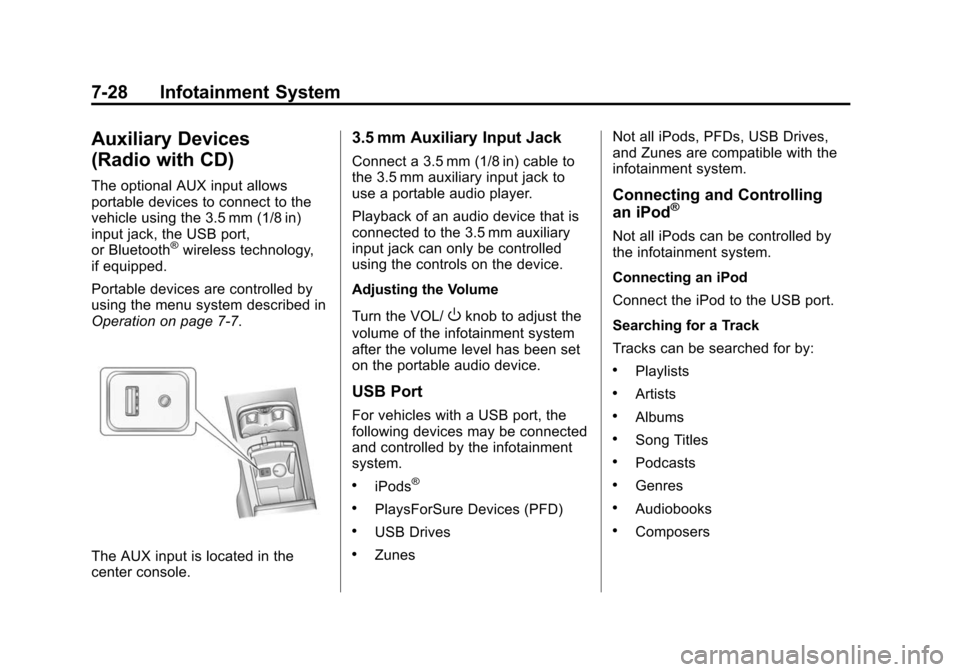
The AUX input is located in the
center console.
3.5 mm Auxiliary Input Jack
Connect a 3.5 mm (1/8 in) cable to
the 3.5 mm auxiliary input jack to
use a portable audio player.
Playback of an audio device that is
connected to the 3.5 mm auxiliary
input jack can only be controlled
using the controls on the device.
Adjusting the Volume
Turn the VOL/
Oknob to adjust the
volume of the infotainment system
after the volume level has been set
on the portable audio device.
USB Port
For vehicles with a USB port, the
following devices may be connected
and controlled by the infotainment
system.
.iPods®
.PlaysForSure Devices (PFD)
.USB Drives
.Zunes Not all iPods, PFDs, USB Drives,
and Zunes are compatible with the
infotainment system.
Connecting and Controlling
an iPod®
Not all iPods can be controlled by
the infotainment system.
Connecting an iPod
Connect the iPod to the USB port.
Searching for a Track
Tracks can be searched for by:
.Playlists
.Artists
.Albums
.Song Titles
.Podcasts
.Genres
.Audiobooks
.Composers
Page 219 of 502
Black plate (29,1)Cadillac SRX Owner Manual (Include Mex) - 2012
Infotainment System 7-29
To search for tracks:
1. Turn the MENU/SELECT knob.
2. Select Search.
3. Select: Playlists, Artists, Albums,Song Titles, Podcasts, Genres,
Audiobooks, or Composers.
4. Select the track.
Shuffle
Turn the MENU/SELECT knob and
set Shuffle Songs (Random) to On
or Off, then press the BACK button
to return to the main screen.
On: Plays tracks in the current
folder in random order.
Off: Plays tracks in the current
folder in sequential order.
Repeat
Turn the MENU/SELECT knob and
set Repeat to On or Off, then press
the BACK button to return to the
main screen.
On: Repeats the current track. Off:
Playback starts from the
beginning of the current track after
the last track finishes.
Connecting and Controlling a
PlaysForSure Device (PFD)
or Zune™
Connecting a PFD or Zune
Connect the PFD or Zune to the
USB port.
Searching for a Track
Tracks can be searched for by:
.Playlists
.Artists
.Albums
.Song Titles
.Podcasts
.Genres
To search for tracks:
1. Turn the MENU/SELECT knob.
2. Select Search. 3. Select: Playlists, Artists, Albums,
Song Titles, Podcasts,
or Genres.
4. Select the track.
Shuffle Functionality
Turn the MENU/SELECT knob and
set Shuffle Songs (Random) to On
or Off.
On: Plays current tracks in random
order.
Off: Plays current tracks in
sequential order.
Repeat Functionality
Turn the MENU/SELECT knob and
set Repeat to On or Off.
Repeat On: Repeats the current
track.
Repeat Off: Playback starts from
the beginning of the current track
after the last track finishes.
Page 220 of 502
Black plate (30,1)Cadillac SRX Owner Manual (Include Mex) - 2012
7-30 Infotainment System
Connecting and Controlling a
USB Drive
The infotainment system can only
play back .mp3 and .wma files from
a USB drive.
Only the first 10,000 songs are
recognized on the device.
When a device is not supported, the
message“No supported data found.
You can safely disconnect the
device” appears.
Connecting a USB Drive
Connect the USB drive to the
USB port.
Searching for a Track
It is normal for the search feature to
take some time to display the
information after reading the device
due to the amount of information
stored.
Files that do not have any meta
data stored in the ID3 tag display
as Unknown. Tracks can be searched for by:
.Playlists*
.Artists
.Albums
.Song Titles
.Genres
.Folder View
*This only displays if a playlist is
found on the device.
To search for tracks:
1. Turn the MENU/SELECT knob.
2. Select Search.
3. Select: Playlists, Artists, Albums, Song Titles, Genres,
or Folder View.
4. Select the track.
Shuffle Functionality
Turn the MENU/SELECT knob
and set Shuffle Songs (Random)
to On or Off.
On: Plays current tracks in
random order. Off:
Plays current tracks in
sequential order.
Repeat Functionality
Turn the MENU/SELECT knob and
set Repeat to On or Off.
Repeat On: Repeats the current
track.
Repeat Off: Playback starts from
the beginning of the current track
after the last track finishes.
Connecting a Bluetooth®
Device
Before a Bluetooth device can be
connected to the infotainment
system, it must first be paired to the
system. Not all Bluetooth devices
can be paired to the infotainment
system. Before pairing the Bluetooth
device, become familiar with its user
guide for Bluetooth functions. The
system only connects to Bluetooth
devices that support A2DP
(Advanced Audio Distribution
Profile) version 1.2.
Page 223 of 502
Black plate (33,1)Cadillac SRX Owner Manual (Include Mex) - 2012
Infotainment System 7-33
Controlling a Bluetooth®
Device
Bluetooth devices that support
AVRCP (Audio/Video Remote
Control Profile) version 1.0 may
be able to be controlled by the
infotainment system.
Press and release
gSEEK /
lSEEK to skip tracks.
Other Information
The Bluetooth®word mark and
logos are owned by the Bluetooth®
SIG, Inc. and any use of such marks
by General Motors is under license.
Other trademarks and trade names
are those of their respective owners.
See Radio Frequency Statement on
page 13‑21 for FCC information.
Auxiliary Devices
(Radio with CD/DVD
and MEM)
The optional AUX input allows
portable devices to be connected
using the 3.5 mm (1/8 in) input jack
or the USB port.
Portable devices are controlled by
using the menu system described in
Operation on page 7‑7.
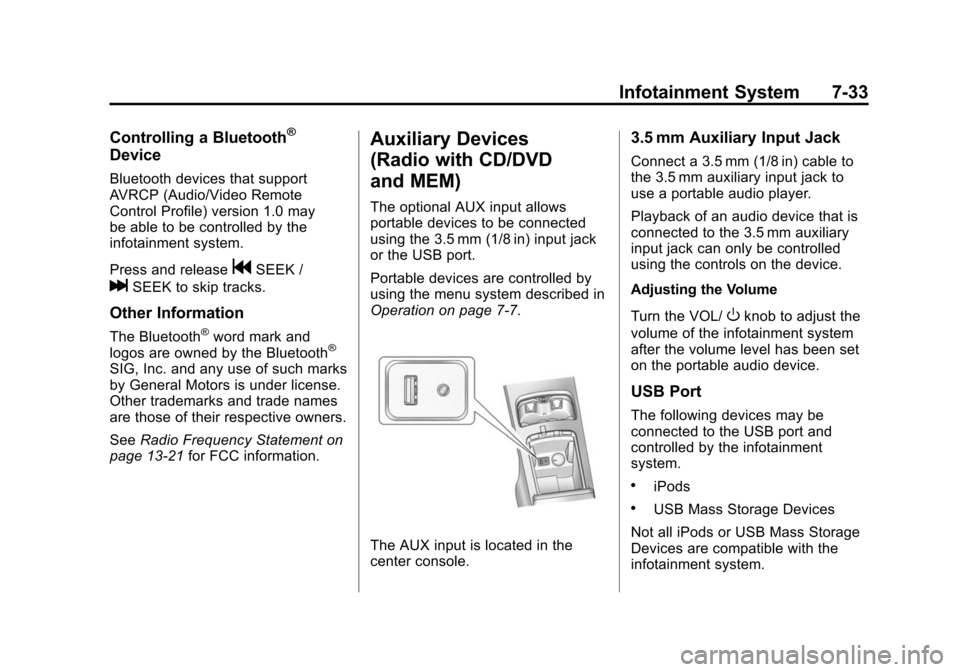
The AUX input is located in the
center console.
3.5 mm Auxiliary Input Jack
Connect a 3.5 mm (1/8 in) cable to
the 3.5 mm auxiliary input jack to
use a portable audio player.
Playback of an audio device that is
connected to the 3.5 mm auxiliary
input jack can only be controlled
using the controls on the device.
Adjusting the Volume
Turn the VOL/
Oknob to adjust the
volume of the infotainment system
after the volume level has been set
on the portable audio device.
USB Port
The following devices may be
connected to the USB port and
controlled by the infotainment
system.
.iPods
.USB Mass Storage Devices
Not all iPods or USB Mass Storage
Devices are compatible with the
infotainment system.
Page 224 of 502
Black plate (34,1)Cadillac SRX Owner Manual (Include Mex) - 2012
7-34 Infotainment System
Connecting and Controlling
an iPod®
Not all iPods can be controlled by
the infotainment system.
Connecting an iPod
Connect the iPod to the USB port.
Selecting a Track
Using the control buttons:
.PressgSEEK orlSEEK to
select the previous or next track.
.Turn the TUNE knob to select a
track in the current submenu.
The track will start to play.
Playing Tracks in Random Order
Turn the MENU/SELECT knob and
set Shuffle Songs to On or Off.
Shuffle On: Plays current tracks in
random order.
Shuffle Off: Plays current tracks in
sequential order. Searching for a Track
Tracks can be searched for by:
.Playlists
.Artists
.Albums
.Song Titles
.Genres
.Composers
.Audiobooks
The number of objects in each
category is shown in parentheses
after the category.
To search for tracks:
1. Turn the MENU/SELECT knob.
2. Select Search.
3. Select: Playlists, Artists, Albums, Song Titles, Genres,
Composers, or Audiobooks.
4. Select the track. The search rate increases if the MENU/SELECT
knob is continuously turned
while searching in a list.
Connecting and Controlling a
USB Drive
Files that are not stored in folders
are displayed in the root
directory (USB).
Connecting a USB Drive
Connect the USB drive to the
USB port.
Disconnecting a USB Drive
A USB drive should be ejected from
the USB port before disconnecting
it. To eject a USB drive:
1. Turn the MENU/SELECT knob.
2. Select USB Eject.
Playing Tracks in Random Order
Turn the MENU/SELECT knob and
then set Shuffle Songs to On.
Page 225 of 502
Black plate (35,1)Cadillac SRX Owner Manual (Include Mex) - 2012
Infotainment System 7-35
Selecting a Track
Using the control buttons:
.PressgSEEK orlSEEK to
select the previous or next track.
.Turn the TUNE knob to select a
track in the current submenu.
The track will start to play.
Selecting a track in a different
folder:
1. Turn the MENU/SELECT knob.
2. Select Folder List.
3. Select the folder.
4. Select the track.
Searching for Tracks
It is normal for the search feature
to take some time to display the
information after reading the device
due to the amount of information
stored.
Files that do not have any meta
data stored in the ID3 tag display
as Unknown. Tracks can be searched by:
.Playlists
.Artists
.Albums
.Song Titles
.Genres
The number of objects in each
category is shown in parentheses
after the category.
To search for tracks:
1. Turn the MENU/SELECT knob.
2. Select Search.
3. Select: Playlists, Artists, Albums, Song Titles, or Genres.
4. Select the track. The search rate increases if the MENU/SELECT
knob is continuously turned
while searching in a list.
Recording Tracks to MEM
See Mass Storage Media (MEM) on
page 7‑24 for more information.
Rear Seat
Infotainment
Rear Seat Entertainment
(RSE) System
The vehicle may have a DVD Rear
Seat Entertainment (RSE) system.
The RSE system works with the
vehicle's infotainment system. The
DVD player is part of the front radio.
The RSE system includes a radio
with a DVD player, two rear seat
video display screens, audio/video
jacks, two wireless headphones,
and a remote control. See CD/DVD
Player on page 7‑21 or the separate
navigation manual for more
information on the vehicle's DVD
system.
Page 227 of 502
Black plate (37,1)Cadillac SRX Owner Manual (Include Mex) - 2012
Infotainment System 7-37
If the vehicle is not equipped with
RSA, then Channel 2 is dedicated to
any external auxiliary device
connected to the rear A/V jacks.
The wireless headphones have a
power button, Channel 1 or 2
switch, and a volume control. Turn
the headphones off when not in use.
Push the power button to turn on
the headphones. A light on the
headphones comes on. If the light
does not come on, check the
batteries. Intermittent sound or static
can also indicate weak batteries.
See“Battery Replacement” later in
this section for more information.
Infrared transmitters are on the top
of the left seatback video screen.
The headphones shut off
automatically to save the battery
power if the RSE system and RSA
are shut off or if the headphones are
out of range of the transmitters for
more than three minutes. Moving too
far forward or stepping out of the
vehicle can cause the headphones
to lose the signal or have static. To adjust the volume on the
headphones, use the volume
control.
For best audio performance, the
headphones must be worn correctly,
with the headband over the top of
the head. L (Left) and R (Right) are
above the ear pads and are
indicators as to how the
headphones should be placed on
the head.
Notice:
Do not store the
headphones in heat or direct
sunlight. This could damage the
headphones and repairs will not
be covered by the warranty.
Storage in extreme cold can
weaken the batteries. Keep the
headphones stored in a cool, dry
place.
If the foam ear pads attached to the
headphones become worn or
damaged, the pads can be replaced
separately from the headphone set.
To purchase replacement ear pads,
call 1‐888‐293‐3332, then prompt
zero (0), or contact your dealer. Battery Replacement
To change the batteries:
1. Loosen the screw to the battery
door located on the left side of
the headphones.
2. Slide the battery door open.
3. Replace the two AAA batteries.
4. Replace the battery door and tighten the screw.
Remove the batteries if the
headphones are not going to be
used for a long period of time.
Audio/Video (A/V) Jacks
The A/V jacks may be located on
the rear of the floor console. They
allow audio or video cables to be
connected from an auxiliary device
such as a camcorder or a video
game system.
The A/V jacks are color coded:
.Yellow for video input.
.White for left audio input.
.Red for right audio input.