brake CADILLAC SRX 2013 2.G User Guide
[x] Cancel search | Manufacturer: CADILLAC, Model Year: 2013, Model line: SRX, Model: CADILLAC SRX 2013 2.GPages: 432, PDF Size: 7.13 MB
Page 63 of 432
Black plate (7,1)Cadillac SRX Owner Manual - 2013 - CRC - 11/9/12
Seats and Restraints 3-7
2. Push and pull on the seatback tomake sure it is locked.
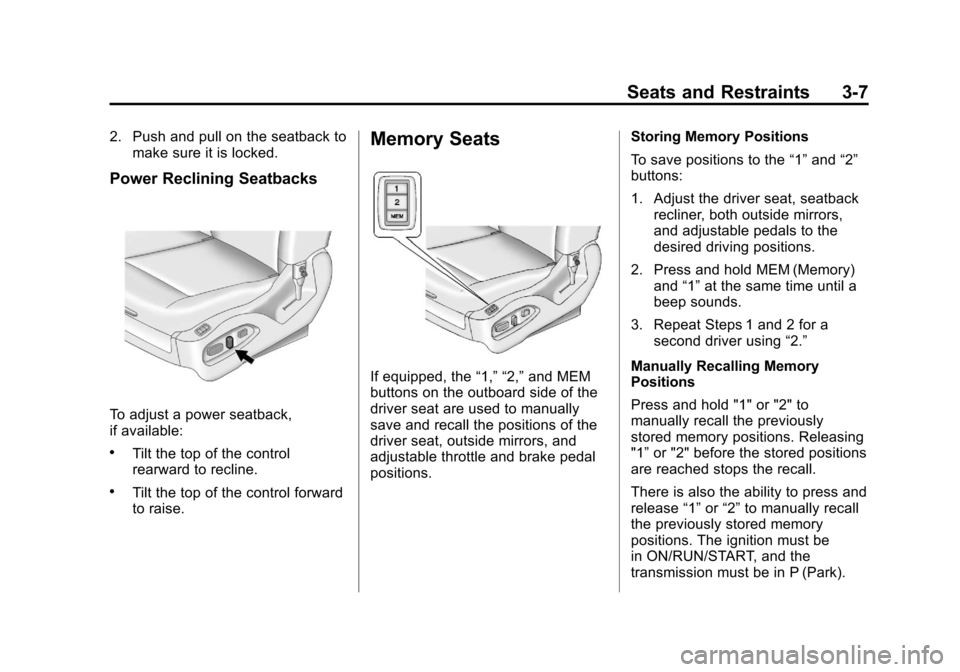
Power Reclining Seatbacks
To adjust a power seatback,
if available:
.Tilt the top of the control
rearward to recline.
.Tilt the top of the control forward
to raise.
Memory Seats
If equipped, the “1,” “2,”and MEM
buttons on the outboard side of the
driver seat are used to manually
save and recall the positions of the
driver seat, outside mirrors, and
adjustable throttle and brake pedal
positions. Storing Memory Positions
To save positions to the
“1”and “2”
buttons:
1. Adjust the driver seat, seatback recliner, both outside mirrors,
and adjustable pedals to the
desired driving positions.
2. Press and hold MEM (Memory) and “1”at the same time until a
beep sounds.
3. Repeat Steps 1 and 2 for a second driver using “2.”
Manually Recalling Memory
Positions
Press and hold "1" or "2" to
manually recall the previously
stored memory positions. Releasing
"1” or "2" before the stored positions
are reached stops the recall.
There is also the ability to press and
release “1”or“2” to manually recall
the previously stored memory
positions. The ignition must be
in ON/RUN/START, and the
transmission must be in P (Park).
Page 82 of 432
Black plate (26,1)Cadillac SRX Owner Manual - 2013 - CRC - 11/9/12
3-26 Seats and Restraints
But airbags would not help in
many types of collisions, primarily
because the occupant's motion is
not toward those airbags. SeeWhen
Should an Airbag Inflate? on
page 3‑24.
Airbags should never be regarded
as anything more than a supplement
to safety belts.
What Will You See after
an Airbag Inflates?
After the frontal airbags and
seat-mounted side impact airbags
inflate, they quickly deflate, so
quickly that some people may not
even realize an airbag inflated.
Roof-rail airbags may still be at least
partially inflated for some time after
they inflate. Some components of
the airbag module may be hot for
several minutes. For location of the
airbags, see Where Are the
Airbags? on page 3‑22.
The parts of the airbag that come
into contact with you may be warm,
but not too hot to touch. There may be some smoke and dust coming
from the vents in the deflated
airbags. Airbag inflation does not
prevent the driver from seeing out of
the windshield or being able to steer
the vehicle, nor does it prevent
people from leaving the vehicle.
{WARNING
When an airbag inflates, there
may be dust in the air. This dust
could cause breathing problems
for people with a history of
asthma or other breathing trouble.
To avoid this, everyone in the
vehicle should get out as soon as
it is safe to do so. If you have
breathing problems but cannot
get out of the vehicle after an
airbag inflates, then get fresh air
by opening a window or a door.
If you experience breathing
problems following an airbag
deployment, you should seek
medical attention.
The vehicle has a feature that may
automatically unlock the doors, turn
on the interior lamps, turn on the
hazard warning flashers, and shut
off the fuel system after the airbags
inflate. You can lock the doors, turn
off the interior lamps, and turn off
the hazard warning flashers by
using the controls for those
features.
{WARNING
A crash severe enough to inflate
the airbags may have also
damaged important functions in
the vehicle, such as the fuel
system, brake and steering
systems, etc. Even if the vehicle
appears to be drivable after a
moderate crash, there may be
concealed damage that could
make it difficult to safely operate
the vehicle.
Use caution if you should attempt
to restart the engine after a crash
has occurred.
Page 125 of 432
Black plate (1,1)Cadillac SRX Owner Manual - 2013 - CRC - 11/9/12
Instruments and Controls 5-1
Instruments and
Controls
Controls
Steering Wheel Adjustment . . . 5-2
Steering Wheel Controls . . . . . . 5-2
Heated Steering Wheel . . . . . . . 5-3
Horn . . . . . . . . . . . . . . . . . . . . . . . . . . 5-3
Windshield Wiper/Washer . . . . . 5-3
Rear Window Wiper/Washer . . . . . . . . . . . . . . . . . . . . . . 5-5
Headlamp Washer . . . . . . . . . . . . 5-6
Compass . . . . . . . . . . . . . . . . . . . . . 5-7
Clock . . . . . . . . . . . . . . . . . . . . . . . . . 5-7
Power Outlets . . . . . . . . . . . . . . . . . 5-7
Cigarette Lighter . . . . . . . . . . . . . . 5-8
Ashtrays . . . . . . . . . . . . . . . . . . . . . . 5-8
Warning Lights, Gauges, and
Indicators
Warning Lights, Gauges, and Indicators . . . . . . . . . . . . . . . . . . . . 5-9
Instrument Cluster . . . . . . . . . . . 5-10
Speedometer . . . . . . . . . . . . . . . . 5-11
Odometer . . . . . . . . . . . . . . . . . . . . 5-12
Trip Odometer . . . . . . . . . . . . . . . 5-12
Tachometer . . . . . . . . . . . . . . . . . . 5-12 Fuel Gauge . . . . . . . . . . . . . . . . . . 5-12
Engine Coolant Temperature
Gauge . . . . . . . . . . . . . . . . . . . . . . 5-13
Safety Belt Reminders . . . . . . . 5-14
Airbag Readiness Light . . . . . . 5-15
Passenger Airbag Status Indicator . . . . . . . . . . . . . . . . . . . . 5-16
Charging System Light . . . . . . 5-17
Malfunction Indicator Lamp . . . . . . . . . . . . . 5-17
Brake System Warning Light . . . . . . . . . . . . . . . . . . . . . . . 5-20
Electric Parking Brake Light . . . . . . . . . . . . . . . . . . . . . . . 5-20
Service Electric Parking Brake Light . . . . . . . . . . . . . . . . . . . . . . . 5-20
Antilock Brake System (ABS) Warning Light . . . . . . . . . . . . . . 5-21
Lane Departure Warning (LDW) Light . . . . . . . . . . . . . . . . 5-21
Vehicle Ahead Indicator . . . . . . 5-22
Traction Off Light . . . . . . . . . . . . 5-22
StabiliTrak®OFF Light . . . . . . . 5-22
Traction Control System (TCS)/StabiliTrak
®Light . . . . 5-23
Engine Coolant Temperature Warning Light . . . . . . . . . . . . . . 5-23
Tire Pressure Light . . . . . . . . . . 5-24
Engine Oil Pressure Light . . . . 5-24 Fuel Economy Light . . . . . . . . . 5-24
Low Fuel Warning Light . . . . . . 5-25
Security Light . . . . . . . . . . . . . . . . 5-25
High-Beam On Light . . . . . . . . . 5-25
Adaptive Forward Lighting
(AFL) Light . . . . . . . . . . . . . . . . . 5-25
Front Fog Lamp Light . . . . . . . . 5-26
Lamps On Reminder . . . . . . . . . 5-26
Cruise Control Light . . . . . . . . . 5-26
Information Displays
Driver Information Center (DIC) . . . . . . . . . . . . . . . 5-27
Vehicle Messages
Vehicle Messages . . . . . . . . . . . 5-30
Battery Voltage and ChargingMessages . . . . . . . . . . . . . . . . . . 5-30
Brake System Messages . . . . 5-30
Compass Messages . . . . . . . . . 5-31
Cruise Control Messages . . . . 5-31
Door Ajar Messages . . . . . . . . . 5-32
Engine Cooling System Messages . . . . . . . . . . . . . . . . . . 5-32
Engine Oil Messages . . . . . . . . 5-33
Engine Power Messages . . . . 5-33
Fuel System Messages . . . . . . 5-33
Key and Lock Messages . . . . . 5-34
Lamp Messages . . . . . . . . . . . . . 5-34
Page 144 of 432
Black plate (20,1)Cadillac SRX Owner Manual - 2013 - CRC - 11/9/12
5-20 Instruments and Controls
Brake System Warning
Light
The vehicle brake system consists
of two hydraulic circuits. If one
circuit is not working, the remaining
circuit can still work to stop the
vehicle. For normal braking
performance, both circuits need to
be working.
If the warning light comes on, there
is a brake problem. Have the brake
system inspected right away.
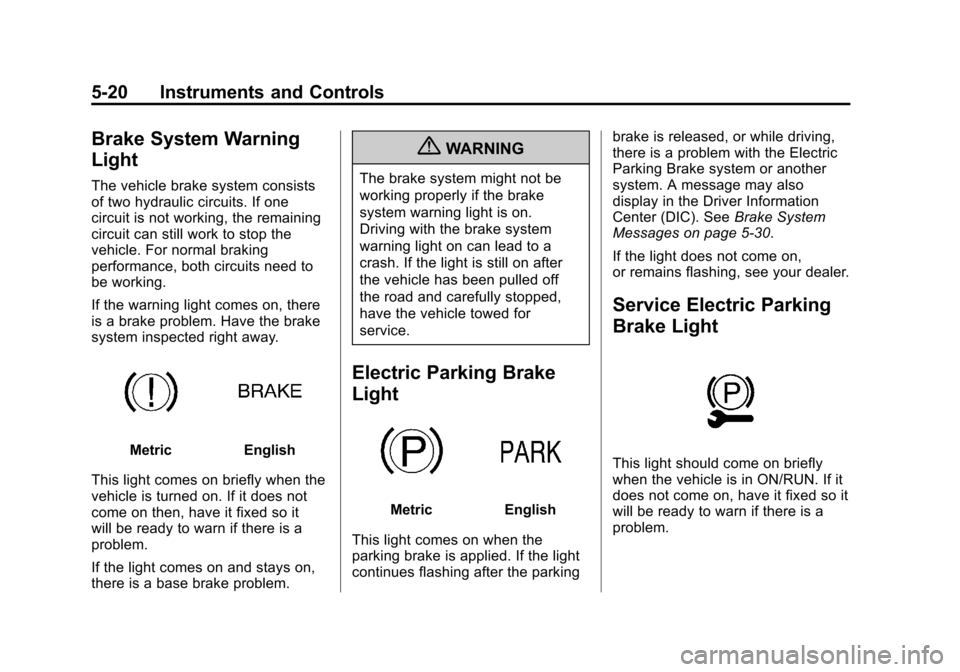
MetricEnglish
This light comes on briefly when the
vehicle is turned on. If it does not
come on then, have it fixed so it
will be ready to warn if there is a
problem.
If the light comes on and stays on,
there is a base brake problem.
{WARNING
The brake system might not be
working properly if the brake
system warning light is on.
Driving with the brake system
warning light on can lead to a
crash. If the light is still on after
the vehicle has been pulled off
the road and carefully stopped,
have the vehicle towed for
service.
Electric Parking Brake
Light
MetricEnglish
This light comes on when the
parking brake is applied. If the light
continues flashing after the parking brake is released, or while driving,
there is a problem with the Electric
Parking Brake system or another
system. A message may also
display in the Driver Information
Center (DIC). See
Brake System
Messages on page 5‑30.
If the light does not come on,
or remains flashing, see your dealer.
Service Electric Parking
Brake Light
This light should come on briefly
when the vehicle is in ON/RUN. If it
does not come on, have it fixed so it
will be ready to warn if there is a
problem.
Page 145 of 432
Black plate (21,1)Cadillac SRX Owner Manual - 2013 - CRC - 11/9/12
Instruments and Controls 5-21
If this light stays on, there is a
problem with the Electric Parking
Brake system or another system on
the vehicle that is causing the
parking brake system to work at a
reduced level. The vehicle can still
be driven, but should be taken to a
dealer as soon as possible. See the
information for the Electric Parking
Brake underParking Brake on
page 9‑28. If a message displays in
the Driver Information Center (DIC),
see Brake System Messages on
page 5‑30.
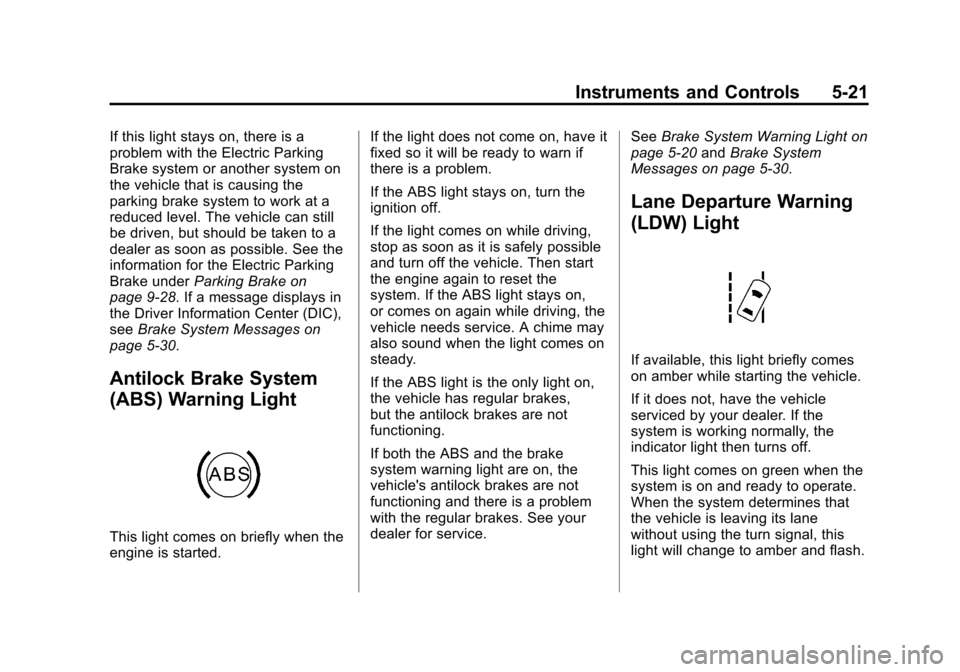
Antilock Brake System
(ABS) Warning Light
This light comes on briefly when the
engine is started. If the light does not come on, have it
fixed so it will be ready to warn if
there is a problem.
If the ABS light stays on, turn the
ignition off.
If the light comes on while driving,
stop as soon as it is safely possible
and turn off the vehicle. Then start
the engine again to reset the
system. If the ABS light stays on,
or comes on again while driving, the
vehicle needs service. A chime may
also sound when the light comes on
steady.
If the ABS light is the only light on,
the vehicle has regular brakes,
but the antilock brakes are not
functioning.
If both the ABS and the brake
system warning light are on, the
vehicle's antilock brakes are not
functioning and there is a problem
with the regular brakes. See your
dealer for service.
See
Brake System Warning Light on
page 5‑20 andBrake System
Messages on page 5‑30.
Lane Departure Warning
(LDW) Light
If available, this light briefly comes
on amber while starting the vehicle.
If it does not, have the vehicle
serviced by your dealer. If the
system is working normally, the
indicator light then turns off.
This light comes on green when the
system is on and ready to operate.
When the system determines that
the vehicle is leaving its lane
without using the turn signal, this
light will change to amber and flash.
Page 154 of 432
Black plate (30,1)Cadillac SRX Owner Manual - 2013 - CRC - 11/9/12
5-30 Instruments and Controls
Vehicle Messages
Messages displayed on the DIC
indicate the status of the vehicle or
some action that may be needed
to correct a condition. Multiple
messages may display one after the
other.
The messages that do not
require immediate action can be
acknowledged and cleared by
pressing SET/CLR. The messages
that require immediate action cannot
be cleared until that action is
performed. All messages should be
taken seriously and clearing the
messages does not correct the
problem.
The following are some of the
vehicle messages that may be
displayed depending on your
vehicle content.
Battery Voltage and
Charging Messages
BATTERY SAVER ACTIVE
This message displays when the
vehicle has detected that the battery
voltage is dropping beyond a
reasonable point. The battery saver
system starts reducing features of
the vehicle that may be noticed. At
the point that features are disabled,
this message displays. Turn off
unnecessary accessories to allow
the battery to recharge.
LOW BATTERY
This message is displayed when the
battery voltage is low. SeeBattery
on page 10‑23.
SERVICE BATTERY
CHARGING SYSTEM
This message is displayed when
there is a fault in the battery
charging system. Take the vehicle to
your dealer for service.
TRANSPORT MODE ON
This message is displayed when the
vehicle is in transport mode. Some
features can be disabled while in
this mode, including Remote
Keyless Entry (RKE), remote start,
and the vehicle alarm system. Take
the vehicle to your dealer for service
to turn transport mode off.
Brake System Messages
BRAKE FLUID LOW
This message is displayed when the
brake fluid level is low. See Brake
Fluid on page 10‑21.
STEP ON BRAKE TO
RELEASE PARK BRAKE
This message is displayed if you
attempt to release the Electric
Parking Brake without the brake
pedal applied. See Parking Brake
on page 9‑28.
Page 155 of 432
Black plate (31,1)Cadillac SRX Owner Manual - 2013 - CRC - 11/9/12
Instruments and Controls 5-31
RELEASE PARKING BRAKE
This message is displayed if the
Electric Parking Brake is on while
the vehicle is in motion. SeeParking
Brake on page 9‑28.
SERVICE BRAKE ASSIST
This message may be displayed
when there is a problem with the
brake boost assist system. When
this message is displayed, the brake
boost assist motor might be heard
operating and you might notice
pulsation in the brake pedal. This
is normal under these conditions.
Take the vehicle to your dealer for
service.
SERVICE PARKING BRAKE
This message is displayed when
there is a problem with the parking
brake. Take the vehicle to your
dealer for service.
Compass Messages
CAL
This message is displayed when the
compass needs to be calibrated.
See Compass on page 5‑7.
– –
Dashes will be displayed if the
compass needs service. See your
dealer for service.
Cruise Control Messages
ADAPTIVE CRUISE SET
TO XXX
This message displays when the
Adaptive Cruise Control (ACC)
speed is set. See Adaptive Cruise
Control on page 9‑37.
ADAPTIVE CRUISE
TEMPORARILY UNAVAILABLE
This message displays when
attempting to activate Adaptive
Cruise Control (ACC) when it is
temporarily unavailable. The ACC
system does not need service.
This can occur under the following
conditions:
.The radar is not clean. Keep
the radar sensors free of mud,
dirt, snow, ice, and slush.
Clean the entire front and/or rear
of the vehicle. For cleaning
instructions, see Exterior Care
on page 10‑89.
.Heavy rain or snow is interfering
with the radar object detection or
camera performance.
CRUISE SET TO XXX
This message displays when the
cruise control speed is set. See
Cruise Control on page 9‑35.
Page 156 of 432
Black plate (32,1)Cadillac SRX Owner Manual - 2013 - CRC - 11/9/12
5-32 Instruments and Controls
NO CRUISE BRAKING GAS
PEDAL APPLIED
This message displays when
Adaptive Cruise Control (ACC) is
active and the driver is pressing the
gas pedal. When this occurs, ACC
will not brake. SeeAdaptive Cruise
Control on page 9‑37.
Door Ajar Messages
DOOR OPEN
A door open symbol will be
displayed on the DIC showing which
door is open. If the vehicle has been
shifted out of P (Park), a DOOR
OPEN message will also be
displayed. Close the door
completely.
HOOD OPEN
This message will display along with
a hood open symbol when the hood
is open. Close the hood completely.
REAR ACCESS OPEN
This message will display along with
a symbol when the liftgate is open.
Close the liftgate completely.
Engine Cooling System
Messages
A/C OFF DUE TO HIGH
ENGINE TEMP
This message displays when the
engine coolant becomes hotter than
the normal operating temperature.
To avoid added strain on a hot
engine, the air conditioning
compressor automatically turns off.
When the coolant temperature
returns to normal, the air
conditioning compressor turns back
on. The vehicle can continue to be
driven.
If this message continues to appear,
have the system repaired by your
dealer as soon as possible to avoid
damage to the engine.
COOLANT LEVEL LOW ADD
COOLANT
This message will display if the
coolant is low. See Engine Coolant
on page 10‑14.
ENGINE OVERHEATED —
IDLE ENGINE
This message displays when the
engine coolant temperature is too
hot. Stop and allow the vehicle to
idle until it cools down.
ENGINE OVERHEATED —
STOP ENGINE
This message displays and a
continuous chime sounds if the
engine cooling system reaches
unsafe temperatures for operation.
Stop and turn off the vehicle as
soon as it is safe to do so to avoid
severe damage. This message
clears when the engine has cooled
to a safe operating temperature.
Page 158 of 432
Black plate (34,1)Cadillac SRX Owner Manual - 2013 - CRC - 11/9/12
5-34 Instruments and Controls
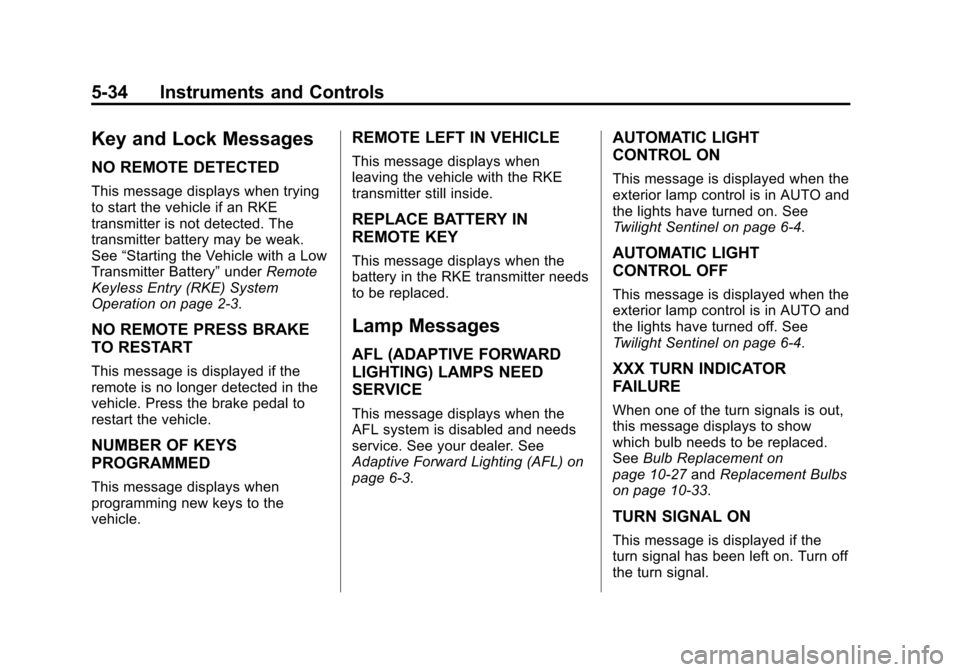
Key and Lock Messages
NO REMOTE DETECTED
This message displays when trying
to start the vehicle if an RKE
transmitter is not detected. The
transmitter battery may be weak.
See“Starting the Vehicle with a Low
Transmitter Battery” underRemote
Keyless Entry (RKE) System
Operation on page 2‑3.
NO REMOTE PRESS BRAKE
TO RESTART
This message is displayed if the
remote is no longer detected in the
vehicle. Press the brake pedal to
restart the vehicle.
NUMBER OF KEYS
PROGRAMMED
This message displays when
programming new keys to the
vehicle.
REMOTE LEFT IN VEHICLE
This message displays when
leaving the vehicle with the RKE
transmitter still inside.
REPLACE BATTERY IN
REMOTE KEY
This message displays when the
battery in the RKE transmitter needs
to be replaced.
Lamp Messages
AFL (ADAPTIVE FORWARD
LIGHTING) LAMPS NEED
SERVICE
This message displays when the
AFL system is disabled and needs
service. See your dealer. See
Adaptive Forward Lighting (AFL) on
page 6‑3.
AUTOMATIC LIGHT
CONTROL ON
This message is displayed when the
exterior lamp control is in AUTO and
the lights have turned on. See
Twilight Sentinel on page 6‑4.
AUTOMATIC LIGHT
CONTROL OFF
This message is displayed when the
exterior lamp control is in AUTO and
the lights have turned off. See
Twilight Sentinel on page 6‑4.
XXX TURN INDICATOR
FAILURE
When one of the turn signals is out,
this message displays to show
which bulb needs to be replaced.
See Bulb Replacement on
page 10‑27 andReplacement Bulbs
on page 10‑33.
TURN SIGNAL ON
This message is displayed if the
turn signal has been left on. Turn off
the turn signal.
Page 160 of 432
Black plate (36,1)Cadillac SRX Owner Manual - 2013 - CRC - 11/9/12
5-36 Instruments and Controls
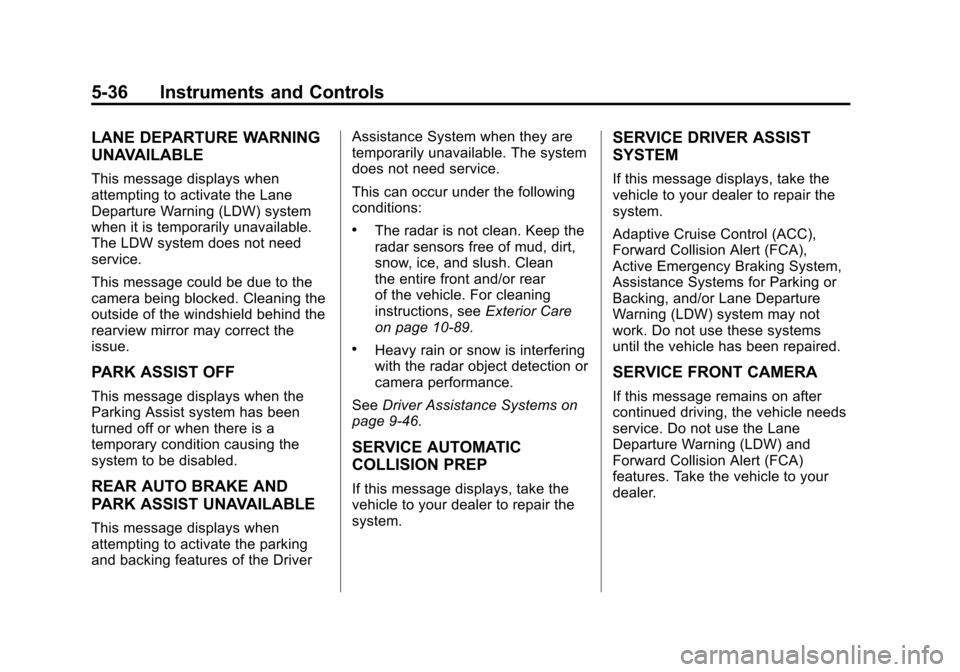
LANE DEPARTURE WARNING
UNAVAILABLE
This message displays when
attempting to activate the Lane
Departure Warning (LDW) system
when it is temporarily unavailable.
The LDW system does not need
service.
This message could be due to the
camera being blocked. Cleaning the
outside of the windshield behind the
rearview mirror may correct the
issue.
PARK ASSIST OFF
This message displays when the
Parking Assist system has been
turned off or when there is a
temporary condition causing the
system to be disabled.
REAR AUTO BRAKE AND
PARK ASSIST UNAVAILABLE
This message displays when
attempting to activate the parking
and backing features of the DriverAssistance System when they are
temporarily unavailable. The system
does not need service.
This can occur under the following
conditions:
.The radar is not clean. Keep the
radar sensors free of mud, dirt,
snow, ice, and slush. Clean
the entire front and/or rear
of the vehicle. For cleaning
instructions, see
Exterior Care
on page 10‑89.
.Heavy rain or snow is interfering
with the radar object detection or
camera performance.
See Driver Assistance Systems on
page 9‑46.
SERVICE AUTOMATIC
COLLISION PREP
If this message displays, take the
vehicle to your dealer to repair the
system.
SERVICE DRIVER ASSIST
SYSTEM
If this message displays, take the
vehicle to your dealer to repair the
system.
Adaptive Cruise Control (ACC),
Forward Collision Alert (FCA),
Active Emergency Braking System,
Assistance Systems for Parking or
Backing, and/or Lane Departure
Warning (LDW) system may not
work. Do not use these systems
until the vehicle has been repaired.
SERVICE FRONT CAMERA
If this message remains on after
continued driving, the vehicle needs
service. Do not use the Lane
Departure Warning (LDW) and
Forward Collision Alert (FCA)
features. Take the vehicle to your
dealer.