instrument cluster CADILLAC SRX 2013 2.G Owner's Manual
[x] Cancel search | Manufacturer: CADILLAC, Model Year: 2013, Model line: SRX, Model: CADILLAC SRX 2013 2.GPages: 432, PDF Size: 7.13 MB
Page 228 of 432
Black plate (32,1)Cadillac SRX Owner Manual - 2013 - CRC - 11/9/12
9-32 Driving and Operating
Notice:Do not repeatedly brake
or accelerate heavily when TCS is
off. The vehicle's driveline could
be damaged.
If
dcomes on and stays on, reset
the system by:
1. Stopping the vehicle.
2. Turning the engine off and waiting 15 seconds.
3. Starting the engine.
If
dstill comes on and stays on at a
speed above 20 km/h (13 mph), see
your dealer for service.
A chime may also sound when the
light comes on steady.
The
gis located on the center
stack.
The TCS off light comes on to
indicate that the traction control
system has been turned off.
TCS can be turned off by pressing
and releasing
g. When TCS is
turned off,
iilluminates in the
instrument cluster and the system
will not limit wheel spin. Driving
should be adjusted accordingly. The
Traction Control Off message is
displayed in the DIC. See Ride
Control System Messages on
page 5‑37.
Press and release
gagain to turn
the system back on.
igoes out in
the instrument cluster. The Traction
Control On message is displayed in
the DIC. See Ride Control System
Messages on page 5‑37. When TCS is turned off on AWD
vehicles, the system may still make
noise. This is normal and necessary
with AWD hardware.
It may be necessary to turn the
system off if the vehicle ever gets
stuck in sand, mud, or snow and
rocking the vehicle is required. See
If the Vehicle Is Stuck on page 9‑9.
See also
Winter Driving on page 9‑8
for information on using TCS when
driving in snowy or icy conditions.
If cruise control is being used when
TCS activates, cruise control will
automatically disengage. Press the
cruise control button to re-engage
when road conditions allow. See
Cruise Control on page 9‑35.
Adding non-GM accessories can
affect the vehicle's performance.
See Accessories and Modifications
on page 10‑3.
Page 230 of 432
Black plate (34,1)Cadillac SRX Owner Manual - 2013 - CRC - 11/9/12
9-34 Driving and Operating
Both StabiliTrak and Traction
Control can be turned off if needed
by pressing and holding
guntilg
andiilluminate in the instrument
cluster. This will also disable the
TSC feature. When StabiliTrak is
turned off, the system will not assist
with directional control of the vehicle
or limit wheel spin. Driving should
be adjusted accordingly. The
Traction Control Off message is
displayed in the DIC. See Ride
Control System Messages on
page 5‑37.
Press and release
gagain to turn
the systems back on.
gandigo
out in the instrument cluster. The
Traction Control On message is
displayed in the DIC. See Ride
Control System Messages on
page 5‑37. If cruise control is being used when
StabiliTrak activates, the cruise
control will automatically disengage.
Press the cruise control button to
re-engage when road conditions
allow. See
Cruise Control on
page 9‑35.
Limited-Slip Rear Axle
Vehicles with a limited-slip rear axle
can give more traction on snow,
mud, ice, sand, or gravel. When
traction is low, this feature allows
the drive wheel with the most
traction to move the vehicle. The
limited-slip rear axle also gives the
driver enhanced control when
cornering hard or completing a
maneuver, such as a lane change.
Selective Ride Control
The vehicle may have a ride control
system called Selective Ride
Control. The setting can be changed
at any time. Based on road
conditions, steering wheel angle,
and the vehicle speed, the system
automatically adjusts to provide the
best handling while providing a
smooth ride. The Tour and Sport
modes will feel similar on a
smooth road.
Tour: Use for normal city and
highway driving. This setting
provides a smooth, soft ride.
Sport: Use where road conditions
or personal preference demand
more control. This setting provides
more “feel,” or response to road
conditions through increased
steering effort and suspension
control. Transmission shift points
and shift firmness are also
enhanced.
Page 232 of 432
Black plate (36,1)Cadillac SRX Owner Manual - 2013 - CRC - 11/9/12
9-36 Driving and Operating
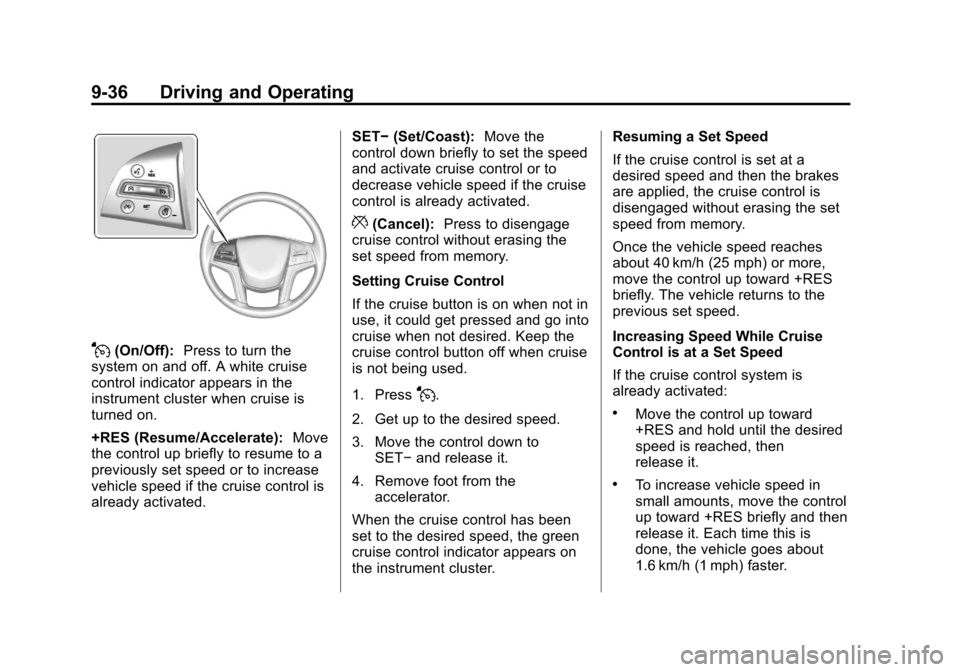
J(On/Off):Press to turn the
system on and off. A white cruise
control indicator appears in the
instrument cluster when cruise is
turned on.
+RES (Resume/Accelerate): Move
the control up briefly to resume to a
previously set speed or to increase
vehicle speed if the cruise control is
already activated. SET−
(Set/Coast): Move the
control down briefly to set the speed
and activate cruise control or to
decrease vehicle speed if the cruise
control is already activated.
*(Cancel): Press to disengage
cruise control without erasing the
set speed from memory.
Setting Cruise Control
If the cruise button is on when not in
use, it could get pressed and go into
cruise when not desired. Keep the
cruise control button off when cruise
is not being used.
1. Press
J.
2. Get up to the desired speed.
3. Move the control down to SET− and release it.
4. Remove foot from the accelerator.
When the cruise control has been
set to the desired speed, the green
cruise control indicator appears on
the instrument cluster. Resuming a Set Speed
If the cruise control is set at a
desired speed and then the brakes
are applied, the cruise control is
disengaged without erasing the set
speed from memory.
Once the vehicle speed reaches
about 40 km/h (25 mph) or more,
move the control up toward +RES
briefly. The vehicle returns to the
previous set speed.
Increasing Speed While Cruise
Control is at a Set Speed
If the cruise control system is
already activated:.Move the control up toward
+RES and hold until the desired
speed is reached, then
release it.
.To increase vehicle speed in
small amounts, move the control
up toward +RES briefly and then
release it. Each time this is
done, the vehicle goes about
1.6 km/h (1 mph) faster.
Page 235 of 432
:Press to turn the
system on or off.
+RES (Resume/Accelerate): Move
the control up briefly to res](/img/23/7952/w960_7952-234.png "CADILLAC SRX 2013 2.G Owners Manual Black plate (39,1)Cadillac SRX Owner Manual - 2013 - CRC - 11/9/12
Driving and Operating 9-39
](On/Off):Press to turn the
system on or off.
+RES (Resume/Accelerate): Move
the control up briefly to res")
Black plate (39,1)Cadillac SRX Owner Manual - 2013 - CRC - 11/9/12
Driving and Operating 9-39
](On/Off):Press to turn the
system on or off.
+RES (Resume/Accelerate): Move
the control up briefly to resume to a
previously set speed or to increase
vehicle speed if the cruise control is
already activated.
SET– (Set/Coast): Move the
control down briefly to set the speed
and activate ACC or to decrease
vehicle speed if the cruise control is
already activated.
*(Cancel): Press to disengage
ACC without erasing the set speed
from memory.
3(Follow Distance Gap): Press
to select a following gap time (or
distance) setting for ACC. Select a
gap setting: Far, Medium, and Near.
Setting Adaptive Cruise Control
If the cruise button is on when not in
use, it could get bumped and go into
cruise when not desired. Keep the
cruise control button off when cruise
is not being used.
Select the set speed desired for
cruise. This is the vehicle speed
when no vehicle is detected in its
path slower than the set speed.
ACC will not set at a speed less
than 40 km/h (25 mph), although it
can be resumed when driving at
lower speeds.
To set ACC:
1. Press
].
2. Get up to the desired speed. 3. Move the control down to
SET− and release it.
4. Remove foot from the accelerator.
After ACC is set, it may immediately
apply the brakes if a vehicle is
closer than the selected follow gap.
The ACC indicator displays on the
instrument cluster. When the ACC is
active, the symbol will be lit.
Be mindful of speed limits,
surrounding traffic speeds, and
weather conditions when selecting
the set speed.
Resuming a Set Speed
If the ACC is set at a desired speed
and then the brakes are applied, the
ACC is disengaged without erasing
the set speed from memory.
Page 236 of 432
Black plate (40,1)Cadillac SRX Owner Manual - 2013 - CRC - 11/9/12
9-40 Driving and Operating
To begin using ACC again, move
the control up toward +RES briefly.
The vehicle returns to the previous
set speed.
Increasing Speed While ACC is at
a Set Speed
If ACC is already activated, do one
of the following:
.Use the accelerator to get to the
higher speed. Move the control
toward SET–, then release it and
the accelerator pedal. The
vehicle will now cruise at the
higher speed.
When the accelerator pedal is
pressed, ACC will not brake
because it is overridden.
A warning message will appear
on the Driver Information Center
(DIC). SeeCruise Control
Messages on page 5‑31.
.Move the control toward +RES
and hold until the desired set
speed appears on the display,
then release it.
.To increase vehicle speed in
small amounts, move the control
toward +RES and then release
it. Each time this is done, the
vehicle goes 1.6 km/h (1 mph)
faster.
When it is determined that there is
no vehicle in front of your vehicle
slower than the set speed, then the
vehicle speed will increase to the
set speed.
Reducing Speed While ACC is at a
Set Speed
If ACC is already activated, do one
of the following:
.Use the brake to get to the
desired lower speed. Move the
control toward SET– and release
the accelerator pedal. The
vehicle will now cruise at the
lower speed.
.Move the control toward
SET− and hold until the desired
lower speed is reached, then
release it.
.To decrease the vehicle speed in
small amounts, move the control
toward SET− briefly. Each time
this is done, the vehicle goes
about 1.6 km/h (1 mph) slower.
Selecting the Follow Distance
When a slower moving vehicle is
detected ahead, ACC will adjust the
vehicle's speed and attempt to
maintain the follow distance gap
selected.
Press
3on the steering wheel to
adjust the following gap. Each press
cycles the gap button through three
settings: Far, Medium, or Near.
When pressed, the current gap
setting displays briefly on the
instrument cluster. The gap setting
will be maintained until it is
changed.
Page 237 of 432
Black plate (41,1)Cadillac SRX Owner Manual - 2013 - CRC - 11/9/12
Driving and Operating 9-41
Since each gap setting corresponds
to a following time (Far, Medium,
or Near), the following distance will
vary based on vehicle speed. The
faster the vehicle speed, the further
back your vehicle will follow a
vehicle detected ahead. Consider
traffic and weather conditions when
selecting the following gap. The
range of selectable gaps may not be
appropriate for all drivers and
driving conditions.
Changing the gap setting
automatically changes the alert
timing sensitivity (Far, Medium,
or Near) for the Forward Collision
Alert (FCA) feature. SeeForward
Collision Alert (FCA) System on
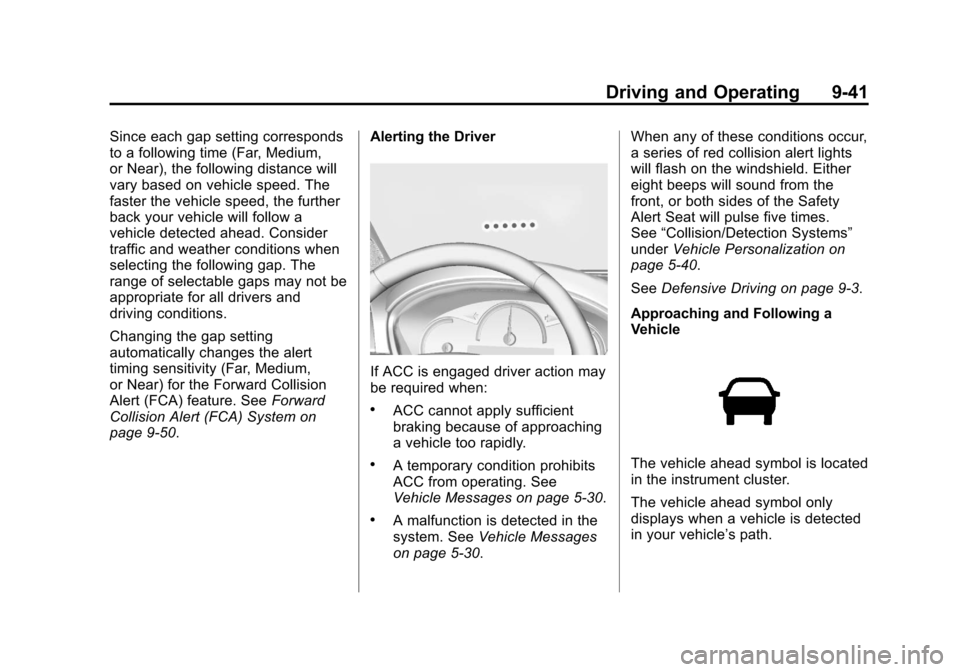
page 9‑50. Alerting the Driver
If ACC is engaged driver action may
be required when:
.ACC cannot apply sufficient
braking because of approaching
a vehicle too rapidly.
.A temporary condition prohibits
ACC from operating. See
Vehicle Messages on page 5‑30.
.A malfunction is detected in the
system. See
Vehicle Messages
on page 5‑30. When any of these conditions occur,
a series of red collision alert lights
will flash on the windshield. Either
eight beeps will sound from the
front, or both sides of the Safety
Alert Seat will pulse five times.
See
“Collision/Detection Systems”
under Vehicle Personalization on
page 5‑40.
See Defensive Driving on page 9‑3.
Approaching and Following a
Vehicle
The vehicle ahead symbol is located
in the instrument cluster.
The vehicle ahead symbol only
displays when a vehicle is detected
in your vehicle’s path.
Page 244 of 432
Black plate (48,1)Cadillac SRX Owner Manual - 2013 - CRC - 11/9/12
9-48 Driving and Operating
Use caution while changing lanes
when towing a trailer, as the RCTA
detection zones that extend out
from the back of the vehicle do not
move further back when a trailer is
towed.
With URPA, as the vehicle backs
up at speeds of less than 8 km/h
(5 mph), the sensors on the rear
bumper detect objects up to 2.5 m
(8 ft) behind the vehicle that are
within a zone 25 cm (10 in) high off
the ground and below bumper level.
{WARNING
The parking assist system does
not detect children, pedestrians,
bicyclists, animals, or objects
located below the bumper or that
are too close or too far from the
vehicle. It is not available at
speeds greater than 8 km/h
(5 mph). To prevent injury, death,
or vehicle damage, even with
parking assist, always check the(Continued)
WARNING (Continued)
area around the vehicle and
check all mirrors before moving
forward or backing.
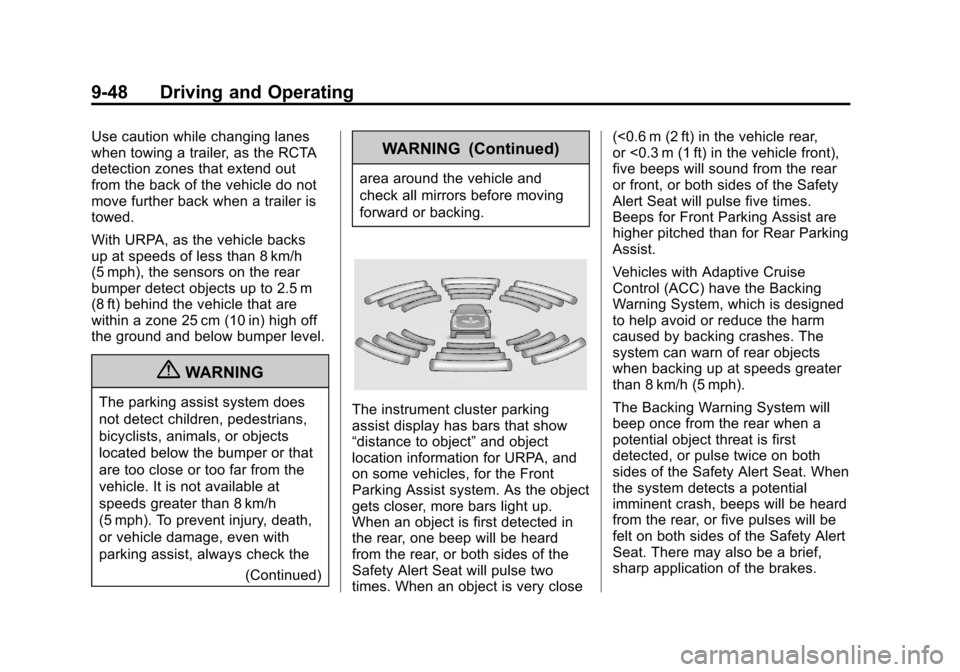
The instrument cluster parking
assist display has bars that show
“distance to object”and object
location information for URPA, and
on some vehicles, for the Front
Parking Assist system. As the object
gets closer, more bars light up.
When an object is first detected in
the rear, one beep will be heard
from the rear, or both sides of the
Safety Alert Seat will pulse two
times. When an object is very close (<0.6 m (2 ft) in the vehicle rear,
or <0.3 m (1 ft) in the vehicle front),
five beeps will sound from the rear
or front, or both sides of the Safety
Alert Seat will pulse five times.
Beeps for Front Parking Assist are
higher pitched than for Rear Parking
Assist.
Vehicles with Adaptive Cruise
Control (ACC) have the Backing
Warning System, which is designed
to help avoid or reduce the harm
caused by backing crashes. The
system can warn of rear objects
when backing up at speeds greater
than 8 km/h (5 mph).
The Backing Warning System will
beep once from the rear when a
potential object threat is first
detected, or pulse twice on both
sides of the Safety Alert Seat. When
the system detects a potential
imminent crash, beeps will be heard
from the rear, or five pulses will be
felt on both sides of the Safety Alert
Seat. There may also be a brief,
sharp application of the brakes.
Page 254 of 432
Black plate (58,1)Cadillac SRX Owner Manual - 2013 - CRC - 11/9/12
9-58 Driving and Operating
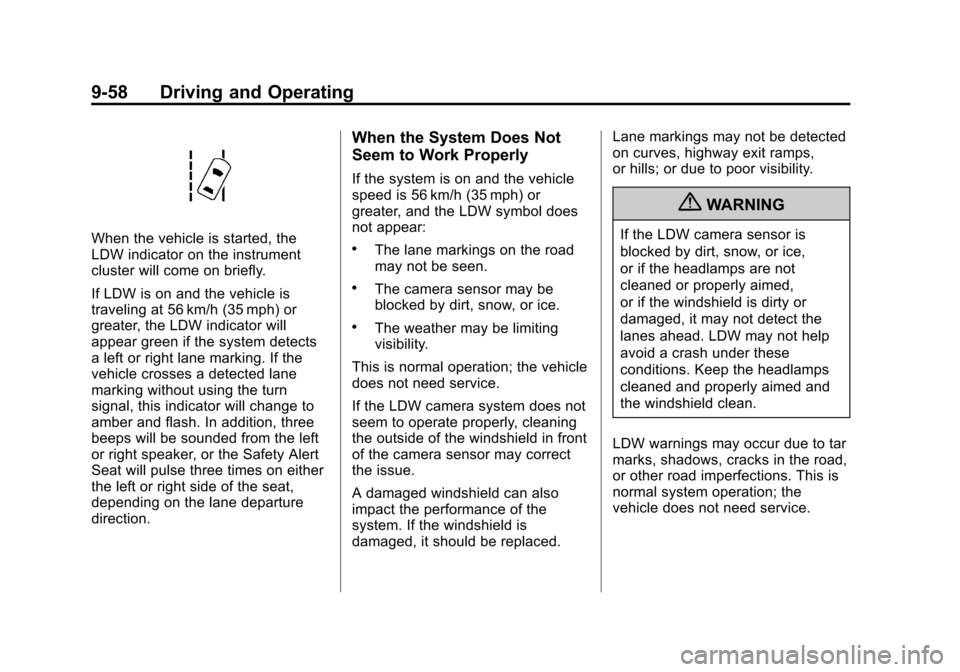
When the vehicle is started, the
LDW indicator on the instrument
cluster will come on briefly.
If LDW is on and the vehicle is
traveling at 56 km/h (35 mph) or
greater, the LDW indicator will
appear green if the system detects
a left or right lane marking. If the
vehicle crosses a detected lane
marking without using the turn
signal, this indicator will change to
amber and flash. In addition, three
beeps will be sounded from the left
or right speaker, or the Safety Alert
Seat will pulse three times on either
the left or right side of the seat,
depending on the lane departure
direction.
When the System Does Not
Seem to Work Properly
If the system is on and the vehicle
speed is 56 km/h (35 mph) or
greater, and the LDW symbol does
not appear:
.The lane markings on the road
may not be seen.
.The camera sensor may be
blocked by dirt, snow, or ice.
.The weather may be limiting
visibility.
This is normal operation; the vehicle
does not need service.
If the LDW camera system does not
seem to operate properly, cleaning
the outside of the windshield in front
of the camera sensor may correct
the issue.
A damaged windshield can also
impact the performance of the
system. If the windshield is
damaged, it should be replaced. Lane markings may not be detected
on curves, highway exit ramps,
or hills; or due to poor visibility.
{WARNING
If the LDW camera sensor is
blocked by dirt, snow, or ice,
or if the headlamps are not
cleaned or properly aimed,
or if the windshield is dirty or
damaged, it may not detect the
lanes ahead. LDW may not help
avoid a crash under these
conditions. Keep the headlamps
cleaned and properly aimed and
the windshield clean.
LDW warnings may occur due to tar
marks, shadows, cracks in the road,
or other road imperfections. This is
normal system operation; the
vehicle does not need service.
Page 304 of 432
Black plate (36,1)Cadillac SRX Owner Manual - 2013 - CRC - 11/9/12
10-36 Vehicle Care
J-CaseFuses Usage
26 Rear Electrical Center 2
41 Cooling Fan 2
42 Starter
45 Cooling Fan 1
Mini Fuses Usage 1 Engine Control Module Battery
2 Transmission Control Module
Battery
5 Engine Control Module Run Crank
7 Post–Catalytic Converter O2
Sensor
8 Pre–Catalytic Converter O2
Sensor Mini Fuses Usage
9 Engine Control Module Powertrain
10 Fuel Injectors–Even 11 Fuel Injectors-Odd
13 Washer
14 Heated Steering Wheel
15 Heads Up Display
16 Instrument Cluster/ Malfunction Indicator
Lamp/Ignition
17 Air Quality Sensor
18 Headlamp Washer
19 Transmission Control Module Run
Crank
20 Rear Electrical Center Run Crank
30 Switch Back Light Mini Fuses Usage
32 Battery Sense (Regulated Voltage
Control)
33 Adaptive Forward Lighting/Adaptive
Headlamp Leveling
Module
34 Body Control Module 7
35 Electronic Brake Control Module
36 Air Conditioning Compressor Clutch
46 Low-Beam Headlamp-Right
47 Low-Beam Headlamp-Left
50 Front Fog Lamps
51 Horn
52 Fuel System Control Module
53 Headlamp Level
Page 307 of 432
Black plate (39,1)Cadillac SRX Owner Manual - 2013 - CRC - 11/9/12
Vehicle Care 10-39
Mini Fuses Usage
RAIN SNSR Rain Sensor BCM 6 Body Control Module 6
ESCL Electronic Steering Column Lock
AIRBAG Sensing and Diagnostic Module
DLC Data Link Connector
IPC Instrument Cluster
STR
WHL SW Steering Wheel
Switch
BCM 3 Body Control Module 1
BCM 2 Body Control Module 2
AMP/RDO Amplifier/Radio HVAC Heating Ventilation & Air Conditioning J-Case
Fuses Usage
BCM 8 Body Control Module 8
FRT BLWR Front Blower
Relays Usage
LOGIC RLY/ SHUNT Logistics Relay/
Shunt
RAP/
ACCY RLY Retained
Accessory Power/
Accessory Relay
Breakers Usage HTR DR Heated Driver Seat
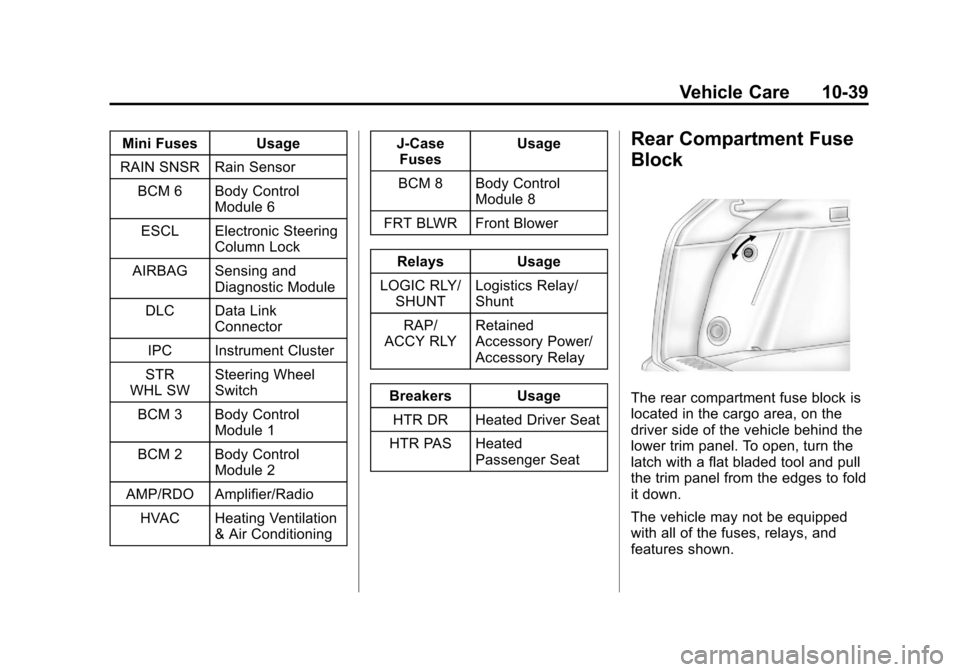
HTR PAS Heated Passenger SeatRear Compartment Fuse
Block
The rear compartment fuse block is
located in the cargo area, on the
driver side of the vehicle behind the
lower trim panel. To open, turn the
latch with a flat bladed tool and pull
the trim panel from the edges to fold
it down.
The vehicle may not be equipped
with all of the fuses, relays, and
features shown.