page 22 CADILLAC SRX 2013 2.G Manual PDF
[x] Cancel search | Manufacturer: CADILLAC, Model Year: 2013, Model line: SRX, Model: CADILLAC SRX 2013 2.GPages: 432, PDF Size: 7.13 MB
Page 110 of 432
Black plate (54,1)Cadillac SRX Owner Manual - 2013 - CRC - 11/9/12
3-54 Seats and Restraints
You will be using the lap-shoulder
belt to secure the child restraint in
this position. Follow the instructions
that came with the child restraint.
1. Move the seat as far back as itwill go before securing the
forward-facing child restraint.
When the passenger sensing
system has turned off the right
front passenger frontal airbag
and seat-mounted side impact
airbag, the off indicator on
the passenger airbag status
indicator should light and stay
lit when you start the vehicle.
See Passenger Airbag Status
Indicator on page 5‑16.
2. Put the child restraint on the seat.
3. Pick up the latch plate, and run the lap and shoulder portions of
the vehicle's safety belt through
or around the restraint. The child
restraint instructions will show
you how.
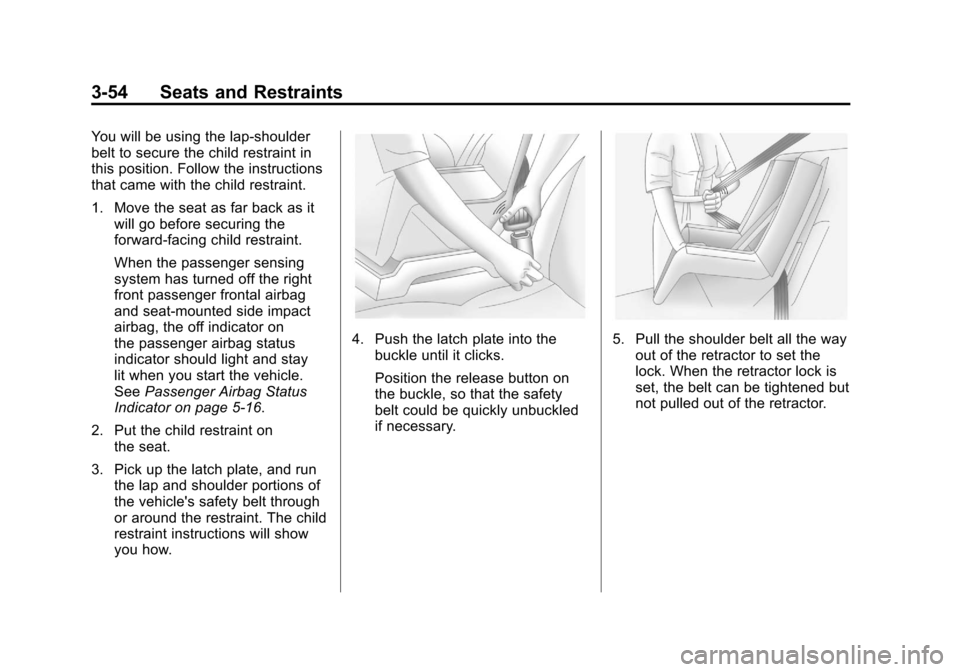
4. Push the latch plate into thebuckle until it clicks.
Position the release button on
the buckle, so that the safety
belt could be quickly unbuckled
if necessary.5. Pull the shoulder belt all the wayout of the retractor to set the
lock. When the retractor lock is
set, the belt can be tightened but
not pulled out of the retractor.
Page 111 of 432
Black plate (55,1)Cadillac SRX Owner Manual - 2013 - CRC - 11/9/12
Seats and Restraints 3-55
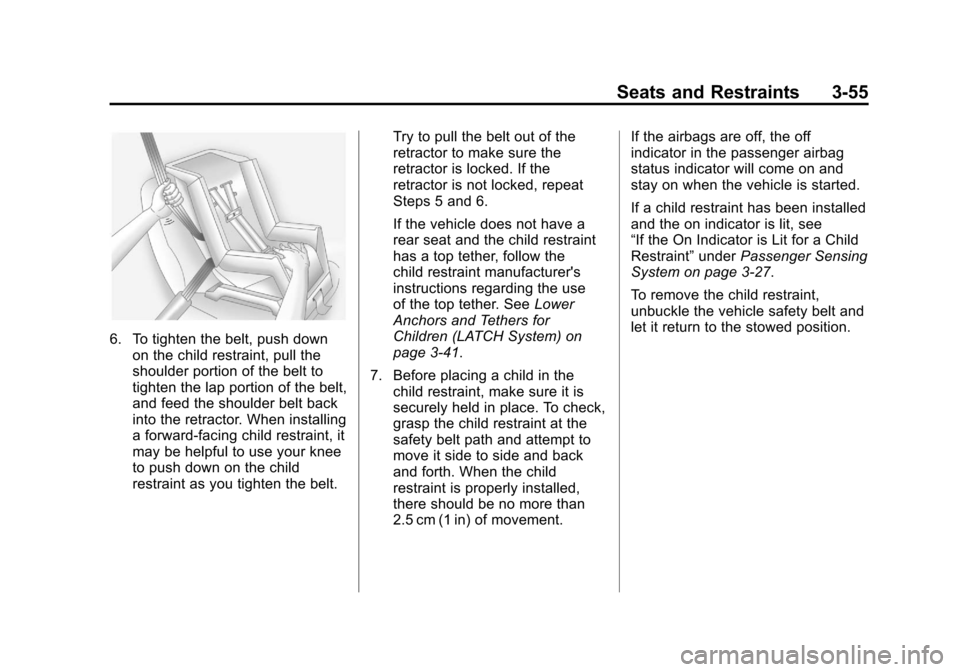
6. To tighten the belt, push downon the child restraint, pull the
shoulder portion of the belt to
tighten the lap portion of the belt,
and feed the shoulder belt back
into the retractor. When installing
a forward-facing child restraint, it
may be helpful to use your knee
to push down on the child
restraint as you tighten the belt. Try to pull the belt out of the
retractor to make sure the
retractor is locked. If the
retractor is not locked, repeat
Steps 5 and 6.
If the vehicle does not have a
rear seat and the child restraint
has a top tether, follow the
child restraint manufacturer's
instructions regarding the use
of the top tether. See
Lower
Anchors and Tethers for
Children (LATCH System) on
page 3‑41.
7. Before placing a child in the child restraint, make sure it is
securely held in place. To check,
grasp the child restraint at the
safety belt path and attempt to
move it side to side and back
and forth. When the child
restraint is properly installed,
there should be no more than
2.5 cm (1 in) of movement. If the airbags are off, the off
indicator in the passenger airbag
status indicator will come on and
stay on when the vehicle is started.
If a child restraint has been installed
and the on indicator is lit, see
“If the On Indicator is Lit for a Child
Restraint”
underPassenger Sensing
System on page 3‑27.
To remove the child restraint,
unbuckle the vehicle safety belt and
let it return to the stowed position.
Page 114 of 432
Black plate (2,1)Cadillac SRX Owner Manual - 2013 - CRC - 11/9/12
4-2 Storage
For large containers, push the
button to move aside the divider and
make the cupholder deeper. For
small containers, push down on the
top edge of the divider to lock it
back in place and make the
cupholder shorter.
Front Storage
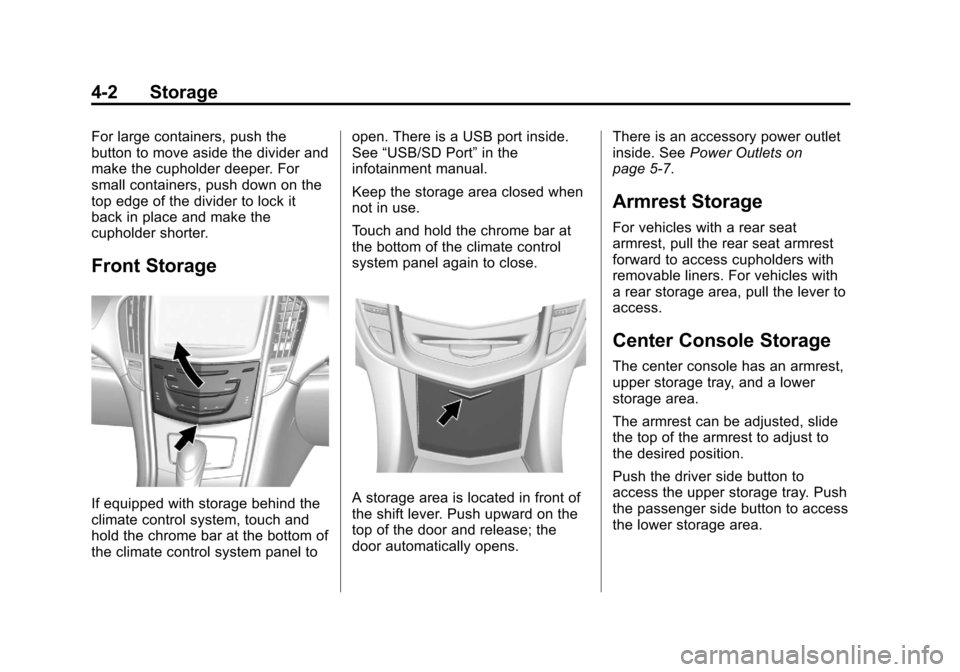
If equipped with storage behind the
climate control system, touch and
hold the chrome bar at the bottom of
the climate control system panel toopen. There is a USB port inside.
See
“USB/SD Port” in the
infotainment manual.
Keep the storage area closed when
not in use.
Touch and hold the chrome bar at
the bottom of the climate control
system panel again to close.A storage area is located in front of
the shift lever. Push upward on the
top of the door and release; the
door automatically opens. There is an accessory power outlet
inside. See
Power Outlets on
page 5‑7.
Armrest Storage
For vehicles with a rear seat
armrest, pull the rear seat armrest
forward to access cupholders with
removable liners. For vehicles with
a rear storage area, pull the lever to
access.
Center Console Storage
The center console has an armrest,
upper storage tray, and a lower
storage area.
The armrest can be adjusted, slide
the top of the armrest to adjust to
the desired position.
Push the driver side button to
access the upper storage tray. Push
the passenger side button to access
the lower storage area.
Page 115 of 432
Black plate (3,1)Cadillac SRX Owner Manual - 2013 - CRC - 11/9/12
Storage 4-3
There is an accessory power outlet
inside the center console and two
USB ports. SeePower Outlets on
page 5‑7 and the separate
infotainment manual.
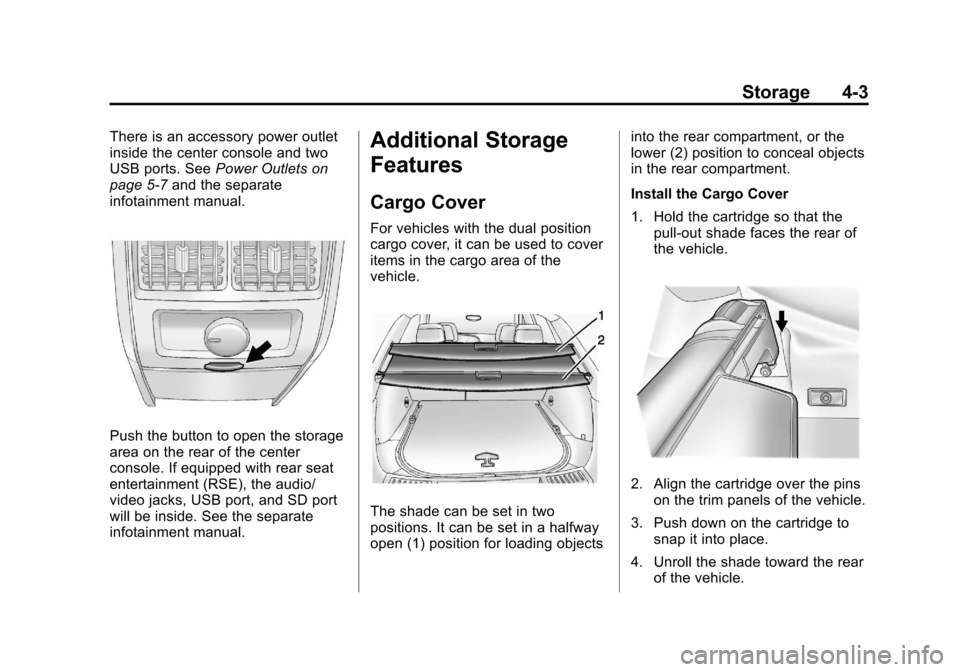
Push the button to open the storage
area on the rear of the center
console. If equipped with rear seat
entertainment (RSE), the audio/
video jacks, USB port, and SD port
will be inside. See the separate
infotainment manual.
Additional Storage
Features
Cargo Cover
For vehicles with the dual position
cargo cover, it can be used to cover
items in the cargo area of the
vehicle.
The shade can be set in two
positions. It can be set in a halfway
open (1) position for loading objects into the rear compartment, or the
lower (2) position to conceal objects
in the rear compartment.
Install the Cargo Cover
1. Hold the cartridge so that the
pull-out shade faces the rear of
the vehicle.
2. Align the cartridge over the pinson the trim panels of the vehicle.
3. Push down on the cartridge to snap it into place.
4. Unroll the shade toward the rear of the vehicle.
Page 123 of 432
Black plate (11,1)Cadillac SRX Owner Manual - 2013 - CRC - 11/9/12
Storage 4-11
Roof Rack System
{WARNING
If something is carried on top of
the vehicle that is longer or wider
than the roof rack—like paneling,
plywood, or a mattress —the
wind can catch it while the vehicle
is being driven. The item being
carried could be violently torn off,
and this could cause a collision
and damage the vehicle. Never
carry something longer or wider
than the roof rack on top of the
vehicle unless using a GM
certified accessory carrier.
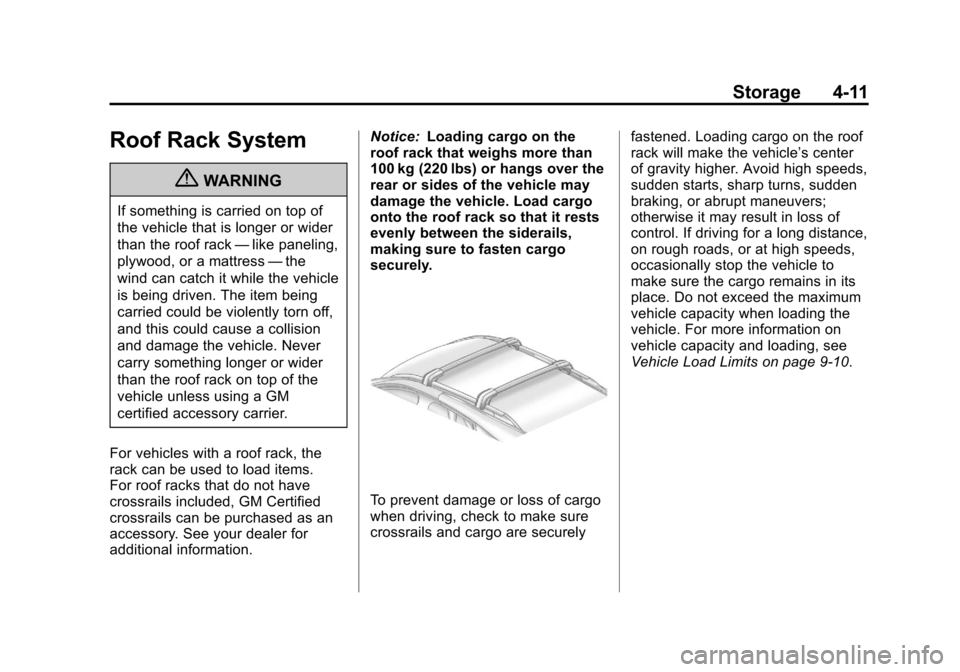
For vehicles with a roof rack, the
rack can be used to load items.
For roof racks that do not have
crossrails included, GM Certified
crossrails can be purchased as an
accessory. See your dealer for
additional information. Notice:
Loading cargo on the
roof rack that weighs more than
100 kg (220 lbs) or hangs over the
rear or sides of the vehicle may
damage the vehicle. Load cargo
onto the roof rack so that it rests
evenly between the siderails,
making sure to fasten cargo
securely.
To prevent damage or loss of cargo
when driving, check to make sure
crossrails and cargo are securely fastened. Loading cargo on the roof
rack will make the vehicle’
s center
of gravity higher. Avoid high speeds,
sudden starts, sharp turns, sudden
braking, or abrupt maneuvers;
otherwise it may result in loss of
control. If driving for a long distance,
on rough roads, or at high speeds,
occasionally stop the vehicle to
make sure the cargo remains in its
place. Do not exceed the maximum
vehicle capacity when loading the
vehicle. For more information on
vehicle capacity and loading, see
Vehicle Load Limits on page 9‑10.
Page 126 of 432
Black plate (2,1)Cadillac SRX Owner Manual - 2013 - CRC - 11/9/12
5-2 Instruments and Controls
Object Detection SystemMessages . . . . . . . . . . . . . . . . . . 5-35
Ride Control System Messages . . . . . . . . . . . . . . . . . . 5-37
Airbag System Messages . . . . 5-38
Security Messages . . . . . . . . . . 5-38
Service Vehicle Messages . . . 5-38
Starting the Vehicle
Messages . . . . . . . . . . . . . . . . . . 5-38
Tire Messages . . . . . . . . . . . . . . . 5-38
Transmission Messages . . . . . 5-39
Vehicle Reminder Messages . . . . . . . . . . . . . . . . . . 5-40
Vehicle Speed Messages . . . . 5-40
Washer Fluid Messages . . . . . 5-40
Vehicle Personalization
Vehicle Personalization . . . . . . 5-40
Universal Remote System
Universal Remote System . . . 5-45
Universal Remote System Programming . . . . . . . . . . . . . . . 5-45
Universal Remote System Operation . . . . . . . . . . . . . . . . . . 5-48
Controls
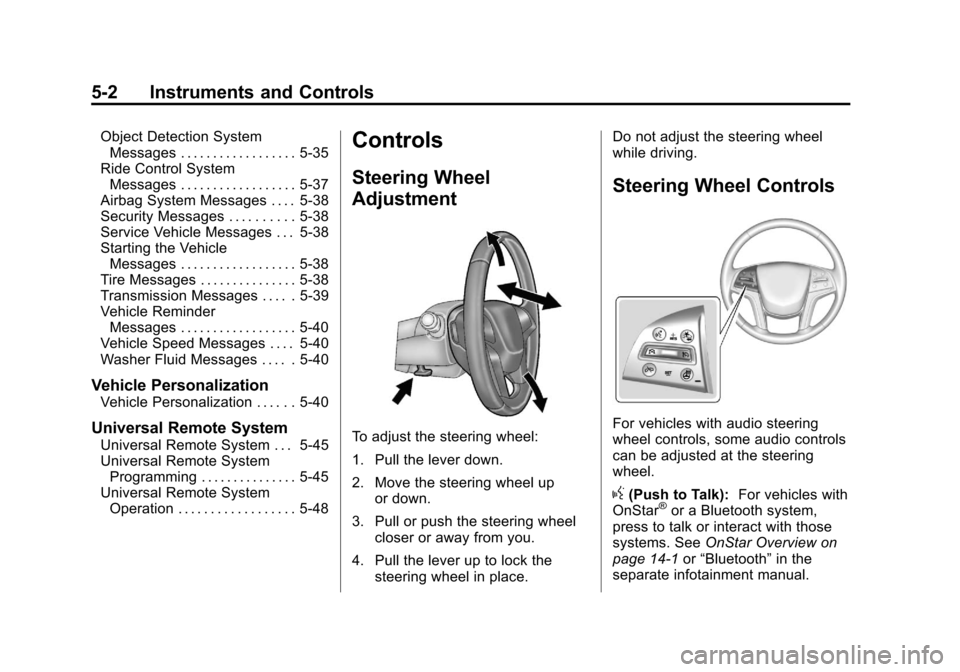
Steering Wheel
Adjustment
To adjust the steering wheel:
1. Pull the lever down.
2. Move the steering wheel up
or down.
3. Pull or push the steering wheel closer or away from you.
4. Pull the lever up to lock the steering wheel in place. Do not adjust the steering wheel
while driving.
Steering Wheel Controls
For vehicles with audio steering
wheel controls, some audio controls
can be adjusted at the steering
wheel.
g(Push to Talk):
For vehicles with
OnStar®or a Bluetooth system,
press to talk or interact with those
systems. See OnStar Overview on
page 14‑1 or“Bluetooth” in the
separate infotainment manual.
Page 128 of 432
Black plate (4,1)Cadillac SRX Owner Manual - 2013 - CRC - 11/9/12
5-4 Instruments and Controls
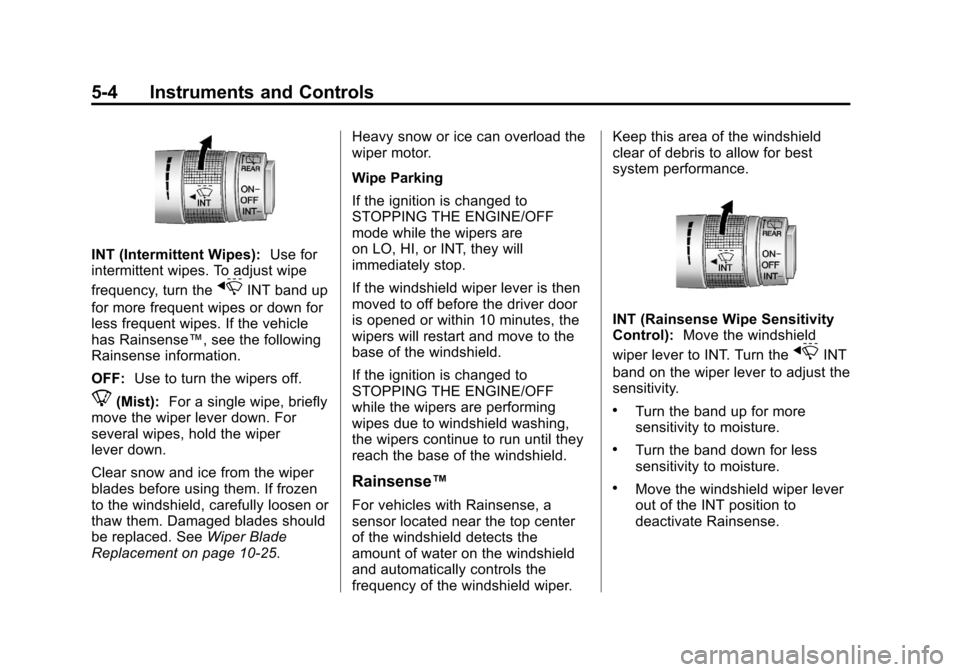
INT (Intermittent Wipes):Use for
intermittent wipes. To adjust wipe
frequency, turn the
xINT band up
for more frequent wipes or down for
less frequent wipes. If the vehicle
has Rainsense™, see the following
Rainsense information.
OFF: Use to turn the wipers off.
8(Mist): For a single wipe, briefly
move the wiper lever down. For
several wipes, hold the wiper
lever down.
Clear snow and ice from the wiper
blades before using them. If frozen
to the windshield, carefully loosen or
thaw them. Damaged blades should
be replaced. See Wiper Blade
Replacement on page 10‑25. Heavy snow or ice can overload the
wiper motor.
Wipe Parking
If the ignition is changed to
STOPPING THE ENGINE/OFF
mode while the wipers are
on LO, HI, or INT, they will
immediately stop.
If the windshield wiper lever is then
moved to off before the driver door
is opened or within 10 minutes, the
wipers will restart and move to the
base of the windshield.
If the ignition is changed to
STOPPING THE ENGINE/OFF
while the wipers are performing
wipes due to windshield washing,
the wipers continue to run until they
reach the base of the windshield.
Rainsense™
For vehicles with Rainsense, a
sensor located near the top center
of the windshield detects the
amount of water on the windshield
and automatically controls the
frequency of the windshield wiper.Keep this area of the windshield
clear of debris to allow for best
system performance.
INT (Rainsense Wipe Sensitivity
Control):
Move the windshield
wiper lever to INT. Turn the
xINT
band on the wiper lever to adjust the
sensitivity.
.Turn the band up for more
sensitivity to moisture.
.Turn the band down for less
sensitivity to moisture.
.Move the windshield wiper lever
out of the INT position to
deactivate Rainsense.
Page 129 of 432
Black plate (5,1)Cadillac SRX Owner Manual - 2013 - CRC - 11/9/12
Instruments and Controls 5-5
Wiper Arm Assembly Protection
When using an automatic car wash,
move the windshield wiper lever to
OFF. This disables the automatic
Rainsense windshield wipers and/or
manual windshield wipers.
With Rainsense, if the transmission
is in N (Neutral) and the vehicle
speed is very slow, the wipers will
automatically stop at the base of the
windshield.
The wiper operations return to
normal when the transmission is no
longer in N (Neutral) or the vehicle
speed has increased.
Windshield Washer
Pull the windshield wiper lever
toward you to spray windshield
washer fluid and activate the wipers.The wipers will continue until the
lever is released or the maximum
wash time is reached. When the
windshield wiper lever is released,
additional wipes may occur
depending on how long the
windshield washer had been
activated. See
Washer Fluid on
page 10‑20 for information on filling
the windshield washer fluid
reservoir.
{WARNING
In freezing weather, do not use
the washer until the windshield is
warmed. Otherwise the washer
fluid can form ice on the
windshield, blocking your vision.
Rear Window Wiper/
Washer
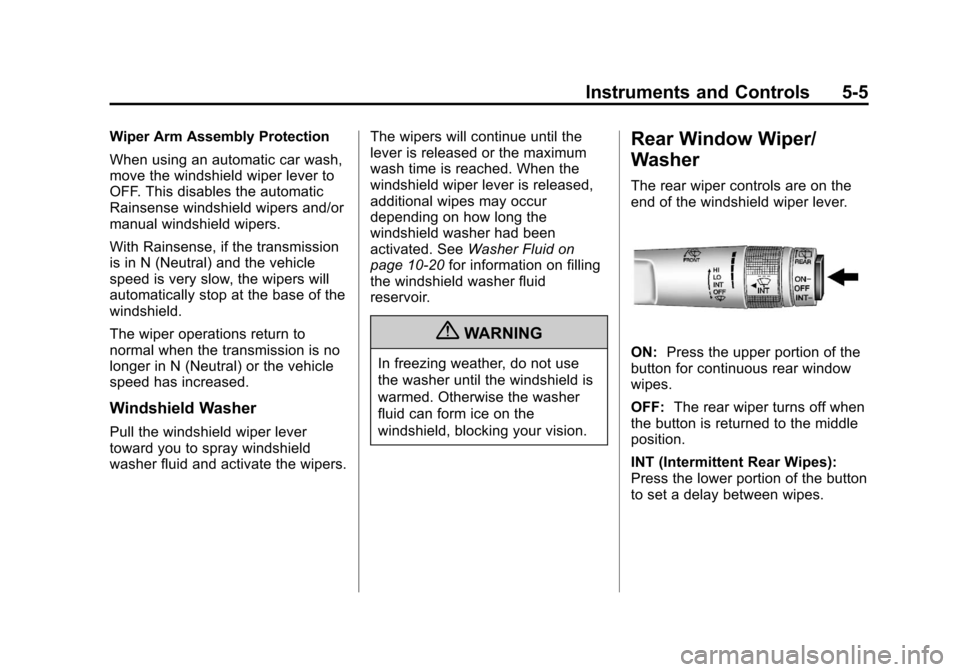
The rear wiper controls are on the
end of the windshield wiper lever.
ON: Press the upper portion of the
button for continuous rear window
wipes.
OFF: The rear wiper turns off when
the button is returned to the middle
position.
INT (Intermittent Rear Wipes):
Press the lower portion of the button
to set a delay between wipes.
Page 130 of 432
Black plate (6,1)Cadillac SRX Owner Manual - 2013 - CRC - 11/9/12
5-6 Instruments and Controls
a(Rear Washer):Push the
windshield wiper lever forward to
spray washer fluid on the rear
window. The lever automatically
returns to its original position when
released.
Rear Wiper Arm Assembly
Protection
When using an automatic car wash,
move the rear wiper control to OFF.
This disables the rear wiper.
If the transmission is in N (Neutral)
and the vehicle speed is very slow,
the rear wiper will automatically stop
at the base of the rear window.
The wiper operations return to
normal when the transmission is no
longer in N (Neutral) or the vehicle
speed has increased. Reverse Gear Wipes
If the rear wiper control is off, the
rear wiper will automatically operate
continuously when the shift lever
is in R (Reverse), and the front
windshield wiper is performing low
or high speed wipes. If the rear
wiper control is off, the shift lever
is in R (Reverse), and the front
windshield wiper is performing
interval wipes, then the rear wiper
automatically performs interval
wipes.
This feature can be changed. See
Vehicle Personalization on
page 5‑40.
The windshield washer reservoir is
used for the windshield and the rear
window. Check the fluid level in the
reservoir if either washer is not
working. See
Washer Fluid on
page 10‑20.Headlamp Washer
For vehicles with headlamp
washers, they are located to the
side of the headlamps.
The headlamps must be on in order
to use the headlamp washers. If the
headlamps are not on, only the
windshield will be washed.
Pull the wiper lever toward you
and hold briefly to activate. The
headlamp washers will spray once,
pause, and spray again. The
headlamp washer will spray again
after five windshield wash cycles.
See Washer Fluid on page 10‑20 for
information on filling the windshield
washer fluid.
Page 131 of 432
Black plate (7,1)Cadillac SRX Owner Manual - 2013 - CRC - 11/9/12
Instruments and Controls 5-7
Compass
The vehicle may have a compass
display on the Driver Information
Center (DIC). The compass
receives its heading and other
information from the Global
Positioning System (GPS) antenna,
StabiliTrak
®, and vehicle speed
information.
The compass system is designed to
operate for a certain number of
miles or degrees of turn before
needing a signal from the GPS
satellites. When the compass
display shows CAL, drive the
vehicle for a short distance in an
open area where it can receive a
GPS signal. The compass system
will automatically determine when a
GPS signal is restored and provide
a heading again. See Compass
Messages on page 5‑31 for the
messages that may be displayed for
the compass.
Clock
The infotainment system controls
are used to access the time and
date settings through the menu
system. See “Home Page” in the
infotainment manual for information
about how to use the menu system.
Setting the Time
To set the time:
1. From the Home Page, press the SETTINGS screen button and
press Time and Date.
2. Press Set Time and press + or−to increase or decrease
hours, minutes, and AM or PM.
Press 12Hr or 24Hr for 12 or
24 hour clock.
3. Press
}to go back to the
previous menu. To set the date:
1. Press the SETTINGS screen
button and press Time and Date.
2. Press Set Date and press + or−to increase or decrease
month, day, or year.
3. Press
}to go back to the
previous menu.
Power Outlets
The accessory power outlets can be
used to plug in electrical equipment,
such as a cell phone or MP3 player.
The vehicle may have five
accessory power outlets.
The accessory power outlets are:
.Below the climate control system
inside the front storage bin.
.Inside the center floor console.