9-30 CADILLAC SRX 2014 Owner's Manual
[x] Cancel search | Manufacturer: CADILLAC, Model Year: 2014, Model line: SRX, Model: CADILLAC SRX 2014Pages: 416, PDF Size: 4.56 MB
Page 1 of 416
Black plate (1,1)Cadillac SRX Owner Manual (GMNA-Localizing-U.S./Canada/Mexico-
6081464) - 2014 - CRC - 10/4/13
2014 Cadillac SRX Owner ManualM
In Brief. . . . . . . . . . . . . . . . . . . . . . . . 1-1
Instrument Panel . . . . . . . . . . . . . . 1-2
Initial Drive Information . . . . . . . . 1-4
Vehicle Features . . . . . . . . . . . . . 1-15
Performance and Maintenance . . . . . . . . . . . . . . . . 1-19
Keys, Doors, and Windows . . . . . . . . . . . . . . . . . . . . 2-1
Keys and Locks . . . . . . . . . . . . . . . 2-1
Doors . . . . . . . . . . . . . . . . . . . . . . . . 2-13
Vehicle Security . . . . . . . . . . . . . . 2-17
Exterior Mirrors . . . . . . . . . . . . . . . 2-19
Interior Mirrors . . . . . . . . . . . . . . . . 2-21
Windows . . . . . . . . . . . . . . . . . . . . . 2-22
Roof . . . . . . . . . . . . . . . . . . . . . . . . . . 2-25
Seats and Restraints . . . . . . . . . 3-1
Head Restraints . . . . . . . . . . . . . . . 3-2
Front Seats . . . . . . . . . . . . . . . . . . . . 3-3
Rear Seats . . . . . . . . . . . . . . . . . . . 3-10
Safety Belts . . . . . . . . . . . . . . . . . . 3-12
Airbag System . . . . . . . . . . . . . . . . 3-20
Child Restraints . . . . . . . . . . . . . . 3-33 Storage
. . . . . . . . . . . . . . . . . . . . . . . 4-1
Storage Compartments . . . . . . . . 4-1
Additional Storage Features . . . 4-3
Roof Rack System . . . . . . . . . . . . 4-11
Instruments and Controls . . . . 5-1
Controls . . . . . . . . . . . . . . . . . . . . . . . 5-2
Warning Lights, Gauges, and
Indicators . . . . . . . . . . . . . . . . . . . . 5-9
Information Displays . . . . . . . . . . 5-26
Vehicle Messages . . . . . . . . . . . . 5-29
Vehicle Personalization . . . . . . . 5-40
Universal Remote System . . . . 5-46
Lighting . . . . . . . . . . . . . . . . . . . . . . . 6-1
Exterior Lighting . . . . . . . . . . . . . . . 6-1
Interior Lighting . . . . . . . . . . . . . . . . 6-7
Lighting Features . . . . . . . . . . . . . . 6-9
Infotainment System . . . . . . . . . 7-1
Introduction . . . . . . . . . . . . . . . . . . . . 7-1 Climate Controls
. . . . . . . . . . . . . 8-1
Climate Control Systems . . . . . . 8-1
Air Vents . . . . . . . . . . . . . . . . . . . . . . . 8-7
Maintenance . . . . . . . . . . . . . . . . . . . 8-8
Driving and Operating . . . . . . . . 9-1
Driving Information . . . . . . . . . . . . . 9-2
Starting and Operating . . . . . . . 9-14
Engine Exhaust . . . . . . . . . . . . . . 9-21
Automatic Transmission . . . . . . 9-22
Drive Systems . . . . . . . . . . . . . . . . 9-26
Brakes . . . . . . . . . . . . . . . . . . . . . . . 9-27
Ride Control Systems . . . . . . . . 9-30
Cruise Control . . . . . . . . . . . . . . . . 9-33
Driver Assistance Systems . . . 9-44
Fuel . . . . . . . . . . . . . . . . . . . . . . . . . . 9-57
Trailer Towing . . . . . . . . . . . . . . . . 9-61
Conversions and Add-Ons . . . 9-69
Vehicle Care . . . . . . . . . . . . . . . . . 10-1
General Information . . . . . . . . . . 10-2
Vehicle Checks . . . . . . . . . . . . . . . 10-3
Headlamp Aiming . . . . . . . . . . . 10-26
Bulb Replacement . . . . . . . . . . 10-26
Electrical System . . . . . . . . . . . . 10-33
Wheels and Tires . . . . . . . . . . . 10-42
Page 9 of 416
Black plate (3,1)Cadillac SRX Owner Manual (GMNA-Localizing-U.S./Canada/Mexico-
6081464) - 2014 - CRC - 10/4/13
In Brief 1-3
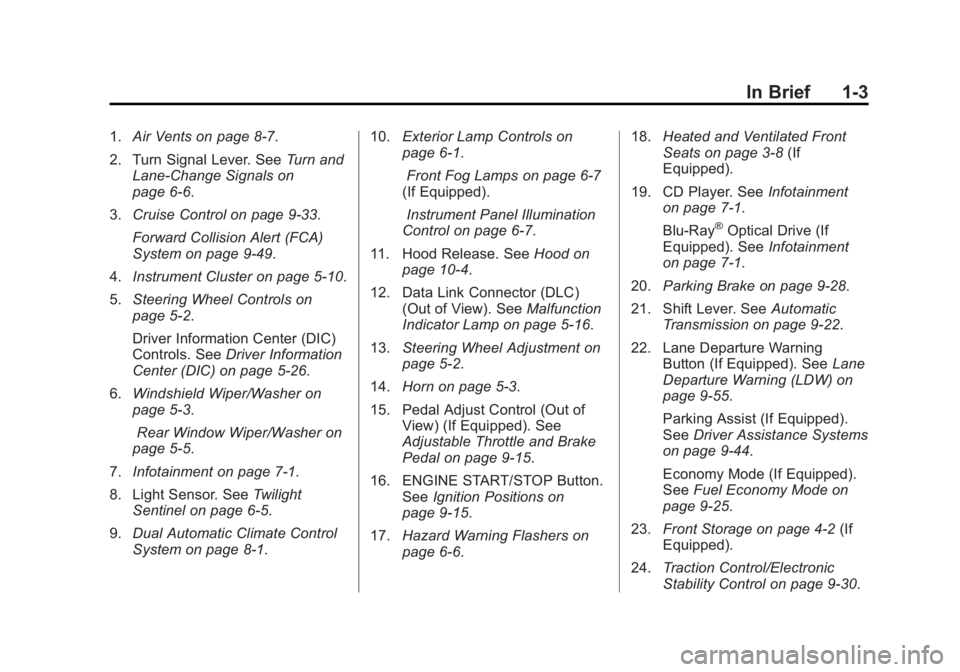
1.Air Vents on page 8-7.
2. Turn Signal Lever. See Turn and
Lane-Change Signals on
page 6-6.
3. Cruise Control on page 9-33.
Forward Collision Alert (FCA)
System on page 9-49.
4. Instrument Cluster on page 5-10.
5. Steering Wheel Controls on
page 5-2.
Driver Information Center (DIC)
Controls. See Driver Information
Center (DIC) on page 5-26.
6. Windshield Wiper/Washer on
page 5-3.
Rear Window Wiper/Washer on
page 5-5.
7. Infotainment on page 7-1.
8. Light Sensor. See Twilight
Sentinel on page 6-5.
9. Dual Automatic Climate Control
System on page 8-1. 10.
Exterior Lamp Controls on
page 6-1.
Front Fog Lamps on page 6-7
(If Equipped).
Instrument Panel Illumination
Control on page 6-7.
11. Hood Release. See Hood on
page 10-4.
12. Data Link Connector (DLC) (Out of View). See Malfunction
Indicator Lamp on page 5-16.
13. Steering Wheel Adjustment on
page 5-2.
14. Horn on page 5-3.
15. Pedal Adjust Control (Out of View) (If Equipped). See
Adjustable Throttle and Brake
Pedal on page 9-15.
16. ENGINE START/STOP Button. SeeIgnition Positions on
page 9-15.
17. Hazard Warning Flashers on
page 6-6. 18.
Heated and Ventilated Front
Seats on page 3-8 (If
Equipped).
19. CD Player. See Infotainment
on page 7-1.
Blu-Ray
®Optical Drive (If
Equipped). See Infotainment
on page 7-1.
20. Parking Brake on page 9-28.
21. Shift Lever. See Automatic
Transmission on page 9-22.
22. Lane Departure Warning Button (If Equipped). See Lane
Departure Warning (LDW) on
page 9-55.
Parking Assist (If Equipped).
See Driver Assistance Systems
on page 9-44.
Economy Mode (If Equipped).
See Fuel Economy Mode on
page 9-25.
23. Front Storage on page 4-2 (If
Equipped).
24. Traction Control/Electronic
Stability Control on page 9-30.
Page 26 of 416
Black plate (20,1)Cadillac SRX Owner Manual (GMNA-Localizing-U.S./Canada/Mexico-
6081464) - 2014 - CRC - 10/4/13
1-20 In Brief
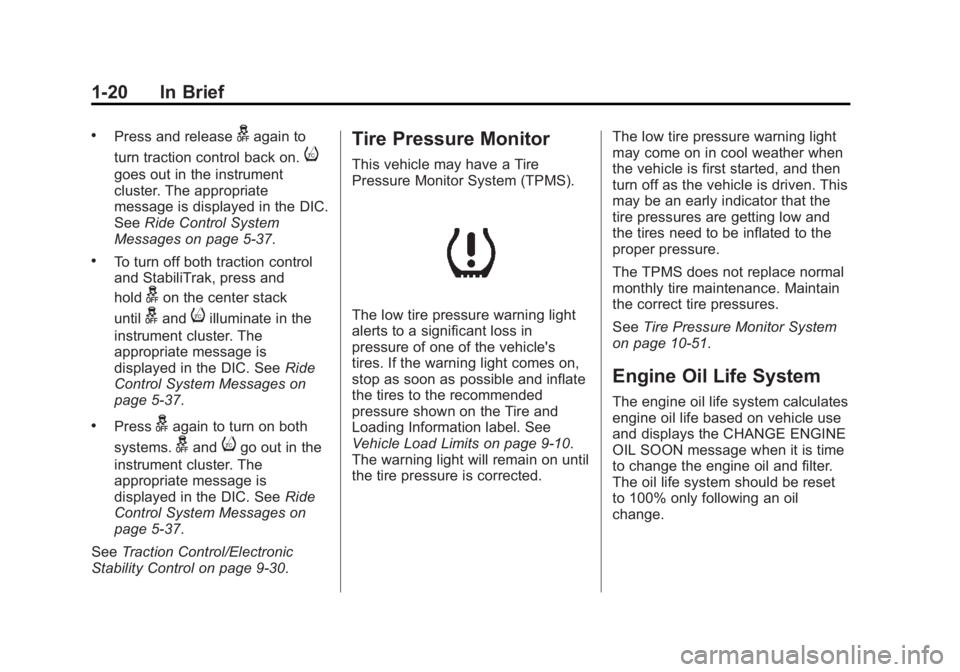
.Press and releasegagain to
turn traction control back on.
i
goes out in the instrument
cluster. The appropriate
message is displayed in the DIC.
See Ride Control System
Messages on page 5-37.
.To turn off both traction control
and StabiliTrak, press and
hold
gon the center stack
until
gandiilluminate in the
instrument cluster. The
appropriate message is
displayed in the DIC. See Ride
Control System Messages on
page 5-37.
.Pressgagain to turn on both
systems.
gandigo out in the
instrument cluster. The
appropriate message is
displayed in the DIC. See Ride
Control System Messages on
page 5-37.
See Traction Control/Electronic
Stability Control on page 9-30.
Tire Pressure Monitor
This vehicle may have a Tire
Pressure Monitor System (TPMS).
The low tire pressure warning light
alerts to a significant loss in
pressure of one of the vehicle's
tires. If the warning light comes on,
stop as soon as possible and inflate
the tires to the recommended
pressure shown on the Tire and
Loading Information label. See
Vehicle Load Limits on page 9-10.
The warning light will remain on until
the tire pressure is corrected. The low tire pressure warning light
may come on in cool weather when
the vehicle is first started, and then
turn off as the vehicle is driven. This
may be an early indicator that the
tire pressures are getting low and
the tires need to be inflated to the
proper pressure.
The TPMS does not replace normal
monthly tire maintenance. Maintain
the correct tire pressures.
See
Tire Pressure Monitor System
on page 10-51.
Engine Oil Life System
The engine oil life system calculates
engine oil life based on vehicle use
and displays the CHANGE ENGINE
OIL SOON message when it is time
to change the engine oil and filter.
The oil life system should be reset
to 100% only following an oil
change.
Page 141 of 416
Black plate (21,1)Cadillac SRX Owner Manual (GMNA-Localizing-U.S./Canada/Mexico-
6081464) - 2014 - CRC - 10/4/13
Instruments and Controls 5-21
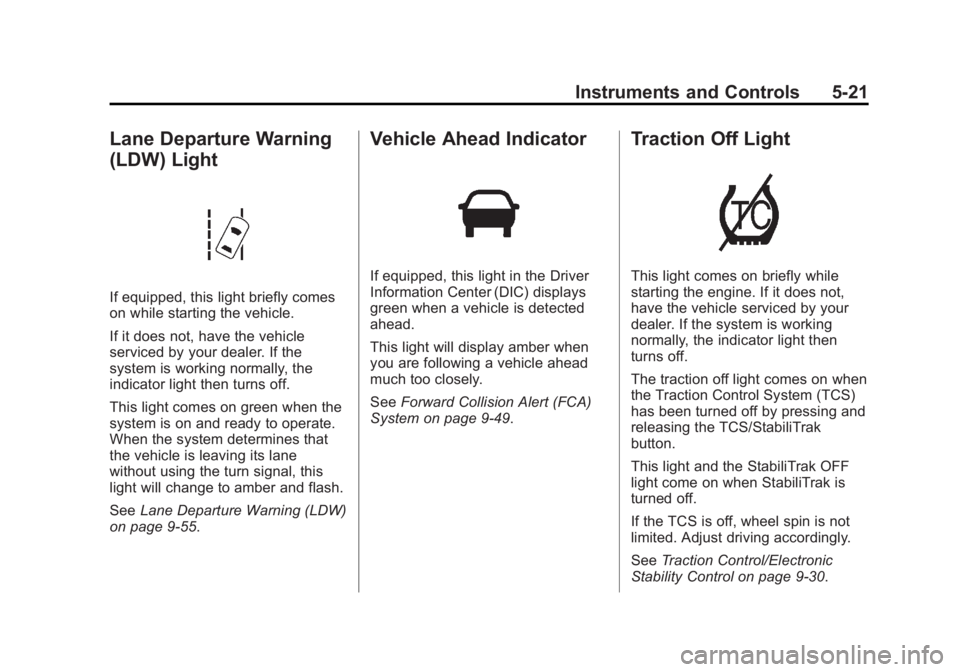
Lane Departure Warning
(LDW) Light
If equipped, this light briefly comes
on while starting the vehicle.
If it does not, have the vehicle
serviced by your dealer. If the
system is working normally, the
indicator light then turns off.
This light comes on green when the
system is on and ready to operate.
When the system determines that
the vehicle is leaving its lane
without using the turn signal, this
light will change to amber and flash.
SeeLane Departure Warning (LDW)
on page 9-55.
Vehicle Ahead Indicator
If equipped, this light in the Driver
Information Center (DIC) displays
green when a vehicle is detected
ahead.
This light will display amber when
you are following a vehicle ahead
much too closely.
See Forward Collision Alert (FCA)
System on page 9-49.
Traction Off Light
This light comes on briefly while
starting the engine. If it does not,
have the vehicle serviced by your
dealer. If the system is working
normally, the indicator light then
turns off.
The traction off light comes on when
the Traction Control System (TCS)
has been turned off by pressing and
releasing the TCS/StabiliTrak
button.
This light and the StabiliTrak OFF
light come on when StabiliTrak is
turned off.
If the TCS is off, wheel spin is not
limited. Adjust driving accordingly.
See Traction Control/Electronic
Stability Control on page 9-30.
Page 142 of 416
Black plate (22,1)Cadillac SRX Owner Manual (GMNA-Localizing-U.S./Canada/Mexico-
6081464) - 2014 - CRC - 10/4/13
5-22 Instruments and Controls
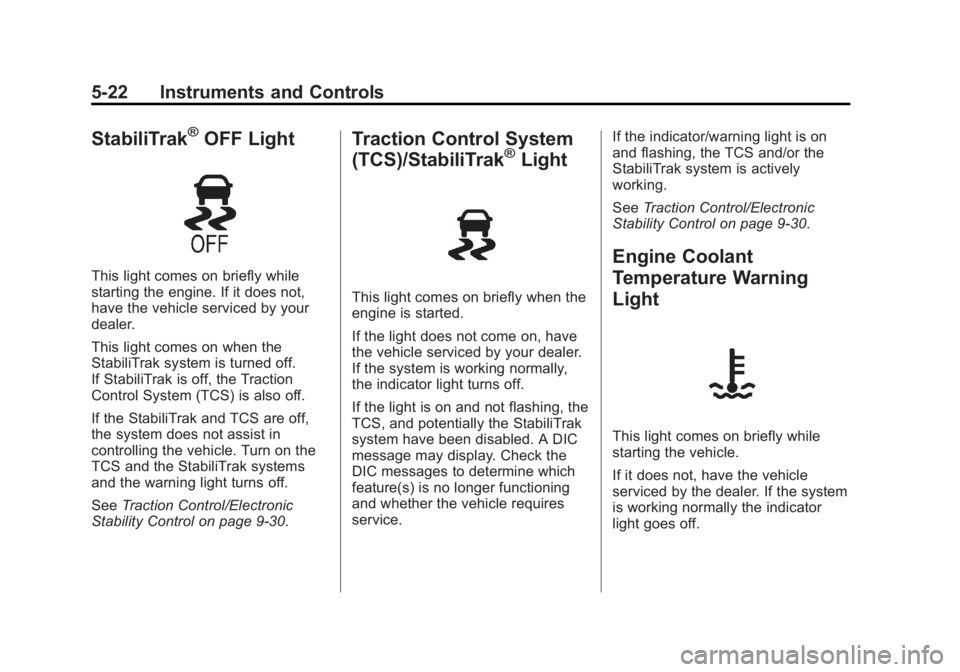
StabiliTrak®OFF Light
This light comes on briefly while
starting the engine. If it does not,
have the vehicle serviced by your
dealer.
This light comes on when the
StabiliTrak system is turned off.
If StabiliTrak is off, the Traction
Control System (TCS) is also off.
If the StabiliTrak and TCS are off,
the system does not assist in
controlling the vehicle. Turn on the
TCS and the StabiliTrak systems
and the warning light turns off.
SeeTraction Control/Electronic
Stability Control on page 9-30.
Traction Control System
(TCS)/StabiliTrak®Light
This light comes on briefly when the
engine is started.
If the light does not come on, have
the vehicle serviced by your dealer.
If the system is working normally,
the indicator light turns off.
If the light is on and not flashing, the
TCS, and potentially the StabiliTrak
system have been disabled. A DIC
message may display. Check the
DIC messages to determine which
feature(s) is no longer functioning
and whether the vehicle requires
service. If the indicator/warning light is on
and flashing, the TCS and/or the
StabiliTrak system is actively
working.
See
Traction Control/Electronic
Stability Control on page 9-30.
Engine Coolant
Temperature Warning
Light
This light comes on briefly while
starting the vehicle.
If it does not, have the vehicle
serviced by the dealer. If the system
is working normally the indicator
light goes off.
Page 157 of 416
Black plate (37,1)Cadillac SRX Owner Manual (GMNA-Localizing-U.S./Canada/Mexico-
6081464) - 2014 - CRC - 10/4/13
Instruments and Controls 5-37
Ride Control System
Messages
SERVICE ALL WHEEL DRIVE
This message displays when there
is a problem with the All Wheel
Drive (AWD) system. This message
could be set by a number of issues.
Some may require service of the
AWD system some will not. The
vehicle will run in normal two-wheel
drive mode when this message has
been set. This could be caused by:
.A vehicle or an AWD system
electronics problem.
.Various vehicle electrical issues.
.Worn out or overheated clutch
plates.
.Loss of fluids.
If this message appears, stop when
convenient and turn off the ignition
for 30 seconds. Restart the vehicle
and check for the message on the
DIC display. If the message has
gone off and stays off, it is not
necessary to take your vehicle to the dealer. If the message still
displays or appears again when you
begin driving, the system needs
service. See your dealer.
SERVICE STABILITRAK
This message displays if there is a
problem with the StabiliTrak system.
See
Traction Control/Electronic
Stability Control on page 9-30.
SERVICE SUSPENSION
SYSTEM
This message displays if there is a
problem with the selective ride
control. See Selective Ride Control
on page 9-32.
SERVICE TRACTION
CONTROL
This message displays when there
is a problem with the Traction
Control System (TCS). See Traction
Control/Electronic Stability Control
on page 9-30.
SPORT MODE ON
This message displays when Sport
Mode has been activated. See
Selective Ride Control on page 9-32
and Manual Mode on page 9-24.
TRACTION CONTROL OFF
This message displays when the
Traction Control System (TCS) has
been turned off. See Traction
Control/Electronic Stability Control
on page 9-30.
TRACTION CONTROL ON
This message displays when the
Traction Control System (TCS) has
been turned on. See Traction
Control/Electronic Stability Control
on page 9-30.
Airbag System Messages
SERVICE AIRBAG
This message displays if there is a
problem with the airbag system.
Take the vehicle to your dealer for
service.
Page 191 of 416
Black plate (1,1)Cadillac SRX Owner Manual (GMNA-Localizing-U.S./Canada/Mexico-
6081464) - 2014 - CRC - 10/4/13
Driving and Operating 9-1
Driving and
Operating
Driving Information
Distracted Driving . . . . . . . . . . . . . 9-2
Defensive Driving . . . . . . . . . . . . . 9-3
Drunk Driving . . . . . . . . . . . . . . . . . 9-3
Control of a Vehicle . . . . . . . . . . . 9-3
Braking . . . . . . . . . . . . . . . . . . . . . . . 9-3
Steering . . . . . . . . . . . . . . . . . . . . . . . 9-4
Off-Road Recovery . . . . . . . . . . . . 9-5
Loss of Control . . . . . . . . . . . . . . . . 9-5
Driving on Wet Roads . . . . . . . . . 9-6
Highway Hypnosis . . . . . . . . . . . . 9-6
Hill and Mountain Roads . . . . . . 9-7
Winter Driving . . . . . . . . . . . . . . . . . 9-7
If the Vehicle Is Stuck . . . . . . . . . 9-9
Vehicle Load Limits . . . . . . . . . . 9-10
Starting and Operating
New Vehicle Break-In . . . . . . . . 9-14
Adjustable Throttle and BrakePedal . . . . . . . . . . . . . . . . . . . . . . . 9-15
Ignition Positions . . . . . . . . . . . . 9-15
Starting the Gasoline Engine . . . . . . . . . . . . . . . . . . . . . 9-17 Engine Heater . . . . . . . . . . . . . . . 9-19
Retained Accessory
Power (RAP) . . . . . . . . . . . . . . . 9-19
Shifting Into Park . . . . . . . . . . . . 9-19
Shifting out of Park . . . . . . . . . . 9-20
Parking over Things That Burn . . . . . . . . . . . . . . . . . . 9-21
Engine Exhaust
Engine Exhaust . . . . . . . . . . . . . . 9-21
Running the Vehicle WhileParked . . . . . . . . . . . . . . . . . . . . . 9-22
Automatic Transmission
Automatic Transmission . . . . . 9-22
Manual Mode . . . . . . . . . . . . . . . . 9-24
Fuel Economy Mode . . . . . . . . . 9-25
Drive Systems
All-Wheel Drive . . . . . . . . . . . . . . 9-26
Brakes
Antilock BrakeSystem (ABS) . . . . . . . . . . . . . . 9-27
Parking Brake . . . . . . . . . . . . . . . 9-28
Brake Assist . . . . . . . . . . . . . . . . . 9-29
Hill Start Assist (HSA) . . . . . . . 9-30
Ride Control Systems
Traction Control/Electronic Stability Control . . . . . . . . . . . . 9-30
Limited-Slip Rear Axle . . . . . . . 9-32
Selective Ride Control . . . . . . . 9-32
Cruise Control
Cruise Control . . . . . . . . . . . . . . . 9-33
Adaptive Cruise Control . . . . . 9-36
Driver Assistance Systems
Driver Assistance Systems . . . . . . . . . . . . . . . . . . . . 9-44
Assistance Systems for Parking or Backing . . . . . . . . . 9-44
Assistance Systems for Driving . . . . . . . . . . . . . . . . . . . . . 9-49
Forward Collision Alert (FCA) System . . . . . . . . . . . . . . . . . . . . . 9-49
Active Emergency Braking System . . . . . . . . . . . . . . . . . . . . . 9-51
Side Blind Zone Alert (SBZA) . . . . . . . . . . . . . . . 9-53
Lane Departure Warning (LDW) . . . . . . . . . . . . . 9-55
Page 198 of 416

Black plate (8,1)Cadillac SRX Owner Manual (GMNA-Localizing-U.S./Canada/Mexico-
6081464) - 2014 - CRC - 10/4/13
9-8 Driving and Operating
Try not to break the fragile traction.
If you accelerate too fast, the drive
wheels will spin and polish the
surface under the tires even more.
If equipped, Traction Control should
be turned on. SeeTraction Control/
Electronic Stability Control on
page 9-30.
The Antilock Brake System (ABS)
improves vehicle stability during
hard stops on slippery roads, but
apply the brakes sooner than when
on dry pavement.
Allow greater following distance on
any slippery road and watch for
slippery spots. Icy patches can
occur on otherwise clear roads in
shaded areas. The surface of a
curve or an overpass can remain icy
when the surrounding roads are
clear. Avoid sudden steering
maneuvers and braking while
on ice.
See Antilock Brake System (ABS)
on page 9-27. Turn off cruise control on slippery
surfaces.
Blizzard Conditions
Being stuck in snow can be a
serious situation. Stay with the
vehicle unless there is help nearby.
If possible, use Roadside Service.
See
Roadside Service on
page 13-5. To get help and keep
everyone in the vehicle safe:
.Turn on the hazard warning
flashers.
.Tie a red cloth to an outside
mirror.
{Warning
Snow can trap engine exhaust
under the vehicle. This may
cause exhaust gases to get
inside. Engine exhaust contains
carbon monoxide (CO) which
(Continued)
Warning (Continued)
cannot be seen or smelled. It can
cause unconsciousness and even
death.
If the vehicle is stuck in the snow:
.Clear away snow from around
the base of your vehicle,
especially any that is blocking
the exhaust pipe.
.Check again from time to
time to be sure snow does
not collect there.
.Open a window about 5 cm
(2 in) on the side of the
vehicle that is away from the
wind to bring in fresh air.
.Fully open the air outlets on
or under the instrument
panel.
.Adjust the climate control
system to a setting that
circulates the air inside the(Continued)
Page 199 of 416

Black plate (9,1)Cadillac SRX Owner Manual (GMNA-Localizing-U.S./Canada/Mexico-
6081464) - 2014 - CRC - 10/4/13
Driving and Operating 9-9
Warning (Continued)
vehicle and set the fan speed
to the highest setting. See
“Climate Control Systems”.
For more information about
carbon monoxide, see Engine
Exhaust on page 9-21.
To save fuel, run the engine for only
short periods as needed to warm
the vehicle and then shut the engine
off and close the window most of
the way to save heat. Repeat this
until help arrives but only when you
feel really uncomfortable from the
cold. Moving about to keep warm
also helps.
If it takes some time for help to
arrive, now and then when you run
the engine, push the accelerator
pedal slightly so the engine runs
faster than the idle speed. This
keeps the battery charged to restart
the vehicle and to signal for help
with the headlamps. Do this as little
as possible to save fuel.
If the Vehicle Is Stuck
Slowly and cautiously spin the
wheels to free the vehicle when
stuck in sand, mud, ice, or snow.
If stuck too severely for the traction
system to free the vehicle, turn the
traction system off and use the
rocking method. See Traction
Control/Electronic Stability Control
on page 9-30.
{Warning
If the vehicle's tires spin at high
speed, they can explode, and you
or others could be injured. The
vehicle can overheat, causing an
engine compartment fire or other
damage. Spin the wheels as little
as possible and avoid going
above 56 km/h (35 mph).
Rocking the Vehicle to Get
it Out
Turn the steering wheel left and
right to clear the area around the
front wheels. Turn off any traction
system. Shift back and forth
between R (Reverse) and a low
forward gear, spinning the wheels
as little as possible. To prevent
transmission wear, wait until the
wheels stop spinning before shifting
gears. Release the accelerator
pedal while shifting, and press
lightly on the accelerator pedal
when the transmission is in gear.
Slowly spinning the wheels in the
forward and reverse directions
causes a rocking motion that could
free the vehicle. If that does not get
the vehicle out after a few tries, it
might need to be towed out. If the
vehicle does need to be towed out,
see Towing the Vehicle on
page 10-84.
Page 220 of 416

Black plate (30,1)Cadillac SRX Owner Manual (GMNA-Localizing-U.S./Canada/Mexico-
6081464) - 2014 - CRC - 10/4/13
9-30 Driving and Operating
The stability system hydraulic brake
control module increases brake
pressure at each corner of the
vehicle until the ABS activates.
Minor brake pedal pulsation or
pedal movement during this time is
normal and the driver should
continue to apply the brake pedal as
the driving situation dictates The
Brake Assist feature will
automatically disengage when the
brake pedal is released or brake
pedal pressure is quickly
decreased.
Hill Start Assist (HSA)
This vehicle has an HSA feature,
which may be useful when the
vehicle is stopped on a grade. This
feature is designed to prevent the
vehicle from rolling, either forward or
rearward, during vehicle drive off.After the driver completely stops
and holds the vehicle in a complete
standstill on a grade, HSA will be
automatically activated. During the
transition period between when the
driver releases the brake pedal and
starts to accelerate to drive off on a
grade, HSA holds the braking
pressure for a maximum of
two seconds to ensure that there is
no rolling. The brakes will
automatically release when the
accelerator pedal is applied within
the two-second window. It will not
activate if the vehicle is in a drive
gear and facing downhill, or if the
vehicle is facing uphill and in
R (Reverse).
Ride Control Systems
Traction Control/
Electronic Stability
Control
System Operation
The vehicle has a Traction Control
System (TCS) and StabiliTrak®, an
electronic stability control system.
These systems help limit wheel slip
and assist the driver in maintaining
control, especially on slippery road
conditions.
TCS activates if it senses that any
of the drive wheels are spinning or
beginning to lose traction. When this
happens, TCS applies the brakes to
the spinning wheels and reduces
engine power to limit wheel spin.
StabiliTrak activates when the
vehicle senses a difference between
the intended path and the direction
the vehicle is actually traveling.
StabiliTrak selectively applies
braking pressure to any one of the