ignition CADILLAC SRX 2015 2.G User Guide
[x] Cancel search | Manufacturer: CADILLAC, Model Year: 2015, Model line: SRX, Model: CADILLAC SRX 2015 2.GPages: 417, PDF Size: 4.59 MB
Page 54 of 417
Black plate (25,1)Cadillac SRX Owner Manual (GMNA-Localizing-U.S./Canada/Mexico-
7707476) - 2015 - crc - 4/8/14
Keys, Doors, and Windows 2-25
auto-reverse. The window will return
to normal operation once the object
or condition is removed.
If conditions prevent the window
from closing and the window
continues to auto-reverse, it is
possible to close the window with
the ignition in ON/RUN/START by
holding the window switch in the
partially or fully pulled up position.
Release of the switch from the
partially pulled up position will cause
the window to stop. Release of the
switch from the fully pulled up
position will activate the express-up
and related obstacle detection
features.
Overload
If the windows are repeatedly
operated within a short time, the
window operation is disabled for a
short time.
Remote Window Operation
If equipped, the remote operating
windows will open all the windows
from outside the vehicle by pressing
and holding
Kon the Remote
Keyless Entry (RKE) transmitter.
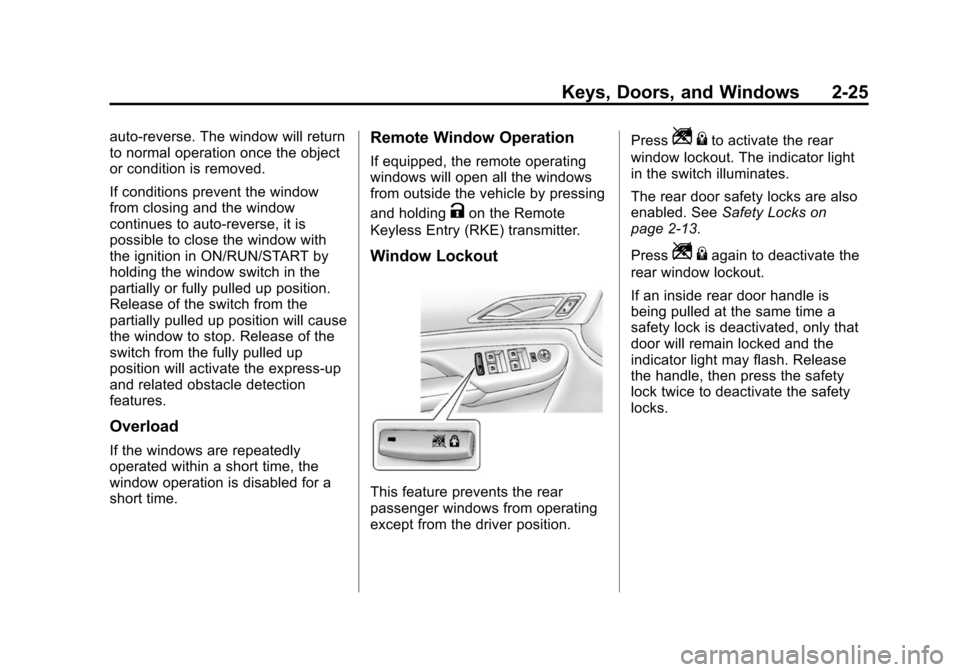
Window Lockout
This feature prevents the rear
passenger windows from operating
except from the driver position. Press
Z
{to activate the rear
window lockout. The indicator light
in the switch illuminates.
The rear door safety locks are also
enabled. See Safety Locks on
page 2-13.
Press
Z {again to deactivate the
rear window lockout.
If an inside rear door handle is
being pulled at the same time a
safety lock is deactivated, only that
door will remain locked and the
indicator light may flash. Release
the handle, then press the safety
lock twice to deactivate the safety
locks.
Page 55 of 417
Black plate (26,1)Cadillac SRX Owner Manual (GMNA-Localizing-U.S./Canada/Mexico-
7707476) - 2015 - crc - 4/8/14
2-26 Keys, Doors, and Windows
Sun Visors
Pull the sun visor down to block
glare. Detach the sun visor from the
center mount to pivot to the side
window or, if equipped, extend
along the rod.
Roof
Sunroof
On vehicles with a sunroof, the
switches are on the overhead
console.
The sunroof only operates when the
ignition is in ON/RUN/START or
ACC/ACCESSORY, or in Retained
Accessory Power (RAP). See
Ignition Positions on page 9-15and
Retained Accessory Power (RAP)
on page 9-19.
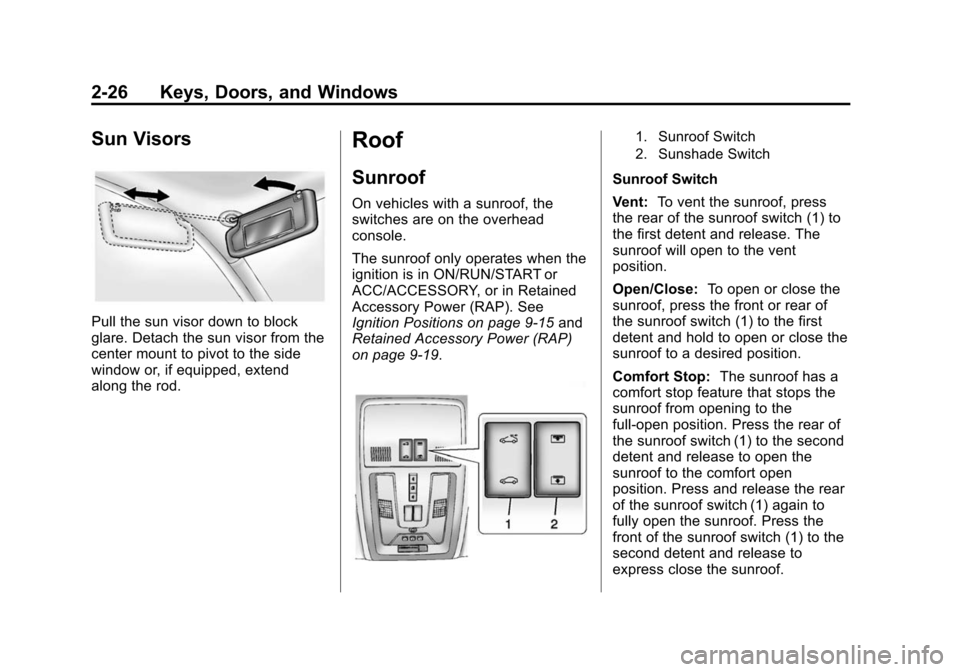
1. Sunroof Switch
2. Sunshade Switch
Sunroof Switch
Vent: To vent the sunroof, press
the rear of the sunroof switch (1) to
the first detent and release. The
sunroof will open to the vent
position.
Open/Close: To open or close the
sunroof, press the front or rear of
the sunroof switch (1) to the first
detent and hold to open or close the
sunroof to a desired position.
Comfort Stop: The sunroof has a
comfort stop feature that stops the
sunroof from opening to the
full-open position. Press the rear of
the sunroof switch (1) to the second
detent and release to open the
sunroof to the comfort open
position. Press and release the rear
of the sunroof switch (1) again to
fully open the sunroof. Press the
front of the sunroof switch (1) to the
second detent and release to
express close the sunroof.
Page 64 of 417
Black plate (7,1)Cadillac SRX Owner Manual (GMNA-Localizing-U.S./Canada/Mexico-
7707476) - 2015 - crc - 4/8/14
Seats and Restraints 3-7
Storing Memory Positions
To save positions to the“1”and “2”
buttons:
1. Adjust the driver seat, seatback recliner, both outside mirrors,
and adjustable pedals (if
equipped) to the desired driving
positions.
2. Press and hold MEM (Memory). A beep will sound.
3. Press “1”until two beeps sound.
4. Repeat Steps 1 and 2 for a second driver using “2.”
Manually Recalling Memory
Positions
If the vehicle is OFF or not in
P (Park), press and hold "1" or "2"
to manually recall the previously
stored memory positions. Releasing
"1” or "2" before the stored positions
are reached stops the recall.
If the vehicle is ON and in P (Park),
press and release “1”or“2” to
manually recall the previously
stored memory positions. Placing the ignition in OFF before the stored
positions are reached stops the
recall.
Automatically Recalling Memory
Positions (Auto Memory Recall)
The Auto (Automatic) Memory
Recall feature automatically recalls
the current driver
’s previously stored
“1” or“2” position when entering the
vehicle.
Depending upon the Auto Memory
Recall feature enabled in the vehicle
personalization menu, memory “1”
or “2” positions are recalled in the
following ways:
To activate the recall when On -
Driver Door Open is selected in the
vehicle personalization menu:
.On vehicles with RKE, pressK
on the RKE transmitter and open
the door.
.On vehicles with Keyless
Access, press the lock/unlock
button on the outside driver door handle and open the driver door.
The RKE transmitter must be
present for the recall to activate.
.If the driver door is already
open, press
Kon the RKE
transmitter to activate the recall.
To activate the recall when On - At
Ignition On is selected in the vehicle
personalization menu:
.Place the ignition in ON/RUN/
START.
See Vehicle Personalization on
page 5-38.
To stop recall movement, press one
of the memory, power mirror,
or power seat controls; or press the
adjustable pedal switch (if
equipped). If On - At Ignition On is
selected in the vehicle
personalization menu, placing the
ignition in OFF also stops the recall.
Easy Exit Recall
If programmed on in the vehicle
personalization menu, this feature
moves the seat approximately 7 cm
Page 66 of 417

Black plate (9,1)Cadillac SRX Owner Manual (GMNA-Localizing-U.S./Canada/Mexico-
7707476) - 2015 - crc - 4/8/14
Seats and Restraints 3-9
Heated and Ventilated Seat
Buttons Shown, Heated Seat Buttons Similar
If available, the buttons are near the
climate controls on the center stack.
To operate, the ignition must be in
ON/RUN/START.
Press
Jorzto heat the driver or
passenger seat.
Press
Cor{, if available, to
ventilate the driver or passenger
seat. A ventilated seat has a fan
that pulls or pushes air through the
seat. The air is not cooled. When this feature is off, the symbols
on the buttons are white. When a
heated seat is turned on, the symbol
turns red. When a ventilated seat (if
available) is turned on, the symbol
turns blue.
Press the button once for the
highest setting. With each press of
the button, the seat will change to
the next lower setting, and then to
the off setting. The indicator lights
next to the buttons indicate three for
the highest setting and one for the
lowest. If the front heated seats are
on high, the level may automatically
be lowered after approximately
30 minutes.
The passenger seat may take
longer to heat up.
Remote Start Heated and
Ventilated Seats
During a remote start, the heated or
ventilated seats can be turned on
automatically. When it is cold
outside, the heated seats turn on,
and when it is hot outside the
ventilated seats turn on. Thisfeature is canceled when the
ignition is turned on. Press the
button to use the heated or
ventilated seats after the vehicle is
started.
The heated or ventilated seat
indicator lights on the button do not
turn on during a remote start.
The temperature performance of an
unoccupied seat may be reduced.
This is normal.
The heated or ventilated seats will
not turn on during a remote start
unless they are enabled in the
vehicle personalization menu. See
Remote Vehicle Start on page 2-9
and
Vehicle Personalization on
page 5-38.
Page 68 of 417

Black plate (11,1)Cadillac SRX Owner Manual (GMNA-Localizing-U.S./Canada/Mexico-
7707476) - 2015 - crc - 4/8/14
Seats and Restraints 3-11
To raise the seatback:
1. Lift the lever on top of theseatback. Raise the seatback
and release the lever. A tab near
the seatback lever raises when
the seatback is unlocked.
2. Push the seatback rearward until it locks in the upright position.
A tab near the seatback lever
retracts when the seatback is
locked in place.
3. Make sure the rear safety belts are not twisted or caught
between the seat cushion and
the seatback.
Reclining the Seatbacks
To recline the seatback:
1. Lift and hold the lever on top ofthe seatback. A tab near the
seatback lever raises when the
seatback is unlocked.
2. Tilt the seatback rearward, and then release the lever when the
seatback is in the desired position. A tab near the seatback
lever retracts when the seatback
is locked in place.
Heated Rear Seats
{Warning
If you cannot feel temperature
change or pain to the skin, the
seat heater may cause burns.
See the Warning under
Heated
and Ventilated Front Seats on
page 3-8.
If available, the buttons are on the
rear climate control panel on the
rear of the center console.
With the ignition in ON/RUN/START,
press
MorLto heat the left or right
outboard seat cushion and
seatback. An indicator on the
climate control display appears
when this feature is on.
Press the button once for the
highest setting. With each press of
the button, the heated seat changes
to the next lower setting, and then
Page 126 of 417

Black plate (3,1)Cadillac SRX Owner Manual (GMNA-Localizing-U.S./Canada/Mexico-
7707476) - 2015 - crc - 4/8/14
Instruments and Controls 5-3
The steering wheel takes about
three minutes to start heating.
Horn
Pressaon the steering wheel pad
to sound the horn.
Windshield Wiper/Washer
With the ignition in ACC/
ACCESSORY or ON/RUN/START,
move the windshield wiper lever to
select the wiper speed.
HI: Use for fast wipes.
LO: Use for slow wipes.
INT (Intermittent Wipes/Rainsense
Wipe Sensitivity Control): Use for
intermittent wipes. To adjust wipe
frequency, turn the
xINT band
up for more frequent wipes or down
for less frequent wipes. If the
vehicle has Rainsense™, see the
following Rainsense information.
OFF: Use to turn the wipers off.
1X (Mist): For a single wipe, briefly
move the wiper lever down. For
several wipes, hold the wiper
lever down.
Clear snow and ice from the wiper
blades before using them. If frozen
to the windshield, carefully loosen or
thaw them. Damaged blades should
be replaced. See Wiper Blade
Replacement on page 10-23. Heavy snow or ice can overload the
wiper motor.
Wipe Parking
If the ignition is changed to
STOPPING THE ENGINE/OFF
mode while the wipers are on LO,
HI, or INT, they will
immediately stop.
If the windshield wiper lever is then
moved to off before the driver door
is opened or within 10 minutes, the
wipers will restart and move to the
base of the windshield.
If the ignition is changed to
STOPPING THE ENGINE/OFF
while the wipers are performing
wipes due to windshield washing,
the wipers continue to run until they
reach the base of the windshield.
Rainsense™
If equipped, there is a sensor near
the top center of the windshield that
detects the amount of water on the
windshield and automatically
controls the frequency of the
windshield wiper.
Page 134 of 417
Black plate (11,1)Cadillac SRX Owner Manual (GMNA-Localizing-U.S./Canada/Mexico-
7707476) - 2015 - crc - 4/8/14
Instruments and Controls 5-11
The trip odometer is accessed and
reset through the Driver Information
Center (DIC). SeeDriver
Information Center (DIC) on
page 5-25.
Tachometer
The tachometer displays the engine
speed in revolutions per
minute (rpm).
{Caution
If the engine is operated with the
rpm’s in the warning area at the
high end of the tachometer, the
vehicle could be damaged, and
the damage would not be covered
by the vehicle warranty. Do not
operate the engine with the rpm’s
in the warning area.
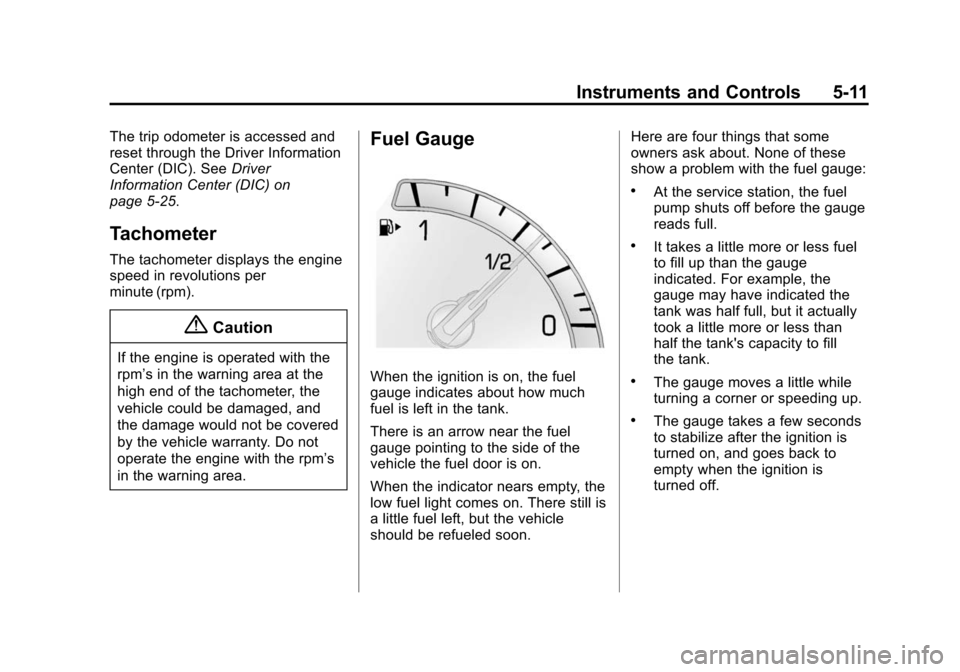
Fuel Gauge
When the ignition is on, the fuel
gauge indicates about how much
fuel is left in the tank.
There is an arrow near the fuel
gauge pointing to the side of the
vehicle the fuel door is on.
When the indicator nears empty, the
low fuel light comes on. There still is
a little fuel left, but the vehicle
should be refueled soon. Here are four things that some
owners ask about. None of these
show a problem with the fuel gauge:
.At the service station, the fuel
pump shuts off before the gauge
reads full.
.It takes a little more or less fuel
to fill up than the gauge
indicated. For example, the
gauge may have indicated the
tank was half full, but it actually
took a little more or less than
half the tank's capacity to fill
the tank.
.The gauge moves a little while
turning a corner or speeding up.
.The gauge takes a few seconds
to stabilize after the ignition is
turned on, and goes back to
empty when the ignition is
turned off.
Page 138 of 417
Black plate (15,1)Cadillac SRX Owner Manual (GMNA-Localizing-U.S./Canada/Mexico-
7707476) - 2015 - crc - 4/8/14
Instruments and Controls 5-15
If the word ON or the on symbol is
lit on the passenger airbag status
indicator, it means that the front
outboard passenger frontal airbag is
allowed to inflate.
If the word OFF or the off symbol is
lit on the passenger airbag status
indicator, it means that the
passenger sensing system has
turned off the front outboard
passenger frontal airbag.
If, after several seconds, both status
indicator lights remain on, or if there
are no lights at all, there may be a
problem with the lights or the
passenger sensing system. See
your dealer for service.
{Warning
If the airbag readiness light ever
comes on and stays on, it means
that something may be wrong
with the airbag system. To help
avoid injury to yourself or others,
have the vehicle serviced right(Continued)
Warning (Continued)
away. SeeAirbag Readiness
Light on page 5-13 for more
information, including important
safety information.
Charging System Light
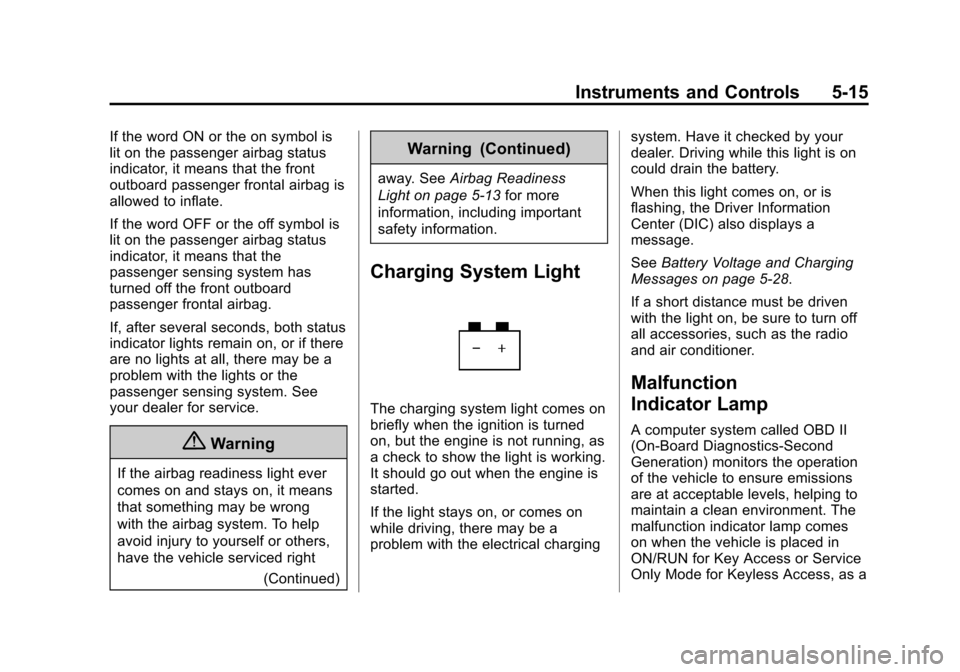
The charging system light comes on
briefly when the ignition is turned
on, but the engine is not running, as
a check to show the light is working.
It should go out when the engine is
started.
If the light stays on, or comes on
while driving, there may be a
problem with the electrical charging system. Have it checked by your
dealer. Driving while this light is on
could drain the battery.
When this light comes on, or is
flashing, the Driver Information
Center (DIC) also displays a
message.
See
Battery Voltage and Charging
Messages on page 5-28.
If a short distance must be driven
with the light on, be sure to turn off
all accessories, such as the radio
and air conditioner.
Malfunction
Indicator Lamp
A computer system called OBD II
(On-Board Diagnostics-Second
Generation) monitors the operation
of the vehicle to ensure emissions
are at acceptable levels, helping to
maintain a clean environment. The
malfunction indicator lamp comes
on when the vehicle is placed in
ON/RUN for Key Access or Service
Only Mode for Keyless Access, as a
Page 139 of 417
Black plate (16,1)Cadillac SRX Owner Manual (GMNA-Localizing-U.S./Canada/Mexico-
7707476) - 2015 - crc - 4/8/14
5-16 Instruments and Controls
check to show it is working. If it
does not, have the vehicle serviced
by your dealer. SeeIgnition
Positions on page 9-15 for more
information.
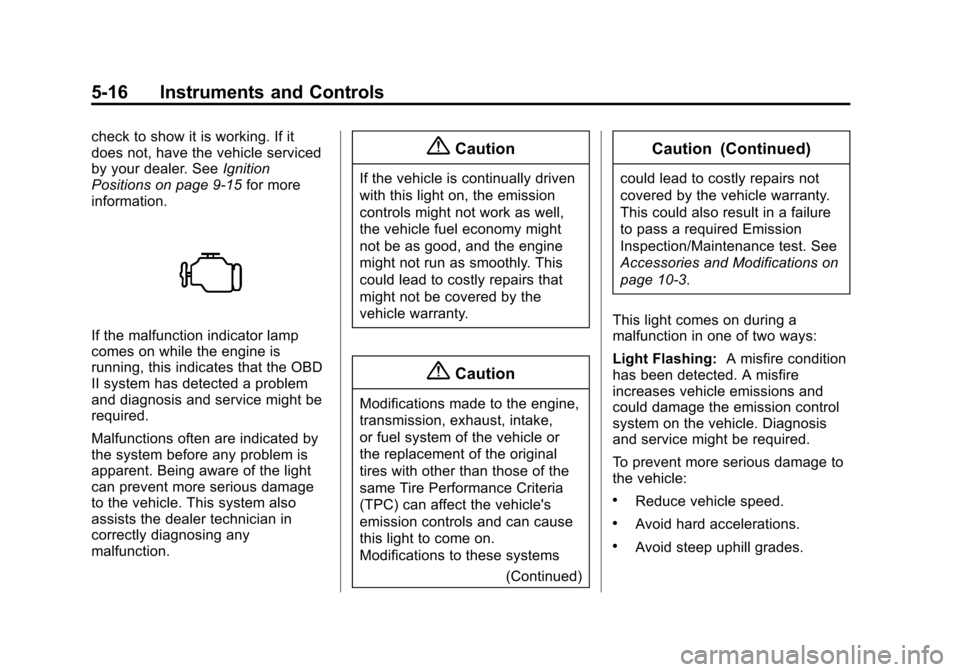
If the malfunction indicator lamp
comes on while the engine is
running, this indicates that the OBD
II system has detected a problem
and diagnosis and service might be
required.
Malfunctions often are indicated by
the system before any problem is
apparent. Being aware of the light
can prevent more serious damage
to the vehicle. This system also
assists the dealer technician in
correctly diagnosing any
malfunction.
{Caution
If the vehicle is continually driven
with this light on, the emission
controls might not work as well,
the vehicle fuel economy might
not be as good, and the engine
might not run as smoothly. This
could lead to costly repairs that
might not be covered by the
vehicle warranty.
{Caution
Modifications made to the engine,
transmission, exhaust, intake,
or fuel system of the vehicle or
the replacement of the original
tires with other than those of the
same Tire Performance Criteria
(TPC) can affect the vehicle's
emission controls and can cause
this light to come on.
Modifications to these systems
(Continued)
Caution (Continued)
could lead to costly repairs not
covered by the vehicle warranty.
This could also result in a failure
to pass a required Emission
Inspection/Maintenance test. See
Accessories and Modifications on
page 10-3.
This light comes on during a
malfunction in one of two ways:
Light Flashing: A misfire condition
has been detected. A misfire
increases vehicle emissions and
could damage the emission control
system on the vehicle. Diagnosis
and service might be required.
To prevent more serious damage to
the vehicle:
.Reduce vehicle speed.
.Avoid hard accelerations.
.Avoid steep uphill grades.
Page 145 of 417

Black plate (22,1)Cadillac SRX Owner Manual (GMNA-Localizing-U.S./Canada/Mexico-
7707476) - 2015 - crc - 4/8/14
5-22 Instruments and Controls
Caution (Continued)
by the vehicle warranty. See
Engine Overheating on
page 10-16.
The engine coolant temperature
warning light comes on when the
engine has overheated.
If this happens, pull over and turn
off the engine as soon as possible.
See Engine Overheating on
page 10-16.
Tire Pressure Light
For vehicles with the Tire Pressure
Monitor System (TPMS), this light
comes on briefly when the engine is
started. It provides information
about tire pressures and the TPMS.
When the Light Is On Steady
This indicates that one or more of
the tires are significantly
underinflated.
A Driver Information Center (DIC)
tire pressure message may also
display. See Tire Messages on
page 5-36. Stop as soon as
possible, and inflate the tires to the
pressure value shown on the Tire
and Loading Information label. See
Tire Pressure on page 10-48.
When the Light Flashes First and
Then Is On Steady
If the light flashes for about a minute
and then stays on, there may be a
problem with the TPMS. If the
problem is not corrected, the light
will come on at every ignition cycle.
See Tire Pressure Monitor
Operation on page 10-51.Engine Oil Pressure Light
{Caution
Lack of proper engine oil
maintenance can damage the
engine. Driving with the engine
oil low can also damage the
engine. The repairs would not be
covered by the vehicle warranty.
Check the oil level as soon as
possible. Add oil if required, but if
the oil level is within the operating
range and the oil pressure is still
low, have the vehicle serviced.
Always follow the maintenance
schedule for changing engine oil.