tow CADILLAC SRX 2016 2.G User Guide
[x] Cancel search | Manufacturer: CADILLAC, Model Year: 2016, Model line: SRX, Model: CADILLAC SRX 2016 2.GPages: 319, PDF Size: 3.29 MB
Page 94 of 319
Cadillac SRX Owner Manual (GMNA-Localizing-MidEast-9369636) - 2016 -
crc - 6/1/15
Storage 93
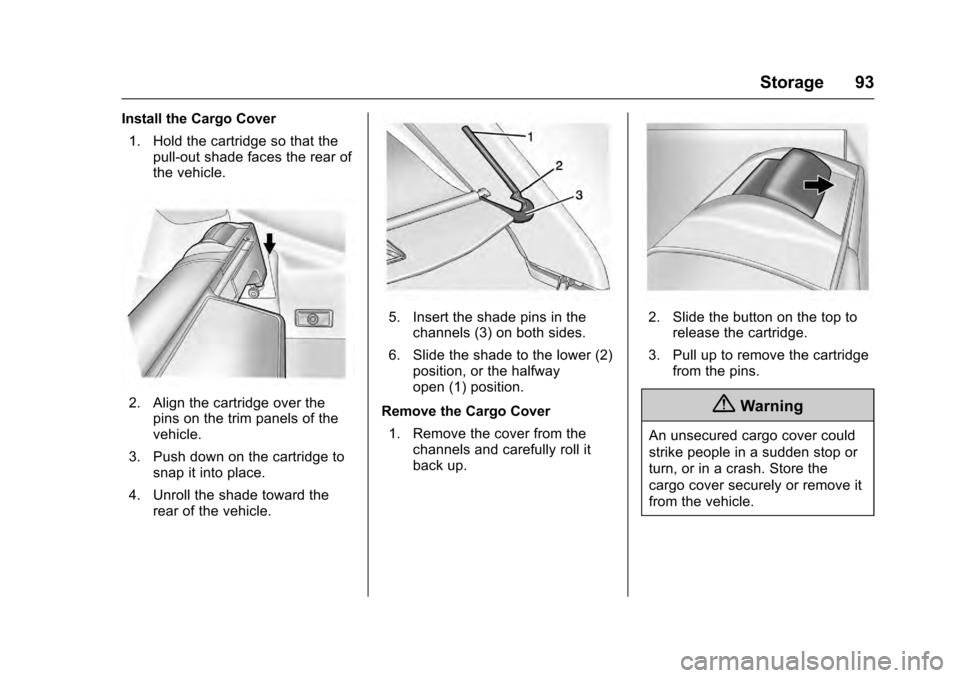
Install the Cargo Cover1. Hold the cartridge so that the pull-out shade faces the rear of
the vehicle.
2. Align the cartridge over thepins on the trim panels of the
vehicle.
3. Push down on the cartridge to snap it into place.
4. Unroll the shade toward the rear of the vehicle.
5. Insert the shade pins in thechannels (3) on both sides.
6. Slide the shade to the lower (2) position, or the halfway
open (1) position.
Remove the Cargo Cover 1. Remove the cover from the channels and carefully roll it
back up.2. Slide the button on the top torelease the cartridge.
3. Pull up to remove the cartridge from the pins.
{Warning
An unsecured cargo cover could
strike people in a sudden stop or
turn, or in a crash. Store the
cargo cover securely or remove it
from the vehicle.
Page 98 of 319

Cadillac SRX Owner Manual (GMNA-Localizing-MidEast-9369636) - 2016 -
crc - 6/1/15
Storage 97
3. Insert the top of the fence intothe lower two clips (1).
4. Turn the bottom of the fence up and insert it into the upper two
clips (2).
D-Ring Sliders
If equipped with a D-ring system,
there are four D-ring sliders that
move along rails. These can be
used as tie-downs when storing
cargo.
Insert the D-ring sliders (1) into the
channel (2) located in the middle of
the rail. Press the button to move
the D-ring slider along the rail.
The loop of the D-ring slider must
be facing inward toward the storage
area and the ring must be in the up
position for proper usage.
Cargo Net
{Warning
Do not stack items higher than
the upper end of the cargo net or
hang anything from the net. Avoid
items that have sharp edges or
that apply excessive force to the
net. If items are not properly
stored, damage to the net could
occur and items can be thrown
about the vehicle. You or others
could be injured. Always store
items behind the net.
If equipped, the cargo net can be
used to store light loads, keeping
them from falling over or being
thrown into the cabin during heavy
braking.
The net should not be overloaded or
used to store heavy loads.
Page 105 of 319
Cadillac SRX Owner Manual (GMNA-Localizing-MidEast-9369636) - 2016 -
crc - 6/1/15
104 Instruments and Controls
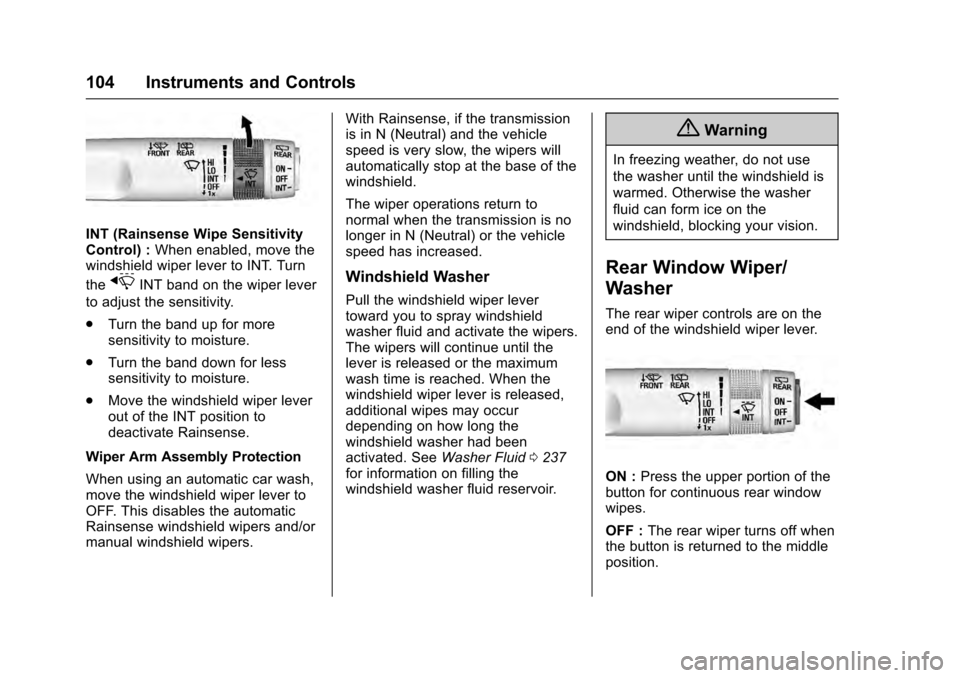
INT (Rainsense Wipe Sensitivity
Control) :When enabled, move the
windshield wiper lever to INT. Turn
the
xINT band on the wiper lever
to adjust the sensitivity.
. Turn the band up for more
sensitivity to moisture.
. Turn the band down for less
sensitivity to moisture.
. Move the windshield wiper lever
out of the INT position to
deactivate Rainsense.
Wiper Arm Assembly Protection
When using an automatic car wash,
move the windshield wiper lever to
OFF. This disables the automatic
Rainsense windshield wipers and/or
manual windshield wipers. With Rainsense, if the transmission
is in N (Neutral) and the vehicle
speed is very slow, the wipers will
automatically stop at the base of the
windshield.
The wiper operations return to
normal when the transmission is no
longer in N (Neutral) or the vehicle
speed has increased.Windshield Washer
Pull the windshield wiper lever
toward you to spray windshield
washer fluid and activate the wipers.
The wipers will continue until the
lever is released or the maximum
wash time is reached. When the
windshield wiper lever is released,
additional wipes may occur
depending on how long the
windshield washer had been
activated. See
Washer Fluid0237
for information on filling the
windshield washer fluid reservoir.
{Warning
In freezing weather, do not use
the washer until the windshield is
warmed. Otherwise the washer
fluid can form ice on the
windshield, blocking your vision.
Rear Window Wiper/
Washer
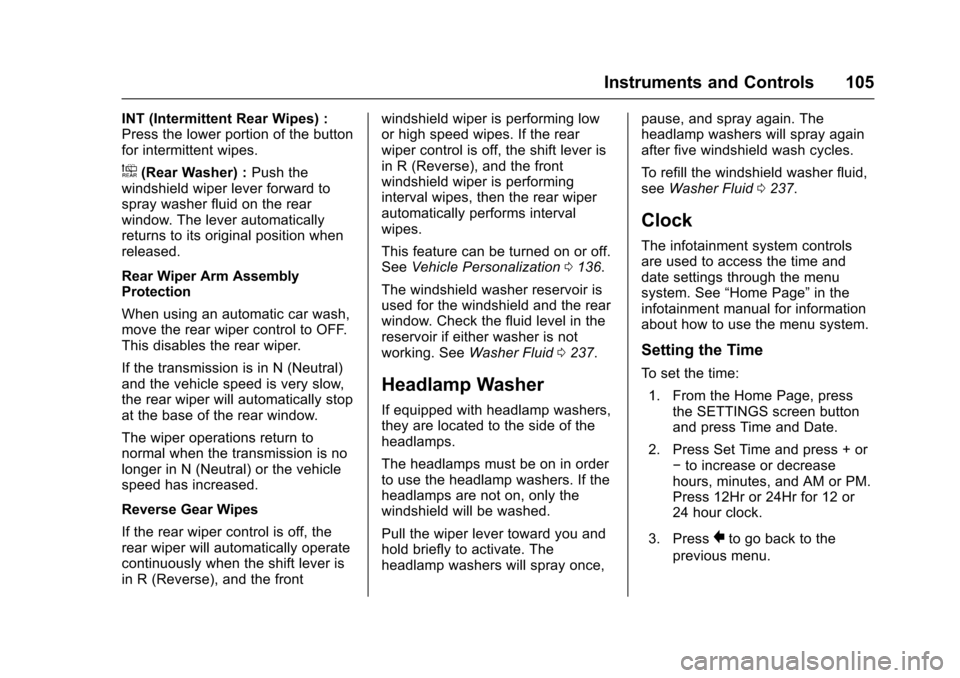
The rear wiper controls are on the
end of the windshield wiper lever.
ON : Press the upper portion of the
button for continuous rear window
wipes.
OFF : The rear wiper turns off when
the button is returned to the middle
position.
Page 106 of 319
Cadillac SRX Owner Manual (GMNA-Localizing-MidEast-9369636) - 2016 -
crc - 6/1/15
Instruments and Controls 105
INT (Intermittent Rear Wipes) :
Press the lower portion of the button
for intermittent wipes.
a(Rear Washer) :Push the
windshield wiper lever forward to
spray washer fluid on the rear
window. The lever automatically
returns to its original position when
released.
Rear Wiper Arm Assembly
Protection
When using an automatic car wash,
move the rear wiper control to OFF.
This disables the rear wiper.
If the transmission is in N (Neutral)
and the vehicle speed is very slow,
the rear wiper will automatically stop
at the base of the rear window.
The wiper operations return to
normal when the transmission is no
longer in N (Neutral) or the vehicle
speed has increased.
Reverse Gear Wipes
If the rear wiper control is off, the
rear wiper will automatically operate
continuously when the shift lever is
in R (Reverse), and the front windshield wiper is performing low
or high speed wipes. If the rear
wiper control is off, the shift lever is
in R (Reverse), and the front
windshield wiper is performing
interval wipes, then the rear wiper
automatically performs interval
wipes.
This feature can be turned on or off.
See
Vehicle Personalization 0136.
The windshield washer reservoir is
used for the windshield and the rear
window. Check the fluid level in the
reservoir if either washer is not
working. See Washer Fluid 0237.
Headlamp Washer
If equipped with headlamp washers,
they are located to the side of the
headlamps.
The headlamps must be on in order
to use the headlamp washers. If the
headlamps are not on, only the
windshield will be washed.
Pull the wiper lever toward you and
hold briefly to activate. The
headlamp washers will spray once, pause, and spray again. The
headlamp washers will spray again
after five windshield wash cycles.
To refill the windshield washer fluid,
see
Washer Fluid 0237.
Clock
The infotainment system controls
are used to access the time and
date settings through the menu
system. See “Home Page” in the
infotainment manual for information
about how to use the menu system.
Setting the Time
To set the time:
1. From the Home Page, press the SETTINGS screen button
and press Time and Date.
2. Press Set Time and press + or −to increase or decrease
hours, minutes, and AM or PM.
Press 12Hr or 24Hr for 12 or
24 hour clock.
3. Press
}to go back to the
previous menu.
Page 112 of 319
Cadillac SRX Owner Manual (GMNA-Localizing-MidEast-9369636) - 2016 -
crc - 6/1/15
Instruments and Controls 111
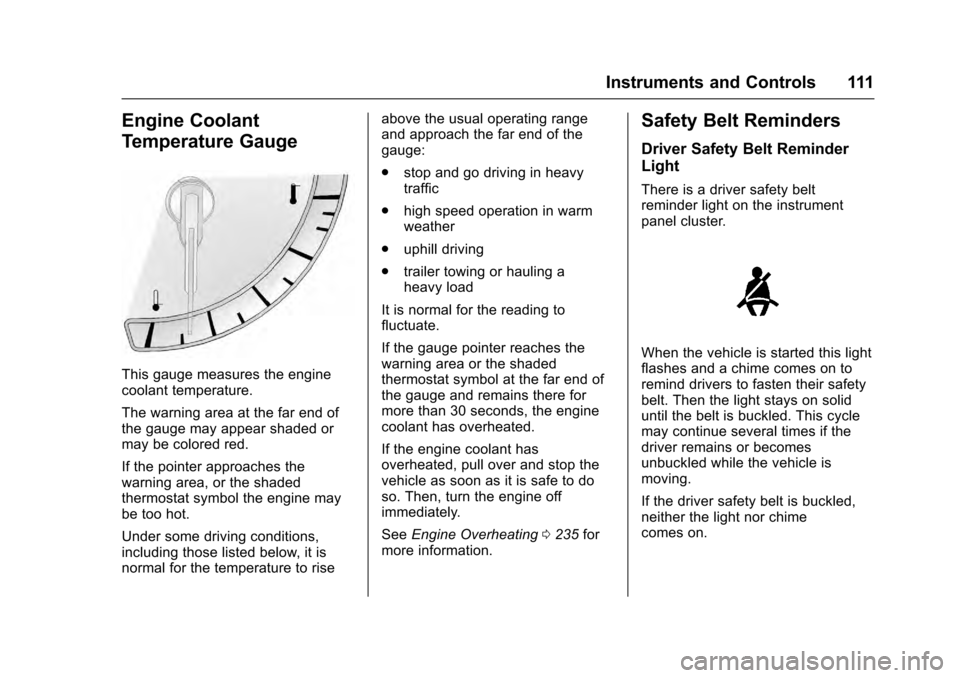
Engine Coolant
Temperature Gauge
This gauge measures the engine
coolant temperature.
The warning area at the far end of
the gauge may appear shaded or
may be colored red.
If the pointer approaches the
warning area, or the shaded
thermostat symbol the engine may
be too hot.
Under some driving conditions,
including those listed below, it is
normal for the temperature to riseabove the usual operating range
and approach the far end of the
gauge:
.
stop and go driving in heavy
traffic
. high speed operation in warm
weather
. uphill driving
. trailer towing or hauling a
heavy load
It is normal for the reading to
fluctuate.
If the gauge pointer reaches the
warning area or the shaded
thermostat symbol at the far end of
the gauge and remains there for
more than 30 seconds, the engine
coolant has overheated.
If the engine coolant has
overheated, pull over and stop the
vehicle as soon as it is safe to do
so. Then, turn the engine off
immediately.
See Engine Overheating 0235 for
more information.
Safety Belt Reminders
Driver Safety Belt Reminder
Light
There is a driver safety belt
reminder light on the instrument
panel cluster.
When the vehicle is started this light
flashes and a chime comes on to
remind drivers to fasten their safety
belt. Then the light stays on solid
until the belt is buckled. This cycle
may continue several times if the
driver remains or becomes
unbuckled while the vehicle is
moving.
If the driver safety belt is buckled,
neither the light nor chime
comes on.
Page 116 of 319
Cadillac SRX Owner Manual (GMNA-Localizing-MidEast-9369636) - 2016 -
crc - 6/1/15
Instruments and Controls 115
If a short distance must be driven
with the light on, be sure to turn off
all accessories, such as the radio
and air conditioner.
Malfunction Indicator
Lamp (Check Engine
Light)
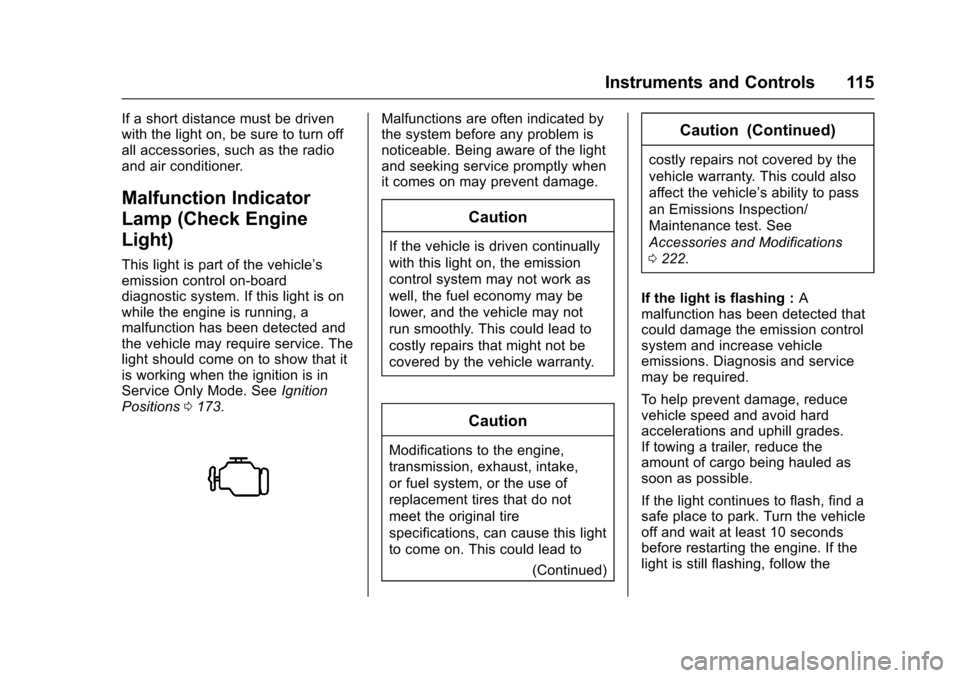
This light is part of the vehicle’s
emission control on-board
diagnostic system. If this light is on
while the engine is running, a
malfunction has been detected and
the vehicle may require service. The
light should come on to show that it
is working when the ignition is in
Service Only Mode. SeeIgnition
Positions 0173.
Malfunctions are often indicated by
the system before any problem is
noticeable. Being aware of the light
and seeking service promptly when
it comes on may prevent damage.
Caution
If the vehicle is driven continually
with this light on, the emission
control system may not work as
well, the fuel economy may be
lower, and the vehicle may not
run smoothly. This could lead to
costly repairs that might not be
covered by the vehicle warranty.
Caution
Modifications to the engine,
transmission, exhaust, intake,
or fuel system, or the use of
replacement tires that do not
meet the original tire
specifications, can cause this light
to come on. This could lead to
(Continued)
Caution (Continued)
costly repairs not covered by the
vehicle warranty. This could also
affect the vehicle’s ability to pass
an Emissions Inspection/
Maintenance test. See
Accessories and Modifications
0222.
If the light is flashing : A
malfunction has been detected that
could damage the emission control
system and increase vehicle
emissions. Diagnosis and service
may be required.
To help prevent damage, reduce
vehicle speed and avoid hard
accelerations and uphill grades.
If towing a trailer, reduce the
amount of cargo being hauled as
soon as possible.
If the light continues to flash, find a
safe place to park. Turn the vehicle
off and wait at least 10 seconds
before restarting the engine. If the
light is still flashing, follow the
Page 118 of 319
Cadillac SRX Owner Manual (GMNA-Localizing-MidEast-9369636) - 2016 -
crc - 6/1/15
Instruments and Controls 117
If the warning light comes on, there
is a problem with the braking
system. Have the brake system
inspected right away.
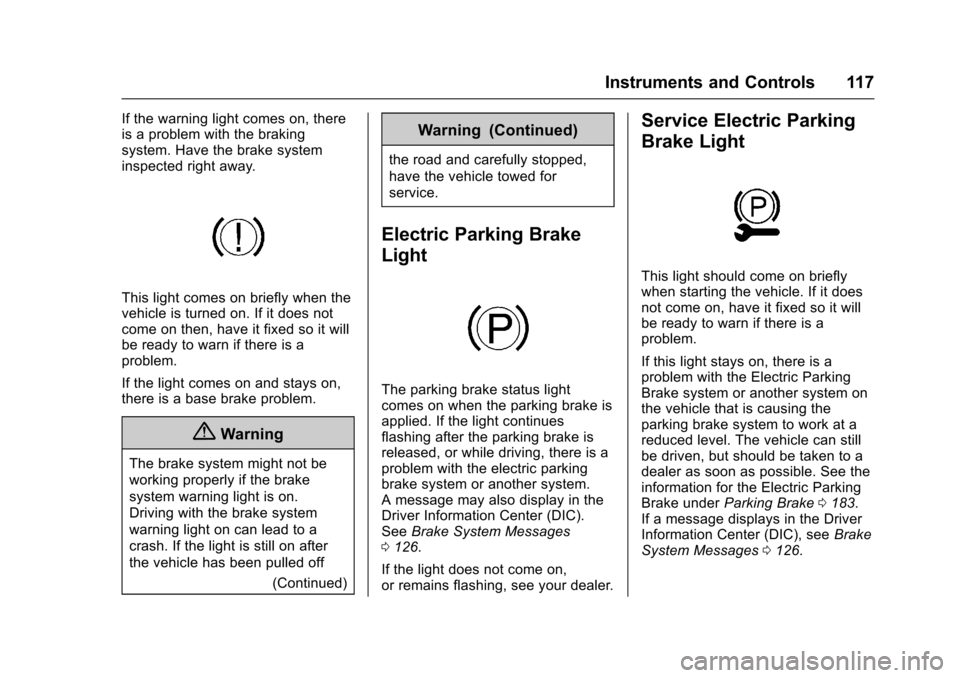
This light comes on briefly when the
vehicle is turned on. If it does not
come on then, have it fixed so it will
be ready to warn if there is a
problem.
If the light comes on and stays on,
there is a base brake problem.
{Warning
The brake system might not be
working properly if the brake
system warning light is on.
Driving with the brake system
warning light on can lead to a
crash. If the light is still on after
the vehicle has been pulled off(Continued)
Warning (Continued)
the road and carefully stopped,
have the vehicle towed for
service.
Electric Parking Brake
Light
The parking brake status light
comes on when the parking brake is
applied. If the light continues
flashing after the parking brake is
released, or while driving, there is a
problem with the electric parking
brake system or another system.
A message may also display in the
Driver Information Center (DIC).
SeeBrake System Messages
0 126.
If the light does not come on,
or remains flashing, see your dealer.
Service Electric Parking
Brake Light
This light should come on briefly
when starting the vehicle. If it does
not come on, have it fixed so it will
be ready to warn if there is a
problem.
If this light stays on, there is a
problem with the Electric Parking
Brake system or another system on
the vehicle that is causing the
parking brake system to work at a
reduced level. The vehicle can still
be driven, but should be taken to a
dealer as soon as possible. See the
information for the Electric Parking
Brake under Parking Brake 0183.
If a message displays in the Driver
Information Center (DIC), see Brake
System Messages 0126.
Page 146 of 319
Cadillac SRX Owner Manual (GMNA-Localizing-MidEast-9369636) - 2016 -
crc - 6/1/15
Lighting 145
.The other vehicle's lamps are
missing, damaged, obstructed
from view, or otherwise
undetected.
. The other vehicle's lamps are
covered with dirt, snow, and/or
road spray.
. The other vehicle's lamps cannot
be detected due to dense
exhaust, smoke, fog, snow, road
spray, mist, or other airborne
obstructions.
. The vehicle's windshield is dirty,
cracked, or obstructed by
something that blocks the view
of the light sensor.
. The vehicle is loaded such that
the front end points upward,
causing the light sensor to aim
high and not detect headlamps
and taillamps.
. Driving on winding or hilly roads.
The high-beam headlamps may
need to be disabled if any of the
above conditions exist.Headlamp High/
Low-Beam Changer
Push the turn signal lever away
from you and release to turn the
high beams on. To return to low
beams, push the lever again or pull
it toward you and release.
This indicator light turns on in the
instrument cluster when the
high-beam headlamps are on.
Flash-to-Pass
The flash-to-pass feature works with
the low beams on or off.
To flash the high beams, pull the
turn signal lever all the way toward
you, then release it.
Daytime Running
Lamps (DRL)
If equipped, DRL can make it easier
for others to see the front of your
vehicle during the day.
A light sensor on top of the
instrument panel makes the DRL
work, so be sure it is not covered.
The DRL system makes the
low-beam headlamps come on at a
reduced brightness or for vehicles
with High Intensity Discharge (HID)
headlamps, the DRL lights will come
on when the following conditions
are met:
. The ignition is in the ON/
RUN mode.
. The exterior lamp control is
in AUTO.
. The engine is running.
. The vehicle is not in P (Park).
When the DRL are on, only the
low-beam headlamps, at a reduced
level of brightness, will be on. The
high-beam headlamps, taillamps,
sidemarker, instrument panel and
other lamps will not be on.
Page 162 of 319
Cadillac SRX Owner Manual (GMNA-Localizing-MidEast-9369636) - 2016 -
crc - 6/1/15
Driving and Operating 161
Driving and
Operating
Driving Information
Distracted Driving . . . . . . . . . . . . 162
Defensive Driving . . . . . . . . . . . . . 163
Control of a Vehicle . . . . . . . . . . . 163
Braking . . . . . . . . . . . . . . . . . . . . . . . 163
Steering . . . . . . . . . . . . . . . . . . . . . . 163
Off-Road Recovery . . . . . . . . . . . 164
Loss of Control . . . . . . . . . . . . . . . 164
Driving on Wet Roads . . . . . . . . 165
Hill and Mountain Roads . . . . . 166
Winter Driving . . . . . . . . . . . . . . . . 166
If the Vehicle Is Stuck . . . . . . . . 167
Vehicle Load Limits . . . . . . . . . . . 168
Starting and Operating
New Vehicle Break-In . . . . . . . . . 172
Adjustable Throttle and BrakePedal . . . . . . . . . . . . . . . . . . . . . . . 172
Ignition Positions . . . . . . . . . . . . . 173
Starting the Gasoline Engine . . . . . . . . . . . . . . . . . . . . . . 174
Retained Accessory Power (RAP) . . . . . . . . . . . . . . . . 175
Shifting Into Park . . . . . . . . . . . . . 176
Shifting out of Park . . . . . . . . . . . 176 Parking over Things
That Burn . . . . . . . . . . . . . . . . . . . 177
Engine Exhaust
Engine Exhaust . . . . . . . . . . . . . . 177
Running the Vehicle WhileParked . . . . . . . . . . . . . . . . . . . . . . 178
Automatic Transmission
Automatic Transmission . . . . . . 178
Manual Mode . . . . . . . . . . . . . . . . . 180
Fuel Economy Mode . . . . . . . . . 181
Drive Systems
All-Wheel Drive . . . . . . . . . . . . . . . 182
Brakes
Antilock BrakeSystem (ABS) . . . . . . . . . . . . . . . 182
Parking Brake . . . . . . . . . . . . . . . . 183
Brake Assist . . . . . . . . . . . . . . . . . . 185
Hill Start Assist (HSA) . . . . . . . . 185
Ride Control Systems
Traction Control/Electronic
Stability Control . . . . . . . . . . . . . 186
Limited-Slip Rear Axle . . . . . . . . 187
Selective Ride Control . . . . . . . . 188
Cruise Control
Cruise Control . . . . . . . . . . . . . . . . 188
Adaptive Cruise Control . . . . . . 190
Driver Assistance Systems
Driver Assistance Systems . . . 198
Assistance Systems for Parking or Backing . . . . . . . . . . 198
Assistance Systems for Driving . . . . . . . . . . . . . . . . . . . . . . 202
Forward Collision Alert (FCA) System . . . . . . . . . . . . . . . . . . . . . . 202
Front Automatic Braking (FAB) System . . . . . . . . . . . . . . . . . . . . . . 205
Side Blind Zone Alert (SBZA) . . . . . . . . . . . . . . . . 206
Lane Departure Warning (LDW) . . . . . . . . . . . . . 208
Fuel
Fuel . . . . . . . . . . . . . . . . . . . . . . . . . . 209
Fuel Additives . . . . . . . . . . . . . . . . 210
Filling the Tank . . . . . . . . . . . . . . . 210
Filling a Portable FuelContainer . . . . . . . . . . . . . . . . . . . 212
Trailer Towing
General TowingInformation . . . . . . . . . . . . . . . . . . 212
Driving Characteristics and Towing Tips . . . . . . . . . . . . . . . . . 212
Trailer Towing . . . . . . . . . . . . . . . . 215
Towing Equipment . . . . . . . . . . . . 218
Trailer Sway Control (TSC) . . . 219
Page 169 of 319
Cadillac SRX Owner Manual (GMNA-Localizing-MidEast-9369636) - 2016 -
crc - 6/1/15
168 Driving and Operating
{Warning
If the vehicle's tires spin at high
speed, they can explode, and you
or others could be injured. The
vehicle can overheat, causing an
engine compartment fire or other
damage. Spin the wheels as little
as possible and avoid going
above 56 km/h (35 mph).
Rocking the Vehicle to Get
it Out
Turn the steering wheel left and
right to clear the area around the
front wheels. Turn off any traction
system. Shift back and forth
between R (Reverse) and a low
forward gear, spinning the wheels
as little as possible. To prevent
transmission wear, wait until the
wheels stop spinning before shifting
gears. Release the accelerator
pedal while shifting, and press
lightly on the accelerator pedal
when the transmission is in gear.
Slowly spinning the wheels in the
forward and reverse directionscauses a rocking motion that could
free the vehicle. If that does not get
the vehicle out after a few tries, it
might need to be towed out. If the
vehicle does need to be towed out,
see
Towing the Vehicle 0283.
Vehicle Load Limits
It is very important to know how
much weight the vehicle can
carry. This weight is called the
vehicle capacity weight and
includes the weight of all
occupants, cargo, and all
nonfactory-installed options.
Two labels on the vehicle may
show how much weight it may
properly carry, the Tire and
Loading Information label and
the Certification/Tire label.
{Warning
Do not load the vehicle any
heavier than the Gross
Vehicle Weight Rating
(GVWR), or either the
(Continued)
Warning (Continued)
maximum front or rear Gross
Axle Weight Rating (GAWR).
This can cause systems to
break and change the way the
vehicle handles. This could
cause loss of control and a
crash. Overloading can also
reduce stopping distance,
damage the tires, and shorten
the life of the vehicle.