instrument panel CADILLAC STS 2005 1.G User Guide
[x] Cancel search | Manufacturer: CADILLAC, Model Year: 2005, Model line: STS, Model: CADILLAC STS 2005 1.GPages: 446, PDF Size: 2.58 MB
Page 92 of 446
AUTOMATIC OVERDRIVE (D):This position is for
normal driving. If you need more power for passing,
and you are:
Going less than 35 mph (55 km/h), push the
accelerator pedal about halfway down.
Going about 35 mph (55 km/h) or more, push the
accelerator all the way down.
The transmission will shift down to a lower gear
and have more power.
Notice:Spinning the tires or holding the vehicle in
one place on a hill using only the accelerator
pedal may damage the transmission. If you are
stuck, do not spin the tires. When stopping on a hill,
use the brakes to hold the vehicle in place.
FOURTH (4):This position is also used for normal
driving. However, it offers more power and lower fuel
economy than AUTOMATIC OVERDRIVE (D).
Here are examples for using FOURTH (4) instead of
AUTOMATIC OVERDRIVE (D):
When driving on hilly, winding roads.
When going down a steep hill.
This position may also offer improved trailer towing
performance in certain driving conditions.
Driver Shift Control (DSC)
Notice:If you drive your vehicle at high rpms
without upshifting while using Driver Shift
Control (DSC), you could damage your vehicle.
Always upshift when necessary while using DSC.
Your automatic transmission has a Driver Shift
Control (DSC) feature that allows you to change
gears similar to a manual transmission. To use the
DSC feature:
1. Slide the shift lever over from AUTOMATIC
OVERDRIVE (D) to the right into the DSC area.
The DIC will display which mode the transmission
is in. SeeDriver Information Center (DIC) on
page 3-73.
If you do not move the shift lever forward or
rearward, the vehicle will be in sport mode. While
driving in sport mode, the transmission may remain
in a gear longer than it would in normal driving
mode based on braking, throttle input and vehicle
lateral acceleration.
2. Press the shift lever forward to upshift or rearward
to downshift.
The odometer on the instrument panel cluster will
change to show the requested gear range when moving
the shift lever forward or rearward.
2-28
Page 93 of 446
While using the DSC feature the vehicle will have rmer
shifting and increased performance. You can use this
for sport driving or when climbing hills to stay in
gear longer or to down shift for more power or engine
braking.
The transmission will only allow you to shift into gears
appropriate for the vehicle speed and rpm. The
transmission will not automatically shift to the next
higher gear if the engine rpm is too high.
All-Wheel Drive
If your vehicle is equipped with this feature, engine
power is sent to all four wheels all the time.
This is like four-wheel drive, but it is fully automatic.
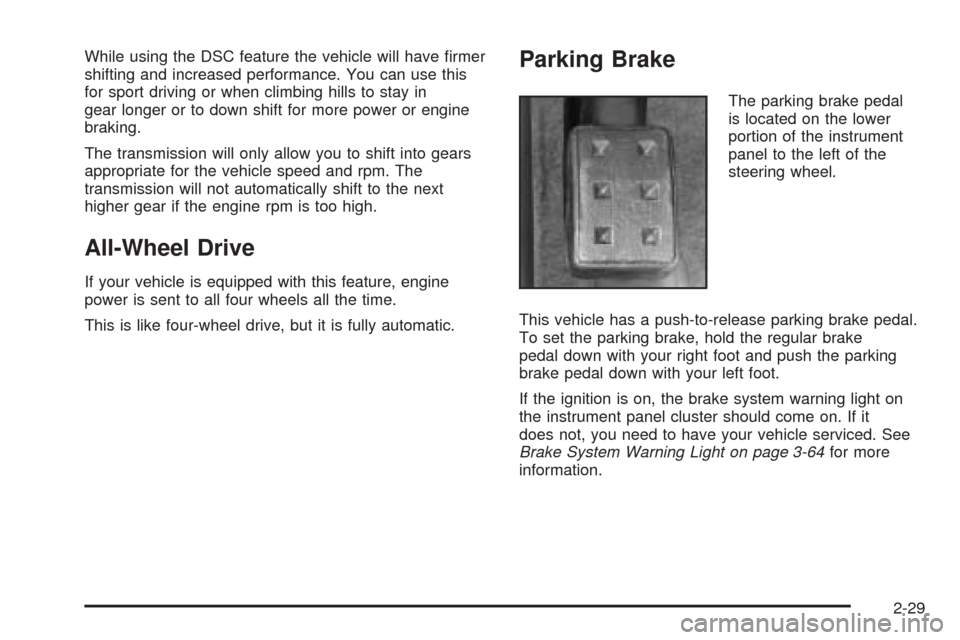
Parking Brake
The parking brake pedal
is located on the lower
portion of the instrument
panel to the left of the
steering wheel.
This vehicle has a push-to-release parking brake pedal.
To set the parking brake, hold the regular brake
pedal down with your right foot and push the parking
brake pedal down with your left foot.
If the ignition is on, the brake system warning light on
the instrument panel cluster should come on. If it
does not, you need to have your vehicle serviced. See
Brake System Warning Light on page 3-64for more
information.
2-29
Page 135 of 446
Instrument Panel Overview...............................3-4
Hazard Warning Flashers................................3-6
Other Warning Devices...................................3-6
Horn.............................................................3-6
Power Tilt Wheel and Telescopic
Steering Column.........................................3-6
Heated Steering Wheel...................................3-7
Turn Signal/Multifunction Lever.........................3-8
Turn and Lane-Change Signals........................3-8
Headlamp High/Low-Beam Changer..................3-9
Forward Collision Alert (FCA) System................3-9
Flash-to-Pass...............................................3-13
Windshield Wipers........................................3-13
Rainsense™ II Wipers...................................3-14
Windshield Washer.......................................3-15
Headlamp Washer........................................3-16
Cruise Control..............................................3-16
Adaptive Cruise Control.................................3-20
Headlamps..................................................3-33
Wiper Activated Headlamps............................3-37
Headlamps on Reminder................................3-37
Daytime Running Lamps (DRL).......................3-38
Fog Lamps..................................................3-39
Twilight Sentinel
®..........................................3-40
Exterior Lighting Battery Saver........................3-41
Instrument Panel Brightness...........................3-41Entry Lighting...............................................3-42
Parade Dimming...........................................3-42
Reading Lamps............................................3-42
Battery Load Management.............................3-42
Inadvertent Power Battery Saver.....................3-43
Head-Up Display (HUD).................................3-43
Ultrasonic Rear Parking Assist (URPA)............3-47
Accessory Power Outlets...............................3-49
Ashtrays and Cigarette Lighter........................3-49
Climate Controls............................................3-50
Dual Climate Control System..........................3-50
Outlet Adjustment.........................................3-56
Rear Climate Control System.........................3-57
Passenger Compartment Air Filter...................3-58
Warning Lights, Gages, and Indicators............3-60
Instrument Panel Cluster................................3-61
Speedometer and Odometer...........................3-62
Tachometer.................................................3-62
Safety Belt Reminder Light.............................3-62
Airbag Readiness Light..................................3-63
Charging System Light..................................3-64
Brake System Warning Light..........................3-64
Anti-Lock Brake System Warning Light.............3-65
Low Tire Pressure Warning Light....................3-66
Traction Control System (TCS) Warning Light......3-66
Section 3 Instrument Panel
3-1
Page 136 of 446
Engine Coolant Temperature Warning Light......3-67
Engine Coolant Temperature Gage..................3-67
Malfunction Indicator Lamp.............................3-68
Oil Pressure Light.........................................3-70
Security Light...............................................3-71
Fog Lamp Light............................................3-71
Lights On Reminder......................................3-71
Cruise Control Light......................................3-72
Highbeam On Light.......................................3-72
Fuel Gage...................................................3-72
Driver Information Center (DIC).......................3-73
DIC Controls and Displays.............................3-74
DIC Warnings and Messages.........................3-78
Other Messages...........................................3-91Audio System(s).............................................3-92
Setting the Time...........................................3-93
Radio with CD..............................................3-94
Navigation/Radio System..............................3-111
Radio Personalization..................................3-112
Theft-Deterrent Feature................................3-115
Audio Steering Wheel Controls......................3-116
Radio Reception.........................................3-117
Care of Your CDs.......................................3-118
Care of the CD Player.................................3-118
Diversity Antenna System.............................3-118
XM™ Satellite Radio Antenna System............3-118
Section 3 Instrument Panel
3-2
Page 138 of 446
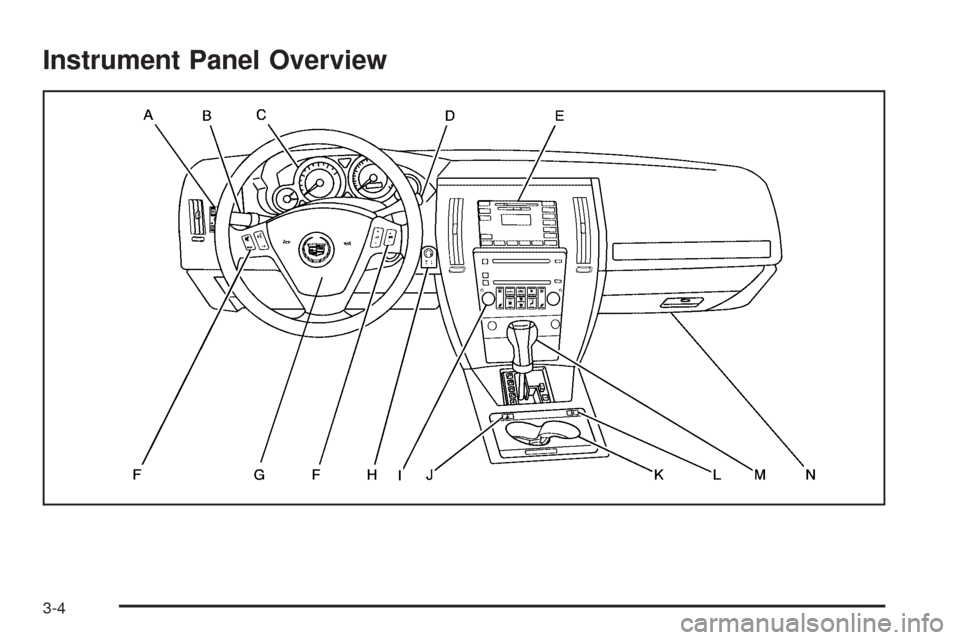
Instrument Panel Overview
3-4
Page 139 of 446
The main components of your instrument panel are the following:
A. Instrument Panel Brightness Control. SeeInstrument
Panel Brightness on page 3-41. Driver Information
Center (DIC) Buttons. SeeDIC Controls and
Displays on page 3-74. HUD Controls (If Equipped).
SeeHead-Up Display (HUD) on page 3-43.
B. Turn Signal/Multifunction Lever. SeeTurn
Signal/Multifunction Lever on page 3-8. Headlamp
Controls. SeeHeadlamps on page 3-33. Cruise
Control. SeeCruise Control on page 3-16. Adaptive
Cruise Control (If Equipped). SeeAdaptive Cruise
Control on page 3-20. Forward Collision Alert (FCA)
(If Equipped). SeeForward Collision Alert (FCA)
System on page 3-9.
C. Instrument Panel Cluster. SeeInstrument Panel
Cluster on page 3-61.
D. Windshield Wiper/Washer Lever. SeeWindshield
Wipers on page 3-13.
E. Navigation/Radio System. SeeAudio System(s) on
page 3-92andNavigation/Radio System on
page 3-111.F. Audio Steering Wheel Controls (If Equipped). See
Audio Steering Wheel Controls on page 3-116.
Adaptive Cruise Control Gap Button (If Equipped).
SeeAdaptive Cruise Control on page 3-20.
Heated Steering Wheel Button (If Equipped). See
Heated Steering Wheel on page 3-7.
G. Horn. SeeHorn on page 3-6.
H. Ignition Switch. SeeIgnition Positions on page 2-22.
I. Climate Control System. SeeDual Climate Control
System on page 3-50.
J. Hazard Warning Flasher Button. SeeHazard
Warning Flashers on page 3-6.
K. Cupholders. SeeCupholder(s) on page 2-45.
L. Traction Control System Button. SeeTraction Control
System (TCS) on page 4-8.
M. Shift Lever. SeeAutomatic Transmission Operation
on page 2-26.
N. Glove Box. SeeGlove Box on page 2-45.
3-5
Page 140 of 446
Hazard Warning Flashers
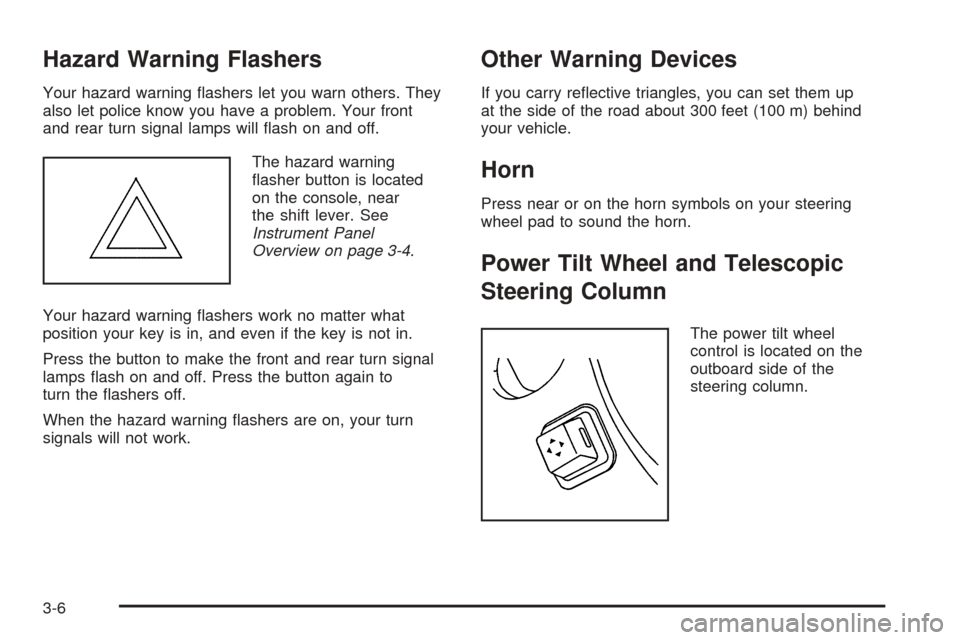
Your hazard warning ashers let you warn others. They
also let police know you have a problem. Your front
and rear turn signal lamps will ash on and off.
The hazard warning
asher button is located
on the console, near
the shift lever. See
Instrument Panel
Overview on page 3-4.
Your hazard warning ashers work no matter what
position your key is in, and even if the key is not in.
Press the button to make the front and rear turn signal
lamps ash on and off. Press the button again to
turn the ashers off.
When the hazard warning ashers are on, your turn
signals will not work.
Other Warning Devices
If you carry reective triangles, you can set them up
at the side of the road about 300 feet (100 m) behind
your vehicle.
Horn
Press near or on the horn symbols on your steering
wheel pad to sound the horn.
Power Tilt Wheel and Telescopic
Steering Column
The power tilt wheel
control is located on the
outboard side of the
steering column.
3-6
Page 142 of 446

Turn Signal/Multifunction Lever
The lever on the left side of the steering column
includes the following:
GTurn and Lane-Change Signals. SeeTurn and
Lane-Change Signals on page 3-8.
OHeadlamps. SeeHeadlamps on page 3-33.
3Headlamp High/Low-Beam Changer. See
Headlamp High/Low-Beam Changer on page 3-9.
Flash-To-Pass Feature. SeeFlash-to-Pass
on page 3-13.
-Fog Lamps. SeeFog Lamps on page 3-39.
ICruise Control. SeeCruise Control on
page 3-16.
Adaptive Cruise Control (If Equipped). SeeAdaptive
Cruise Control on page 3-20.
Forward Collision Alert (FCA) (If Equipped). See
Forward Collision Alert (FCA) System on page 3-9.
Turn and Lane-Change Signals
To signal a turn, move the lever all the way up or down.
The lever returns automatically when the turn is
complete.
An arrow on the instrument
panel cluster will ash in
the direction of the
turn or lane change.
Raise or lower the lever until the arrow starts to ash to
signal a lane change. Hold it there until the lane
change is complete. The lever returns to its original
position when it’s released.
Arrows that ash rapidly when signaling for a turn or
lane change may be caused by a burned-out signal bulb.
Other driver’s won’t see the signal.
3-8
Page 143 of 446
Replace burned-out bulbs to help avoid possible
accidents. Check the fuse and for burned-out bulbs if
the arrow fails to work when signaling a turn. SeeFuses
and Circuit Breakers on page 5-95for more information.
Turn Signal On Chime
If the turn signal is left on for about 1 mile (1.6 km), a
warning chime will sound and the Turn Signal On
message will appear on the Driver Information
Center (DIC) display. See “Turn Signal On” under
DIC Warnings and Messages on page 3-78for more
information.
Headlamp High/Low-Beam Changer
Push forward on the turn signal/multifunction lever
to change the headlamps from low to high beam. Pull
the lever back and then release it to change from high to
low beam.
This light on the instrument
panel cluster will be on,
indicating high-beam
usage.
Forward Collision Alert (FCA)
System
If your vehicle has this feature, be sure to read this
entire section before using it.
The system operates on a radio frequency subject to
Federal Communications Commission (FCC) Rules and
with Industry Canada.
This device complies with Part 15 of the FCC Rules.
Operation is subject to the following two conditions:
1. This device may not cause interference, and
2. This device must accept any interference received,
including interference that may cause undesired
operation of the device.
This device complies with RSS-210 of Industry Canada.
Operation is subject to the following two conditions:
1. This device may not cause interference, and
2. This device must accept any interference received,
including interference that may cause undesired
operation of the device.
Changes or modications to this system by other than
an authorized service facility could void authorization to
use this equipment.
3-9
Page 152 of 446
Setting Cruise Control
{CAUTION:
If you leave your cruise control on when you
are not using cruise, you might hit a button
and go into cruise when you do not want to.
You could be startled and even lose control.
Keep the cruise control switch off until you
want to use cruise control.
1. Move the cruise control switch to on.
2. Get up to the speed you want.
3. Press in the set button at the end of the lever
and release it.
4. Take your foot off the accelerator pedal.This light on the
instrument panel cluster
will come on while
cruise control is on.
Resuming a Set Speed
Suppose you set your cruise control at a desired speed
and then you apply the brake. This, of course,
disengages the cruise control. But you don’t need to
reset it.
Once you’re going about 25 mph (40 km/h) or more, you
can move the cruise control switch briey from on to
resume/accelerate.
You’ll go right back up to your chosen speed and stay
there.
If you hold the switch at resume/accelerate the vehicle
will keep going faster until you release the switch or
apply the brake. So unless you want to go faster, don’t
hold the switch at resume/accelerate.
3-18