seats CADILLAC STS 2005 1.G User Guide
[x] Cancel search | Manufacturer: CADILLAC, Model Year: 2005, Model line: STS, Model: CADILLAC STS 2005 1.GPages: 446, PDF Size: 2.58 MB
Page 29 of 446
The safety belt locks if there is a sudden stop or a
crash, or if you pull the belt very quickly out of
the retractor.
{CAUTION:
You can be seriously hurt if your shoulder belt
is too loose. In a crash, you would move
forward too much, which could increase injury.
The shoulder belt should t against your body.
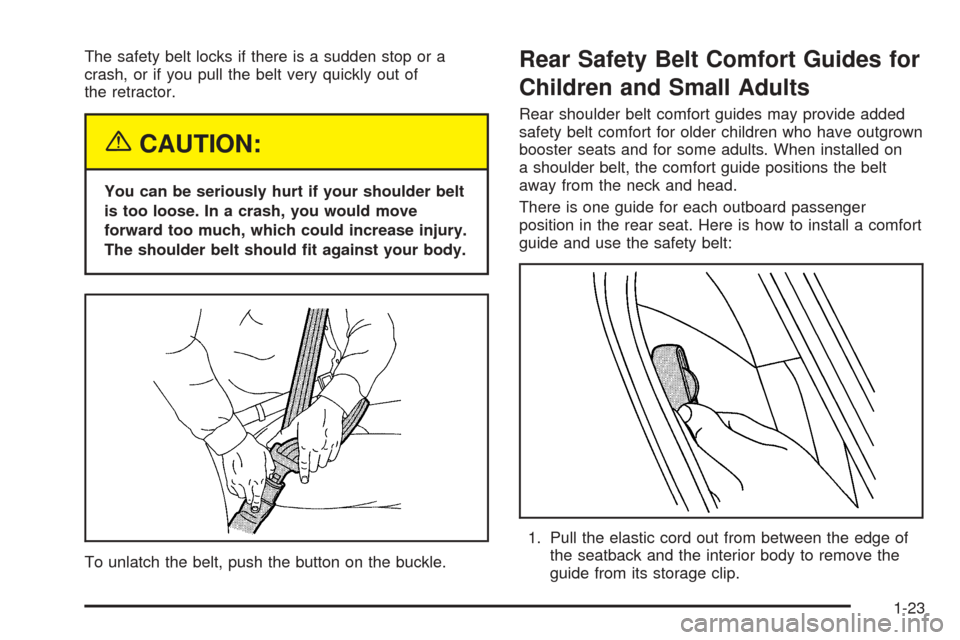
To unlatch the belt, push the button on the buckle.
Rear Safety Belt Comfort Guides for
Children and Small Adults
Rear shoulder belt comfort guides may provide added
safety belt comfort for older children who have outgrown
booster seats and for some adults. When installed on
a shoulder belt, the comfort guide positions the belt
away from the neck and head.
There is one guide for each outboard passenger
position in the rear seat. Here is how to install a comfort
guide and use the safety belt:
1. Pull the elastic cord out from between the edge of
the seatback and the interior body to remove the
guide from its storage clip.
1-23
Page 32 of 446
Safety Belt Extender
If the vehicle’s safety belt will fasten around you, you
should use it.
But if a safety belt is not long enough, your dealer will
order you an extender. It is free. When you go in to
order it, take the heaviest coat you will wear, so
the extender will be long enough for you. To help avoid
personal injury, do not let someone else use it, and
use it only for the seat it is made to t. The extender has
been designed for adults. Never use it for securing
child seats. To wear it, just attach it to the regular safety
belt. For more information, see the instruction sheet
that comes with the extender.
Child Restraints
Older Children
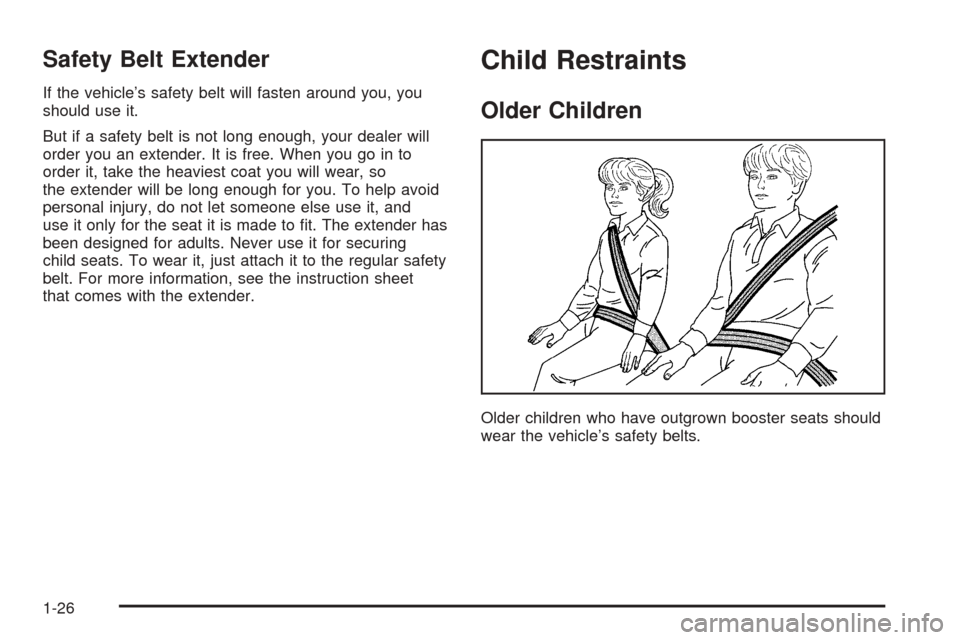
Older children who have outgrown booster seats should
wear the vehicle’s safety belts.
1-26
Page 39 of 446
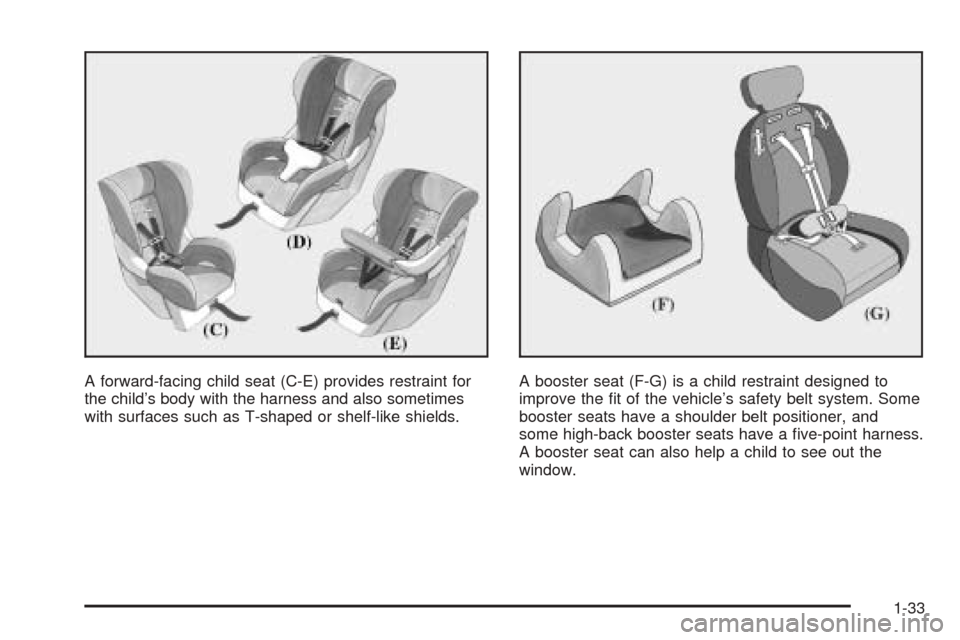
A forward-facing child seat (C-E) provides restraint for
the child’s body with the harness and also sometimes
with surfaces such as T-shaped or shelf-like shields.A booster seat (F-G) is a child restraint designed to
improve the t of the vehicle’s safety belt system. Some
booster seats have a shoulder belt positioner, and
some high-back booster seats have a ve-point harness.
A booster seat can also help a child to see out the
window.
1-33
Page 49 of 446
Securing a Child Restraint in the
Right Front Seat Position
If your child restraint is equipped with the LATCH
system, seeLower Anchorages and Top Tethers for
Children (LATCH System) on page 1-38. SeeTop Strap
on page 1-35if your child restraint has one.
Your vehicle has a right front passenger airbag.Never
put a rear-facing child restraint in this seat. Here is why:
{CAUTION:
A child in a rear-facing child restraint can be
seriously injured or killed if the right front
passenger’s airbag inates. This is because
the back of the rear-facing child restraint
would be very close to the inating airbag.
Always secure a rear-facing child restraint in
a rear seat.
A rear seat is a safer place to secure a forward-facing
child restraint.You will be using the lap-shoulder belt to secure the
child restraint in this position. Be sure to follow the
instructions that came with the child restraint. Secure
the child in the child restraint when and as the
instructions say.
1. Because your vehicle has a right front passenger’s
airbag, always move the seat as far back as it will
go before securing a forward-facing child restraint.
SeePower Seats on page 1-2.
2. Put the child restraint on the seat.
3. Pick up the latch plate and run the lap and shoulder
portions of the vehicle’s safety belt through or
around the restraint. The child restraint instructions
will show you how.
1-43
Page 70 of 446

Matching Transmitter(s) to Your
Vehicle
Each Keyless Access System is coded to allow only
transmitters programmed to your vehicle to work.
If a transmitter is lost or stolen, a replacement can be
purchased and programmed through your GM
dealer. Your GM dealer can reprogram your vehicle so
lost or stolen transmitters no longer work with your
vehicle. Each vehicle can have a maximum of
four transmitters matched to it.
To match a new transmitter to your vehicle when you
have a recognized transmitter, do the following.
Two recognized transmitters are required for Canadian
owners.
1. The vehicle must be off.
2. Have the recognized transmitter and the new,
unrecognized transmitter(s) with you.
3. Insert the vehicle key into the key lock cylinder
located on the outside of the driver’s door.
4. Turn the key to the unlock position ve times within
ve seconds.
5. The Driver Information Center (DIC) will display
READY FOR FOB #X, where X can be 2, 3 or 4.6. Place the new, unrecognized transmitter into the
transmitter pocket with the transmitter buttons
facing the front of the vehicle. The transmitter
pocket is inside the console bin located between
the driver and front passenger seats.
7. Once the transmitter is programmed, a beep will
sound. The DIC will display READY FOR #X,
where X can be 3 or 4, or MAX # FOBS LEARNED.
8. Remove the transmitter from the transmitter pocket
and press the unlock button on the keyless access
transmitter two times.
2-6
Page 71 of 446

The Canadian immobilizer standard requires Canadian
owners to see their GM dealer for matching new
transmitters when a recognized transmitter is not
available. United States Owners are permitted to match
a new transmitter to their vehicle when a recognized
transmitter is not available. The procedure will require
three, ten minute cycles to complete the matching
process. Do the following:
1. The vehicle must be off.
2. Place the new, unrecognized transmitter into the
transmitter pocket with the transmitter buttons
facing the front of the vehicle. The transmitter
pocket is inside the console bin located between
the driver and front passenger seats.3. Insert the vehicle key into the key lock cylinder
located on the driver’s door.
4. Turn the key to the unlock position ve times within
ve seconds.
5. The DIC message will display OFF-ACCESSORY
TO LEARN.
6. Press the OFF/ACC button (ignition switch).
7. The DIC will read WAIT 10 MINUTES and will
count down to zero, one minute at a time.
8. The DIC will display OFF-ACCESSORY TO
LEARN again.
9. Press the OFF/ACC button (ignition switch) again.
10. The DIC will again read WAIT 10 MINUTES
and will count down to zero, one minute at a time.
11. The DIC will display OFF-ACCESSORY TO
LEARN again.
12. Press the OFF/ACC button (ignition switch) again.
13. The DIC will again read WAIT 10 MINUTES
and will count down to zero, one minute at a time.
14. A beep will sound and the DIC will read READY
FOR FOB #1. At this time, all previously known
transmitters have been erased.
15. Once the transmitter is recognized and
programmed, a beep will sound and the DIC will
display READY FOR FOB #2.
16. Remove the keyless access transmitter and press
the unlock button twice to initialize it.
2-7
Page 74 of 446
You can also program the remote vehicle start system
to start up the vehicle’s automatic climate control
system. If this feature is turned on, the system monitors
the outside temperature and turns on the rear window
defogger, front window defogger, and heated or
ventilated seats, if equipped. See “Personal Settings
Menu” underVehicle Personalization on page 2-47.
Laws in some local communities may restrict the use of
remote starters, for example, requiring a person
using remote start to have the vehicle in view when
doing so. Check local regulations for any requirements
on remote starting of vehicles.
Do not use the remote start feature if your vehicle is low
on fuel. Your vehicle may run out of fuel.
The remote start feature provides two separate starts,
each with 10 minutes of engine running. If you press the
remote start button on the keyless access transmitter
again before the rst 10 minutes of engine running time
has expired, 10 minutes is added to the remaining
minutes. For example, if the remote start button
is pressed again after ve minutes of the engine run
time, 10 minutes is added and you now have 15 minutes
with the engine running. Once two remote starts or
20 minutes of the engine running have been provided,
the vehicle must be started using the keyless access
with pushbutton start feature, if the engine needs to be
restarted. SeeStarting the Engine on page 2-24for
more information regarding the keyless ignition.The remote start feature will not operate if any of the
following occur:
The check engine light is displayed.
The valet lockout switch is on.
The keyless access transmitter is in the vehicle.
The vehicle’s hood is open.
The vehicle personalization feature is not enabled.
An unauthorized vehicle entry or a vehicle theft
was attempted.
Your keyless access transmitter, with the remote start
button, provides an increased range of operation.
However, the range may be less while the vehicle is
running. As a result, you may need to be closer to your
vehicle to turn it off than you were to turn it on.
There are other conditions which can affect the
performance of the transmitter, seeKeyless Access
System on page 2-3.
2-10
Page 79 of 446

Squeeze the trunk release button located on the
rear of the trunk lid above the license plate, as
long as you have your keyless access transmitter
with you. Entry occurs when the button is being
pressed and the vehicle recognizes the transmitter.
The vehicle must be in PARK (P) and the valet
mode turned off.
If your vehicle has lost battery power, you can still
access the trunk by unlocking and lowering the rear seat
pass-through door and pulling the emergency trunk
release handle.
Rear Seat Pass-Through Door
This feature allows you to access the trunk without
opening the trunk lid.
To open the door, do the following:
1. Pull down the rear seat armrest.
2. If it is locked, insert and turn the key
counterclockwise in the lock on the door.
3. Press the button above the lock.
4. Lower the door.
To open the trunk lid, pull down the emergency trunk
release handle located in the trunk. See “Emergency
Trunk Release Handle” following.
Emergency Trunk Release Handle
Notice:Using the emergency trunk release handle
as a tie-down or anchor point when securing
items in the trunk may damage it. Use the
emergency trunk release handle only to help you
open the trunk lid.
There is a glow-in-the-dark trunk release handle located
inside the trunk near the back of the rear seats. This
handle will glow following exposure to light. Pull
down the release handle to open the trunk from the
inside of the vehicle.
2-15
Page 90 of 446
Automatic Transmission Operation
The shift lever is located on the center console between
the front seats.
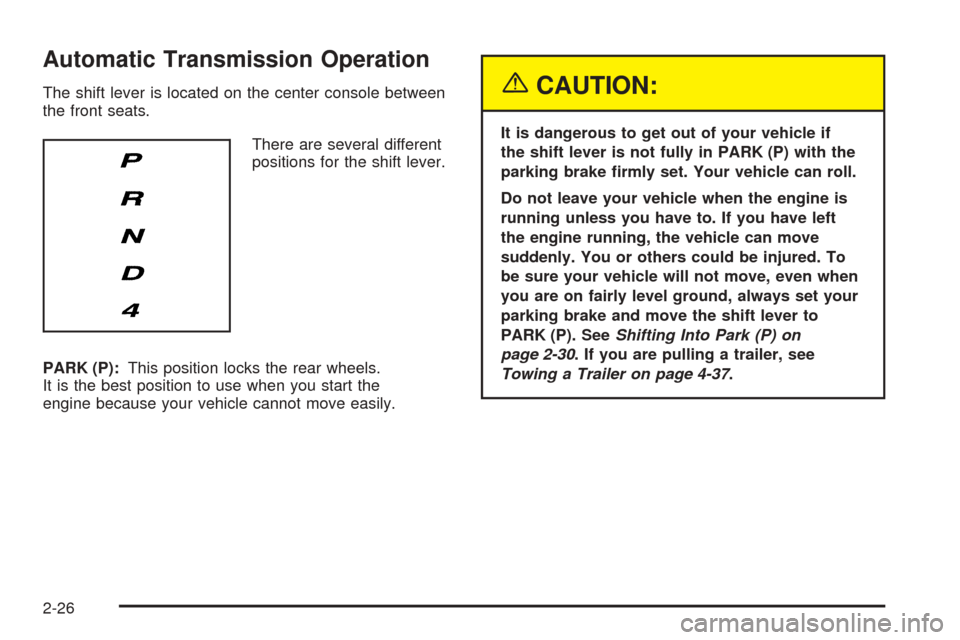
There are several different
positions for the shift lever.
PARK (P):This position locks the rear wheels.
It is the best position to use when you start the
engine because your vehicle cannot move easily.{CAUTION:
It is dangerous to get out of your vehicle if
the shift lever is not fully in PARK (P) with the
parking brake rmly set. Your vehicle can roll.
Do not leave your vehicle when the engine is
running unless you have to. If you have left
the engine running, the vehicle can move
suddenly. You or others could be injured. To
be sure your vehicle will not move, even when
you are on fairly level ground, always set your
parking brake and move the shift lever to
PARK (P). SeeShifting Into Park (P) on
page 2-30. If you are pulling a trailer, see
Towing a Trailer on page 4-37.
2-26
Page 109 of 446
Reprogramming a Single HomeLink®
Button
To program a device to HomeLink®using a HomeLink®
button previously trained, follow these steps:
1. Press and hold the desired HomeLink
®button.
Do not release the button.
2. The indicator light will begin to ash after
20 seconds. While still holding the HomeLink
®
button, proceed with Step 2 under “Programming
HomeLink®” shown earlier in this section.
Resetting Defaults
To reset HomeLink®to default settings do the following:
1. Hold down the two outside buttons for about
20 seconds until the indicator light begins to ash.
2. Continue to hold both buttons until the HomeLink
®
indicator light turns off.
3. Release both buttons.
For questions or comments, contact HomeLink
®
at 1-800-355-3515, or on the Internet at
www.homelink.com.
Storage Areas
Glove Box
To open the glove box, lift up on the lever. The glove
box has a light inside.
Cupholder(s)
Your vehicle has two cupholders in the center
console area.
Center Console Storage Area
Your vehicle has a center console storage area located
between the front seats. It includes storage areas, and
accessory power outlet(s) on the rear of the console.
Convenience Net
If your vehicle has a convenience net, the convenience
net attaches to the oor or back wall of the rear of
the vehicle using six anchor points. The net can be used
like a hammock across the rear of the vehicle or
hooked on the oor. Put small loads, like grocery bags,
behind the net. It can help keep them from falling
over during sharp turns or quick starts and stops.
The net is not for larger, heavier loads. Store them in
the rear of the vehicle as far forward as you can.
2-45