fuel CADILLAC STS 2006 1.G User Guide
[x] Cancel search | Manufacturer: CADILLAC, Model Year: 2006, Model line: STS, Model: CADILLAC STS 2006 1.GPages: 480, PDF Size: 2.74 MB
Page 220 of 480
DIC Controls and Displays
The Driver Information Center (DIC) has different modes
which can be accessed by pressing the four DIC
buttons located on the instrument panel, to the left of
the steering wheel.
DIC Buttons (Base Level)
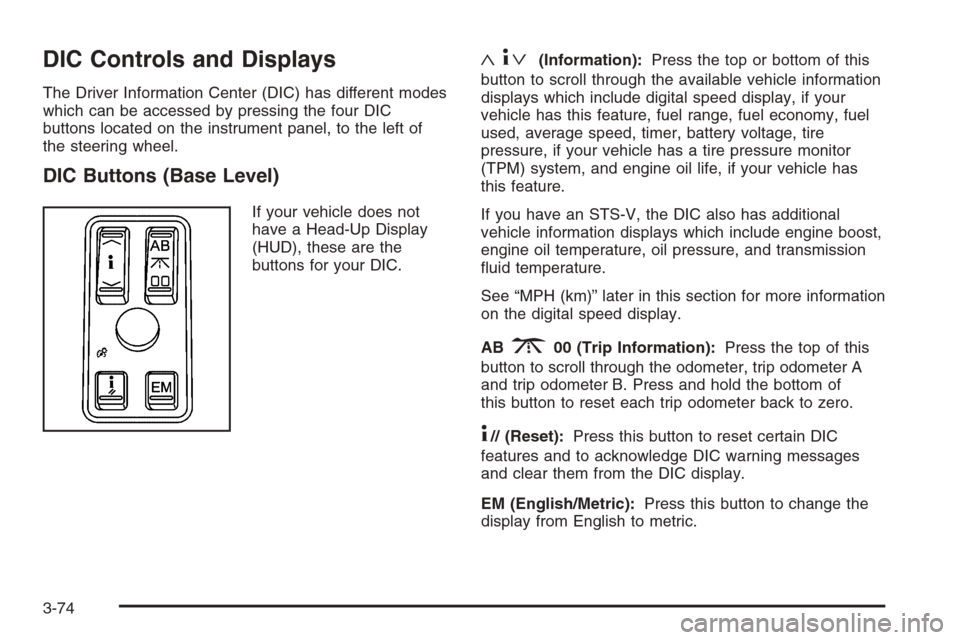
If your vehicle does not
have a Head-Up Display
(HUD), these are the
buttons for your DIC.
«4ª(Information):Press the top or bottom of this
button to scroll through the available vehicle information
displays which include digital speed display, if your
vehicle has this feature, fuel range, fuel economy, fuel
used, average speed, timer, battery voltage, tire
pressure, if your vehicle has a tire pressure monitor
(TPM) system, and engine oil life, if your vehicle has
this feature.
If you have an STS-V, the DIC also has additional
vehicle information displays which include engine boost,
engine oil temperature, oil pressure, and transmission
uid temperature.
See “MPH (km)” later in this section for more information
on the digital speed display.
AB
300 (Trip Information):Press the top of this
button to scroll through the odometer, trip odometer A
and trip odometer B. Press and hold the bottom of
this button to reset each trip odometer back to zero.
4// (Reset):Press this button to reset certain DIC
features and to acknowledge DIC warning messages
and clear them from the DIC display.
EM (English/Metric):Press this button to change the
display from English to metric.
3-74
Page 221 of 480
DIC Buttons (Uplevel)
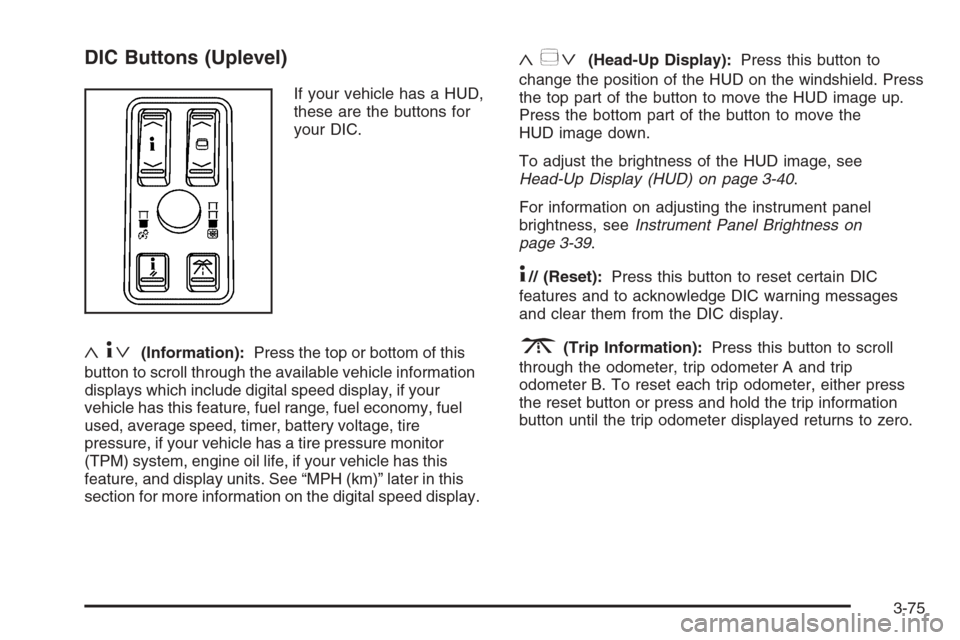
If your vehicle has a HUD,
these are the buttons for
your DIC.
«4ª(Information):Press the top or bottom of this
button to scroll through the available vehicle information
displays which include digital speed display, if your
vehicle has this feature, fuel range, fuel economy, fuel
used, average speed, timer, battery voltage, tire
pressure, if your vehicle has a tire pressure monitor
(TPM) system, engine oil life, if your vehicle has this
feature, and display units. See “MPH (km)” later in this
section for more information on the digital speed display.
«~ª(Head-Up Display):Press this button to
change the position of the HUD on the windshield. Press
the top part of the button to move the HUD image up.
Press the bottom part of the button to move the
HUD image down.
To adjust the brightness of the HUD image, see
Head-Up Display (HUD) on page 3-40.
For information on adjusting the instrument panel
brightness, seeInstrument Panel Brightness on
page 3-39.
4// (Reset):Press this button to reset certain DIC
features and to acknowledge DIC warning messages
and clear them from the DIC display.
3(Trip Information):Press this button to scroll
through the odometer, trip odometer A and trip
odometer B. To reset each trip odometer, either press
the reset button or press and hold the trip information
button until the trip odometer displayed returns to zero.
3-75
Page 222 of 480
Information Display Menu Items
The following display menu items can be displayed by
pressing the information button.
MPH (km/h)
If your vehicle has this display, it shows the vehicle’s
speed digitally in either miles per hour (mph) or
kilometers per hour (km/h).
MILES RANGE (km RANGE)
This display shows the approximate number of
remaining miles (mi) or kilometers (km) you can drive
without relling your fuel tank. This estimate is based on
the current driving conditions and will change if the
driving conditions change. For example, if you are
driving in traffic making frequent stops, the display may
read one number, but if you enter the freeway, the
number may change even though you still have the
same amount of fuel in the fuel tank. This is because
different driving conditions produce different fuel
economies. Generally, freeway driving produces better
fuel economy than city driving.
Once the range drops below approximately 40 miles
(64 km) remaining, the display will show LOW RANGE.
If your vehicle is low on fuel, the Fuel Level Low
message will be displayed. See “Fuel Level Low” under
DIC Warnings and Messages on page 3-79for more
information.
MPG AVG (L/100 km AVG)
This display shows the approximate average miles per
gallon (mpg) or liters per 100 kilometers (L/100 km).
This number is calculated based on the number of mpg
(L/100 km) recorded since the last time this display
was reset. To reset MPG AVG, press the reset button.
The display will return to zero.
MPG INST (L/100 km INST)
This display shows the current fuel economy. This
number reects only the fuel economy that the vehicle
has right now and will change frequently as driving
conditions change. Unlike average fuel economy, this
display cannot be reset.
GAL FUEL USED (L FUEL USED)
This display shows the number of gallons (gal) or
liters (L) of fuel used since the last reset of this display.
To reset GAL FUEL USED, press the reset button.
The display will return to zero.
AVG MPH (AVG km/h)
This display shows the average speed of the vehicle in
miles per hour (mph) or kilometers per hour (km/h).
This average is calculated based on the various vehicle
speeds recorded since the last reset of this display.
To reset AVG MPH, press the reset button. The display
will return to zero.
3-76
Page 231 of 480
FUEL LEVEL LOW
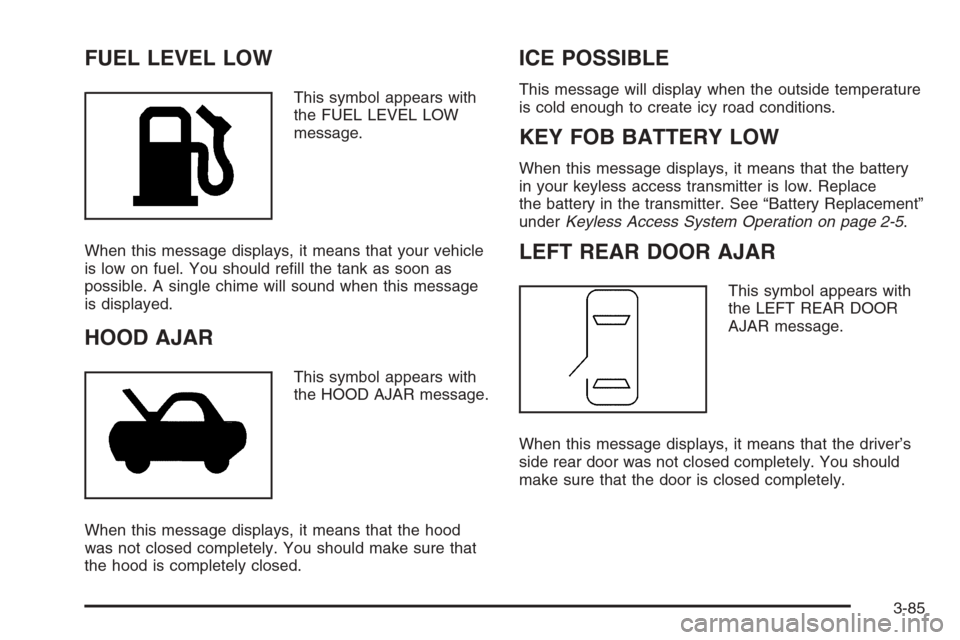
This symbol appears with
the FUEL LEVEL LOW
message.
When this message displays, it means that your vehicle
is low on fuel. You should rell the tank as soon as
possible. A single chime will sound when this message
is displayed.
HOOD AJAR
This symbol appears with
the HOOD AJAR message.
When this message displays, it means that the hood
was not closed completely. You should make sure that
the hood is completely closed.
ICE POSSIBLE
This message will display when the outside temperature
is cold enough to create icy road conditions.
KEY FOB BATTERY LOW
When this message displays, it means that the battery
in your keyless access transmitter is low. Replace
the battery in the transmitter. See “Battery Replacement”
underKeyless Access System Operation on page 2-5.
LEFT REAR DOOR AJAR
This symbol appears with
the LEFT REAR DOOR
AJAR message.
When this message displays, it means that the driver’s
side rear door was not closed completely. You should
make sure that the door is closed completely.
3-85
Page 292 of 480
Once you are moving on the freeway, make certain
you allow a reasonable following distance.
Expect to move slightly slower at night.
When you want to leave the freeway, move to the
proper lane well in advance. If you miss your exit,
do not, under any circumstances, stop and back up.
Drive on to the next exit.
The exit ramp can be curved, sometimes quite sharply.
The exit speed is usually posted. Reduce your speed
according to your speedometer, not to your sense
of motion. After driving for any distance at higher
speeds, you may tend to think you are going slower
than you actually are.
Before Leaving on a Long Trip
Make sure you are ready. Try to be well rested. If you
must start when you are not fresh — such as after
a day’s work — do not plan to make too many miles
that rst part of the journey. Wear comfortable clothing
and shoes you can easily drive in.Is your vehicle ready for a long trip? If you keep it
serviced and maintained, it is ready to go. If it needs
service, have it done before starting out. Of course, you
will nd experienced and able service experts in GM
dealerships all across North America. They will be ready
and willing to help if you need it.
Here are some things you can check before a trip:
Windshield Washer Fluid:Is the reservoir full?
Are all windows clean inside and outside?
Wiper Blades:Are they in good shape?
Fuel, Engine Oil, Other Fluids:Have you checked
all levels?
Lamps:Are they all working? Are the lenses clean?
Tires:They are vitally important to a safe,
trouble-free trip. Is the tread good enough for
long-distance driving? Are the tires all inated to
the recommended pressure?
Weather Forecasts:What is the weather outlook
along your route? Should you delay your trip a
short time to avoid a major storm system?
Maps:Do you have up-to-date maps?
4-24
Page 299 of 480
Run your engine only as long as you must. This saves
fuel. When you run the engine, make it go a little
faster than just idle. That is, push the accelerator
slightly. This uses less fuel for the heat that you get
and it keeps the battery charged. You will need a
well-charged battery to restart the vehicle, and possibly
for signaling later on with your headlamps. Let the
heater run for a while.
Then, shut the engine off and close the window almost all
the way to preserve the heat. Start the engine again and
repeat this only when you feel really uncomfortable from
the cold. But do it as little as possible. Preserve the fuel
as long as you can. To help keep warm, you can get out
of the vehicle and do some fairly vigorous exercises
every half hour or so until help comes.If Your Vehicle is Stuck in Sand,
Mud, Ice, or Snow
In order to free your vehicle when it is stuck, you will
need to spin the wheels, but you do not want to
spin your wheels too fast. The method known as rocking
can help you get out when you are stuck, but you
must use caution.
{CAUTION:
If you let your tires spin at high speed, they can
explode, and you or others could be injured.
And, the transmission or other parts of the
vehicle can overheat. That could cause an
engine compartment re or other damage.
When you are stuck, spin the wheels as little as
possible. Do not spin the wheels above 35 mph
(55 km/h) as shown on the speedometer.
Notice:Spinning your wheels can destroy parts of
your vehicle as well as the tires. If you spin the
wheels too fast while shifting your transmission
back and forth, you can destroy your transmission.
For more information about using tire chains on your
vehicle, seeTire Chains on page 5-78.
4-31
Page 304 of 480
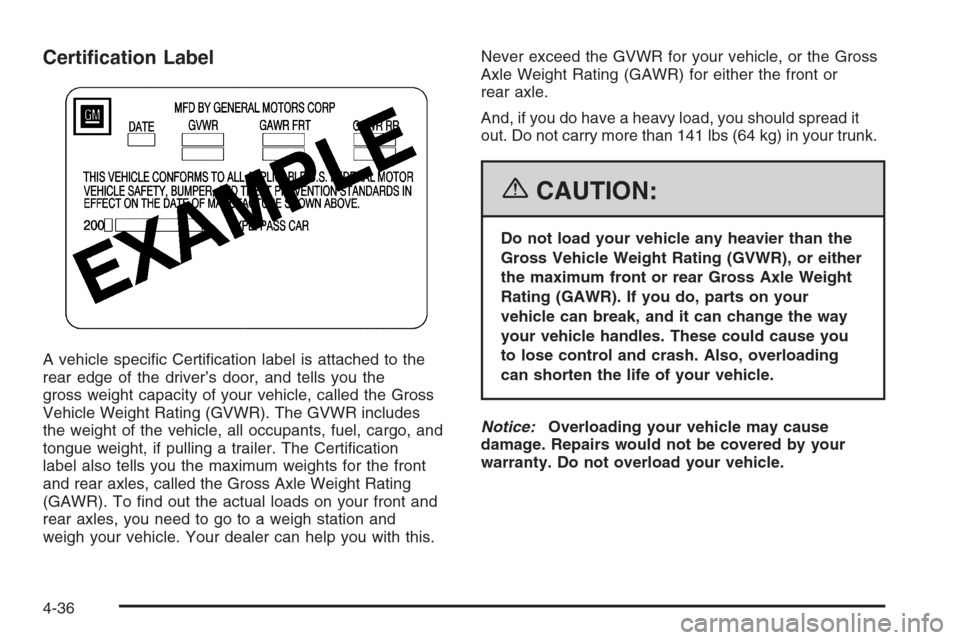
Certication Label
A vehicle specic Certication label is attached to the
rear edge of the driver’s door, and tells you the
gross weight capacity of your vehicle, called the Gross
Vehicle Weight Rating (GVWR). The GVWR includes
the weight of the vehicle, all occupants, fuel, cargo, and
tongue weight, if pulling a trailer. The Certication
label also tells you the maximum weights for the front
and rear axles, called the Gross Axle Weight Rating
(GAWR). To nd out the actual loads on your front and
rear axles, you need to go to a weigh station and
weigh your vehicle. Your dealer can help you with this.Never exceed the GVWR for your vehicle, or the Gross
Axle Weight Rating (GAWR) for either the front or
rear axle.
And, if you do have a heavy load, you should spread it
out. Do not carry more than 141 lbs (64 kg) in your trunk.
{CAUTION:
Do not load your vehicle any heavier than the
Gross Vehicle Weight Rating (GVWR), or either
the maximum front or rear Gross Axle Weight
Rating (GAWR). If you do, parts on your
vehicle can break, and it can change the way
your vehicle handles. These could cause you
to lose control and crash. Also, overloading
can shorten the life of your vehicle.
Notice:Overloading your vehicle may cause
damage. Repairs would not be covered by your
warranty. Do not overload your vehicle.
4-36
Page 308 of 480
Towing a Trailer (STS Only)
{CAUTION:
If you do not use the correct equipment and
drive properly, you can lose control when you
pull a trailer. For example, if the trailer is too
heavy, the brakes may not work well — or even
at all. You and your passengers could be
seriously injured. You may also damage your
vehicle; the resulting repairs would not be
covered by your warranty. Pull a trailer only if
you have followed all the steps in this section.
Ask your dealer for advice and information
about towing a trailer with your vehicle.
Your vehicle can tow a trailer if it is equipped with the
proper trailer towing equipment. To identify the trailering
capacity of your vehicle, you should read the information
in “Weight of the Trailer” that appears later in this
section. Trailering is different than just driving your
vehicle by itself. Trailering means changes in handling,
durability and fuel economy. Successful, safe trailering
takes correct equipment, and it has to be used properly.That is the reason for this part. In it are many
time-tested, important trailering tips and safety rules.
Many of these are important for your safety and that of
your passengers. So please read this section carefully
before you pull a trailer.
Load-pulling components such as the engine,
transmission, wheel assemblies and tires are forced
to work harder against the drag of the added weight. The
engine is required to operate at relatively higher
speeds and under greater loads, generating extra heat.
What is more, the trailer adds considerably to wind
resistance, increasing the pulling requirements.
If You Do Decide To Pull a Trailer
If you do, here are some important points:
There are many different laws, including speed limit
restrictions, having to do with trailering. Make sure
your rig will be legal, not only where you live
but also where you will be driving. A good source
for this information can be state or provincial police.
Consider using a sway control. You can ask a hitch
dealer about sway controls.
Do not tow a trailer at all during the rst 1,000 miles
(1 600 km) your new vehicle is driven. Your engine,
axle or other parts could be damaged.
4-40
Page 315 of 480
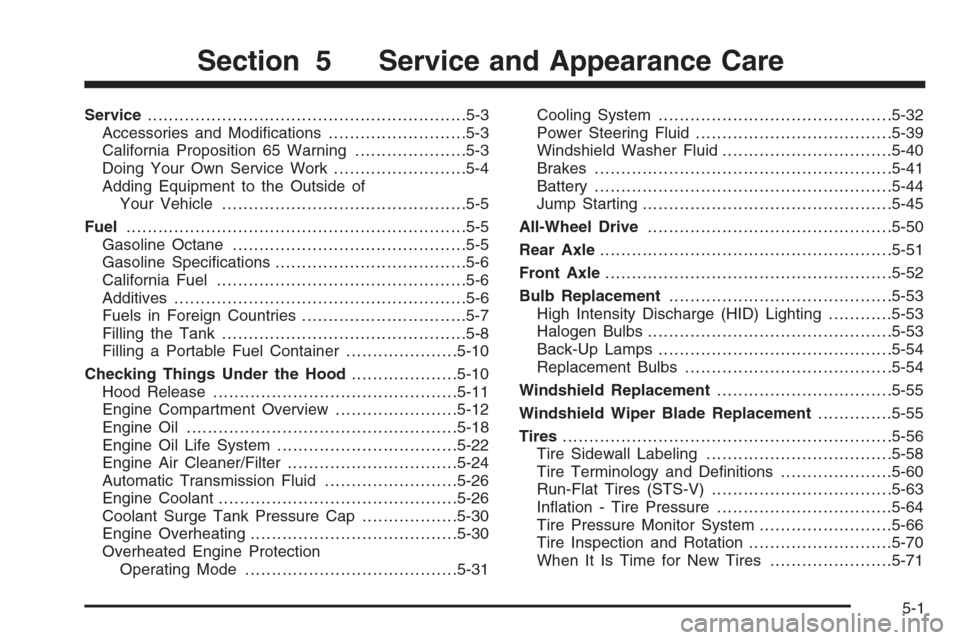
Service............................................................5-3
Accessories and Modications..........................5-3
California Proposition 65 Warning.....................5-3
Doing Your Own Service Work.........................5-4
Adding Equipment to the Outside of
Your Vehicle..............................................5-5
Fuel................................................................5-5
Gasoline Octane............................................5-5
Gasoline Specications....................................5-6
California Fuel...............................................5-6
Additives.......................................................5-6
Fuels in Foreign Countries...............................5-7
Filling the Tank..............................................5-8
Filling a Portable Fuel Container.....................5-10
Checking Things Under the Hood....................5-10
Hood Release..............................................5-11
Engine Compartment Overview.......................5-12
Engine Oil...................................................5-18
Engine Oil Life System..................................5-22
Engine Air Cleaner/Filter................................5-24
Automatic Transmission Fluid.........................5-26
Engine Coolant.............................................5-26
Coolant Surge Tank Pressure Cap..................5-30
Engine Overheating.......................................5-30
Overheated Engine Protection
Operating Mode........................................5-31Cooling System............................................5-32
Power Steering Fluid.....................................5-39
Windshield Washer Fluid................................5-40
Brakes........................................................5-41
Battery........................................................5-44
Jump Starting...............................................5-45
All-Wheel Drive..............................................5-50
Rear Axle.......................................................5-51
Front Axle......................................................5-52
Bulb Replacement..........................................5-53
High Intensity Discharge (HID) Lighting............5-53
Halogen Bulbs..............................................5-53
Back-Up Lamps............................................5-54
Replacement Bulbs.......................................5-54
Windshield Replacement.................................5-55
Windshield Wiper Blade Replacement..............5-55
Tires..............................................................5-56
Tire Sidewall Labeling...................................5-58
Tire Terminology and Denitions.....................5-60
Run-Flat Tires (STS-V)..................................5-63
Ination - Tire Pressure.................................5-64
Tire Pressure Monitor System.........................5-66
Tire Inspection and Rotation...........................5-70
When It Is Time for New Tires.......................5-71
Section 5 Service and Appearance Care
5-1
Page 319 of 480
Adding Equipment to the
Outside of Your Vehicle
Things you might add to the outside of your vehicle can
affect the airow around it. This may cause wind noise
and affect windshield washer performance. Check with
your dealer before adding equipment to the outside of
your vehicle.
Fuel
The 8th digit of your vehicle identication number (VIN)
shows the code letter or number that identies your
engine. You will nd the VIN at the top left of the
instrument panel. SeeVehicle Identication Number
(VIN) on page 5-103.
Gasoline Octane
If your vehicle has the 3.6L V6 engine (VIN Code 7), use
regular unleaded gasoline with a posted octane rating of
87 or higher. For best performance or trailer towing, you
may choose to use middle grade 89 octane unleaded
gasoline. If the octane rating is less than 87, you may
notice an audible knocking noise when you drive,
commonly referred to as spark knock. If this occurs, use a
gasoline rated at 87 octane or higher as soon as possible.
If you are using gasoline rated at 87 octane or higher and
you hear heavy knocking, your engine needs service.
If your vehicle has the 4.6L V8 engine (VIN Code A), use
premium unleaded gasoline with a posted octane rating
of 91 or higher. You may also use regular unleaded
gasoline rated at 87 octane or higher, but your vehicle’s
acceleration may be slightly reduced, and you may notice
a slight audible knocking noise, commonly referred to as
spark knock. If the octane is less than 87, you may notice
a heavy knocking noise when you drive. If this occurs,
use a gasoline rated at 87 octane or higher as soon as
possible. Otherwise, you might damage your engine. If
you are using gasoline rated at 87 octane or higher and
you hear heavy knocking, your engine needs service.
5-5