start stop button CADILLAC STS 2006 1.G User Guide
[x] Cancel search | Manufacturer: CADILLAC, Model Year: 2006, Model line: STS, Model: CADILLAC STS 2006 1.GPages: 480, PDF Size: 2.74 MB
Page 223 of 480
TIMER OFF
This display can be used like a stopwatch. You can
record the time it takes to travel from one point to
another. To access the timer, press the information
button until 00:00:00 TIMER OFF displays. To turn on
the timer, press the reset button until TIMER ON
displays. The timer will then start. To turn off the timer,
press the reset button again until TIMER OFF
displays. The timer will stop and display the end timing
value. To reset the timer, press and hold the reset
button after the timer has been stopped. The display
will return to zero.
BATTERY VOLTS
This display shows the current battery voltage. If the
voltage is in the normal range, the value will display. For
example, the display may read 13.2 BATTERY VOLTS.
If the voltage is low, the display will have LOW after
it. If the voltage is high, the display will have HIGH after
it. Your vehicle’s charging system regulates voltage
based on the state of the battery. The battery voltage
may uctuate when viewing this information on the DIC.
This is normal. SeeCharging System Light on
page 3-63for more information.
If there is a problem with the battery charging system,
the DIC may display a message. SeeDIC Warnings and
Messages on page 3-79for more information.
Tire Pressure
If your vehicle has a tire pressure monitor (TPM) system,
this display shows the air pressure of each road tire in
either pounds per square inch (psi) or kilopascals (kPa).
If the tire pressure is normal, the value will display. If the
tire pressure is low, LOW will appear on the display with
the value. If the tire pressure is high, HIGH will appear on
the display with the value. Press the information button to
scroll through the following displays:
LF TIRE:This display shows the air pressure in the
driver’s side front tire.
RF TIRE:This display shows the air pressure in the
passenger’s side front tire.
LR TIRE:This display shows the air pressure in the
driver’s side rear tire.
RR TIRE:This display shows the air pressure in the
passenger’s side rear tire.
If the tire pressure display shows dashes instead of a
value, there may be a problem with your vehicle. If this
consistently occurs, see your GM dealer for service.
3-77
Page 233 of 480
NO FOB OFF OR RUN?
When this message displays, it means that the keyless
access transmitter is not detected inside the vehicle
while you are trying to turn the ignition off. Your vehicle
may be near a strong radio antenna signal causing
the keyless access system to be jammed. The vehicle
will remain in ACC until OFF or START has been
pressed or 10 minutes has expired. If you turn the
ignition off and you cannot nd the keyless access
transmitter, you will not be able to restart the vehicle.
The keyless access transmitter needs to be inside of the
vehicle in order for the vehicle to start. SeeStarting
the Engine on page 2-25for more information.
OIL PRESSURE LOW STOP ENGINE
Notice:If you drive your vehicle while the engine
oil pressure is low, severe engine damage may
occur. If a low oil pressure warning appears on the
instrument panel cluster and/or DIC, stop the
vehicle as soon as possible. Do not drive the vehicle
until the cause of the low oil pressure is corrected.
SeeEngine Oil on page 5-18for more information.
A multiple chime will sound when this message is
displayed. SeeEngine Oil on page 5-18for more
information.
PASSENGER DOOR AJAR
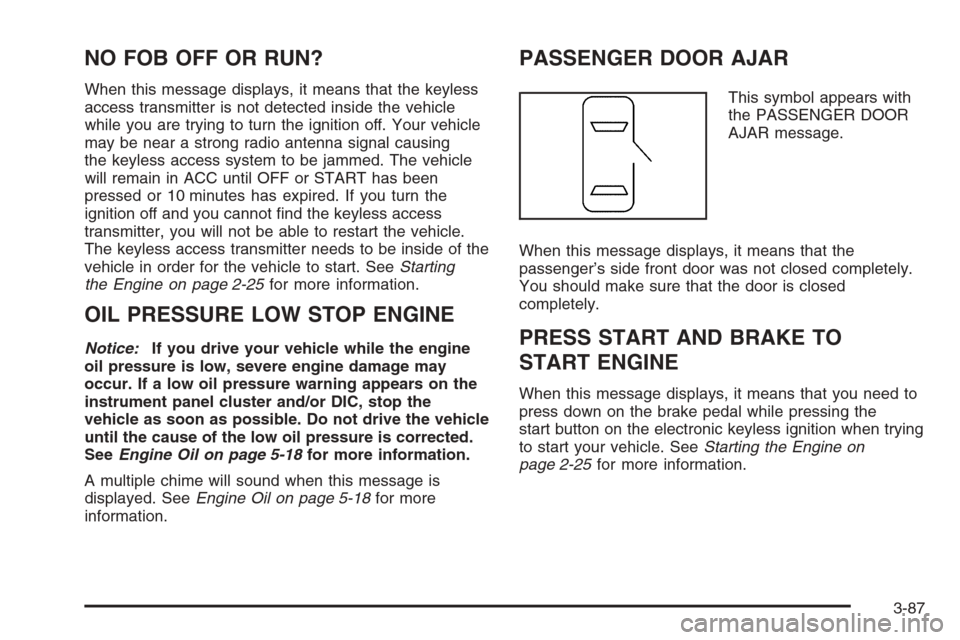
This symbol appears with
the PASSENGER DOOR
AJAR message.
When this message displays, it means that the
passenger’s side front door was not closed completely.
You should make sure that the door is closed
completely.
PRESS START AND BRAKE TO
START ENGINE
When this message displays, it means that you need to
press down on the brake pedal while pressing the
start button on the electronic keyless ignition when trying
to start your vehicle. SeeStarting the Engine on
page 2-25for more information.
3-87
Page 236 of 480
SERVICE VEHICLE SOON
This message will display when a non-emissions related
malfunction occurs. Have your vehicle serviced by
your GM dealer as soon as possible.
SPEED LIMITED TO XXX
This message will display when your vehicle speed is
limited to XXX, mph in English mode and km/h in Metric
mode, because the vehicle detects a problem in the
suspension system. Have your vehicle serviced by your
GM dealer.
STABILITY SYS (System) ACTIVE
The STABILITY SYS ACTIVE message will display
any time StabiliTrak®is actively assisting you with
directional control of the vehicle. Slippery road
conditions may exist when this message is displayed,
so adjust your driving accordingly. This message
may stay on for a few seconds after StabiliTrak
®stops
assisting you with directional control of the vehicle.
SeeStabiliTrak
®System on page 4-11for more
information.
STABILITY SYS (System) NOT READY
The STABILITY SYS NOT READY message will
display if StabiliTrak®is not ready. Two conditions may
cause this message to display.
The rst condition may be that the vehicle needs to be
driven in a straight line until the sensors are centered.
Once the sensors are centered, the StabiliTrak
®system
will be ready and the STABILITY SYS READY
message will display.
The second condition that may cause this message to
display is when you rst start your vehicle and drive
away during cold winter weather. This is normal.
The system needs to warm up. You can acknowledge
this message by pressing the reset button.
The StabiliTrak
®performance is affected until the
STABILITY SYS READY message is displayed in the
DIC. SeeStabiliTrak
®System on page 4-11for
more information.
3-90
Page 251 of 480
Using the Single CD Player
Insert a CD partway into the slot, label side up. The
player will pull it in. If the ignition and the radio are on, the
CD will begin playing. A CD may be loaded with the radio
off, but it will not start playing until the radio is on.
If the ignition or radio is turned off with a CD in the
player, it will stay in the player. When the ignition
or radio is turned on, the CD will start to play where it
stopped, if it was the last selected audio source.
When the CD is inserted, CD will appear on the display.
As each new track starts to play, the track number
will appear on the display.
The CD player can play the smaller 3 inch (8 cm) single
CDs with an adapter ring. Full-size CDs and the
smaller CDs are loaded in the same manner.
If playing a CD-R, the sound quality may be reduced due
to CD-R quality, the method of recording, the quality of
the music that has been recorded, and the way the CD-R
has been handled. There may be an increase in skipping,
difficulty in nding tracks, and/or difficulty in loading and
ejecting. If these problems occur, check the bottom
surface of the CD. If the surface of the CD is damaged,
such as cracked, broken, or scratched, the CD will not
play properly. If the surface of the CD is soiled, seeCare
of Your CDs on page 3-121for more information.
If there is no apparent damage, try a known good CD.Do not add any label to a CD, it could get caught in the
CD player. If a CD is recorded on a personal computer
and a description label is needed, try labeling the top of
the recorded CD with a marking pen instead.
Notice:If you add any label to a CD, insert more
than one CD into the slot at a time, or attempt to play
scratched or damaged CDs, you could damage the
CD player. When using the CD player, use only CDs
in good condition without any label, load one CD at a
time, and keep the CD player and the loading slot free
of foreign materials, liquids, and debris.
If an error appears on the display, see “CD Messages”
later in this section.
When a CD is inserted, the CD functions will appear on
the display above the pushbuttons, in place of the
preset stations (if programmed).
F1
{(Reverse):Press this pushbutton to go to the
previous track. Press and hold this pushbutton to
reverse quickly within a track. Release the pushbutton
to play the passage. The elapsed time of the track
will appear on the display.
F2
|(Forward):Press this pushbutton to go to the
next track. Press and hold this pushbutton to advance
quickly within a track. Release the pushbutton to
play the passage. The elapsed time of the track will
appear on the display.
3-105
Page 259 of 480
©¨(Seek):Press the left arrow to go to the start of
the previous track. Press the right arrow to go to the
start of the next track. Pressing either arrow for
more than two seconds will search the previous or next
tracks at two tracks per second. Release the button
to stop searching and to play the track.
©¨(Scan):Press the double arrow button to scan
the tracks in each folder. The radio will go to the
next track, play for 10 seconds, then go on to the next
track. Press this button again to stop scanning.
w(Tune):Turning the tune knob will fast track
reverse or advance through the tracks in all folders or
playlists. The track number and le name will appear on
the display for each track. Turning this knob while in
random will fast track reverse or advance the tracks in
sequential order.
4(Information):Press this button, while an MP3 CD is
loaded, to view the Title, Artist, Album, or Folder
names. To view this information, perform the following:
1. Press the tune/select knob to enter the
main menu.
2. Turn the tune/select knob until INFO appears on
the display.3. Press the tune/select knob to select INFO. The
display will change to show the additional MP3
information.
4. Press one of the following pushbuttons to view that
specic information.
F1 TTLE (Title):To display the title name.
F2 ATST (Artist):To display the artist name.
F3 ALBM (Album):To display the album name.
F4 FLDR (Folder):To display the folder name.
5. Press the BACK (F6) button to exit the display. To
return to the original display, repeatedly press the
BACK (F6) button or wait for the display to time out.
SRCE (Source):Press this button to select a source,
either radio or CD. The CD must be loaded to select
the source and to play. CD will appear on the display if
a CD is loaded. If a CD is not loaded, the display
will not change from the radio source.
Z(Eject):Press this button to stop a CD when it is
playing or to eject a CD when it is not playing. Eject may
be activated with the ignition and the radio off.
3-113
Page 280 of 480
StabiliTrak®comes on automatically whenever you start
your vehicle. To help assist you with directional control of
the vehicle, you should always leave the system on. You
can turn StabiliTrak
®off if you ever need to through the
TC (traction control) on/off button. SeeTraction Control
System (TCS) on page 4-9.
If your vehicle is in cruise control when the StabiliTrak
®
activates, the cruise control will automatically
disengage. When road conditions allow you to safely
use it again, you may reengage the cruise control.
SeeCruise Control on page 3-16orAdaptive Cruise
Control on page 3-19for more information.
Panic Brake Assist
Your vehicle has a panic brake assist system that
monitors the intention of the driver while braking. If the
system senses that the driver has applied hard/fast
pressure to the brake pedal, the system will generate
additional pressure, making it easier for the driver
to maintain brake application. When this happens the
brake pedal will feel easier to push. Just hold the brake
pedal down rmly and let the system work for you.
You may feel the brakes vibrate, or you may notice
some noise but this is normal. The brakes will return
to normal operation after the brake pedal has been
released.
All-Wheel Drive (AWD) System
If your vehicle is equipped with this feature, engine
power is sent to all four wheels all the time.
This is like four-wheel drive, but it is fully automatic.
Steering
Power Steering
If you lose power steering assist because the engine
stops or the system is not functioning, you can steer
but it will take much more effort.
Speed Variable Assist Steering
Your vehicle has a steering system that continuously
adjusts the effort you feel when steering at all vehicle
speeds. It provides ease when parking, yet a rm,
solid feel at highway speeds.
4-12
Page 382 of 480
TPM Sensor Identication Codes
Each TPMS sensor has a unique identication code.
Any time you replace one or more of the TPMS sensors
or rotate your vehicle’s tires, the identication codes
will need to be matched to the new tire/wheel position.
The sensors are matched to the tire/wheel positions
in the following order: driver’s side front tire, passenger’s
side front tire, passenger’s side rear tire, and driver’s
side rear tire using a TPMS diagnostic tool. See
your GM dealer for service.
The TPMS sensors may also be matched to each
tire/wheel position by increasing or decreasing the tire’s
air pressure. If using this method to match TPMS
sensors, the complete procedure outlined below must
be performed within 15 minutes of the vehicle being
stationary.
You will have one minute to match the rst tire/wheel
position, and ve minutes overall, to match all four
tire/wheel positions. If it takes longer than one minute to
match the rst tire and wheel, or more than ve minutes
to match all four tire/wheel positions, the matching
process stops and you will need to start over.The TPM matching process is outlined below:
1. Set the parking brake.
2. Press the push-button ignition switch to ACC.
3. Using the Keyless Access transmitter, lock and
unlock the vehicle’s doors.
4. Press the lock and unlock buttons, at the same
time, on the Keyless Access transmitter. A single
horn chirp will sound, indicating that the TPMS
is ready, and the sensor matching process
can begin.
5. Start with the driver’s side front tire.
6. Remove the valve cap from the valve stem. Activate
the TPMS sensor by increasing or decreasing the
tire’s air pressure for ve seconds, or until a horn
chirp sounds. The horn chirp, which may take up to
30 seconds to sound, conrms that the sensor
identication code has been matched to this tire
position. To decrease the tire’s air-pressure use the
pointed end of the valve cap, a pencil-style air
pressure gauge, or a key.
7. Proceed to the passenger’s side front tire, and
repeat the procedure in Step 6.
5-68