seat memory CADILLAC STS 2007 1.G User Guide
[x] Cancel search | Manufacturer: CADILLAC, Model Year: 2007, Model line: STS, Model: CADILLAC STS 2007 1.GPages: 560, PDF Size: 2.92 MB
Page 172 of 560

STORE DRIVER SETTINGS
To store driver settings, use the following
procedure:
1. Adjust your settings for the driver’s seat, the
outside rearview mirrors, and the steering
column to a comfortable driving position.
2. Enter the memory programming mode for
your driver settings by following the
instructions listed previously under “Entering
the Driver Selection Submenu.”
3. From the DRIVER SELECTION submenu,
turn the tune/select knob to scroll to STORE
DRIVER SETTINGS and press in the
knob. Two beeps will sound to conrm that
your driver settings are saved.
4. Set the HUD position, if your vehicle has this
feature, the climate control temperature, fan
speed and mode settings, the radio presets,
tone, volume, playback mode (AM/FM,
XM™, or CD), and compact disc position.
Your memory settings are now programmed.
Any changes that are made to the HUD,
audio system, and climate controls while
driving will be automatically stored when the
ignition is turned off.
5. Repeat the procedure for a second driver by
programming the other driver number.
Entering the Driver Exit Settings
Submenu
To enter the memory programming mode for your
exit settings, use the following procedure:
1. Be sure the ignition is either on, in Acc., or in
RAP and place the transmission in PARK (P)
or make sure that the vehicle speed is
less than 6 mph (9 km/h).
2. Press any button on the appropriate keyless
access transmitter to identify yourself as
Driver 1 or Driver 2.
3. Turn on the radio by pressing the
power/volume knob.
4. Press the CNFG radio button to enter the
main menu of the radio.
5. Turn the tune/select knob and scroll to SETUP.
6. Press the tune/select knob to enter the
SETUP menu.
7. Turn the tune/select knob and scroll to
DRIVER EXIT SETTINGS.
8. Press the tune/select knob to enter the
DRIVER EXIT SETTINGS submenu.
The following items will appear:
RECALL EXIT SETTINGS
STORE EXIT SETTINGS
172
Page 173 of 560

Driver Exit Settings Submenu Items
RECALL EXIT SETTINGS
To recall exit settings, use the following procedure:
1. Enter the memory programming mode for
your exit settings by following the instructions
listed previously under “Entering the Driver
Exit Settings Submenu.”
2. From the DRIVER EXIT SETTINGS submenu,
turn the tune/select knob to scroll to RECALL
EXIT SETTINGS and press in the knob.
If the vehicle is in PARK (P), one beep will
sound and your previously saved exit position
will then be recalled.
If the vehicle is not in PARK (P), three beeps
will sound and your previously saved exit
position will not be recalled.
A memory recall can be stopped by pressing
any memory seat or mirror position button.
If you would like the stored exit positions to be
recalled when your vehicle is in PARK (P),
the vehicle is off, and the driver’s door is opened,
see “AUTO EXIT SEAT” and “AUTO EXIT
COLUMN” underVehicle Personalization on
page 148.
STORE EXIT SETTINGS
To store exit settings, use the following procedure:
1. Adjust your settings for the driver’s seat,
the outside rearview mirrors, and the
steering column to a comfortable exit position.
2. Enter the memory programming mode for your
exit settings by following the instructions listed
previously under “Entering the Driver Exit
Settings Submenu.”
3. From the DRIVER EXIT SETTINGS submenu,
turn the tune/select knob to scroll to STORE
EXIT SETTINGS and press in the knob.
Two beeps will sound to conrm that your new
exit settings are saved.
4. Repeat the procedure for a second driver by
programming the other driver number.
173
Page 181 of 560

Power Tilt Wheel and Telescopic
Steering Column
The power tilt and
telescope wheel control
is located on the
outboard side of the
steering column.
To operate the power tilt feature, move the control
up or down to tilt the steering wheel up or down.
To set the memory position, seeVehicle
Personalization on page 148andMemory Seat,
Mirrors and Steering Wheel on page 169.
To operate the power telescope feature, move the
control forward or rearward and the steering
wheel moves toward the front or rear of the
vehicle.
Heated Steering Wheel
Your vehicle may have a heated steering wheel.
The button for this
feature is located on
the steering wheel.
Press the bottom of the button to turn the heated
steering wheel on or off. A light on the button
will display while the feature is on.
The steering wheel will take about three minutes
to reach its maximum temperature.
181
Page 309 of 560
DRIVER SELECTION
When you select this item, the following submenu
displays:
DRIVER 1
DRIVER 2
RECALL DRIVER SETTINGS
STORE DRIVER SETTINGS
For more information on the DRIVER SELECTION
submenu item, see “Recalling Driver Settings”
and “Storing Driver Settings” underMemory Seat,
Mirrors and Steering Wheel on page 169.
DRIVER EXIT SETTINGS
When you select this item, the following
submenu displays:
RECALL EXIT SETTINGS
STORE EXIT SETTINGS
For more information on the DRIVER EXIT
SETTINGS submenu item, see “Recalling Exit
Settings” and “Storing Exit Settings” underMemory
Seat, Mirrors and Steering Wheel on page 169.
CONFIGURE DISPLAY KEYS
(Base Audio System)
This item lets you customize the functions of the
four congurable keys located to the left and
right of the audio display. See “Congurable Radio
Display Keys” underRadio with CD on page 282
for programming information.
Theft-Deterrent Feature
THEFTLOCK®is designed to discourage theft
of your vehicle’s radio. The feature works
automatically by learning a portion of the Vehicle
Identication Number (VIN). If the radio is
moved to a different vehicle, it does not operate.
If the radio is removed from your vehicle, the
original VIN in the radio can be used to trace the
radio back to your vehicle.
With THEFTLOCK
®activated, the radio will not
operate if stolen.
309
Page 494 of 560
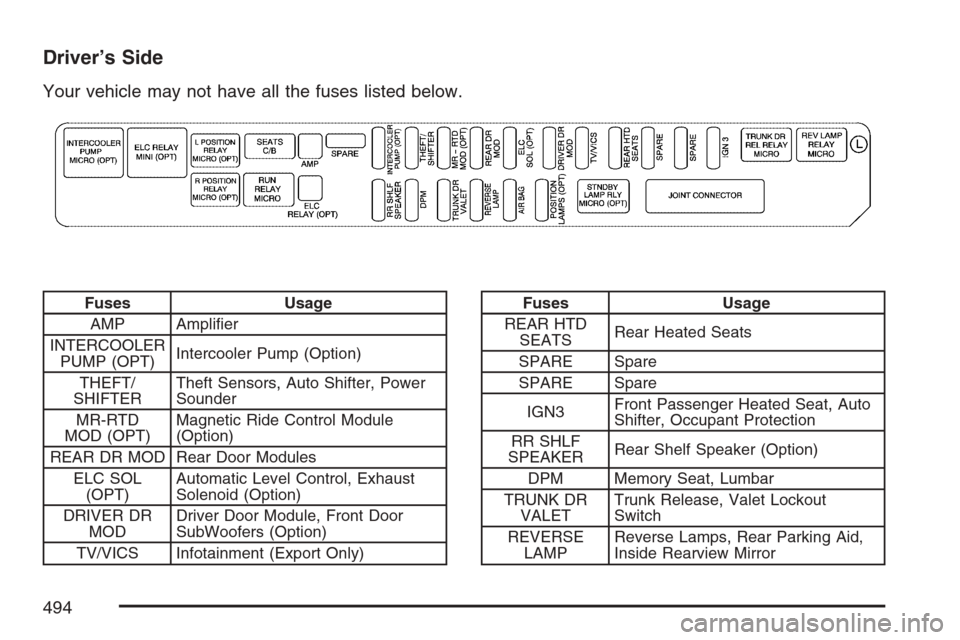
Driver’s Side
Your vehicle may not have all the fuses listed below.
Fuses Usage
AMP Amplier
INTERCOOLER
PUMP (OPT)Intercooler Pump (Option)
THEFT/
SHIFTERTheft Sensors, Auto Shifter, Power
Sounder
MR-RTD
MOD (OPT)Magnetic Ride Control Module
(Option)
REAR DR MOD Rear Door Modules
ELC SOL
(OPT)Automatic Level Control, Exhaust
Solenoid (Option)
DRIVER DR
MODDriver Door Module, Front Door
SubWoofers (Option)
TV/VICS Infotainment (Export Only)Fuses Usage
REAR HTD
SEATSRear Heated Seats
SPARE Spare
SPARE Spare
IGN3Front Passenger Heated Seat, Auto
Shifter, Occupant Protection
RR SHLF
SPEAKERRear Shelf Speaker (Option)
DPM Memory Seat, Lumbar
TRUNK DR
VALETTrunk Release, Valet Lockout
Switch
REVERSE
LAMPReverse Lamps, Rear Parking Aid,
Inside Rearview Mirror
494
Page 553 of 560
M
Magnetic Ride Control................................. 325
Maintenance Schedule
Additional Required Services.................... 508
At Each Fuel Fill...................................... 513
At Least Once a Month............................ 513
At Least Once a Year.............................. 514
Introduction.............................................. 502
Maintenance Footnotes............................ 510
Maintenance Record................................ 521
Maintenance Requirements...................... 502
Normal Maintenance Replacement
Parts.................................................... 518
Owner Checks and Services.................... 512
Recommended Fluids and Lubricants....... 516
Scheduled Maintenance........................... 505
Using....................................................... 503
Your Vehicle and the Environment............ 503
Malfunction Indicator Light........................... 252
Memory Mirrors........................................... 169
Memory Seat............................................... 169
Memory Steering Wheel Controls................ 169
Message
DIC Warnings and Messages................... 264Mirrors
Automatic Dimming Rearview................... 127
Automatic Dimming Rearview Mirror with
Intellibeam™ and OnStar®.................... 127
Automatic Dimming Rearview with
OnStar
®................................................ 127
Automatic Dimming Rearview with
OnStar
®and Compass......................... 128
Manual Rearview Mirror with Compass
and Temperature.................................... 14
Memory................................................... 169
Outside Automatic Dimming Mirror........... 131
Outside Convex Mirror............................. 131
Outside Parallel Park Assist Mirror........... 131
Outside Power Heated Mirrors................. 130
MP3 ............................................................ 297
MyGMLink.com............................................ 528
N
Navigation/Radio System, see
Navigation Manual................................... 305
New Vehicle Break-In.................................. 111
Normal Maintenance Replacement Parts..... 518
553
Page 556 of 560
Reporting Safety Defects
Canadian Government............................. 542
General Motors........................................ 542
United States Government....................... 542
Restraint System Check
Checking the Restraint Systems................. 80
Replacing Restraint System Parts
After a Crash......................................... 81
Retained Accessory Power (RAP)................ 112
Right Front Passenger Position,
Safety Belts............................................... 30
Roadside
Service.................................................... 531
Rocking Your Vehicle to Get it Out.............. 349
Routing, Engine Drive Belt.......................... 519
Run-Flat Tires............................................. 429
Running the Engine While Parked............... 126
S
Safety Belt
Passenger Reminder Light....................... 244
Pretensioners............................................. 37
Reminder Light........................................ 243Safety Belts
Care of.................................................... 479
Driver Position........................................... 21
How to Wear Safety Belts Properly............ 20
Questions and Answers About
Safety Belts............................................ 19
Rear Safety Belt Comfort Guides............... 34
Rear Seat Passengers............................... 31
Right Front Passenger Position.................. 30
Safety Belt Extender.................................. 37
Safety Belt Use During Pregnancy............. 30
Safety Belts Are for Everyone.................... 15
Shoulder Belt Height Adjuster.................... 29
Safety Warnings and Symbols......................... 4
Scheduled Maintenance............................... 505
Seats
Head Restraints......................................... 13
Heated and Ventilated Seats...................... 11
Heated Seats............................................. 10
Heated Seats - Rear.................................. 14
Memory................................................... 169
Power Lumbar............................................. 9
Power Reclining Seatbacks........................ 11
Power Seats................................................ 9
556
Page 557 of 560
Securing a Child Restraint
Rear Seat Position..................................... 57
Right Front Seat Position........................... 59
Security Light.............................................. 256
Service........................................................ 362
Accessories and Modications.................. 363
Adding Equipment to the Outside of
Your Vehicle......................................... 365
California Proposition 65 Warning............. 363
Doing Your Own Work............................. 364
Engine Soon Light................................... 252
Publications Ordering Information............. 543
Servicing Your Airbag-Equipped Vehicle......... 78
Sheet Metal Damage................................... 483
Shifting Into Park (P)................................... 122
Shifting Out of Park (P)............................... 124
Shoulder Belt Height Adjuster........................ 29
Signals, Turn and Lane-Change.................. 182
Spare Tire
Compact.................................................. 475
Installing.................................................. 466
Removing................................................ 465
Storing..................................................... 473
Specications, Capacities............................ 498
Speedometer............................................... 243StabiliTrak®System..................................... 326
Starting Your Engine................................... 113
Steering...................................................... 327
Steering Wheel Controls, Audio................... 310
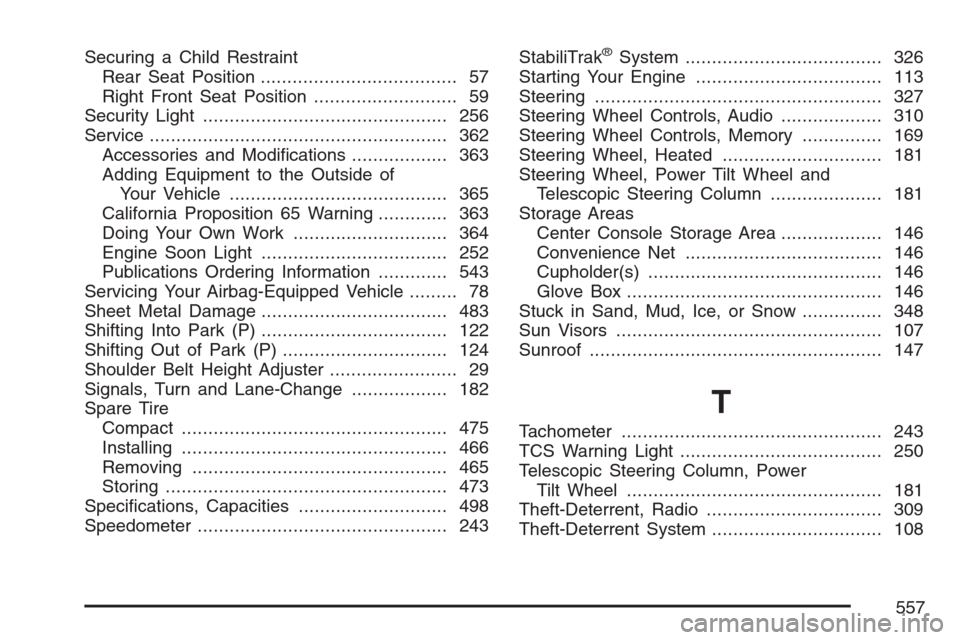
Steering Wheel Controls, Memory............... 169
Steering Wheel, Heated .............................. 181
Steering Wheel, Power Tilt Wheel and
Telescopic Steering Column..................... 181
Storage Areas
Center Console Storage Area................... 146
Convenience Net..................................... 146
Cupholder(s)............................................ 146
Glove Box................................................ 146
Stuck in Sand, Mud, Ice, or Snow............... 348
Sun Visors.................................................. 107
Sunroof....................................................... 147
T
Tachometer................................................. 243
TCS Warning Light...................................... 250
Telescopic Steering Column, Power
Tilt Wheel................................................ 181
Theft-Deterrent, Radio................................. 309
Theft-Deterrent System................................ 108
557
Page 559 of 560
U
Ultrasonic Rear Parking Assist (URPA)........ 226
Understanding Radio Reception................... 312
Uniform Tire Quality Grading....................... 444
Universal Home Remote System........135, 136
Operation........................................137, 142
V
Valet Lockout Switch................................... 110
Vehicle
Control..................................................... 320
Damage Warnings....................................... 5
Loading.................................................... 349
Symbols...................................................... 5
Vehicle Data Collection and Event
Data Recorders........................................ 536
Vehicle Identication
Number (VIN).......................................... 485
Service Parts Identication Label.............. 485Vehicle Personalization................................ 148
Memory Seat, Mirrors and
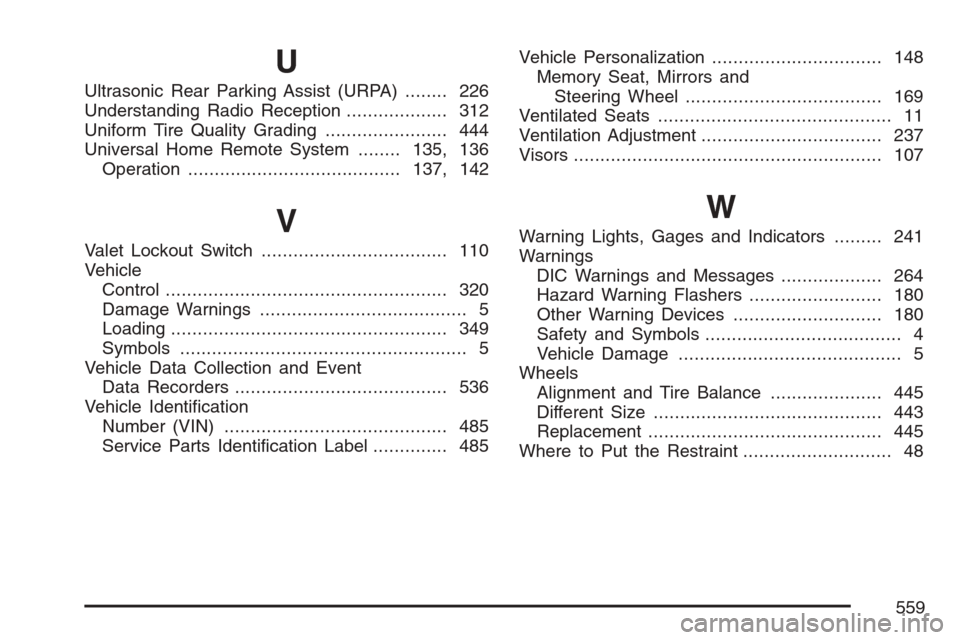
Steering Wheel..................................... 169
Ventilated Seats............................................ 11
Ventilation Adjustment.................................. 237
Visors.......................................................... 107
W
Warning Lights, Gages and Indicators......... 241
Warnings
DIC Warnings and Messages................... 264
Hazard Warning Flashers......................... 180
Other Warning Devices............................ 180
Safety and Symbols..................................... 4
Vehicle Damage.......................................... 5
Wheels
Alignment and Tire Balance..................... 445
Different Size........................................... 443
Replacement............................................ 445
Where to Put the Restraint............................ 48
559